
Tag Archives: payment gateway

Merchant Warrior Review

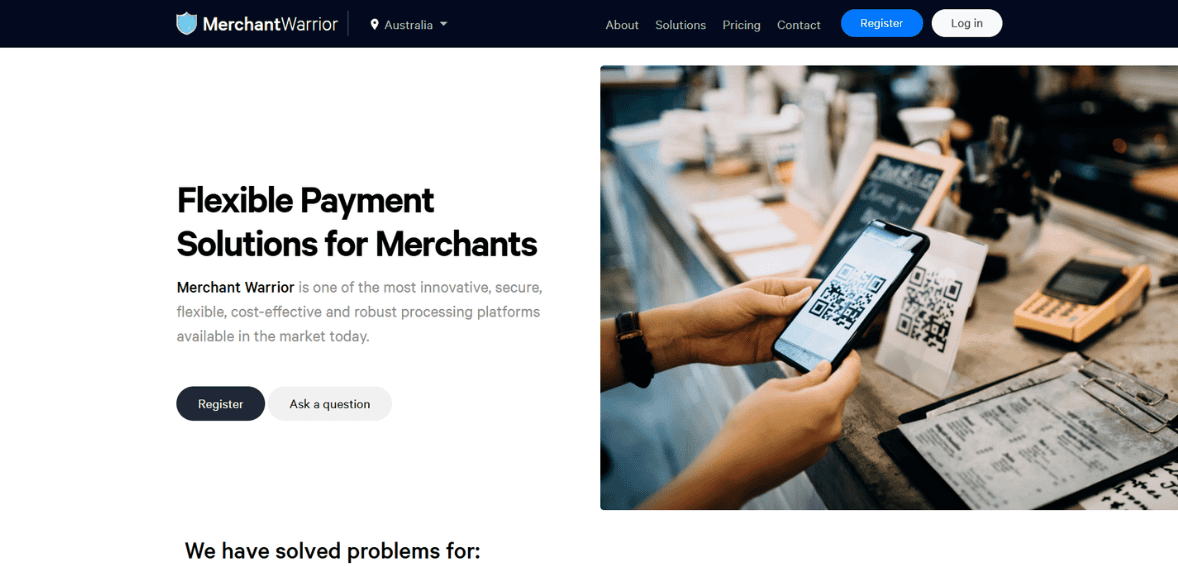
Merchant Warrior is a privately owned Australian fintech company that has built one of the more distinctive positions in the domestic payment gateway market: a Brisbane-based, independently owned, Australian-operated payment infrastructure provider that has deliberately remained outside foreign corporate ownership at a time when most of its competitors have been acquired by international payment conglomerates. Founded in 2009, the company operates from Brisbane, Queensland, and describes its mission as enabling customers to process online credit card payments directly with their bank in seconds while providing first class service for website payments. Lets read more about Merchant Warrior Review.


Merchant Warrior is one of the few remaining payment processor companies that is Australian owned and operates out of Australia. It is not by coincidence that this is how the company markets itself. There has been a major consolidation and buyout of payment gateway providers over the years in Australia, such as with the IP Payment being bought by Bambora, Ingenico, and finally Worldline, as well as several other companies being acquired by overseas corporations. Merchant Warrior’s continued independence makes it an important choice for Australian businesses that want to ensure that they have an Australian operator of their payment infrastructure provider.


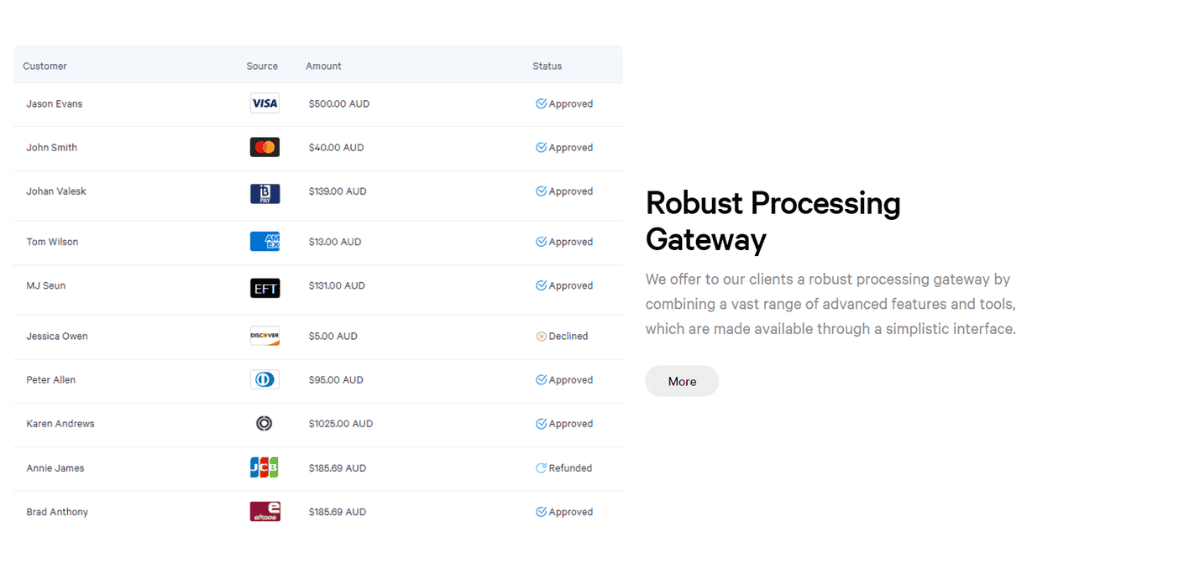
Merchant Warrior provides a wide array of payment services, which includes credit and debit card processing, Direct Debit payments using banks, PayID direct bank payments, PayTo near direct bank debits, BPAY billing payments, batch payments, and a Payouts service for real-time payments. These services make Merchant Warrior a true full-service payment gateway in Australia, as opposed to just being a card payment gateway with additional payment services added on top of it.

Company Background and Market Position | Merchant Warrior Review

Founded in 2009, Merchant Warrior is a privately owned fintech company located in Brisbane, Australia. The organisation prides itself in establishing and maintaining a healthy relationship with each of its clients, working in synergy with clients to gain insight into their individual requirements and by providing them with a solution that caters wholly to those requirements.


The private ownership structure is a meaningful characteristic in the context of the Australian payment gateway market. Where many gateway competitors are ultimately accountable to international corporate parents whose strategic priorities may not align with Australian merchant needs, Merchant Warrior operates as a locally owned business where the people making product and service decisions are based in Brisbane and directly invested in the outcomes of Australian merchants.


Merchant Warrior presents itself as a business functioning in the convergence of payment gateway technology and merchant account facilitation, thus giving Australian merchants choice regarding how the payment acceptance arrangement is structured. It is possible for the merchant either to hire Merchant Warrior to provide the all-inclusive solution consisting of both the merchant account on the internet and the payment gateway service; or use the existing merchant account provided by the bank and combine it with the services offered by Merchant Warrior as a payment gateway provider. Such choice accounts for both new merchants and those with existing bank relationship but desiring to obtain advanced payment gateway services.


Merchant Warrior is a local Australian Payment Gateway helping merchants acquire a merchant account and providing either merchant accounts of various Australian banks or all-inclusive packages including a merchant account and a payment gateway service at reasonable prices. The capability to negotiate on merchant account options available at various Australian banks on the client’s behalf, instead of pointing out one specific banking institution for every merchant, proves the independence of Merchant Warrior as an adviser.

Core Payment Gateway Capabilities

Merchant Warrior’s payment gateway infrastructure handles credit card and debit card transaction processing, enabling Australian merchants to accept payments online through their websites, eCommerce platforms, and billing software. The gateway supports real-time transaction processing, returning authorization responses immediately so that merchants and their customers receive payment confirmation without delays that might cause checkout abandonment.


The All-in-One solution bundles the internet merchant account with the payment gateway, allowing merchants to establish their entire online payment infrastructure through a single relationship without requiring a separate bank merchant account application. The bring-your-own merchant account option allows merchants with existing bank relationships to connect those accounts to Merchant Warrior’s gateway, taking advantage of the gateway’s technology capabilities while retaining the banking relationship they have already established.


All major credit card networks are supported, covering Visa and Mastercard as the primary networks across both consumer and commercial card types. The gateway’s multi-currency support allows merchants to accept payments from international customers across a range of currencies, which is relevant for Australian businesses with significant offshore customer bases or those selling to international markets through digital channels.


The Least Cost Routing capability, available through Merchant Warrior, directs debit card transactions through the most cost-effective network path available, typically routing domestic debit transactions through the eftpos network rather than through the Visa or Mastercard networks when this results in a lower merchant service fee. EFTPOS Least Cost Routing is available through Merchant Warrior, reflecting the company’s engagement with the evolving Australian payment infrastructure and the regulatory focus on enabling merchants to benefit from competitive routing options for debit card transactions.

Australian-Specific Payment Methods

The range of Australian-specific payment methods supported by Merchant Warrior is one of the most practically significant aspects of its product offering for domestic merchants, and it reflects genuine investment in the local payment landscape rather than a card-centric approach that treats Australian payment methods as secondary.


PayID enables merchants to generate unique payment identifiers for all customers and invoices. Customers are able to make bank transfers using unique payment identifiers and merchants can receive the funds in real-time 24 hours a day, seven days a week including public holidays. This real-time payment capability, operating through Australia’s New Payments Platform infrastructure, gives merchants an alternative to card payments that settles immediately without the overnight settlement delay that batch-processed transactions involve. For businesses where same-day cash flow is operationally important, the real-time nature of PayID receipts is a meaningful advantage.


PayTo provides near real-time debit capability, allowing merchants to initiate debits from customer bank accounts through a pre-authorized mandate framework. PayTo represents a modernization of the traditional direct debit process, maintaining the automated collection convenience of direct debit while enabling faster settlement and a more transparent authorization framework for customers who want to understand and manage their payment mandates directly through their banking app.


BPAY gives a billing solution for the Australian merchants such that their customers can pay through their internet or mobile banking services, with facilities for scheduling payments and making sure no wrong payments are made through a referencing system. BPAY has become an integral part of the payment culture in Australia, especially for those merchants who provide bill payment, utilities, and subscription billing in which the customers make payments through the banking websites. In the case of such billing solutions, BPAY acceptance becomes a necessity.


The Direct Debit service allows merchants to collect the payments regularly through debiting of the customer’s bank account, which is the right method for collecting payments from subscription services, memberships, installment billing, and other recurring billing situations.
Merchant Warrior Review

Integration Options: Direct API, Payframe, and Hosted Pages

Merchant Warrior supports multiple integration approaches that accommodate different merchant technical capabilities and checkout design requirements, covering the spectrum from fully custom developer-built implementations to ready-to-deploy hosted options.


The Direct API Integration enables merchants to process credit card, bank account, and check transactions in real time directly through any eCommerce solution such as shopping carts, web pages, and other billing software. Merchants are given the ability to maintain their own branding while utilizing the Merchant Warrior Payment Gateway to process online transactions. The Direct API solution can be extensively customized for a seamless integration that ensures that the merchant’s customers remain under the impression that the merchant processes all transactions themselves.


This Direct API approach gives technically capable merchants complete control over the payment experience within their own application environment, with card data entering Merchant Warrior’s processing infrastructure via API without requiring any page redirect to a Merchant Warrior-hosted environment. Merchants using this approach need to ensure that their own systems meet appropriate security standards for handling card data at the collection point, though tokenization and encryption capabilities within the API reduce the raw card data exposure within merchant systems.


Payframe Integration offers a solution that combines customization flexibility and minimal PCI compliance scope. Instead of accepting cards by having a form written completely from scratch in the merchant’s own codebase, Payframe will host a payment form provided by Merchant Warrior on the merchant’s page through an iframe. While the form will look according to the merchant’s style guide, it will still operate on Merchant Warrior’s server where the raw card details will not end up in the merchant’s codebase.


Hosted Payment Pages offer the easiest integration approach as it consists of sending the user from the merchant’s page to the Merchant Warrior-hosted checkout page where card details can be entered. There is no front-end integration required other than providing a link for redirection and this approach is considered the most powerful one regarding PCI compliance as card details are fully hosted on Merchant Warrior’s side and do not touch merchant’s system at all.

Batch Payments and High-Volume Processing

Merchant Warrior Batch Payments is the ideal payment solution for businesses that harbour a significant amount of offline transactions. The Batch Payments solution has the ability to efficiently process an extremely large number of transactions per batch file via the Merchant Warrior Payment Gateway. Merchants are able to manually upload or automatically transfer a formatted file with credit card and bank account payment information to the Merchant Warrior Payment Gateway and receive an instant notification upon processing completion. This solution is best suited for businesses that deal with memberships such as magazine subscriptions, health clubs, charitable donations, and similar recurring payment scenarios.


The batch processing capability addresses a specific and genuine operational need for businesses that collect payments at scale outside a real-time online checkout environment. Rather than processing each transaction individually through an API call, batch processing allows thousands of transactions to be submitted simultaneously from a single formatted file, with the gateway processing the entire batch and returning completion notification. This is operationally efficient for subscription businesses, membership organizations, and any company with large volumes of scheduled recurring charges that are better handled as a coordinated batch than as individual real-time authorizations.


The ability to automate batch file transfer rather than requiring manual upload reflects an understanding that high-volume merchants need their payment workflows integrated into automated business processes rather than dependent on staff intervention at each billing cycle. The instant notification upon batch completion provides the operational confirmation that finance teams need before proceeding with downstream processes dependent on payment completion.

Payouts: Real-Time Fund Disbursement

The MW Payouts product enables businesses to push funds from their bank accounts in real-time via APIs. Merchants can push funds to business accounts or consumer accounts in real-time with fallback support. By powering the product with the latest industry technology, merchants are not required to hold a float of funds with Merchant Warrior and can simply push funds directly from their nominated bank account.


The Payouts product not only provides the solution on the transactional payment side but also on the disbursement aspect where businesses will be able to disburse their payments to customers, suppliers, or employees in real-time through the same platform infrastructure used by businesses to collect payment from customers in real-time. It is one of the commercially valuable attributes of the product because businesses are not required to pre-fund the balance with Merchant Warrior prior to the disbursements; instead, it allows businesses to withdraw funds from their bank accounts.


The ability of the Payouts product to facilitate real-time fund disbursement will prove to be beneficial to various types of organizations like marketplace platforms where payments need to be made to the sellers, insurance organizations where claim payments need to be made, financial services businesses that require distribution of funds, and organizations that routinely distribute payments to their dispersed recipients. In-built fallback facility will help the disbursements to find another way if the initially selected way fails to work in case of the real-time payments being attempted.

Fraud Prevention and Security

Merchant Warrior is a Tier 1 PCI DSS compliant provider, holding the highest level of Payment Card Industry Data Security Standard certification available for payment service providers. This certification requires rigorous independent audit and verification of security controls across the organization’s payment infrastructure, and maintaining it reflects a sustained operational commitment to security management rather than a one-time certification exercise.

An Advanced Fraud Platform is included as a component of the Merchant Warrior payment infrastructure, providing fraud detection and prevention tools that merchants can leverage alongside their card acceptance capability. The specifics of the fraud rule sets, the customization available to merchants for their specific risk profiles, and the reporting and monitoring capabilities of the fraud platform are detailed in the company’s documentation rather than summarized in public marketing materials, and merchants with elevated fraud exposure should discuss the specific capabilities available during their evaluation.


3DS 2.0 authentication support provides the modern strong customer authentication framework applicable in payment environments where this authentication protocol is relevant, including for transactions with European cardholders under PSD2 requirements and for domestic transactions where issuer-side 3DS challenge is initiated. 3DS 2.0’s improved authentication flow compared to the original 3DS standard reduces the friction of the authentication experience while maintaining the fraud liability shift associated with successfully authenticated transactions.


The scheme tokenization capability allows Merchant Warrior to replace stored card PANs with network-issued tokens from Visa and Mastercard, which are maintained and updated by the card networks when underlying cards are replaced. This eliminates the stored card data staleness problem that generates failed recurring charges when customers receive new cards, improving authorization rates on recurring billing while simultaneously reducing the sensitivity of any stored card reference data.

Pricing Structure and Transparency

Merchant Warrior’s pricing is competitive and free rate reviews are provided. Merchant Service Fee ranges from 0.5% to 1.5% depending on volume. Annual fees start from 400 dollars with zero dollar options also available. Transaction fees range from 0.04 to 0.30 dollars.


This published pricing information, available through independent Australian payment gateway comparison resources, is notably more transparent than many competing payment processors reviewed in this series. The Merchant Service Fee range of 0.5% to 1.5% reflects volume-based pricing where higher-volume merchants qualify for lower rates, which is a standard and merchant-favorable pricing structure that rewards growth rather than penalizing it.


The pricing page on Merchant Warrior’s website uses a transaction volume selector to match merchants with their appropriate pricing profile, covering Standard and Premier pricing tiers based on monthly transaction counts. This tiered structure acknowledges that the right pricing model for a small merchant processing a few hundred transactions per month differs from that appropriate for a larger operator processing thousands monthly.


The all-in-one bundled pricing for merchants who take both the merchant account and gateway through Merchant Warrior simplifies the cost structure by eliminating the need to separately manage bank merchant account fees alongside gateway fees. For merchants who bring their own bank merchant account, the gateway fee is charged separately, with the total cost reflecting both the gateway fee and the merchant account fee from their bank.


The option for zero annual fee arrangements alongside the standard 400 dollar annual fee reflects flexibility in how the cost structure is packaged, and merchants should ask specifically about which arrangement is applicable to their situation and what, if any, trade-offs exist between the fee structures in terms of included services or rate levels.
Merchant Warrior Review

Shopping Cart and Platform Integrations

Merchant Warrior’s integration ecosystem covers a range of eCommerce platforms and shopping cart solutions commonly used by Australian merchants, reducing the development effort of connecting an existing online store to the gateway. Integration support spans both major international platforms with Australian merchant bases and Australian-specific eCommerce solutions.


WooCommerce integration makes the gateway accessible to the large number of Australian merchants running WordPress-based eCommerce stores, which represent a significant share of the small and medium-sized online retail market. Magento 2 integration, available through third-party extension providers including the documented Meetanshi extension, provides access for merchants running the more enterprise-oriented Magento commerce platform. VirtueMart integration covers Joomla-based eCommerce deployments, and Spiffy Stores integration connects with the Australian-built all-in-one eCommerce platform for merchants who want to keep their entire online store infrastructure with Australian providers.


The referral program for web developers and integrators, offering 10% commission for integrating or referring customers to the Merchant Warrior gateway, reflects a deliberate strategy of building the integration ecosystem through the development community rather than relying solely on direct merchant acquisition. Developers who work with multiple merchant clients and can recommend a gateway across their client base represent a cost-effective distribution channel that simultaneously deepens the integration ecosystem by creating developer expertise in the Merchant Warrior API.

Customer Support and the Local Service Advantage

The customer support model at Merchant Warrior benefits from the same local, independently owned operational context that characterizes the company overall. With a Brisbane-based team and a business model built on direct client relationships rather than mass-market commoditized processing, the support experience is characterized by the accessibility of people who are directly invested in the outcome of merchant issues.


Independent reviewers have noted that third-party payment gateways like Merchant Warrior offer a support team that will actually answer phone calls and help diagnose issues, bundled with solutions to help maintain PCI compliance and integrate seamlessly with applications, contrasted with Australian bank payment gateways that can offer limited support. This characterization positions Merchant Warrior as meaningfully more responsive and more technically engaged than bank-provided gateway alternatives, which are often documented as difficult to reach for complex technical issues.


The free rate review service, where merchants with questions about their current pricing can contact Merchant Warrior for an independent assessment, is an unusual service offering that reflects confidence in the competitive positioning of the company’s own rates. Offering to review a merchant’s current pricing from any provider rather than requiring them to commit to switching first removes a barrier from the evaluation process and positions Merchant Warrior as a consultative partner rather than a purely transactional vendor.


Phone contact is available through the published number of 07 3166 5489, providing a direct channel for merchants who prefer phone-based support over ticket or email systems. The availability of a published phone number is worth noting specifically because it is a commitment to accessibility that some larger, more corporate payment providers do not maintain as consistently.

Strengths, Limitations, and Who It Is Best For

Merchant Warrior is a genuinely strong option for Australian merchants who want a domestically owned and operated payment infrastructure partner with competitive pricing, comprehensive Australian payment method support, and genuine local accountability. The Tier 1 PCI DSS certification, the breadth of integration options from full API to hosted pages, the Australian-native payment methods including PayID, PayTo, BPAY, and Direct Debit, the Payouts disbursement product, and the batch processing capability for high-volume recurring billing collectively represent a product portfolio that is well-matched to the operational needs of Australian eCommerce businesses across a wide range of sectors.


The transparent pricing with a published rate range and a free rate review service distinguishes Merchant Warrior from processors that require merchants to engage in a sales conversation to obtain even approximate cost information. The local ownership and Brisbane-based team provide accountability and responsiveness that is structurally harder to deliver from a subsidiary of a foreign corporate parent.


The limitations are primarily geographic and scale-based. Merchant Warrior is an Australian-focused provider and is not the appropriate choice for merchants who need global payment infrastructure, multi-country acquiring relationships, or payment methods beyond the Australian and some international markets. Merchants who require the developer ecosystem breadth, global alternative payment method support, or enterprise-scale orchestration capabilities of providers like Stripe or Adyen will find Merchant Warrior’s scope more limited, though for the domestic Australian merchant who does not need global infrastructure, these limitations are irrelevant trade-offs rather than meaningful gaps.


The merchants best positioned to benefit from Merchant Warrior are Australian eCommerce businesses of all sizes that want a domestically owned gateway with competitive pricing and comprehensive local payment method support, membership organizations and subscription businesses that need batch Direct Debit and recurring billing infrastructure alongside card acceptance, marketplace and platform businesses that need both payment collection and Payouts disbursement through a single integrated provider, and businesses that value the advisory relationship of a locally accessible team over the self-service model of larger international providers.

FAQs

Q1. Is Merchant Warrior suitable for merchants outside Australia, and can it accept payments in currencies other than Australian dollars?


Merchant Warrior is primarily designed and optimized for Australian merchants, and the majority of its distinctive product features, including PayID, PayTo, BPAY, Direct Debit, and Least Cost Routing, are specific to the Australian payment infrastructure. The company describes itself as a worldwide payment solutions provider and supports multi-currency card acceptance, allowing merchants to accept payments from international customers across a range of currencies. However, the company’s acquiring relationships, regulatory framework, and operational infrastructure are Australian-based, which means it is not the appropriate primary provider for merchants who need significant payment processing outside Australia. 


Merchants with predominantly Australian customer bases who also want to accept some international card payments will find Merchant Warrior’s multi-currency card support sufficient for that secondary requirement. Merchants whose primary market is outside Australia or who need multi-country payment infrastructure with local acquiring in multiple markets should evaluate international-focused providers alongside Merchant Warrior to determine the most appropriate configuration for their geographic needs.


Q2. What is the difference between using Merchant Warrior’s all-in-one solution versus bringing your own bank merchant account?


The all-in-one solution bundles the internet merchant account with Merchant Warrior’s payment gateway into a single relationship, meaning merchants apply through Merchant Warrior, receive a single account for both the merchant facility and the gateway, and pay a bundled fee that covers both components. This is the simpler option for merchants who do not already have a bank-issued merchant account and want to establish their online payment infrastructure through a single application and provider relationship. 


The bring-your-own merchant account option allows merchants who already have an internet merchant account with an Australian bank to connect that existing account to Merchant Warrior’s gateway technology, taking advantage of the gateway’s advanced features, integration options, fraud platform, and payment method range while retaining the merchant account relationship they have already established with their bank.


This can be appropriate when a merchant’s existing bank offers competitive merchant service fees that are difficult to match elsewhere, or when an existing banking relationship makes it operationally simpler to keep the merchant account with the bank. In either case, Merchant Warrior offers free rate reviews to help merchants evaluate whether their current arrangement is competitive and which option is likely to be most cost-effective for their specific volume and transaction profile.


Q3. How does Merchant Warrior’s PayID and PayTo capability work, and which types of businesses benefit most from these features?


PayID allows merchants to generate unique payment identifiers for customers or invoices, which customers then use to send bank transfers directly from their internet or mobile banking app. Because PayID operates through Australia’s New Payments Platform infrastructure, payments are received in real-time around the clock including weekends and public holidays, and automatic reconciliation is possible by matching incoming payments to the unique identifiers. This eliminates the manual reconciliation effort associated with traditional bank transfers where matching payments to invoices requires manual review. 


PayTo is a newer payment method that allows merchants to initiate direct debits from customer bank accounts through a pre-authorized mandate, with the debit processing in near real-time rather than the overnight processing associated with traditional direct debit. The businesses that benefit most from PayID are those that invoice customers for significant amounts and want to offer bank transfer as a payment option without the reconciliation burden of traditional EFT, including professional services firms, B2B suppliers, and businesses where card payment fees on large transaction values are material.


PayTo is most beneficial for subscription businesses, membership organizations, and any operation that manages recurring billing relationships and wants the real-time settlement and modern mandate management of PayTo relative to the older direct debit infrastructure.


Cardknox Review

Cardknox Review

Cardknox is a payment gateway platform that focuses on providing secure, flexible, and developer-oriented payment processing infrastructure. Rather than positioning itself as an all-in-one merchant solution, Cardknox primarily operates as a backend payments layer that integrates into existing systems, applications, and workflows. This distinction matters, because the platform is often evaluated not by its interface alone, but by how effectively it enables payments within third-party software and custom environments. Lets read more about Cardknox Review.


The payments landscape has become increasingly fragmented, with businesses needing to support multiple payment methods, compliance standards, and deployment models. Cardknox operates in this context by offering a gateway that emphasizes API access, tokenization, and secure transaction handling across industries such as healthcare, SaaS, retail, and professional services. Its model is less about out-of-the-box storefronts and more about adaptability.

Overview of Cardknox as a Payment Gateway | Cardknox Review

At its core, Cardknox functions as a payment gateway that securely transmits transaction data between merchants, payment processors, and acquiring banks. It does not replace a merchant account or processor, but instead sits between front-end applications and the financial institutions that authorize and settle transactions. This separation is typical of modern gateway architecture and allows Cardknox to remain processor-agnostic.


The platform supports both card-present and card-not-present transactions, making it relevant for online payments as well as in-person or hybrid environments. Its role is focused on handling sensitive payment data securely, routing transactions efficiently, and returning authorization responses with minimal latency. This positioning aligns more closely with infrastructure providers than consumer-facing payment brands.


Because Cardknox is not tightly coupled to a single processor, businesses often gain flexibility in choosing or switching processors while keeping the same gateway layer. That can be beneficial for scaling organizations or ISVs that operate across regions or verticals. However, it also means that full implementation often involves coordinating between multiple vendors, which can increase setup complexity.


Overall, Cardknox presents itself as a utility-driven gateway rather than a bundled commerce solution. This approach appeals most to businesses that already have defined systems and need a reliable, compliant way to process payments within them.

Core Payment Processing Features

Cardknox supports a range of standard payment processing capabilities that most modern gateways are expected to provide. These include credit and debit card transactions, ACH payments, recurring billing, and stored payment credentials through tokenization. The platform is designed to handle both one-time and ongoing payment workflows, which makes it adaptable across different business models.


Tokenization is a central feature of Cardknox’s offering. Instead of storing sensitive card data within a merchant’s environment, payment details are converted into tokens that can be reused for future transactions without exposing raw card numbers. This reduces security risk and simplifies compliance requirements for merchants handling repeat payments or subscriptions.


The gateway also supports authorization, capture, refunds, and voids as discrete actions. This separation is useful for businesses that need more control over settlement timing or order fulfillment logic. Recurring billing tools allow payments to be scheduled and managed programmatically, which is particularly relevant for SaaS platforms and service-based businesses.


While these features are not unique in isolation, Cardknox distinguishes itself through consistency and integration depth rather than novelty. The platform does not attempt to add complex consumer-facing features, but instead focuses on executing core payment actions reliably and securely within broader systems.

Security, Compliance, and Risk Management

Security and compliance are core to the value offered by Cardknox, especially in sectors dealing with sensitive customer information. Cardknox is built to facilitate PCI compliance by reducing the risk of cardholder data exposure in merchant environments. Tokenization and encryption are major components of this effort.


Cardknox helps reduce the scope of PCI compliance for merchants by processing payment information and sending tokens back instead of actual card information. This can greatly reduce the PCI audit and security review process burden for merchants. This is especially beneficial for companies that lack in-house security experts.


Cardknox also implements secure transmission protocols and offers other features that can help prevent unauthorized access or data breaches. Although fraud prevention services are available, Cardknox is more focused on infrastructure security than on behavioral fraud analysis. Most merchants are likely to use processor-level or third-party fraud services in addition to the gateway provided by Cardknox.


From a risk management perspective, Cardknox provides a solid baseline rather than a comprehensive fraud management suite. This aligns with its role as a gateway rather than a risk optimization platform. Businesses with elevated fraud exposure should evaluate how Cardknox fits into a broader security strategy rather than viewing it as a standalone solution.

API and Developer-Friendly Architecture

One of Cardknox’s defining characteristics is its emphasis on API-driven integration. The platform is built to be embedded into applications rather than used primarily through a standalone dashboard. For developers, this means direct access to payment functionality through documented endpoints and SDKs.


The API structure is designed to be relatively straightforward, with clear methods for transactions, token creation, recurring billing, and reporting. This makes it suitable for custom development across web, desktop, and mobile environments. For software providers building payment capabilities into their products, this flexibility is a significant consideration.


Documentation quality plays a major role in developer adoption, and Cardknox generally provides structured reference materials and examples. That said, implementation still requires technical expertise, particularly when coordinating with processors or handling edge cases like partial authorizations or failed transactions.


The developer-first approach benefits teams that want control and customization, but it may feel complex for non-technical users. Cardknox appears intentionally optimized for environments where developers are part of the deployment process, rather than for merchants seeking a simple plug-and-play payment button.

Cardknox Review

Supported Integrations and Platforms

Cardknox is intended to work well with many different systems, rather than being part of a closed system. The gateway can work with POS systems, custom web applications, ERP software, and industry-specific software, depending on the implementation. For businesses in vertical markets such as healthcare, education, or professional services, this is a significant advantage because it enables Cardknox to be integrated into existing systems without requiring significant changes. The gateway can handle online payments and offline payments using compatible hardware and software configurations.


Because integrations are often done through APIs, rather than being done with pre-existing connectors, the amount of work required can vary. Some systems may have pre-existing connectors available through partners, while others may require custom development. This is the key to understanding the positioning of Cardknox. Rather than competing with e-commerce platforms that are ready to go out of the box, Cardknox is positioned to be flexible with many different systems. Businesses with complex payment systems are more likely to find this useful than those who want to get started right away.

Cardknox for ISVs and Software Platforms

Independent software vendors represent a key audience for Cardknox. The platform is structured to support embedded payments, where transactions occur directly within third-party software rather than through external checkout pages. This model allows ISVs to offer a more seamless user experience. Cardknox enables ISVs to integrate payments as a native feature, often under their own branding. This can create additional revenue streams and strengthen customer retention. The gateway’s processor-agnostic design also allows ISVs to adapt to different markets or client requirements.


However, embedding payments carries operational responsibilities. ISVs must handle onboarding, support coordination, and sometimes compliance guidance for their clients. Cardknox provides the infrastructure, but the overall success of an embedded model depends on how well the ISV manages these layers. For software companies with a clear payments strategy and technical capacity, Cardknox offers a flexible foundation. For those new to payments, the learning curve may be steeper compared to fully managed payment platforms.

Payment Experience for Merchants and Customers

From the merchant and customer point of view, the user experience of the payment process made possible by Cardknox is mostly dependent on the implementation of the gateway. Since the gateway is usually integrated into custom interfaces, the user experience is more dependent on the application than the gateway.


If properly implemented, Cardknox can enable fast authorization and sound transaction processing. Customers will not have any reason to interact with the gateway, which is usually the case with infrastructure-level payment solutions. Functionality and consistency are more important than looks in such solutions.


For the merchant, refunding, looking up transactions, and reconciliation of transactions are usually done through dashboards or reporting tools. The functionality of the user experience at this level depends on the implementation and systems in place. Cardknox does not have a specific user experience, which can be both a good and a bad thing. Businesses that want complete control over the experience can do so to the letter, while others may require additional tools for a standardized interface.

Pricing Model and Fee Structure

Cardknox’s pricing model generally follows a gateway-based structure rather than an all-inclusive flat rate. Fees may include gateway charges, transaction fees, and processor-related costs, depending on the setup. This layered pricing can be more flexible but also more complex to evaluate upfront.


Because Cardknox works alongside processors, total costs vary based on negotiated processing rates and transaction volumes. For higher-volume merchants or ISVs, this can create opportunities for cost optimization. For smaller businesses, the pricing structure may feel less predictable compared to bundled solutions.


Transparency depends on how agreements are structured and which partners are involved. Prospective users benefit from carefully reviewing all fee components rather than focusing solely on headline rates. Cardknox’s pricing approach aligns with its infrastructure focus. It is not designed to be the cheapest option for simple use cases, but rather a scalable solution where costs align with operational needs.

Reporting, Analytics, and Transaction Management

It offers the ability to view transaction information, which can be used for reconciliation and operational purposes. The ability to view transaction history, status, and settlement information is available as needed for accounting and support purposes.


The reporting functionality is more functional in nature and less advanced. The reporting functionality is intended to offer insight into payment activity rather than behavioral data. In many cases, this level of reporting functionality is adequate, especially when used in conjunction with other accounting or analytical software.


The ability to access data through APIs enables organizations to retrieve transaction data and import it into their own dashboards or reporting software. This is useful for organizations that like to manage data centrally across systems. While Cardknox is not an analytics software solution, it does offer the basic data necessary for sound financial management.

Scalability and Performance for Growing Businesses

Scalability is a key consideration for payment infrastructure, and Cardknox is built to support growing transaction volumes. Its architecture is intended to handle increased load without requiring fundamental changes to integration logic.


For businesses expanding across locations or customer segments, the gateway’s processor flexibility can simplify scaling. Performance is generally stable, though real-world results depend on integration quality and network conditions. Cardknox’s scalability strengths are most visible in environments where payments are embedded into software platforms that grow over time. The gateway can scale alongside these platforms without forcing migration to new systems.

Customer Support and Onboarding Experience

Onboarding with Cardknox typically involves coordination between technical teams, processors, and support staff. This process can be smooth when roles are clearly defined, but it may take longer than onboarding with consumer-focused payment platforms.


Customer support is oriented toward resolving technical and operational issues rather than guiding non-technical users. Documentation plays a major role, and response quality often depends on the complexity of the request. For organizations with internal expertise, this support model is generally adequate. Less technical merchants may require additional assistance from partners or integrators.

Pros and Limitations of Cardknox

Cardknox’s strengths lie in flexibility, security, and developer-centric design. It works well as a payment infrastructure layer for complex or embedded payment environments. Limitations include a steeper learning curve and less emphasis on out-of-the-box user experience. It may not be ideal for businesses seeking rapid setup with minimal configuration. Understanding these trade-offs is essential when evaluating Cardknox for long-term use.

Who Should Consider Cardknox

Cardknox is best suited for ISVs, SaaS platforms, and businesses with technical resources. It aligns well with organizations that value control, customization, and scalable infrastructure. Smaller merchants or those seeking simplicity may find alternative models more approachable. It performs best when treated as a foundational payment layer rather than a complete commerce solution.

FAQs

Is Cardknox suitable for small businesses?

It can be, but smaller businesses without technical support may find setup and management more complex than turnkey solutions.

Does Cardknox require developer involvement?

In most cases, yes. The platform is designed for API-based integration and benefits from technical implementation.

Is Cardknox a full payment processor?

No. Cardknox functions as a payment gateway and works alongside merchant accounts and processors.

SecurePay Review


SecurePay is an Australian-based payment gateway that provides businesses with secure, reliable, and efficient ways to process online and recurring transactions. Founded in 1999 and owned by Australia Post, SecurePay has built a strong reputation in the financial technology sector by focusing on simplicity and safety. It enables businesses to accept payments online through credit and debit cards, digital wallets, and alternative payment methods. Over the years, it has evolved to become one of the country’s most recognized payment processors, catering to a broad range of enterprises; from startups to large corporations. Lets read more about SecurePay Review.


SecurePay’s mission is rooted in enabling seamless payment experiences for both merchants and customers. The platform offers a complete suite of tools that go beyond just accepting payments; it also covers fraud prevention, reporting, and integrations with e-commerce platforms. Its foundation under Australia Post ensures reliability, compliance, and adherence to local regulatory standards, adding a layer of trust to its operations. For many Australian businesses, SecurePay represents a dependable partner that combines technological capability with the credibility of a long-standing national institution.

Company Background and Evolution | SecurePay Review

SecurePay was founded as a payment service provider under Australia Post to simplify online payments for businesses in the early days of digital commerce. Initially focused on online card processing, the company expanded to include recurring billing, tokenization and advanced fraud management. Being part of Australia Post gives us a unique advantage in terms of regulatory confidence and national reach.


As digital commerce grew in Australia, SecurePay adapted by introducing modern APIs, better integration and improved user experiences. We also built compatibility with major e-commerce platforms, because we’re all about scalability and user convenience. Over the years SecurePay has become a key player in Australia’s digital payments infrastructure, servicing both traditional and digital first businesses.


Our evolution shows how a legacy service can remain relevant in a fast changing fintech landscape. SecurePay balances compliance and innovation, our technology stack is aligned to global payment trends but grounded in Australian market needs. This has positioned us as a trusted option for merchants looking for local expertise and international performance.

Product Overview and Key Offerings

SecurePay’s product lineup caters to a wide variety of business needs, ranging from online payment processing to recurring billing solutions. Its Online Payments feature allows businesses to accept Visa, Mastercard, American Express, and other payment methods securely. Additionally, the Virtual Terminal lets merchants process payments manually, offering flexibility for call centers or remote billing scenarios.


The platform also includes Recurring Billing, a key tool for subscription-based businesses that need automated payment cycles. This feature ensures smooth management of customer renewals and reduces manual intervention. SecurePay’s FraudGuard adds an essential security layer, detecting and preventing suspicious transactions before they impact businesses.


Another noteworthy aspect is its compatibility with third-party tools and plug-ins. SecurePay integrates seamlessly with e-commerce platforms like Magento, WooCommerce, and Shopify, providing businesses with multiple avenues to accept payments without complex setups. For developers, it offers detailed API documentation and sandbox environments to customize integrations.


Overall, SecurePay’s offerings strike a balance between ease of use and robust functionality. Businesses can tailor the platform to their needs, whether managing a small online store or operating a large-scale enterprise system. Its emphasis on flexibility and reliability makes it an all-in-one payment solution for merchants looking for a unified approach to payment management.

SecurePay for Online Businesses

SecurePay is a household name among online retailers in Australia for its seamless integration and reliability. The gateway allows for customisable checkout pages so merchants can design customer experiences that reflect their brand while maintaining high security. With support for major credit cards and alternative payment methods, SecurePay lets businesses cater to all customer types.


For e-commerce platforms, SecurePay has plugins that make integration with Shopify, BigCommerce and WooCommerce a breeze. Merchants get quick setup and automatic sync with their online store. Tokenisation and recurring billing are particularly useful for subscription based models, while FraudGuard ensures safe transactions even during peak sales.


SecurePay also supports payment gateways that handle domestic and international transactions so businesses can expand beyond Australian markets. With real-time reporting and reconciliation tools, merchants can see their sales and track payments. For small to medium sized online businesses the platform is reliable and transparent in its fees. It gives you the core of online payment management without the complexity so you can focus on growth and customer engagement.

SecurePay Review

SecurePay for In-Person and Hybrid Businesses

While SecurePay is primarily known for its online payment capabilities, it also supports hybrid business models that blend physical and digital sales channels. Through its virtual terminal and integration options, merchants can process payments securely without requiring dedicated hardware. This makes it especially useful for service providers, phone order systems, or mobile-based businesses.


Although SecurePay does not specialize in traditional in-person POS terminals, it complements physical sales through integrations with third-party systems that manage in-store payments. Businesses with both retail and online operations can unify their payment data for better financial tracking and reporting. This integrated approach allows for consistent customer experiences across different touchpoints.


For businesses transitioning to omnichannel operations, SecurePay’s flexibility helps reduce the technical friction of managing multiple systems. It simplifies settlement processes, ensuring that payments from all sources are consolidated efficiently. While not a full-scale in-person POS provider, SecurePay effectively bridges the gap between online and offline payment environments. Its tools enable small retailers and service providers to expand their reach without overhauling their payment infrastructure.
Integration and API Capabilities

SecurePay has a documented API for developers who want control and customisation. The API can be integrated with various systems including e-commerce platforms, CRM tools and billing software. Developers can use SecurePay’s RESTful API to manage payments, refunds and recurring payments while keeping data secure with tokenisation and encryption.


The company has a sandbox environment for testing integrations before going live which is super useful for businesses building custom applications. Their integration libraries are available in common programming languages so you can embed payment functionality into your website or mobile app. In addition to APIs SecurePay has plug-ins for popular platforms like Shopify, Magento and WooCommerce. This reduces the need for technical expertise so it’s accessible to startups and established businesses.


While their API documentation is comprehensive some users note that the system may not have the same level of customisation as global providers. But for most Australian businesses SecurePay’s developer ecosystem has all the tools to build a reliable and compliant payment experience. It’s a developer friendly option that fits with local infrastructure.

Security, Compliance, and Fraud Prevention

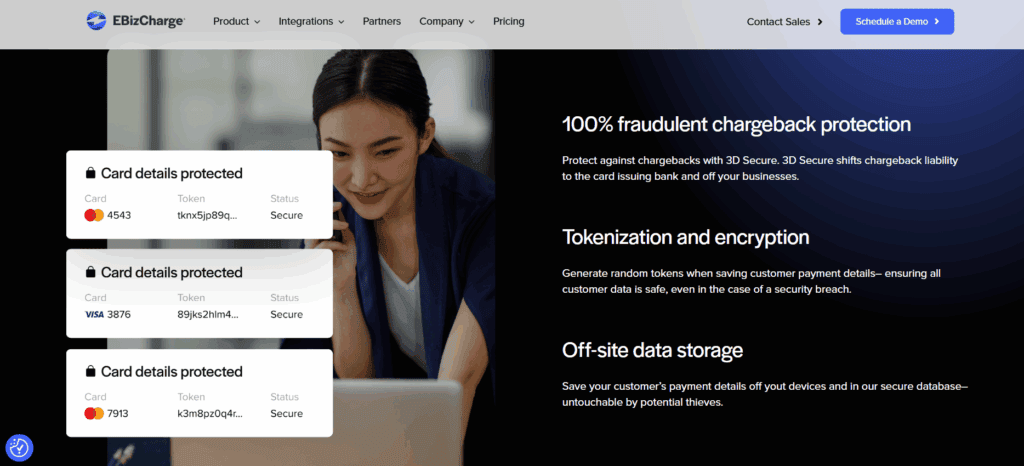
Security remains one of SecurePay’s strongest pillars. The platform is fully PCI DSS compliant, ensuring that sensitive customer data is encrypted and protected during every transaction. SecurePay employs SSL encryption, tokenization, and secure authentication mechanisms to prevent unauthorized access and data breaches.


One of its standout security features is FraudGuard, an intelligent fraud management tool that helps merchants detect and block suspicious activities. FraudGuard analyzes transactional patterns in real time, reducing the risk of chargebacks and fraudulent orders. For businesses handling high transaction volumes, this feature provides significant peace of mind.

Because SecurePay operates under Australia Post, it is also governed by strict financial and data protection regulations, further reinforcing its reliability. Regular audits and compliance checks ensure that it meets both national and global standards.


While no payment gateway is entirely immune to risks, SecurePay’s layered security measures and proactive fraud detection systems make it one of the safer choices in the market. It combines national regulatory confidence with advanced technological safeguards, giving businesses and customers alike a sense of trust and assurance.

Pricing and Fees

SecurePay follows a transparent pricing model designed to suit different business sizes. It typically charges a flat transaction fee per processed payment, with variations based on card type and payment volume. There are no hidden costs, which helps businesses forecast expenses accurately. The standard pricing includes a setup fee, transaction fees, and a small monthly account charge for ongoing access.


Businesses that process larger volumes may be eligible for custom pricing, negotiated directly with SecurePay’s sales team. The platform’s fee structure is competitive within the Australian market, especially given the backing of Australia Post and its reputation for stability. While the pricing is straightforward, some users note that SecurePay’s fees for international transactions can be slightly higher than global competitors like Stripe or PayPal. However, the benefit lies in its local customer service, domestic settlement, and compliance with Australian banking systems.


Overall, SecurePay offers a fair balance between cost and value. Its transparent approach ensures there are no unexpected surprises for merchants, making it a trustworthy choice for businesses seeking predictable payment processing expenses.

User Experience and Interface Design

SecurePay’s interface is built with simplicity and clarity in mind. The merchant dashboard provides an organized view of transactions, settlements, and reports, making it easy to track business performance. The layout is clean, functional, and optimized for both desktop and mobile use.


For non-technical users, the intuitive navigation and detailed help resources make daily operations straightforward. Reporting tools allow merchants to filter transactions, monitor chargebacks, and export data seamlessly. SecurePay also supports integration with accounting tools, improving financial visibility for business owners.


From a technical standpoint, the interface facilitates smooth interaction with APIs and plug-ins, allowing developers to configure integrations without complications. Although the design might not be as modern as global competitors, its functional reliability and minimal learning curve make it accessible to all user types.


User feedback often highlights SecurePay’s stability and responsiveness over flashy aesthetics. The platform focuses on performance and dependability rather than visual frills, resulting in a consistent and professional user experience that prioritizes function over form.

SecurePay Review

Customer Support and Service Reliability

SecurePay’s customer support network is one of its key differentiators. Backed by Australia Post, the company offers local support through phone, email, and online ticketing. Merchants appreciate being able to reach a real person within Australian business hours; a feature often missing from international providers.


The platform’s documentation and online help center provide clear, step-by-step guidance for troubleshooting and integration. Additionally, SecurePay ensures high uptime reliability, with robust systems that minimize transaction delays or outages. While users generally report positive experiences, some note that advanced technical inquiries may take longer to resolve. However, the quality of responses and the personalized support make up for these occasional delays.


In terms of service reliability, SecurePay maintains strong performance consistency. It processes payments efficiently and settles funds promptly, ensuring minimal disruption to business operations. The overall reliability of its infrastructure, combined with dedicated support, reinforces its appeal to Australian businesses that value local accountability.

Pros of Using SecurePay

SecurePay’s major advantages stem from its reliability, compliance, and strong local presence. Being part of Australia Post gives it an inherent layer of trust and credibility. The platform’s transparent pricing, PCI DSS compliance, and fraud prevention systems make it suitable for businesses prioritizing safety and simplicity.


Another key strength is its integration ecosystem. Whether through APIs or plug-ins, SecurePay connects easily with popular e-commerce and accounting systems. Its user-friendly dashboard and real-time reporting tools enhance operational visibility, making it easier for merchants to stay on top of financial performance.


Local support is another standout benefit. Businesses can access quick assistance without dealing with timezone gaps or foreign support centers. Additionally, SecurePay’s ability to manage recurring payments and multi-channel transactions provides flexibility across industries. Overall, the platform is best suited for Australian businesses seeking a dependable and compliant gateway with excellent domestic support. It excels in reliability, transparency, and customer trust; three areas that continue to define its long-standing market position.

Cons and Limitations

Despite its strengths, SecurePay is not without limitations. One of the most common concerns among users is its limited focus outside Australia. For businesses operating internationally, transaction fees and settlement times may not be as competitive as those of global payment giants. The interface, while user-friendly, lacks some of the advanced customization options that modern fintech solutions offer. For instance, merchants seeking detailed analytics or API-level modifications might find SecurePay slightly restrictive.


Additionally, the absence of dedicated in-person payment hardware means businesses must rely on third-party POS systems for offline transactions. This could add an extra layer of complexity for those seeking a single unified solution.

Customer feedback also suggests that while support is prompt and helpful, documentation for complex integrations could be improved. Nonetheless, these drawbacks are relatively minor when weighed against its overall dependability. SecurePay remains a solid choice for businesses prioritizing local service and security over global scalability.

Ideal Business Types for SecurePay

SecurePay is particularly well-suited for small to medium-sized businesses, e-commerce retailers, and service providers that operate primarily within Australia. It’s an excellent choice for organizations that value local customer support and straightforward payment management. Subscription-based businesses benefit from its recurring billing tools, while online stores appreciate its seamless platform integrations.


Nonprofits, educational institutions, and membership-based organizations also find value in SecurePay due to its stable processing, transparent pricing, and reliability in handling recurring donations or payments. Businesses that handle sensitive data, such as healthcare or financial services, can rely on its compliance framework to maintain security and trust.


For larger enterprises, SecurePay’s scalability and API access enable deeper integration with internal systems. However, global brands seeking extensive international payment coverage might find its reach limited compared to multinational gateways. Overall, SecurePay fits businesses that want a dependable, regulation-compliant, and easy-to-use payment solution backed by a trusted national brand.

Final Verdict

SecurePay stands as a dependable and secure payment gateway built for Australian businesses that prioritize trust, compliance, and ease of use. Its backing by Australia Post lends unmatched credibility, and its offerings; from online payments to fraud prevention; cater to a wide range of industries. While it may not compete directly with global players on international coverage or advanced analytics, SecurePay’s local expertise, transparent pricing, and responsive support make it a standout option in its market segment.


Its straightforward integration process and reliable infrastructure allow businesses to operate efficiently with minimal disruption. In 2025, as payment technologies evolve rapidly, SecurePay continues to hold relevance by focusing on what matters most to merchants: safety, reliability, and consistent performance. For businesses operating in or targeting the Australian market, it remains one of the most trustworthy choices available.

FAQs

1. Is SecurePay suitable for international businesses?

It primarily serves Australian businesses, but it does support international payments. However, global transaction fees may be higher than competitors like Stripe or PayPal.

2. Does SecurePay integrate with major accounting or e-commerce platforms?

Yes, it integrates with popular platforms like Shopify, WooCommerce, Magento, and accounting tools like Xero, allowing for smooth payment and reconciliation processes.

3. What makes SecurePay different from other Australian payment gateways?

SecurePay’s key differentiators are its ownership by Australia Post, strong compliance framework, reliable local support, and transparent pricing; all of which make it a trusted choice for Australian merchants.

Chase Payment Solutions

Chase Payment Solutions Review

Chase is one of the largest banks in the United States, with millions of card holders and a massive small-business footprint. When a business signs up for Chase payment solutions, they are tapped on that scale – especially analytics obtained from Chase cards and banking networks. This provider pursues the most different customer insight, a free analytics suit that converts raw transactions data into customer intelligence. The platform also brings a range of modern virtual terminal (Orbital), a series of POS hardware options (including restaurants and retail systems), and unique offering for strong mobile capabilities and healthcare with tap to pay on iPhone, also through HIPAA-Compliant payment.

This review discuss about Chase payment solutions. Let us understand in detail.

Ease Of Use

Chase Payment Solutions

Because it sits inside the widespread business ecosystem of Chase, the dashboard can feel more complicated than payment apps. Tools may live in separate Chase portals – cases, banking, analytics – sometimes requiring additional clicks. Flip side is a modern, well organized interface: clear menu, predictable navigation, and consistent styling once users learn the layout. Most teams should quickly go on the ship, especially if they already use Chase Business Banking.

In short, not the simplest UI in the category, but logical and learning. The width of the features explains the additional navigation.

Standout Feature: Chase Customer Insights

This is the main reason many reviewers rate Chase Payment Solutions highly. Standard payment processors provide payout summaries and basic sales reports. Customer Insights goes much further:

  • Sale performance: Daily sales tool, trend and average ticket size.
  • Cohorts: New vs. returning customers, frequency, and reports.
  • Demographic: Customer age, income, gender and location collected scenes (eg, zip code).
  • Behavior pattern: Where customers come from (geographically), when they shop (day/time), and how they buy (in-store versus online).
  • Benchmarking: Comparison against similar businesses in the field to identify strength and gaps.

These insight can run solid tasks: staffing adjustments based on time-boxed promo, traffic curves, neighborhood advertisements, and inventory decisions reported by basket composition during peak hours. Some processors match this depth of business intelligence without any additional cost, which is why many label Chase payment solutions solution as the strongest option for data-operated traders.

Virtual Terminal: Orbital

Chase Payment Solutions

Chase’s Orbital virtual terminal allows manual key-entry of card-not-present transactions (phone order, mail order) and recurring billing as well as secured card-on-file storage. Built-in fraud controls—AVS/CVV checks and other risk screening—mitigate unauthorized use. Orbital also accepts a range of payment methods, ranging from credit and debit to ACH, allowing teams consolidate credit card and bank transfer payment without additional hardware. For businesses with a sizeable remote billing workflow (wholesale orders, professional services, repair shops), this is a robust option.

POS Hardware and Industry Systems

Chase payment solutions offers a range of in-person solutions:

  • Portable terminal ($499): For countertop or curbside workflows.
  • QuickAccept readers: Base $49, reader $99, or bundle for $129. These pair with the Chase Mobile app for chip, swipe, and Tap to Pay on iPhone.
  • Restaurant POS: TouchBistro systems sold through Chase for front-of-house, menu management, and kitchen flows.
  • Retail POS: Silver Essentials by NCR Voyix, suitable for single- and multi-store retailers with inventory and reporting needs.

The hardware integrates with the Chase Business Complete Banking for a systematic disposal. Traders who like various POS brands can still process through Chase gateway or connect through supported integration.

Mobile Payments Offered By Chase Payment Solutions

Mobile payments are a requirement for pop-ups, service firms, and line-busting. The Chase Mobile application addresses all aspects of the use case:

  • Tap to Pay on iPhone: No additional hardware required.
  • Manual key-entry and payment links: For remote or on-the-spot invoices.
  • In-app invoicing: Create and send professional invoices directly.
  • Real-time tracking: See transactions and payouts as they occur.

When paired with a Chase business checking account, merchants can access no-fee same-day deposits—a meaningful cash-flow advantage over many third-party providers.

HIPAA-Compliant Healthcare Payments (InstaMed)

Chase Payment Solutions

Chase payment solutions is reportedly unique among the large processors, since it has partnered with InstaMed to provide HIPAA compliant payments. The system allows for collections in office as well as online bill pay and e-statements. Practices can save cards on file for these recurring charges, along with the ability to accept credit, debit, and ACH. For clinics, dental offices and specialty practices, this can streamline collections, enhance the patient payment experience and help meet regulations.

Merchant Account & Gateway Options

Chase provides genuine merchant accounts with its own secure gateway—no extra configuration for most card-present and eCommerce flows. Chase resells Authorize.net for teams already standardized on other gateways, providing continuity with existing integrations and settling and reporting within the Chase ecosystem. It mitigates switching frictions for larger firms.

Pricing

Chase’s published flat-rate pricing:

  • In-person (with card reader): 6% + $0.10 
  • Online (eCommerce): 9% + $0.25 
  • Manually keyed: 5% + $0.10 

There are no monthly processing fees, and analytics (Customer Insights) plus same-day deposits with a Chase business checking account come at no extra charge. Larger businesses can request interchange-plus pricing, which may be more economical at scale.

Potential additional fees:

  • Early termination: If free equipment is provided, the contract may include an ETF for early cancellation.
  • Third-party/agent markups: Chase sells directly and via independent agents. Some agents add fees; merchants should review agent contracts carefully and consider applying directly through Chase if extras appear.
  • Chargebacks: Chase may charge $25–$100 per incident.

Customer Support

Chase offers phone support 24 hours a day, seven days a week, and an extensive Merchant Support Center on the Web, with articles on how to do most anything, free skills courses, and “The Unshakeables” podcast. Having a wide selection of content is a plus but some reviewers report being put on hold for long periods of time during high-traffic times. As with any large institution, though, experiences differ depending on the queue and issue type. Onboarding teams generally find that implementation guidance is thorough, and banking integration questions are easier to resolve when both payments and checking are under one roof.

Pros and Cons of Chase Payment Solutions

a pair of electronic devices on a table

Pros

  • Exceptional Customer Insights analytics at no extra cost.
  • Same-day deposits to Chase business checking, with no fees.
  • Broad product lineup: virtual terminal, mobile, countertop, restaurant and retail POS.
  • HIPAA-compliant solution via InstaMed (rare among major processors).
  • Flexible gateway options, including Authorize.net resale.

Cons

  • Flat-rate pricing can be higher than subscription or interchange-plus competitors.
  • Dashboard can feel complex across the broader Chase ecosystem.
  • Some benefits tied to Chase checking.
  • Potential ETF with free equipment; chargeback fees apply.
  • Reports of long hold times in some support queues.

Final Thoughts

As a leader in payments, Chase Payment Solutions is no slouch: solid acquiring, powerful in-person and digital solutions, as well as analytics that truly matter, unlike most other competitors. It is not the least expensive processor cost–especially at flat rates–but business intelligence, same-day funding, and bundling banking and payments can balance the cost. Larger firms could obtain more favorable terms, while smaller firms should balance the additional cost with the information and cash-flow quickening benefits.

For those merchants who are actually going to use the data, targeted campaigns, staffing by traffic pattern, product mix optimization, Chase payment solutions can actually pay for itself. If the primary goal is even lower processing costs, a subscription processor or negotiated interchange-plus plan may be preferable. Regardless, Chase is a top contender with its feature depth, healthcare compliance option, and analytics leadership—particularly for merchants already in the Chase ecosystem.

Frequently Asked Questions

  1. Why do firearm merchants experience higher transaction decline rates compared to other industries?

Firearm merchants operate in a high-risk category with stricter regulations, complex shipping rules, and increased scrutiny from banks and card issuers. These factors trigger additional fraud checks, compliance holds, and issuer-level declines.

  1. What’s the difference between a soft decline and a hard decline?

A soft decline is temporary—such as insufficient funds or a temporary bank hold—and can often be resolved by retrying or offering an alternative payment method. A hard decline is permanent for that transaction, often due to stolen cards, expired cards, or issuer policy blocks.

  1. Can using multiple payment processors reduce decline rates?

Yes. Multi-acquirer or multi-gateway setups allow routing declined transactions to another processor for a retry, improving approval rates while maintaining compliance.

  1. How can checkout design impact transaction approval rates?

A clear, mobile-friendly, single-page checkout with minimal required fields reduces user errors and abandoned carts. Making CVV and AVS entry easy and error-free can help prevent mismatches that lead to declines.

  1. Are there alternative payment methods that work well for firearm sales?

Yes. Where legally permitted, ACH/eCheck, debit cards, and select trusted wallets can bypass some card network restrictions and improve transaction success rates.

Ref: https://www.business.com/reviews/chase-merchant-services/


Shopify Payments Review

Shopify Payments Review

Shopify Payments is Shopify’s built in gateway designed to make it easy for merchants to accept payments on their store. Instead of using external processors like Stripe or PayPal, you can accept credit and debit cards directly through Shopify. Transactions, payouts and payment data are all handled in the same place where you manage your inventory and orders. The goal of Shopify Payments is to reduce setup, improve merchant experience and eliminate fees from third party gateways. It also simplifies PCI compliance by using industry standard security through Shopify’s infrastructure. Lets read more about Shopify Payments Review.
 

But Shopify Payments isn’t without limitations. It’s not available in all countries and excludes some business types considered high risk. If you switch from Shopify Payments to another processor, Shopify charges an extra fee on each transaction processed through the new gateway. If you want a one stop shop, Shopify Payments can be a good fit. But you need to check eligibility, supported products and transaction volume. If you qualify, it’s cost and operationally efficient. If not, it might not give you the flexibility or savings you need.

Key Features of Shopify Payments | Shopify Payments Review

Shopify Payments stands out for how deeply it integrates with the Shopify ecosystem. There’s no need to register with third-party services or manually verify accounts. Once a Shopify store is verified, payment processing is automatically activated from the main dashboard. Merchants can accept all major card brands like Visa, MasterCard, American Express, and Discover. It also supports Apple Pay and Google Pay for digital transactions. Shop Pay Installments, available in some areas, lets customers buy now and pay later, potentially increasing average order value.


Basic fraud detection tools are included and help flag suspicious activity. While not as advanced as enterprise tools, they offer essential safeguards without extra integration. Another useful aspect is multi-currency functionality. Sellers can price products in a shopper’s local currency while receiving payouts on their own. This helps with cross-border commerce. The mobile-optimized checkout experience further improves transaction ease across devices. These tools are best suited for smaller businesses or new store owners. For large-scale operations needing in-depth analytics or custom payment flows, Shopify Payments may feel limited. Still, for most Shopify merchants, the offering is more than sufficient.

Setup and Integration Process

Shopify Payments is designed to be super easy to set up. In supported countries, merchants can turn it on in their admin panel by entering basic business and banking info and ID verification. No external dashboards or complex setup like Stripe or Authorize.Net. Setup takes under 10 minutes, full verification might take a couple of days. Once turned on, you can start accepting payments right away. Since it’s built in, no API configurations or plugins needed.


Third party gateways require separate logins, integration work and syncing across systems. For non technical users, this can be a delay and a frustration. One thing to note is Shopify’s transaction fee for using external gateways. If you turn off Shopify Payments, Shopify will charge between 0.5% and 2% on each transaction depending on your plan. This extra cost makes alternatives less appealing. Overall, the simplicity and native setup of Shopify Payments makes it a great choice for merchants who want to get started without technical hurdles or extra dashboards.

Payment Methods and Supported Currencies

Shopify Payments supports a broad range of popular methods. Customers can pay via major cards like Visa, MasterCard, Discover, and American Express. In some countries, region-specific methods like Bancontact, iDEAL, and Sofort are also available. Digital wallet payments such as Apple Pay, Google Pay, and Shop Pay are supported in major markets like the U.S. and Canada. Shop Pay speeds up checkout by allowing customers to store and reuse their information, reducing cart abandonment. This is particularly valuable for mobile shoppers.


A key benefit is multi-currency pricing. Merchants can show local prices to international shoppers while receiving payouts in their own currency. Shopify handles conversion using its own rate, adding a fee that usually ranges from 1.5% to 2%. Still, not every local method is supported globally. Features like UPI or certain mobile wallets may be unavailable in some regions. Currency support also depends on the merchant’s Shopify plan and location.


While Shopify Payments is strong for international sales, businesses operating in countries with limited support may still need additional gateways for a complete solution.


Shopify Payments Review

Fees and Pricing Structure

Shopify Payments uses a tiered pricing model tied to your Shopify plan and location. In the U.S., Basic plan users are charged 2.9% + 30¢ per transaction, while those on the Advanced plan pay 2.4% + 30¢. These rates are comparable to those offered by Stripe or Square, but better rates are unlocked with higher-tier Shopify plans.


A major advantage is the removal of Shopify’s added transaction fees when you use its own gateway. If you choose an external processor, Shopify charges a fee on each order, ranging from 0.5% to 2%, on top of what that processor charges. Other charges include currency conversion fees, usually 1.5% above the market rate when customers pay in a foreign currency. International card use may also trigger additional banking fees.


Chargebacks cost $15 per instance. While Shopify offers limited fraud tools, losses from chargebacks are only covered if the order is eligible under Shop Pay protection. For Shopify-centric businesses, the pricing is competitive. But international sellers or high-volume merchants should consider whether the added costs from conversion or card usage might affect margins.

Payouts and Settlement Times

Timely payouts are key and Shopify Payments delivers on that. Payouts are sent daily in most regions and usually hit the bank within 2-4 business days. For new accounts, the first payout may take longer due to verification. Merchants in supported countries can choose their payout frequency – daily, weekly or monthly – which gives you more control over your cash flow. Payout tracking is available in the Shopify dashboard so you can reconcile and plan your income.


This internal tracking eliminates the need for third party dashboards or manual syncing. All payment activity, including fees and chargebacks, is logged in one place. Compared to others, Shopify’s payout timing is standard. Stripe pays within 2 business days and PayPal can delay transfers especially for new sellers or large transactions. Shopify Payments doesn’t offer instant payouts.


You need a checking account in the store’s legal country. International bank transfers aren’t supported so you need to have a local account in a supported region. Overall, Shopify Payments is reliable but adding instant payout options would be great for cash flow merchants.

Security, Compliance, and Fraud Prevention

Shopify Payments takes a security-first approach. It is fully PCI DSS compliant, so merchants don’t have to go through the certification process themselves. All transaction data is encrypted and securely processed on Shopify’s servers. Basic fraud detection is included. These tools identify unusual activity, such as address mismatches or abnormally high order values. While they don’t match the sophistication of advanced fraud platforms, they offer a helpful early-warning system.


Chargebacks are managed with Shopify’s support, but the $15 fee applies whether or not the dispute is won. Protection is only available through Shop Pay on eligible purchases. Card data is tokenized and encrypted, keeping customer information out of merchant systems. Shopify also complies with 3D Secure regulations where required.


Merchants benefit from Shopify’s constant infrastructure monitoring, which helps detect suspicious behavior. However, businesses deemed high-risk may face delayed payouts or account holds during reviews. Shopify Payments offers sufficient protection for most small and medium businesses. Larger operations or those with higher fraud exposure may need additional tools to enhance security.


Shopify Payments Review

Performance with Subscriptions and Recurring Billing

With new APIs and improved app integrations, Shopify Payments now supports subscriptions more effectively. Merchants can run recurring billing through apps like Recharge and Bold Subscriptions, which work natively with Shopify’s checkout and backend. This is useful for subscription boxes, memberships, or service billing. Recurring charges are processed just like regular purchases and linked to customer profiles for smooth automation.


The experience is largely seamless. But not all apps work across every Shopify plan, and many charge additional monthly fees. Advanced use cases such as variable pricing or pro-rated charges might require custom solutions. Chargebacks and failed payments follow the same rules as single transactions. Shopify doesn’t offer native dunning tools, so merchants must rely on third-party apps for retry logic and follow-ups.


Shopify Payments is far more subscription-friendly than it was a few years ago. Still, businesses with complex billing cycles or scaling needs should assess whether the current options meet long-term requirements.

Limitations and Restrictions

Despite its strengths, Shopify Payments has limitations worth noting. It’s only available in selected countries like the U.S., Canada, Australia, and a few others. Merchants outside these areas must use a different gateway. Shopify also restricts certain business types. High-risk categories such as gambling, firearms, adult services, and CBD are not allowed. Even legal businesses can face holds or account reviews if Shopify detects risk.


Payouts may be delayed during such investigations. Some merchants have reported unexpected freezes, especially when experiencing sudden spikes in revenue or chargebacks. Shopify Payments is exclusive to Shopify’s platform. If you sell on other sites or marketplaces, you’ll need an additional processor. This lack of portability is a drawback for businesses with multichannel strategies. Reporting tools are basic. While suitable for general tracking, merchants needing deep financial analysis may find the system lacking in detail and flexibility. These limitations won’t impact all users, but they should be considered before fully committing to Shopify Payments as your only processing tool.

Who Should Use Shopify Payments?

Shopify Payments is best for small to medium-sized businesses that prioritize simplicity, integration, and cost control. If your business operates in a supported country and doesn’t sell restricted products, this gateway offers convenience with minimal complexity. Its advantages include fast setup, built-in security, and compatibility with Shopify features like Shop Pay and subscriptions. This makes it appealing for digital goods sellers, new ecommerce entrepreneurs, and global brands selling in multiple currencies.


However, larger enterprises may outgrow its features. Businesses needing advanced fraud tools, deep reporting, or external platform sales should consider other options. High-risk industries are also better served by alternative providers. If you already have a preferred gateway with better fees or tools, accepting Shopify’s added transaction fee might still be more cost-effective overall. In conclusion, Shopify Payments is a well-rounded solution for many but not all. It works best when fully aligned with Shopify’s platform and product offerings.

FAQs

Q1: Can I use Shopify Payments alongside another payment gateway?


Yes, you can enable PayPal or third-party processors alongside Shopify Payments. But if you disable Shopify Payments entirely, a per-order fee will apply.


Q2: Are there any hidden fees with Shopify Payments?


There are no hidden fees, but you should expect charges for currency conversion, international cards, and chargebacks. All fee details are listed in Shopify’s pricing documentation.


Q3: Is Shopify Payments available in all countries?


No. It’s available only in select regions like the U.S., UK, Canada, Australia, and a few others. Merchants in unsupported areas must use external gateways.

SecureNet Review

SecureNet is a payment gatewayzplatform that supports businesses in-person and online. Originally an independent processor, SecureNet was acquired by Worldpay in 2014 and gained access to their global infrastructure. Since then it has been a modular and developer friendly payment experience for businesses of all sizes. Lets read more about SecureNet Review.

At its core SecureNet combines payment acceptance, real-time reporting and risk management into one system. The service covers everything from POS systems and mobile readers to e-commerce APIs and gateway tools. This full featured framework is for businesses that want to consolidate vendors and reduce 3rd party integration headaches.


But SecureNet doesn’t have the same brand recognition as Stripe or Square. It’s generally more popular with businesses that have some technical expertise. Its biggest value is in helping merchants build custom systems, especially those that operate in-store and online. In a world of versatile providers SecureNet offers a balance of customization and enterprise grade stability. But its architecture is best suited for users who are comfortable with technical configurations and backend system alignment.

Core Payment Processing Capabilities | SecureNet Review

SecureNet delivers an extensive payment infrastructure that fits traditional stores and online businesses alike. It accepts all leading credit and debit cards, along with ACH payments and e-checks. This helps businesses streamline their payment acceptance without having to patch together different solutions. A standout feature is SecureNet’s omnichannel ability. Whether a payment comes from a card terminal, mobile interface, or digital checkout, merchants can oversee operations from one system. This brings consistency to the customer experience and improves internal coordination.


It supports instant payment authorization and daily batching, with functionality to handle recurring billing and split fund disbursement. These features can benefit businesses managing memberships or complex settlements. SecureNet also links with popular third-party systems and shopping carts, though integration quality may differ by platform.


Processing speeds are consistent, and batch schedule customization is available. Still, merchants should verify how settlement timing works in their particular industry or region, as variations may arise due to Worldpay’s operational settings or merchant category codes. In all, SecureNet’s core processing suite is dependable and wide-ranging. It may not reinvent the wheel, but it offers enough reliability and integration depth for businesses needing a single payment command center.

Integration and Developer Tools

SecureNet stands out for its developer-centric model. It offers a complete set of APIs and SDKs for embedding payment workflows into websites, mobile apps, or custom backend platforms. This enables developers to design checkout processes that align precisely with brand needs and technical standards.


Its API toolkit includes support for tokenization, card storage, recurring charges, and secure field hosting. These capabilities allow merchants to stay PCI-compliant without compromising design or customer experience. Mobile SDKs for Android and iOS are also available for integrating payments directly into applications.


Merchants can use hosted payment pages as a simpler alternative, which shift the burden of security to SecureNet. These pages allow light branding customization and offer a quick setup path. Still, the interface is not particularly beginner-friendly. While documentation is comprehensive, businesses without technical staff may find the learning curve steep and might need outside development help for integration.


Developers can access sandbox tools and test credentials, making SecureNet viable for pre-launch environments. It also supports plugins for platforms such as Magento and WooCommerce, though plugin quality may depend on ongoing maintenance. All considered, SecureNet’s integration ecosystem is appealing for businesses looking to build custom, API-first commerce experiences from the ground up.

SecureNet Review

Security and Compliance Features

SecureNet implements advanced security measures in line with global standards, including full PCI DSS compliance. It uses encrypted transactions and tokenization to shield cardholder data during transfer and storage phases.

Tokenization and PCI Compliance

Tokenization replaces card details with randomly generated values, reducing data exposure risks. This is especially important for businesses storing cards for subscriptions or repeat purchases while remaining PCI-compliant.

Fraud Prevention Tools

Fraud protection is addressed through tools like AVS and CVV verification. Merchants can also configure transaction limits, flags, and custom rules to monitor unusual payment behavior. However, these settings may require careful configuration, especially for industries with elevated fraud risk.

Compliance Status

The platform holds PCI DSS Level 1 certification, ensuring regular audits, system reviews, and vulnerability scans. This status represents the most rigorous level of security certification available for payment processors. However, SecureNet could enhance its merchant support around emerging threats and regulatory updates. Competing services often offer proactive security updates, which can help merchants stay informed about new vulnerabilities.


In general, SecureNet delivers a reliable layer of security with enough configuration flexibility for mid-market and tech-savvy merchants. It provides strong foundational protections but leaves some aspects to the merchant’s discretion.

POS and Hardware Options

For in-person payments SecureNet integrates with popular POS terminals and hardware providers. It doesn’t have its own branded hardware but supports devices from trusted names like Verifone and Ingenico. This gives businesses the ability to find hardware that fits their setup.

Supported Transaction Types

Devices supported by SecureNet accept EMV, contactless payments (e.g. Apple Pay, Google Pay) and magnetic stripe cards. This means customers can use their preferred payment method across different retail environments.

POS Software Features

A cloud based POS app is also available and connects to business systems for inventory and customer tracking. The system has tip capture, refund processing and digital receipts but doesn’t have the advanced features of niche POS systems.

Hardware and Mobile Options

Hardware can be purchased or leased through SecureNet’s partners but make sure to check if SecureNet or Worldpay handles hardware support. This can affect troubleshooting time and service quality. Mobile sellers can use SecureNet compatible card readers that connect to mobile phones or tablets. These are great for field sales, pop-ups and on-the-go transactions. SecureNet’s POS and hardware suite isn’t the most innovative but it meets the basics for in-person commerce and has enough flexibility for most retail use cases.

E-commerce and Subscription Management

SecureNet gives online businesses a flexible framework to manage checkouts and subscriptions. Its secure payment forms and hosted pages are ideal for merchants wanting a mix of control and simplicity in online payment collection.

Recurring Billing Features

Recurring billing is a core strength. Businesses can configure billing cycles, trial windows, and renewal settings. The system supports stored payment data and automatic retries for declined payments, minimizing the risk of involuntary churn.

Integration with E-commerce Platforms

APIs support more customized e-commerce use cases, from SaaS payments to online donations. SecureNet works with many CMS and shopping cart platforms, but merchants should double-check plugin compatibility and active support for their chosen version.

Invoicing and Limitations

Service-based businesses can also create digital invoices and send email payment links. This is helpful for professionals or freelancers who want to bill clients without operating a full e-commerce site. Some subscription management features may feel basic compared to tools like Chargebee or Recurly. It lacks customer portals or usage-based billing logic. However, for fixed billing models, it gets the job done.


SecureNet delivers a dependable option for online sales, with adequate features for recurring billing and checkout integration. It suits many growing businesses but may fall short for companies needing more complex automation.

PayU Review

Reporting and Analytics

SecureNet offers a unified reporting dashboard that tracks business-wide payment activity. Merchants can access metrics such as daily revenue, average ticket size, refunds, and transaction volume by location.

Real-Time and Settlement Reporting

Reports can be customized by terminal, payment method, or date, helping businesses understand sales trends and operational performance. Real-time reporting is available, allowing users to view transactions as they happen. Settlement reports break down processing fees and net deposits. These are useful for accounting teams that need to reconcile statements and understand fee structures. Export formats such as CSV are supported for use in spreadsheets or third-party systems.

Custom Reports and UI Limitations

Custom reports can also be created for regulatory or operational insights. For businesses with specific KPIs, this feature supports tailored oversight. A notable shortcoming is the interface, which may feel outdated or clunky compared to newer fintech platforms. Some users may need time to adapt or seek help with report configuration. Despite that, SecureNet delivers the reporting depth needed to monitor cash flow, identify risk areas, and plan operational adjustments. It may lack flair but delivers functionality and reliability.

Pricing Transparency and Contract Terms

SecureNet uses a personalized pricing model that depends on business type, risk level, and transaction volume. This approach can yield favorable rates for large businesses but may create confusion for smaller companies looking for clear pricing upfront.

Fee Structure and Transparency

Pricing usually consists of base fees, per-transaction charges, hardware leasing costs, and chargeback fees. Some contracts include early termination penalties, so it is essential to examine the fine print before signing. Unlike flat-rate systems such as Square, SecureNet often follows interchange-plus or tiered pricing. This structure can benefit businesses with higher ticket sizes but requires an understanding of underlying card network fees.


Public details about pricing are limited. Most businesses will need to contact SecureNet’s sales team to receive a proposal. This lack of transparency can be a barrier for comparison shopping.

Contract Ownership and Cautions

Contracts may be managed through either SecureNet or Worldpay, depending on account configuration. This split may complicate billing support or customer service in some cases. In short, SecureNet’s pricing can be competitive but lacks clarity. Merchants should ensure they get a full breakdown of all potential charges in advance and confirm which entity is handling their account.

Customer Support and Onboarding Experience

SecureNet offers phone, email and online portals for customer support. Support quality will depend on whether the account is run directly through SecureNet or Worldpay.

Onboarding Process and Setup

The onboarding process includes a merchant review, KYC verification and technical support. Businesses with developer teams will find the setup manageable especially with sandbox access and guides. Some users mention that onboarding can be inconsistent especially if issues arise during underwriting or risk evaluation. This is not unique to SecureNet but still something to consider for businesses with tight go live timelines.

Support Channels and Documentation

Support availability will vary by service level. Enterprise clients will get 24/7 support while smaller merchants will have to wait during off hours. Make sure to clarify the support tier before onboarding.


Documentation is publicly available covering integration and setup to error messages. However guides may lack the visuals or UX polish of platforms like Stripe. Overall support from SecureNet is decent but inconsistent. Businesses with internal IT or payment expertise will have a smoother experience than those relying solely on helpdesk channels.

Pros, Cons, and Ideal Business Fit

SecureNet is a well-rounded payment provider that offers flexibility and a wide feature set. It excels in areas like API support, omnichannel commerce, and customizable billing setups. Its integration with popular shopping carts and terminals also adds practical value. For mid-sized businesses with some technical know-how, SecureNet can be tailored to specific workflows and customer experiences. It is especially appealing for merchants running both retail and online operations.


However, SecureNet’s weak points include limited brand awareness, complex onboarding, and opaque pricing structures. Its UI and documentation also lag behind some newer providers. It’s not ideal for very small businesses or those seeking a ready-to-use solution. But for merchants that prioritize custom workflows and have technical teams in place, SecureNet is a strong option. In essence, SecureNet trades ease of use for flexibility. It works best for those who want control over their payment stack and are willing to invest time in setup and management.

FAQs

1. Is SecureNet suitable for small businesses?

SecureNet can serve small businesses, but its custom pricing model and API-led setup may be more than solo entrepreneurs need. Plug-and-play alternatives might be easier.

2. How does SecureNet handle recurring payments and subscriptions?

The platform supports billing cycles, card storage, and automated retries. It’s suitable for fixed-schedule models like SaaS, subscription boxes, and memberships.

3. Does SecureNet offer transparent pricing?

Pricing is offered through custom quotes. Businesses should ask for a detailed fee structure and review contract terms carefully before committing.

PayTrace Review

PayTrace Review

PayTrace is a payment gateway for B2B merchants, especially those with high value transactions. Unlike broader platforms that serve many industries, PayTrace focuses on industries like healthcare, legal services, wholesale distribution and manufacturing. Its value is in tools that reduce processing costs, increase payment security and simplify back end payment workflows. Lets read more about PayTrace Review.


Since 2004 PayTrace has been known as the go to company for businesses that use Level II and Level III credit card processing. These enhanced data tools allow companies to qualify for lower interchange rates when accepting corporate and purchasing cards. For high volume B2B sellers this alone can be a big savings.


PayTrace is a web based platform so users can manage transactions from any internet enabled location. This makes it a good fit for distributed teams and companies without a central office. But it’s not for every business. Retailers, restaurants and other businesses that need modern POS systems may find its features too narrow.


Rather than trying to be an all in one platform, PayTrace does one job extremely well. For businesses that need secure, invoice driven and remote payments it’s a powerful specialized solution.

Platform Usability and Interface Experience | PayTrace Review

PayTrace has a clean and simple interface. The dashboard has clearly labeled tools for payments, customer data, invoices and reports. It’s not flashy or modern but it’s functional and easy to use. For those without in-house IT support this is a plus. Key tasks like processing payments, issuing refunds or setting up recurring billing can be done with minimal effort. The learning curve is low so small businesses and service providers can get up and running quickly.


But users who prefer modern, mobile optimized designs may find the interface a bit old school. Customization options are limited and there is no mobile app. You can access through a mobile browser but performance may not be as good as dedicated mobile first tools. This setup is best for desktop use in an office environment.


Overall PayTrace’s usability is geared towards its target market; businesses that value accuracy and efficiency over design.

Core Payment Features and Capabilities

PayTrace includes features designed specifically for B2B and service-based companies. Its virtual terminal allows merchants to manually enter card details for remote transactions, such as phone or email orders. ACH payment support gives additional flexibility by enabling direct bank transfers. One of the standout features is its ability to support Level II and Level III data. By passing detailed transaction data like invoice numbers and tax breakdowns to card networks, businesses can reduce interchange fees. This is particularly useful for those processing large corporate transactions.


Recurring billing is also supported, allowing for automated payments tied to subscriptions or payment plans. Email invoicing with secure payment links enables businesses to collect payments without requiring in-person contact. Tokenization ensures that sensitive cardholder data is stored securely using unique identifiers. This allows for future payments without compromising security. However, PayTrace does not provide POS hardware, so it is not suitable for in-store retail environments.


These features make PayTrace well-suited for professional service providers, remote businesses, and those handling invoice-based workflows.

Screenshot 2025-07-14 192854

Security and Compliance Standards

Security is a key component of PayTrace’s platform. It is fully PCI DSS compliant, which ensures that cardholder data is handled in accordance with strict industry standards. Transactions are encrypted and stored using secure data protocols. The platform also uses tokenization, replacing card details with unique tokens. This reduces the risk of data breaches and ensures that merchants do not need to store sensitive information on their own systems.


Merchants can configure filters to detect and prevent fraud. Tools like AVS and CVV checks are standard, helping reduce chargeback risks. The system also maintains detailed audit logs of user activity, providing internal oversight for companies with multiple staff members. Although it may not offer artificial intelligence-based fraud detection, the existing security framework is strong and practical. PayTrace focuses on providing stable and proven protection measures for service-oriented businesses.

B2B and High-Ticket Processing Advantages

PayTrace’s biggest advantage is for high value transactions. B2B merchants processing large orders through corporate or government cards can benefit from Level II and III data, which reduces interchange rates. By submitting additional transaction information such as item descriptions or customer codes merchants can get better rates on commercial card payments. This can save wholesalers, industrial suppliers, law firms or professional service providers a lot of money.


The platform is also designed for remote payment workflows. Whether transactions are through email, over the phone or via invoice, PayTrace’s virtual terminal and billing tools are built for these types of processes. Stored payment profiles and recurring billing make account management a breeze. With built in reporting tools merchants have better visibility into customer payments and outstanding balances.

PayTrace is for businesses that want an easy, secure and cost effective way to handle large B2B transactions.

Virtual Terminal and Invoicing Tools

The virtual terminal is a key feature of PayTrace, allowing users to enter card details directly through a web interface. This is especially useful for service-based businesses and B2B companies that accept payments by phone or email. Merchants can input transaction data, include optional customer details, and attach Level II or III data when needed. This simple but effective process supports secure remote billing.


The invoicing feature allows businesses to send secure email links for payment. Each invoice can be customized with notes, due dates, and other relevant details. These links offer a professional and user-friendly way to collect payments. Recurring billing can also be set up easily within the dashboard. Billing intervals can be customized, and customers are notified automatically as payments are processed.

Although the platform does not offer downloadable invoice PDFs by default, its tools are well-suited for businesses that prioritize simplicity and security in their billing workflows.

Shopping Cart and E-Commerce Integrations

PayTrace is not designed as a full e-commerce solution but can be integrated with online stores using APIs and third-party plugins. Platforms like Magento, WooCommerce, and Shopify can connect to PayTrace, typically with some developer support. Real-time payment processing is available, and Level II/III data can be passed during transactions where applicable. This is a rare capability in many e-commerce platforms and makes PayTrace useful for B2B sellers using private portals or custom order systems.


For custom builds, PayTrace offers a REST API with detailed documentation. While the platform is developer-friendly, businesses may need technical help to implement complex integrations. There is no built-in storefront or native shopping cart tool, so merchants must rely on external software for these functions. This is not a disadvantage for PayTrace’s target market but may limit its appeal for online-only retailers.

CRM and ERP Integration Support

PayTrace integrates with CRM and ERP systems so you can tie payment processing to customer management and accounting. It connects to QuickBooks directly or through Connex and Zapier. These integrations automate payment reconciliation and reduce manual errors.


NetSuite and Microsoft Dynamics ERP systems can also be integrated, some may require middleware or custom API work. This is great for larger businesses that have centralized systems. CRM support is not as deep as platforms that focus on customer engagement. But basic functionality like recurring billing and stored card profiles is good for managing client accounts.


PayTrace is best for businesses that already use other software and want to add payment functionality to their system.

Screenshot 2025-07-14 192930

Reporting and Analytics Functionality

The reporting tools offered by PayTrace are designed to help businesses monitor payments, track trends, and stay on top of reconciliations. While not visually sophisticated, the reports are detailed and practical. Merchants can generate reports by date, payment method, customer, or staff member. These include transaction summaries, refund logs, chargeback activity, and batch settlements.


Custom reports can be exported in formats like Excel or CSV. This makes it easier for businesses to import data into accounting or ERP platforms. Recurring billing and ACH transaction reports are also available. Audit trails track every action taken on the platform, which is especially useful for multi-user environments. This improves transparency and supports better internal oversight.


The reports may lack dashboard-style visualizations but are more than sufficient for operational accuracy and financial management.

Customer Support and Training Resources

PayTrace provides customer support through phone, email, and live chat. The support team is based in the U.S. and is generally known for being helpful and knowledgeable. Hours of operation align with standard business times. Training is offered through an online knowledge base with guides, FAQs, and video tutorials. These materials are written clearly, making them accessible for users with minimal technical expertise.


Additional resources include webinars and training programs for sales partners and agents. This shows a commitment to educating all stakeholders in the PayTrace ecosystem. There is no 24/7 support currently. Businesses that operate around the clock may need to consider this when evaluating the platform. For complex setups, outside technical help may be required. Still, the available support is effective for most users, especially those operating within regular business hours.

Pricing Structure and Cost Transparency

PayTrace has a simple pricing model. Full pricing details are usually handled by resellers or ISOs but the structure is the same. Merchants pay a monthly gateway fee, usually between $20-$50. A per-transaction fee of $0.10-$0.25 applies. Standard interchange fees and processor markups are added on top of that.


The real savings come from Level II and Level III data processing. Businesses that qualify for lower interchange rates through detailed transaction reporting can save a lot. There may be setup or integration fees depending on how you use the platform. Businesses connecting to CRMs or building API integrations should ask about these fees upfront.


Most resellers don’t require long term contracts but this can vary. Be sure to review the contract with any provider before signing up.

Ideal Business Types for PayTrace

PayTrace is built for specific use cases. It excels in B2B environments where large invoices, recurring clients, and commercial card payments are common. Ideal users include wholesalers, healthcare providers, accountants, law firms, and service-based businesses. These industries benefit from Level III processing and appreciate the platform’s cost-saving and efficiency tools.


Retailers, restaurants, and businesses relying on card readers or mobile payments may find PayTrace too limited. It does not offer hardware for in-person checkout or mobile POS functionality. Businesses without technical staff may also find advanced integrations challenging. While daily operations are simple, building connections to other systems may need outside help. For companies focused on secure, high-value transactions and back-office automation, PayTrace provides clear advantages.

Final Verdict: Is PayTrace Worth It?

PayTrace is a focused solution that serves a clearly defined business need. If your business handles high-ticket, invoice-based payments and accepts commercial cards, the platform can offer real value through savings and efficiency. Its Level II and Level III data support is a major advantage, as are its virtual terminal, ACH options, and integration flexibility. While it lacks mobile apps or flashy design, it delivers dependable tools for back-office operations. For B2B service providers and remote-first businesses, PayTrace is a practical, secure, and cost-effective choice.

FAQs

Q1. Is PayTrace suitable for small retail businesses or startups?


PayTrace is best suited for B2B and service-oriented companies. Retail businesses or startups requiring POS systems may find it too specialized.


Q2. Can PayTrace help reduce processing fees with Level III data?


Yes. By using Level II and Level III data, businesses can access lower interchange rates on commercial card transactions, which helps reduce overall fees.


Q3. Does PayTrace integrate with QuickBooks or other accounting software?


Yes. PayTrace supports integrations with QuickBooks and other platforms through direct connections or third-party tools, making reconciliation easier.

EBizCharge Review

EBizCharge Review

Century Business Solutions created the U.S.-based payment processing platform EBizCharge with the goal of simplifying the way companies receive and handle payments. Its emphasis on accounting, ERP, and CRM system integration sets it apart from many other standard gateways, making it the perfect choice for companies that rely on programs like Microsoft Dynamics, NetSuite, Sage, or QuickBooks. Lets read more about EBizCharge Review.


The platform accepts a variety of payment methods, such as debit cards, eChecks, ACH, and credit cards, through online, in-person, and phone channels. What really makes EBizCharge unique is its capacity to ease the burden of billing and payment collection, particularly for companies handling large-scale B2B payments or recurring invoices. While EBizCharge isn’t built for every use case; such as standalone eCommerce or retail-first environments; it’s a powerful choice for companies seeking smoother AR processes and deeper software integrations.

Key Features and Functionality | EBizCharge Review

EBizCharge comes equipped with tools that go far beyond basic payment acceptance. Its core gateway supports all major cards, ACH payments, and eChecks, but it also offers automation features, integrated invoicing, and analytics. A standout feature is the secure customer payment portal, which allows clients to view and pay invoices online. This not only accelerates collections but also improves the customer experience. Businesses can send email payment links, configure recurring billing, and even apply surcharges where permitted. The dashboard offers real-time visibility into transactions and can export data for accounting, forecasting, or compliance. Mobile payment support also enables teams in the field to collect payments conveniently.


Perhaps most valuable is the reduction in manual entry. When paired with ERP software, payments are automatically posted to corresponding invoices, eliminating errors and saving time. EBizCharge also stores payment credentials securely through tokenization, simplifying repeat transactions without compromising data security. While it may lack retail-centric features like hardware POS integrations, for B2B firms and service providers, the platform delivers most of the core capabilities they need.


EBizCharge Review

Seamless ERP and Accounting Software Integrations

One of the main reasons for EBizCharge’s popularity is its extensive integration capabilities. For popular accounting and ERP systems like QuickBooks, Sage, NetSuite, Microsoft Dynamics, SAP Business One, and Acumatica, the platform provides pre-built plugins. Users can process payments straight from within their accounting software thanks to these integrations. For instance, QuickBooks users can include “Pay Now” links in their invoices, and payments will sync instantly. This close integration guarantees ledger accuracy, lowers administrative burden, and minimizes reconciliation problems.


In addition to payments, EBizCharge streamlines even the most complicated workflows in larger ERP environments by syncing customer information, invoice references, and payment statuses. The U.S.-based team at EBizCharge handles the majority of integration support, tailoring setups to meet specific business requirements. However, companies running niche or custom ERP platforms may require additional development for full compatibility. That said, for businesses using mainstream solutions, EBizCharge provides an impressively seamless setup with minimal disruption.

Security and Compliance Standards

Security is a top priority for EBizCharge, which complies with PCI-DSS standards to ensure that all transaction data is encrypted, stored securely, and regularly audited. The platform uses EMV-compliant and tokenized payment processing, which replaces sensitive card data with secure tokens, greatly reducing breach risk. For businesses managing recurring billing or storing client payment information, tokenization offers a safe and compliant way to maintain customer convenience without exposing financial data.


EBizCharge also includes fraud prevention tools like AVS, CVV checks, and real-time transaction monitoring. Users can set thresholds for transaction values and receive alerts for suspicious behavior.


Its secure vault feature helps companies safely store customer payment data for repeat transactions while staying within PCI compliance boundaries. Additionally, the platform helps businesses dispute chargebacks by simplifying access to necessary documentation. Overall, EBizCharge exceeds standard security expectations, making it a dependable option for companies prioritizing data protection and fraud control.

Ease of Use and User Experience

EBizCharge is designed with the user experience in mind, even with its extensive functionality. Even for people without technical experience, the interface is simple to use, well-structured, and intuitive. Small and mid-sized businesses that might not have internal IT teams will find this especially helpful. Following integration, the system offers users guided walkthroughs to help them understand features like report generation, payment tracking, and invoicing. The learning curve is further lowered by thorough training resources, such as articles, videos, and supporting documentation. Daily tasks like sending payment links, issuing refunds, and reviewing transaction history are made simpler and involve fewer steps. Because of the platform’s configurable permissions, companies can regulate user access according to roles.


While mobile functionality exists, it is more limited than the web interface. Still, it remains a useful tool for sales or service staff on the go. One limitation is that reporting features, though sufficient for daily needs, may not meet the depth preferred by advanced users needing more granular analytics.

Payment Processing Capabilities

EBizCharge offers broad support for payment types suited to B2B and service businesses. It accepts credit cards, debit cards, ACH payments, eChecks, and recurring billing; providing businesses with flexibility in managing their receivables. A key advantage is the ability to attach secure payment links to digital invoices, allowing customers to pay instantly through a self-service portal. For recurring transactions, businesses can store client credentials securely and automate billing cycles.


ACH support is particularly valuable for B2B transactions, offering a low-cost, efficient alternative to card payments. The platform also supports installment plans and partial payments, which can be configured directly in the connected ERP system. That said, the system isn’t built for heavy retail use or high-volume POS operations. Those requiring barcode scanners, cash drawers, or full-featured retail checkout flows may need third-party hardware or software integrations. For businesses focused on back-office payment collection and AR optimization, though, EBizCharge delivers strong functionality.


EBizCharge Review

Pricing Structure and Transparency

Regardless of the type of card or issuing bank, EBizCharge’s flat-rate pricing model offers predictable costs per transaction. For many companies, particularly SMBs, this makes budgeting and billing easier. The platform is flexible and low-risk because there are no setup fees, cancellation fees, or monthly minimums.


The precise cost isn’t made public, though; businesses must contact a sales representative to obtain a quote that is tailored to their volume and integration requirements. For high-volume merchants, flat rates might not always be the most economical choice, even though they offer clarity.


Depending on the transaction mix in these situations, an interchange-plus model may result in greater savings. It’s critical to carefully review contract details because additional features, such as surcharge modules or specific ERP integrations, may incur additional charges. On balance, EBizCharge offers a fair and understandable pricing model. Though not always the cheapest, it avoids the confusion of fluctuating interchange rates and hidden fees.

Customer Support and Service Quality

EBizCharge delivers strong customer support, with U.S.-based representatives available via phone, email, and chat. The support team is known for its technical expertise; particularly in accounting software integrations; and provides tailored onboarding assistance to new clients. Each customer typically receives a dedicated account manager during setup, helping ensure smooth implementation.


The company also maintains a knowledge base, FAQs, training webinars, and video tutorials for self-guided help. While the service quality is generally rated highly, some users have noted slower response times during busy periods, especially on live chat. Support hours are not 24/7, which may be a limitation for businesses operating across multiple time zones. Nonetheless, EBizCharge earns high marks for support overall, thanks to its informed staff and proactive guidance during the integration and training stages.

Strengths and Potential Limitations

EBizCharge’s strengths are its secure payment infrastructure, ease of use for workflows related to augmented reality, and deep integration with accounting and ERP systems. Businesses that need a dependable method to handle invoicing, automate collections, and minimize manual entry are especially well-suited for it. Growing businesses benefit from the platform’s multiple user support, custom permission enforcement, and recurring billing features. However, businesses that specialize in retail inventory management, point-of-sale transactions, or eCommerce might find the platform less flexible. The lack of upfront pricing may also make it difficult for companies to compare prices from different providers. The areas where EBizCharge excels are backend automation, secure payments, and accounting system compatibility, even though it isn’t made for every use case.

Final Verdict: Is EBizCharge Worth It?

EBizCharge fulfills its promise to make payment acceptance easier for companies that rely on accounting and ERP. It offers significant value to businesses aiming to modernize and simplify accounts receivable with features like tokenized billing, ACH acceptance, secure invoicing, and real-time reconciliation. Its usability, excellent support, and flexible integrations make it a good option for both large and mid-sized businesses. Businesses that are price-sensitive or have a retail focus might search elsewhere, but EBizCharge is a good investment for those that require ERP sync and payment automation.


EBizCharge Review

FAQs

Q1: Is EBizCharge compatible with platforms like Shopify or WooCommerce?


EBizCharge can integrate with some eCommerce systems, but it’s primarily designed for ERP and accounting software. Businesses focused on online retail may prefer gateways tailored to their platform.


Q2: What fraud prevention tools are available?


The platform offers AVS, CVV checks, tokenization, and real-time transaction monitoring. It also simplifies chargeback disputes with access to transaction records and evidence.


Q3: Is EBizCharge suitable for small businesses?


Yes, particularly for small businesses using QuickBooks or similar software. While the platform is more robust than entry-level tools, the benefits of automation and integrated payments can be valuable for smaller teams.

Boku Review

Boku Review

In today’s mobile-first economy, the way people make payments has shifted significantly from traditional methods. Boku is a key player in this evolution, offering a solution that allows consumers to pay for goods and services by charging purchases directly to their mobile phone bill or using their prepaid balance. Launched in 2009 and headquartered in San Francisco, Boku has established itself as a global presence by partnering with mobile network operators (MNOs) to broaden access to digital payments, especially in areas where banking infrastructure is limited. Lets read more about Boku Review.


Boku’s approach addresses the financial gap for individuals without access to credit cards or bank accounts. It has gained significant traction in sectors like gaming, app stores, and subscription services, where ease and immediacy are critical. With its “pay by mobile” method, Boku simplifies transactions, requiring only a mobile number and user approval through a prompt, effectively removing the need for card-based payments.


The company has expanded through strategic acquisitions, including its 2020 purchase of Fortumo, another mobile payments firm. This move boosted its footprint and added new capabilities. Boku also supports mobile wallets, making it part of a broader mobile payments ecosystem.

Still, Boku isn’t a one-size-fits-all solution. It thrives in microtransaction-heavy environments but comes with considerations like transaction fees, technical integrations, and regional support—factors that businesses should examine in more detail.

How Boku Works | Boku Review

Boku’s technology is designed to streamline the checkout experience by enabling users to complete purchases through their mobile phone number. Instead of entering card or bank information, users approve a transaction via an SMS, app prompt, or similar telecom-supported method. The cost is then applied to their mobile bill or deducted from their prepaid balance.


When a customer selects “Pay by Mobile” at checkout, Boku determines the user’s mobile carrier and facilitates the transaction through its backend systems. The authentication may involve a one-click approval, PIN, or OTP depending on the user’s location and carrier settings. Once verified, the transaction is processed instantly, which makes it particularly effective for mobile-centric and digital transactions.


Behind the scenes, it functions as a mediator between merchants and telecom carriers. It aggregates partnerships with multiple mobile networks, removing the burden on merchants to manage individual contracts. This infrastructure allows for easier scaling across markets.


For merchants, this reduces friction and can lead to better conversion rates in regions with low card usage. For users, it’s a fast and easy way to pay without banking credentials.


However, there are limits to what Boku can handle. Transaction sizes are often capped based on carrier rules, making it less suitable for high-value purchases. Refunds and chargebacks can also be more complex due to telecom-based routing, rather than standard financial systems.


Boku Review

Global Coverage and Market Reach

A significant strength of Boku lies in its global presence. The platform is available in more than 90 countries and has partnered with over 200 mobile network operators. This global footprint positions Boku as an appealing option for digital businesses aiming to reach underserved but mobile-savvy populations.


Boku’s model is especially impactful in regions like Asia, Africa, Latin America, and parts of Eastern Europe—areas where large numbers of people are unbanked but heavily rely on mobile technology. The ability to transact digitally via mobile billing opens the door to global commerce for these consumers.


The company has broadened its services beyond direct carrier billing to include integration with mobile wallets. In markets where wallets like GCash (Philippines), GoPay (Indonesia), or M-Pesa (Africa) are widely adopted, Boku’s compatibility enables merchants to reach even more users through familiar local payment tools.


For global businesses, this network simplifies market entry. Instead of building custom payment solutions for each country, merchants can use Boku to tap into a consolidated framework.


Nonetheless, the service’s effectiveness can vary by region. Not all mobile carriers support the same capabilities, and features may not be fully operational in every market. Merchants should conduct region-specific evaluations before committing to Boku for their international payment needs.

Key Features and Technology

While Boku started with a focus on direct carrier billing, its technology and features have expanded to serve a wider range of applications. The platform now supports diverse industries with tools designed to improve user experience, security, and business performance.


Direct Carrier Billing (DCB) remains Boku’s core offering. It enables consumers to pay by charging purchases to their mobile phone account, making it especially useful for digital content such as games, media, and mobile applications.


Boku has also embraced mobile wallet support. By connecting with popular wallets in different regions, it lets users pay with stored value instead of relying on telecom billing. This flexibility increases the platform’s relevance in countries where wallets are more widely adopted than traditional banking.


Another notable feature is identity verification. Using telecom data, Boku helps merchants confirm user identities to meet regulatory standards and mitigate fraud. This function is particularly valuable for sectors like online gambling, finance, and adult content.


Recurring payments are also supported. It enables subscription billing through carrier networks and wallets, allowing businesses to maintain continuous service access for users without needing card credentials.


From a technology standpoint, Boku offers low-latency APIs, solid documentation, and integration with common commerce platforms. Still, because telecom providers play a key role in the process, some functionality may be inconsistent across carriers or regions.

Integration and Developer Support

Ease of integration is a crucial factor when choosing a payment platform. Boku has invested in developer tools and support systems to help businesses onboard and maintain the service with minimal friction.


The platform provides detailed API documentation and SDKs tailored to various integration needs. These tools cover everything from user authentication to transaction management, making it suitable for both startups and large enterprises.


Boku also supports integration across a range of environments—including mobile apps, desktop sites, and even connected devices. Ready-made modules and partnerships with e-commerce platforms reduce the burden of implementation for merchants.


To manage operations, it offers a merchant dashboard that includes transaction histories, analytics, reconciliation tools, and customer data insights. This allows businesses to monitor and optimize their payment flows in real time.


Still, technical complexity can vary based on the mobile operators involved. Some may require additional configuration or have higher latency, which can affect performance. Boku provides support services, but troubleshooting may be delayed when telecom cooperation is necessary.


Overall, Boku’s integration process is well-supported, but businesses should allow ample time for testing—especially if they are targeting multiple countries with different telecom infrastructures.

Security and Compliance Standards

Security is paramount in payment processing, and Boku takes a multi-layered approach to protect both users and merchants. The platform complies with major global standards such as the GDPR in Europe and PSD2 for payment service providers.


Boku uses mobile number-based authentication methods, including PINs, SMS codes, and telecom identity checks. These layers help verify the user’s identity and reduce unauthorized transactions, particularly in regions where fraud risk is high.


The platform also incorporates real-time fraud detection and risk scoring tools. These systems run in the background and aim to identify suspicious activity without interrupting the user experience.


Another key security benefit is that Boku does not share user billing credentials with merchants. This reduces the chances of data breaches on the merchant side, as sensitive data remains within the telecom’s infrastructure.

Nonetheless, mobile billing systems are not invulnerable. Some users have experienced unintended charges due to unclear subscription terms or deceptive third-party offers. To address this, Boku has adopted stricter opt-in flows and abides by mobile carrier standards to ensure transparency.


While no system is foolproof, it maintains a high bar for security and compliance, making it a viable option for businesses that prioritize data protection and regulatory adherence.


Boku Review

Boku Pricing and Transaction Fees

Pricing is often one of the more nuanced elements of Boku’s offering. The company does not list fixed rates publicly, as fees vary depending on market conditions, carrier agreements, and transaction volumes.


Typically, merchants pay a percentage of each transaction. This cut can range from around 5% to over 15%, which is noticeably higher than standard credit card processors. These higher fees reflect the cost-sharing model with telecom providers, who take a significant share for facilitating billing.


Additional costs may include setup fees, monthly platform usage charges, and premium services like mobile wallet integration or fraud prevention tools. These are often customized for enterprise clients based on their usage needs and geographical footprint.


While the fees may seem high, they reflect the value of access—particularly in underserved or hard-to-reach markets where other payment options are limited. For businesses focused on digital goods or recurring billing, the higher cost may be justified by broader reach and conversion potential.


However, for businesses with tight margins or high refund rates, Boku’s fee structure could pose challenges. It’s important to run financial simulations and assess average transaction values before committing to the platform long-term.

User and Merchant Experience

Boku offers a simple and efficient payment experience, especially for users who prefer not to use cards or apps. The process typically requires only a mobile number and confirmation prompt, eliminating the need for sign-ups, app downloads, or manual input.


This ease of use can lead to higher conversions, especially on mobile devices where user attention spans are short. Digital merchants, particularly in gaming and streaming, often see increased transaction success due to the reduced checkout friction.


On the merchant side, the experience is largely positive. Boku’s dashboard provides useful insights, reconciliation tools, and integration options that simplify payment management. Once the system is live, most operational aspects are automated.


However, some pain points remain. Refund processing and dispute resolution can be slower than with credit card payments due to telecom involvement. Additionally, customer support for technical issues may require follow-ups if carrier cooperation is needed.


Some users have reported confusion over charges, often due to auto-subscription features. Boku has tightened opt-in processes to mitigate this, but merchants must remain vigilant in communicating pricing and terms clearly.


In short, it offers a strong user experience and merchant interface, with a few areas that require close monitoring.

Boku vs. Other Mobile Payment Platforms

Boku competes with various mobile payment providers, including legacy carrier billing platforms and newer digital wallet services. What sets Boku apart is its scale and dual support for both carrier billing and mobile wallets.


Before acquiring Fortumo, Boku and Fortumo were direct competitors. Post-acquisition, it gained a larger network of carrier connections and more experience in wallet integrations, further reinforcing its position.

Other competitors like Centili offer similar services but don’t yet match Boku’s reach or diversity in supported regions. Meanwhile, platforms like PayPal, Apple Pay, and Google Pay serve banked users and typically don’t provide access to the unbanked.


Compared to these platforms, it offers simpler onboarding for end-users in mobile-first environments. However, it lacks the advanced analytics, instant refunds, and multi-feature dashboards offered by card-based or wallet-first systems.


The choice between Boku and alternatives depends heavily on your business model. If your goal is to capture transactions from mobile users in emerging markets, it provides an edge. If you’re looking for extensive features and analytics, a different platform might be more suitable.

Final Verdict: Is Boku the Right Choice for You?

Boku is a focused and effective mobile payments provider that excels in reaching underserved audiences. Its strength lies in simplicity, broad carrier support, and growing mobile wallet compatibility, making it a solid choice for businesses targeting mobile-first consumers.


It’s especially well-suited for companies in digital media, gaming, app subscriptions, and other fast-moving verticals where seamless transactions matter more than detailed analytics or margin efficiency.


That said, Boku is not ideal for all types of businesses. High transaction fees, telecom dependencies, and limited feature richness in some areas can be drawbacks—particularly for businesses with thin margins or complex refund needs.


If your business thrives on accessibility, rapid scaling, and appealing to users outside the traditional banking ecosystem, it may be the right fit. Just be prepared for some operational adjustments and plan for region-specific performance differences.


In summary, Boku delivers well on its core promise: enabling fast, frictionless payments through mobile networks. For the right use case, its benefits can far outweigh its limitations.


Boku Review

FAQs

Q1. Is Boku safe for online payments?


Yes, Boku adheres to major security regulations like GDPR and PSD2. It uses carrier-level authentication and does not share sensitive billing data with merchants, making it a secure digital payment method.


Q2. Can Boku handle recurring billing?


Yes, Boku supports recurring payments for both direct carrier billing and mobile wallets. This makes it suitable for subscription-based businesses like digital content, streaming services, and memberships.


Q3. How can a business start accepting payments through Boku?


Businesses can initiate contact via the official Boku website to request onboarding. It provides technical documentation, API access, and guidance, though telecom approval may be required based on the region.

Beanstream Service Review

Beanstream Service Review

Beanstream, which was first founded in Canada, has become a reputable supplier of payment services for online retailers and small to medium-sized enterprises. Due to its early presence and reputation in the market, the original name “Beanstream” still has resonance with many people, particularly in North America, even though it was later rebranded as Bambora following acquisition and is now a part of Worldline, one of the top payment companies in the world. The platform is designed to serve a wide range of users, such as developers seeking access to APIs, nonprofit organizations, subscription services, and e-commerce sites. It enables businesses to safely take payments through virtual terminals, mobile devices, and the web.


Beanstream offers both tech-savvy teams and businesses looking for simplicity, a combination of developer-friendly features and user-ready plugins. Lets read more about Beanstream Service Review.

What gives Beanstream its distinctive edge is its early alignment with Canadian compliance standards and support for Interac Online, a uniquely Canadian payment method. Additionally, its ability to process both Canadian and U.S. dollars makes it appealing to cross-border merchants operating in North America.

Company Background and History | Beanstream Service Review

Launched in 2000 in British Columbia, Beanstream was among the first online payment gateway providers in Canada. As ecommerce began to grow, the company stood out by offering flexible and secure payment solutions. In 2015, it was acquired by Bambora, a Swedish fintech firm. Subsequently, Bambora was bought by Ingenico, which was later absorbed into the global payment conglomerate Worldline.


Despite these transitions, Beanstream’s core technology and its loyal customer base have remained intact. The service has consistently evolved its platform to meet changing demands, updating its user experience and tools while staying focused on serving small and mid-sized enterprises. The brand legacy persists; users may encounter the names Beanstream, Bambora, or Worldline across documentation and dashboards, sometimes causing branding confusion. Still, its long-standing foundation and corporate ownership provide both innovation and dependability, making it a steady presence in the payment industry.


Beanstream Service Review

Core Features and Services

A payment gateway, virtual terminals, merchant account solutions, and recurring billing tools are all part of Beanstream’s comprehensive payment services. This combination enables companies to take payments via compatible devices in-person, over the phone, or online. One of its best features is recurring billing, which is ideal for SaaS firms, subscription businesses, and nonprofit organizations that need monthly contributions. By automating collections and configuring flexible billing intervals, merchants can minimize manual labor. While mobile tools expand functionality to field or event-based sales, the virtual terminal allows manual credit card entries, which is helpful for phone or mail orders.


Developers benefit from access to APIs and SDKs that enable embedded payment functionality within custom platforms. Though Beanstream doesn’t compete with newer fintechs in terms of volume or flash, it offers reliable and straightforward tools for businesses that need core payment capabilities without unnecessary add-ons or complications.

Payment Methods and Channels Supported

One of Beanstream’s biggest strengths is its wide range of supported payment methods and channels. It processes major credit and debit cards; Visa, Mastercard, American Express, and Discover; as well as Canada-centric options like Interac Online. Beanstream was among the early adopters of electronic funds transfer, making it ideal for recurring debit payments, particularly for utilities or charitable donations. It also offers ACH processing for U.S. merchants, providing flexibility across borders.


For ecommerce merchants, Beanstream offers easy integration with platforms through APIs or plugins, enabling payments through online carts, mobile apps, and hosted checkout pages. Email invoicing with secure links is also available. While in-person transactions are supported, merchants usually need third-party hardware, as Beanstream does not offer proprietary terminals. However, support for modern digital wallets like Apple Pay or Google Pay is not built-in and would require custom integrations, potentially limiting its appeal to tech-forward audiences.

Integration and API Capabilities

Beanstream prioritizes developer integration by providing well-documented RESTful APIs that facilitate customized workflows and a range of deployment options. Developers creating customized billing or e-commerce systems will find this especially useful. Developers can manage everything from payments to refunds, creating billing profiles, and comprehensive transaction reporting thanks to its support for both client-side and server-side integrations. Popular e-commerce platforms like Shopify, WooCommerce, Magento, and BigCommerce have plugins that offer comparatively quick deployment options.


The sandbox environment is another highlight, allowing developers to test transactions and flows before going live, minimizing errors during launch. However, the documentation and interface may feel dated, especially when compared to newer services like Stripe. While Beanstream’s tech stack may not impress modern developers accustomed to sleek UIs, it remains a flexible and functional option for teams that are comfortable with a slightly more hands-on integration process.


Beanstream Service Review

Merchant Account and Setup Process

Beanstream simplifies onboarding by offering an all-in-one solution; merchants get both gateway and account services. This reduces coordination and gets businesses up and running faster, though the vetting process is a bit more involved than some modern rivals. Signing up involves submitting standard business details, a government-issued ID, a void cheque, and website verification for online sellers. Approval typically takes one to three business days, depending on risk factors.


Once approved, merchants gain access to the Beanstream dashboard. Out-of-the-box plugins are easy to set up, while API implementations may require more time and technical assistance. The company’s thorough vetting process enhances security and reduces fraud but might feel sluggish to newer businesses expecting instant activation. While not the quickest setup around, Beanstream’s methodical onboarding ensures a compliant and robust foundation for future payment activity. Support is available to help guide merchants through each step.

Pricing and Fee Structure

Beanstream operates with customized pricing rather than flat rates. This means that pricing is based on the merchant’s business type, transaction volume, and assessed risk. While this can be advantageous for large or low-risk merchants, it introduces uncertainty for smaller businesses.


Standard fees include:

Transaction fees from around 2.65% + $0.25 per credit card transaction


  • Monthly gateway fee of $25–$35
  •  
  • One-time setup fees depending on the plan
  •  
  • Chargeback fees typically in the $25–$35 range

  •  

For EFT or ACH transactions, businesses benefit from lower fees (around 1% + a fixed rate), which makes it more economical for recurring or large-ticket payments. There are no clearly advertised cancellation fees, but some contracts may include early termination penalties. As such, reading the service agreement thoroughly is essential. Beanstream’s pricing can be cost-effective for higher-volume merchants but may feel opaque to smaller businesses unfamiliar with interchange-plus models.

User Interface and Dashboard Experience

Beanstream’s user interface is clean and functional, though not visually striking. The merchant portal provides quick access to essential tools: transaction summaries, customer profiles, payment history, and manual entry options. It’s fully web-based and responsive, enabling access from desktops and mobile browsers; though no native mobile app is offered.


With menus that are clearly labeled, navigation is simple. Strong reporting features are available, including daily, weekly, and personalized reports. Accounting tasks are made more efficient by export options (CSV or Excel). The user interface, however, hasn’t seen any significant changes in a while. Beanstream’s layout seems outdated in contrast to Square or Stripe. Even though it covers the basics, users seeking a cutting-edge dashboard experience might not be impressed. However, functionality is more important to many small businesses than flash, and Beanstream delivers on that front.


Security and Compliance

Security is one of Beanstream’s core strengths. The platform is PCI DSS Level 1 compliant; the highest level of security certification in the payment industry. It uses tokenization to secure card data, replacing sensitive information with encrypted tokens for recurring transactions. It also supports 3D Secure protocols, like Verified by Visa and Mastercard SecureCode, helping reduce chargebacks. Fraud prevention tools include configurable filters for IP blocking, velocity checks, and transaction thresholds. For ACH and EFT payments, identity checks help reduce fraud and minimize rejected transactions.


Although it doesn’t boast cutting-edge fraud detection AI, Beanstream’s tools are dependable and sufficient for most small to mid-sized businesses. Merchants are encouraged to follow best practices, such as strong password hygiene and role-based account access. The platform offers clear documentation on maintaining compliance and securing customer data, contributing to its reputation as a reliable, secure choice.

Customer Support and Service Quality

Customer service from Beanstream receives mixed reviews. On the positive side, support is available via email, phone, and ticketing during standard business hours (Monday to Friday, 9 AM–5 PM PST). There’s also a helpful self-service knowledge base. Merchants often report that support during onboarding and technical setup is responsive and knowledgeable. Canadian businesses in particular benefit from local, English-speaking representatives.


However, there are also complaints about slow issue resolution, especially for more complex billing or settlement inquiries. Documentation updates sometimes lag behind platform changes, and there is no live chat or 24/7 support, which could be problematic during off-hours or emergencies. For businesses with simple setups, support is generally sufficient. More technical or high-volume merchants might experience slower response times, so expectations should be managed accordingly.

Reliability and Performance

Beanstream does well in terms of processing stability and uptime. Credit card settlements usually take place within one to two business days, and the system effectively manages real-time authorizations. Bank clearance times may cause processing times for ACH and EFT to increase. Support for automatic settlements and batch processing simplifies operations for retailers with large transaction volumes. This improves accuracy and decreases the need for manual reconciliation.


That said, performance data under peak loads isn’t as transparent compared to large-scale providers like Stripe or Adyen. For typical small to mid-sized businesses, this is unlikely to pose a problem; but enterprise users with seasonal surges may want to conduct additional load testing. Overall, Beanstream is a dependable platform with consistent performance and minimal downtime.

Pros of Using Beanstream

Beanstream offers clear advantages for small to mid-sized businesses, especially those in Canada:


Canadian-centric features: Support for Interac Online and EFT make it a strong local option.

Robust functionality: Recurring billing, virtual terminals, and ecommerce integrations cover essential needs.

  •  
  • Developer flexibility: API access and sandbox environments are ideal for custom workflows.
  •  
  • Security-first approach: PCI compliance, tokenization, and fraud tools provide peace of mind.
  •  
  • Backed by Worldline: Large corporate backing offers long-term stability.

  •  

These features make Beanstream a solid choice for merchants seeking a dependable, no-frills solution that prioritizes compliance and functionality over trendiness.

Cons of Using Beanstream

Despite its strengths, Beanstream has a few drawbacks worth considering:


Outdated UI/UX: Its dashboard and tools feel less refined than competitors.

Opaque pricing: Lack of published rates requires negotiation.

  •  
  • Limited innovation: No AI-driven analytics or cutting-edge tools.
  •  
  • No live chat or 24/7 support: Inconvenient for businesses operating after hours.
  •  
  • No native wallet support: Apple Pay and Google Pay require custom setup.

  •  

These factors may not be deal-breakers but highlight the platform’s focus on tradition and reliability over rapid innovation.


Beanstream Service Review

Who Should Consider Beanstream?

For Canadian companies looking for a trustworthy payment partner with robust support for local payment methods, recurring billing, and secure infrastructure, Beanstream is the best option. Nonprofits, subscription services, and businesses that want a single-provider solution for merchant services and payment gateways will find it to be a good fit. Its integration options and APIs are useful for developers with a moderate level of experience. However, other providers like Stripe or Square might be more appropriate for companies seeking built-in mobile wallet support, global scalability, or instant payouts. Beanstream is a wise choice for people who value security, dependability, and Canadian compatibility because it performs best in environments that are stable and predictable.

FAQs

Q1: Is Beanstream the same as Bambora?


Yes. Beanstream was rebranded to Bambora after an acquisition. Bambora is now part of Worldline. The legacy name “Beanstream” is still commonly used in Canada.


Q2: Does Beanstream require a long-term contract?


Not typically. Most plans do not enforce long-term commitments, but contract terms vary. Be sure to check for early termination fees before signing.


Q3: Can Beanstream handle recurring donations for nonprofits?


Yes. Beanstream supports recurring billing, making it suitable for nonprofits. Integration with donor management software may require additional development.