
Tag Archives: payment processing

SecureNet Review

SecureNet is a payment gatewayzplatform that supports businesses in-person and online. Originally an independent processor, SecureNet was acquired by Worldpay in 2014 and gained access to their global infrastructure. Since then it has been a modular and developer friendly payment experience for businesses of all sizes. Lets read more about SecureNet Review.


At its core SecureNet combines payment acceptance, real-time reporting and risk management into one system. The service covers everything from POS systems and mobile readers to e-commerce APIs and gateway tools. This full featured framework is for businesses that want to consolidate vendors and reduce 3rd party integration headaches.


But SecureNet doesn’t have the same brand recognition as Stripe or Square. It’s generally more popular with businesses that have some technical expertise. Its biggest value is in helping merchants build custom systems, especially those that operate in-store and online. In a world of versatile providers SecureNet offers a balance of customization and enterprise grade stability. But its architecture is best suited for users who are comfortable with technical configurations and backend system alignment.

Core Payment Processing Capabilities | SecureNet Review

SecureNet delivers an extensive payment infrastructure that fits traditional stores and online businesses alike. It accepts all leading credit and debit cards, along with ACH payments and e-checks. This helps businesses streamline their payment acceptance without having to patch together different solutions. A standout feature is SecureNet’s omnichannel ability. Whether a payment comes from a card terminal, mobile interface, or digital checkout, merchants can oversee operations from one system. This brings consistency to the customer experience and improves internal coordination.


It supports instant payment authorization and daily batching, with functionality to handle recurring billing and split fund disbursement. These features can benefit businesses managing memberships or complex settlements. SecureNet also links with popular third-party systems and shopping carts, though integration quality may differ by platform.


Processing speeds are consistent, and batch schedule customization is available. Still, merchants should verify how settlement timing works in their particular industry or region, as variations may arise due to Worldpay’s operational settings or merchant category codes. In all, SecureNet’s core processing suite is dependable and wide-ranging. It may not reinvent the wheel, but it offers enough reliability and integration depth for businesses needing a single payment command center.

Integration and Developer Tools

SecureNet stands out for its developer-centric model. It offers a complete set of APIs and SDKs for embedding payment workflows into websites, mobile apps, or custom backend platforms. This enables developers to design checkout processes that align precisely with brand needs and technical standards.


Its API toolkit includes support for tokenization, card storage, recurring charges, and secure field hosting. These capabilities allow merchants to stay PCI-compliant without compromising design or customer experience. Mobile SDKs for Android and iOS are also available for integrating payments directly into applications.


Merchants can use hosted payment pages as a simpler alternative, which shift the burden of security to SecureNet. These pages allow light branding customization and offer a quick setup path. Still, the interface is not particularly beginner-friendly. While documentation is comprehensive, businesses without technical staff may find the learning curve steep and might need outside development help for integration.


Developers can access sandbox tools and test credentials, making SecureNet viable for pre-launch environments. It also supports plugins for platforms such as Magento and WooCommerce, though plugin quality may depend on ongoing maintenance. All considered, SecureNet’s integration ecosystem is appealing for businesses looking to build custom, API-first commerce experiences from the ground up.

SecureNet Review

Security and Compliance Features

SecureNet implements advanced security measures in line with global standards, including full PCI DSS compliance. It uses encrypted transactions and tokenization to shield cardholder data during transfer and storage phases.

Tokenization and PCI Compliance

Tokenization replaces card details with randomly generated values, reducing data exposure risks. This is especially important for businesses storing cards for subscriptions or repeat purchases while remaining PCI-compliant.

Fraud Prevention Tools

Fraud protection is addressed through tools like AVS and CVV verification. Merchants can also configure transaction limits, flags, and custom rules to monitor unusual payment behavior. However, these settings may require careful configuration, especially for industries with elevated fraud risk.

Compliance Status

The platform holds PCI DSS Level 1 certification, ensuring regular audits, system reviews, and vulnerability scans. This status represents the most rigorous level of security certification available for payment processors. However, SecureNet could enhance its merchant support around emerging threats and regulatory updates. Competing services often offer proactive security updates, which can help merchants stay informed about new vulnerabilities.


In general, SecureNet delivers a reliable layer of security with enough configuration flexibility for mid-market and tech-savvy merchants. It provides strong foundational protections but leaves some aspects to the merchant’s discretion.

POS and Hardware Options

For in-person payments SecureNet integrates with popular POS terminals and hardware providers. It doesn’t have its own branded hardware but supports devices from trusted names like Verifone and Ingenico. This gives businesses the ability to find hardware that fits their setup.

Supported Transaction Types

Devices supported by SecureNet accept EMV, contactless payments (e.g. Apple Pay, Google Pay) and magnetic stripe cards. This means customers can use their preferred payment method across different retail environments.

POS Software Features

A cloud based POS app is also available and connects to business systems for inventory and customer tracking. The system has tip capture, refund processing and digital receipts but doesn’t have the advanced features of niche POS systems.

Hardware and Mobile Options

Hardware can be purchased or leased through SecureNet’s partners but make sure to check if SecureNet or Worldpay handles hardware support. This can affect troubleshooting time and service quality. Mobile sellers can use SecureNet compatible card readers that connect to mobile phones or tablets. These are great for field sales, pop-ups and on-the-go transactions. SecureNet’s POS and hardware suite isn’t the most innovative but it meets the basics for in-person commerce and has enough flexibility for most retail use cases.

E-commerce and Subscription Management

SecureNet gives online businesses a flexible framework to manage checkouts and subscriptions. Its secure payment forms and hosted pages are ideal for merchants wanting a mix of control and simplicity in online payment collection.

Recurring Billing Features

Recurring billing is a core strength. Businesses can configure billing cycles, trial windows, and renewal settings. The system supports stored payment data and automatic retries for declined payments, minimizing the risk of involuntary churn.

Integration with E-commerce Platforms

APIs support more customized e-commerce use cases, from SaaS payments to online donations. SecureNet works with many CMS and shopping cart platforms, but merchants should double-check plugin compatibility and active support for their chosen version.

Invoicing and Limitations

Service-based businesses can also create digital invoices and send email payment links. This is helpful for professionals or freelancers who want to bill clients without operating a full e-commerce site. Some subscription management features may feel basic compared to tools like Chargebee or Recurly. It lacks customer portals or usage-based billing logic. However, for fixed billing models, it gets the job done.


SecureNet delivers a dependable option for online sales, with adequate features for recurring billing and checkout integration. It suits many growing businesses but may fall short for companies needing more complex automation.

PayU Review

Reporting and Analytics

SecureNet offers a unified reporting dashboard that tracks business-wide payment activity. Merchants can access metrics such as daily revenue, average ticket size, refunds, and transaction volume by location.

Real-Time and Settlement Reporting

Reports can be customized by terminal, payment method, or date, helping businesses understand sales trends and operational performance. Real-time reporting is available, allowing users to view transactions as they happen. Settlement reports break down processing fees and net deposits. These are useful for accounting teams that need to reconcile statements and understand fee structures. Export formats such as CSV are supported for use in spreadsheets or third-party systems.

Custom Reports and UI Limitations

Custom reports can also be created for regulatory or operational insights. For businesses with specific KPIs, this feature supports tailored oversight. A notable shortcoming is the interface, which may feel outdated or clunky compared to newer fintech platforms. Some users may need time to adapt or seek help with report configuration. Despite that, SecureNet delivers the reporting depth needed to monitor cash flow, identify risk areas, and plan operational adjustments. It may lack flair but delivers functionality and reliability.

Pricing Transparency and Contract Terms

SecureNet uses a personalized pricing model that depends on business type, risk level, and transaction volume. This approach can yield favorable rates for large businesses but may create confusion for smaller companies looking for clear pricing upfront.

Fee Structure and Transparency

Pricing usually consists of base fees, per-transaction charges, hardware leasing costs, and chargeback fees. Some contracts include early termination penalties, so it is essential to examine the fine print before signing. Unlike flat-rate systems such as Square, SecureNet often follows interchange-plus or tiered pricing. This structure can benefit businesses with higher ticket sizes but requires an understanding of underlying card network fees.


Public details about pricing are limited. Most businesses will need to contact SecureNet’s sales team to receive a proposal. This lack of transparency can be a barrier for comparison shopping.

Contract Ownership and Cautions

Contracts may be managed through either SecureNet or Worldpay, depending on account configuration. This split may complicate billing support or customer service in some cases. In short, SecureNet’s pricing can be competitive but lacks clarity. Merchants should ensure they get a full breakdown of all potential charges in advance and confirm which entity is handling their account.

Customer Support and Onboarding Experience

SecureNet offers phone, email and online portals for customer support. Support quality will depend on whether the account is run directly through SecureNet or Worldpay.

Onboarding Process and Setup

The onboarding process includes a merchant review, KYC verification and technical support. Businesses with developer teams will find the setup manageable especially with sandbox access and guides. Some users mention that onboarding can be inconsistent especially if issues arise during underwriting or risk evaluation. This is not unique to SecureNet but still something to consider for businesses with tight go live timelines.

Support Channels and Documentation

Support availability will vary by service level. Enterprise clients will get 24/7 support while smaller merchants will have to wait during off hours. Make sure to clarify the support tier before onboarding.


Documentation is publicly available covering integration and setup to error messages. However guides may lack the visuals or UX polish of platforms like Stripe. Overall support from SecureNet is decent but inconsistent. Businesses with internal IT or payment expertise will have a smoother experience than those relying solely on helpdesk channels.

Pros, Cons, and Ideal Business Fit

SecureNet is a well-rounded payment provider that offers flexibility and a wide feature set. It excels in areas like API support, omnichannel commerce, and customizable billing setups. Its integration with popular shopping carts and terminals also adds practical value. For mid-sized businesses with some technical know-how, SecureNet can be tailored to specific workflows and customer experiences. It is especially appealing for merchants running both retail and online operations.


However, SecureNet’s weak points include limited brand awareness, complex onboarding, and opaque pricing structures. Its UI and documentation also lag behind some newer providers. It’s not ideal for very small businesses or those seeking a ready-to-use solution. But for merchants that prioritize custom workflows and have technical teams in place, SecureNet is a strong option. In essence, SecureNet trades ease of use for flexibility. It works best for those who want control over their payment stack and are willing to invest time in setup and management.

FAQs

1. Is SecureNet suitable for small businesses?

SecureNet can serve small businesses, but its custom pricing model and API-led setup may be more than solo entrepreneurs need. Plug-and-play alternatives might be easier.

2. How does SecureNet handle recurring payments and subscriptions?

The platform supports billing cycles, card storage, and automated retries. It’s suitable for fixed-schedule models like SaaS, subscription boxes, and memberships.

3. Does SecureNet offer transparent pricing?

Pricing is offered through custom quotes. Businesses should ask for a detailed fee structure and review contract terms carefully before committing.


Payment Depot Review

Payment Depot Review

Payment Depot is a US based payment processor known for their straightforward approach to merchant services. Since 2013 they have been different by offering a flat rate, membership based pricing model. This is a big plus for small to mid sized businesses tired of hidden fees and unpredictable charges that come with traditional payment processing. Lets read more about Payment Depot Review.


Instead of charging a percentage on every transaction, Payment Depot gives you access to wholesale interchange rates for a fixed monthly fee. This makes payment processing simple and can save you a lot of money if you have high transaction volume. Industries that use Payment Depot include retail, hospitality, healthcare and ecommerce.


They work with Fiserv (formerly First Data) for backend processing so transactions are stable and secure. They support credit card terminals, ecommerce gateways, virtual terminals and mobile payment options. They don’t provide their own hardware or POS systems but do support many 3rd party devices.


For businesses seeking honest billing and efficient payment solutions, Payment Depot offers a refreshing alternative. However, for those with lower or inconsistent monthly volumes, the benefits of this model may not fully offset the cost of the subscription.

Understanding the Subscription Pricing Model | Payment Depot Review

The standout feature of Payment Depot is its unique pricing structure. Unlike traditional processors that take a cut from every transaction, Payment Depot charges a flat monthly membership fee. In return, businesses gain access to the true cost of card processing; wholesale interchange rates set by networks like Visa and Mastercard.


These interchange rates vary by card type, transaction method, and business category. Most processors add their own markup on top of these fees. Payment Depot removes that layer, ensuring that merchants only pay the network-defined interchange fees, plus the fixed monthly charge.


Membership plans are available in multiple tiers. These are designed to fit different processing volumes and feature needs. A business handling under $50,000 monthly can start with a lower-tier plan, while those processing larger volumes can opt for premium plans that include more robust features and higher support levels.


This model can save high-volume merchants a considerable amount annually. On the other hand, businesses with low monthly sales may not save enough to justify the subscription cost, making it important to evaluate transaction volume before signing up.

Payment Depot Review

Key Features and Services Offered

Payment Depot delivers a full range of services to support in-person and online transactions. These include credit and debit card processing, mobile payments, ecommerce gateway access, and virtual terminals. These tools are powered by Fiserv, which ensures a secure and scalable environment for handling payments.


One of the most useful tools for service-based businesses is the virtual terminal, which allows payment collection through a browser. This is ideal for phone orders or B2B transactions. Ecommerce businesses can integrate with popular shopping cart platforms, ensuring smooth online transactions and security compliance.


All plans include PCI compliance support to help businesses meet security requirements set by card networks. Additional tools are also available for fraud prevention, chargeback monitoring, and general transaction security. Setting up an account with Payment Depot is generally straightforward. The application process is quick, and there are no long-term contracts or cancellation fees. The company also offers account specialists who help with onboarding and technical support.


Though Payment Depot doesn’t offer its own POS software, it works well with a variety of third-party hardware providers, giving merchants the flexibility to use familiar systems.

Hardware and Integration Options

Payment Depot supports a variety of hardware and software tools but does not produce its own equipment. This way merchants can choose the tools that fit their business needs without being locked into a specific system. For terminals, we support Clover, Dejavoo and SwipeSimple. These are widely used devices that support EMV chips, magnetic swipe cards and contactless payments like Apple Pay or Google Pay. Merchants can choose between countertop or wireless for mobile operations.


For online transactions, Payment Depot integrates with ecommerce platforms like Shopify, WooCommerce and Magento. These integrations allow merchants to accept payments on their website, manage recurring billing and generate invoices. Software compatibility also extends to accounting systems, inventory management tools and customer databases. While these integrations are usually done through 3rd party apps or middleware, the Fiserv backend is robust enough to support complex configurations.


The flexibility to use trusted hardware and software makes it easier for businesses to switch to Payment Depot without major disruptions to their operations.

Processing Power and Capabilities

Payment Depot is equipped to handle a variety of payment methods, from in-person transactions to digital and recurring payments. Supported methods include credit and debit cards, EMV chip transactions, contactless payments, and digital wallets. For in-store merchants, countertop and mobile terminals provide reliable performance with compliance to current security standards. These terminals make it easy to process transactions quickly and securely, whether on the counter or in the field.


Online businesses can take advantage of ecommerce gateway integrations that support one-time purchases, subscriptions, and advanced fraud detection tools. The virtual terminal also enables merchants to take keyed-in payments, which is useful for remote or phone transactions. One major advantage of using Payment Depot is the absence of processing markups. By charging only the interchange rate plus the membership fee, businesses can achieve better cost efficiency, especially those with steady monthly volumes.


That said, businesses with inconsistent transaction patterns may not realize the same savings due to the fixed nature of the subscription fee.

Payment Depot Review

Customer Support and Service Experience

Customer service is a critical factor in evaluating any payment processor, and Payment Depot generally receives good marks in this area. Support is available via phone, email, and an online contact form during business hours, and most representatives are U.S.-based.


Merchants often report that they receive more personalized service from Payment Depot than from larger processors. Agents are usually helpful with onboarding, billing questions, and technical troubleshooting. While support is not available 24/7, resources like setup guides and FAQs are provided to assist with common issues.


Quick response times are a highlight, especially when resolving terminal malfunctions, chargeback disputes, or payment issues. Businesses on higher-tier plans tend to receive more direct and consistent support, although service quality can vary depending on the issue’s complexity. In some cases, issues that involve third-party tools or backend integrations may require coordination with Fiserv, which could lengthen resolution times. Still, most users find the support experience more than satisfactory.

Billing Clarity and Transparency

One of the reasons Payment Depot stands out in a crowded field is its focus on clear and transparent billing. The company’s fixed monthly pricing plus interchange rate structure is easy to understand and removes the guesswork that comes with traditional payment processors. Each membership plan outlines what’s included; number of users, types of hardware supported, support availability. Monthly fees range from $59 to $199 depending on the plan. And no hidden fees, early termination penalties or surprise charges.


Monthly statements are also easy to read. Merchants can see exactly what they paid in interchange fees with no processor markup. This transparency helps business owners track their expenses and forecast future costs. But if you process less than $10,000 per month you may not save enough to offset the membership fee. For you a traditional percentage based model may be more cost effective.


Still, for businesses that prioritize straightforward billing, Payment Depot offers a compelling model that’s rare in the payment industry.

Strengths and Weaknesses of Payment Depot

Payment Depot’s primary advantage is its cost-effective model for high-volume merchants. The flat-fee structure, access to wholesale interchange rates, and lack of markup make it an attractive choice for businesses that process a significant number of transactions each month. Other benefits include flexible hardware support, no long-term contracts, and strong PCI compliance tools. Many users also appreciate the relatively responsive and U.S.-based customer support.


On the downside, businesses with low or seasonal transaction volumes might find the monthly fee to be more than their savings. Additionally, the lack of proprietary POS software means merchants must manage their own third-party integrations, which could be a challenge for those without technical resources.


The reliance on Fiserv can occasionally delay support or customization requests, as not all issues can be resolved in-house. Still, the trade-off is a reliable backend with industry-standard capabilities. Overall, Payment Depot is best suited for consistent, high-volume merchants who value transparency and want to streamline processing costs.

Is Payment Depot Right for Your Business?​

Payment Depot Review

Payment Depot is ideal for businesses that process large monthly volumes and want to simplify their billing. Industries that benefit the most include retail, hospitality, healthcare, and ecommerce. If your business processes $20,000 or more in card payments per month, the potential savings could be substantial.


It also appeals to merchants who already have a preferred POS system and want to retain it while lowering their processing costs. Since Payment Depot supports various hardware options and integrations, switching is relatively hassle-free.


However, for small businesses, startups, or companies with fluctuating sales, the fixed membership fee may outweigh the benefits. In such cases, a pay-per-use model like Square or Stripe may offer more flexibility.

Before signing up, businesses should evaluate their average monthly volume, current processing costs, and need for hardware integration. If transparency, predictability, and long-term savings are priorities, Payment Depot is well worth considering.

Final Verdict

Payment Depot offers transparent, subscription-based pricing ideal for high-volume businesses seeking to save on transaction fees. With flexible hardware and eCommerce integrations, it suits growing merchants. However, it’s less beneficial for low-volume businesses and lacks custom POS software. Best for established businesses prioritizing cost control and pricing transparency.

FAQs

1. Is Payment Depot suitable for new or small businesses?

Generally, Payment Depot works best for businesses processing over $10,000 monthly. Smaller operations may not benefit enough from the subscription model to make it cost-effective.

2. Does Payment Depot require a long-term contract?

No. All plans are month-to-month with no early termination fees, offering flexibility for businesses that want to avoid being locked into long-term agreements.

3. Can existing POS terminals be used with Payment Depot?

Yes, in many cases. Payment Depot supports a wide range of third-party terminals. However, it’s recommended to confirm compatibility with customer service before making the switch

JetPay Review

JetPay Review

JetPay started as an independent payment processor with a focus on simplifying complex financial stuff for businesses. They offered a mix of services including payment processing, payroll and HR solutions for businesses of all sizes. JetPay positioned themselves as more than just a processor, as a one stop shop for merchants looking for integrated financial tools. Lets read more about JetPay Review.


In 2018 JetPay was acquired by NCR Corporation, a big player in digital banking and POS technology. This acquisition expanded JetPay’s capabilities and aligned with NCR’s goal of creating a commerce ecosystem. While the JetPay brand is not as prominent anymore, their services are still under the NCR umbrella and offer more support and infrastructure to users.


Today, JetPay operates within NCR’s suite of offerings. This means clients benefit from integrated hardware, software, and processing solutions. For larger businesses, this offers scalability and a cohesive tech stack. For smaller businesses, the shift may feel like a move away from JetPay’s original personalized approach.

Core Payment Processing Features | JetPay Review

JetPay enables businesses to accept a wide range of payment types. These include credit and debit cards, electronic checks, ACH transfers, and mobile wallets. Its multichannel support ensures businesses can receive payments in person, online, or over the phone. It is known for its reliability and consistent processing speeds. Settlements are handled within standard timelines, and the platform is stable with minimal downtime. ACH and eCheck features are especially useful for businesses handling subscriptions or large invoices.


Security is a key feature, with support for EMV chip cards and end-to-end encryption. The system also accepts contactless payments, meeting the demands of today’s retail environment. However, the user interface may not feel as modern or intuitive as newer platforms. For some users, especially those less familiar with tech systems, the learning curve may be steeper. Still, JetPay remains a solid choice for businesses focused on function and security.


JetPay Review

POS Integration and Retail Tools

Through NCR, It offers POS solutions for retail, hospitality and service industries. Merchants can choose from countertop terminals, mobile POS units and full retail systems with inventory and customer management. JetPay’s processing now integrates with NCR’s hardware and software. Businesses using NCR POS systems can add JetPay without third party gateways. This means smoother checkout and better backend reporting.


Mobile POS units, including tablet readers, are for vendors who need flexibility like food trucks, delivery services or event based sellers. These systems support contactless and chip card payments so merchants are current with payment standards. One thing to consider is that NCR’s enterprise background can make JetPay’s POS options feel too complicated for smaller businesses. Setup may require coordination with multiple departments which can be a pain for users who want a more streamlined experience. Overall JetPay’s POS is powerful and good for businesses that need more than just basic transaction tools.

E-commerce and Virtual Terminal Support

JetPay includes strong support for e-commerce through its virtual terminal and hosted payment page options. Merchants can either integrate secure payment forms on their websites or redirect customers to JetPay’s hosted pages, which require less technical setup. The web-based virtual terminal allows for manual entry of credit card transactions, ideal for phone or mail orders. Features such as recurring billing, card tokenization, and saved customer profiles are also supported. This makes it a practical option for subscription-based services.


Security is well handled. The system uses encryption and tokenization to protect sensitive data. It complies with PCI DSS standards and includes tools to help merchants maintain compliance. Compared to newer platforms like Stripe or Square, JetPay’s e-commerce tools may lack ease of use. The absence of plug-and-play features means some technical help may be needed for customization. Businesses looking for a quick setup with minimal coding may want to assess whether JetPay aligns with their needs. Despite this, It delivers reliable online payment support, especially for merchants who prioritize secure transactions over visual customization.

Payment Security and Regulatory Compliance

It puts data protection and regulatory compliance first. The platform is PCI DSS compliant and has tools to help merchants stay compliant through regular audits and system updates. It uses tokenization and end to end encryption so sensitive data is not exposed during transactions. This reduces the risk of data breaches and protects customer information.


Additional security features include transaction monitoring, CVV and AVS checks and fraud alerts. These help reduce chargebacks and flag suspicious transactions. For ACH and eCheck processing JetPay has validation tools to help verify bank info and prevent fraudulent or returned payments. The platform follows NACHA guidelines for electronic transactions. One drawback is advanced fraud controls need to be set up manually or through third party plugins. Businesses that want automated fraud detection or comprehensive dashboards may find JetPay’s options limited. But the core security features are good enough for any size business.


JetPay Review

Payroll and Human Resource Features

A standout feature of JetPay is its integrated payroll and HR management tools. This includes automated payroll, tax filings, employee onboarding, and benefits management. Businesses looking to consolidate financial and workforce operations may find this especially useful. It supports payroll for hourly and salaried workers with flexible scheduling options. The platform calculates and files taxes at all levels and offers direct deposit and pay card options.


Beyond payroll, HR tools include self-service portals for employees, time tracking, and compliance monitoring. These features help reduce administrative tasks for HR teams or business owners. However, companies already using third-party HR tools may find JetPay’s offerings redundant. While functional, the user interface may appear dated when compared to newer platforms. Nevertheless, for those looking for an all-in-one financial and HR solution, JetPay offers notable value.

Payment Gateway and Developer Options

The JetPay gateway acts as the main connection between merchants and processors. It supports integration through APIs, SDKs, and batch file uploads. Developers can use RESTful APIs to create custom setups for websites and apps. JetPay’s gateway works with many CRM systems and shopping carts, allowing businesses to retain their existing infrastructure. Features include recurring payments, refunds, and secure checkouts. Documentation and sandbox environments are available to support development.


However, developers have noted that JetPay’s technical resources are not as extensive or user-friendly as those from competitors like Stripe. The documentation may lack clarity, making the learning process harder for beginners. Fraud prevention within the gateway includes tools like transaction limits and IP filtering. For more advanced fraud management, third-party solutions may be needed. JetPay’s gateway is dependable but better suited for businesses with in-house tech capabilities.

Reporting, Analytics, and Account Controls

JetPay provides a reporting suite that helps businesses monitor payments, review revenue data, and manage operations. Reports can be customized by transaction type, settlement status, or date range. Daily batch summaries, settlement reports, and tax-ready data exports help accounting teams stay organized. Businesses can export data into formats compatible with software like Excel or QuickBooks.


User management features allow admins to set role-based permissions, limiting access to certain functions or data. This is helpful for companies with multiple locations or teams. One drawback is the interface, which can feel outdated. While all necessary tools are present, navigation may take time for new users. Still, JetPay’s reporting tools are accurate and sufficient for most operational needs without requiring external analytics software.

Pricing and Contract Considerations

JetPay does not publish flat-rate pricing. Costs vary depending on business size, industry, and processing volume. This can benefit larger businesses that negotiate lower rates, but it adds uncertainty for smaller merchants. Pricing models often include interchange-plus or tiered rates. Extra charges may apply for virtual terminals, PCI compliance, or gateway use. Some merchants have reported monthly minimum fees, setup charges, or statement fees.


It usually requires multi-year contracts and may charge termination fees. This lack of flexibility could deter businesses looking for short-term or no-contract options. Despite these concerns, pricing can be competitive for businesses with high transaction volumes or those using multiple services like payroll. However, it is essential to request a full fee breakdown and review contract terms before signing.

Customer Support Experience

JetPay Review

JetPay offers phone and email support. Larger clients also get dedicated account managers. Initial setup includes PCI compliance support and system training. For new users especially those who are not familiar with payment systems this can be helpful. Larger clients get more personalized service and ongoing optimization support.


Some smaller users however report difficulty in reaching the right support teams after JetPay became part of NCR. Response times vary depending on the department. Documentation is available but not always comprehensive. Businesses that rely on self-help tools like chatbots or video guides may find the resources limited. Overall support is functional but not consistent across user types.


FAQs

Q1: Is JetPay a good option for small businesses?


JetPay can work for small businesses, but its comprehensive services and NCR integration often make it more attractive to mid-sized or larger companies. Smaller firms might prefer a simpler platform with flat-rate pricing.


Q2: Does JetPay accept mobile and contactless payments?


Yes. It supports mobile wallets like Apple Pay and Google Pay, along with contactless card transactions. These are available through compatible POS terminals.


Q3: What changed after JetPay’s acquisition by NCR?


While JetPay’s brand is less visible, its core services remain available under NCR. Businesses gain access to a broader range of integrated technologies for retail and financial operations.

Intuit QuickBooks Payments Review

Intuit QuickBooks Payments Review

Intuit QuickBooks Payments is a payment processing service built to work seamlessly with QuickBooks accounting software. Developed by Intuit, a trusted name in financial tools, this service enables small business owners to accept payments through credit cards, debit cards, ACH bank transfers, and mobile payment options. It’s particularly well-suited for those already using QuickBooks Online or Desktop, thanks to its native integration. Lets read more about Intuit QuickBooks Payments Review.


The core value lies in its simplicity. Once activated, users can send invoices with secure payment links, allowing clients to pay instantly. This direct connection between invoicing and payment collection speeds up cash flow and reduces the chances of data entry errors. Businesses can also automate parts of the reconciliation process.


However, when utilised within the QuickBooks ecosystem, its advantages become most noticeable. The advantages might seem limited if QuickBooks isn’t your current accounting program. Support for international transactions is weak, and there is little integration with other platforms. But QuickBooks Payments is a reliable option if you’re looking for a single accounting and payment system.

Getting Started and Onboarding Experience | Intuit QuickBooks Payments Review

QuickBooks Payments offers a quick and easy sign-up process, especially for users already on QuickBooks. You’ll need to provide standard business details like your company name, tax ID, bank account info, and contact data. In most cases, approval is fast, although some businesses may be asked for extra verification documents.


For QuickBooks Online users, the onboarding process is nearly effortless. You can enable payments right from the dashboard, and everything is integrated into the familiar QuickBooks interface. This consistency is a major plus for users who prefer not to juggle between multiple platforms. That said, if you’re not a current QuickBooks user, the setup may feel less intuitive. The features are tailored for users inside the QuickBooks ecosystem, and standalone functionality is limited. High-risk industries may also encounter more detailed underwriting processes or slower approval times.


Still, the onboarding experience earns high praise for its speed and ease; particularly for small and midsize businesses with basic payment needs.


Intuit QuickBooks Payments Review

Payment Methods and Supported Transactions

QuickBooks Payments supports a solid range of transaction types, giving customers flexibility in how they pay. The platform accepts all major debit and credit cards, including Visa, Mastercard, Discover, and American Express. ACH bank transfers are also supported, offering a lower-cost alternative for recurring or high-ticket payments. Invoices can be sent via email with a built-in “Pay Now” button, making it easy for customers to complete payments online. Businesses can also set up recurring billing or generate quick payment links for one-time transactions. This is ideal for businesses that collect deposits or partial payments.


QuickBooks provides a card reader and GoPayment mobile app for in-person transactions. This makes it possible for vendors, small merchants, and service providers to take payments while on the go with a mobile device. The absence of strong international support is one disadvantage. The absence of cross-border capabilities and multi-currency payments may be a barrier for companies with international operations. Even though they are less expensive, ACH payments settle more slowly than card transactions.

Overall, QuickBooks Payments covers the core payment methods most small businesses need and does so from a unified interface.

Integration with the QuickBooks Ecosystem

The biggest draw of QuickBooks Payments is how well it integrates with the wider QuickBooks suite. When a payment comes in, it’s automatically applied to the correct invoice, and your books are updated in real time. This kind of automation saves time and minimizes accounting errors. You can view payment statuses, track overdue invoices, and keep tabs on cash flow without leaving your accounting dashboard. During tax season, this integration is a major benefit. With categorized transactions and automated reporting, pulling financial reports becomes far less stressful.


You can also set rules for how payments should be recorded, adding a layer of customization. However, this tight link to QuickBooks comes with a downside. If you switch to another accounting platform later, moving data out of the system may be challenging. Businesses that rely on third-party accounting software will miss out on these integrated features. But for businesses already committed to QuickBooks, having payments, invoicing, and bookkeeping under one roof offers unbeatable convenience.

Pricing and Transaction Fees

QuickBooks Payments uses a transparent, pay-as-you-go pricing model. For online card payments, the typical rate is 2.9% + $0.25 per transaction. ACH bank transfers are more affordable, usually at a 1% flat fee, often with a maximum cap.


In-person card payments processed through GoPayment are a bit cheaper; around 2.4% + $0.25 per swipe. There are no monthly fees for the basic version, which makes it attractive to businesses with lower or irregular transaction volumes. Additional hardware or premium features may involve extra costs.


Although it’s not always the most affordable choice for high-volume retailers, QuickBooks Payments offers pricing comparable to rivals like Stripe or Square. Custom pricing options should be compared by businesses that handle a lot of payments. Additionally, keep in mind that chargebacks have costs and that processing fees are not reimbursed for transactions that are returned. Users have occasionally complained about minor updates or changes that aren’t clearly explained, even though Intuit is transparent about its pricing.


Intuit QuickBooks Payments Review

Invoicing, Estimates, and Customer Experience

QuickBooks Payments allows you to generate professional invoices directly within the platform. You can customize line items, tax rates, due dates, and even upload your business logo. These invoices are sent by email and include a direct payment link, making it easy for customers to pay via card or bank transfer. For recurring clients, invoices can be automated. You can also send reminders for overdue payments, reducing the time spent on manual follow-ups. Service providers and freelancers can take advantage of the estimates feature, which lets them send project quotes that can be converted into invoices later.


While customization is available, it’s not as deep as some standalone invoicing platforms. You can change colors, logos, and messages, but multilingual support and advanced formatting are limited. Still, the payment process for customers is smooth and hassle-free, which encourages quicker turnaround times on payments. For many small businesses, the level of customization and functionality is more than enough.

Reporting, Analytics, and Financial Insights

QuickBooks Payments includes basic but functional reporting tools. From the dashboard, users can view payment statuses, transaction histories, and upcoming deposits. Every payment is automatically linked to its corresponding invoice, so your records stay clean and accurate. You can also track metrics such as sales volume, outstanding invoices, and customer payment patterns. These insights help businesses stay on top of their cash flow and identify areas that may need attention.


Reports can be used when preparing taxes or exported for additional analysis. Additionally, users can easily access more comprehensive reports like balance sheets, tax summaries, and profit and loss statements because the tool is integrated into the QuickBooks ecosystem. However, there aren’t many features for detailed analytics or advanced financial forecasting. Additional tools may be required by businesses seeking long-term trends or in-depth data segmentation.


But for most small businesses, the included analytics offer just enough visibility to stay informed and make confident financial decisions.

Hardware and In-Person Payment Solutions

Though best known for online payments, QuickBooks Payments also supports in-person transactions through the GoPayment app. Paired with a mobile card reader, the app turns a smartphone or tablet into a payment terminal. The available hardware supports EMV chip cards, tap-to-pay options, and magstripe swipes. It connects via Bluetooth and is compact enough for on-the-go usage. This setup is ideal for pop-up vendors, contractors, or field service professionals who want to accept payments on-site.


Once a payment is processed, it syncs instantly with your accounting data, eliminating the need to manually update records. The GoPayment setup isn’t as robust as a full POS system. It lacks features like detailed inventory tracking, employee management, or loyalty programs. But for businesses with light in-person sales needs, it covers the essentials well.

Security, Compliance, and Customer Support

Intuit QuickBooks Payments Review

QuickBooks Payments takes security seriously. The system is PCI-compliant and uses strong encryption to protect payment data. Additional tools such as fraud monitoring, account alerts, and multi-factor authentication help further secure sensitive information. Team access can be restricted based on roles, allowing business owners to control who sees financial details. These measures help maintain trust with customers and ensure a safe transaction environment.


Support is offered via phone, live chat, and a comprehensive help centre with video tutorials and guides. Another useful tool for resolving typical problems is the QuickBooks community forums. The quality of customer service, however, can differ. During busy times, some users complain about lengthy wait times or trouble handling chargebacks. Others feel non-accountants cannot understand the documentation because it is too technical.


Even so, the platform provides solid security and enough support channels to address most concerns. Businesses with sensitive data can use it confidently, though patience may be needed during busy times.

Pros and Cons Summary

QuickBooks Payments offers strong value for businesses already using QuickBooks for their accounting. It simplifies invoicing, reporting, and reconciliation while allowing customers to pay in multiple ways. Its benefits include fast setup, integrated financial tools, and flexible payment methods. Service providers, freelancers, and small shops will find the platform especially convenient.


On the downside, limited international support, basic customization, and reliance on the QuickBooks ecosystem may deter some users. Also, while pricing is fair, it’s not the most cost-effective for high-volume merchants. Still, for small businesses seeking a streamlined, reliable, and integrated payment solution, QuickBooks Payments is a solid option.


FAQs

Q1. Can I use QuickBooks Payments without QuickBooks Online or Desktop?


QuickBooks Payments is built to work best with QuickBooks Online and Desktop. While limited usage without the accounting software is technically possible, the platform’s true advantages come from full integration.


Q2. How quickly are payments deposited into my account?


Credit card payments typically settle within 1 to 2 business days. ACH transfers may take up to 5 business days. Some users may qualify for next-day deposits, depending on account status.


Q3. Does QuickBooks Payments support international or multicurrency payments?


Currently, QuickBooks Payments only supports transactions in USD for U.S.-based businesses. It does not handle cross-border payments or multi-currency billing, which can be a limitation for international operations.

Heartland Payment Systems Review

Heartland Payment Systems Review

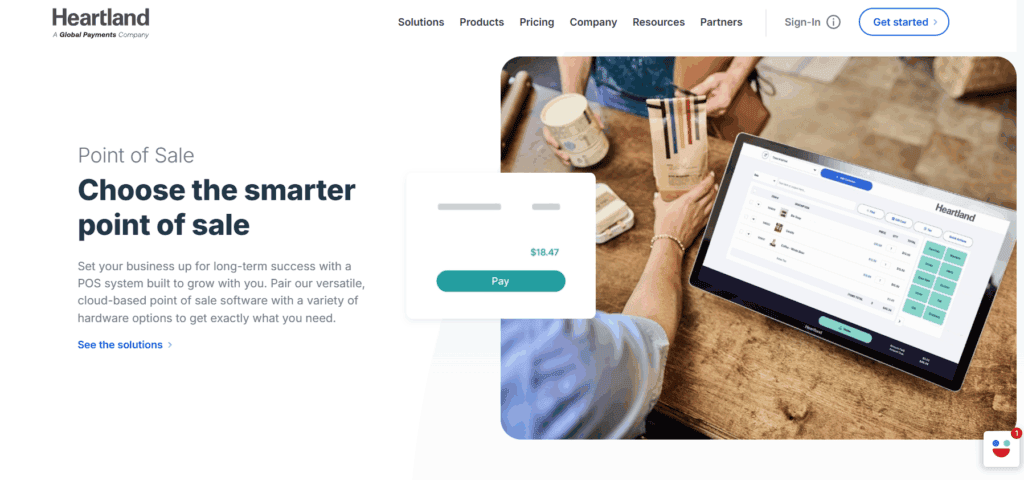
Heartland Payment Systems is a U.S.-based provider of merchant services that focuses on supporting small and medium-sized businesses. Founded in 1997 and acquired by Global Payments in 2016, Heartland continues to operate under its own brand name. Over the years, it has built a strong presence among traditional business types such as restaurants, retailers, and local service providers. Its longevity in the payments space gives it a reputation for reliability and domain expertise. Lets read more about Heartland Payment Systems Review.


Heartland provides a wide range of services, such as marketing tools, payroll management, POS systems, and credit card processing. Business owners who want to use a single provider to streamline their financial operations will find this bundled offering appealing. Although the company has traditionally prioritised physical operations, its digital services for mobile payments and e-commerce have been growing steadily.


One of Heartland’s key brand values is transparency in pricing and business practices. However, customer feedback reveals a range of experiences regarding fees and contracts. While many businesses value the convenience and breadth of services, some have raised concerns over unclear costs and contract terms. Despite these mixed reviews, Heartland continues to be a preferred provider for businesses seeking a well-rounded platform. Its investments in industry-specific tools and its effort to deliver personalized service help maintain its relevance in a highly competitive market.

Core Payment Processing Services | Heartland Payment Systems Review

Heartland’s main strength lies in its payment processing platform, which supports a wide range of payment types. This includes all major credit and debit cards, contactless payments, and digital wallets like Apple Pay and Google Pay. This versatility helps merchants accommodate diverse customer preferences at checkout.


The company places strong emphasis on transaction security. Its systems are EMV-compliant and support end-to-end encryption and tokenization, providing an added layer of protection for cardholder data. For merchants, this also means easier compliance with PCI DSS standards, as Heartland provides tools and support for certification.


Heartland also offers real-time transaction reporting. Business owners can access payment data through an online portal or mobile dashboard, allowing them to monitor sales performance in real time. Features like recurring billing and stored card details are also available, making the service suitable for subscription-based models.


Mobile businesses can use Heartland’s portable card readers, which connect to smartphones or tablets. This supports flexibility beyond a fixed retail setting. However, pricing for payment processing varies depending on business type, volume, and contract terms. Some users have reported unclear fee structures or unexpected charges, making it essential to review agreements carefully.


Heartland Payment Systems Review

POS Solutions

Heartland’s POS systems are built to serve specific industries, with distinct configurations for restaurants, retail shops, and service providers. This tailored approach ensures that users have access to tools that match their operational workflows.


Restaurant POS setups may include features like table mapping, kitchen order routing, tipping support, and integrations for online food orders. Retail solutions typically include inventory tracking, barcode scanning, employee controls, and multi-store management. These capabilities help businesses optimize daily transactions and reduce manual errors.


Cash drawers, EMV-ready card readers, touchscreen terminals, and receipt printers are among the hardware products that Heartland sells. Since these devices are cloud-connected, remote management access and real-time syncing across locations are made possible.


With its simple interfaces and low training requirements, the POS software is made to be easy to use. Business owners can monitor performance metrics like sales volume, employee productivity, and stock levels with the aid of built-in analytics. However, users have pointed out that response times for hardware problems can differ and that installation might require technical support.


Upfront costs for hardware and recurring software fees should also be clearly understood, as some users report discovering additional charges post-signup.

E-Commerce and Online Payment Capabilities

Heartland has gradually strengthened its offerings for online transactions, though it remains more tailored to businesses that started with in-person sales. The platform now includes features like virtual terminals, hosted checkout pages, and recurring billing capabilities. A virtual terminal enables merchants to manually input card details, which is helpful for phone orders or invoice payments. Hosted payment pages allow non-technical users to create branded checkout experiences quickly and securely.


Heartland’s API infrastructure supports integration with popular e-commerce platforms like WooCommerce, Shopify, and BigCommerce. This flexibility lets businesses retain their existing website design while using Heartland’s payment gateway for secure processing.


Recurring billing and tokenized card storage support subscription-based revenue models. These tools are especially useful for service providers and membership businesses.


However, Heartland does not offer the full suite of e-commerce features found in platforms built specifically for digital retail. There are no built-in cart systems or advanced marketing automations. As a result, the platform is better suited to hybrid businesses expanding online rather than digital-first retailers.

Payroll and HR Services

Heartland’s payroll and human resources services aim to simplify internal operations for growing businesses. These tools cover direct deposit, automated tax filings, year-end documentation, and more. Employers can run payroll from anywhere using cloud-based software and offer employee self-service portals for pay and benefits access.


Time tracking, onboarding new hires, and regulatory compliance tools are among the HR management features offered by the platform. Integrated modules allow businesses to create handbooks, manage benefits, and keep policy records. One of the main advantages is the integration of time tracking, payroll, and POS systems. For instance, payroll can receive data straight from the POS platform, which minimises administrative effort and manual data entry.


However, these services may come at an additional cost and are not automatically bundled with core payment tools. Some users also feel that the interface is dated compared to modern HR tech platforms, although the functionality is largely robust for small to mid-sized businesses.


Heartland Payment Systems Review

Customer Engagement and Loyalty Programs

To support customer retention, Heartland offers several tools aimed at improving engagement. These include digital gift card programs, loyalty schemes, and integrated email marketing. Gift cards can be sold both in-store and online and include balance tracking and reload features. They serve as a reliable source of upfront revenue while helping customers share brand value with others.


Loyalty programs can be customized using points, visits, or spend thresholds. These rewards can be easily integrated into the POS system, enabling automated redemption at checkout. Basic email marketing features are also available, allowing businesses to send targeted campaigns based on purchase history. Performance metrics like open rates and redemptions are tracked through the platform.


While these tools are valuable, they may lack the depth and sophistication of standalone CRM platforms. Businesses with advanced marketing strategies may still require external integrations for deeper customer segmentation or campaign automation.

Industry-Specific Solutions

Heartland has developed a suite of tools customized for sectors like restaurants, healthcare, education, salons, and fitness centers. These industry-focused features are built to resolve common pain points faced by operators in each field. For example, restaurants benefit from options like tableside ordering and kitchen display systems. Educational institutions get school payment portals and campus card management. Healthcare practices receive HIPAA-compliant payment solutions and recurring billing tools for treatment plans.


Appointment-driven models are supported in the personal services industry by tools for scheduling, customer profiling, and membership billing. For companies with particular operational requirements, these specialised tools help in establishing a more efficient workflow. Businesses might, however, become dependent on Heartland’s ecosystem, which would make it more difficult to connect third-party tools or switch providers. For people who value simplicity over modular flexibility, this trade-off might be acceptable.

Pricing and Contract Clarity

Heartland markets itself as a provider of “fair and honest” pricing, typically offering interchange-plus pricing models. This format is usually more transparent than flat-rate systems, but additional costs such as monthly service fees, PCI compliance charges, and statement fees can add up. Some merchants appreciate the detailed quotes and predictability of their fees, while others report discrepancies between quoted rates and actual charges. Concerns also surface around contract renewals, cancellation policies, and early termination fees.


To avoid surprises, it’s recommended that businesses request an itemized cost breakdown upfront. Understanding what is included and what may incur extra charges over time is crucial for long-term budgeting. Heartland’s pricing tends to benefit businesses with consistent processing volumes, while those with seasonal or low-volume operations may find more flexibility with alternative providers.

Security, Compliance, and Data Protection

The Heartland has prioritised security. Tokenisation, advanced encryption, and EMV-compliant technologies are all used by the platform to secure transactions at every stage. This is included in Heartland Secure, a proprietary security suite that offers coverage for breach warranties. Tools for PCI DSS compliance, such as risk analyses and continuous security scans, are also available to merchants. For companies that are not familiar with the technical requirements of card data protection, these services are extremely helpful.


For healthcare providers, Heartland offers HIPAA-compliant solutions that help maintain patient data privacy and meet federal regulations. These layers of compliance and protection are essential in today’s cyber-threat landscape. While the tools are comprehensive, users still need to ensure good internal security practices, as human error remains a key risk factor in data breaches.

Customer Support and User Experience

Heartland provides 24/7 phone support through U.S.-based representatives. Additional resources, such as setup guides, training materials, and online account management tools, are available through its website. Customer feedback on support is mixed. Some report responsive and effective service, while others describe delays and difficulty getting issues resolved, especially when using multiple products simultaneously.


Though they might not be as well-designed as those from more recent fintech companies, user interfaces across platforms are usually functional. There are mobile applications available, but some users feel that they are not as responsive as desktop tools. Modern, self-service platforms may be preferred by companies that value hands-on support, while Heartland’s support model may be useful for those that want plug-and-play simplicity.


Heartland Payment Systems Review

FAQs


Q1: Is Heartland Payment Systems suitable for small businesses?


Yes, Heartland offers solutions designed for small and mid-sized businesses. However, smaller merchants should evaluate pricing and contract terms closely to ensure alignment with their operational needs.


Q2: Does Heartland support integration with e-commerce platforms?


Yes, Heartland supports integration with Shopify, WooCommerce, BigCommerce, and other platforms using APIs, allowing businesses to process payments online without major changes to their website.


Q3: What kind of support does Heartland provide?


Heartland offers 24/7 U.S.-based phone support and online training resources. Service experiences vary by user, so prospective customers may want to ask about service SLAs and onboarding assistance.

Green Dot Review

Green Dot Review

In the US, Green Dot Corporation has gradually become one of the most well-known brands for prepaid debit cards and basic banking services. It has focused on customers who are generally underserved by traditional banks since its establishment in 1999. With services like mobile banking and FDIC-insured bank accounts through Green Dot Bank, the company that started out as a retail-focused prepaid card provider has expanded into a full-service digital banking solution. Lets read more about Green Dot Review.


The company aims to make banking more accessible and affordable, particularly for low-income and underbanked communities. Its products are widely available in stores like Walmart, CVS, and Walgreens, helping reach both urban and rural customers. However, while Green Dot enjoys wide distribution and ease of use, its reputation among users is mixed. Some appreciate the convenience, but others have raised concerns about hidden fees, customer service difficulties, and technical issues. 

Account types and accessibility | Green Dot Review

Green Dot’s main offerings include prepaid debit cards and mobile banking accounts with checking-like features. These accounts allow users to pay bills, transfer funds, deposit checks, and even earn interest in certain cases. The core appeal is that users can open accounts without credit checks, making it ideal for those with poor credit or no banking history.


It’s simple to get started. More than 90,000 retail locations and online retailers sell cards. For those who don’t live close to a traditional bank, Green Dot is a good choice because of its wide availability. Additionally, the business offers services like early direct deposit and tax refund assistance that are specifically designed for gig economy workers and those on government benefits.


However, the simplicity of opening an account does not guarantee the same level of service or feature depth found in other financial institutions. For users looking for a basic way to handle money without many barriers, Green Dot is accessible and functional, though it may not be the most advanced option.


Green Dot Review

Mobile app experience and digital tools

Green Dot’s mobile app gives users full access to their account from their smartphone. Available on both iOS and Android, the app lets users check balances, deposit checks, send money, pay bills, and manage direct deposits. The design is user-friendly and generally easy to navigate, even for people new to mobile banking.


One particularly helpful feature is mobile check deposit. Users can simply take a photo of a check to deposit funds into their account. Transfers between Green Dot users are also instant, adding to the app’s convenience. Scheduled bill payments can also be managed through the app, which supports basic financial planning.


That said, not all users report a flawless experience. Some complain of app crashes, slow updates, or trouble accessing timely support through the app. While many find it reliable for daily use, others have had delays in transaction posting or difficulties getting help when issues arise. The desktop site offers similar functionality but the mobile app remains the most common access point for most customers.

Fees, charges, and cost transparency

Green Dot’s fees can be a dealbreaker for some users. Most accounts come with monthly charges unless certain activity requirements are met, such as receiving qualifying direct deposits or maintaining a minimum balance. There are also fees for ATM withdrawals, balance checks, and reloading funds with cash at retail stores.


Both online and in account materials, the business offers a thorough fee schedule. Many users, however, claim that the terms are confusing and aren’t always explained in detail when registering. Certain account activity may result in fee waivers, but if users don’t know how to prevent charges, unforeseen expenses can mount up rapidly.


Some services like overdraft protection are available on select accounts, but even these may carry additional costs after usage thresholds. Reloading via third-party retailers like Walgreens or Walmart often includes extra fees, which vary by store. While users who actively manage their account may avoid many of these charges, those less familiar with fine-print banking terms might find themselves surprised by deductions.

Direct deposit and early pay access

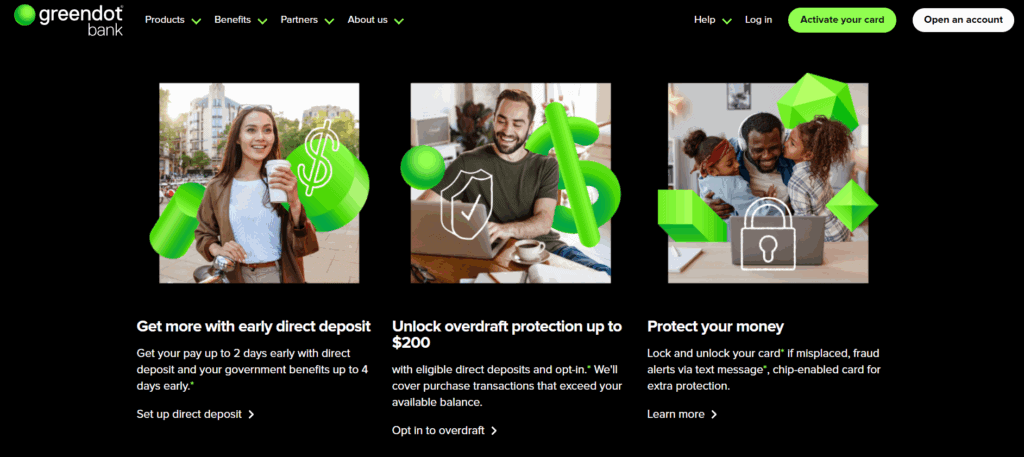
One of Green Dot’s strongest selling points is its early direct deposit feature. This service lets users receive their paychecks or government benefits up to two days early. It’s a major advantage for those who live paycheck to paycheck or need flexibility in their monthly budgeting.


Setting up direct deposit is simple. Users are provided with a routing and account number to share with their employer or benefits provider. Once active, incoming funds may be available faster than they would be through a traditional bank.


Although timing isn’t always guaranteed, this can be a great tool for financial planning. The processing schedule of the government agency or employer determines when payments are released. Uncertainty may result from delays, which can and do occur. Nevertheless, compared to other banking options in its class, this feature provides many users with faster access to funds.


Green Dot Review

Funding options and cash reloading

Green Dot allows users to load money into their accounts in multiple ways. The most popular method is cash reloading through retail stores. At locations like CVS, Walmart, and Rite Aid, users can hand cash to a cashier and add it directly to their Green Dot card. Other options include direct deposit, mobile check deposit, and linking an external bank account for transfers. These choices make the account versatile for users with various income sources. Freelancers, gig workers, and benefit recipients may all find the flexibility helpful.


The expense of reloading cash is a disadvantage, though. Service fees for retail reloads are frequently different depending on the retailer and location. Users who depend significantly on cash deposits may find these fees to be costly. Furthermore, some cash reloads might not appear right away, which would be confusing for people who require instant access. Despite these difficulties, Green Dot is still among the few choices available to consumers who depend on cash and require an easy-to-use method of managing their money outside of a conventional bank.

Security features and customer service

Green Dot accounts are backed by FDIC insurance through Green Dot Bank, offering protection for eligible deposits up to the standard federal limits. The platform also uses encryption, login security features, and transaction alerts to keep accounts safe. Users can lock and unlock their card through the app and receive alerts for unusual activity. These features are standard but important for those managing their finances entirely online or through mobile devices.


Customer service, however, remains a weak spot. Users report long wait times, difficulty getting in touch with a live agent, and delays in resolving issues such as unauthorized transactions or locked accounts. While a help center and automated tools are available, human assistance is often hard to reach and inconsistent in quality. The platform’s security is solid, but support problems can make resolving issues stressful. This is especially true for users who rely on their Green Dot account as their primary financial tool.

Common complaints and limitations

Green Dot has been criticised in a number of important areas. Unexpected account freezes or access problems are among the most common complaints. Sometimes, when users are trying to make an urgent payment or receive a pay cheque, they find themselves locked out. Another annoyance is unclear or confusing fees. Customers’ balances may decrease more quickly than anticipated if they are not aware of inactivity fees, reload fees, or monthly service charges. Inconsistent timing with direct deposits and delayed mobile check deposits are other complaints.


While not all users face these problems, they are common enough to warrant caution. Green Dot works best when users take time to understand the fine print and actively monitor their account to avoid unexpected issues.

Comparisons with competing services

Green Dot competes in a crowded field that includes Netspend, Chime, and Bluebird by American Express. Each offers similar prepaid and mobile banking tools but takes a different approach. Netspend allows more account personalization and offers budgeting tools. Chime is often praised for its clean mobile app, fewer fees, and better customer support. Bluebird, which is popular among Walmart shoppers, features lower costs in some areas and more robust family budgeting options.


When it comes to basic usability and retail availability, Green Dot is competitive. In terms of fee transparency, user interaction, and app performance, it falls short of some competitors. It might be helpful to those who require low-barrier entry and in-store reload options. Others might favour a different supplier if they’re looking for cutting-edge equipment or dependable support.

Final verdict: Is Green Dot worth considering?

For consumers looking for a straightforward financial tool free of the hassles of traditional banking, Green Dot is perfect, especially for those who depend on cash or require instant access to funds. Because of issues with customer service and fees, it’s best suited as a backup or temporary solution. It might be convenient for users who are aware of its limitations, but other users might favour platforms with more transparent pricing and robust support for long-term requirements.


Green Dot Review

FAQs

Is Green Dot a real bank or just a prepaid card?


Green Dot is both. It offers prepaid cards and operates Green Dot Bank, an FDIC-insured institution that provides mobile banking services.


How can I avoid monthly fees with Green Dot?


Monthly fees can often be waived if you set up qualifying direct deposits or maintain a required minimum balance. Always review the specific terms for your account.


Can I use Green Dot as my main bank account?


Yes, but with caution. While Green Dot offers many core banking features, it lacks the advanced tools, consistent support, and fee transparency of more robust banks or fintech platforms.

Global Payments Review

Global Payments Review

Global Payments Inc. is a major force in the fintech and merchant services space. Based in Atlanta, Georgia, the company operates in over 100 countries and processes billions of transactions each year. With a history marked by strategic acquisitions and continuous innovation, it has grown into a key provider of both traditional and modern payment solutions. Businesses of all sizes; from local retailers to global enterprises; rely on its systems to accept payments and manage financial workflows. Lets read more about Global Payments Review.


Even with its strong technology and extensive reach, Global Payments has its share of difficulties. Smaller retailers occasionally have trouble with its pricing transparency and contract terms, but big businesses often value its dependability and scalability. Nevertheless, Global Payments maintains a strong position in the rapidly changing field of commerce technology for companies looking for a flexible and forward-thinking payment partner.

Core Payment Processing Features | Global Payments Review

At the heart of Global Payments is its robust payment processing engine. It supports credit and debit card transactions, ACH transfers, contactless payments, and mobile wallets such as Apple Pay and Google Pay. These services are accessible across in-store, online, and mobile channels, allowing businesses to offer a unified customer experience.


The system is designed for high-volume settings and has quick transaction speeds. Its reliability and steady uptime are often advantageous to companies in the retail, hospitality, and service sectors. Support for a variety of payment methods, such as digital wallets and EMV chip cards, is another important advantage. This helps retailers in keeping up with changing customer demands.


However, pricing can be a sticking point. Variable interchange rates, processing fees, and equipment costs can make it difficult for small businesses to estimate total expenses. There are also occasional complaints about hidden charges or inconsistent billing practices. For merchants who prioritize clarity and predictability, this may be a concern.


Global Payments Review

Merchant Tools and Business Management Solutions

Global Payments extends beyond basic transaction processing by offering a comprehensive suite of business tools. These include customer data platforms, invoicing systems, real-time reporting, and even marketing support. These tools aim to equip merchants with actionable insights, not just payment capabilities.


One of the more useful features is real-time reporting. Businesses can monitor sales activity, refund trends, and transaction volume through an intuitive dashboard. This allows for better planning and resource allocation. Another advantage is the virtual terminal, which enables payments without the need for physical hardware. This is particularly useful for remote or service-based businesses.


Several third-party systems, such as CRMs and accounting programs like Salesforce and QuickBooks, are also integrated with the platform. These links minimize manual labour and streamline financial operations. However, your service tier or region may affect which features are available. Even though the extra tools are useful, they might cost more. Because standard packages do not include all features, merchants must be aware of optional fees. For expanding companies that require more than just a payment processor, the entire suite is still appealing.

POS Systems and Hardware Options

Global Payments offers a wide selection of POS systems designed to fit different business types. Whether you need a single terminal for a boutique or a full system for a multi-location store, the company provides flexible hardware options.


The in-house POS systems include modern interfaces, inventory tracking, and customer engagement features. These are generally easy to use, even for staff with limited technical knowledge. For businesses already using third-party POS providers, the system supports various integrations, making it adaptable to existing setups.


Another standout feature is mobile point-of-sale systems. Mobile readers and app-based solutions provide security and portability for vendors who work on-the-go, such as market stalls, pop-up stores, or delivery services. Usually, installation is simple, particularly when using Global Payments directly. Onboarding through resellers, however, may result in inconsistent setup support. This can be annoying, and in order to guarantee a seamless deployment, the merchant might need to put in more work.


In summary, the POS offerings are strong, with both flexibility and reliability built in. Just be cautious of potential add-on costs for premium hardware and advanced features.

E-commerce and Online Payment Capabilities

For online businesses, Global Payments delivers a feature-rich suite of e-commerce tools. These include payment gateways, hosted checkout pages, and APIs that allow custom integrations across websites, mobile apps, and digital storefronts. The system supports multiple online payment types such as credit cards, e-wallets, and direct bank transfers. Its APIs are well-documented and developer-friendly, making integration feasible for businesses with technical resources. For companies that rely on recurring payments, such as subscription services or SaaS platforms, Global Payments offers automated billing options and secure customer data storage.


The fact that it can facilitate international e-commerce is another advantage. For merchants looking to enter new markets, its multi-currency support and international acquisition features make it a good choice. Cross-border transactions, however, might come with additional fees, which should be considered when making plans. The platform’s versatility is alluring, but companies without specialised IT personnel might encounter a more challenging setup process. A strong basis for digital expansion is provided by the e-commerce environment’s stability and adaptability once set up.

Security and Compliance Features

Security is a critical component of any payment processor, and Global Payments does not fall short. The company is PCI DSS compliant and uses multiple technologies to protect sensitive data. P2PE and tokenization are standard tools in its security suite. These methods ensure that card data is protected from the moment of entry through storage and transmission. This reduces the risk of data breaches and ensures regulatory compliance.


Additional security features include velocity limits, geolocation checks, and real-time monitoring for fraud detection. These tools reduce the likelihood of chargebacks and assist in flagging suspicious transactions. In order to help merchants stay current with industry standards, the platform also provides tools for PCI compliance assistance. Not all merchants may be able to access the full range of features without paying more because advanced fraud protection tools are often associated with higher-tier pricing plans. However, for the majority of retail and service-based businesses, the basic security tools are sufficient.

International Payments and Currency Support

Global Payments is well-equipped for international commerce, offering support for over 140 currencies. Businesses can accept payments in a customer’s local currency and receive settlements on their own. This simplifies cross-border transactions and can improve conversion rates for global customers. Dynamic currency conversion is available as well, allowing shoppers to view prices and complete purchases in their native currency. While convenient, DCC can sometimes result in a higher total cost for the customer due to exchange rates.


The global acquiring network, which eliminates the need for distinct merchant accounts in several nations, is an additional advantage. This lowers administrative overhead and simplifies financial operations for global corporations. Merchants have pointed out that international service fees can be more than they had expected. If not properly budgeted for, currency conversion fees and other processing expenses could reduce margins. Nevertheless, Global Payments’ tools offer a strong and expandable infrastructure for companies looking to grow globally.


Global Payments Review

Third-Party Integrations

Global Payments integrates well with a wide range of platforms and software solutions. From accounting tools like QuickBooks to e-commerce platforms like Shopify and Magento, the system is built to plug into many commonly used tools.


The platform also offers APIs for businesses that need custom connections. These APIs are developer-friendly and supported by thorough documentation. Integrations with point-of-sale systems like MICROS and Aloha are particularly useful for restaurants, while healthcare providers benefit from compatibility with practice management software.


The quality of integrations can vary depending on whether you work directly with Global Payments or through a third-party vendor. Some configurations may require technical assistance, which can increase implementation time and cost. But for businesses already using multiple systems, the integration capability offers significant value by improving efficiency and reducing redundancy.

Pricing and Contract Considerations

One of the trickier parts of using Global Payments is pricing. Every merchant has a different rate. The type of business, the volume of transactions, the sales channel, and whether the merchant deals directly with the business or through a reseller all affect costs. Monthly service fees, transaction fees, hardware costs, and fees associated with compliance are a few examples of fees. Flat or tiered rate structures may be offered to certain merchants, while interchange-plus pricing may be available to others.


One frequent complaint is the lack of contract transparency. Merchants have reported surprise charges and confusing cancellation policies. Some agreements include early termination fees or automatic renewals, which can catch users off guard. Larger businesses, especially those processing high volumes, often receive more favorable terms, including custom pricing and dedicated support. Smaller merchants should make sure to request a detailed breakdown of costs before signing any agreement.

Customer Service and User Experience

Customer service is a mixed experience depending on how the account is set up. Businesses that sign up directly with Global Payments generally receive more reliable support. Those who come through resellers may encounter delays or less consistent assistance. Support is available via phone, email, and live chat. The company also offers a resource library and self-service portal. These tools provide access to transaction history, downloadable reports, and user guides. The interface is well-organized and mobile-friendly, helping users manage operations on the go.


Even though the system is reliable and effective, new users might find the learning curve a little challenging, particularly in the absence of onboarding assistance. Though they might not be as comprehensive as those offered by more recent, tech-first providers, the training materials are still beneficial. All things considered, Global Payments offers a strong user experience and a high system uptime. It works well for companies that require dependability and continuous support, as long as the onboarding procedure is conducted via a reliable channel.

Global Payments Review

FAQs

Q1. Is Global Payments suitable for small businesses or only large enterprises?


Global Payments serves both segments. However, small businesses should carefully review contracts and fee structures to avoid hidden costs.


Q2. Can Global Payments handle international transactions efficiently?


Yes. It supports over 140 currencies and offers cross-border payment solutions, although some transactions may incur additional fees.


Q3. Does Global Payments offer flexible contracts or require long-term commitments?


Contract terms can vary widely. Some merchants report long-term agreements with early termination clauses, so always verify the fine print before signing.

Fulton Merchant Card Services Review

Fulton Merchant Card Services Review

Fulton Merchant Card Services is a payment processing offering from Fulton Bank, a longstanding regional bank known for its financial services across business and consumer segments. As businesses increasingly rely on digital transactions, Fulton Bank has extended its core banking capabilities to include merchant services that help companies process payments across various sales channels. Lets read more about Fulton Merchant Card Services Review.


Fulton has a distinct position in the payment processing market because it is a part of a traditional bank. Consolidating banking and payment operations under one roof may be convenient for businesses that currently bank with Fulton. This setup makes financial reconciliation simpler and account management more efficient.


However, companies looking for advanced, highly customisable, or AI-enhanced payment tools are not the target market for Fulton’s services. Small and mid-sized businesses that value consistency and dependable service over quick innovation will find its more grounded and dependable approach appealing. To assist prospective customers in making an informed choice, this review assesses Fulton’s main products in terms of features, security, cost, hardware, and industry suitability.

Core Services and Payment Capabilities | Fulton Merchant Card Services Review

Fulton offers a well-rounded suite of payment processing tools that cater to physical retail, service-based businesses, and online operations. Businesses can accept all major credit and debit cards using countertop terminals, mobile devices, or fully integrated point-of-sale systems. These solutions are well-suited to brick-and-mortar retailers, restaurants, and contractors alike.


Online merchants can integrate Fulton’s services using a secure payment gateway or a virtual terminal. These tools support card-not-present transactions and allow for both one-time and recurring billing. Virtual terminals are especially helpful for businesses handling remote payments or taking orders by phone.

A notable aspect of Fulton’s service is its ability to tailor payment tools to various industries. Whether in retail or hospitality, businesses can access hardware and software options that reflect their operational needs. Although Fulton does not offer deep custom coding or platform-level flexibility, its solutions are broad enough to meet standard business use cases.


Mobile payment support is another advantage. Merchants working in the field can use secure card readers connected to mobile devices to accept payments on the go. From countertop setups to mobile environments, Fulton covers the foundational needs of businesses seeking to process payments securely and efficiently.


Fulton Merchant Card Services Review

Terminal Hardware and Setup Options

Fulton provides a solid range of hardware options to support different business setups. Its offering includes traditional countertop terminals, wireless models for mobile operations, and fully integrated point-of-sale systems. These devices support chip, magnetic stripe, and contactless payments such as Apple Pay and Google Pay.


Retailers often favor countertop terminals at fixed sites because of their ease of use and dependability. Wireless models are more suitable for mobile applications, like delivery services or payments made at tables in restaurants. Though the hardware options are limited in comparison to specialized suppliers, they sufficiently meet the requirements of most small to medium-sized enterprises. 


Fulton collaborates with recognized hardware producers to guarantee that the devices are compatible and easy to use. Setup assistance is provided, allowing businesses to have their systems running with little effort. Businesses can opt for either leasing or purchasing, giving them the choice of reduced initial expenses or advantages of long-term ownership. 


Although Fulton’s hardware lineup may not include the latest innovations or advanced touchscreen terminals, it performs reliably and fits well within the bank’s service-oriented approach. Businesses looking for tried-and-tested payment tools will find the hardware practical and sufficient for daily operations.

Online Payments and Virtual Terminals

Fulton’s online payment tools revolve around its secure payment gateway and virtual terminal, designed to accommodate businesses that need to process digital or remote payments. These services are essential for online retailers, subscription-based companies, or those accepting orders by phone.


The virtual terminal allows merchants to manually enter card information through a secure web interface. This is particularly helpful for invoicing or phone-based sales, offering flexibility without needing physical hardware. For eCommerce, Fulton’s gateway integrates with common shopping cart systems, allowing real-time transaction processing on a merchant’s website.


Security measures such as SSL encryption and tokenization are built into these tools, helping protect sensitive cardholder data. The system also supports recurring billing setups, which is useful for service providers and subscription-based businesses.


While the virtual terminal and gateway are easy to use, they do not offer some of the more advanced features found in newer fintech platforms. There are limited customization options, and analytics dashboards are basic. Still, for businesses needing a simple, secure online payment solution, Fulton’s tools are adequate and accessible without requiring technical expertise.

Pricing Structure and Transparency

Fulton’s pricing structure includes several components, such as monthly account fees, transaction fees, and charges for additional services like gateways or hardware. However, exact pricing details are not readily available on the website, and businesses typically need to speak with a representative to receive a customized quote. This lack of upfront transparency may be a drawback for businesses that prefer to compare rates online. While personalized quotes can lead to tailored solutions, it introduces a level of unpredictability that some businesses may find inconvenient.


The terms of the contract are also important to note. Fulton may charge early termination fees and demand multi-year commitments. Businesses that expect their service requirements to change or who wish to have the freedom to switch providers may find this to be a sticking point. On the other hand, a lot of the more recent processors provide month-to-month plans that don’t charge cancellation fees.


For companies who already work with Fulton Bank or who value direct assistance, the value might still be high in spite of these factors. Nevertheless, before committing, prospective customers should be sure to inquire in-depth about fees, contract duration, and any additional expenses.

Security and Fraud Protection Measures

Security is a central focus in Fulton’s merchant services. The company complies with PCI-DSS standards, which are designed to protect sensitive cardholder data and ensure secure transaction processing across all channels. Encryption protocols protect data in transit, and tokenization is used to reduce the risks associated with storing card information. These features help shield businesses from data breaches and fraudulent activity, whether payments are made in-store, online, or via mobile devices.


Fulton also equips merchants with fraud prevention tools, including AVS, CVV checks, and the ability to set custom transaction limits. These features help detect unusual activity and add a layer of security to payment processing.


In addition to built-in safeguards, Fulton supports merchants in maintaining compliance. This includes guidance on completing PCI self-assessment questionnaires and understanding ongoing data protection requirements. Although Fulton’s fraud tools are more traditional and lack advanced real-time AI-based detection, they are reliable and user-friendly, especially for businesses with limited technical backgrounds.


Fulton Merchant Card Services Review

Customer Service and Account Support

One of Fulton’s strongest features is its customer service approach. Businesses can access support through phone, email, or by visiting one of Fulton Bank’s branches. This hybrid model is ideal for clients who value direct, human interaction over automated self-service options.


The majority of companies that work with Fulton are given a personal account manager. Onboarding, troubleshooting, and ongoing account management are all supported by these agents. For smaller businesses that might not have specialised in-house IT or finance teams, the individualised service helps ensure continuity and fosters trust.


Support availability, however, might be restricted to regular business hours. Assistance might not be immediately available to businesses that operate on the weekends or after hours. Additionally, because Fulton’s reach is mainly regional, responsiveness and service quality may differ based on the location. The majority of customer feedback is favourable in spite of these restrictions. Local banking assistance and committed agents provide a degree of attention that is often missing from bigger, tech-driven providers.

Reporting Capabilities and Business Insights

Fulton offers basic reporting tools to help merchants keep track of payment activity. The merchant portal provides access to daily summaries, batch settlement data, and monthly statements. These can be downloaded in formats like PDF or CSV for additional processing or recordkeeping. The focus of the reporting suite is primarily on transaction volumes, chargebacks, and payment summaries. While these tools are functional for basic oversight, they do not offer the advanced features seen in more modern platforms, such as visual dashboards, automated insights, or business intelligence tools.


Integration with external accounting software may be possible, but it generally requires manual exporting rather than real-time syncing. This could be a minor inconvenience for businesses that rely heavily on tools like QuickBooks or Xero. Overall, the analytics and reporting capabilities are best suited to businesses that want simple visibility into their financial transactions. For data-driven enterprises seeking deep insights or predictive analysis, Fulton’s tools may feel limited.

Best Fit Industries and Business Use Cases

For companies in the retail, healthcare, hospitality, educational, and professional services sectors, Fulton Merchant Card Services is a solid choice. Its solutions provide sufficient flexibility for a range of business models and can be tailored to both storefront and service-based operations. A small or medium-sized company that values banking relationships, reliable support, and secure payment handling is Fulton’s ideal client. For instance, having banking and payment services under one provider could be convenient for a dental clinic or independent retailer.


However, companies that require advanced payment infrastructure or high-risk industries are not specifically served by Fulton. Additionally, it does not support multicurrency processing or international payments, which could be crucial for international eCommerce operations.


If your business is focused on local markets and does not require advanced customization, Fulton offers a solid and trustworthy solution. Businesses that anticipate rapid growth or global expansion may need to explore alternatives with broader feature sets.

Evaluating the Value: Pros and Cons

Fulton Merchant Card Services delivers value through reliability, relationship-driven service, and seamless banking integration. It’s particularly beneficial for current Fulton Bank customers or businesses that operate within the bank’s regional footprint. The availability of in-person support and dedicated account managers adds to its appeal for companies that prefer personalized service. On the other hand, the platform lacks transparency in pricing, does not support real-time innovations like AI-based analytics, and offers limited scalability for global operations. The absence of advanced customization tools and integration options may be limiting for tech-driven businesses.


Still, for those looking for a grounded and well-supported solution with essential payment features, Fulton is a dependable partner. It’s best suited for businesses that want consistency and care over high-speed innovation or deep technical flexibility.


Fulton Merchant Card Services Review

Frequently Asked Questions

Is Fulton Merchant Card Services suitable for high-risk businesses?


No, Fulton primarily serves low to moderate-risk industries. High-risk sectors like CBD, gambling, or adult services should consider processors specializing in those areas.


Can existing POS hardware be used with Fulton’s system?


It depends on the hardware’s compatibility. Some terminals may be supported, but it’s best to confirm with Fulton before integrating existing equipment.


How fast are payouts processed?


Standard payouts typically take one to two business days. Same-day funding may be available but could involve additional fees or account setup requirements.

Forte Payment Systems Review

Forte Payment Systems Review

Forte Payment Systems is a United States-based payment processor that serves sectors like government, utilities, healthcare, and professional services. It was founded in 1998 and became part of CSG in 2018. Over time, Forte has positioned itself as a secure, cloud-based platform focused on compliance and recurring billing. Its services are not tailored for traditional retail or fast-moving e-commerce. Instead, they support more structured billing environments that demand accuracy, security, and reliability. Lets read more about Forte Payment Systems Review.


Web portals, mobile applications, call centres, and in-person setups are among the various payment environments that the platform supports. Because of its scalable infrastructure, medium-sized to large businesses can use it. Forte provides digital invoicing, tokenisation, integration-ready APIs, and payment processing for both ACH and card-based transactions. Businesses can incorporate payment features into their own systems with the help of these tools. Forte’s model is still a strong option for companies with complex compliance and integration requirements, even though it might not be appropriate for smaller businesses seeking quick setups.

Core Features and Payment Capabilities | Forte Payment Systems Review

Forte provides a unified platform capable of processing ACH, credit card, debit card, eCheck, and contactless payments. A key benefit is the ability to manage both one-time and recurring payments across multiple channels, including web, mobile, and in-person systems. This flexibility supports various business models and operational workflows.


ACH transactions are a foundational feature, making Forte ideal for sectors like healthcare, education, and utilities. These transfers are often less expensive than card payments and work well for businesses managing high volumes of scheduled transactions. Forte’s platform also supports real-time card processing with tools for refunds, chargebacks, and reconciliation.


The system includes digital wallet compatibility with Apple Pay and Google Pay. Tokenization ensures customer payment information is stored securely, reducing the risk associated with repeat transactions. Automatic invoice generation and payment reminders add to the convenience, helping businesses streamline receivables. Fraud prevention and account verification tools can be added to further secure the payment cycle, making Forte a well-rounded solution for complex payment environments.


Forte Payment Systems Review

Virtual Terminal and Mobile Functionality

Forte offers a browser-based virtual terminal that eliminates the need for traditional point-of-sale hardware. This tool is well-suited for service-based businesses, remote teams, and call centers. Payment details can be entered manually, refunds issued, and recurring payments scheduled within a centralized interface. Customer information can also be stored securely for future use.


The terminal integrates with Forte’s vault and billing features and accepts both card and ACH payments. Although the interface works, new users might need some initial assistance to properly utilise its features. Once configured, the terminal offers a simple method of handling transactions without the need for additional equipment.


Regarding mobile devices, Forte facilitates payment processing via specialised apps for tablets and smartphones. These applications, which are compatible with card readers, offer functions like customer lookup, transaction history access, and receipt issuance. The mobile tools are suitable for field service providers and professionals who are constantly on the go, even though they are not made for retail-style point-of-sale setups. Forte’s ability to provide a single payment environment is strengthened by the uniformity across web, terminal, and mobile channels.

Developer Tools and API Integration

Forte stands out for its developer-friendly approach, offering well-documented RESTful APIs for businesses that want deep integration. These APIs allow payments to be embedded into websites, mobile apps, or custom software platforms. This capability is especially useful for software vendors and businesses aiming to provide a branded, end-to-end payment experience.


The documentation is detailed and includes examples for common tasks such as initiating transactions, handling refunds, setting up recurring billing, and managing webhook notifications. Developers also gain access to a sandbox environment for testing and refinement before going live. This reduces deployment risks and shortens the go-to-market timeline.


Security is built in through client-side encryption and tokenization, allowing safe data transmission. Forte also offers SDKs in multiple programming languages, including JavaScript, .NET, and PHP. The modular API structure lets businesses use only the services they need. For companies with limited technical expertise, the virtual terminal or hosted checkout pages may serve as more accessible options. But for businesses that prioritize custom workflows, Forte’s API toolkit is a major asset.

Security and Compliance Capabilities

Security and regulatory compliance are key elements of Forte’s design. The platform is PCI-DSS Level 1 certified, ensuring that payment processing meets the highest security benchmarks in the industry. Sensitive cardholder data is replaced with secure tokens, allowing repeat transactions without exposing raw data. This protects customers while enabling seamless billing.


Advanced fraud detection tools from Forte can notify companies of suspicious activity. Businesses in industries with a lot of regulatory oversight, like public administration and healthcare, need these tools. Along with tools like OFAC screening to satisfy legal requirements, the system also supports NACHA compliance for ACH payments.


AVS, CVV checks, and velocity controls are examples of optional security features. The platform helps businesses keep compliance records and transparency by recording every transaction activity for audit and reporting purposes. Although casual merchants may not need this level of security, it is essential for businesses where data protection and legal compliance are top priorities.


Forte Payment Systems Review

Pricing Approach and Cost Considerations

Forte does not publish a standard pricing list. Its costs are generally customized depending on industry, transaction volume, feature selection, and risk profile. While this allows tailored pricing for large enterprises, it creates uncertainty for smaller businesses that prefer flat-rate, transparent costs.


Fees may include per-transaction charges for ACH and card payments, along with monthly gateway or statement fees. Services like account validation, fraud detection, or expedited funding may carry additional charges. ACH pricing tends to be cost-efficient and predictable, especially for businesses with steady recurring billing needs.


Sales representatives typically prepare quotes after reviewing a prospective client’s operations. This consultative approach helps match features with budget, but it may delay the onboarding process for companies looking to make fast decisions. Some users have noted unexpected fees tied to support or configuration changes, though many of these can be negotiated at the outset. For businesses that prioritize customized payment setups, the flexible pricing may be worth the initial effort.

Industry Applications and Fit

Serving sectors that demand strict adherence to regulations and enduring billing partnerships is where Forte excels. Governmental organisations that manage taxes and permits, healthcare organisations that handle patient payments, and utilities that handle recurring bills are examples of common use cases. Forte’s tools for tuition, donations, and membership dues are also advantageous to nonprofit organisations and educational institutions.


Forte is an excellent choice for any industry where automation and security are crucial due to its ACH capabilities and billing tools. The platform facilitates the smooth transfer of data between payment processing and essential business applications by allowing integration with third-party systems. Errors and administrative burden are decreased as a result.


Businesses that rely on real-time consumer transactions, such as retail or restaurants, may find Forte less suitable. The platform does not emphasize visual interfaces or modern point-of-sale hardware. However, service-based companies, software vendors, and B2B providers may appreciate Forte’s flexible backend and developer options. The platform’s true value lies in environments where compliance, repeat billing, and security take precedence over simplicity.

Reporting and Analytics Capabilities

Forte offers robust reporting and analytics tools designed to support financial transparency and operational decision-making. The platform’s dashboard provides real-time visibility into transaction activity, allowing users to filter results by payment type, status, or customer profile. These tools are especially useful for organizations managing complex accounts or regulatory reporting.


Reports can be customized and scheduled for automatic delivery. They are exportable in multiple formats, including CSV and PDF, making them easy to integrate with accounting systems or enterprise software. Batch summaries, settlement reports, and historical logs help teams reconcile accounts efficiently and catch discrepancies early.


Forte’s analytics focus more on transaction clarity than consumer insights. While it lacks marketing data features, it excels at providing dependable financial records. This is a plus for finance teams, auditors, and business leaders who need detailed visibility into revenue and reconciliation. Though the interface may not have the polish of newer platforms, its depth and reliability make it a practical choice for financial oversight.

Customer Support and User Onboarding

Forte offers multi-channel support via phone, email, and an online portal. Support responsiveness is generally favorable, particularly for clients with custom setups or advanced integration needs. Onboarding usually includes assistance with configuration, API keys, and optional user training. New users also get access to a comprehensive documentation hub.


A dedicated account manager may be assigned to larger clients to assist with strategy, execution, and expansion. When companies have continuous operational updates or technical enquiries, this point of contact becomes crucial. For specialised issues, however, businesses without designated representatives might have to wait longer for responses.


Forte could do better in the area of after-hours support, for example. For businesses that are open 24/7, the standard service window may be restrictive. Nonetheless, Forte offers a reliable experience for businesses that value methodical onboarding and technical assistance based on procedures and documentation. Its support system fits in nicely with the type of customers it draws in; those who appreciate accuracy and dependability.

Final Verdict: Strengths and Suitability

For businesses with recurring billing requirements and a focus on compliance, Forte Payment Systems is a robust payment processor. It offers flexible API-based integrations, secure architecture, and robust ACH processing. Forte’s capabilities are probably most useful to government organisations, utilities, nonprofits, and healthcare providers.


The platform is perfect for medium-sized to large businesses with internal IT resources because of its modular design, robust security posture, and advanced reporting. For small businesses or those seeking public pricing and quick setup, it might be too complicated. For businesses that prioritise visual interfaces, its emphasis on functionality over aesthetics could also be a disadvantage.


In summary, Forte excels in environments where control, customization, and compliance are essential. It is not built for plug-and-play simplicity but rather for businesses seeking a long-term, scalable payment solution with room to adapt and grow.


Forte Payment Systems Review

FAQs

Q1: Is Forte Payment Systems suitable for small businesses?


Forte can support small businesses, but its complexity and feature depth are better suited to mid-sized and large organizations with specific compliance or recurring billing needs.


Q2: Does Forte offer recurring billing and invoicing tools?


Yes, Forte has strong capabilities for recurring payments, digital invoicing, and subscription billing. These features are commonly used by service-based and membership-driven organizations.


Q3: How secure is Forte for handling payments?


Forte is PCI-DSS Level 1 compliant and includes tokenization, encryption, and fraud monitoring. It is a secure solution for businesses managing sensitive or regulated financial data.

Fattmerchant Review

Fattmerchant Review: Transparent Payments with a Modern Edge

Fattmerchant, now rebranded as Stax, entered the payments industry in 2014 with a mission to challenge the norm. Its approach was simple yet disruptive: replace confusing percentage-based markups with flat-rate subscription pricing. This pricing shift helped bring clarity to how businesses manage transaction costs and brought renewed attention to interchange-plus models. Lets read more about Fattmerchant Review.


Reducing transaction fee unpredictability was central to the company’s vision. Fattmerchant made it possible for expanding companies to better predict costs by providing direct access to wholesale interchange rates and imposing a fixed monthly fee. Higher processing volume businesses were especially drawn to this model.


Many users still refer to it as Fattmerchant because of its early industry impact, even though it is now officially Stax. ACH transfers, analytics, invoicing, mobile payments, and real-time reporting are just a few of the comprehensive payment features that the platform has added over time. To assist you in deciding whether Fattmerchant’s offering is appropriate for your company, this review delves deeply into each of its features.

Core Features and Capabilities | Fattmerchant Review

Fattmerchant provides a complete range of tools to handle various payment types. At its foundation, it supports credit and debit card processing, mobile transactions, ACH transfers, and e-commerce payments; all within a unified software interface. This all-in-one setup streamlines operations for businesses managing payments across several touchpoints.


Its virtual terminal stands out as a practical feature, allowing users to accept payments through any browser. This is especially useful for businesses that operate remotely or provide services off-site. Invoicing tools are also included, with options for recurring billing and automatic reminders that are ideal for subscription-based models.


The dashboard provides real-time insight into transactions, customer activity, and cash flow trends. Users can generate reports and monitor business performance without relying on external analytics software. It also integrates with accounting tools like QuickBooks to automate data syncing and simplify reconciliation.

For mobile needs, the app and Bluetooth-enabled card readers help businesses accept payments on-the-go. Altogether, the platform supports omnichannel sales while keeping everything accessible through a single dashboard.


Fattmerchant Review

Subscription-Based Pricing Structure

Fattmerchant’s flat-fee subscription pricing is what makes it unique. It passes interchange costs straight from card networks and charges a fixed monthly rate rather than adding extra fees to each transaction. The unexpected costs associated with traditional processors are eliminated with this configuration. For example, a business pays a flat monthly subscription and only the direct interchange fees, rather than a per-transaction rate such as 2.9 percent plus 30 cents. Because monthly fees remain the same regardless of processing activity, the cost savings can be substantial for companies with high transaction volumes.


There are several price tiers according to business type and volume. Enterprise solutions serve high-volume operations, while entry-level plans are available to smaller businesses. It’s important to remember that this model benefits those who process regularly and at scale. For lower-volume businesses, the monthly cost might outweigh the savings from reduced transaction fees.


Other potential costs may include hardware rentals, premium features, or gateway access, which should be factored in when evaluating total value.

Omnichannel Payment Functionality

Fattmerchant supports multiple payment environments, making it a good option for businesses selling across channels. Whether accepting payments in-store, online, or via mobile, the platform ensures consistent user experiences and unified reporting. For physical retail, Fattmerchant works with terminals that are EMV and contactless payment enabled. These devices provide a secure way to accept chip cards and mobile wallets. Businesses can also deploy full POS systems for added functionality like inventory and staff management.


Online, users can create hosted payment pages, send payment links via email or SMS, and integrate with popular e-commerce platforms. An API is available for businesses building custom payment solutions. These capabilities support digital-first operations, service-based businesses, and remote sales alike. Mobile acceptance is equally strong. The Bluetooth reader and app combination enables payments from anywhere, helping tradespeople, delivery services, or pop-up stores stay flexible.


All transaction data from each channel feeds into one dashboard, making reconciliation easier and performance tracking more accurate.

Backend Software and Integrations

Fattmerchant provides cloud-based software that combines reporting, analytics, invoicing, and payments under the Stax brand. Users can access their data from any internet-connected device, and no installation is required. Users can quickly access transaction summaries, customer behaviour patterns, and sales trends thanks to the dashboard’s ease of use. Businesses can use this data to make well-informed decisions without having to buy additional analytics software.


One major advantage is integration with QuickBooks. By automatically syncing payment data with the accounting system, it minimises the need for manual entry and the possibility of reconciliation errors. This is especially useful for businesses that handle a lot of transactions. Additionally, Fattmerchant integrates payment tools with CRMs, inventory management systems, and custom applications through APIs and third-party platforms. While the integrations cover essential business needs, advanced users may need technical support for custom workflows or less common platforms.


Fattmerchant Review

Hardware and Point-of-Sale Equipment

Fattmerchant provides hardware options to meet a range of operational needs. This includes traditional countertop terminals, wireless devices, and mobile card readers that support contactless and chip card transactions. Retail locations can opt for familiar brands like Verifone or Clover, which pair with Fattmerchant’s backend to create a seamless checkout experience. These terminals typically include touchscreen functionality, receipt printers, and PIN pads.


For businesses on the move, the mobile card reader and app combo make accepting payments from a smartphone or tablet straightforward. It supports major mobile wallets and meets current security standards. More advanced POS systems are also available for businesses that require inventory tracking, employee management, or detailed customer records. These setups work well in retail, hospitality, or healthcare settings.


Hardware can be purchased or leased, offering flexibility based on budget. Businesses should check for additional fees, as hardware costs are not included in the base subscription.

Customer Service and Onboarding

An important factor in Fattmerchant’s appeal is customer service. During business hours, the company provides assistance by phone, chat, and email. The support staff is often praised by users for being responsive and helpful, especially during onboarding. Usually, a representative is assigned to new customers to help them with setup. The onboarding procedure is made to minimise hiccups and guarantee a seamless transition, from setting up terminals to connecting accounting software.


Additionally, the dashboard interface is easy to use. It organises features into sections with clear labels, which makes managing transactions, producing reports, and creating invoices simple. The learning curve is lowered by this simplicity, particularly for small teams or entrepreneurs without technical know-how. Some users have noted longer response times during peak hours and limited support over weekends, depending on the service plan. Even so, overall feedback on user experience remains positive.

Compliance and Data Security

Fattmerchant complies with PCI standards to protect customer payment data. Its systems use encryption and tokenization to ensure transactions are processed securely, whether online, in-store, or through mobile devices. Security protocols protect data in transit and at rest, helping reduce the risk of data breaches. Fattmerchant also offers compliance assistance, including self-assessment guides and resources to help merchants stay up to date with regulations.


Fraud prevention tools like AVS support and transaction velocity checks are built into the platform. While these basic tools are effective for most businesses, those operating in high-risk categories may require more advanced fraud detection systems, potentially through third-party solutions. Merchants should routinely monitor their security practices and update their compliance documentation to stay protected.

Who Benefits Most from Fattmerchant?

For small to medium-sized businesses that handle a lot of transactions or a regular volume, Fattmerchant is perfect. For businesses that want to lower transaction fees without compromising tool access, the flat monthly fee makes the most sense. The platform’s integrated features will be beneficial to companies in the retail, healthcare, legal, home services, and digital product sectors. Those who use omnichannel sales tactics or recurring billing will find it especially useful.


However, the fixed subscription model might not be as advantageous for seasonal or low-volume businesses. The potential savings from lower transaction fees might be outweighed by the upfront monthly cost. A pay-as-you-go processor might be more suitable in these situations. Tech-oriented businesses may unlock more value through Fattmerchant’s APIs, while non-technical users can still enjoy its straightforward design and usability.

Key Pros and Cons

Fattmerchant delivers a strong mix of transparent pricing and integrated features. It’s designed for businesses that want control, clarity, and a unified platform.

Advantages:

Flat monthly pricing with direct access to interchange rates

Support for in-person, online, and mobile payments in one system

QuickBooks integration and real-time reporting tools

Responsive customer service and personalized onboarding

Easy-to-use software with minimal learning curve

Considerations:

Not cost-effective for businesses with low monthly sales

Some advanced features or integrations may require extra setup or fees

Limited weekend support for some plans

For businesses that meet the right criteria, Fattmerchant offers meaningful savings and operational efficiency.


Fattmerchant Review

FAQs

Is Fattmerchant now Stax?


Yes. Fattmerchant rebranded as Stax, but many users still use the original name. The platform, pricing model, and features remain consistent.


Are there long-term contracts with Fattmerchant?


No. Most plans are month-to-month, allowing businesses to cancel at any time without early termination fees.


Can businesses save money using Fattmerchant?


Yes. Companies with high processing volumes often see significant savings compared to traditional per-transaction pricing models.