Tag Archives: payment processing

EBizCharge Review

EBizCharge Review

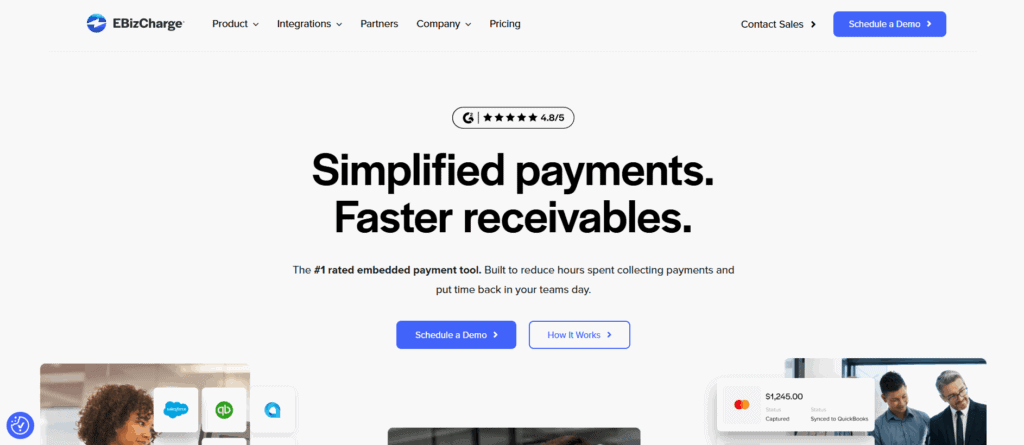
Century Business Solutions created the U.S.-based payment processing platform EBizCharge with the goal of simplifying the way companies receive and handle payments. Its emphasis on accounting, ERP, and CRM system integration sets it apart from many other standard gateways, making it the perfect choice for companies that rely on programs like Microsoft Dynamics, NetSuite, Sage, or QuickBooks. Lets read more about EBizCharge Review.


The platform accepts a variety of payment methods, such as debit cards, eChecks, ACH, and credit cards, through online, in-person, and phone channels. What really makes EBizCharge unique is its capacity to ease the burden of billing and payment collection, particularly for companies handling large-scale B2B payments or recurring invoices. While EBizCharge isn’t built for every use case; such as standalone eCommerce or retail-first environments; it’s a powerful choice for companies seeking smoother AR processes and deeper software integrations.

Key Features and Functionality | EBizCharge Review

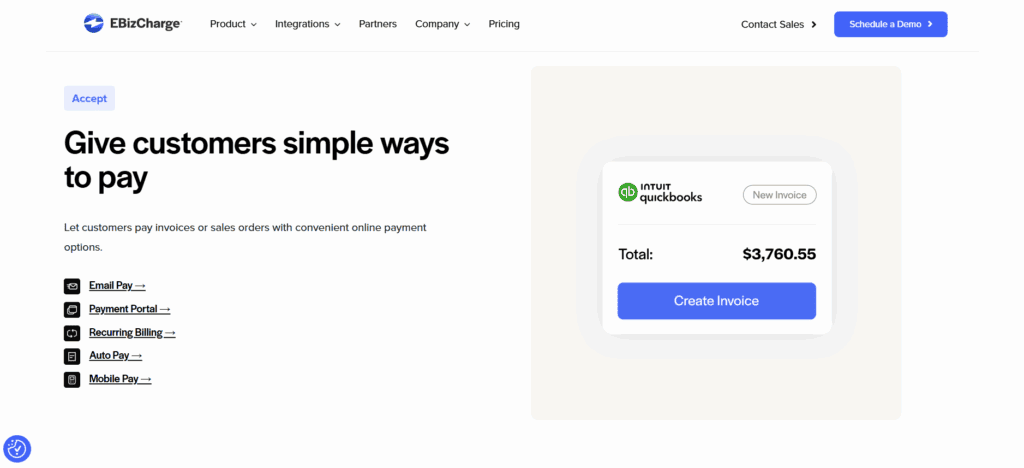
EBizCharge comes equipped with tools that go far beyond basic payment acceptance. Its core gateway supports all major cards, ACH payments, and eChecks, but it also offers automation features, integrated invoicing, and analytics. A standout feature is the secure customer payment portal, which allows clients to view and pay invoices online. This not only accelerates collections but also improves the customer experience. Businesses can send email payment links, configure recurring billing, and even apply surcharges where permitted. The dashboard offers real-time visibility into transactions and can export data for accounting, forecasting, or compliance. Mobile payment support also enables teams in the field to collect payments conveniently.


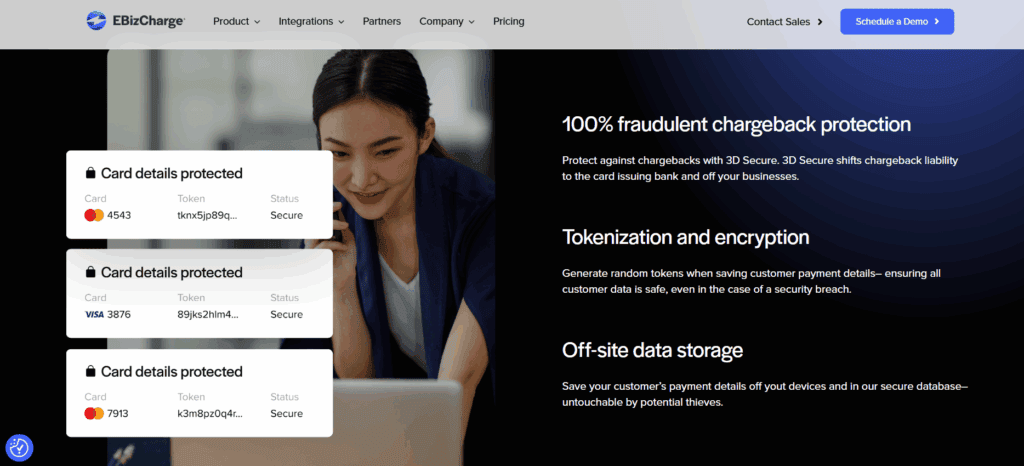
Perhaps most valuable is the reduction in manual entry. When paired with ERP software, payments are automatically posted to corresponding invoices, eliminating errors and saving time. EBizCharge also stores payment credentials securely through tokenization, simplifying repeat transactions without compromising data security. While it may lack retail-centric features like hardware POS integrations, for B2B firms and service providers, the platform delivers most of the core capabilities they need.

EBizCharge Review

Seamless ERP and Accounting Software Integrations

One of the main reasons for EBizCharge’s popularity is its extensive integration capabilities. For popular accounting and ERP systems like QuickBooks, Sage, NetSuite, Microsoft Dynamics, SAP Business One, and Acumatica, the platform provides pre-built plugins. Users can process payments straight from within their accounting software thanks to these integrations. For instance, QuickBooks users can include “Pay Now” links in their invoices, and payments will sync instantly. This close integration guarantees ledger accuracy, lowers administrative burden, and minimizes reconciliation problems.


In addition to payments, EBizCharge streamlines even the most complicated workflows in larger ERP environments by syncing customer information, invoice references, and payment statuses. The U.S.-based team at EBizCharge handles the majority of integration support, tailoring setups to meet specific business requirements. However, companies running niche or custom ERP platforms may require additional development for full compatibility. That said, for businesses using mainstream solutions, EBizCharge provides an impressively seamless setup with minimal disruption.

Security and Compliance Standards

Security is a top priority for EBizCharge, which complies with PCI-DSS standards to ensure that all transaction data is encrypted, stored securely, and regularly audited. The platform uses EMV-compliant and tokenized payment processing, which replaces sensitive card data with secure tokens, greatly reducing breach risk. For businesses managing recurring billing or storing client payment information, tokenization offers a safe and compliant way to maintain customer convenience without exposing financial data.


EBizCharge also includes fraud prevention tools like AVS, CVV checks, and real-time transaction monitoring. Users can set thresholds for transaction values and receive alerts for suspicious behavior.


Its secure vault feature helps companies safely store customer payment data for repeat transactions while staying within PCI compliance boundaries. Additionally, the platform helps businesses dispute chargebacks by simplifying access to necessary documentation. Overall, EBizCharge exceeds standard security expectations, making it a dependable option for companies prioritizing data protection and fraud control.

Ease of Use and User Experience

EBizCharge is designed with the user experience in mind, even with its extensive functionality. Even for people without technical experience, the interface is simple to use, well-structured, and intuitive. Small and mid-sized businesses that might not have internal IT teams will find this especially helpful. Following integration, the system offers users guided walkthroughs to help them understand features like report generation, payment tracking, and invoicing. The learning curve is further lowered by thorough training resources, such as articles, videos, and supporting documentation. Daily tasks like sending payment links, issuing refunds, and reviewing transaction history are made simpler and involve fewer steps. Because of the platform’s configurable permissions, companies can regulate user access according to roles.


While mobile functionality exists, it is more limited than the web interface. Still, it remains a useful tool for sales or service staff on the go. One limitation is that reporting features, though sufficient for daily needs, may not meet the depth preferred by advanced users needing more granular analytics.

Payment Processing Capabilities

EBizCharge offers broad support for payment types suited to B2B and service businesses. It accepts credit cards, debit cards, ACH payments, eChecks, and recurring billing; providing businesses with flexibility in managing their receivables. A key advantage is the ability to attach secure payment links to digital invoices, allowing customers to pay instantly through a self-service portal. For recurring transactions, businesses can store client credentials securely and automate billing cycles.


ACH support is particularly valuable for B2B transactions, offering a low-cost, efficient alternative to card payments. The platform also supports installment plans and partial payments, which can be configured directly in the connected ERP system. That said, the system isn’t built for heavy retail use or high-volume POS operations. Those requiring barcode scanners, cash drawers, or full-featured retail checkout flows may need third-party hardware or software integrations. For businesses focused on back-office payment collection and AR optimization, though, EBizCharge delivers strong functionality.

EBizCharge Review

Pricing Structure and Transparency

Regardless of the type of card or issuing bank, EBizCharge’s flat-rate pricing model offers predictable costs per transaction. For many companies, particularly SMBs, this makes budgeting and billing easier. The platform is flexible and low-risk because there are no setup fees, cancellation fees, or monthly minimums.


The precise cost isn’t made public, though; businesses must contact a sales representative to obtain a quote that is tailored to their volume and integration requirements. For high-volume merchants, flat rates might not always be the most economical choice, even though they offer clarity.


Depending on the transaction mix in these situations, an interchange-plus model may result in greater savings. It’s critical to carefully review contract details because additional features, such as surcharge modules or specific ERP integrations, may incur additional charges. On balance, EBizCharge offers a fair and understandable pricing model. Though not always the cheapest, it avoids the confusion of fluctuating interchange rates and hidden fees.

Customer Support and Service Quality

EBizCharge delivers strong customer support, with U.S.-based representatives available via phone, email, and chat. The support team is known for its technical expertise; particularly in accounting software integrations; and provides tailored onboarding assistance to new clients. Each customer typically receives a dedicated account manager during setup, helping ensure smooth implementation.


The company also maintains a knowledge base, FAQs, training webinars, and video tutorials for self-guided help. While the service quality is generally rated highly, some users have noted slower response times during busy periods, especially on live chat. Support hours are not 24/7, which may be a limitation for businesses operating across multiple time zones. Nonetheless, EBizCharge earns high marks for support overall, thanks to its informed staff and proactive guidance during the integration and training stages.

Strengths and Potential Limitations

EBizCharge’s strengths are its secure payment infrastructure, ease of use for workflows related to augmented reality, and deep integration with accounting and ERP systems. Businesses that need a dependable method to handle invoicing, automate collections, and minimize manual entry are especially well-suited for it. Growing businesses benefit from the platform’s multiple user support, custom permission enforcement, and recurring billing features. However, businesses that specialize in retail inventory management, point-of-sale transactions, or eCommerce might find the platform less flexible. The lack of upfront pricing may also make it difficult for companies to compare prices from different providers. The areas where EBizCharge excels are backend automation, secure payments, and accounting system compatibility, even though it isn’t made for every use case.

Final Verdict: Is EBizCharge Worth It?

EBizCharge fulfills its promise to make payment acceptance easier for companies that rely on accounting and ERP. It offers significant value to businesses aiming to modernize and simplify accounts receivable with features like tokenized billing, ACH acceptance, secure invoicing, and real-time reconciliation. Its usability, excellent support, and flexible integrations make it a good option for both large and mid-sized businesses. Businesses that are price-sensitive or have a retail focus might search elsewhere, but EBizCharge is a good investment for those that require ERP sync and payment automation.

EBizCharge Review

FAQs

Q1: Is EBizCharge compatible with platforms like Shopify or WooCommerce?


EBizCharge can integrate with some eCommerce systems, but it’s primarily designed for ERP and accounting software. Businesses focused on online retail may prefer gateways tailored to their platform.


Q2: What fraud prevention tools are available?


The platform offers AVS, CVV checks, tokenization, and real-time transaction monitoring. It also simplifies chargeback disputes with access to transaction records and evidence.


Q3: Is EBizCharge suitable for small businesses?


Yes, particularly for small businesses using QuickBooks or similar software. While the platform is more robust than entry-level tools, the benefits of automation and integrated payments can be valuable for smaller teams.

CyberSource Review

CyberSource Review

CyberSource is a globally recognized payment management platform offering a wide range of services tailored to businesses of all sizes. Founded in 1994 and acquired by Visa Inc. in 2010, it now operates as a Visa solution, benefitting from the brand’s robust financial infrastructure and global trust. The platform enables secure payment acceptance across online, mobile, and in-store channels, making it a go-to solution for businesses navigating today’s omnichannel commerce environment. With a presence in over 190 countries and territories, CyberSource has expanded significantly over the years.


It supports business growth while managing complex areas like compliance, fraud prevention, and payment security. Unlike many competitors that focus primarily on startups and small businesses, CyberSource caters mainly to mid-sized and enterprise-level organizations. Its customer base spans diverse sectors such as retail, travel, hospitality, education, and financial services. Lets read more about CyberSource Review.


Its adaptable and modular architecture is a major differentiator, enabling companies to choose particular services like tokenization, risk management, and payment gateway. Scalable, customized integrations are supported by this design. CyberSource also helps businesses with international eCommerce by managing tax laws, multi-currency needs, and cross-border payments. Even though CyberSource is a part of Visa’s ecosystem, it still has enough operational autonomy to react swiftly to changing trends in digital commerce. It is a good choice for companies looking to expand internationally because of its scale, security, and adaptability.

Core Services and Capabilities | CyberSource Review

CyberSource provides a full range of payment services covering authorization, capture, settlement, and reconciliation, covering every stage of the transaction lifecycle. It accepts payments using digital wallets, credit and debit cards, and other services like Klarna and PayPal. Its ability to prevent fraud, which uses machine learning and predictive analytics to identify and stop suspicious transactions, is one of its main advantages.


This is particularly helpful for businesses that are big or risky. By substituting secure tokens for sensitive card data, tokenization services further improve security by lowering the risk of data breaches and streamlining compliance. Additionally, CyberSource facilitates multichannel payments and provides centralized reporting and processing for online, mobile, and in-store channels. This guarantees uniformity in customer experience and data management across all touchpoints.


Additionally, payment orchestration allows businesses to route transactions through preferred or most cost-effective acquiring banks. These advanced features are particularly beneficial for large organizations but can also be modularly adopted by growing businesses. Overall, CyberSource positions itself as a robust payment infrastructure provider, rather than a basic processor.


CyberSource Review

Global Reach and Multi-Currency Support

CyberSource is built for global commerce. The platform supports payments in over 190 countries and more than 50 currencies, enabling businesses to operate internationally with ease. It also supports popular localized payment methods such as iDEAL (Netherlands), SEPA (Europe), and Alipay (China), which can significantly improve conversion rates by accommodating regional preferences. Its infrastructure supports both local and global acquiring, allowing businesses to work with regional banks to enhance approval rates, reduce costs, and maintain compliance. The intelligent transaction routing feature automatically directs payments through optimal acquiring channels based on region or cost structure.


CyberSource also enables dynamic currency conversion, allowing international customers to pay in their local currencies while merchants receive settlements in their own. This enhances transparency at checkout and builds trust with global buyers. The platform further streamlines international operations by integrating fraud prevention tools and ensuring compliance with global standards like PSD2. While it simplifies many aspects of cross-border commerce, businesses must still stay informed about local regulatory nuances to ensure full compliance.

Payment Gateway and API Integration

With extensive API support, CyberSource offers a reliable, developer-friendly payment gateway that integrates easily into enterprise systems, mobile apps, and websites. Its RESTful APIs include comprehensive documentation, multilingual SDKs (Java, PHP, and Python), and testing sandbox environments. This allows companies to create unique payment experiences without sacrificing security.


For merchants looking for a faster deployment, the platform also offers pre-built integrations with eCommerce platforms such as Magento, Shopify, WooCommerce, and BigCommerce. Digital wallets like Apple Pay and Google Pay, split payments, and subscription billing are just a few of the payment methods it supports.


Integration options range from hosted checkout pages for easier PCI compliance to full API implementations for complete UI control. While its flexibility is a significant advantage, businesses with limited technical capabilities may find the platform’s complexity a barrier, especially compared to simpler options like Stripe or Square. However, for organizations with advanced requirements or international operations, CyberSource offers an integration framework that is both robust and scalable.

Security and Compliance Standards

CyberSource’s security framework is a standout feature, underpinned by Visa’s global systems. It is fully PCI-DSS compliant, ensuring secure handling of cardholder data. Its tokenization technology replaces sensitive card details with secure tokens, reducing risks associated with data breaches; especially useful for businesses handling recurring payments. The platform also supports 3-D Secure (including 3DS2), which strengthens online transaction security and helps businesses comply with European SCA requirements. Additional fraud prevention tools include address verification, device fingerprinting, and transaction risk analysis, all of which can be tailored to the business’s specific needs and risk thresholds.


From a compliance perspective, CyberSource helps businesses navigate evolving data regulations such as GDPR, CCPA, and other anti-fraud laws. However, merchants remain ultimately responsible for their internal compliance processes. For businesses focused on security and regulatory alignment, CyberSource offers a trustworthy and scalable solution.


CyberSource Review

Fraud Management with Decision Manager

One of the most advanced fraud prevention solutions available is CyberSource’s Decision Manager. It evaluates and reduces fraud in real time by utilizing AI, machine learning, and insights from more than 68 billion transactions yearly. To determine a risk score, the system considers more than 300 data points per transaction, such as device information, IP address, and purchasing patterns. To better handle borderline transactions, merchants can modify fraud rules, model possible effects, and even control manual review queues. Reviewing chargebacks and disputes is made easier by the case management feature. Decision Manager maintains transaction integrity while lowering false positives by utilizing Visa’s fraud intelligence network.


Though powerful, the system may be more than what a small business needs. However, for medium and large enterprises, especially those dealing with high fraud risk, it offers a robust layer of protection that goes beyond standard gateway filters.

Reporting, Analytics, and Dashboard Usability

CyberSource offers a feature-rich dashboard tailored for enterprise users. It includes performance metrics, transaction histories, and real-time alerts. Merchants can generate detailed reports, monitor fraud trends, and export data in formats like CSV and XML. Reports cover everything from settlement batches and chargebacks to region-wise performance and payment method preferences. While the interface prioritizes functionality over visual appeal, it provides high visibility into operations across all channels and regions. Alerts for failed transactions, chargebacks, or high-risk behavior help businesses stay responsive and informed.


That said, new users; especially from smaller teams; may face a learning curve due to the platform’s complexity. For data-driven organizations, however, CyberSource offers a powerful analytics suite that supports smarter decision-making and strategic optimization.

Pricing Structure and Fee Transparency

CyberSource does not publish a standard pricing plan, as fees are customized based on transaction volume, risk, and geographic scope. Common costs include setup charges, monthly gateway fees, and per-transaction charges, with additional fees for services like fraud management or tokenization. This lack of transparency can make it difficult for smaller businesses to estimate total costs. While enterprise users benefit from tailored pricing models that offer long-term value, startups may find flat-rate alternatives more appealing.


Before onboarding, businesses should request a detailed quote that includes all applicable charges; such as cross-border fees, chargeback costs, and monthly minimums. Overall, while not the cheapest option, CyberSource can be cost-effective for high-volume merchants who require advanced capabilities.

Customer Support and Onboarding Experience

CyberSource provides assistance via phone, email, live chat (in some areas), and a comprehensive Developer Center. Technical liaisons and dedicated account managers are often provided to enterprise clients. Depending on complexity, full API integrations can take anywhere from one to three weeks, whereas plugin-based setups are quick. While the Help Center handles more general user support, the Developer Center offers extensive resources such as SDKs, code samples, and integration guides. Some documentation, though, might be too much for non-technical users to handle. Depending on the time zone and location, some users also complain about slower response times.


That said, for businesses with internal tech teams, CyberSource provides a reliable onboarding and support structure. Smaller merchants may require external development support to fully implement the system.

Pros and Cons of Using CyberSource

Pros:

Backed by Visa’s enterprise-grade infrastructure

Excellent international support and multi-currency features

Advanced fraud prevention through Decision Manager

Flexible API and plugin integration options

Modular services for complex, scalable setups

Cons:

No transparent pricing for new users

Complexity may deter small businesses

Requires technical expertise for full integration

Dashboard can be overwhelming for beginners


CyberSource is not a platform that works for everyone. Despite its immense power, it works best for companies with complex requirements or plans for international growth. CyberSource continues to be a leading option for individuals in need of a flexible, safe, and expandable payment system.


CyberSource Review

FAQs

Q1. Is CyberSource suitable for small businesses or startups?


Not ideally. The platform’s complexity and cost structure are better suited for mid-sized and enterprise businesses.


Q2. How long does integration take?


Plugin integrations can be completed in a day or two. Full API integration may take 1–3 weeks, depending on system complexity.


Q3. How does CyberSource compare with Stripe or Authorize.Net?


CyberSource offers superior global support and advanced fraud tools. While Stripe is better for ease of use, CyberSource suits businesses with higher risk exposure or international operations.

Clearly Payments Review

Clearly Payments Review

The Canadian payment processor Clearly Payments is renowned for its merchant-friendly pricing and dedication to openness. Clearly Payments takes a transparent, instructive, and adaptable stance in contrast to conventional merchant service providers, who often rely on long-term agreements and unstated costs. It provides a range of payment options made for small and medium-sized enterprises that operate in physical, mobile, and online spaces.


Retail establishments, service providers, and e-commerce platforms are among its clientele. Clearly Payments assists companies in avoiding the confusion that often envelops payment processing by streamlining the payment environment. It employs the interchange-plus model, which is regarded as one of the most fair pricing schemes in the sector, and supports this with easily available customer service and clear documentation. Lets read more about Clearly Payments Review.

Company Mission and Philosophy | Clearly Payments Review

Clearly Payments was created to reintroduce transparency and fairness into the payments industry. With a strong focus on ethical business practices, the company positions itself as mission-oriented rather than profit-maximizing. Though primarily serving Canadian businesses, Clearly Payments also supports international card transactions. One of the standout features is its commitment to offering interchange-plus pricing to all merchants, regardless of their transaction volume. This is a notable departure from the industry norm, where such pricing is often reserved for high-volume businesses.


The team behind Clearly Payments includes professionals with experience in banking, technology, and fintech, bringing insight into the operational and strategic needs of modern businesses. Education is another core focus. From transparent pricing guides to comprehensive onboarding resources, the company ensures merchants feel informed from day one. Rather than emphasize bells and whistles, Clearly Payments opts for a dependable and straightforward service philosophy, making it especially appealing to Canadian merchants seeking clarity and control.


Clearly Payments Review

Core Features and Capabilities

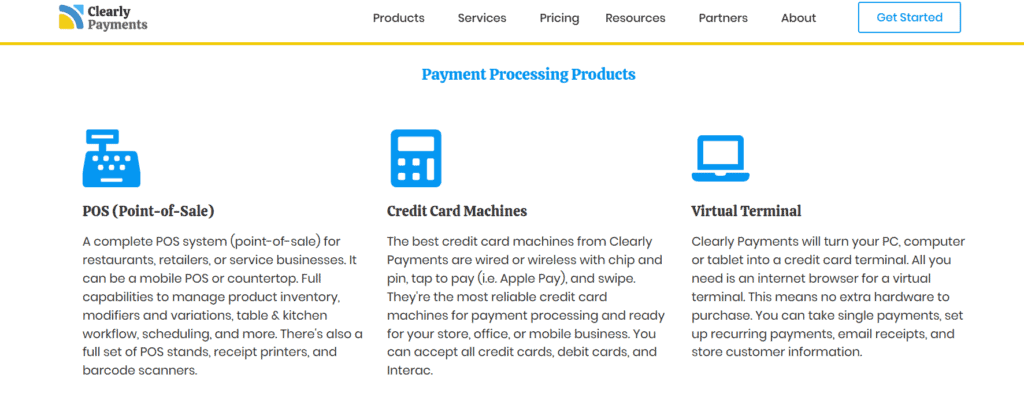
To support various business models, Clearly Payments offers a large variety of transaction methods. The company provides EMV-compliant terminals that accept chip, tap, and swipe payments for physical retailers. For companies that require mobility, like service providers or event vendors, portable card readers are also available.


Integrations with well-known platforms like Shopify and WooCommerce are advantageous to online sellers, and virtual terminal functionality allows for safe manual processing of phone or remote transactions. Another important feature for companies with membership plans or subscription models is the system’s support for recurring billing. Clearly Payments’ emphasis on basic payment tools guarantees simplicity, security, and dependability even though it lacks advanced marketing or loyalty features. Overall, the platform’s feature set is designed for usability and scalability, appealing to merchants who want functional solutions without the overhead of a complicated software stack.

Transparent Pricing Model

One of Clearly Payments’ strongest differentiators is its straightforward pricing. The company uses an interchange-plus pricing model, where card network fees are separated from the processor’s markup. This gives merchants clear insight into exactly what they’re paying and why; a contrast to tiered or flat-rate models that often obscure real costs.


The pricing structure avoids common pitfalls: there are no hidden fees, monthly minimums, or cancellation penalties. Services like PCI compliance and statements are included at no extra cost, which helps prevent unexpected charges. This level of transparency enables businesses to better predict expenses and avoid being locked into contracts with unfavorable terms. Although micro-merchants might find flat-rate options more predictable, Clearly Payments’ pricing becomes more advantageous as transaction volume grows. The absence of long-term commitments further enhances its appeal, giving businesses the flexibility to adjust as needed without penalties.

Onboarding and Setup Process

Clearly Payments has streamlined the onboarding experience. The application process is fully digital, and most businesses receive approval within one to two business days. Once approved, merchants are paired with a dedicated account representative who provides personalized guidance based on the business’s specific needs. This support includes help with setting up terminals, connecting to online platforms, and configuring payment gateways. A well-maintained knowledge base offers self-serve documentation for those who prefer to explore setup independently. Importantly, the onboarding phase is free from aggressive upselling or pressure to sign long-term contracts. This makes Clearly Payments an ideal fit for businesses seeking a smooth, low-risk start with a payment processor that respects their pace and preferences.

Hardware and Integration Options

A wide range of business types can benefit from the hardware and software configurations that Clearly Payments offers. Chip, swipe, and contactless payment compatibility are made possible by its support for reliable point-of-sale hardware from companies like Clover and Verifone. Compact card readers that connect to a smartphone or tablet offer mobile sellers a convenient way to take payments while they’re on the go. Integrations with platforms such as Shopify, Magento, and WooCommerce are advantageous to online retailers.


A virtual terminal and invoicing features are also included in the system, providing flexibility for transactions that take place remotely. An open API is available for tech-savvy companies to create unique integrations with internal systems, such as appointment scheduling software or CRMs. Rather than mandate the use of proprietary devices or software, Clearly Payments allows businesses to choose the tools that best fit their workflow. This modular approach supports cost efficiency and operational flexibility.


Clearly Payments Review

Security and Compliance Standards

Clearly Payments maintains high security standards through full PCI DSS compliance. It uses tokenization to substitute sensitive payment data with unique identifiers, helping to reduce the risk of data breaches. End-to-end encryption ensures that information is secure during transmission, and the platform includes fraud prevention tools such as CVV matching, AVS, and transaction filters. Crucially, the company doesn’t just require merchants to be PCI-compliant; it helps them get there. It provides resources and support to ease the process, unlike many providers that impose non-compliance fees without guidance. With data security becoming a pressing concern in all industries, this proactive approach adds peace of mind for merchants handling sensitive customer information.

Support and User Experience

One of Clearly Payments’ main advantages is its customer service. Every merchant has a dedicated account manager, and support is offered by phone, email, and chat during business hours. This offers support continuity, which is a rare service, particularly from low-cost providers. The user dashboard is simple and useful, with minimal complexity covering hardware configuration, invoicing, and reporting. The majority of users report a seamless experience free from automated, scripted responses and excessive delays. It is evident that Payments places more emphasis on establishing enduring relationships than on completing transactions. Because of its emphasis on service, it is a desirable option for companies that appreciate reliability and promptness from their supplier.

Pros and Cons

Pros

Interchange-plus pricing for all merchants

No hidden fees, monthly minimums, or cancellation charges

Dedicated account support and fast onboarding

Broad hardware and software compatibility

Strong PCI compliance and fraud protection tools

Cons

Available only to Canadian merchants

Fewer built-in extras compared to competitors like Square or Stripe

Limited brand recognition outside of Canada

For Canadian businesses seeking straightforward pricing and reliable service, Clearly Payments offers compelling value. It’s especially well-suited to small and mid-sized merchants who prioritize transparency and support.

Market Comparison

Clearly Payments outperforms Moneris in terms of pricing flexibility and transparency. Despite its longevity, Moneris is often criticized for its strict contract terms and hidden fees. Helcim, on the other hand, has a number of advantages over Clearly Payments, including clear pricing and no long-term obligations. Though Clearly Payments provides more customization choices, Helcim might have an advantage in integrated point-of-sale functionality. In contrast to Square, Clearly Payments provides more scalable pricing but does not have integrated business management tools. Additionally, Clearly Payments offers a more individualized and accessible experience than Stripe, which primarily serves developers and online businesses.


Clearly Payments Review

FAQs

Q1: Is Clearly Payments suitable for small businesses?


Yes, it is tailored for small and mid-sized businesses with low-cost options and fair pricing models.


Q2: Does Clearly Payments require a long-term contract?


No, there are no long-term contracts or early termination fees. Merchants can leave at any time.


Q3: Can Clearly Payments support omnichannel payments?


Yes, the platform supports in-store terminals, mobile readers, virtual terminals, and online payment gateways for comprehensive coverage.

CardConnect Review

CardConnect Review

Established in 2006, CardConnect has carved a significant niche in the payment processing industry, catering especially to businesses that prioritize integrated and secure transaction solutions. Based in Pennsylvania, the company became part of First Data in 2017, which later merged into Fiserv. Despite the acquisition, CardConnect continues to maintain its brand identity, focusing on offering flexible and secure payment services to businesses of all sizes. Lets read more about CardConnect Review.


CardConnect goes beyond basic payment processing, offering solutions designed to streamline operations through ERP integrations and eCommerce platforms. Its proprietary tools, such as CardPointe, provide businesses with a centralized, secure system to manage transactions and customer data.


However, CardConnect is not without its challenges. While many users praise its technology and security features, concerns around pricing transparency and customer support do surface. This review will provide a comprehensive look at CardConnect’s services, pricing structure, integrations, customer support, and suitability for various business types.

Key Features and Services | CardConnect Review

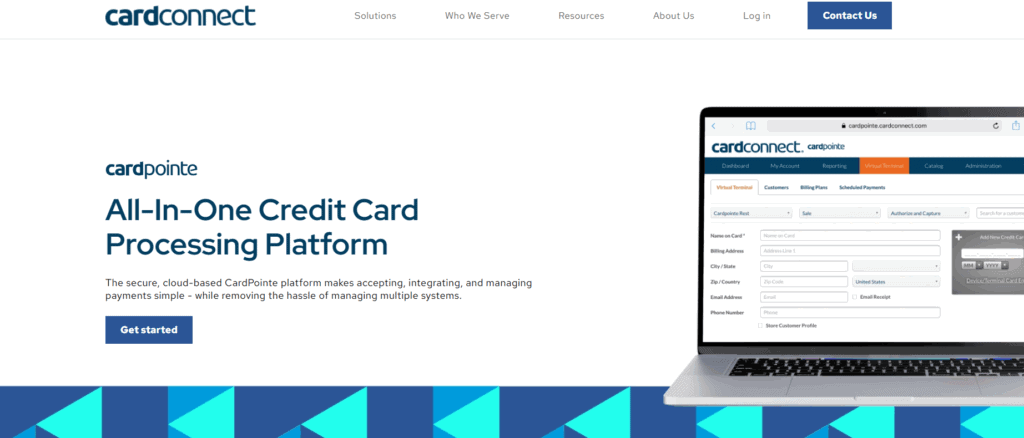
CardConnect provides a comprehensive suite of services aimed at simplifying payment acceptance and strengthening transaction security. At the core of its offerings is the CardPointe platform, a cloud-based solution that enables businesses to monitor real-time transactions, manage disputes, and create detailed reports from an intuitive dashboard accessible via both desktop and mobile devices.


CardConnect also integrates seamlessly with Clover POS systems, offering tailored solutions for industries such as retail, hospitality, and professional services. These POS systems come with customizable software to suit different operational needs.


Security is another major strength. CardConnect implements point-to-point encryption (P2PE) and tokenization to protect sensitive cardholder information, a particularly valuable feature for highly regulated sectors like healthcare.


In addition, CardConnect supports ERP integrations, most notably with SAP, enhancing payment workflows for larger enterprises. For businesses seeking custom payment applications, robust APIs are available to support specialized development needs.


While CardConnect’s features suit a broad range of businesses, smaller merchants may find the system’s complexity more than they require depending on their technical capacity.


CardConnect Review

Pricing and Fees

CardConnect’s pricing model is not openly published, which can make upfront comparisons challenging. Generally, it follows an interchange-plus pricing structure—often preferred for its transparency compared to flat-rate models. However, actual fees are typically customized during contract negotiations and can vary by business size, industry, and transaction volume.


Common additional charges may include monthly account fees, gateway fees for CardPointe access, PCI compliance fees, and early termination penalties. Businesses opting for Clover POS systems might also face equipment leasing and maintenance costs.


While CardConnect’s pricing can be highly competitive for high-volume businesses, smaller merchants should scrutinize potential add-on fees carefully. The best pricing tends to go to businesses processing substantial transaction volumes, where customized quotes reflect card mix and industry type.


In short, CardConnect can offer excellent value—especially for businesses willing to negotiate and carefully review contract terms upfront.

CardPointe Platform Overview

CardPointe is one of CardConnect’s signature products, providing a cloud-based system where businesses can manage all payment-related activities. From real-time transaction monitoring to detailed reporting and account reconciliation, CardPointe centralizes payment management in one accessible dashboard.


Key features include a virtual terminal for accepting card-not-present payments, ideal for remote billing and telephone orders. The CardPointe mobile app further enhances flexibility, allowing businesses to manage payments on the move.


Security is deeply embedded in the platform, offering built-in tokenization and P2PE to minimize exposure to cardholder data and maintain PCI compliance. The user interface is straightforward and accessible, even for businesses without dedicated IT support.


For most small to medium-sized businesses, CardPointe covers daily operational needs effectively. Larger businesses with complex reporting requirements may need additional customizations, but the platform provides an excellent starting point for streamlined payment management.

Security and Compliance

Security is a cornerstone of CardConnect’s services. The company leverages point-to-point encryption and tokenization to protect sensitive data from the moment it is captured until it reaches secure servers.


Rather than storing raw card information, It replaces it with unique tokens, significantly reducing the risk of breaches. This approach not only safeguards customer data but also simplifies PCI DSS compliance for merchants.


CardConnect also actively supports businesses in completing their PCI compliance requirements, offering tools, resources, and expert guidance to help navigate the process. This is especially critical for industries like healthcare and education, where data protection regulations are stringent.


While some small businesses may initially find PCI compliance procedures daunting, CardConnect’s support systems are designed to ease this transition and mitigate long-term risk.

Integration and Compatibility

Integration flexibility is one of CardConnect’s standout features. The platform connects seamlessly with major ERP systems such as SAP, Oracle, and Microsoft Dynamics, enabling enterprises to incorporate payment processing directly into their core business operations.


It also supports eCommerce integration with platforms like Shopify, Magento, and WooCommerce through ready-to-use plugins, simplifying secure online transactions.


For businesses with unique needs, CardConnect’s robust APIs allow developers to create tailored payment applications. Additionally, the compatibility with Clover POS systems gives merchants access to a variety of hardware solutions, from portable card readers to fully integrated terminals.


While the integration capabilities are extensive, setting up more complex connections—particularly with ERP systems—may require technical expertise and onboarding assistance.


CardConnect Review

Customer Support and Service

CardConnect offers 24/7 customer support via phone, email, and live chat, supplemented by a self-service knowledge base featuring FAQs and troubleshooting guides.


However, customer feedback on support experiences is mixed. Some businesses report smooth onboarding and helpful account management, while others cite challenges such as delayed responses to billing inquiries or difficulty resolving disputes.


Larger businesses or those assigned dedicated account managers tend to experience better service quality. Setting clear communication expectations and maintaining direct contact with a representative from the beginning can improve overall satisfaction.


Smaller merchants should be mindful that support experiences can vary and may need proactive management to ensure consistent assistance.

Pros and Cons of CardConnect

Pros

Strong security features, including tokenization and point-to-point encryption

Powerful integrations with ERP and eCommerce platforms

User-friendly CardPointe platform

Mobile-friendly payment management

Customizable APIs for developers

Cons

Lack of publicly available pricing information

Potential for hidden or ancillary fees

Inconsistent customer service experiences

Equipment costs for POS hardware can add up

Ideal Businesses for CardConnect

CardConnect’s wide range of services makes it a solid fit for mid-sized and large businesses, particularly those in sectors like healthcare, education, retail, and B2B services where security and regulatory compliance are priorities.


It is especially effective for businesses requiring:

ERP integrations with systems like SAP or Oracle

Omnichannel payment support across online, mobile, and in-person sales

Advanced reporting and real-time transaction management


On the other hand, very small businesses or startups with low transaction volumes may find the service costs comparatively higher than those of more basic, flat-rate payment processors like Square or PayPal.

Final Verdict: Is CardConnect Worth Considering?

For businesses seeking a highly secure, flexible, and integration-ready payment processor, CardConnect is a compelling option. Its powerful CardPointe platform, robust security protocols, and deep ERP compatibility make it an ideal choice for organizations aiming to scale efficiently.


However, potential customers should carefully evaluate contract terms and fee structures to avoid hidden costs. Businesses willing to invest the time in setting up a strong relationship with CardConnect and understanding the full cost structure will likely find it a valuable long-term partner.


In conclusion, CardConnect is best suited for growing businesses and enterprises looking for secure, scalable, and customizable payment processing solutions.


CardConnect Review

FAQs

Is CardConnect a good option for small businesses?

CardConnect offers advanced features that might be more suitable for mid-sized and larger businesses. Small businesses seeking simple, transparent pricing may prefer processors like Square unless they specifically require strong security and ERP integrations.


How does CardConnect protect payment data?


CardConnect employs tokenization, point-to-point encryption (P2PE), and helps businesses achieve PCI DSS compliance, offering multiple layers of protection for sensitive cardholder data.


What benefits does the CardPointe mobile app offer?

The CardPointe mobile app enables businesses to monitor transactions, process payments, and manage account activities remotely, offering flexibility for merchants operating outside traditional storefronts.

Boku Review

Boku Review

In today’s mobile-first economy, the way people make payments has shifted significantly from traditional methods. Boku is a key player in this evolution, offering a solution that allows consumers to pay for goods and services by charging purchases directly to their mobile phone bill or using their prepaid balance. Launched in 2009 and headquartered in San Francisco, Boku has established itself as a global presence by partnering with mobile network operators (MNOs) to broaden access to digital payments, especially in areas where banking infrastructure is limited. Lets read more about Boku Review.


Boku’s approach addresses the financial gap for individuals without access to credit cards or bank accounts. It has gained significant traction in sectors like gaming, app stores, and subscription services, where ease and immediacy are critical. With its “pay by mobile” method, Boku simplifies transactions, requiring only a mobile number and user approval through a prompt, effectively removing the need for card-based payments.


The company has expanded through strategic acquisitions, including its 2020 purchase of Fortumo, another mobile payments firm. This move boosted its footprint and added new capabilities. Boku also supports mobile wallets, making it part of a broader mobile payments ecosystem.

Still, Boku isn’t a one-size-fits-all solution. It thrives in microtransaction-heavy environments but comes with considerations like transaction fees, technical integrations, and regional support—factors that businesses should examine in more detail.

How Boku Works | Boku Review

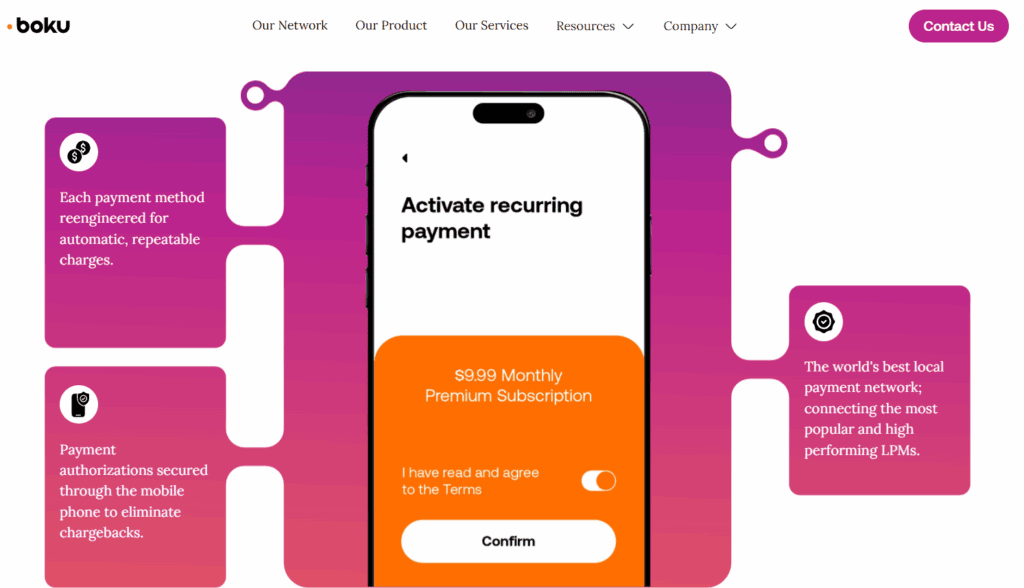
Boku’s technology is designed to streamline the checkout experience by enabling users to complete purchases through their mobile phone number. Instead of entering card or bank information, users approve a transaction via an SMS, app prompt, or similar telecom-supported method. The cost is then applied to their mobile bill or deducted from their prepaid balance.


When a customer selects “Pay by Mobile” at checkout, Boku determines the user’s mobile carrier and facilitates the transaction through its backend systems. The authentication may involve a one-click approval, PIN, or OTP depending on the user’s location and carrier settings. Once verified, the transaction is processed instantly, which makes it particularly effective for mobile-centric and digital transactions.


Behind the scenes, it functions as a mediator between merchants and telecom carriers. It aggregates partnerships with multiple mobile networks, removing the burden on merchants to manage individual contracts. This infrastructure allows for easier scaling across markets.


For merchants, this reduces friction and can lead to better conversion rates in regions with low card usage. For users, it’s a fast and easy way to pay without banking credentials.


However, there are limits to what Boku can handle. Transaction sizes are often capped based on carrier rules, making it less suitable for high-value purchases. Refunds and chargebacks can also be more complex due to telecom-based routing, rather than standard financial systems.


Boku Review

Global Coverage and Market Reach

A significant strength of Boku lies in its global presence. The platform is available in more than 90 countries and has partnered with over 200 mobile network operators. This global footprint positions Boku as an appealing option for digital businesses aiming to reach underserved but mobile-savvy populations.


Boku’s model is especially impactful in regions like Asia, Africa, Latin America, and parts of Eastern Europe—areas where large numbers of people are unbanked but heavily rely on mobile technology. The ability to transact digitally via mobile billing opens the door to global commerce for these consumers.


The company has broadened its services beyond direct carrier billing to include integration with mobile wallets. In markets where wallets like GCash (Philippines), GoPay (Indonesia), or M-Pesa (Africa) are widely adopted, Boku’s compatibility enables merchants to reach even more users through familiar local payment tools.


For global businesses, this network simplifies market entry. Instead of building custom payment solutions for each country, merchants can use Boku to tap into a consolidated framework.


Nonetheless, the service’s effectiveness can vary by region. Not all mobile carriers support the same capabilities, and features may not be fully operational in every market. Merchants should conduct region-specific evaluations before committing to Boku for their international payment needs.

Key Features and Technology

While Boku started with a focus on direct carrier billing, its technology and features have expanded to serve a wider range of applications. The platform now supports diverse industries with tools designed to improve user experience, security, and business performance.


Direct Carrier Billing (DCB) remains Boku’s core offering. It enables consumers to pay by charging purchases to their mobile phone account, making it especially useful for digital content such as games, media, and mobile applications.


Boku has also embraced mobile wallet support. By connecting with popular wallets in different regions, it lets users pay with stored value instead of relying on telecom billing. This flexibility increases the platform’s relevance in countries where wallets are more widely adopted than traditional banking.


Another notable feature is identity verification. Using telecom data, Boku helps merchants confirm user identities to meet regulatory standards and mitigate fraud. This function is particularly valuable for sectors like online gambling, finance, and adult content.


Recurring payments are also supported. It enables subscription billing through carrier networks and wallets, allowing businesses to maintain continuous service access for users without needing card credentials.


From a technology standpoint, Boku offers low-latency APIs, solid documentation, and integration with common commerce platforms. Still, because telecom providers play a key role in the process, some functionality may be inconsistent across carriers or regions.

Integration and Developer Support

Ease of integration is a crucial factor when choosing a payment platform. Boku has invested in developer tools and support systems to help businesses onboard and maintain the service with minimal friction.


The platform provides detailed API documentation and SDKs tailored to various integration needs. These tools cover everything from user authentication to transaction management, making it suitable for both startups and large enterprises.


Boku also supports integration across a range of environments—including mobile apps, desktop sites, and even connected devices. Ready-made modules and partnerships with e-commerce platforms reduce the burden of implementation for merchants.


To manage operations, it offers a merchant dashboard that includes transaction histories, analytics, reconciliation tools, and customer data insights. This allows businesses to monitor and optimize their payment flows in real time.


Still, technical complexity can vary based on the mobile operators involved. Some may require additional configuration or have higher latency, which can affect performance. Boku provides support services, but troubleshooting may be delayed when telecom cooperation is necessary.


Overall, Boku’s integration process is well-supported, but businesses should allow ample time for testing—especially if they are targeting multiple countries with different telecom infrastructures.

Security and Compliance Standards

Security is paramount in payment processing, and Boku takes a multi-layered approach to protect both users and merchants. The platform complies with major global standards such as the GDPR in Europe and PSD2 for payment service providers.


Boku uses mobile number-based authentication methods, including PINs, SMS codes, and telecom identity checks. These layers help verify the user’s identity and reduce unauthorized transactions, particularly in regions where fraud risk is high.


The platform also incorporates real-time fraud detection and risk scoring tools. These systems run in the background and aim to identify suspicious activity without interrupting the user experience.


Another key security benefit is that Boku does not share user billing credentials with merchants. This reduces the chances of data breaches on the merchant side, as sensitive data remains within the telecom’s infrastructure.


Nonetheless, mobile billing systems are not invulnerable. Some users have experienced unintended charges due to unclear subscription terms or deceptive third-party offers. To address this, Boku has adopted stricter opt-in flows and abides by mobile carrier standards to ensure transparency.


While no system is foolproof, it maintains a high bar for security and compliance, making it a viable option for businesses that prioritize data protection and regulatory adherence.


Boku Review

Boku Pricing and Transaction Fees

Pricing is often one of the more nuanced elements of Boku’s offering. The company does not list fixed rates publicly, as fees vary depending on market conditions, carrier agreements, and transaction volumes.


Typically, merchants pay a percentage of each transaction. This cut can range from around 5% to over 15%, which is noticeably higher than standard credit card processors. These higher fees reflect the cost-sharing model with telecom providers, who take a significant share for facilitating billing.


Additional costs may include setup fees, monthly platform usage charges, and premium services like mobile wallet integration or fraud prevention tools. These are often customized for enterprise clients based on their usage needs and geographical footprint.


While the fees may seem high, they reflect the value of access—particularly in underserved or hard-to-reach markets where other payment options are limited. For businesses focused on digital goods or recurring billing, the higher cost may be justified by broader reach and conversion potential.


However, for businesses with tight margins or high refund rates, Boku’s fee structure could pose challenges. It’s important to run financial simulations and assess average transaction values before committing to the platform long-term.

User and Merchant Experience

Boku offers a simple and efficient payment experience, especially for users who prefer not to use cards or apps. The process typically requires only a mobile number and confirmation prompt, eliminating the need for sign-ups, app downloads, or manual input.


This ease of use can lead to higher conversions, especially on mobile devices where user attention spans are short. Digital merchants, particularly in gaming and streaming, often see increased transaction success due to the reduced checkout friction.


On the merchant side, the experience is largely positive. Boku’s dashboard provides useful insights, reconciliation tools, and integration options that simplify payment management. Once the system is live, most operational aspects are automated.


However, some pain points remain. Refund processing and dispute resolution can be slower than with credit card payments due to telecom involvement. Additionally, customer support for technical issues may require follow-ups if carrier cooperation is needed.


Some users have reported confusion over charges, often due to auto-subscription features. Boku has tightened opt-in processes to mitigate this, but merchants must remain vigilant in communicating pricing and terms clearly.


In short, it offers a strong user experience and merchant interface, with a few areas that require close monitoring.

Boku vs. Other Mobile Payment Platforms

Boku competes with various mobile payment providers, including legacy carrier billing platforms and newer digital wallet services. What sets Boku apart is its scale and dual support for both carrier billing and mobile wallets.


Before acquiring Fortumo, Boku and Fortumo were direct competitors. Post-acquisition, it gained a larger network of carrier connections and more experience in wallet integrations, further reinforcing its position.

Other competitors like Centili offer similar services but don’t yet match Boku’s reach or diversity in supported regions. Meanwhile, platforms like PayPal, Apple Pay, and Google Pay serve banked users and typically don’t provide access to the unbanked.


Compared to these platforms, it offers simpler onboarding for end-users in mobile-first environments. However, it lacks the advanced analytics, instant refunds, and multi-feature dashboards offered by card-based or wallet-first systems.


The choice between Boku and alternatives depends heavily on your business model. If your goal is to capture transactions from mobile users in emerging markets, it provides an edge. If you’re looking for extensive features and analytics, a different platform might be more suitable.

Final Verdict: Is Boku the Right Choice for You?

Boku is a focused and effective mobile payments provider that excels in reaching underserved audiences. Its strength lies in simplicity, broad carrier support, and growing mobile wallet compatibility, making it a solid choice for businesses targeting mobile-first consumers.


It’s especially well-suited for companies in digital media, gaming, app subscriptions, and other fast-moving verticals where seamless transactions matter more than detailed analytics or margin efficiency.


That said, Boku is not ideal for all types of businesses. High transaction fees, telecom dependencies, and limited feature richness in some areas can be drawbacks—particularly for businesses with thin margins or complex refund needs.


If your business thrives on accessibility, rapid scaling, and appealing to users outside the traditional banking ecosystem, it may be the right fit. Just be prepared for some operational adjustments and plan for region-specific performance differences.


In summary, Boku delivers well on its core promise: enabling fast, frictionless payments through mobile networks. For the right use case, its benefits can far outweigh its limitations.


Boku Review

FAQs

Q1. Is Boku safe for online payments?


Yes, Boku adheres to major security regulations like GDPR and PSD2. It uses carrier-level authentication and does not share sensitive billing data with merchants, making it a secure digital payment method.


Q2. Can Boku handle recurring billing?


Yes, Boku supports recurring payments for both direct carrier billing and mobile wallets. This makes it suitable for subscription-based businesses like digital content, streaming services, and memberships.


Q3. How can a business start accepting payments through Boku?


Businesses can initiate contact via the official Boku website to request onboarding. It provides technical documentation, API access, and guidance, though telecom approval may be required based on the region.

BankCard Services Review

BankCard Services Review

BankCard Services has been a steady presence in the merchant services landscape since its establishment in 1987. Over the years, it has expanded its operations to serve more than 20,000 merchants nationwide, with a particular emphasis on small and medium-sized businesses. With decades of operational experience, it has carved out a reputation for offering adaptable payment options and a people-first approach to service, particularly within the retail, restaurant, and online commerce spaces. Lets read more about BankCard Services Review.


The company’s customized approach to payment solutions, which is based on the unique requirements and size of each business, is one of its main differentiators. It provides a full range of services, from traditional credit card processing to more recent options like contactless and mobile payments. It can provide both in-house and third-party solutions that can be tailored to each client’s operational needs thanks to its alliances with banks and equipment manufacturers.


While BankCard Services may not have the brand recognition of major players like Square or Stripe, it fills a valuable niche by offering more personalized service and configurable options. Its offerings are particularly suited for business owners who prioritize reliability and customization over generic, one-size-fits-all solutions.


Still, this customized approach can come with challenges in pricing clarity and feature transparency. Getting a precise idea of costs or available features often requires a direct consultation. That said, businesses looking for custom solutions paired with real human support may find BankCard Services to be a practical fit.

Merchant Account and Payment Processing Solutions | BankCard Services Review

BankCard Services offers traditional merchant accounts, a valuable asset for businesses that prefer direct control over their payment ecosystem. These accounts are particularly beneficial for operations requiring unique billing arrangements, integrated customer service, or industry-specific configurations. The platform supports all major card types; Visa, Mastercard, Discover, and American Express.


Its system is made to take payments via a number of channels, such as mobile, online, and in-person. As customers demand seamless, consistent checkout experiences regardless of how or where they shop, multichannel support is becoming more and more crucial. BankCard Services provides scalable tools that can grow with your company, whether you manage a small boutique or a rapidly expanding chain of restaurants.


Notably, the company is responsive to the needs of different industries. Whether it’s enabling tip features for dining establishments, recurring billing for membership-based businesses, or mobile acceptance for service professionals, its systems can be customized for various verticals.


However, because the merchant accounts are personalized, pricing lacks the clarity of flat-rate competitors. Typically, you’ll need to speak with a sales rep to get an individualized quote, which can be either a perk or a pain depending on your preference for pricing models.


All in all, BankCard Services provides robust merchant account solutions for companies that want multi-channel support and service flexibility; but be prepared to ask the right questions to get the most suitable plan.


BankCard Services Review

POS Systems and Hardware

BankCard Services delivers a variety of POS systems geared toward different types of businesses. Options range from basic countertop terminals and mobile card readers to advanced, all-in-one smart POS devices. Thanks to partnerships with a variety of third-party vendors, the company can offer solutions tailored to each business’s layout and needs.


Their POS systems work with NFC-based contactless payments, such as Apple Pay and Google Pay, magstripe cards, and EMV chip technology. The systems provide specific features in restaurant settings, such as table assignments, split checks, and tip customization. Barcode scanning, integrated receipt printers, and inventory management tools are advantageous to retailers.


Businesses can opt to lease or purchase hardware. While leasing may appeal to those looking to avoid upfront costs, it often involves longer commitments and potentially higher long-term expenses. Some users have noted that BankCard’s leasing prices can be slightly above market average.


Installation is typically smooth, and setup support is available to help ease the transition. Still, the hardware mix may feel somewhat fragmented when compared to all-in-one systems offered by vertically integrated competitors. If tight integration is a top priority, that’s something to consider.


To sum up, BankCard Services offers flexible, capable POS solutions. Just be sure to carefully review the costs and contract terms; especially if you’re a small business watching your margins.

Virtual Terminals and Payment Gateways

For companies that take payments remotely, BankCard Services provides a virtual terminal that works through any web browser. This setup is ideal for phone orders, service businesses, or any environment where the card isn’t physically present. It’s secure, straightforward, and doesn’t require advanced tech skills to get started.


Manual card input, recurring charges, refunds, and PCI-compliant customer profile storage are all supported by the virtual terminal. Additionally, companies can email electronic invoices to their clients, providing a quick and easy method of payment while also enhancing cash flow.


BankCard Services also offers eCommerce gateway integrations for online stores. These include features like secure checkouts, real-time payment tracking, and support for common shopping carts. For developers and tech-savvy users, APIs are available to facilitate more custom setups.


One drawback is the limited upfront technical documentation, which may frustrate developers who prefer to work independently. Additionally, the company doesn’t publicize its gateway fees, meaning costs can vary widely.


All considered, the virtual terminal and payment gateway offerings are solid, offering reliable functionality for remote and online payment processing. While they may lack some of the technical depth or polish of larger tech-focused platforms, they meet industry standards and provide useful options for most small and midsize businesses.

Fees and Pricing Structure

Unlike many competitors, BankCard Services does not list standard pricing on its website. Instead, it provides customized quotes that depend on the business’s size, transaction volume, risk level, and industry type. This personalized approach can lead to better rates; but also results in less transparency.


Monthly fees, per-transaction fees, potential equipment leasing costs, and extra fees for PCI compliance or gateway services are typically included in the pricing. The majority of retailers are subject to a tiered pricing structure, but some might qualify for interchange-plus pricing, which is often a more transparent and economical model.


Early termination fees are a common concern. Numerous merchants have reported being locked into long-term contracts with cancellation penalties, especially if equipment leasing is involved. Always review these details before signing an agreement.


It’s also important to watch for smaller fees that can add up; such as batch processing fees, PCI non-compliance penalties, and statement charges. While high-volume merchants may receive incentives or reduced rates, these should be weighed carefully against any hidden or surprise costs.


In short, BankCard Services can offer good value if you negotiate well. But if you prefer clear, upfront pricing, be proactive: ask about interchange-plus plans and demand a full fee breakdown.

Customer Service and Support

Customer support plays a key role in the payment processing experience, and BankCard Services positions itself as a provider that values direct, personal assistance. It offers support via phone, email, and live chat. Phone support is available during typical business hours, with limited after-hours help depending on your service contract.


A major plus is that many clients receive a dedicated account manager who assists not just during onboarding but also serves as a go-to contact for ongoing issues. This personal approach sets the company apart from more automated or self-serve platforms.


However, online reviews reveal a mixed bag. Some merchants praise the attentive and knowledgeable staff, while others report slow response times and challenges resolving technical or billing issues.


Onboarding usually goes smoothly, with detailed help for integration and setup. However, third-party vendors are occasionally involved for more complicated configurations or custom software setups, which can cause delays.


All in all, BankCard Services offers better-than-average customer support, particularly for merchants who value consistent communication. Still, service levels may vary by account rep, so clarify expectations early.

Security and Compliance

Security is a core component of BankCard Services’ offerings, with full support for PCI DSS compliance. The company provides secure hardware, encrypted transaction processing, and resources to help businesses stay compliant with industry standards.


All transactions; whether in-person or remote; are processed securely, with options for tokenization. This technology replaces sensitive card information with randomized data, significantly reducing the chances of a data breach.


Essential fraud prevention tools are provided, including chargeback notifications, velocity filters, and transaction oversight. Nonetheless, features such as AI-driven fraud detection are not included in the basic offering, placing BankCard Services at a disadvantage compared to more technologically advanced competitors in this area. 


Chargeback management assistance is available, but merchants remain responsible for timely responses and proper documentation. The company offers tools and guidance but doesn’t handle disputes on your behalf.


In summary, while not cutting-edge, the company’s security features are robust enough for most small and medium businesses. If your company faces higher fraud risks or operates in a sensitive industry, you may want to supplement with third-party tools.


BankCard Services Review

Software Integrations and Add-On Features

BankCard Services supports various software integrations that help streamline business operations. These include compatibility with accounting software like QuickBooks, as well as CRMs and inventory systems. These integrations can help automate workflows and reduce manual entry errors.


Merchants can view performance data, spot trends, and flag problems like chargebacks with the help of analytics and reporting tools that range from basic to advanced. The interface lacks the depth and design flair of contemporary SaaS platforms, despite being generally user-friendly.


The mobile app allows merchants to process sales, view reports, and manage accounts on the go, making it ideal for service-based businesses or mobile vendors. The company also supports loyalty and gift card programs to help drive repeat business.


Keep in mind that these extras may incur additional fees. While not bundled like all-in-one platforms, they allow businesses the flexibility to create a tech stack that suits their operations.


Overall, the integration capabilities are sufficient for most use cases; especially for those who prefer customizable setups over rigid, proprietary ecosystems.

Pros and Cons of BankCard Services

Pros

Extensive industry experience and reliability

Customizable payment solutions tailored to business type

Multi-channel payment support (mobile, in-store, online)

Integrates with third-party tools and systems

Potential for negotiated, competitive pricing

Dedicated account reps for personalized support

Cons

Lack of upfront, transparent pricing

Early termination fees and long-term contracts are common

Leasing hardware can become expensive

Inconsistent customer service reports

Limited advanced fraud prevention features


In conclusion, BankCard Services is a strong contender for SMBs seeking a balance between flexibility and personalized service. Just be sure to clarify the financial details early to avoid potential friction.

Who Should Consider BankCard Services?

BankCard Services is ideal for small to mid-sized businesses that value tailored solutions and hands-on support. Retail stores, restaurants, service companies, and online sellers can all benefit from its mix of hardware, software, and payment flexibility.


Nevertheless, the lack of pricing transparency and the negotiation process may be a bit of a barrier for smaller or newer companies seeking simple, flat-rate plans. Platforms with richer APIs and self-service options may also be preferred by more tech-oriented businesses.


Still, for businesses looking to grow with a processor that offers long-term reliability and responsive support, BankCard Services provides a solid foundation. Just make sure to review the terms thoroughly and advocate for clear pricing from the start.


BankCard Services Review

FAQs

Q1: Does BankCard Services work with high-risk merchants?


A: Typically, the company serves low- to mid-risk industries. High-risk businesses should inquire directly to explore eligibility.


Q2: Can I use my existing POS hardware with BankCard Services?


A: In some cases, yes. Compatibility depends on the specific device and software. It’s best to confirm with a representative.


Q3: Is there a long-term contract with early termination fees?


A: Some plans do include long-term contracts and cancellation fees, especially with leased hardware. Clarify all terms before committing.

Authorize.Net Review

Authorize.Net has maintained a steady presence in the online payment industry since 1996. Currently owned by Visa, it has established a solid reputation for reliability and safe transaction processing. With compatible POS systems, Authorize.Net enables credit card and eCheck payments through websites, phone orders, and in-person sales for companies of all sizes. Lets read more about Authorize.Net Review.


Because of its robust security and flexible processing capabilities, Authorize.Net is often chosen by service-oriented and eCommerce businesses. The platform, which has more than 430,000 active users, is well-known for its extensive integration capabilities with shopping carts, merchant accounts, and other third-party tools.


One of the gateway’s standout qualities is its flexibility. Unlike newer services that bundle the gateway and merchant account, Authorize.Net allows businesses to bring their own merchant account or opt into its bundled offering; ideal for newer ventures.


Though it lacks flashy branding or modern aesthetics, Authorize.Net’s focus on security, reliability, and broad compatibility keeps it relevant amid a flood of trendy fintech upstarts. It remains a robust and trusted solution for those who value control and performance over visual flair.

Key Features at a Glance

Authorize.Net offers much more than basic transaction processing. It supports a wide range of payment types, including debit and credit cards, eChecks, and digital wallets, usable online, over the phone, or face-to-face.


Notable features include PCI-compliant hosted payment forms, recurring billing, customer data management, and the Advanced Fraud Detection Suite. Service providers and independent contractors can benefit from the email billing and invoicing features.


Custom workflows are made possible by its developer-friendly API, and merchants take advantage of integrated tools for subscription management and comprehensive report generation.


A major strength lies in its third-party integration support. Authorize.Net works with over 140 platforms, including eCommerce carts, CRM systems, and accounting software. While it doesn’t boast the sleekest look, its depth and stability serve complex businesses well.


Authorize.Net Review

Ease of Use and User Interface | Authorize.Net Review

In terms of usability, Authorize.Net offers a reliable experience but comes with a learning curve. Those unfamiliar with payment setups may find initial navigation challenging. Compared to newer competitors, its interface appears somewhat dated.


That said, the dashboard is logically organized, giving access to customer data, reports, and transactions. With some familiarity, users typically adjust quickly, though more technical functions may still require support.


With onboarding wizards, comprehensive documentation, and a committed support staff, the setup process has been enhanced. However, it might be less user-friendly for companies looking for plug-and-play solutions like Square or Stripe.


Although SDKs and a mobile app provide mobile support, they are not as polished as their mobile-first rivals. Authorize.Net is primarily focused on functionality, which many companies are willing to give top priority to.

Integration and Compatibility

Authorize.Net shines when it comes to integrations. It supports a range of platforms; both custom-built and popular ones like Shopify, Magento, BigCommerce, and WooCommerce; offering easy plugin options and robust API support.


Connecting more than 140 eCommerce carts and business tools, such as shipping and tax calculators and CRMs, is possible. The majority of companies with current systems find that implementing the platform is not too difficult.


The multilingual SDKs (Java, PHP,.NET, Ruby) are commonly used by developers, and REST and SOAP APIs offer extensive customization possibilities. Workflows, backend data handling, and checkout procedures can all be customized to meet particular requirements.


For retail, Authorize.Net supports various POS systems. While hardware integrations may require third-party support, the open ecosystem ensures flexibility and prevents vendor lock-in.

Payment Processing Options

The platform handles a wide variety of payment types, including credit/debit cards, eChecks, and wallets like Apple Pay, Google Pay, and PayPal, offering a flexible framework for collecting payments.


A standout is the virtual terminal for manually entering payments; ideal for service businesses taking phone or mail orders.


Recurring customers’ data can be safely stored to support subscription services in sectors like fitness and software as a service. There are also tools for automatically charging and managing loyal customers.


If the company is based in the United States, Canada, the United Kingdom, or Australia, international card payments are accepted. Currency compatibility is determined by merchant account settings.


Authorize.Net easily and dependably satisfies the standard processing requirements of numerous businesses, despite not being specifically designed for every international market or niche.

Security and Fraud Prevention Tools

One of Authorize.Net’s primary advantages is security. To guarantee that every transaction is safe and never revealed in plain format, it employs encryption that complies with PCI DSS.


Customizable filters are available in its Advanced Fraud Detection Suite to flag or block suspicious transactions. Location, quantity, velocity, and other triggers can all be used to modify filters.


Tokenization and CVV validation offer additional layers of safety, with tokenized data replacing card details during transactions. This significantly lowers the risk of breaches.


Other tools include IP blocking, velocity monitoring, and alerts for abnormal activity; key features for high-risk industries. While setup can be technical, the security offered is among the best in the industry.


Authorize.Net Review

Pricing and Fee Structure

Authorize.Net has two pricing models. The Payment Gateway Only option is $25/month, with $0.10 per transaction and a $0.10 daily batch fee, designed for those with an existing merchant account.


For an all-in-one solution, pricing is 2.9% + $0.30 per transaction with no monthly or setup fees; ideal for small businesses seeking simplicity.


Extra fees may apply for additional services, such as processing eChecks; these fees are usually $0.75 each. Costs may also apply to add-ons like fraud protection, depending on usage.


Considering its capabilities and dependability, this gateway is reasonably priced, despite not being the most affordable one on the market. The advantages of flexibility should be weighed against the slightly more complicated pricing by businesses.

Customer Support and Service Quality

Authorize.Net offers solid support, with 24/7 phone availability, email service, and a thorough knowledge base. The support portal contains guides, how-to articles, and troubleshooting FAQs.


The majority of user feedback is positive, particularly regarding common problems. Slow response times during peak hours have been reported by some, and more technical inquiries might not receive prompt resolution unless they are escalated.


Dedicated account managers may be provided to high-volume merchants, improving their customer service experience. Smaller retailers often turn to documentation or community forums for assistance.


Though not cutting-edge, the support resources cover a wide range of issues, making it a strong but traditional support offering compared to more modern platforms.

Recurring Billing and Subscription Management

Recurring billing is a strong suit for Authorize.Net. The Automated Recurring Billing tool simplifies payments for subscription-based services like gyms, SaaS platforms, and subscription boxes.


Merchants can configure trial periods, amounts, frequency, and start dates. The system handles billing automatically and securely stores customer data through its Customer Information Manager.


Businesses can monitor canceled or unsuccessful payments as well as active subscriptions through reporting. The ability to modify or pause current plans increases flexibility.


The subscription management interface isn’t as slick as more recent solutions like Stripe Billing, but it does the job securely and dependably.

Mobile and In-Person Payment Capabilities

Beyond online sales, Authorize.Net supports in-person payments through its Virtual Point of Sale and mobile solutions. Developers can use SDKs to build mobile integrations, while retailers can use card readers and POS systems.


These tools are ideal for field professionals like contractors or consultants who need to take payments on-site. Brick-and-mortar businesses also benefit from unified backend management.


However, hardware often needs to be sourced from outside sources, and the POS and mobile app features feel less advanced than those of Square or Shopify. However, for companies handling both online and offline transactions, the unified dashboard is a huge benefit.

Reporting and Analytics Tools

Authorize.Net offers a suite of analytics tools to help merchants monitor payments and uncover trends. From daily summaries to detailed transaction breakdowns, reporting is thorough and reliable.


You can generate custom reports on chargebacks, subscriptions, payment failures, and sales. Filters make it easy to isolate specific data sets based on time, method, or customer criteria.


Users can schedule automated email reports and export reports as CSV files. Although useful, the dashboard’s aesthetic isn’t as modern as more recent models.


The API gives data-savvy companies more insight and customization options for advanced analytics by enabling integration with external BI platforms.

Reliability and Uptime

Authorize.Net is known for exceptional reliability, offering nearly 100% uptime and a solid infrastructure that ensures uninterrupted payment processing.


Multiple data centers and redundancies support its system, ensuring performance even during periods of high traffic. Outages are uncommon, and planned maintenance is announced in advance.


Merchants consistently report excellent stability, even during peak shopping seasons or high-volume days. In an industry where downtime means lost revenue, Authorize.Net delivers dependable uptime that businesses can trust.

Who Should Use Authorize.Net?

Authorize.Net is ideal for established small and mid-sized businesses, growing online stores, service providers, and subscription companies. It suits users who prioritize security, flexibility, and robust features over ease-of-use or trendy interfaces.


Businesses with existing merchant accounts, specialized workflows, and custom websites will value the platform’s modularity. It is also appropriate for people who require advanced fraud tools or subscription billing.


However, entrepreneurs or small teams wanting a fast setup and minimal configuration might find Square or PayPal more approachable out of the box.

Pros and Cons Summary

Pros:

Strong security and long-standing reputation

Wide variety of payment methods supported

Excellent fraud prevention tools

Works with external merchant accounts

Extensive customization through API

Cons:

Outdated interface design

Requires technical knowledge for full use

Monthly fees may not suit low-volume sellers

Limited multi-currency options without add-ons


Authorize.Net may not be flashy, but for those seeking performance and security, it’s a trusted, stable partner.


Authorize.Net Review

FAQs

Q1: Is Authorize.Net suitable for small businesses or startups?
Yes, if the business expects a steady or high volume of transactions and needs tools like fraud prevention or subscription billing. Otherwise, the monthly fee may outweigh the benefits for very small startups.


Q2: Does Authorize.Net support international transactions?
Yes, it accepts international card payments, but the business must be based in the U.S., Canada, U.K., or Australia. Multi-currency support depends on the merchant account used.


Q3: Can Authorize.Net be used with a third-party merchant account?
Absolutely. One of its major strengths is its ability to integrate with existing merchant accounts. Alternatively, users can choose the bundled gateway + merchant account plan.

Amazon Pay Review

Amazon Pay Review

Amazon Pay is a digital payment system that was first introduced in 2007 with the goal of making online purchases easier for both businesses and customers. It enables customers to make purchases using the payment methods that are already connected to their Amazon accounts and is based on Amazon’s incredibly reliable e-commerce infrastructure. The technology offers a smooth checkout process for customers and lowers cart abandonment for retailers by doing away with the need to manually enter billing information or create new user accounts. Lets read more about Amazon Pay Review


Over time, Amazon Pay has transformed into more than a simple checkout option. It now includes features like voice-based payments via Alexa and easy integrations with popular ecommerce platforms, offering both security and speed. Backed by Amazon’s technical capabilities and reputation, it ensures frictionless transactions, making it appealing for online retailers aiming to optimize user experience.


That said, Amazon Pay competes with well-known names like PayPal, Google Pay, and Apple Pay. What gives it an edge is its integration with Amazon’s ecosystem, millions of shoppers already trust the brand and have stored payment information, which can significantly improve merchant conversion rates.

How Amazon Pay Works | Amazon Pay Review

Amazon Pay acts as a payment gateway that enables customers to use their Amazon credentials to make purchases on third-party websites. The checkout process is simplified, users log in with their Amazon accounts and confirm payments without re-entering details.


A user is taken to a secure page hosted by Amazon to select payment options and confirm their order when they choose Amazon Pay at checkout. They are returned to the merchant site after confirmation. Because of Amazon’s reliable infrastructure, this stands out while mirroring the ease of digital wallets.


For businesses, Amazon Pay integrates via APIs or plugins with platforms such as WooCommerce, Shopify, and Magento. It supports both one-time and recurring payments, making it ideal for retail, subscription, and digital service businesses.


Voice commerce is also part of the offering. Through Alexa-enabled devices, customers can manage subscriptions and place orders, a valuable edge in the fast-evolving commerce landscape.


Transactions are managed securely through Amazon’s backend. A comprehensive merchant dashboard provides access to order tracking, refunds, and performance metrics. The setup is relatively simple, even for businesses without in-house developers.


Amazon Pay Review

Key Features and Services

Amazon Pay brings a rich set of features to both consumers and businesses:


One-click checkout: By using stored Amazon data, customers bypass manual entry of billing/shipping info.

Alexa payments: Customers can transact via voice using Alexa-enabled devices.

Recurring billing: Businesses offering subscriptions or memberships benefit from built-in recurring payments.

Mobile optimization: The interface is responsive and functions smoothly across mobile browsers and apps.

Brand trust: The Amazon name boosts buyer confidence, especially on lesser-known websites.


Additional features include:


Multi-currency support

Buyer protection programs

Developer-friendly APIs and SDKs

Support for refunds and partial captures


But there are disadvantages. There are no built-in invoicing features in Amazon Pay, and developers may need to be involved in order to customize the checkout process. However, its wide range of products makes it appropriate for companies trying to increase customer convenience and foster trust.

Merchant Experience and Onboarding

Signing up with Amazon Pay is a relatively simple process. Merchants need to provide business credentials, complete identity verification, and integrate the service into their website.


The platform supports both custom integrations and pre-built plugins for Shopify, BigCommerce, WooCommerce, and others, accommodating both tech-savvy teams and those without coding knowledge.


The merchant dashboard, while basic, covers core needs like viewing transaction history, issuing refunds, and downloading reports. It may not offer as many customizable insights as other platforms, but it’s intuitive and functional.


During onboarding, documentation and ticket-based support are accessible. But according to some users, support response times are slower than those of competitors who provide live chat or dedicated account managers.


Additionally, Amazon Pay isn’t available for all business categories. High-risk industries or those with ambiguous product offerings may experience approval delays or outright rejections.


For most standard ecommerce businesses, the onboarding is smooth, and Amazon Pay’s brand appeal can improve buyer trust right from the start.

Customer Experience

Amazon Pay excels at making the checkout experience fast, safe, and intuitive for end users. Shoppers can quickly complete purchases using saved Amazon credentials, minimizing data entry and reducing checkout time.


This one-click experience is especially helpful on mobile devices, where cumbersome forms often lead to cart abandonment. Real-time notifications and confirmation emails further enhance transparency and user confidence.


Brand familiarity is important. Even when they are shopping on unknown merchant websites, customers are more likely to trust a payment method that carries the Amazon name. Businesses frequently see an increase in conversions as a result of this trust. 


Alexa-powered payments are another user-focused feature. While adoption is still limited, the integration allows for voice-activated purchasing, particularly useful for repeat orders and subscriptions.


A downside: users who don’t have an Amazon account must sign up to use the service, potentially introducing friction. Additionally, Amazon Pay doesn’t support every local payment option, which can limit its appeal in certain international markets.


Amazon Pay Review

Fees and Pricing Structure

Amazon Pay’s pricing is competitive and easy to understand. For U.S. transactions, merchants are charged 2.9% + $0.30 per domestic transaction. International payments incur a slightly higher fee of 3.9% + $0.30, similar to rates from Stripe and PayPal.


There are no setup fees, monthly subscriptions, or cancellation charges, making it suitable for startups and small businesses looking to avoid fixed costs.


As is usual in the industry, refunds are permitted, but the fixed $0.30 portion of the transaction fee is not. Chargebacks cost about $20, which is again in line with industry standards.


Amazon also offers seller protection in the case of fraudulent or unauthorized transactions, although merchants are advised to read the terms carefully.


The pricing is transparent and straightforward, which helps with financial planning. However, high-volume merchants may find more competitive rates with providers offering custom pricing structures.

Supported Countries and Currencies

Amazon Pay supports a limited but growing list of countries, including the U.S., UK, Germany, France, Italy, Spain, Japan, and India. While this covers many major ecommerce markets, it falls short of the global coverage offered by PayPal or Stripe.


Customers can pay in their local currency thanks to multi-currency support, which lowers cart abandonment. However, Amazon’s exchange rates might not always be ideal, and there is no real-time currency conversion available.


Cross-border payments are possible, but both buyer and seller must be based in supported regions. Additionally, certain products and industries may be subject to restrictions depending on the country.

Merchants should verify whether Amazon Pay is available for their business type and region before onboarding.


Security and Fraud Protection


Security is one of Amazon Pay’s strongest assets. Built on Amazon’s infrastructure, it is PCI DSS compliant and employs SSL encryption and layered security measures. Customer credentials are protected via two-factor authentication and are never shared with merchants.


Fraud prevention is built-in, with algorithms monitoring for suspicious behavior. Amazon’s A-to-Z Guarantee adds a layer of protection for buyers and helps resolve disputes.


Nonetheless, merchants have limited access to fraud management tools. The majority of fraud detection is handled internally by Amazon Pay, with little transparency or seller customization, in contrast with Stripe Radar or PayPal’s comprehensive fraud dashboards.


Still, the system is effective for most use cases, and merchants benefit from Amazon’s secure environment without needing to manage sensitive data themselves.

Integration Options

Amazon Pay provides flexible integration paths suitable for both developers and non-tech-savvy users. For advanced teams, the API allows custom checkout workflows, recurring billing setups, and mobile app payments.


Pre-built plugins are available for platforms including:


Shopify

WooCommerce

Magento

BigCommerce

PrestaShop


These allow for plug-and-play integration, making the setup simple for most ecommerce businesses. Developers also get access to a sandbox environment and thorough documentation.


The user interface’s lack of extensive customization is one obvious drawback. The Amazon Pay interface may be restrictive for merchants seeking a fully branded checkout experience. Developer involvement might be necessary for complex flows or multi-step, custom forms.


That said, the platform supports both simple and advanced use cases and can be scaled according to business needs.

Performance and Reliability

Amazon Pay operates on Amazon’s global cloud network, ensuring near-instant transaction processing, high uptime, and robust reliability. Even during high-traffic events like Black Friday, the platform delivers consistent performance.


Merchants benefit from low latency and minimal checkout interruptions, leading to fewer abandoned carts and improved user satisfaction.


Real-time updates are provided by the merchant dashboard, which also makes reporting tools easily accessible. However, unlike competitors, Amazon does not provide real-time incident reports or public system status dashboards.


Customer support during technical outages is also limited, with no live assistance. Businesses requiring immediate support may find the ticket-based system insufficient.


Despite this, the overall performance is stellar, with minimal disruptions reported even during major shopping periods.

Mobile and Voice Commerce Capabilities

Amazon Pay shines in mobile and voice commerce. The service is fully responsive and performs well on mobile browsers and apps, providing a smooth user experience across devices.


Developers can enable in-app payments through the API, ensuring checkout is seamless within mobile apps. The platform’s lightweight design means quicker load times and better conversion rates.


What really sets Amazon Pay apart is its voice commerce integration. Alexa-compatible devices allow customers to place orders, reorder items, and manage subscriptions using simple voice commands.


For repeat purchases, this is particularly useful, a customer can say, “Alexa, reorder my vitamins,” and the transaction completes with stored payment and delivery preferences.


Nevertheless, the majority of these voice characteristics are exclusive to the Amazon ecosystem. This feature might not be important to users or companies that are not Alexa investors, and some users still have privacy and data tracking concerns.


Still, for future-facing ecommerce brands, Amazon Pay’s voice and mobile capabilities offer significant potential.

Use Cases: Ideal Business Types

Amazon Pay is an excellent fit for consumer-facing ecommerce businesses that prioritize user trust and ease of checkout. It works especially well for:


Online retailers

Subscription-based services

Digital goods providers

Donation platforms


Small and medium businesses benefit from the low barrier to entry, lack of monthly fees, and ease of setup. The platform’s design also appeals to companies with limited technical resources.


However, companies with complicated invoicing requirements (like B2B services) or those in high-risk industries might find Amazon Pay restrictive. Additionally, it is not the best option for retailers who deal in goods that are listed as prohibited categories by Amazon or who operate in nations that are not supported.

Customer Support and Resources

Amazon Pay’s customer support is its most polarizing aspect. While integration resources and developer documentation are robust, merchant support is mostly ticket-based, with no live chat or phone options for standard users.


Response times vary, and some merchants report delays, particularly during holidays or peak periods. For businesses handling urgent technical or transaction-related issues, this can be a drawback.


Amazon does offer:


A knowledge base

Integration documentation

Developer forums


Although these self-service options are extensive, they may not be enough for everyone. Enterprise clients with negotiated agreements may be eligible for dedicated support.


In general, Amazon Pay is best suited for merchants who can operate with minimal hand-holding or who already have experience with self-managed platforms.


Amazon Pay Review

Pros and Cons

Pros:


Widely trusted brand recognition

Seamless checkout with stored Amazon credentials

Quick integration with major ecommerce platforms

Voice and mobile commerce ready

Strong security and fraud protection

No setup or monthly fees


Cons:


Limited global availability

No real-time support (chat or phone)

Limited fraud tools for merchant-side control

Amazon account required for customers

Not suited for high-risk or B2B invoicing needs


Amazon Pay does a great job of balancing performance, trust, and ease of use. It can simplify checkout and increase conversion rates for the suitable business model. Others, however, might find it difficult due to restrictions in customer service and worldwide support.

FAQs

Is Amazon Pay only for Amazon sellers?

No, Amazon Pay is open to all online merchants. You don’t need to sell on Amazon’s marketplace, it can be integrated directly into your own website.


Does Amazon Pay store or share customer data with merchants?

Amazon Pay uses stored information from the customer’s Amazon account but doesn’t share full data with merchants. This keeps user data secure while enabling easy transactions.


How long do Amazon Pay payouts take?

Payouts generally take 3–5 business days to reach a merchant’s bank account. New merchants may experience slightly longer delays during verification.

Alipay Review

Alipay Review

Alipay, introduced in 2004 by the Alibaba Group, has grown from a basic payment facilitator into one of the world’s leading mobile and online financial ecosystems. Originally created to facilitate transactions on Taobao, Alibaba’s e-commerce platform, it used escrow services to ensure trust between buyers and sellers. Since then, it has become a central offering under Ant Group (formerly Ant Financial), Alibaba’s fintech division. Lets read more about Alipay Review.


In China, Alipay is deeply woven into the fabric of everyday life; far more than digital wallets like PayPal, Apple Pay, or even WeChat Pay. With over a billion users globally, it supports everything from online shopping and in-store purchases to utility bills, healthcare, and commuting.


Alipay’s tremendous success is primarily attributed to China’s swift digital transformation and the government’s effort to decrease dependence on cash. What started as a payments application has transformed into a “super app” providing credit, wealth management, insurance, and a lifestyle platform for countless users. 


While its origins are distinctly Chinese, Alipay has been broadening its presence worldwide. It has aimed at Chinese tourists internationally and developed merchant collaborations globally. With its Alipay+ approach, it currently facilitates cross-border compatibility with local wallets. 


In spite of regulatory resistance, increasing global rivalry, and data privacy issues, It continues to be a leading player due to its convenience, integrated ecosystem strategy, and large user community. 

How Alipay Works | Alipay Review

Alipay operates as a mobile-first wallet, allowing users to link their bank accounts, cards, or store value within the app to make fast and secure transactions. It works seamlessly across physical retail environments and online marketplaces, supporting payments via QR codes or digital transfers.


Getting started is simple: users download the app, register with their phone number, verify their identity, and link a bank account. Once set up, they can scan a merchant’s QR code or let the merchant scan theirs to complete payments; an approach that’s intuitive and widely adopted in China.


Transactions are processed in real-time, instantly debiting the user’s balance or bank account and crediting the merchant. Escrow services are available for online purchases, giving users the confidence to confirm delivery before payment is finalized.


Additional features include peer-to-peer transfers, bill splitting, and recurring payments. It also supports currency conversion automatically for international users, allowing them to pay in local currencies without relying on foreign cards.


The platform is secure and user-friendly. With facial recognition, biometric logins, and real-time alerts, users are kept safe and informed. While some services are tailored to Chinese regulations, most core features are now being extended to international audiences.


Alipay Review

Alipay for Consumers

For consumers, it goes far beyond being a simple wallet. It’s an all-in-one platform that supports daily life functions such as paying bills, booking medical visits, or hailing rides. Its super app functionality makes it an indispensable tool for millions in China.


The key advantage is convenience. Users can shop online, pay rent, top up mobile data, buy insurance, and even invest; all from within the app. In urban China, Alipay usage is often more prevalent than cash or cards.


Users can customize the dashboard with commonly utilized services, enhancing personalization. The application additionally provides cashbacks, loyalty points, and discount vouchers according to user engagement; rewarding regular usage. 


Notifications for transactions in real-time and monthly summaries offer clear financial monitoring. Budgeting applications and expenditure regulations assist in handling finances, allowing parents to establish restrictions for their children through the app. 


Travelers gain advantages as well. In approved locations, it enables Chinese travelers to pay in yuan, while merchants receive their local currency. This cross-currency feature has turned it into a favored travel partner. 


Nonetheless, beyond China, the experience could seem restricted because of a smaller number of supported merchants, language barriers, or regional limitations. The worldwide Alipay+ initiative is gradually tackling these issues. 

Alipay for Merchants

Merchants, especially those catering to Chinese customers, stand to gain significantly from accepting Alipay. The platform’s infrastructure-light model allows even small shops to start accepting payments by displaying a QR code.


In China, it integrates smoothly with POS systems, providing features like customer data analysis, loyalty programs, and sales tracking. Internationally, it collaborates with local partners to ensure compliance with local regulations and smooth onboarding.


A standout benefit is Alipay’s in-app marketing. Businesses can create digital loyalty cards, promotional offers, and personalized ads, all within the Alipay ecosystem. These tools help maintain engagement with Chinese users.


Currency conversion and local settlements make it easier for cross-border merchants to receive payments quickly. This makes it ideal for businesses in tourist zones, especially those aiming to serve Chinese travelers.


Some challenges exist: integration can be complex for small merchants outside China, and regional support varies. Advanced tools may require technical help or API integration.


Still, Alipay’s blend of affordability, digital marketing, and real-time settlement makes it an attractive option for modern businesses.

Key Features of Alipay

Alipay’s value lies in its range of features that transform it from a simple payment tool into a daily utility hub. As a super app, it brings financial services, shopping tools, and life management together.


Its primary feature is mobile payments, supporting merchant payments, fund transfers, and recurring billing. Users can also pay transit fares and manage utilities within the app.


Financial services are deeply integrated. Through Ant Group, It offers mutual fund investments, BNPL services like Huabei, and access to micro-insurance. These are designed to enhance financial inclusion.


Security is a core strength. The app uses encryption, biometric authentication, and real-time fraud monitoring. Users can apply transaction limits and get alerts for any unusual activity.


Alipay introduces gamified experiences like “Ant Forest,” where eco-friendly behavior earns credits that fund tree-planting projects. This adds a social and environmental angle to user engagement.


While many of these services are China-centric, the Alipay+ initiative is gradually making them available in other regions. However, credit scoring and wealth tools may remain restricted in some countries due to regulations.


Ultimately, Alipay functions as a digital command center for its users, combining convenience with powerful functionality.

Global Reach and Expansion

Alipay’s global growth strategy began with serving Chinese tourists abroad, enabling seamless payments in local stores. Retailers in destinations like Japan, Korea, and Europe began accepting Alipay to attract these visitors without needing a major payment infrastructure overhaul.


Recently, Alipay+ has broadened its reach. This initiative enables global merchants to receive payments from various Asian wallets such as GCash, Kakao Pay, and Touch ‘n Go, via a single integrated platform. It’s a step towards expanded digital payment compatibility in Asia and elsewhere. 


Thousands of merchants worldwide have integrated Alipay, ranging from airports and shopping centers to online marketplaces. The firm has additionally teamed up with banks and payment processors to guarantee adherence and easier integration. 


Nonetheless, regulatory hurdles persist particularly in Western nations such as the U.S. where worries about data privacy and external access to financial systems have hampered advancements. 


Nonetheless, Alipay’s flexibility and robust regional partnerships provide it with a hopeful avenue for ongoing global expansion as digital payments gain wider acceptance. 


Alipay Review

Cross-Border Payments and Currency Support

Cross-border functionality is a major strength for Alipay. For Chinese users traveling abroad, it automatically converts RMB into the merchant’s local currency using real-time exchange rates, simplifying payments and avoiding the need for cash or foreign cards.


Merchants benefit from quick settlements in their own currency, sparing them the burden of manual conversions or additional fees. This ease is especially useful for retailers in tourist hubs and e-commerce platforms selling to Chinese consumers.


It partners with global payment platforms and logistics services, facilitating online cross-border trade. Transparent pricing, buyer protections, and efficient refunds boost consumer trust.


Alipay+ extends these benefits to other e-wallets, making it easier for merchants to accept diverse regional payment apps via a single integration.


That said, currency conversion fees can vary by financial partner. Some regions may also face delays or limitations due to strict money transfer laws or anti-money laundering regulations.


Even so, Alipay’s real-time cross-border payment capabilities offer convenience and security, setting a high bar in the mobile wallet space.

Integration with E-Commerce and Retail

Alipay was originally developed to support Alibaba platforms like Taobao and Tmall. Its e-commerce roots are evident in its smooth transaction handling, buyer protection, and refund systems; all of which increase trust and improve user experience.


Buyers enjoy the added protection of escrow services, where payment is held until the product is received and approved. This feature has been widely emulated across other platforms.


Alipay’s API and SDK offerings make it simple for retailers to integrate the payment system into their websites. Platforms like Shopify and WooCommerce already support Alipay through plugins.


Brick-and-mortar retailers benefit as well. Whether using POS terminals or QR codes, they can issue e-receipts, loyalty rewards, and personalized discounts; all powered by user data and AI-driven targeting.


Challenges include language barriers, integration expenses, and a learning curve when targeting Chinese consumers. Accessing some features may require working with third-party vendors or local consultants.


Nevertheless, Alipay’s tight integration with retail and e-commerce ecosystems gives businesses a powerful tool for engaging a mobile-first audience.

Fees and Pricing Structure

Alipay is competitive in pricing, especially in its domestic Chinese market. Local users enjoy free or low-cost services, while merchants typically pay a small fee ranging from 0.5% to 1% per transaction.


Cross-border merchants may face slightly higher costs due to currency conversion and intermediary charges. Still, it tends to offer more favorable rates than global credit card processors.


The model is highly scalable, minor vendors utilizing QR codes encounter low fees, whereas major corporations employing POS integrations can arrange tailored terms. Numerous international services are managed via local partners, with pricing potentially differing. 


Typically, consumers appreciate complimentary services, although premium offerings such as wealth management might include clear service fees. 


Although typically economical, companies are advised to examine contracts thoroughly, as concealed charges could emerge based on the local processing partners. Models for pricing based on volume might also be relevant. 


Overall, Alipay’s fee system is transparent and adaptable, making it a cost-effective option for companies looking to provide mobile payment solutions. 

Security and Compliance

Security is a cornerstone of Alipay’s service. The app incorporates advanced encryption, AI-based fraud detection, and biometric verification including facial recognition and fingerprint scanning.


Real-time alerts and transaction logs let users stay on top of account activity. Users can also freeze their accounts, block cards, or impose spending limits directly from the app.


Alipay complies with strict regulations in China through the People’s Bank of China and follows global standards like PCI-DSS and ISO in international markets. Anti-money laundering (AML) and Know Your Customer (KYC) protocols are enforced through its global partnerships.


Western scrutiny especially regarding data handling and state access has limited its expansion in some regions. However, it continues to evolve its compliance framework to meet international expectations.


Despite geopolitical challenges, Alipay is widely regarded as a secure and compliant platform for both users and merchants.

Limitations and Challenges

Alipay’s primary drawback is its heavy regional skew. Most advanced features such as wealth management, insurance, and credit are confined to users in China. International versions often feel stripped down.


Language remains a barrier. While some sections of the app support English, many merchant interfaces are still optimized for Chinese users. This complicates onboarding and usage for non-Chinese speakers.


Geopolitical concerns and foreign ownership limitations have stifled Alipay’s growth in countries like the U.S. and India. Its ability to compete with domestic wallets in these markets remains constrained.


Integration can also be challenging, especially for small merchants needing third-party help to access Alipay’s full toolkit.


Finally, users without Chinese bank accounts may face limitations in top-ups or certain services, reducing the platform’s appeal outside its home market.

Comparison with Other Mobile Wallets

Alipay competes in a saturated market, standing out through its super-app ecosystem. Compared to WeChat Pay, it offers more financial tools and retail support, while WeChat excels in social features.


Against PayPal, Alipay is more integrated into users’ daily lives, although PayPal enjoys wider global usage and regulatory compatibility.


Apple Pay and Google Pay are strong in contactless and card-based payments, particularly in Western markets, but they lack Alipay’s broader lifestyle services and financial product integrations.


One of Alipay’s unique features is QR-based payments, which don’t require internet access, beneficial for low-connectivity areas and smaller merchants.


Still, Alipay may feel overwhelming or unfamiliar to users outside China, especially where local wallets are more intuitive or accessible.

Customer Support and Dispute Resolution

Alipay provides in-app help centers, AI-driven chatbots, and live agent options for resolving transaction or account issues.


Chinese users typically experience quick and effective support. However, international users may encounter delays, especially when language barriers or complex disputes arise.


Its escrow system ensures secure e-commerce transactions by holding funds until delivery is confirmed. Disputes can be raised with supporting documentation and are typically resolved quickly.


For merchants, technical assistance is available through documentation, developer portals, and onboarding partners.


Still, English resources and personalized international support need improvement. Better localization will be essential as Alipay scales globally.


Alipay Review

Who Should Use Alipay?

Alipay is perfect for Chinese users and visitors, providing extensive integration with daily services, travel assistance, and financial resources. It is particularly beneficial in urban settings in China and in popular tourist destinations overseas. 


Merchants aiming at Chinese consumers, whether online or in-person, ought to think about accepting Alipay to facilitate transactions and utilize its built-in marketing features. 


Regional companies throughout Asia can utilize Alipay+ to accept multiple local wallets with one integration. 


Outside of Asia, however, Alipay’s attractiveness might be restricted. Companies might discover options such as PayPal or Apple Pay to be better aligned with their local audience. 

FAQs

Can Non-Chinese users and businesses use Alipay?


Yes, Alipay+ allows non-Chinese users and merchants to participate in cross-border transactions, though feature availability may vary.


What currencies does Alipay support for cross-border transactions?


It automatically converts user payments into the local currency of the merchant, supporting a wide range of currencies globally.


Is Alipay safe for storing money and making payments?


Yes. It uses top-tier security, including encryption, biometric authentication, and fraud detection, to ensure secure transactions.

AffiniPay Review

AffiniPay Review

AffiniPay is a payment processing platform built specifically for professionals, with a strong emphasis on the legal sector. Unlike general-purpose solutions like Stripe or Square, It is uniquely structured to ensure compliance with trust accounting standards, making it a standout choice for law firms managing client funds. Its primary product, LawPay, is well-regarded for simplifying legal payment workflows while adhering to IOLTA (Interest on Lawyers’ Trust Accounts) compliance. Lets read more about AffiniPay Review.


The features, cost, usability, integrations, security, customer support, and general appropriateness for professional services of AffiniPay will all be covered in this thorough review. For legal and other professional firms, we want to know if AffiniPay is really the best option or if there is a more affordable option.


Even though AffiniPay offers many great features, such as secure processing, robust legal software integrations, and personalized payment links, it might not be the best option for all businesses. It may not be as adaptable for wider use due to its emphasis on legal professionals, and not everyone will find its fee structure appealing.


By the end, you’ll understand whether AffiniPay aligns with your needs or whether exploring other options could be more advantageous. This analysis will remain factual, neutral, and free from promotional influence.

Company Overview | AffiniPay Review

AffiniPay is a niche payment processor that tailors its services to law firms and other professional service providers. Unlike traditional processors aimed at mass markets, It prioritizes legal compliance and secure financial transactions for regulated industries.

History and Background

Since its founding in 2005, AffiniPay has expanded to provide services to thousands of professional practices and law firms. Its flagship product, LawPay, is designed to assist lawyers in managing client money while adhering strictly to IOLTA compliance and trust accounting regulations. It  has grown over time to serve other regulated professions, including accountants and architects.

Mission and Key Offerings

AffiniPay’s mission is to deliver secure, easy-to-use, and compliant payment solutions tailored for professionals. Its offerings include:


Processing for major credit and debit cards

ACH and eCheck payment capabilities

Custom payment link generation and online invoicing

Integrations with platforms like Clio, QuickBooks, and MyCase

Industries Served

While AffiniPay supports various professionals, including architects and accountants, it’s most effective in legal environments. Businesses outside regulated industries may not benefit as much from its specialized features and could find more generic platforms more appropriate.


AffiniPay Review

How AffiniPay Works

While adhering to stringent industry regulations, professionals can accept payments with AffiniPay. Its system is made for ease of use, legal compliance, and safe financial management, all of which are crucial for lawyers who oversee client retainers.

Payment Processing Workflow

The workflow is streamlined. Clients receive invoices with secure links, payments are processed through AffiniPay, and funds are routed to either trust or operating accounts based on the transaction. This separation is essential for law firms to meet ethical and legal obligations.

Integration with Professional Software

AffiniPay integrates easily with legal and accounting tools including Clio, PracticePanther, MyCase, QuickBooks, and Xero. These integrations automate tasks like invoice creation, payment tracking, and reconciliation, reducing manual effort and improving accuracy.

How Funds Are Handled (IOLTA Compliance for Law Firms)

Maintaining the separation of trust accounts is a must for law firms. By ensuring that customer funds are kept separate from business accounts, AffiniPay promotes IOLTA compliance and lowers the possibility of ethical violations.

Key Features of AffiniPay

It distinguishes itself through features specifically crafted for legal and professional service needs. These features ensure compliance, improve payment efficiency, and strengthen security.

Payment Processing Capabilities

AffiniPay supports Visa, Mastercard, American Express, Discover, and ACH payments. It offers a secure gateway that ensures fast and compliant processing of transactions.

Trust Accounting Compliance (IOLTA & ABA Rules)

By ensuring that client funds are automatically deposited into the right accounts and strictly adhering to IOLTA and ABA standards, the platform lowers the possibility of accounting errors.

Integration with Legal and Professional Software

Seamless integrations with software like Clio, MyCase, and QuickBooks streamline payment collection, automate reconciliations, and simplify invoice generation—all within the tools professionals already use.

Security & PCI Compliance

As a PCI Level 1 compliant provider, It uses advanced encryption, tokenized payments, and fraud detection to protect sensitive financial data and reduce chargebacks.

Custom Payment Links & Online Invoicing

Professionals can generate unique payment links, shareable via email or text, that enable clients to pay directly—no login needed. This makes the payment experience smoother for both parties.

Recurring Payments & Installment Plans

With AffiniPay’s automated recurring billing and installment options, businesses can effectively manage subscription-based services and ongoing retainers.


Because of these characteristics, It is a great choice for professionals under regulation who require safe, efficient, and legally compliant payment methods.


AffiniPay Review

Pricing & Fees

AffiniPay’s pricing reflects its specialized nature. While generally comparable to other premium processors, some businesses may find it less cost-effective if they don’t need compliance features.

Breakdown of Processing Fees

There are no setup or monthly fees. The primary charges include:


Credit/Debit Card Transactions: 2.95% + $0.20 per transaction

ACH/eCheck Payments: Flat $2 per transaction

Chargebacks: A dispute fee may apply depending on the case

Monthly or Hidden Fees

Without monthly maintenance, PCI compliance, or contract cancellation fees, It offers a transparent fee structure. However, there may be additional fees for advanced integrations or unique features.

How AffiniPay Compares on Pricing

Stripe: 2.9% + $0.30 per transaction; lacks legal compliance tools

Square: 2.6% + $0.10; focuses on retail, not legal services

PayPal: 3.49% + $0.49; higher cost, limited legal integrations

Is AffiniPay Worth the Cost?

It provides excellent value for those in the legal industry and those who require trust compliance. However, when weighed against more flexible options, its higher fees might not be worth it for typical businesses.

Ease of Use & User Experience

AffiniPay is thoughtfully built for non-tech-savvy professionals. Despite offering advanced compliance tools, the platform remains intuitive and easy to navigate.

Platform Interface and Dashboard

The dashboard presents real-time data, payment statuses, and client information in a clean layout. Professionals can easily create links, manage accounts, and track payments without getting overwhelmed.

Accessibility (Desktop & Mobile)

Being cloud-based, AffiniPay works well on desktop and mobile browsers. While mobile functionality is decent, it lacks a dedicated mobile app like Square or Stripe, which may be a limitation for some users.

Onboarding & Setup Process

Signing up involves submitting business details, linking bank accounts, and verification. AffiniPay also assists with onboarding, especially for law firms configuring trust accounts.

Learning Curve

The majority of users find the platform easy to use. Additional assistance may be needed by those who are not familiar with IOLTA regulations, but AffiniPay’s onboarding materials facilitate the process.

Overall User Experience

Although it could improve mobile support to match competitors’ convenience, AffiniPay strikes a balance between professional-grade tools and ease of use.

Security & Compliance

Security and legal compliance are central to AffiniPay’s value, making it an ideal platform for firms managing confidential financial data.

PCI Compliance & Data Encryption

AffiniPay is PCI Level 1 certified. It ensures every transaction is encrypted and tokenized, preventing data exposure and minimizing the risk of fraud.

Fraud Prevention & Risk Management

Key features include tokenized payments, AI-driven fraud detection, and mechanisms for resolving disputes, giving professionals peace of mind in financial matters.

Trust Accounting Compliance

The automatic fund segregation feature of AffiniPay complies with IOLTA and ABA regulations. This feature guards against legal violations and guarantees ethical management of customer funds.

Professional circles greatly trust AffiniPay as a payment processor because of its security and compliance measures.

Customer Support & Service

AffiniPay offers tailored customer support via phone, email, and an online help center. The team specializes in legal and trust accounting queries, adding substantial value for law firms.


Support is offered during regular business hours in the United States. Users often report knowledgeable and responsive assistance during operating hours, though the lack of 24/7 help can be a drawback. The help center provides self-service training webinars, comprehensive articles, and how-to manuals.


Overall, the support quality is well-regarded, though response times can be slower for less urgent issues, particularly over email.

Pros and Cons of AffiniPay

Pros

Tailored for professional services, especially legal firms

Strong trust accounting and IOLTA compliance

Integrates with legal and accounting platforms

High security with PCI Level 1 compliance and fraud tools

No long-term contracts or hidden fees

Easy-to-use interface and dashboard

Cons

Limited to U.S. professionals; no international support

Slightly higher processing fees than mainstream providers

No mobile app for on-the-go management

Not suitable for e-commerce or retail businesses

Lacks round-the-clock customer support


While powerful for compliance-heavy industries, AffiniPay’s niche focus may not suit businesses needing broader functionality.

How AffiniPay Compares to Competitors

AffiniPay stands apart for its legal focus but competes with popular processors offering different strengths.

AffiniPay vs. Stripe

Stripe offers flexible APIs, global payments, and reporting tools for digital businesses. It lacks trust accounting, making AffiniPay the better choice for law firms, while Stripe is ideal for global e-commerce and SaaS platforms.

AffiniPay vs. Square

Square is excellent for retail and point-of-sale, but it lacks compliance tools and legal software integrations. It is more advantageous for physical businesses, but AffiniPay is still the best option for legal professionals.

AffiniPay vs. PayPal

PayPal supports international transactions and peer payments but charges higher fees and lacks legal compliance. It is more secure and specialized for domestic professional use.

Who Should Use AffiniPay?

AffiniPay is best for firms needing compliant, secure payment solutions.

Best-Suited Industries

Law Firms – Ensure IOLTA compliance and secure client fund handling

Accounting & Finance – Ideal for consultants needing secure invoicing and ACH payments

Consultants – Benefit from automated billing and secure transaction flows

Healthcare Providers – Use HIPAA-compliant payment tools and recurring billing

Who May Not Benefit?

E-commerce & Retail – Platforms like Square and Stripe offer more retail-oriented features

High-Risk Businesses – AffiniPay doesn’t support industries with high chargeback rates

Global Businesses – Limited to U.S. operations with no international support


AffiniPay Review

Final Verdict: Is AffiniPay Worth It?

For legal and professional service providers, It is a robust, compliance-focused payment processor. For professionals who require trust fund management and legal compliance, its specialized features make it well worth the cost, even though it is more expensive than some alternatives. Broader, less costly options might be advantageous for other businesses.

FAQs

Does AffiniPay support international transactions?

No, AffiniPay is limited to U.S.-based professionals and doesn’t offer international payment support. For global businesses, Stripe or PayPal may be more suitable.

Is there a contract or early termination fee?

AffiniPay has no long-term contract requirements and doesn’t charge early termination fees, allowing businesses flexibility with no binding commitments.

Can I use AffiniPay for a non-legal business?

Yes, It can be used by professionals like accountants and consultants, but it’s most beneficial for those requiring strict compliance. Retail or high-risk businesses should explore alternatives like Square or PayPal.