
Loyverse POS Review
15
Jun 2026

No Comments
Loyverse POS Review
Loyverse POS occupies a genuinely distinctive position in the POS software market: it is one of the very few credible, feature-complete POS systems available entirely free of charge for its core functionality. Founded in 2013 and headquartered in Vilnius, Lithuania, with offices in the United States and United Kingdom, Loyverse has built a global following among small business operators in retail, food service, and hospitality who want capable, cloud-based POS software without the monthly subscription fees that most comparable platforms charge from day one. Lets read more about Loyverse POS Review.
The name combines Loyalty and Universe, reflecting the platform’s dual emphasis on customer retention tools alongside standard transaction management. That brand intent is visible in the product: customer loyalty programs are built into the free tier rather than gated behind a paid plan, which is an unusual and genuinely user-friendly design decision that reflects the company’s priorities. The platform serves cafes, restaurants, bars, retail stores, and quick-service establishments across more than 180 countries, with over 700 reviews across major evaluation platforms consistently placing it among the strongest free or low-cost POS options available for small and medium-sized businesses.
Company Background and Market Position | Loyverse POS Review
Loyverse was founded in 2013 in Vilnius, Lithuania, during a period when cloud-based POS software was beginning to displace traditional hardware-dependent cash register systems but the dominant cloud POS providers were still charging monthly fees that made entry-level adoption cost-prohibitive for many small businesses. The company identified a specific and underserved segment: micro-businesses, startups, and small operators in both developed and emerging markets who needed professional-grade POS software but could not justify or afford the recurring subscription costs of the established alternatives.
The freemium model that Loyverse adopted from the beginning was not simply a customer acquisition strategy but a genuine product philosophy: the core POS functionality, including sales processing, basic inventory management, customer loyalty programs, and sales reporting, would be free permanently rather than free for a limited trial period. Add-on capabilities including advanced inventory management, employee management, expanded sales history, and deeper analytics would be available as optional paid modules at prices that remained significantly lower than the all-in subscription cost of competing platforms.
This approach generated a global user base that independent analyst assessments rank Loyverse at approximately twenty-second among POS software products based on available data, reflecting meaningful penetration across a crowded market. The food and beverage industry accounts for 28% of Loyverse reviewers, and small business POS is the most commonly cited use case at 46% of reviewers, confirming that the platform’s adoption reflects its design intent rather than accidental market capture.
The company maintains its Lithuanian headquarters while operating a genuinely global product, with the platform available in multiple languages and payment processor integrations covering providers across North America, Europe, Africa, Australia, and Asia. This geographic breadth distinguishes Loyverse from processors and POS platforms that serve primarily single-market audiences, though it also means that specific features and payment integrations vary by region in ways that merchants should verify for their specific location.
Core POS Capabilities
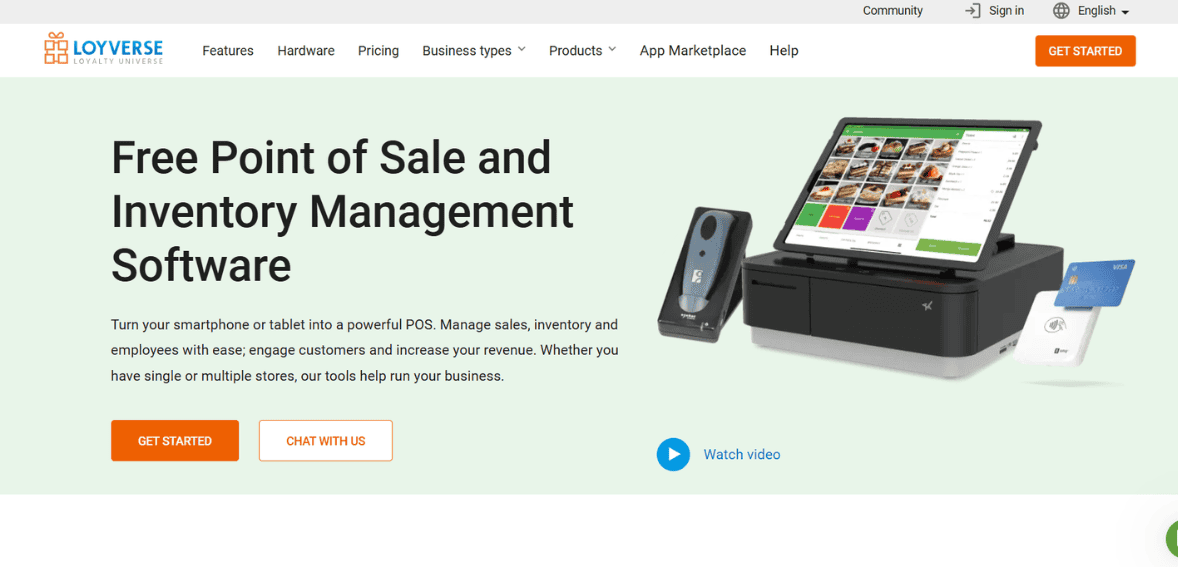
The core POS application is Loyverse’s most used and most praised product component, and its functionality significantly exceeds what many merchants expect from a free piece of software. Transaction processing covers cash, card, and split payment methods, handling the fundamental POS interactions that every retail and food service environment requires on a daily basis.
The user interface is consistently described across hundreds of independent reviews as intuitive and fast, with a learning curve that many users describe as under an hour from installation to operational competence. For hospitality and retail businesses where staff turnover is relatively high and training time for new employees is a recurring operational cost, the ease of onboarding new users to the POS system has genuine financial value beyond the headline software price.
Offline functionality is a core capability that operates without internet connectivity, storing transactions locally on the device and syncing them when connection is restored. For businesses in locations with unreliable internet, for outdoor market traders, and for any operation where network outages during service would be commercially disruptive, this offline resilience is a practical necessity rather than a convenience feature. Users specifically note this capability as an important factor in their decision to stay with Loyverse rather than switching to a competing platform.
Split payment processing, tip handling, and receipt customization cover the operational nuances that real-world hospitality and retail transactions involve. The split payment feature receives specific positive mentions in user reviews, reflecting how frequently this capability is needed in restaurant and cafe environments where groups commonly divide bills. The kitchen display system and kitchen printer support extend the POS functionality into back-of-house food preparation workflows, connecting front-of-house order entry with kitchen operations without requiring a separate system for each function.
Multi-store management from a single account allows businesses with multiple locations to view and manage their complete operation from one interface, which is a capability that competing platforms at Loyverse’s price point typically either do not offer or charge significantly more to access.
Payment Processing Architecture and Integrations
Loyverse’s approach to payment processing is one of its most practically significant design decisions and a clear differentiator from platforms like Square or Lightspeed that bundle proprietary payment processing with their POS software. Loyverse does not have its own payment processing product. Instead it integrates with independent payment processors and card readers, giving merchants the freedom to choose the payment provider that offers the best rates, hardware, and terms for their specific market and business type.
Supported payment processor integrations include SumUp, PayPal Zettle, Worldpay for Enterprise, Tyro in Australia, Yoco in South Africa, Smartpay in New Zealand, and others depending on geographic availability. This processor-agnostic model means that a cafe in London can integrate SumUp card readers, a restaurant in Sydney can use Tyro terminals, and a retail shop in South Africa can use Yoco, each accessing the same Loyverse POS software while working with the payment provider best suited to their local market.
The advantage that this provides is that the merchant is not bound to the bundled processing rate as determined by the POS provider. They are able to negotiate processing fees separately with the desired payment processor, seek out improved rates based on increasing processing volume, and even switch processors without having to switch out their POS software. For larger volume merchants, who have processing fees that represent a meaningful percentage of their expenses, this could result in considerable savings as compared to a system where the POS and payments are bundled together with a fixed rate that they are unable to negotiate.
The drawback to this approach is that there is less integration between the environment of the payment and the POS systems than is provided in an integrated solution. In effect, two separate sources of transaction data exist, one from the payment terminal and one from the Loyverse POS system, instead of a unified environment like you would find with a proprietary bundled solution. This is an issue that, while small in most cases, is still worth considering when analyzing this option.
Inventory Management: Free and Paid Tiers
Inventory management is available at two levels within the Loyverse ecosystem, with meaningfully different capabilities between the free basic inventory and the paid Advanced Inventory add-on. The free inventory management included in the core application provides automatic stock level updates with each sale, reducing the risk of overselling and giving merchants real-time visibility into their current stock position without requiring manual count reconciliation after every transaction. For small retailers and food service businesses with relatively simple product catalogs, this automatic tracking covers the essential inventory management requirement.
The Advanced Inventory add-on, priced at 25 dollars per month per store location or 250 dollars annually per location, adds purchase ordering, inventory transfers between locations, and vendor management capabilities. Purchase ordering allows merchants to create and send restock orders directly from within the POS system when stock levels fall below defined thresholds, reducing the risk of running out of high-demand items and eliminating the manual tracking effort involved in managing reorder points separately. For businesses with multiple store locations, inventory transfer management tracks stock movement between sites, maintaining accurate position data across the full operation rather than independently at each location.
The 25 dollars per month per location pricing for Advanced Inventory is significantly below the all-in monthly subscription cost of competing platforms that include comparable inventory capabilities, which means that even a Loyverse merchant who subscribes to every available add-on is typically paying less than they would for a competing platform’s base subscription with similar functionality.
Product catalog management supports variants, enabling retailers selling products with multiple size, color, or style options to manage inventory at the variant level rather than treating each variant as a separate product. Barcode label printing is supported for merchants who need to generate labels for shelf or product identification, and bulk product import via spreadsheet reduces the setup effort for merchants with large catalogs who would otherwise need to enter products manually.
Employee Management and Time Tracking
Employee management is an optional paid add-on priced at 25 dollars per month per store location, covering staff permissions, timecard tracking, and shift management functionality that is absent from the free core application.
The staff permissions system allows business owners to define different levels of access for different employee roles, limiting what each staff member can see and do within the POS system based on their role and responsibilities. This access control is a practical security measure for any business with multiple staff members accessing the POS, preventing unauthorized discounts, refund processing, or access to sensitive financial data by employees whose roles do not require those capabilities.
Timecard and shift tracking within the same system as sales and inventory management connects labor cost data with revenue data in a way that is useful for evaluating staffing efficiency and scheduling decisions. The ability to review which employees processed which transactions, combined with the time they were clocked in, supports both fraud prevention and performance management without requiring a separate HR or scheduling tool.
For very small businesses with one or two employees where the owner is present during most operational hours, the employee management add-on may not provide sufficient additional value to justify the monthly cost. For businesses with larger teams, variable schedules, or where the owner is not always present, the access controls and timecard functionality address genuine operational needs that would otherwise require manual tracking or a separate software investment.
The free tier does not include employee-specific login or permission controls, which means all staff members accessing the POS on the same device share the same level of system access. This is a functional limitation that matters most for businesses where different staff members have different levels of authority for discounts, refunds, and cash handling, and it is worth factoring into the decision about whether the employee management add-on is appropriate for a specific business.
Customer Loyalty Programs
The built-in loyalty program is one of Loyverse’s most frequently praised features and one of the clearest expressions of the platform’s design philosophy. Rather than gatekeeping loyalty functionality behind a paid tier, Loyverse includes a fully functional customer loyalty program in the free core application, enabling merchants to reward repeat customers with points-based incentives from day one without additional cost.
The loyalty program enables merchants to set up the points accumulation ratio, the value of the points accumulated, and the loyalty rewards associated with the points that work for that merchant’s particular enterprise. Customer profile contains the data about purchases of the client along with the loyalty balance allowing merchants to understand clients’ purchasing behavior and make appropriate decisions regarding clients’ involvement.
As shown in many retail and hospitality studies, there are clear indications that the presence of a loyalty program significantly affects customers’ frequency of visits, total spendings at each visit, and retention rate. It is known that customers involved in loyalty programs attend retailers more frequently, make larger transactions, and leave fewer than those who do not use loyalty programs. Availability of such an opportunity for a business owner without any extra expenses related to installing some additional software significantly helps smaller businesses to adopt loyalty programs earlier.
Customer display system is another feature provided to merchants for free together with the core application. This tool displays transaction data along with the accumulated loyalty points to the client on the special display that is located next to the counter.
Reporting and Analytics
Loyverse’s reporting capabilities sit within the free core application at the basic level and extend with the optional paid add-on tiers. The standard reporting dashboard covers daily sales summaries, best-selling products, sales by category, tax collected, payment method breakdown, and shift-level performance, providing the essential financial visibility that small business operators need for daily management and periodic financial review.
The dashboard application, which is free and separate from the POS application itself, provides back-office analytics accessible from any internet-connected device, not just the POS terminal. Business owners who are not always physically present at their store can monitor sales activity, review performance trends, and track inventory position remotely, which is a practical operational capability for the significant proportion of small business owners who manage their operations from multiple locations or partial presence.
The Unlimited Sales History add-on, priced at 5 dollars per month per store location, extends the retention of detailed sales data beyond the default history window. For businesses that need to access granular transaction data for periods longer than the standard retention period, whether for accounting, seasonal comparison, or operational analysis, the 5 dollar monthly cost for extended history retention is likely the most straightforward cost-benefit calculation in Loyverse’s add-on menu.
Where Loyverse’s reporting falls short relative to more expensive platforms is in the area of advanced analytics. Detailed cohort analysis, customer lifetime value modeling, predictive inventory analytics, and customizable report creation are not available within the native reporting environment. Merchants who need this analytical depth either export their data to external tools like Microsoft Excel or Google Sheets, which Loyverse supports, or accept that their reporting will remain at the operational oversight level rather than the strategic analytics level.
Accounting and eCommerce Integrations
The integration ecosystem that Loyverse supports extends the platform’s value beyond the POS environment into the broader business technology stack that small operators typically use for financial management and online sales.
Xero and QuickBooks Online integrations are available through the Loyverse marketplace, connecting POS sales data with the two most widely used small business accounting platforms in the English-speaking market. The accounting integrations, delivered through Amaka as a connector platform, automate the synchronization of sales summaries, payment totals, and tax data into the accounting system, reducing the manual data entry that would otherwise be required for end-of-day reconciliation. For merchants who manage their own bookkeeping, this automation represents a meaningful reduction in the time spent on administrative tasks that generate no direct business value.
eCommerce integrations cover a substantial range of online selling platforms including WooCommerce, Shopify, BigCommerce, Wix, Squarespace, Lazada, and Amazon, with inventory and sales data synchronization connecting in-store and online operations through a unified product catalog. The ability to manage inventory position across both in-store and online channels through a single system prevents the common problem of selling the same item simultaneously in-store and online when only one unit of stock remains.
These eCommerce integrations are delivered through third-party connector applications available in the Loyverse marketplace rather than as native built-in features. The quality and reliability of these connectors varies, and merchants implementing them should verify that the specific connector for their eCommerce platform is actively maintained and that the synchronization behavior matches their operational requirements before relying on it for production inventory management.
Google Sheets and Microsoft Excel export support gives merchants a straightforward path to external data analysis without requiring a dedicated BI tool or accounting integration. For small operators who manage their own analysis in spreadsheets, direct export from the POS system into a familiar format reduces the data manipulation effort required to prepare transaction data for review.
Hardware Compatibility and Physical Setup
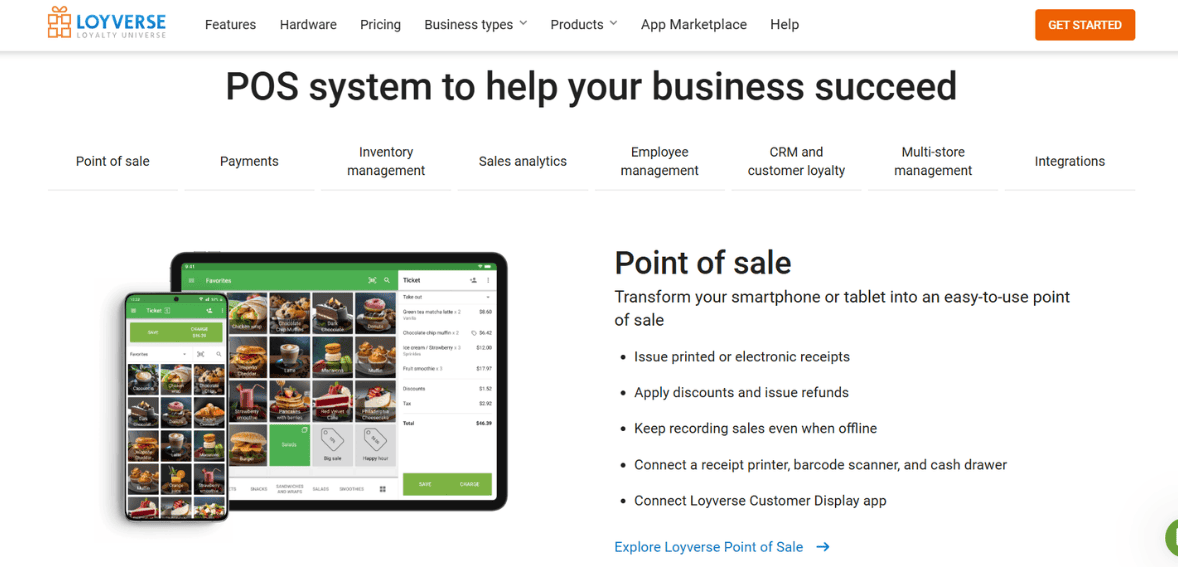
Loyverse’s hardware-agnostic approach to device compatibility is one of its most commercially accessible characteristics, particularly for merchants who are starting a new business and want to minimize initial equipment investment. The POS application runs on iOS and Android devices including smartphones and tablets, meaning merchants can use devices they already own or purchase relatively inexpensive consumer tablets rather than specialized POS hardware.
Supported peripheral hardware for receipt printing, cash drawer management, and barcode scanning covers a range of commonly available models rather than requiring proprietary equipment. This broad peripheral compatibility allows merchants to use hardware they may already own or to source equipment from competitive retail channels rather than through a vendor’s proprietary hardware store at premium pricing.
For accepting card payments, merchants will need to attach their selected payment processor’s card reader to the POS system. The readers that can be attached depend on the payment processing system being used. Users of SumUp, PayPal Zettle and card readers from other processors can expect different setups within the Loyverse application. Merchants should ensure that the hardware they purchase is compatible with the payment processor being used before purchasing any hardware.
A limitation that some users complain about is that Loyverse does not offer a native app for Windows and Mac computers. For one to use Loyverse on his or her computer, he or she needs to install an Android emulator, and this may pose some problems for businesses that wish to use a POS on their computers. iOS users feel that feature updates happen earlier on iOS than they do on Android apps.
Customer Support
Loyverse offers 24/7 live support through chat, with email and help desk support, an extensive knowledge base, FAQ resources, in-person training, and live online sessions available across its support infrastructure. The round-the-clock chat availability is notable for a free software product, where many comparable platforms limit live support to paid tier subscribers.
User feedback across review platforms is consistently positive about support quality, with responses described as fast, helpful, and available when issues arise. Multiple reviewers specifically note that questions are answered within minutes, which reflects a genuine operational standard rather than a theoretical commitment. For a small business owner dealing with a POS issue during service hours, the difference between a response in minutes and a response in hours is commercially significant.
The community forum and knowledge base offer the ability for merchants to access documentation on how to handle routine queries, thus saving on support efforts while offering the users the necessary information to solve problems without having to reach out to anyone else. Documentation quality will have a direct influence on the amount of support work done by the support team, but the consistency of positive support feedback indicates that this model of support has been working well.
There are some limitations of the support model that become evident when dealing with integration with third-party applications. For example, when there is an issue involving an integration with another application, the extent to which Loyverse support can help will depend on whether the error is coming from their software or the third-party application. It is best for the user to contact both support teams when trying to solve problems involving different systems.
Strengths, Limitations, and Who It Is Best For
Loyverse POS is a genuinely excellent product for its target audience, and the consistency of positive feedback across hundreds of independent reviews across multiple platforms reflects real product quality rather than effective marketing. The permanent free core functionality covering POS transactions, basic inventory, customer loyalty, sales reporting, and the dashboard application delivers genuine operational value that many small businesses will find completely sufficient for their needs without ever activating a paid add-on. The hardware agnosticism, offline capability, processor-agnostic payment integration, and intuitive user interface are all genuine strengths that compare favorably to competing free or low-cost alternatives.
The limitations are equally real and worth acknowledging. The add-on cost structure, while low by absolute measure, can feel disproportionate for very small operators, particularly those outside the US where pricing is in dollars and represents a higher local currency equivalent. The absence of a native Windows or Mac desktop application limits the platform for businesses that prefer desktop computing environments.
Advanced reporting and analytics capabilities are limited relative to more expensive platforms, requiring external data export for deeper analysis. The reliance on third-party connector apps for accounting and eCommerce integrations introduces a dependency on the quality and maintenance status of those connectors rather than a natively supported feature. And the absence of a proprietary bundled payment processing product means merchants manage their payment processor relationship separately, which requires slightly more setup and creates a modest reconciliation step absent in tightly integrated alternatives.
The merchants best positioned to benefit from Loyverse are small cafes, restaurants, bars, and retail shops that want professional-grade POS software without monthly subscription fees, startups and new businesses that want to evaluate a complete POS system without financial commitment before deciding on a long-term platform, merchants in emerging markets or regions where the cost of competing platforms is prohibitive, multi-location small businesses that want consolidated management across sites without paying per-location subscription fees for software alone, and any operator whose priority is a clean, fast, and intuitive daily operating experience with enough data visibility to make informed business decisions without requiring enterprise-level analytics.
FAQs
Q1. Is Loyverse POS genuinely free, or does the free plan have limitations that make it impractical for real business use?
The core Loyverse POS application is genuinely free with no time limit, no transaction fee charged by Loyverse, and no requirement to upgrade to a paid plan to continue using the fundamental features. The free tier includes the POS application for transaction processing, basic inventory management with automatic stock updates, the built-in customer loyalty program, sales reporting through the back-office dashboard, kitchen display system support, and the customer-facing display application. These are the features that cover the essential daily operational needs of most small cafes, restaurants, and retail shops.
The paid add-ons, covering advanced inventory with purchase ordering, employee management with permissions and timecards, and extended sales history, address capabilities that some businesses need but many do not. The practical test for whether the free plan is sufficient is whether the included features cover your specific operational requirements, and the honest answer for a significant proportion of Loyverse’s user base is that they do. Merchants who activate all three paid add-ons for a single location pay 55 dollars per month, which remains substantially below the base subscription cost of most competing POS platforms with comparable feature depth.
Q2. How does Loyverse handle payment processing, and is there a processing fee charged by Loyverse itself?
Loyverse does not charge any payment processing fees because it does not process payments itself. The platform is payment processor-agnostic, integrating with independent payment providers including SumUp, PayPal Zettle, Worldpay for Enterprise, Tyro in Australia, Yoco in South Africa, Smartpay in New Zealand, and others depending on geographic availability. Merchants establish their own account with their chosen payment processor, connect that processor’s card reader to the Loyverse application through the integration setup process, and pay the processing fees set by that processor directly. Loyverse receives no share of payment processing revenue.
The practical benefit of this model is that merchants can choose the processor with the best rates for their market, negotiate rates as their volume grows, and change processors without changing their POS software. The trade-off is that the payment data environment and the POS data environment are managed through two separate vendor relationships rather than a single unified system, which creates a minor reconciliation step that would not exist in a bundled POS-plus-payments platform.
Q3. What are the main limitations of Loyverse POS for a business that is growing beyond the small business stage?
Loyverse’s limitations become most relevant as businesses grow in complexity, volume, or operational sophistication beyond the small business segment the platform is designed for. The reporting and analytics capabilities are functional for operational oversight but limited relative to platforms built for growing businesses, and extracting the deeper analytical insight that a scaling business needs requires exporting data to external tools rather than analyzing it natively within Loyverse. The eCommerce integrations are delivered through third-party connectors rather than native integrations, and the quality and reliability of these connectors depends on third-party maintenance rather than Loyverse’s own development priorities.
The absence of advanced features like customer-specific pricing, sophisticated promotion management, multi-currency selling for international businesses, or deep API customization for software integration limits the platform’s adaptability to complex or specialized business models. The per-location add-on pricing model, while cost-effective for one to a few locations, scales linearly with each additional location, which can make the all-in cost competitive with feature-richer alternatives at higher location counts.
Businesses that have grown to the point where these limitations are creating operational friction should evaluate whether a migration to a platform built for higher complexity is warranted, accepting that the free or low-cost entry of Loyverse was genuinely appropriate for their earlier stage but that their current needs may justify the higher cost of a more capable alternative.
Best Product & Services
Recent Posts