
Clover Network Review
16
Feb 2026

No Comments
Clover Network Review
The Clover Network is not only a point of sale but also an ecosystem that encompasses the entire point of sale device and the operating systems, the payment systems, and third-party applications, all in one. This makes it easier for a business to manage all its transactions while at the same time controlling the entire business from a single platform. Instead of separating the transactions from the business operations, the Clover Network comes as an all-in-one package where everything runs in the same system. Lets read more about Clover Network Review.
At its heart, Clover works on proprietary equipment that utilizes an independently designed operating system, with payment processing integrated directly into that system. Services are run through this system, synched with a cloud-based dashboard, and are immediately accessible for additional forms of analysis and tracking. Considering that Clover works this way, it can be said that this platform is relatively easy to use and set up, especially for a business that values ease over flexibility. However, it’s important to consider Clover with an understanding of open and managed systems, as this helps merchants determine if it appropriately aligns with their business priorities.
Core Hardware Options Available in the Clover Ecosystem | Clover Network Review
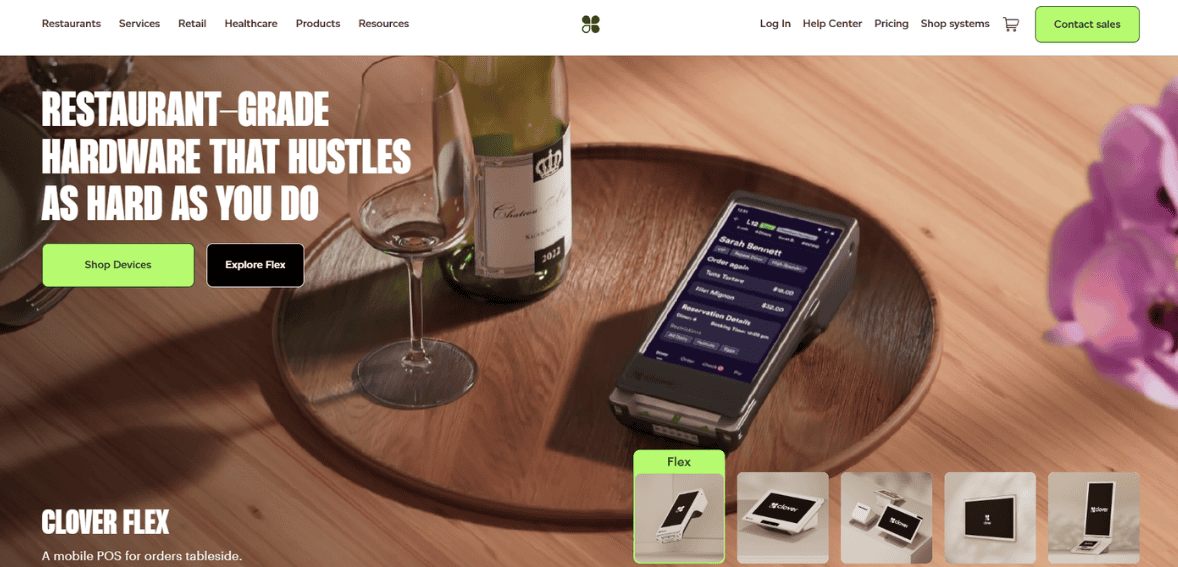
Overall, the hardware offerings from Clover are one of the strongest selling points of the platform, specifically because of the various business configurations available. These range from basic countertop equipment to comprehensive registers, each created with differing needs in mind. Clover Mini is an option geared towards smaller countertop space and smaller volumes of checkouts needed, whereas the Clover Flex is geared toward portability for line busting, service-based businesses, etc. The Clover Station assists as a more standard replacement for registers with a display facing the consumer and a screen facing the employee.
All Clover devices have a pattern of design and user experience which promotes ease of training when multiple device types are used within a business environment. The design of the devices itself is of good quality and modern-looking, but it must also be noted that it is proprietary, with any replacements having to be sourced within the Clover environment as well. This will prove advantageous to a business that prefers a plug-and-play environment but a disadvantage to those who prefer a more independent approach to the sourcing of hardware.
Payment Processing Capabilities and Supported Payment Methods
Clover also offers a variety of payment options, including EMV chip cards, magnetic stripe cards, contactless payments, and mobile wallet payments like Apple Pay and Google Pay. This is to ensure that businesses are not inadvertently excluding customers because of outdated payment systems. The payment process is fast, and receipts are also provided accordingly.
The limitation won’t be in relationship with payment but rather in the degree of elasticity involved. When using Clover’s basic configuration scheme, accepted processing relationship types are mandatory, which may limit negotiations regarding fee structures within a merchant transaction. Viable businesses needing simpler setup are likely to be willing to make this trade-off. For those needing large transactions and whose basis point differences can easily add up to significant differences, this may manifest as a future cost factor. Processing via Clover is secure but should not be examined in isolation from total cost.
Clover Software Platform and Operating System Experience
Clover’s operating system is designed for simplicity rather than depth. Menus are intuitive, button layouts are visually clear, and daily tasks like ringing up sales, issuing refunds, or closing batches can be learned quickly. This makes Clover approachable for staff with limited POS experience and reduces onboarding friction.
That ease of use does come with constraints. Advanced customization, conditional workflows, or niche operational logic may require third-party apps or may not be possible at all. Clover prioritizes a consistent experience across businesses, which works well for standardized retail or food service environments. Businesses with unique service models should evaluate whether Clover’s structured approach aligns with how they actually operate day to day.
App Marketplace and Customization Flexibility
Clover’s App Market extends the platform beyond its native features by offering apps for loyalty programs, accounting integrations, marketing tools, online ordering, and more. These apps allow businesses to layer functionality without switching systems. Many merchants rely heavily on apps to fill gaps in reporting, menu complexity, or customer engagement.
The downside is that apps introduce both cost and dependency. Most third-party apps carry monthly fees, and quality varies by developer. Over time, businesses may find their monthly software spend increasing as more features are added incrementally. While the app ecosystem provides flexibility, it is not a substitute for robust native functionality, and merchants should factor these recurring costs into long-term planning.
Inventory Management and Product Catalog Tools
Clover’s inventory tools are adequate for small to mid-sized businesses managing straightforward product catalogs. Merchants can create items, apply modifiers, track stock levels, and receive low-inventory alerts. For many retail stores and cafes, this level of functionality is sufficient and easy to maintain without dedicated inventory staff.
However, businesses with complex inventory needs may find limitations. Advanced features like multi-warehouse tracking, raw material management, or deep supplier analytics are not native strengths. While apps can extend functionality, inventory-heavy operations should carefully test whether Clover’s structure supports their workflow before committing fully.
Employee Management and Permissions
Employee management within Clover focuses on access control and accountability rather than full workforce management. Owners can create employee profiles, assign roles, restrict permissions, and track activity tied to individual logins. This supports basic oversight and helps prevent errors or misuse at the register level. Time tracking and payroll integrations exist but typically require add-ons or external software connections. Clover’s employee tools work best when used as part of a broader operational stack rather than a standalone workforce solution. For small teams, this approach is often sufficient. For larger staff with complex scheduling and compliance needs, supplementary systems are usually required.
Reporting, Analytics, and Business Insights
Clover provides a clean set of standard reports covering sales summaries, tax collection, payment types, and employee performance. These reports are easy to access and useful for day-to-day oversight. Many small business owners find real-time visibility helpful for monitoring trends without exporting data constantly. Depth becomes an issue as businesses scale. Custom reporting, predictive insights, and deeper segmentation typically require paid apps. While Clover does not hide reporting entirely behind paywalls, merchants seeking advanced analytics should expect to supplement native reports or invest time in exports and integrations.
Multilocation and Franchise Management Capabilities
Clover can support multilocation businesses, allowing centralized oversight across stores with consistent menus and reporting structures. This works well for small chains and franchises that value uniformity. Data syncing across locations is generally reliable, and managers can compare performance easily. For larger enterprises, Clover’s limitations become more apparent. Complex permission hierarchies, regional pricing variations, and advanced back-office controls may be harder to implement. It is best viewed as a small-to-mid multilocation solution rather than a true enterprise POS.
Pricing Structure and Ongoing Costs
Clover’s pricing includes hardware purchases or leases, software subscriptions, payment processing fees, and optional app costs. While entry pricing can appear reasonable, the true cost often becomes clearer after factoring in monthly software tiers and add-ons. Merchants frequently underestimate cumulative costs, particularly when scaling or adding features over time. Clover is not inherently expensive, but it rewards careful budgeting and fee transparency. Evaluating total monthly spend rather than just initial pricing is critical.
Contract Terms, Merchant Account Setup, and Support Model
Onboarding with Clover is generally straightforward, though merchant account terms vary depending on provider relationships. Support is centralized, which simplifies troubleshooting but can sometimes feel impersonal. Service quality tends to be consistent rather than exceptional. Merchants should pay close attention to contract length, early termination terms, and hardware financing arrangements. It itself is stable, but the surrounding agreements deserve careful review.
Security, Compliance, and Data Protection
Clover meets standard PCI compliance requirements and uses encryption to protect transaction data. User permissions and access logs add internal security controls, and updates are managed centrally to reduce risk exposure. From a practical standpoint, Clover provides adequate security for most small and mid-sized businesses. Enterprises with strict compliance needs should still conduct their own assessments and ensure policies align with internal standards.
Industries That Benefit Most From the Clover Network
Clover performs best in environments where operational needs are standardized, transactions are frequent, and simplicity outweighs deep customization. Retail, quick-service dining, and service-based businesses often fit well within Clover’s design philosophy. Industries requiring highly specialized workflows or custom integrations may feel constrained. It excels when used as intended rather than forced into edge-case scenarios.
Key Limitations and Common Complaints Merchants Should Know
Common concerns include processor lock-in, rising costs from add-ons, and limitations in reporting depth. These are not deal-breakers for every business, but they are recurring themes worth weighing carefully. Clover is reliable, modern, and easy to use, but it is not universally flexible. Understanding these limitations upfront helps align expectations and avoid frustration later.

Setup Process, Onboarding, and Learning Curve
Getting started with Clover Network is generally straightforward, especially compared to more modular or enterprise-oriented POS systems. Hardware arrives largely preconfigured, and the initial setup focuses on signing into the merchant account, connecting peripherals, and loading products or menus. For many small businesses, this process can be completed within a single day without requiring technical assistance, which is a meaningful advantage for owners who want minimal downtime.
The learning curve for staff is relatively gentle due to the visual interface and consistent design across devices. Common tasks like ringing up sales, applying discounts, or processing refunds are easy to grasp even for employees with limited POS experience. That said, the onboarding experience becomes more complex as businesses move beyond basic use. Configuring permissions, connecting third-party apps, or syncing accounting software requires more time and attention. Clover works best when owners are willing to invest effort upfront in configuration, rather than treating setup as a purely plug-and-play exercise. Businesses that expect advanced workflows out of the box may need to adjust expectations or plan for additional setup time.
Offline Mode and Business Continuity Considerations
Clover offers limited offline functionality that allows businesses to continue accepting payments during short internet outages. When operating offline, transactions are stored locally and processed once connectivity is restored. This feature can be reassuring for businesses operating in areas with unstable networks or during peak hours when outages are especially disruptive.
However, offline mode has practical limitations that merchants should understand clearly. Not all transaction types are supported offline, and there is always some risk associated with accepting payments without real-time authorization. If a transaction fails after reconnection, the merchant may be left responsible for the loss. For this reason, offline functionality should be viewed as a temporary backup rather than a full contingency system. Clover’s approach is adequate for short disruptions but not designed to support extended offline operation. Businesses that rely heavily on uninterrupted transaction processing may still want to invest in redundant internet connections or operational safeguards beyond what Clover alone provides.
Customer Experience and Checkout Flow
From the customer’s perspective, Clover delivers a modern and familiar checkout experience. Touchscreen displays, clear itemization, and support for contactless payments help transactions feel fast and intuitive. Customer-facing screens on certain devices allow buyers to view totals, add tips, and complete payments independently, which can reduce friction during busy periods.
The strength of Clover’s checkout flow lies in its consistency. Regardless of business type, the payment experience feels standardized and predictable. While this is positive for speed and usability, it may feel somewhat generic for brands seeking a highly customized front-end experience. Clover prioritizes reliability and ease over branding flexibility. For many merchants, this trade-off is acceptable. For others, particularly those in premium or experiential spaces, the lack of deep customization in the checkout flow may be a small but notable limitation.
Scalability Over Time and Long-Term Platform Fit
Clover is often adopted by businesses in early or growth stages, but its long-term fit varies depending on how complex operations become. As transaction volume increases, it remains technically stable, and performance does not typically degrade. Where challenges emerge is in operational depth rather than raw capacity.
As businesses grow, they often require more advanced reporting, deeper inventory logic, and greater control over pricing, roles, and integrations. While Clover can scale to a point using apps and add-ons, the platform is not infinitely flexible. Merchants sometimes reach a stage where the cost and complexity of stacking apps outweigh the benefits of staying within the ecosystem. Clover works best when growth is steady and operational needs remain relatively standardized. Businesses anticipating highly customized expansion or enterprise-level controls should periodically reassess whether Clover continues to align with their long-term strategy.
FAQs
Is Clover Network suitable for small businesses just starting out?
It can work well for small businesses that value ease of setup and predictable workflows, though costs should be evaluated carefully as features are added.
Can Clover be used with third-party payment processors?
It typically requires approved processing arrangements, limiting flexibility compared to open POS systems.
How does Clover compare to other all-in-one POS systems?
It emphasizes simplicity and ecosystem consistency, while some competitors focus more on customization or processing independence.
Best Product & Services
Recent Posts