

CyberSource Review
By 10topmerchantservices May 7, 2025
CyberSource is a globally recognized payment management platform offering a wide range of services tailored to businesses of all sizes. Founded in 1994 and acquired by Visa Inc. in 2010, it now operates as a Visa solution, benefitting from the brand’s robust financial infrastructure and global trust. The platform enables secure payment acceptance across online, mobile, and in-store channels, making it a go-to solution for businesses navigating today’s omnichannel commerce environment. With a presence in over 190 countries and territories, CyberSource has expanded significantly over the years.
It supports business growth while managing complex areas like compliance, fraud prevention, and payment security. Unlike many competitors that focus primarily on startups and small businesses, CyberSource caters mainly to mid-sized and enterprise-level organizations. Its customer base spans diverse sectors such as retail, travel, hospitality, education, and financial services. Lets read more about CyberSource Review.
Its adaptable and modular architecture is a major differentiator, enabling companies to choose particular services like tokenization, risk management, and payment gateway. Scalable, customized integrations are supported by this design. CyberSource also helps businesses with international eCommerce by managing tax laws, multi-currency needs, and cross-border payments. Even though CyberSource is a part of Visa’s ecosystem, it still has enough operational autonomy to react swiftly to changing trends in digital commerce. It is a good choice for companies looking to expand internationally because of its scale, security, and adaptability.
Core Services and Capabilities | CyberSource Review
CyberSource provides a full range of payment services covering authorization, capture, settlement, and reconciliation, covering every stage of the transaction lifecycle. It accepts payments using digital wallets, credit and debit cards, and other services like Klarna and PayPal. Its ability to prevent fraud, which uses machine learning and predictive analytics to identify and stop suspicious transactions, is one of its main advantages.
This is particularly helpful for businesses that are big or risky. By substituting secure tokens for sensitive card data, tokenization services further improve security by lowering the risk of data breaches and streamlining compliance. Additionally, CyberSource facilitates multichannel payments and provides centralized reporting and processing for online, mobile, and in-store channels. This guarantees uniformity in customer experience and data management across all touchpoints.
Additionally, payment orchestration allows businesses to route transactions through preferred or most cost-effective acquiring banks. These advanced features are particularly beneficial for large organizations but can also be modularly adopted by growing businesses. Overall, CyberSource positions itself as a robust payment infrastructure provider, rather than a basic processor.
Global Reach and Multi-Currency Support
CyberSource is built for global commerce. The platform supports payments in over 190 countries and more than 50 currencies, enabling businesses to operate internationally with ease. It also supports popular localized payment methods such as iDEAL (Netherlands), SEPA (Europe), and Alipay (China), which can significantly improve conversion rates by accommodating regional preferences. Its infrastructure supports both local and global acquiring, allowing businesses to work with regional banks to enhance approval rates, reduce costs, and maintain compliance. The intelligent transaction routing feature automatically directs payments through optimal acquiring channels based on region or cost structure.
CyberSource also enables dynamic currency conversion, allowing international customers to pay in their local currencies while merchants receive settlements in their own. This enhances transparency at checkout and builds trust with global buyers. The platform further streamlines international operations by integrating fraud prevention tools and ensuring compliance with global standards like PSD2. While it simplifies many aspects of cross-border commerce, businesses must still stay informed about local regulatory nuances to ensure full compliance.
Payment Gateway and API Integration
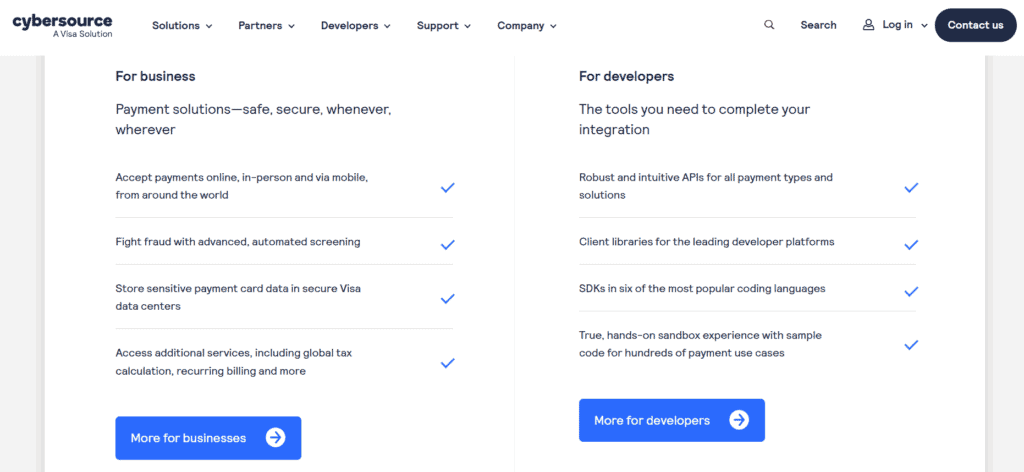
With extensive API support, CyberSource offers a reliable, developer-friendly payment gateway that integrates easily into enterprise systems, mobile apps, and websites. Its RESTful APIs include comprehensive documentation, multilingual SDKs (Java, PHP, and Python), and testing sandbox environments. This allows companies to create unique payment experiences without sacrificing security.
For merchants looking for a faster deployment, the platform also offers pre-built integrations with eCommerce platforms such as Magento, Shopify, WooCommerce, and BigCommerce. Digital wallets like Apple Pay and Google Pay, split payments, and subscription billing are just a few of the payment methods it supports.
Integration options range from hosted checkout pages for easier PCI compliance to full API implementations for complete UI control. While its flexibility is a significant advantage, businesses with limited technical capabilities may find the platform’s complexity a barrier, especially compared to simpler options like Stripe or Square. However, for organizations with advanced requirements or international operations, CyberSource offers an integration framework that is both robust and scalable.
Security and Compliance Standards
CyberSource’s security framework is a standout feature, underpinned by Visa’s global systems. It is fully PCI-DSS compliant, ensuring secure handling of cardholder data. Its tokenization technology replaces sensitive card details with secure tokens, reducing risks associated with data breaches; especially useful for businesses handling recurring payments. The platform also supports 3-D Secure (including 3DS2), which strengthens online transaction security and helps businesses comply with European SCA requirements. Additional fraud prevention tools include address verification, device fingerprinting, and transaction risk analysis, all of which can be tailored to the business’s specific needs and risk thresholds.
From a compliance perspective, CyberSource helps businesses navigate evolving data regulations such as GDPR, CCPA, and other anti-fraud laws. However, merchants remain ultimately responsible for their internal compliance processes. For businesses focused on security and regulatory alignment, CyberSource offers a trustworthy and scalable solution.
Fraud Management with Decision Manager
One of the most advanced fraud prevention solutions available is CyberSource’s Decision Manager. It evaluates and reduces fraud in real time by utilizing AI, machine learning, and insights from more than 68 billion transactions yearly. To determine a risk score, the system considers more than 300 data points per transaction, such as device information, IP address, and purchasing patterns. To better handle borderline transactions, merchants can modify fraud rules, model possible effects, and even control manual review queues. Reviewing chargebacks and disputes is made easier by the case management feature. Decision Manager maintains transaction integrity while lowering false positives by utilizing Visa’s fraud intelligence network.
Though powerful, the system may be more than what a small business needs. However, for medium and large enterprises, especially those dealing with high fraud risk, it offers a robust layer of protection that goes beyond standard gateway filters.
Reporting, Analytics, and Dashboard Usability
CyberSource offers a feature-rich dashboard tailored for enterprise users. It includes performance metrics, transaction histories, and real-time alerts. Merchants can generate detailed reports, monitor fraud trends, and export data in formats like CSV and XML. Reports cover everything from settlement batches and chargebacks to region-wise performance and payment method preferences. While the interface prioritizes functionality over visual appeal, it provides high visibility into operations across all channels and regions. Alerts for failed transactions, chargebacks, or high-risk behavior help businesses stay responsive and informed.
That said, new users; especially from smaller teams; may face a learning curve due to the platform’s complexity. For data-driven organizations, however, CyberSource offers a powerful analytics suite that supports smarter decision-making and strategic optimization.
Pricing Structure and Fee Transparency
CyberSource does not publish a standard pricing plan, as fees are customized based on transaction volume, risk, and geographic scope. Common costs include setup charges, monthly gateway fees, and per-transaction charges, with additional fees for services like fraud management or tokenization. This lack of transparency can make it difficult for smaller businesses to estimate total costs. While enterprise users benefit from tailored pricing models that offer long-term value, startups may find flat-rate alternatives more appealing.
Before onboarding, businesses should request a detailed quote that includes all applicable charges; such as cross-border fees, chargeback costs, and monthly minimums. Overall, while not the cheapest option, CyberSource can be cost-effective for high-volume merchants who require advanced capabilities.
Customer Support and Onboarding Experience
CyberSource provides assistance via phone, email, live chat (in some areas), and a comprehensive Developer Center. Technical liaisons and dedicated account managers are often provided to enterprise clients. Depending on complexity, full API integrations can take anywhere from one to three weeks, whereas plugin-based setups are quick. While the Help Center handles more general user support, the Developer Center offers extensive resources such as SDKs, code samples, and integration guides. Some documentation, though, might be too much for non-technical users to handle. Depending on the time zone and location, some users also complain about slower response times.
That said, for businesses with internal tech teams, CyberSource provides a reliable onboarding and support structure. Smaller merchants may require external development support to fully implement the system.
Pros and Cons of Using CyberSource
Pros:
Backed by Visa’s enterprise-grade infrastructure
Excellent international support and multi-currency features
Advanced fraud prevention through Decision Manager
Flexible API and plugin integration options
Modular services for complex, scalable setups
Cons:
No transparent pricing for new users
Complexity may deter small businesses
Requires technical expertise for full integration
Dashboard can be overwhelming for beginners
CyberSource is not a platform that works for everyone. Despite its immense power, it works best for companies with complex requirements or plans for international growth. CyberSource continues to be a leading option for individuals in need of a flexible, safe, and expandable payment system.
FAQs
Q1. Is CyberSource suitable for small businesses or startups?
Not ideally. The platform’s complexity and cost structure are better suited for mid-sized and enterprise businesses.
Q2. How long does integration take?
Plugin integrations can be completed in a day or two. Full API integration may take 1–3 weeks, depending on system complexity.
Q3. How does CyberSource compare with Stripe or Authorize.Net?
CyberSource offers superior global support and advanced fraud tools. While Stripe is better for ease of use, CyberSource suits businesses with higher risk exposure or international operations.

Clearly Payments Review
By 10topmerchantservices May 5, 2025
The Canadian payment processor Clearly Payments is renowned for its merchant-friendly pricing and dedication to openness. Clearly Payments takes a transparent, instructive, and adaptable stance in contrast to conventional merchant service providers, who often rely on long-term agreements and unstated costs. It provides a range of payment options made for small and medium-sized enterprises that operate in physical, mobile, and online spaces.
Retail establishments, service providers, and e-commerce platforms are among its clientele. Clearly Payments assists companies in avoiding the confusion that often envelops payment processing by streamlining the payment environment. It employs the interchange-plus model, which is regarded as one of the most fair pricing schemes in the sector, and supports this with easily available customer service and clear documentation. Lets read more about Clearly Payments Review.
Company Mission and Philosophy | Clearly Payments Review
Clearly Payments was created to reintroduce transparency and fairness into the payments industry. With a strong focus on ethical business practices, the company positions itself as mission-oriented rather than profit-maximizing. Though primarily serving Canadian businesses, Clearly Payments also supports international card transactions. One of the standout features is its commitment to offering interchange-plus pricing to all merchants, regardless of their transaction volume. This is a notable departure from the industry norm, where such pricing is often reserved for high-volume businesses.
The team behind Clearly Payments includes professionals with experience in banking, technology, and fintech, bringing insight into the operational and strategic needs of modern businesses. Education is another core focus. From transparent pricing guides to comprehensive onboarding resources, the company ensures merchants feel informed from day one. Rather than emphasize bells and whistles, Clearly Payments opts for a dependable and straightforward service philosophy, making it especially appealing to Canadian merchants seeking clarity and control.
Core Features and Capabilities
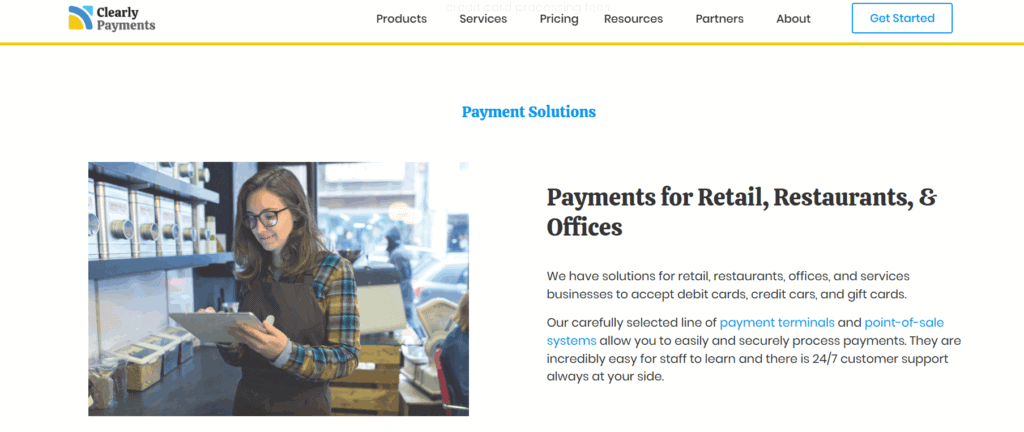
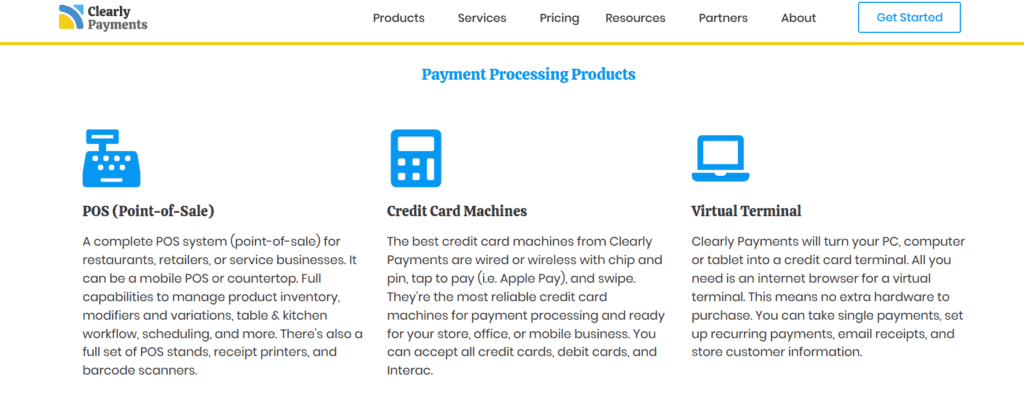
To support various business models, Clearly Payments offers a large variety of transaction methods. The company provides EMV-compliant terminals that accept chip, tap, and swipe payments for physical retailers. For companies that require mobility, like service providers or event vendors, portable card readers are also available.
Integrations with well-known platforms like Shopify and WooCommerce are advantageous to online sellers, and virtual terminal functionality allows for safe manual processing of phone or remote transactions. Another important feature for companies with membership plans or subscription models is the system’s support for recurring billing. Clearly Payments’ emphasis on basic payment tools guarantees simplicity, security, and dependability even though it lacks advanced marketing or loyalty features. Overall, the platform’s feature set is designed for usability and scalability, appealing to merchants who want functional solutions without the overhead of a complicated software stack.
Transparent Pricing Model
One of Clearly Payments’ strongest differentiators is its straightforward pricing. The company uses an interchange-plus pricing model, where card network fees are separated from the processor’s markup. This gives merchants clear insight into exactly what they’re paying and why; a contrast to tiered or flat-rate models that often obscure real costs.
The pricing structure avoids common pitfalls: there are no hidden fees, monthly minimums, or cancellation penalties. Services like PCI compliance and statements are included at no extra cost, which helps prevent unexpected charges. This level of transparency enables businesses to better predict expenses and avoid being locked into contracts with unfavorable terms. Although micro-merchants might find flat-rate options more predictable, Clearly Payments’ pricing becomes more advantageous as transaction volume grows. The absence of long-term commitments further enhances its appeal, giving businesses the flexibility to adjust as needed without penalties.
Onboarding and Setup Process
Clearly Payments has streamlined the onboarding experience. The application process is fully digital, and most businesses receive approval within one to two business days. Once approved, merchants are paired with a dedicated account representative who provides personalized guidance based on the business’s specific needs. This support includes help with setting up terminals, connecting to online platforms, and configuring payment gateways. A well-maintained knowledge base offers self-serve documentation for those who prefer to explore setup independently. Importantly, the onboarding phase is free from aggressive upselling or pressure to sign long-term contracts. This makes Clearly Payments an ideal fit for businesses seeking a smooth, low-risk start with a payment processor that respects their pace and preferences.
Hardware and Integration Options
A wide range of business types can benefit from the hardware and software configurations that Clearly Payments offers. Chip, swipe, and contactless payment compatibility are made possible by its support for reliable point-of-sale hardware from companies like Clover and Verifone. Compact card readers that connect to a smartphone or tablet offer mobile sellers a convenient way to take payments while they’re on the go. Integrations with platforms such as Shopify, Magento, and WooCommerce are advantageous to online retailers.
A virtual terminal and invoicing features are also included in the system, providing flexibility for transactions that take place remotely. An open API is available for tech-savvy companies to create unique integrations with internal systems, such as appointment scheduling software or CRMs. Rather than mandate the use of proprietary devices or software, Clearly Payments allows businesses to choose the tools that best fit their workflow. This modular approach supports cost efficiency and operational flexibility.
Security and Compliance Standards
Clearly Payments maintains high security standards through full PCI DSS compliance. It uses tokenization to substitute sensitive payment data with unique identifiers, helping to reduce the risk of data breaches. End-to-end encryption ensures that information is secure during transmission, and the platform includes fraud prevention tools such as CVV matching, AVS, and transaction filters. Crucially, the company doesn’t just require merchants to be PCI-compliant; it helps them get there. It provides resources and support to ease the process, unlike many providers that impose non-compliance fees without guidance. With data security becoming a pressing concern in all industries, this proactive approach adds peace of mind for merchants handling sensitive customer information.
Support and User Experience
One of Clearly Payments’ main advantages is its customer service. Every merchant has a dedicated account manager, and support is offered by phone, email, and chat during business hours. This offers support continuity, which is a rare service, particularly from low-cost providers. The user dashboard is simple and useful, with minimal complexity covering hardware configuration, invoicing, and reporting. The majority of users report a seamless experience free from automated, scripted responses and excessive delays. It is evident that Payments places more emphasis on establishing enduring relationships than on completing transactions. Because of its emphasis on service, it is a desirable option for companies that appreciate reliability and promptness from their supplier.
Pros and Cons
Pros
Interchange-plus pricing for all merchants
No hidden fees, monthly minimums, or cancellation charges
Dedicated account support and fast onboarding
Broad hardware and software compatibility
Strong PCI compliance and fraud protection tools
Cons
Available only to Canadian merchants
Fewer built-in extras compared to competitors like Square or Stripe
Limited brand recognition outside of Canada
For Canadian businesses seeking straightforward pricing and reliable service, Clearly Payments offers compelling value. It’s especially well-suited to small and mid-sized merchants who prioritize transparency and support.
Market Comparison
Clearly Payments outperforms Moneris in terms of pricing flexibility and transparency. Despite its longevity, Moneris is often criticized for its strict contract terms and hidden fees. Helcim, on the other hand, has a number of advantages over Clearly Payments, including clear pricing and no long-term obligations. Though Clearly Payments provides more customization choices, Helcim might have an advantage in integrated point-of-sale functionality. In contrast to Square, Clearly Payments provides more scalable pricing but does not have integrated business management tools. Additionally, Clearly Payments offers a more individualized and accessible experience than Stripe, which primarily serves developers and online businesses.
FAQs
Q1: Is Clearly Payments suitable for small businesses?
Yes, it is tailored for small and mid-sized businesses with low-cost options and fair pricing models.
Q2: Does Clearly Payments require a long-term contract?
No, there are no long-term contracts or early termination fees. Merchants can leave at any time.
Q3: Can Clearly Payments support omnichannel payments?
Yes, the platform supports in-store terminals, mobile readers, virtual terminals, and online payment gateways for comprehensive coverage.

CardConnect Review
By 10topmerchantservices April 30, 2025
Established in 2006, CardConnect has carved a significant niche in the payment processing industry, catering especially to businesses that prioritize integrated and secure transaction solutions. Based in Pennsylvania, the company became part of First Data in 2017, which later merged into Fiserv. Despite the acquisition, CardConnect continues to maintain its brand identity, focusing on offering flexible and secure payment services to businesses of all sizes. Lets read more about CardConnect Review.
CardConnect goes beyond basic payment processing, offering solutions designed to streamline operations through ERP integrations and eCommerce platforms. Its proprietary tools, such as CardPointe, provide businesses with a centralized, secure system to manage transactions and customer data.
However, CardConnect is not without its challenges. While many users praise its technology and security features, concerns around pricing transparency and customer support do surface. This review will provide a comprehensive look at CardConnect’s services, pricing structure, integrations, customer support, and suitability for various business types.
Key Features and Services | CardConnect Review
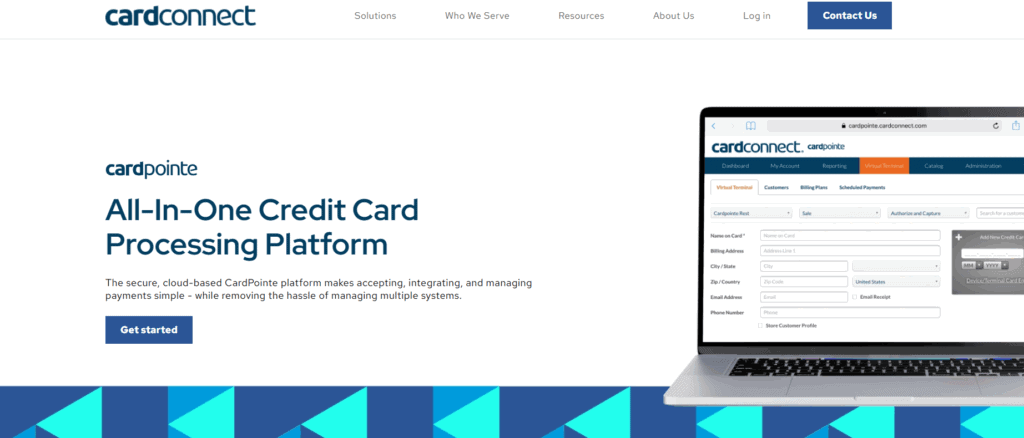
CardConnect provides a comprehensive suite of services aimed at simplifying payment acceptance and strengthening transaction security. At the core of its offerings is the CardPointe platform, a cloud-based solution that enables businesses to monitor real-time transactions, manage disputes, and create detailed reports from an intuitive dashboard accessible via both desktop and mobile devices.
CardConnect also integrates seamlessly with Clover POS systems, offering tailored solutions for industries such as retail, hospitality, and professional services. These POS systems come with customizable software to suit different operational needs.
Security is another major strength. CardConnect implements point-to-point encryption (P2PE) and tokenization to protect sensitive cardholder information, a particularly valuable feature for highly regulated sectors like healthcare.
In addition, CardConnect supports ERP integrations, most notably with SAP, enhancing payment workflows for larger enterprises. For businesses seeking custom payment applications, robust APIs are available to support specialized development needs.
While CardConnect’s features suit a broad range of businesses, smaller merchants may find the system’s complexity more than they require depending on their technical capacity.
Pricing and Fees
CardConnect’s pricing model is not openly published, which can make upfront comparisons challenging. Generally, it follows an interchange-plus pricing structure—often preferred for its transparency compared to flat-rate models. However, actual fees are typically customized during contract negotiations and can vary by business size, industry, and transaction volume.
Common additional charges may include monthly account fees, gateway fees for CardPointe access, PCI compliance fees, and early termination penalties. Businesses opting for Clover POS systems might also face equipment leasing and maintenance costs.
While CardConnect’s pricing can be highly competitive for high-volume businesses, smaller merchants should scrutinize potential add-on fees carefully. The best pricing tends to go to businesses processing substantial transaction volumes, where customized quotes reflect card mix and industry type.
In short, CardConnect can offer excellent value—especially for businesses willing to negotiate and carefully review contract terms upfront.
CardPointe Platform Overview
CardPointe is one of CardConnect’s signature products, providing a cloud-based system where businesses can manage all payment-related activities. From real-time transaction monitoring to detailed reporting and account reconciliation, CardPointe centralizes payment management in one accessible dashboard.
Key features include a virtual terminal for accepting card-not-present payments, ideal for remote billing and telephone orders. The CardPointe mobile app further enhances flexibility, allowing businesses to manage payments on the move.
Security is deeply embedded in the platform, offering built-in tokenization and P2PE to minimize exposure to cardholder data and maintain PCI compliance. The user interface is straightforward and accessible, even for businesses without dedicated IT support.
For most small to medium-sized businesses, CardPointe covers daily operational needs effectively. Larger businesses with complex reporting requirements may need additional customizations, but the platform provides an excellent starting point for streamlined payment management.
Security and Compliance
Security is a cornerstone of CardConnect’s services. The company leverages point-to-point encryption and tokenization to protect sensitive data from the moment it is captured until it reaches secure servers.
Rather than storing raw card information, It replaces it with unique tokens, significantly reducing the risk of breaches. This approach not only safeguards customer data but also simplifies PCI DSS compliance for merchants.
CardConnect also actively supports businesses in completing their PCI compliance requirements, offering tools, resources, and expert guidance to help navigate the process. This is especially critical for industries like healthcare and education, where data protection regulations are stringent.
While some small businesses may initially find PCI compliance procedures daunting, CardConnect’s support systems are designed to ease this transition and mitigate long-term risk.
Integration and Compatibility
Integration flexibility is one of CardConnect’s standout features. The platform connects seamlessly with major ERP systems such as SAP, Oracle, and Microsoft Dynamics, enabling enterprises to incorporate payment processing directly into their core business operations.
It also supports eCommerce integration with platforms like Shopify, Magento, and WooCommerce through ready-to-use plugins, simplifying secure online transactions.
For businesses with unique needs, CardConnect’s robust APIs allow developers to create tailored payment applications. Additionally, the compatibility with Clover POS systems gives merchants access to a variety of hardware solutions, from portable card readers to fully integrated terminals.
While the integration capabilities are extensive, setting up more complex connections—particularly with ERP systems—may require technical expertise and onboarding assistance.

Customer Support and Service
CardConnect offers 24/7 customer support via phone, email, and live chat, supplemented by a self-service knowledge base featuring FAQs and troubleshooting guides.
However, customer feedback on support experiences is mixed. Some businesses report smooth onboarding and helpful account management, while others cite challenges such as delayed responses to billing inquiries or difficulty resolving disputes.
Larger businesses or those assigned dedicated account managers tend to experience better service quality. Setting clear communication expectations and maintaining direct contact with a representative from the beginning can improve overall satisfaction.
Smaller merchants should be mindful that support experiences can vary and may need proactive management to ensure consistent assistance.
Pros and Cons of CardConnect
Pros
Strong security features, including tokenization and point-to-point encryption
Powerful integrations with ERP and eCommerce platforms
User-friendly CardPointe platform
Mobile-friendly payment management
Customizable APIs for developers
Cons
Lack of publicly available pricing information
Potential for hidden or ancillary fees
Inconsistent customer service experiences
Equipment costs for POS hardware can add up
Ideal Businesses for CardConnect
CardConnect’s wide range of services makes it a solid fit for mid-sized and large businesses, particularly those in sectors like healthcare, education, retail, and B2B services where security and regulatory compliance are priorities.
It is especially effective for businesses requiring:
ERP integrations with systems like SAP or Oracle
Omnichannel payment support across online, mobile, and in-person sales
Advanced reporting and real-time transaction management
On the other hand, very small businesses or startups with low transaction volumes may find the service costs comparatively higher than those of more basic, flat-rate payment processors like Square or PayPal.
Final Verdict: Is CardConnect Worth Considering?
For businesses seeking a highly secure, flexible, and integration-ready payment processor, CardConnect is a compelling option. Its powerful CardPointe platform, robust security protocols, and deep ERP compatibility make it an ideal choice for organizations aiming to scale efficiently.
However, potential customers should carefully evaluate contract terms and fee structures to avoid hidden costs. Businesses willing to invest the time in setting up a strong relationship with CardConnect and understanding the full cost structure will likely find it a valuable long-term partner.
In conclusion, CardConnect is best suited for growing businesses and enterprises looking for secure, scalable, and customizable payment processing solutions.
FAQs
Is CardConnect a good option for small businesses?
CardConnect offers advanced features that might be more suitable for mid-sized and larger businesses. Small businesses seeking simple, transparent pricing may prefer processors like Square unless they specifically require strong security and ERP integrations.
How does CardConnect protect payment data?
CardConnect employs tokenization, point-to-point encryption (P2PE), and helps businesses achieve PCI DSS compliance, offering multiple layers of protection for sensitive cardholder data.
What benefits does the CardPointe mobile app offer?
The CardPointe mobile app enables businesses to monitor transactions, process payments, and manage account activities remotely, offering flexibility for merchants operating outside traditional storefronts.

Braintree Review
By 10topmerchantservices April 29, 2025
Braintree is a comprehensive payment platform designed to help businesses accept, process, and manage payments across both mobile apps and websites. Since its acquisition by PayPal in 2013, it has operated as an independent brand under the PayPal umbrella, offering the stability of a major fintech player while retaining flexibility and developer-centric tools. Lets read more about Braintree Review.
The platform stands out for its ability to combine both gateway and processor services under one roof. Unlike simpler plug-and-play options like Stripe or Square, Braintree offers greater customization, making it particularly appealing to developers and businesses with specific integration needs. It supports a wide variety of payment methods, including credit and debit cards, digital wallets, PayPal, and Venmo.
However, with flexibility comes complexity. The platform may require some technical knowledge, making it less ideal for very small businesses or merchants without development resources. Still, for mid-sized to large companies or those with unique payment needs, Braintree delivers robust functionality and scalability.
Core Features and Services | Braintree Review
Braintree provides an end-to-end solution that eliminates the need to coordinate between separate gateway and processor providers. It offers tools for handling payments, subscriptions, fraud management, and customer data security—all within one platform.
One of its strongest features is subscription management, ideal for SaaS companies or services with recurring billing. Merchants can easily manage plan changes, automate billing cycles, and handle customer subscriptions with minimal manual intervention.
Other advanced features include split payments for marketplaces, hosted fields for secure checkout customization, and tokenization for storing customer data securely. Businesses also benefit from risk tools, customizable fraud filters, and support for B2B data (Level 2 and 3).
Braintree’s mobile SDKs for Android and iOS allow seamless mobile payment integration. This enables businesses to deliver fast and user-friendly checkouts, reducing friction and abandonment on mobile platforms.
While these tools are powerful, they may require developer support for proper implementation, especially for more advanced configurations.

Supported Payment Methods
Braintree supports a wide range of payment methods, enabling merchants to serve diverse customer bases. These include major credit and debit cards, PayPal, Venmo (U.S. only), Apple Pay, Google Pay, and various local payment options.
Its integration with PayPal is a major plus, providing merchants with instant access to millions of users. For U.S. merchants, the inclusion of Venmo is particularly useful for attracting younger, mobile-first shoppers.
The platform also supports ACH Direct Debit for U.S. transactions—ideal for reducing costs on high-ticket items or recurring payments. In addition, it offers multi-currency support, allowing merchants to accept payments in over 130 currencies and display prices in local currencies for international customers.
However, Braintree does not offer native support for some payment types such as UnionPay or cryptocurrency. Businesses in regions where these are popular may need third-party integrations to fill the gap.
Overall, Braintree’s wide-ranging payment compatibility makes it a strong choice for businesses operating in omnichannel or global markets.
Developer Experience and API Tools
Braintree is well-regarded by developers for its clean, well-structured API and comprehensive SDKs. It supports popular programming languages like JavaScript, PHP, Python, Ruby, Java, .NET, and mobile platforms including iOS and Android.
A major highlight is the sandbox environment, which allows for testing transaction scenarios before going live. This is particularly valuable for businesses with complex needs or regulatory compliance concerns.
The hosted fields feature is another strength. These PCI-compliant input fields let developers retain control over the checkout design while ensuring sensitive data is handled securely.
However, Braintree’s flexibility can also be a hurdle for non-technical users. Compared to out-of-the-box solutions, setting up and maintaining Braintree may take more time and development effort.
Despite this, the platform is an excellent choice for teams that prioritize customization, security, and long-term scalability.

Pricing and Fee Structure
Braintree’s pricing model is transparent and aligns with industry standards. For domestic credit and debit card transactions, the fee is 2.59% + $0.49 per transaction. PayPal and Venmo transactions typically carry similar fees.
International transactions incur a 1% fee, with an additional 1% for currency conversion. ACH Direct Debit is priced more affordably at 0.75% per transaction, capped at $5.
There are no setup or monthly maintenance fees, which is ideal for growing businesses. However, there are chargeback fees (about $15 per incident) and optional services like advanced fraud protection that come at additional costs.
While fair, Braintree’s pricing may not be the most cost-effective for micro-merchants. The absence of flat-rate subscription models can also be a drawback for smaller businesses that need predictable costs.
In summary, the platform’s pricing structure suits mid-sized and enterprise-level companies looking for value through advanced tools and integrations.
Security and Compliance
Security is a central focus at Braintree. It is PCI DSS Level 1 certified, providing the highest level of data protection for cardholder information. Tokenization replaces sensitive card data with encrypted tokens, reducing exposure to fraud.
Braintree supports key security protocols such as 3D Secure 2.0, AVS, and CVV checks. For added fraud protection, merchants can opt into tools powered by Kount.
All data transmission is encrypted using TLS, and payment information is stored securely in Braintree’s vault. This reduces the burden on merchants to handle sensitive data directly.
The platform also complies with GDPR, PSD2, and other global regulations, making it a reliable option for businesses with international operations. That said, businesses still need to ensure their own systems remain compliant when integrating with Braintree.
Merchant Onboarding and User Experience
The onboarding process with Braintree is relatively smooth, though it varies by business type and location. Merchants can apply online, and approval typically takes a few business days following documentation review.
Once approved, the merchant dashboard offers a clear interface to track transactions, issue refunds, and monitor performance. While functional, the UI may appear less polished compared to newer platforms like Stripe.
Underwriting involves submitting business documents and bank details, which is standard for full-stack processors. Braintree’s customer support is available via email and phone, but response times can vary. Priority support is reserved for higher-tier clients.
Overall, the onboarding and user experience is well-suited for businesses that don’t mind a little extra setup in exchange for more advanced control.
Integration with E-commerce Platforms and CRMs
Braintree integrates with most major e-commerce platforms, including Shopify, Magento, WooCommerce, BigCommerce, and Salesforce Commerce Cloud. These plug-ins simplify setup and allow businesses to begin accepting payments quickly.
Custom integrations are also possible via SDKs and hosted fields, making the platform adaptable to both standard and bespoke websites. It’s also compatible with CRM and ERP systems like Salesforce, HubSpot, and NetSuite, enabling seamless workflows between payments, sales, and inventory.
However, some integrations may require technical setup or third-party support. Businesses seeking full automation or highly specific workflows should be prepared for light development work. Still, the flexibility offered makes Braintree a practical solution for digital-first companies and global enterprises.
Global Reach and Scalability
Braintree’s global reach is a major advantage. It supports merchants in over 45 countries and accepts payments in more than 130 currencies. The platform also supports localized payment methods, enhancing the buying experience for international customers.
Settlement in multiple currencies and regional payout options give merchants financial flexibility. Braintree’s infrastructure is built to scale, with support for high transaction volumes and complex business models like marketplaces and SaaS.
That said, availability of some features may vary by region, and onboarding requirements can be stricter outside the U.S. Businesses expanding into new markets should verify local regulations and integration options.
Still, Braintree’s scalability and international readiness make it a powerful asset for companies with global ambitions.
Pros and Cons of Using Braintree
Pros
Combines gateway and processor into one platform
Strong developer tools and API customization
Wide payment method support, including PayPal, Venmo, and wallets
Built-in tools for recurring billing and marketplaces
Scalable infrastructure with global reach
Cons
Steep learning curve for non-technical users
Limited support for some niche or regional payment methods
Customer support may be slower for small merchants
No simplified flat-rate pricing options
Some features require additional setup or cost
FAQs
Q1: Can I use Braintree without a PayPal account?
Yes. Braintree functions independently and does not require a PayPal account to process credit card or digital wallet payments.
Q2: How long does it take to receive payouts with Braintree?
Payouts usually take 2–3 business days to reach your account, though timing may vary based on your location and banking provider.
Q3: Is Braintree suitable for small businesses?
While it’s possible, smaller businesses might find simpler platforms easier to use. Braintree excels when there is a need for customization, advanced tools, or international support.

Boku Review
By 10topmerchantservices April 25, 2025
In today’s mobile-first economy, the way people make payments has shifted significantly from traditional methods. Boku is a key player in this evolution, offering a solution that allows consumers to pay for goods and services by charging purchases directly to their mobile phone bill or using their prepaid balance. Launched in 2009 and headquartered in San Francisco, Boku has established itself as a global presence by partnering with mobile network operators (MNOs) to broaden access to digital payments, especially in areas where banking infrastructure is limited. Lets read more about Boku Review.
Boku’s approach addresses the financial gap for individuals without access to credit cards or bank accounts. It has gained significant traction in sectors like gaming, app stores, and subscription services, where ease and immediacy are critical. With its “pay by mobile” method, Boku simplifies transactions, requiring only a mobile number and user approval through a prompt, effectively removing the need for card-based payments.
The company has expanded through strategic acquisitions, including its 2020 purchase of Fortumo, another mobile payments firm. This move boosted its footprint and added new capabilities. Boku also supports mobile wallets, making it part of a broader mobile payments ecosystem.
Still, Boku isn’t a one-size-fits-all solution. It thrives in microtransaction-heavy environments but comes with considerations like transaction fees, technical integrations, and regional support—factors that businesses should examine in more detail.
How Boku Works | Boku Review
Boku’s technology is designed to streamline the checkout experience by enabling users to complete purchases through their mobile phone number. Instead of entering card or bank information, users approve a transaction via an SMS, app prompt, or similar telecom-supported method. The cost is then applied to their mobile bill or deducted from their prepaid balance.
When a customer selects “Pay by Mobile” at checkout, Boku determines the user’s mobile carrier and facilitates the transaction through its backend systems. The authentication may involve a one-click approval, PIN, or OTP depending on the user’s location and carrier settings. Once verified, the transaction is processed instantly, which makes it particularly effective for mobile-centric and digital transactions.
Behind the scenes, it functions as a mediator between merchants and telecom carriers. It aggregates partnerships with multiple mobile networks, removing the burden on merchants to manage individual contracts. This infrastructure allows for easier scaling across markets.
For merchants, this reduces friction and can lead to better conversion rates in regions with low card usage. For users, it’s a fast and easy way to pay without banking credentials.
However, there are limits to what Boku can handle. Transaction sizes are often capped based on carrier rules, making it less suitable for high-value purchases. Refunds and chargebacks can also be more complex due to telecom-based routing, rather than standard financial systems.
Global Coverage and Market Reach
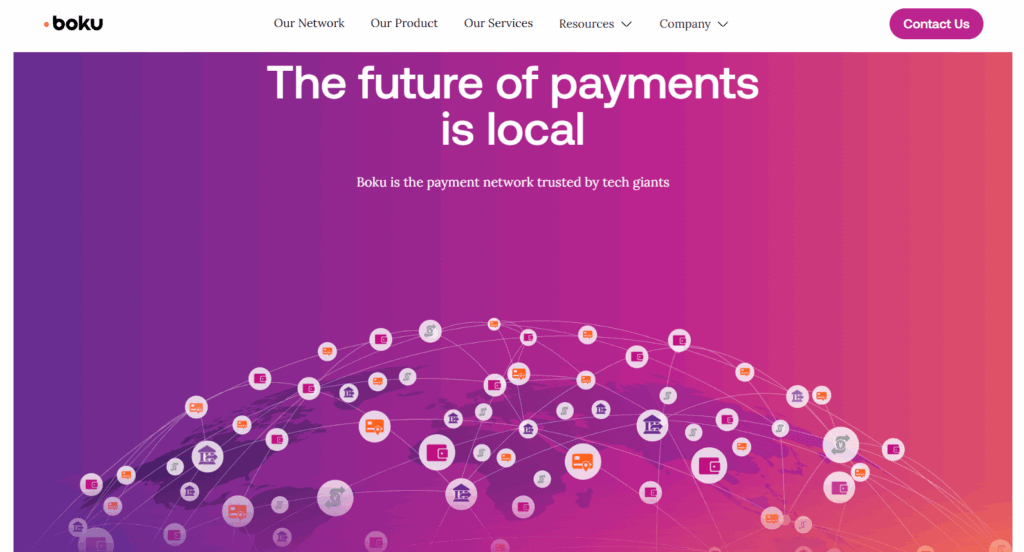
A significant strength of Boku lies in its global presence. The platform is available in more than 90 countries and has partnered with over 200 mobile network operators. This global footprint positions Boku as an appealing option for digital businesses aiming to reach underserved but mobile-savvy populations.
Boku’s model is especially impactful in regions like Asia, Africa, Latin America, and parts of Eastern Europe—areas where large numbers of people are unbanked but heavily rely on mobile technology. The ability to transact digitally via mobile billing opens the door to global commerce for these consumers.
The company has broadened its services beyond direct carrier billing to include integration with mobile wallets. In markets where wallets like GCash (Philippines), GoPay (Indonesia), or M-Pesa (Africa) are widely adopted, Boku’s compatibility enables merchants to reach even more users through familiar local payment tools.
For global businesses, this network simplifies market entry. Instead of building custom payment solutions for each country, merchants can use Boku to tap into a consolidated framework.
Nonetheless, the service’s effectiveness can vary by region. Not all mobile carriers support the same capabilities, and features may not be fully operational in every market. Merchants should conduct region-specific evaluations before committing to Boku for their international payment needs.
Key Features and Technology
While Boku started with a focus on direct carrier billing, its technology and features have expanded to serve a wider range of applications. The platform now supports diverse industries with tools designed to improve user experience, security, and business performance.
Direct Carrier Billing (DCB) remains Boku’s core offering. It enables consumers to pay by charging purchases to their mobile phone account, making it especially useful for digital content such as games, media, and mobile applications.
Boku has also embraced mobile wallet support. By connecting with popular wallets in different regions, it lets users pay with stored value instead of relying on telecom billing. This flexibility increases the platform’s relevance in countries where wallets are more widely adopted than traditional banking.
Another notable feature is identity verification. Using telecom data, Boku helps merchants confirm user identities to meet regulatory standards and mitigate fraud. This function is particularly valuable for sectors like online gambling, finance, and adult content.
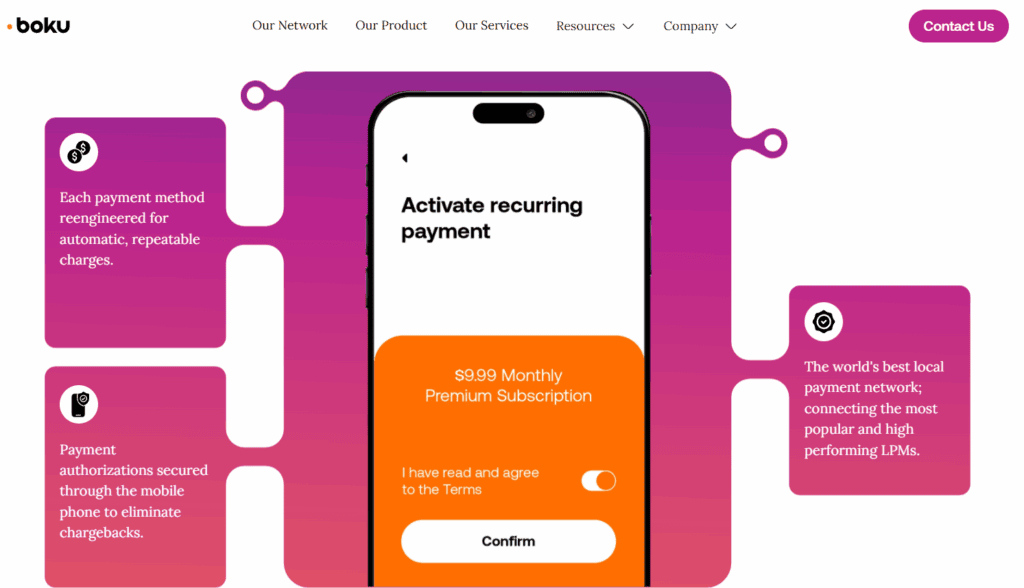
Recurring payments are also supported. It enables subscription billing through carrier networks and wallets, allowing businesses to maintain continuous service access for users without needing card credentials.
From a technology standpoint, Boku offers low-latency APIs, solid documentation, and integration with common commerce platforms. Still, because telecom providers play a key role in the process, some functionality may be inconsistent across carriers or regions.
Integration and Developer Support
Ease of integration is a crucial factor when choosing a payment platform. Boku has invested in developer tools and support systems to help businesses onboard and maintain the service with minimal friction.
The platform provides detailed API documentation and SDKs tailored to various integration needs. These tools cover everything from user authentication to transaction management, making it suitable for both startups and large enterprises.
Boku also supports integration across a range of environments—including mobile apps, desktop sites, and even connected devices. Ready-made modules and partnerships with e-commerce platforms reduce the burden of implementation for merchants.
To manage operations, it offers a merchant dashboard that includes transaction histories, analytics, reconciliation tools, and customer data insights. This allows businesses to monitor and optimize their payment flows in real time.
Still, technical complexity can vary based on the mobile operators involved. Some may require additional configuration or have higher latency, which can affect performance. Boku provides support services, but troubleshooting may be delayed when telecom cooperation is necessary.
Overall, Boku’s integration process is well-supported, but businesses should allow ample time for testing—especially if they are targeting multiple countries with different telecom infrastructures.
Security and Compliance Standards
Security is paramount in payment processing, and Boku takes a multi-layered approach to protect both users and merchants. The platform complies with major global standards such as the GDPR in Europe and PSD2 for payment service providers.
Boku uses mobile number-based authentication methods, including PINs, SMS codes, and telecom identity checks. These layers help verify the user’s identity and reduce unauthorized transactions, particularly in regions where fraud risk is high.
The platform also incorporates real-time fraud detection and risk scoring tools. These systems run in the background and aim to identify suspicious activity without interrupting the user experience.
Another key security benefit is that Boku does not share user billing credentials with merchants. This reduces the chances of data breaches on the merchant side, as sensitive data remains within the telecom’s infrastructure.
Nonetheless, mobile billing systems are not invulnerable. Some users have experienced unintended charges due to unclear subscription terms or deceptive third-party offers. To address this, Boku has adopted stricter opt-in flows and abides by mobile carrier standards to ensure transparency.
While no system is foolproof, it maintains a high bar for security and compliance, making it a viable option for businesses that prioritize data protection and regulatory adherence.
Boku Pricing and Transaction Fees
Pricing is often one of the more nuanced elements of Boku’s offering. The company does not list fixed rates publicly, as fees vary depending on market conditions, carrier agreements, and transaction volumes.
Typically, merchants pay a percentage of each transaction. This cut can range from around 5% to over 15%, which is noticeably higher than standard credit card processors. These higher fees reflect the cost-sharing model with telecom providers, who take a significant share for facilitating billing.
Additional costs may include setup fees, monthly platform usage charges, and premium services like mobile wallet integration or fraud prevention tools. These are often customized for enterprise clients based on their usage needs and geographical footprint.
While the fees may seem high, they reflect the value of access—particularly in underserved or hard-to-reach markets where other payment options are limited. For businesses focused on digital goods or recurring billing, the higher cost may be justified by broader reach and conversion potential.
However, for businesses with tight margins or high refund rates, Boku’s fee structure could pose challenges. It’s important to run financial simulations and assess average transaction values before committing to the platform long-term.
User and Merchant Experience
Boku offers a simple and efficient payment experience, especially for users who prefer not to use cards or apps. The process typically requires only a mobile number and confirmation prompt, eliminating the need for sign-ups, app downloads, or manual input.
This ease of use can lead to higher conversions, especially on mobile devices where user attention spans are short. Digital merchants, particularly in gaming and streaming, often see increased transaction success due to the reduced checkout friction.
On the merchant side, the experience is largely positive. Boku’s dashboard provides useful insights, reconciliation tools, and integration options that simplify payment management. Once the system is live, most operational aspects are automated.
However, some pain points remain. Refund processing and dispute resolution can be slower than with credit card payments due to telecom involvement. Additionally, customer support for technical issues may require follow-ups if carrier cooperation is needed.
Some users have reported confusion over charges, often due to auto-subscription features. Boku has tightened opt-in processes to mitigate this, but merchants must remain vigilant in communicating pricing and terms clearly.
In short, it offers a strong user experience and merchant interface, with a few areas that require close monitoring.
Boku vs. Other Mobile Payment Platforms
Boku competes with various mobile payment providers, including legacy carrier billing platforms and newer digital wallet services. What sets Boku apart is its scale and dual support for both carrier billing and mobile wallets.
Before acquiring Fortumo, Boku and Fortumo were direct competitors. Post-acquisition, it gained a larger network of carrier connections and more experience in wallet integrations, further reinforcing its position.
Other competitors like Centili offer similar services but don’t yet match Boku’s reach or diversity in supported regions. Meanwhile, platforms like PayPal, Apple Pay, and Google Pay serve banked users and typically don’t provide access to the unbanked.
Compared to these platforms, it offers simpler onboarding for end-users in mobile-first environments. However, it lacks the advanced analytics, instant refunds, and multi-feature dashboards offered by card-based or wallet-first systems.
The choice between Boku and alternatives depends heavily on your business model. If your goal is to capture transactions from mobile users in emerging markets, it provides an edge. If you’re looking for extensive features and analytics, a different platform might be more suitable.
Final Verdict: Is Boku the Right Choice for You?
Boku is a focused and effective mobile payments provider that excels in reaching underserved audiences. Its strength lies in simplicity, broad carrier support, and growing mobile wallet compatibility, making it a solid choice for businesses targeting mobile-first consumers.
It’s especially well-suited for companies in digital media, gaming, app subscriptions, and other fast-moving verticals where seamless transactions matter more than detailed analytics or margin efficiency.
That said, Boku is not ideal for all types of businesses. High transaction fees, telecom dependencies, and limited feature richness in some areas can be drawbacks—particularly for businesses with thin margins or complex refund needs.
If your business thrives on accessibility, rapid scaling, and appealing to users outside the traditional banking ecosystem, it may be the right fit. Just be prepared for some operational adjustments and plan for region-specific performance differences.
In summary, Boku delivers well on its core promise: enabling fast, frictionless payments through mobile networks. For the right use case, its benefits can far outweigh its limitations.
FAQs
Q1. Is Boku safe for online payments?
Yes, Boku adheres to major security regulations like GDPR and PSD2. It uses carrier-level authentication and does not share sensitive billing data with merchants, making it a secure digital payment method.
Q2. Can Boku handle recurring billing?
Yes, Boku supports recurring payments for both direct carrier billing and mobile wallets. This makes it suitable for subscription-based businesses like digital content, streaming services, and memberships.
Q3. How can a business start accepting payments through Boku?
Businesses can initiate contact via the official Boku website to request onboarding. It provides technical documentation, API access, and guidance, though telecom approval may be required based on the region.

BlueSnap Review
By 10topmerchantservices April 22, 2025
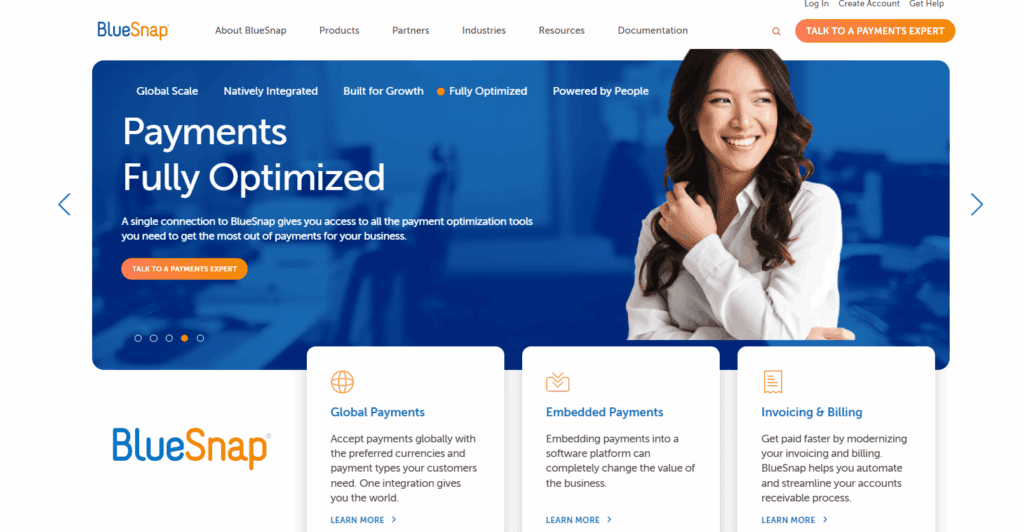
Businesses in today’s digitally driven economy want comprehensive payment platforms that manage everything from subscriptions to international trade, not just the ability to process credit cards. BlueSnap enters this market as a scalable integrated payment solution. On a single platform, it facilitates international transactions, SaaS billing, eCommerce, and mobile payments. BlueSnap markets itself as a one-stop shop that reduces friction in the purchasing process with the aim of streamlining complex payment operations. Its global-first strategy, which supports a variety of currencies, payment options, and languages, is what sets it apart. Because of this, SaaS providers and eCommerce companies with a global presence find it particularly appealing. Lets read more about BlueSnap Review.
Rather than managing separate tools for billing, fraud checks, and checkout experiences, BlueSnap merges them all into a single system. This not only streamlines the buyer experience but also reduces backend complexity for merchants. Still, there’s a tradeoff. While BlueSnap offers powerful features, it may take more time and expertise to navigate than simpler plug-and-play options. For businesses needing international reach and tailored payment systems, however, BlueSnap is a strong candidate that delivers depth and flexibility.
Company Overview and Background | BlueSnap Review
Founded in 2001 and based in Waltham, Massachusetts, BlueSnap has grown into a global platform aimed at simplifying payments for modern businesses. Whether it’s online, mobile, or invoice-based payments, BlueSnap provides a streamlined way to accept them; all through a single point of integration. Unlike more conventional processors, BlueSnap bundles tools like merchant services, analytics, recurring billing, and fraud protection into one system. It’s this consolidated experience that makes it particularly appealing to businesses operating in or expanding to international markets.
It caters to a wide range of sectors including SaaS, eCommerce, professional services, travel, and education. Supporting both B2B and B2C transactions, its flexibility is one of its strongest selling points. Its Intelligent Payment Routing system routes payments through the most efficient path, optimizing for approval rates and reducing costs. Though not as widely recognized as PayPal or Stripe, BlueSnap has carved out a niche for itself among companies seeking more customized payment operations. Its tools are geared toward enterprises that want more than basic transaction handling; they want full control and transparency across global operations.
Key Features and Capabilities
BlueSnap combines merchant accounts, gateway services, billing, and other crucial payment functions into a single, cohesive ecosystem. This lessens the burden of coordinating various systems or managing several vendors. The Intelligent Payment Routing engine is one of its superior tools. Using its global network of more than 30 banks, BlueSnap dynamically chooses the optimal path to increase transaction success and reduce failures. For multinational companies, this feature greatly lowers checkout friction. Additionally, it has strong recurring billing capabilities. Fixed, usage-based, and tiered billing are among the pricing models that businesses can set up. With dunning management features, you can retain customers and recover unsuccessful payments without having to manually follow up.
B2B users benefit from tools like invoicing, PO-based payments, and ACH support. On top of that, BlueSnap includes features for tax compliance, fraud protection, and insightful analytics.That said, the platform’s expansive toolset may appear overwhelming to newcomers or very small businesses. While BlueSnap delivers high functionality, setup and integration can require more technical skill than platforms designed for plug-and-play simplicity.
Supported Payment Methods
BlueSnap gives businesses the tools to accept a wide variety of payment types, supporting diverse buyer preferences across the globe. Traditional credit and debit cards; including Visa, Mastercard, Discover, and American Express; are just the beginning. Digital wallets like PayPal, Apple Pay, and Google Pay are also accepted, appealing to users who prefer mobile-first transactions. Additionally, local payment methods such as iDEAL in the Netherlands, SEPA in Europe, and Sofort in Germany make the platform globally versatile. For B2B needs, ACH debits, wire transfers, and bank transfers are supported, especially useful for businesses handling large or recurring invoices. These options lower processing costs while providing trusted alternatives to cards.
BlueSnap also accommodates over 100 global currencies, with settlement options in multiple ones. This allows a shopper in Japan to pay in JPY while the business settles in USD; ensuring both convenience and consistency. Overall, the platform’s extensive payment coverage makes it a valuable tool for international businesses. Just be aware that some payment methods may require activation or configuration based on region or business type.
Geographic Reach and Currency Support
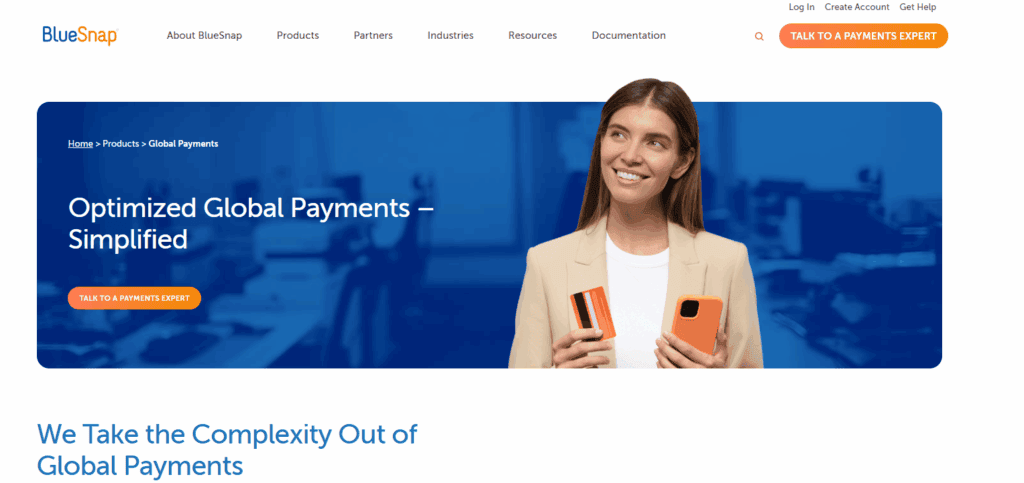
Designed to support global commerce, BlueSnap allows merchants to accept payments from more than 200 countries in over 100 currencies. This international reach enables companies to grow without needing multiple service providers or new integrations for every market. Automatic currency conversion helps customers pay in their local currency, which improves the checkout experience and reduces cart abandonment. Meanwhile, businesses can settle in the currency of their choice, aiding in smoother cash flow management.
Additionally, BlueSnap facilitates adherence to global data and tax laws. The platform has built-in tools to help businesses stay compliant as they grow, whether it’s with PSD2 requirements or VAT collection in Europe. Another benefit is intelligent payment routing, which lowers geographic mismatches that often result in declines and raises acceptance rates by directing payments through regional acquiring banks. However, despite its broad reach, some businesses may encounter restrictions or approval barriers, particularly those in regulated or high-risk industries. Furthermore, some regional support might not be as comprehensive or robust as that provided by more localized providers.
Payment Gateway and API Integration
BlueSnap offers a powerful, developer-friendly payment gateway backed by RESTful APIs and SDKs for languages like Java, PHP, Python, and .NET. These tools allow companies to embed payment capabilities directly into their websites or apps. Its API gives businesses full control; allowing them to build custom checkout flows, handle subscriptions, retrieve reports, and manage customer data. This kind of flexibility is invaluable for companies with unique processes or branding needs.
Prebuilt integrations are available for platforms like Shopify, WooCommerce, Magento, and BigCommerce. These reduce development time for smaller businesses while still offering basic flexibility. Hosted Payment Pages are available for companies that don’t want to handle card data directly. These pages help meet PCI requirements and offer a faster path to deployment. That said, the richness of features may result in a steeper learning curve. Businesses without technical teams may need extra support during implementation or may have to rely on BlueSnap’s onboarding services for full functionality.
Checkout Experience and Customization
BlueSnap offers merchants multiple options for customizing the checkout process. From hosted pages to API-driven designs, businesses can choose the level of integration and control that fits their capabilities. Hosted checkout pages are quick to deploy and PCI compliant, ideal for businesses that want to start accepting payments without custom coding. These pages can be customized to reflect brand colors, logos, language, and currency.
Embedded checkout forms are another option for companies looking to provide more seamless customer experiences. Developers can design customized checkout processes that blend in with the overall look and feel of the website by utilizing BlueSnap’s APIs. Customers can shop in their native language and pay with their local currency thanks to integrated language localization and currency selection. This decreases drop-offs during the checkout process and promotes trust. Despite its customization capabilities, BlueSnap may not offer as many design options for companies seeking unique, high-quality visual templates. Developer input is frequently needed for deep personalization, which may not be suitable for small or non-technical teams.
Pricing, Fees, and Contracts
BlueSnap doesn’t use a flat pricing model; it typically works with interchange-plus pricing. That means businesses pay the actual interchange fee from the card networks, plus a markup from BlueSnap. This structure is generally more transparent but also more variable. Because rates depend on the merchant’s transaction volume, industry, and geography, businesses must contact BlueSnap for a custom quote. This makes it harder to compare against other platforms without going through the sales cycle.
Additional fees may apply for things like chargebacks, currency conversions, or add-on features like recurring billing. While some users find BlueSnap competitively priced, others express concerns about the lack of clarity before signing up. On the plus side, BlueSnap usually avoids long-term contracts or stiff cancellation fees, which offers more flexibility. However, terms can vary, so it’s important to read the agreement closely before committing. In short, BlueSnap is priced for businesses that need a feature-rich, international platform; possibly more than basic providers, but also offering more comprehensive value.
Security and PCI Compliance
Security is at the core of BlueSnap’s offering. It maintains Level 1 PCI-DSS compliance, the highest certification in the industry, and uses encryption and tokenization to secure customer payment data. Its fraud prevention suite includes tools like behavioral analytics, velocity rules, and device fingerprinting, all designed to stop fraudulent activity before it impacts the business. These tools are automated but customizable, letting merchants tweak their fraud rules as needed. BlueSnap also supports tokenization, replacing sensitive card details with unique tokens that are stored securely. This helps reduce the risk of data breaches and simplifies compliance for merchants managing recurring payments.
Intelligent Payment Routing again plays a dual role here; by routing payments through local acquirers, it reduces not just failed transactions but also exposure to fraud-prone regions. While BlueSnap provides extensive resources for PCI compliance, merchants are still responsible for configuring their own systems securely. Businesses must follow implementation best practices to fully leverage BlueSnap’s security benefits.
Recurring Billing and Subscription Management
BlueSnap provides an integrated recurring billing solution that is perfect for membership services, subscription boxes, and SaaS platforms. Custom plans with adjustable billing intervals; monthly, yearly, usage-based, or tiered; are simple for merchants to set up. Free trials, discounts, renewals, and mid-cycle upgrades or downgrades are all supported by the system. Every change is automatically reflected in subsequent invoices, which improves accuracy and minimizes manual administrative labor.
Dunning tools are included to reduce churn; BlueSnap automatically emails users when a payment fails and retries the transaction based on preset rules. These recovery strategies can have a meaningful impact on recurring revenue. The recurring billing engine is powerful, but deeper CRM or ERP integrations may require development resources. Some users may also find the UI less intuitive compared to platforms built specifically for subscriptions. Still, for businesses wanting one system to manage payments and billing, BlueSnap offers a well-integrated and customizable solution that reduces the need for multiple software tools.
Reporting, Analytics, and Dashboard
BlueSnap’s dashboard offers a comprehensive overview of payment activity, including real-time and historical transaction data. It’s designed to give businesses insight into sales performance, chargebacks, revenue trends, and approval rates. Prebuilt reports include daily summaries, refund history, and subscription health. Businesses can filter these by date, region, payment type, and more to drill down into specifics. One of its most useful features is real-time monitoring. Businesses can identify changes in approval rates or payment failures immediately and take action before it affects revenue.
Segmenting users by geography, device, or behavior allows for targeted marketing and checkout optimization. These insights can boost sales and reduce drop-off rates. That said, BlueSnap’s data visualization tools are less advanced than some newer platforms. While the data itself is robust, the visuals may feel dated to users expecting dashboard aesthetics similar to Stripe or Square. Still, the analytics depth is impressive, and for businesses that need operational transparency, BlueSnap delivers solid reporting capabilities.
Customer Support and Developer Resources
BlueSnap provides a number of customer service channels, such as email, phone support, and live chat. Dedicated account managers are often made available to high-volume clients, guaranteeing a more individualized support experience. Users’ opinions vary; some praise the promptness, while others point out that technical problems take a while to resolve. BlueSnap provides a wealth of resources for developers through its Developer Hub. This includes comprehensive SDKs, integration manuals, well-organized API documentation, and testing access to a sandbox. For popular platforms like Magento, WooCommerce, and Salesforce, sample code is available, which makes it easier for technical teams to integrate.
The sandbox environment allows developers to test payment flows, simulate different transaction types, and troubleshoot before going live. This is particularly useful for businesses with complex requirements or custom workflows that need assurance before launching. There’s also a searchable knowledge base for less technical users. It includes FAQs, how-to articles, and setup instructions that can help during onboarding or when troubleshooting common issues. However, support quality and response times tend to scale with business size. Small companies might find themselves waiting longer or needing to escalate tickets more often. If fast and high-touch support is a must, businesses should clarify the level of service included before signing up.
BlueSnap for B2B vs. eCommerce vs. SaaS
BlueSnap is designed to be adaptable across industries, but its strongest use cases are found in SaaS and B2B models. For SaaS companies, the platform’s flexible billing engine, subscription management, and dunning features are highly relevant. It allows vendors to offer monthly, tiered, or usage-based plans without needing third-party billing software. In B2B, BlueSnap’s ability to process ACH transfers, wire payments, and PO-based invoicing makes it more suited to corporate payment structures. This is especially helpful for businesses dealing with long sales cycles or custom billing agreements. Its tax and compliance features also assist in navigating the complexities of B2B sales across borders.
BlueSnap offers strong eCommerce tools, including fraud prevention, mobile optimization, and multi-currency checkout. It might not have as many marketing features as platforms that are more focused on Shopify (such as loyalty integrations or upsell prompts), but it has a stronger backend. Industry-specific tools may be preferred by companies with highly specialized needs or limited development resources. However, BlueSnap’s offering is ideal for businesses in growth mode, particularly those with multiple sales models, if flexibility, scalability, and unified global payments are the goals.
Pros and Cons Summary
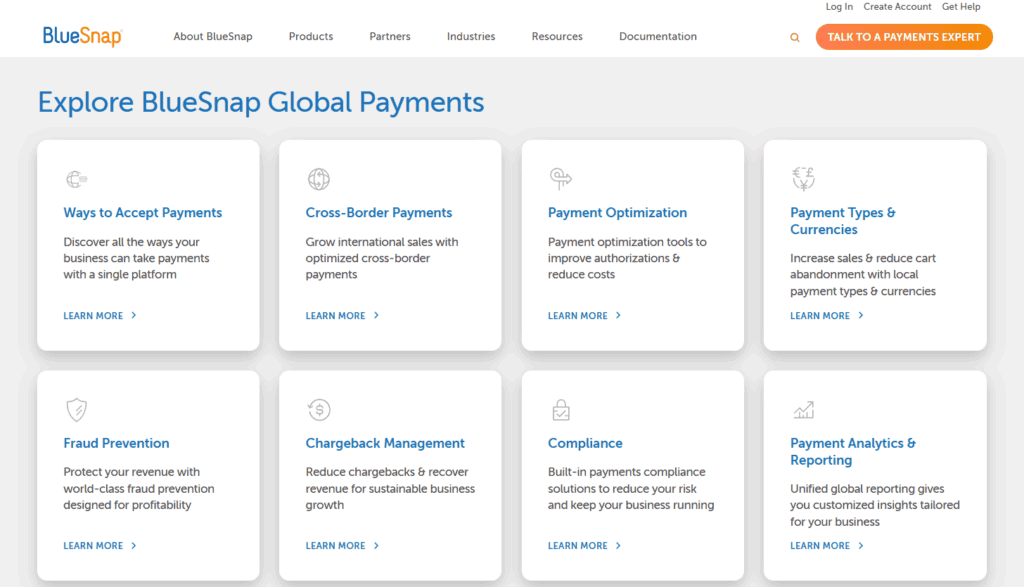
BlueSnap brings a wide array of advanced features under one roof, making it a compelling solution for businesses that want to manage everything from checkout to compliance in a single system. Its global reach, support for multiple currencies and payment methods, and recurring billing tools are particularly strong.
Pros include:
Intelligent Payment Routing
Broad global coverage
Flexible subscription billing
Advanced fraud tools
Developer-friendly APIs
Real-time analytics
Cons include:
Lack of transparent pricing
Learning curve for setup
Inconsistent customer support for small businesses
Customization may require technical skill
Ultimately, BlueSnap is ideal for businesses that want a robust, all-in-one payment solution capable of scaling across countries and handling complex billing needs. It’s less ideal for merchants looking for simplicity or entry-level tools, but shines for companies with long-term global ambitions.
Final Verdict : Who Is BlueSnap Best For?
For larger and mid-sized businesses that require an end-to-end payment infrastructure, BlueSnap is a good option. SaaS platforms, international eCommerce brands, and enterprise vendors find it especially appealing due to its capacity to manage B2B transactions, recurring billing, and international payments. The integration of numerous features, including analytics, fraud protection, merchant accounts, and gateways, into a single platform is what distinguishes BlueSnap. This lessens dependency on several vendors and streamlines operations. The possibility of customization is also advantageous for companies that have access to development resources or technical teams.
However, businesses just starting out or those without dedicated tech support may find the setup process too intensive. Platforms like Stripe or PayPal offer easier onboarding, albeit with fewer options for scaling globally or handling nuanced billing needs. If your company is ready to scale internationally and needs advanced features baked into a customizable payment solution, BlueSnap is well worth considering. It may require more investment upfront, but the long-term operational efficiency and control can pay off.
FAQs
Q1: Is BlueSnap suitable for small businesses or startups?
BlueSnap is best suited for businesses that are mid-sized or scaling. Its feature set is powerful, but smaller startups may find the setup too complex without tech resources.
Q2: How does BlueSnap compare with Stripe or PayPal?
BlueSnap offers stronger global tools and B2B billing features. Stripe and PayPal, however, are easier to set up and may better suit small businesses or solo entrepreneurs.
Q3: Can BlueSnap handle complex global tax and compliance issues?
Yes. BlueSnap includes VAT handling, PSD2 compliance, and tax automation tools. It’s built to support international sales without requiring external tax services.
BluePay Canada Review
By 10topmerchantservices April 17, 2025
BluePay Canada is a branch of the U.S.-based BluePay, which has built a strong reputation in the payment processing industry. Since being acquired by Fiserv, a major global financial services provider, BluePay has extended its services into the Canadian market with a focus on delivering reliable, secure, and adaptable payment solutions. In Canada, BluePay is known for merging conventional merchant processing with modern digital capabilities, catering to both physical and online businesses. Its platform supports all major forms of payments; in-person, online, and mobile; while ensuring a seamless user experience. Fiserv promises enterprise-grade security and quick transaction settlement, supported by its well-established infrastructure. BluePay Canada’s strength is its functionality, despite the fact that it is not the most actively promoted brand. It remains competitive among mid-sized and expanding businesses due to its capacity to manage omnichannel transactions, integrate with other business systems, and uphold strong security protocols. Nevertheless, BluePay must constantly innovate and offer value in order to preserve its position in the cutthroat payment processing market, which is crowded with vibrant fintech companies. Lets read more about BluePay Canada Review.
Core Services and Offerings | BluePay Canada Review
BluePay Canada provides a broad array of payment solutions suited to physical stores and online operations. At its core, the platform enables credit card, debit card, ACH, and eCheck processing, supported by tools like virtual terminals, hosted forms, and recurring billing systems. One of BluePay’s main advantages is that it provides end-to-end payment solutions on a single platform, eliminating the need for third-party plugins or disjointed tools. This simplifies accounting, reconciliation, and daily operations. BluePay also supports level 2 and level 3 processing for B2B merchants, helping reduce interchange fees. This is beneficial for businesses that frequently deal with invoices, corporate cards, or complex transactions. The platform’s recurring billing features are useful for nonprofits, medical providers, and subscription-based businesses. However, one downside is pricing clarity; costs can vary depending on the industry, business volume, and transaction types. Businesses are encouraged to request itemized pricing details, as unexpected fees may apply. Despite some gaps in transparency, BluePay Canada covers the full range of essential services most small to mid-sized businesses require.

BluePay’s Technology and Integrations
Technology is a strong pillar in BluePay Canada’s offering. Its platform comes with customizable APIs, making it a solid choice for businesses with development capabilities. These APIs enable smooth integration with major CMS, ERP, and shopping cart platforms, creating a seamless bridge between payments and business operations. Even businesses without dedicated tech teams can benefit from BluePay’s pre-built plugins for platforms like Shopify, WooCommerce, Magento, and BigCommerce. This dual approach; developer-friendly customization and plug-and-play ease; broadens its appeal. BluePay also includes data tokenization, allowing customers to make repeat purchases without businesses storing card information, which enhances security. Reporting tools are another highlight, offering real-time insights into transaction activity, trends, and financial summaries. However, the platform isn’t perfect. Some users find the dashboard less intuitive compared to newer fintech systems. Onboarding can also be somewhat complicated for businesses without technical backgrounds. Still, BluePay’s technology is strong on the backend, offering reliable performance for those prioritizing security and stability in their payment infrastructure.
POS and Hardware Solutions
BluePay Canada provides robust POS hardware and software offerings that cater to diverse industries, from retail and dining to service-oriented businesses. It supports widely trusted hardware brands like Ingenico, Verifone, and PAX, offering countertop terminals, wireless models, and mobile readers. All devices are compatible with EMV chip, magstripe, and contactless payments; including Apple Pay and Google Pay. This gives merchants flexibility based on their transaction environments. By integrating with CRM software and inventory management systems, the hardware assists companies in keeping centralized control over their customer and sales data. BluePay is appropriate for franchises since it facilitates multi-location operations.
It is important to note, though, that BluePay depends on third-party compatibility and does not produce its own point-of-sale systems. Certain advanced features, like real-time analytics or loyalty tracking, might call for extra software or integrations, which could raise the price and complexity. Before making a commitment, businesses should verify hardware compatibility and additional feature requirements. All things considered, BluePay’s POS solutions are reliable, particularly for those looking for reliable integration into larger systems.
eCommerce and Online Payment Features
For online businesses, BluePay Canada offers a well-rounded toolkit that supports seamless, secure, and brand-consistent payment experiences. Its PCI-compliant hosted payment pages are customizable, allowing businesses to maintain their brand identity while offloading data security responsibilities. BluePay’s plugins for platforms like Shopify, Magento, and WooCommerce enable easy integration without extensive coding. Beyond basic payment processing, the platform supports recurring payments, which is essential for SaaS products, donation-based models, and subscription boxes. BluePay’s online fraud prevention tools; like AVS and CVV matching; help mitigate chargebacks and detect suspicious transactions. It also provides real-time dashboards for monitoring transaction success rates, refunds, and customer behavior. However, compared to modern eCommerce platforms like Stripe or Square, BluePay’s feature set may seem slightly limited. Its UI could benefit from an update to improve ease of use. Still, it checks all the essential boxes for small to mid-sized businesses looking for secure and straightforward online payment capabilities.
Virtual Terminal and Manual Entry Options
BluePay Canada’s virtual terminal is a convenient solution for businesses handling payments via phone, email, or mail order. It’s especially useful for professional service providers; like legal firms, consultants, or healthcare providers; who may not need physical card readers. The virtual terminal allows staff to enter card details securely through any web browser, eliminating the need for specialized equipment. It supports customer profile management, digital receipts, and recurring billing, offering a flexible, cloud-based system.
Importantly, BluePay integrates its virtual terminal with its broader reporting infrastructure, enabling centralized oversight of all payment channels. Tokenization and end-to-end encryption are built into the system, ensuring PCI compliance and minimizing data exposure risks. However, manual data entry is inherently more time-consuming and can lead to errors, making it less suitable for high-volume businesses. As such, the virtual terminal should be viewed as a supplementary tool rather than a core payment method. Still, for businesses needing remote, low-touch payment capabilities, it’s a practical and secure option.

Mobile Payment Capabilities
Mobile commerce is increasingly critical, and BluePay Canada addresses this with Bluetooth-enabled card readers and mobile app support. Designed for businesses on the move; like event vendors, food trucks, or service technicians; BluePay’s mobile tools support EMV and contactless payments, including Apple Pay and Google Pay. Both iOS and Android devices can use the app, which offers digital receipt creation, refund processing, and transaction history access. Additionally, it integrates with the main BluePay dashboard, guaranteeing uniform reporting across all sales channels. Although the app works, it is devoid of some advanced features that rivals like Square provide, like inventory tracking and offline mode. Although functional, the user interface could be easier to use. Nonetheless, BluePay meets the needs for simple mobile payments. The mobile system will be adequate for companies that don’t need intricate workflows or deep inventory integrations. All things considered, it facilitates operational flexibility, particularly for companies that combine online, mobile, and in-store channels.
Security and Fraud Protection
Security is a non-negotiable aspect of payment processing, and BluePay Canada meets industry standards through PCI DSS compliance and strong encryption protocols. It employs tokenization to replace sensitive card information with randomized tokens, significantly reducing the risk of data theft. BluePay also integrates tools like AVS and CVV verification, which are essential for catching fraudulent activity before it affects the merchant. For recurring payments, BluePay allows secure storage of customer profiles without risking exposure of card data. Additionally, merchants can set customizable fraud filters; such as transaction thresholds and IP restrictions; to further enhance protection. These features create a layered security environment that benefits both the merchant and customer. However, security is only as strong as the implementation. Businesses must regularly update systems, enforce best practices, and stay vigilant. While BluePay provides the tools, effective usage requires an informed merchant. All things considered, BluePay offers a solid security framework that supports safe and compliant transaction processing.
Pricing Structure and Fees
BluePay Canada operates on a customized pricing model, which varies depending on business type, transaction volume, and risk profile. While this approach can offer flexibility, it also reduces transparency. Businesses typically need to engage with a sales rep to get a tailored quote, making it hard to compare with flat-rate providers upfront. BluePay usually offers interchange-plus pricing, which is preferred by merchants who want to understand fee breakdowns. However, other pricing structures; such as tiered or flat-rate; may apply depending on the merchant’s profile. Additional costs may include monthly service fees, setup charges, PCI compliance fees, chargeback penalties, and hardware costs. Businesses should also watch out for early termination fees if they decide to cancel their contract early. Given these potential charges, it’s critical for merchants to read the full agreement and clarify all costs. While BluePay’s pricing can be competitive for mid-sized businesses, small merchants might find it less accessible or harder to evaluate at face value.
Contract Terms and Transparency
BluePay Canada typically requires merchants to sign multi-year contracts, often lasting one to three years. These contracts may include early termination fees, which can discourage businesses looking for short-term or flexible commitments. The contract outlines pricing, hardware use, PCI responsibilities, and cancellation policies, but some of these terms; such as automatic renewals or batch processing fees; may not be clearly emphasized. This lack of clarity can lead to frustration if businesses overlook critical clauses during onboarding. While BluePay reps usually walk clients through the agreement, merchants are advised to thoroughly review the documentation and request clarifications on any confusing terms. Businesses should also verify whether they can negotiate more favorable terms, especially regarding cancellation windows, billing cycles, or hardware return policies. In a landscape where startups and small businesses prefer month-to-month or flexible arrangements, BluePay’s rigid structure may feel outdated. However, for established businesses willing to commit long-term, the platform can deliver dependable service and security; provided expectations are clearly aligned from the beginning.
Customer Support and Service
BluePay Canada provides customer support via phone, email, and online ticketing, with 24/7 availability in many instances. This level of accessibility is particularly helpful for businesses that operate beyond standard hours or across multiple time zones. In addition to live assistance, BluePay offers a searchable knowledge base with tutorials, FAQs, and documentation to support self-service users. During onboarding, merchants are typically assigned account managers who guide them through the initial setup process. User opinions regarding BluePay’s customer service, however, are divided. While some clients highlight the team’s professionalism and helpfulness, others point to problems with technical issues or erratic response times. Delays may occur when complex setups, like multi-terminal configurations or third-party integrations, call for escalated support. Despite this variation, the majority of merchants discover that their problems are successfully resolved after speaking with an informed agent. However, there is still opportunity for improvement in terms of consistency and speed of service, particularly when contrasted with more recent platforms that provide more efficient support channels.
Ideal Business Types and Industries Served
BluePay Canada’s flexible features cater to a wide variety of business types, but the platform particularly excels in mid-sized enterprises, B2B organizations, and companies with advanced payment needs. Retailers with physical stores, eCommerce operations, or hybrid models can benefit from BluePay’s unified system. Healthcare providers and nonprofits also gain value from its recurring billing and data security tools. Similarly, the education sector and professional services such as law or accounting firms benefit from BluePay’s virtual terminal and customer profile management features. Subscription-based businesses; whether SaaS or physical product boxes; will find the recurring billing functionality particularly useful. B2B merchants appreciate BluePay’s support for level 2 and level 3 processing, which helps reduce interchange fees and provides detailed invoice-level data. Businesses that require consolidated reporting across locations or departments will also benefit from the platform’s centralized dashboard. On the other hand, very small businesses, sole proprietors, or startups that need fast, contract-free solutions may find BluePay’s model overly complex or inflexible. The system is best suited for businesses that want scalable, secure, and customizable payment infrastructure.
Advantages of Using BluePay Canada
BluePay Canada offers multiple strengths that make it a valuable choice for businesses prioritizing security, scalability, and functionality. One major benefit is its multi-channel support, allowing businesses to accept payments online, in-person, or via mobile; all while syncing to a unified dashboard. The platform’s strong security protocols, including tokenization, end-to-end encryption, and fraud filters, help ensure safe transactions. BluePay also provides developer-friendly APIs and integration tools, enabling seamless connections to CRM systems, accounting platforms, and shopping carts. For businesses needing B2B capabilities or recurring billing, BluePay’s level 2 and level 3 processing support stands out. Additionally, its reporting dashboard simplifies reconciliation by consolidating transaction data from multiple sources. The backing of Fiserv provides another layer of trust and operational stability, especially for businesses planning long-term growth. These features make BluePay particularly appealing to established businesses or those operating across multiple channels. However, to maximize these benefits, businesses should have the internal resources to navigate onboarding and customization effectively.
Potential Drawbacks to Consider
Despite its strengths, BluePay Canada isn’t without limitations. The most commonly cited issue is the lack of pricing transparency. Merchants often must speak to a sales representative just to get a basic idea of costs, making it difficult to compare BluePay with flat-rate competitors. Another potential drawback is the platform’s contract rigidity, which includes long-term commitments and early termination fees. Businesses that value flexibility may find this approach inconvenient. Additionally, while BluePay’s interface is functional, it lacks the modern UX/UI design of some newer fintech players, which may impact ease of use for staff. Some features, such as loyalty programs or deep analytics, may require third-party add-ons, increasing both cost and complexity. Customer support, though generally responsive, can vary in quality and speed depending on the nature of the inquiry. For businesses that need rapid resolution of technical issues, this inconsistency may be frustrating. In short, while BluePay provides a stable, secure platform, businesses must weigh these potential drawbacks before signing on.

Final Verdict
BluePay Canada stands out as a solid payment processor, especially for mid-sized businesses that value security, customization, and omnichannel functionality. Backed by the technological infrastructure of Fiserv, the platform combines reliability with a wide range of features; spanning virtual terminals, subscription billing, POS integration, and secure eCommerce tools. Its ability to support B2B payments and centralized reporting makes it ideal for professional services, retail, nonprofits, and subscription-based companies.
BluePay isn’t the best option for every company, though. Compared to more contemporary competitors, startups and very small merchants might find its contracts restrictive, interface a little outdated, and pricing less clear. Alternatives like Square or Stripe might be more appropriate if your company is looking for a plug-and-play solution with immediate setup and flat-rate pricing. Nevertheless, BluePay can be a dependable long-term partner for companies with intricate payment requirements and the means to oversee setup and integration. Before choosing, carefully go over the terms of the contract, make sure all fees are understood, and match your operational priorities.
FAQs
Q1: Is BluePay Canada suitable for small businesses?
BluePay can support small businesses with specific payment needs, but its long-term contracts and customized pricing may not appeal to very small or early-stage companies. Flat-rate providers may offer simpler solutions.
Q2: Does BluePay Canada support recurring billing and subscriptions?
Yes, BluePay has built-in recurring billing tools ideal for nonprofits, SaaS businesses, and service providers offering monthly or annual payment cycles.
Q3: Can I integrate BluePay Canada with my existing eCommerce platform?
Absolutely. BluePay provides plugins and APIs compatible with popular platforms like Shopify, WooCommerce, and Magento, making integration seamless for most online stores.

Beanstream Service Review
By 10topmerchantservices April 16, 2025
Beanstream, which was first founded in Canada, has become a reputable supplier of payment services for online retailers and small to medium-sized enterprises. Due to its early presence and reputation in the market, the original name “Beanstream” still has resonance with many people, particularly in North America, even though it was later rebranded as Bambora following acquisition and is now a part of Worldline, one of the top payment companies in the world. The platform is designed to serve a wide range of users, such as developers seeking access to APIs, nonprofit organizations, subscription services, and e-commerce sites. It enables businesses to safely take payments through virtual terminals, mobile devices, and the web.
Beanstream offers both tech-savvy teams and businesses looking for simplicity, a combination of developer-friendly features and user-ready plugins. Lets read more about Beanstream Service Review.
What gives Beanstream its distinctive edge is its early alignment with Canadian compliance standards and support for Interac Online, a uniquely Canadian payment method. Additionally, its ability to process both Canadian and U.S. dollars makes it appealing to cross-border merchants operating in North America.
Company Background and History | Beanstream Service Review
Launched in 2000 in British Columbia, Beanstream was among the first online payment gateway providers in Canada. As ecommerce began to grow, the company stood out by offering flexible and secure payment solutions. In 2015, it was acquired by Bambora, a Swedish fintech firm. Subsequently, Bambora was bought by Ingenico, which was later absorbed into the global payment conglomerate Worldline.
Despite these transitions, Beanstream’s core technology and its loyal customer base have remained intact. The service has consistently evolved its platform to meet changing demands, updating its user experience and tools while staying focused on serving small and mid-sized enterprises. The brand legacy persists; users may encounter the names Beanstream, Bambora, or Worldline across documentation and dashboards, sometimes causing branding confusion. Still, its long-standing foundation and corporate ownership provide both innovation and dependability, making it a steady presence in the payment industry.

Core Features and Services
A payment gateway, virtual terminals, merchant account solutions, and recurring billing tools are all part of Beanstream’s comprehensive payment services. This combination enables companies to take payments via compatible devices in-person, over the phone, or online. One of its best features is recurring billing, which is ideal for SaaS firms, subscription businesses, and nonprofit organizations that need monthly contributions. By automating collections and configuring flexible billing intervals, merchants can minimize manual labor. While mobile tools expand functionality to field or event-based sales, the virtual terminal allows manual credit card entries, which is helpful for phone or mail orders.
Developers benefit from access to APIs and SDKs that enable embedded payment functionality within custom platforms. Though Beanstream doesn’t compete with newer fintechs in terms of volume or flash, it offers reliable and straightforward tools for businesses that need core payment capabilities without unnecessary add-ons or complications.
Payment Methods and Channels Supported
One of Beanstream’s biggest strengths is its wide range of supported payment methods and channels. It processes major credit and debit cards; Visa, Mastercard, American Express, and Discover; as well as Canada-centric options like Interac Online. Beanstream was among the early adopters of electronic funds transfer, making it ideal for recurring debit payments, particularly for utilities or charitable donations. It also offers ACH processing for U.S. merchants, providing flexibility across borders.
For ecommerce merchants, Beanstream offers easy integration with platforms through APIs or plugins, enabling payments through online carts, mobile apps, and hosted checkout pages. Email invoicing with secure links is also available. While in-person transactions are supported, merchants usually need third-party hardware, as Beanstream does not offer proprietary terminals. However, support for modern digital wallets like Apple Pay or Google Pay is not built-in and would require custom integrations, potentially limiting its appeal to tech-forward audiences.
Integration and API Capabilities
Beanstream prioritizes developer integration by providing well-documented RESTful APIs that facilitate customized workflows and a range of deployment options. Developers creating customized billing or e-commerce systems will find this especially useful. Developers can manage everything from payments to refunds, creating billing profiles, and comprehensive transaction reporting thanks to its support for both client-side and server-side integrations. Popular e-commerce platforms like Shopify, WooCommerce, Magento, and BigCommerce have plugins that offer comparatively quick deployment options.
The sandbox environment is another highlight, allowing developers to test transactions and flows before going live, minimizing errors during launch. However, the documentation and interface may feel dated, especially when compared to newer services like Stripe. While Beanstream’s tech stack may not impress modern developers accustomed to sleek UIs, it remains a flexible and functional option for teams that are comfortable with a slightly more hands-on integration process.

Merchant Account and Setup Process
Beanstream simplifies onboarding by offering an all-in-one solution; merchants get both gateway and account services. This reduces coordination and gets businesses up and running faster, though the vetting process is a bit more involved than some modern rivals. Signing up involves submitting standard business details, a government-issued ID, a void cheque, and website verification for online sellers. Approval typically takes one to three business days, depending on risk factors.
Once approved, merchants gain access to the Beanstream dashboard. Out-of-the-box plugins are easy to set up, while API implementations may require more time and technical assistance. The company’s thorough vetting process enhances security and reduces fraud but might feel sluggish to newer businesses expecting instant activation. While not the quickest setup around, Beanstream’s methodical onboarding ensures a compliant and robust foundation for future payment activity. Support is available to help guide merchants through each step.
Pricing and Fee Structure
Beanstream operates with customized pricing rather than flat rates. This means that pricing is based on the merchant’s business type, transaction volume, and assessed risk. While this can be advantageous for large or low-risk merchants, it introduces uncertainty for smaller businesses.
Standard fees include:
Transaction fees from around 2.65% + $0.25 per credit card transaction
- Monthly gateway fee of $25–$35
- One-time setup fees depending on the plan
- Chargeback fees typically in the $25–$35 range
For EFT or ACH transactions, businesses benefit from lower fees (around 1% + a fixed rate), which makes it more economical for recurring or large-ticket payments. There are no clearly advertised cancellation fees, but some contracts may include early termination penalties. As such, reading the service agreement thoroughly is essential. Beanstream’s pricing can be cost-effective for higher-volume merchants but may feel opaque to smaller businesses unfamiliar with interchange-plus models.
User Interface and Dashboard Experience
Beanstream’s user interface is clean and functional, though not visually striking. The merchant portal provides quick access to essential tools: transaction summaries, customer profiles, payment history, and manual entry options. It’s fully web-based and responsive, enabling access from desktops and mobile browsers; though no native mobile app is offered.
With menus that are clearly labeled, navigation is simple. Strong reporting features are available, including daily, weekly, and personalized reports. Accounting tasks are made more efficient by export options (CSV or Excel). The user interface, however, hasn’t seen any significant changes in a while. Beanstream’s layout seems outdated in contrast to Square or Stripe. Even though it covers the basics, users seeking a cutting-edge dashboard experience might not be impressed. However, functionality is more important to many small businesses than flash, and Beanstream delivers on that front.
Security and Compliance
Security is one of Beanstream’s core strengths. The platform is PCI DSS Level 1 compliant; the highest level of security certification in the payment industry. It uses tokenization to secure card data, replacing sensitive information with encrypted tokens for recurring transactions. It also supports 3D Secure protocols, like Verified by Visa and Mastercard SecureCode, helping reduce chargebacks. Fraud prevention tools include configurable filters for IP blocking, velocity checks, and transaction thresholds. For ACH and EFT payments, identity checks help reduce fraud and minimize rejected transactions.
Although it doesn’t boast cutting-edge fraud detection AI, Beanstream’s tools are dependable and sufficient for most small to mid-sized businesses. Merchants are encouraged to follow best practices, such as strong password hygiene and role-based account access. The platform offers clear documentation on maintaining compliance and securing customer data, contributing to its reputation as a reliable, secure choice.
Customer Support and Service Quality
Customer service from Beanstream receives mixed reviews. On the positive side, support is available via email, phone, and ticketing during standard business hours (Monday to Friday, 9 AM–5 PM PST). There’s also a helpful self-service knowledge base. Merchants often report that support during onboarding and technical setup is responsive and knowledgeable. Canadian businesses in particular benefit from local, English-speaking representatives.
However, there are also complaints about slow issue resolution, especially for more complex billing or settlement inquiries. Documentation updates sometimes lag behind platform changes, and there is no live chat or 24/7 support, which could be problematic during off-hours or emergencies. For businesses with simple setups, support is generally sufficient. More technical or high-volume merchants might experience slower response times, so expectations should be managed accordingly.
Reliability and Performance
Beanstream does well in terms of processing stability and uptime. Credit card settlements usually take place within one to two business days, and the system effectively manages real-time authorizations. Bank clearance times may cause processing times for ACH and EFT to increase. Support for automatic settlements and batch processing simplifies operations for retailers with large transaction volumes. This improves accuracy and decreases the need for manual reconciliation.
That said, performance data under peak loads isn’t as transparent compared to large-scale providers like Stripe or Adyen. For typical small to mid-sized businesses, this is unlikely to pose a problem; but enterprise users with seasonal surges may want to conduct additional load testing. Overall, Beanstream is a dependable platform with consistent performance and minimal downtime.
Pros of Using Beanstream
Beanstream offers clear advantages for small to mid-sized businesses, especially those in Canada:
Canadian-centric features: Support for Interac Online and EFT make it a strong local option.
Robust functionality: Recurring billing, virtual terminals, and ecommerce integrations cover essential needs.
- Developer flexibility: API access and sandbox environments are ideal for custom workflows.
- Security-first approach: PCI compliance, tokenization, and fraud tools provide peace of mind.
- Backed by Worldline: Large corporate backing offers long-term stability.
These features make Beanstream a solid choice for merchants seeking a dependable, no-frills solution that prioritizes compliance and functionality over trendiness.
Cons of Using Beanstream
Despite its strengths, Beanstream has a few drawbacks worth considering:
Outdated UI/UX: Its dashboard and tools feel less refined than competitors.
Opaque pricing: Lack of published rates requires negotiation.
- Limited innovation: No AI-driven analytics or cutting-edge tools.
- No live chat or 24/7 support: Inconvenient for businesses operating after hours.
- No native wallet support: Apple Pay and Google Pay require custom setup.
These factors may not be deal-breakers but highlight the platform’s focus on tradition and reliability over rapid innovation.

Who Should Consider Beanstream?
For Canadian companies looking for a trustworthy payment partner with robust support for local payment methods, recurring billing, and secure infrastructure, Beanstream is the best option. Nonprofits, subscription services, and businesses that want a single-provider solution for merchant services and payment gateways will find it to be a good fit. Its integration options and APIs are useful for developers with a moderate level of experience. However, other providers like Stripe or Square might be more appropriate for companies seeking built-in mobile wallet support, global scalability, or instant payouts. Beanstream is a wise choice for people who value security, dependability, and Canadian compatibility because it performs best in environments that are stable and predictable.
FAQs
Q1: Is Beanstream the same as Bambora?
Yes. Beanstream was rebranded to Bambora after an acquisition. Bambora is now part of Worldline. The legacy name “Beanstream” is still commonly used in Canada.
Q2: Does Beanstream require a long-term contract?
Not typically. Most plans do not enforce long-term commitments, but contract terms vary. Be sure to check for early termination fees before signing.
Q3: Can Beanstream handle recurring donations for nonprofits?
Yes. Beanstream supports recurring billing, making it suitable for nonprofits. Integration with donor management software may require additional development.

BBVA Compass Review
By 10topmerchantservices April 13, 2025
Once a major U.S. bank, BBVA Compass has undergone significant transformation, most prominent among them being its partnership with Fiserv, a world leader in fintech. This collaboration blends the dependability of traditional banking with state-of-the-art financial technology as financial services move toward digitalization. Particularly from the perspective of merchant services, this review provides a comprehensive, objective summary of BBVA Compass (Fiserv). Although BBVA Compass has long catered to both businesses and consumers, its collaboration with Fiserv expanded its product line to include cutting-edge POS systems, mobile payments, and eCommerce tools. Lets read more about BBVA Compass Review.
Company Background
Previously a major player in the Sunbelt region, BBVA Compass was headquartered in Birmingham, Alabama, and served millions before its acquisition by PNC Bank in 2021. Even prior to this acquisition, BBVA Compass had begun enhancing its digital reach through a partnership with Fiserv, focusing on merchant services and POS technology.
Fiserv, a Fortune 500 financial technology provider, supports financial infrastructure for institutions globally. The collaboration introduced BBVA Compass customers to Fiserv’s suite, including Clover POS systems and secure multi-channel processing tools. Though the BBVA name is no longer independently used, many businesses enrolled in BBVA’s merchant services still operate through Fiserv’s backend. This hybrid model blends BBVA’s personalized support with Fiserv’s robust technology stack.
In essence, users benefit from a blend of dependable banking service and cutting-edge payment tech; appealing to businesses seeking the best of both worlds.
Products and Services Offered | BBVA Compass Review
BBVA Compass (via Fiserv) provides a wide array of payment solutions tailored for businesses, including merchant accounts, mobile payment capabilities, eCommerce integration, and Clover POS hardware.
Merchants can accept card payments, NFC transactions, and bank transfers, and they have access to industry-specific solutions for restaurants, retail, and more. From contactless payments to customizable checkout flows, the offerings are broad.
Payment gateways that work with popular platforms like Shopify and WooCommerce are advantageous to online businesses. Digital invoicing, recurring billing, and subscription management tools are all included in the service. Standard security features include chargeback support, PCI compliance support, and fraud monitoring. Even though there is a wide range of features, smaller businesses that only require essential services might find it overwhelming.
In summary, BBVA Compass (Fiserv) offers a powerful toolkit, suitable for both online and in-store transactions, with the flexibility to scale as business demands evolve.
Merchant Services Overview
Merchant services from BBVA Compass (under Fiserv) focus on enabling businesses to process payments via card readers, online portals, and mobile platforms. Credit cards, wallets, and EMV chips are all supported. Fiserv’s infrastructure allows for diverse POS options, from basic terminals to comprehensive Clover Stations. Add-ons like gift card integration, loyalty programs, and invoicing help broaden its appeal to different sectors.
Tools for managing inventory, sales analytics, and employee performance are available through POS and online portals. Businesses can tailor their experience based on size and vertical. However, onboarding can be complex. Pricing details are often vague, and several users have noted hidden fees or unclear contract terms after setup. Still, its scalability makes it suitable for startups and growing enterprises. Whether brick-and-mortar or eCommerce-focused, BBVA Compass (Fiserv) aims to adapt alongside business expansion.
Integration with Clover POS Systems
A standout feature of this service is the seamless integration with Clover POS systems, owned by Fiserv. Devices such as Clover Go, Flex, Mini, and Station provide flexible, modern payment terminals. These devices come with preloaded software for handling payments, tracking inventory, scheduling staff, and collecting customer feedback. Clover is especially favored by restaurants, salons, and small retailers for its ease of use.
The partnership between BBVA and Fiserv guarantees the seamless implementation of Clover devices, despite the potential high initial hardware costs. Certain features require the purchase of add-ons, which can be expensive, from the Clover App Market. By enabling merchants to expand functionality with CRM tools, accounting integrations, and other features, the App Market is a valuable resource. Clover POS integration, in summary, is a significant differentiator that provides strong features for companies looking for adaptable and user-friendly payment hardware.
Pricing and Fees
Pricing transparency is a challenge with BBVA Compass (Fiserv). Instead of simple flat-rate models, it typically uses complex pricing like tiered or interchange-plus structures.
Typical charges include:
Monthly service or account maintenance fees
Per-transaction fees (which vary)
Hardware rental or purchase costs
Setup or installation charges
PCI compliance or non-compliance penalties
Fees can add up, especially for smaller businesses. Multi-year contracts may include price hikes or add-on costs not clearly communicated upfront. Some merchants have encountered surprise billing or unexpected increases. To avoid this, it’s crucial to get itemized quotes and fully understand fee schedules.
That said, large merchants with high volumes may be able to negotiate competitive rates. But for those starting out, lack of clarity can be a major drawback. Always ask for a detailed pricing sheet and read your merchant agreement thoroughly before committing.
Contract Terms and Commitments
Merchant contracts through BBVA Compass (Fiserv) are often long-term, typically two to three years. While this can lock in favorable rates, it may limit business agility. A key concern is the early termination fee, which can be significant, ranging from a few hundred dollars to the full remaining term’s fees. Auto-renewal clauses are common, and some users find them hard to opt out of.
Merchants have reported difficulty navigating cancellations and vague support during termination attempts. However, those with strong sales histories or higher volumes may be able to negotiate better terms, like month-to-month agreements or reduced cancellation fees.
To protect yourself, make sure to:
Get the contract in writing
Review renewal and cancellation policies
Ask for flexibility on trial periods or terminations
While contracts can lead to better rates or equipment deals, be aware of the long-term implications before you sign.
Payment Processing Features
With support for ACH bank transfers, mobile wallets, and cards, BBVA Compass (Fiserv) provides a wide range of payment processing tools. Payment uptime is reliable with Fiserv’s infrastructure, and deposits usually clear within 1-2 business days. Businesses that meet the requirements may be eligible for next-day funding. Tokenization, encryption, and PCI support are some of the tools that help protect transactions because security is a top priority. Subscription-based business models and restaurants are served by recurring billing and split-payment support.
Omnichannel readiness allows merchants to sell in-store, online, or via mobile seamlessly. However, some features require higher-tier plans or additional integrations. Overall, the system supports fast, secure, and versatile payment acceptance with advanced tools that appeal to growing or multi-channel businesses.
Customer Experience and Support
Customer service is an area where BBVA Compass (Fiserv) gets mixed reviews. While the platform is robust, users often cite delayed responses and inconsistent support. Phone support can be slow, and email responses may take time, especially when dealing with technical or billing questions. Differentiating between BBVA banking issues and Fiserv merchant issues can add confusion. Some users praise knowledgeable reps, but others have found support staff unhelpful during contract disputes or technical setup.
Online documentation exists, especially for Clover users, but BBVA-specific support resources are limited; often redirecting users to Fiserv. Larger businesses may benefit from dedicated account managers, which improves responsiveness and resolution quality.
Online Banking and Mobile App Experience
Before being acquired, BBVA Compass had a user-friendly online banking platform. While some of this usability carries over, the merchant experience is now split between multiple portals. The Fiserv merchant dashboard is functional and allows transaction tracking, reporting, refunds, and inventory integration. Mobile access is available, though not as full-featured as the web version.
Clover users access a separate mobile dashboard for POS features, adding another layer of complexity. The BBVA or PNC banking app supports basic account functions but doesn’t offer full merchant tools. The result is a somewhat fragmented experience, with users toggling between banking, merchant, and POS apps to manage operations.
Reporting and Analytics
Reporting and analytics capabilities are solid but vary depending on the POS system and pricing tier. Clover offers in-depth reporting on sales, employee performance, customer behavior, and product trends, ideal for identifying patterns and optimizing operations. Multi-location reporting is supported.
Chargeback tracking, settlement reports, and transaction summaries are all available on Fiserv’s merchant portal and are crucial for financial planning and reconciliation. Some users believe that the basic reporting is insufficient and that they must either pay more or use third-party tools to obtain unique insights. Non-technical users might find custom report generation confusing. The reports can be exported in PDF, CSV, and Excel formats and are accurate. Emails with daily alerts help in operations monitoring and early problem detection.
Pros of BBVA Compass (Fiserv)
Comprehensive solution: Strong backend infrastructure covers in-person, mobile, and online payments.
Clover POS integration: Offers powerful and customizable hardware/software for diverse industries.
Top-tier security: Built-in fraud tools, encryption, and compliance support.
Scalable systems: Suitable for solo entrepreneurs or multi-site businesses.
Wide industry fit: Supports retail, food, health, professional services, and online stores.
Customization options: APIs and app integrations enhance business functionality.
Reliable performance: Fiserv’s global reputation ensures consistent uptime and service.
These strengths make BBVA Compass (Fiserv) ideal for businesses looking for robust, scalable payment solutions.
Cons of BBVA Compass (Fiserv)
Opaque pricing: Lack of upfront cost details and hidden fees frustrate some users.
Long-term commitments: Contracts often include ETFs and auto-renewals.
Customer service inconsistency: Mixed experiences with setup and support.
Overbuilt for small businesses: Smaller companies may find tools too complex.
Disjointed platforms: Navigating BBVA, Fiserv, and Clover portals is cumbersome.
Steep learning curve: Advanced features may require onboarding support or training.
These downsides make it less appealing to smaller or more agile businesses seeking flexibility and transparency.
Who Is It Best Suited For?
Mid-sized to larger businesses looking for integrated banking and payment processing should consider BBVA Compass (Fiserv). Businesses with multiple locations, restaurants, retail stores, and service providers gain the most from its sophisticated POS features and safe payment technology. Businesses seeking scalable infrastructure, customizable features, and in-depth analytics will find it to be an excellent option.
Conversely, very small businesses or startups looking for simple pricing and month-to-month flexibility may prefer processors like Square or Stripe. If you’re planning for growth and ready to navigate a structured system, BBVA Compass (Fiserv) could be a strategic long-term fit.

Final Verdict
BBVA Compass provides a feature-rich and safe merchant services platform via Fiserv. Businesses can manage customer payments and data with a robust toolkit that includes access to Clover hardware and Fiserv’s global payment infrastructure. Its hardware options, security, and flexibility are its strongest points. However, problems with support and unclear pricing can be obstacles.
For businesses focused on long-term growth with a need for enterprise-grade tools, BBVA Compass (Fiserv) offers great potential. But those seeking simplicity, flexibility, or a quick setup may find it less suitable.
FAQs
Is BBVA Compass (Fiserv) suitable for small businesses?
It can work for some, but small businesses should review pricing and contract terms closely to avoid unexpected costs.
What are the cancellation terms for BBVA Compass merchant accounts?
Most agreements include early termination fees and auto-renewals. Always ask for cancellation terms in writing.
Can I use BBVA Compass merchant services without Clover POS?
Yes, but Clover is the default hardware. Other setups are possible but may require extra steps or support.

BankCard Services Review
By 10topmerchantservices April 10, 2025
BankCard Services has been a steady presence in the merchant services landscape since its establishment in 1987. Over the years, it has expanded its operations to serve more than 20,000 merchants nationwide, with a particular emphasis on small and medium-sized businesses. With decades of operational experience, it has carved out a reputation for offering adaptable payment options and a people-first approach to service, particularly within the retail, restaurant, and online commerce spaces. Lets read more about BankCard Services Review.
The company’s customized approach to payment solutions, which is based on the unique requirements and size of each business, is one of its main differentiators. It provides a full range of services, from traditional credit card processing to more recent options like contactless and mobile payments. It can provide both in-house and third-party solutions that can be tailored to each client’s operational needs thanks to its alliances with banks and equipment manufacturers.
While BankCard Services may not have the brand recognition of major players like Square or Stripe, it fills a valuable niche by offering more personalized service and configurable options. Its offerings are particularly suited for business owners who prioritize reliability and customization over generic, one-size-fits-all solutions.
Still, this customized approach can come with challenges in pricing clarity and feature transparency. Getting a precise idea of costs or available features often requires a direct consultation. That said, businesses looking for custom solutions paired with real human support may find BankCard Services to be a practical fit.
Merchant Account and Payment Processing Solutions | BankCard Services Review
BankCard Services offers traditional merchant accounts, a valuable asset for businesses that prefer direct control over their payment ecosystem. These accounts are particularly beneficial for operations requiring unique billing arrangements, integrated customer service, or industry-specific configurations. The platform supports all major card types; Visa, Mastercard, Discover, and American Express.
Its system is made to take payments via a number of channels, such as mobile, online, and in-person. As customers demand seamless, consistent checkout experiences regardless of how or where they shop, multichannel support is becoming more and more crucial. BankCard Services provides scalable tools that can grow with your company, whether you manage a small boutique or a rapidly expanding chain of restaurants.
Notably, the company is responsive to the needs of different industries. Whether it’s enabling tip features for dining establishments, recurring billing for membership-based businesses, or mobile acceptance for service professionals, its systems can be customized for various verticals.
However, because the merchant accounts are personalized, pricing lacks the clarity of flat-rate competitors. Typically, you’ll need to speak with a sales rep to get an individualized quote, which can be either a perk or a pain depending on your preference for pricing models.
All in all, BankCard Services provides robust merchant account solutions for companies that want multi-channel support and service flexibility; but be prepared to ask the right questions to get the most suitable plan.

POS Systems and Hardware
BankCard Services delivers a variety of POS systems geared toward different types of businesses. Options range from basic countertop terminals and mobile card readers to advanced, all-in-one smart POS devices. Thanks to partnerships with a variety of third-party vendors, the company can offer solutions tailored to each business’s layout and needs.
Their POS systems work with NFC-based contactless payments, such as Apple Pay and Google Pay, magstripe cards, and EMV chip technology. The systems provide specific features in restaurant settings, such as table assignments, split checks, and tip customization. Barcode scanning, integrated receipt printers, and inventory management tools are advantageous to retailers.
Businesses can opt to lease or purchase hardware. While leasing may appeal to those looking to avoid upfront costs, it often involves longer commitments and potentially higher long-term expenses. Some users have noted that BankCard’s leasing prices can be slightly above market average.
Installation is typically smooth, and setup support is available to help ease the transition. Still, the hardware mix may feel somewhat fragmented when compared to all-in-one systems offered by vertically integrated competitors. If tight integration is a top priority, that’s something to consider.
To sum up, BankCard Services offers flexible, capable POS solutions. Just be sure to carefully review the costs and contract terms; especially if you’re a small business watching your margins.
Virtual Terminals and Payment Gateways
For companies that take payments remotely, BankCard Services provides a virtual terminal that works through any web browser. This setup is ideal for phone orders, service businesses, or any environment where the card isn’t physically present. It’s secure, straightforward, and doesn’t require advanced tech skills to get started.
Manual card input, recurring charges, refunds, and PCI-compliant customer profile storage are all supported by the virtual terminal. Additionally, companies can email electronic invoices to their clients, providing a quick and easy method of payment while also enhancing cash flow.
BankCard Services also offers eCommerce gateway integrations for online stores. These include features like secure checkouts, real-time payment tracking, and support for common shopping carts. For developers and tech-savvy users, APIs are available to facilitate more custom setups.
One drawback is the limited upfront technical documentation, which may frustrate developers who prefer to work independently. Additionally, the company doesn’t publicize its gateway fees, meaning costs can vary widely.
All considered, the virtual terminal and payment gateway offerings are solid, offering reliable functionality for remote and online payment processing. While they may lack some of the technical depth or polish of larger tech-focused platforms, they meet industry standards and provide useful options for most small and midsize businesses.
Fees and Pricing Structure
Unlike many competitors, BankCard Services does not list standard pricing on its website. Instead, it provides customized quotes that depend on the business’s size, transaction volume, risk level, and industry type. This personalized approach can lead to better rates; but also results in less transparency.
Monthly fees, per-transaction fees, potential equipment leasing costs, and extra fees for PCI compliance or gateway services are typically included in the pricing. The majority of retailers are subject to a tiered pricing structure, but some might qualify for interchange-plus pricing, which is often a more transparent and economical model.
Early termination fees are a common concern. Numerous merchants have reported being locked into long-term contracts with cancellation penalties, especially if equipment leasing is involved. Always review these details before signing an agreement.
It’s also important to watch for smaller fees that can add up; such as batch processing fees, PCI non-compliance penalties, and statement charges. While high-volume merchants may receive incentives or reduced rates, these should be weighed carefully against any hidden or surprise costs.
In short, BankCard Services can offer good value if you negotiate well. But if you prefer clear, upfront pricing, be proactive: ask about interchange-plus plans and demand a full fee breakdown.
Customer Service and Support
Customer support plays a key role in the payment processing experience, and BankCard Services positions itself as a provider that values direct, personal assistance. It offers support via phone, email, and live chat. Phone support is available during typical business hours, with limited after-hours help depending on your service contract.
A major plus is that many clients receive a dedicated account manager who assists not just during onboarding but also serves as a go-to contact for ongoing issues. This personal approach sets the company apart from more automated or self-serve platforms.
However, online reviews reveal a mixed bag. Some merchants praise the attentive and knowledgeable staff, while others report slow response times and challenges resolving technical or billing issues.
Onboarding usually goes smoothly, with detailed help for integration and setup. However, third-party vendors are occasionally involved for more complicated configurations or custom software setups, which can cause delays.
All in all, BankCard Services offers better-than-average customer support, particularly for merchants who value consistent communication. Still, service levels may vary by account rep, so clarify expectations early.
Security and Compliance
Security is a core component of BankCard Services’ offerings, with full support for PCI DSS compliance. The company provides secure hardware, encrypted transaction processing, and resources to help businesses stay compliant with industry standards.
All transactions; whether in-person or remote; are processed securely, with options for tokenization. This technology replaces sensitive card information with randomized data, significantly reducing the chances of a data breach.
Essential fraud prevention tools are provided, including chargeback notifications, velocity filters, and transaction oversight. Nonetheless, features such as AI-driven fraud detection are not included in the basic offering, placing BankCard Services at a disadvantage compared to more technologically advanced competitors in this area.
Chargeback management assistance is available, but merchants remain responsible for timely responses and proper documentation. The company offers tools and guidance but doesn’t handle disputes on your behalf.
In summary, while not cutting-edge, the company’s security features are robust enough for most small and medium businesses. If your company faces higher fraud risks or operates in a sensitive industry, you may want to supplement with third-party tools.

Software Integrations and Add-On Features
BankCard Services supports various software integrations that help streamline business operations. These include compatibility with accounting software like QuickBooks, as well as CRMs and inventory systems. These integrations can help automate workflows and reduce manual entry errors.
Merchants can view performance data, spot trends, and flag problems like chargebacks with the help of analytics and reporting tools that range from basic to advanced. The interface lacks the depth and design flair of contemporary SaaS platforms, despite being generally user-friendly.
The mobile app allows merchants to process sales, view reports, and manage accounts on the go, making it ideal for service-based businesses or mobile vendors. The company also supports loyalty and gift card programs to help drive repeat business.
Keep in mind that these extras may incur additional fees. While not bundled like all-in-one platforms, they allow businesses the flexibility to create a tech stack that suits their operations.
Overall, the integration capabilities are sufficient for most use cases; especially for those who prefer customizable setups over rigid, proprietary ecosystems.
Pros and Cons of BankCard Services
Pros
Extensive industry experience and reliability
Customizable payment solutions tailored to business type
Multi-channel payment support (mobile, in-store, online)
Integrates with third-party tools and systems
Potential for negotiated, competitive pricing
Dedicated account reps for personalized support
Cons
Lack of upfront, transparent pricing
Early termination fees and long-term contracts are common
Leasing hardware can become expensive
Inconsistent customer service reports
Limited advanced fraud prevention features
In conclusion, BankCard Services is a strong contender for SMBs seeking a balance between flexibility and personalized service. Just be sure to clarify the financial details early to avoid potential friction.
Who Should Consider BankCard Services?
BankCard Services is ideal for small to mid-sized businesses that value tailored solutions and hands-on support. Retail stores, restaurants, service companies, and online sellers can all benefit from its mix of hardware, software, and payment flexibility.
Nevertheless, the lack of pricing transparency and the negotiation process may be a bit of a barrier for smaller or newer companies seeking simple, flat-rate plans. Platforms with richer APIs and self-service options may also be preferred by more tech-oriented businesses.
Still, for businesses looking to grow with a processor that offers long-term reliability and responsive support, BankCard Services provides a solid foundation. Just make sure to review the terms thoroughly and advocate for clear pricing from the start.
FAQs
Q1: Does BankCard Services work with high-risk merchants?
A: Typically, the company serves low- to mid-risk industries. High-risk businesses should inquire directly to explore eligibility.
Q2: Can I use my existing POS hardware with BankCard Services?
A: In some cases, yes. Compatibility depends on the specific device and software. It’s best to confirm with a representative.
Q3: Is there a long-term contract with early termination fees?
A: Some plans do include long-term contracts and cancellation fees, especially with leased hardware. Clarify all terms before committing.