

Stax Review
By 10topmerchantservices August 18, 2025
Stax is a subscription based payment processing platform that’s an alternative to the percentage fee model most merchant service providers use. Unlike traditional processors that charge a percentage of each transaction on top of interchange fees, Stax charges a flat monthly fee and passes interchange costs to the merchant without markup. This model is great for businesses with high transaction volume as it can save them a lot of money in the long run. Lets read more about Stax Review.
The platform can handle in-person, online and mobile payments so it’s a great solution for businesses that operate in multiple sales channels. It has a suite of tools for POS transactions, e-commerce integration, invoicing, recurring billing and advanced reporting. By combining payment acceptance with value added features like analytics Stax becomes more than just a transaction processor it becomes a central hub for payment management.
But while Stax has a more cost effective pricing model for some businesses it’s not for every type of merchant. Low volume businesses may find the subscription cost outweighs the benefits. And while the platform has a lot of integrations there may be a learning curve for users who are not familiar with advanced payment tools. Overall Stax has carved out a niche in the payment industry by offering an alternative pricing model and a full service solution.
Company Background and Market Position | Stax Review
Stax, originally launched as Fattmerchant in 2014, was founded with the goal of simplifying payment processing and making it more transparent for business owners. The company rebranded to Stax in 2021, aligning its image with a broader vision to serve a diverse range of industries and offer a complete payment ecosystem. Headquartered in Orlando, Florida, Stax has grown rapidly, gaining recognition for its innovative approach to merchant services and its flat-fee subscription model.
In the competitive payment processing market, Stax differentiates itself by targeting established businesses that process significant monthly volumes. While many payment processors focus on startups and smaller merchants with a pay-as-you-go model, Stax appeals to companies seeking predictable costs and more control over their processing fees. This focus allows Stax to compete not only with traditional merchant service providers but also with payment technology companies offering integrated solutions.
The company has secured a position as a disruptor in the payments space, often highlighted in industry publications for its unique pricing structure. Its customer base spans retail, hospitality, healthcare, professional services, and e-commerce businesses. While Stax is still growing its brand recognition compared to larger processors like Square or PayPal, it has cultivated a strong reputation among users who value cost transparency and advanced reporting features.
The rebranding effort and ongoing feature expansions suggest that Stax is aiming for a stronger foothold in the mid-market segment while continuing to refine its service offerings for a broad range of industries.
Core Features Overview
Stax has more than payment acceptance. The platform supports multiple payment methods: credit cards, debit cards, ACH, mobile wallet (Apple Pay and Google Pay). So you can accommodate customer’s payment preferences no matter how they want to pay.
In addition to payment acceptance, Stax has POS for in person transactions, online checkout for e-commerce businesses and invoicing for service based businesses. Recurring billing for subscription based businesses. Reporting and analytics dashboard to consolidate transaction data so you can see sales trends, payment performance and customer behavior.
One of Stax’s strengths is its integrations. The platform can connect to accounting software, e-commerce platforms and CRM tools so you can have smoother workflows and less manual data entry. For businesses with custom needs Stax also has API access to build custom payment experiences.
Security is another focus. Tokenization, encryption and PCI DSS compliance. Stax is a payment management platform not just a processor. While the features are a plus, it may require more setup and training than simpler payment tools so it’s better for businesses that are willing to invest in using all the features.
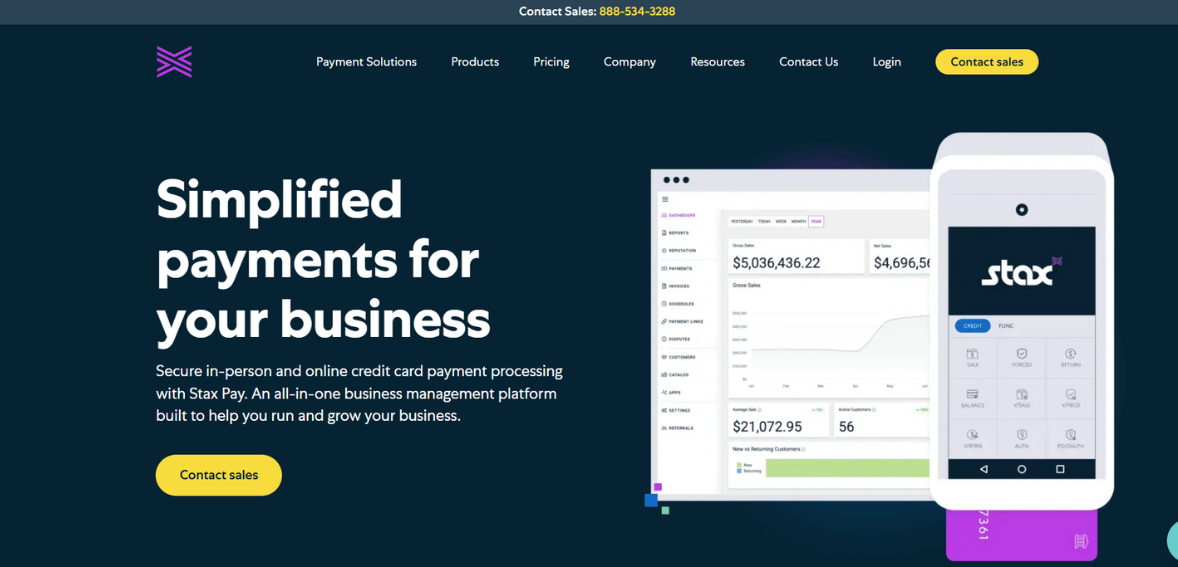
Subscription-Based Pricing Model
Stax’s subscription-based pricing is one of its most notable differentiators. Instead of charging a percentage markup on top of interchange fees, the company offers a flat monthly fee, which varies depending on the plan and features selected. Interchange rates; the base fees set by card networks; are passed directly to the merchant without additional percentage charges from Stax.
This model can be highly advantageous for businesses processing large transaction volumes because it eliminates the compounding effect of percentage-based markups. For example, a company processing $100,000 per month in credit card sales might save significantly compared to a processor charging 2–3% on top of interchange.
However, the model may be less cost-effective for low-volume merchants. A business processing only a few thousand dollars in monthly transactions might find the subscription fee outweighs the savings from lower per-transaction costs. Stax’s pricing structure also requires business owners to understand their average processing volume and compare it against traditional percentage-based pricing to determine potential savings.
While the subscription model offers cost predictability, it does not remove all fees. Merchants still pay the interchange rates set by card issuers, as well as fees for certain optional services. Additionally, hardware costs for POS terminals or card readers may be separate. Overall, the pricing model is most beneficial for businesses confident in their transaction volume and looking for a transparent, predictable approach to payment processing costs.
POS Capabilities
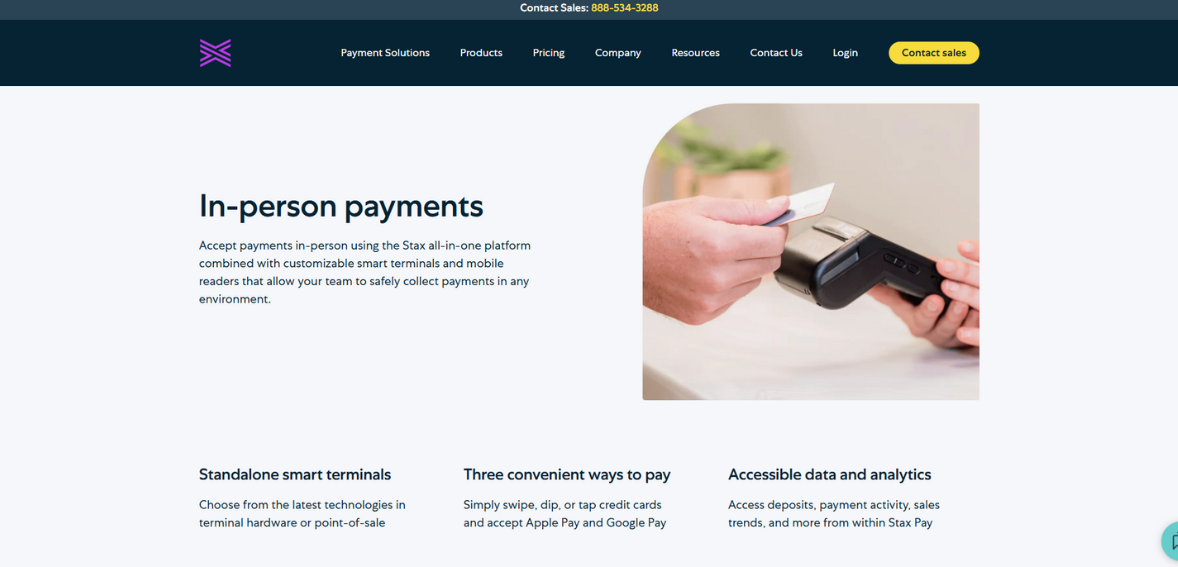
The Stax POS is designed for in-person transactions across various industries: retail, hospitality, healthcare and professional services. It accepts EMV chip cards, contactless payments and magnetic stripe transactions so customers have options to pay. Hardware options include countertop terminals, mobile readers and tablet based systems so businesses can choose the setup that fits their business.
Beyond payment processing the POS software integrates with inventory management tools so you can track stock levels in real time and get automated alerts to reorder. For businesses with multiple locations the system can consolidate sales data into a single dashboard so management and reporting is streamlined.
Customizable receipt options, tipping features and integration with customer loyalty programs enhance the customer experience. The POS can also do partial payments, split bills and store credit so it’s good for restaurants, service providers and retail stores.
While the POS has a lot of functionality some users may find the hardware investment is high especially for advanced setups. And while Stax provides training resources there is a learning curve for staff not familiar with modern POS systems. Overall the POS is good for established businesses looking for a robust and scalable in-person payment solution that integrates with other Stax tools.
E-Commerce and Online Payment Tools
Stax includes a suite of e-commerce capabilities aimed at businesses selling products or services online. The platform integrates with popular online store builders such as Shopify, WooCommerce, and BigCommerce, allowing merchants to maintain their existing storefronts while using Stax as the payment processor. These integrations help streamline the checkout process and ensure secure transactions.
For businesses without a dedicated e-commerce site, Stax offers hosted payment pages that can be branded to match the company’s identity. This option allows merchants to start accepting online payments quickly without extensive web development. The system supports multiple payment types, including credit cards, debit cards, ACH transfers, and digital wallets, catering to a variety of customer preferences.
Recurring billing functionality is also available for subscription-based services or membership programs. Invoicing tools enable businesses to send digital bills that customers can pay online, reducing reliance on paper invoices and manual processing.
Security is a key consideration in e-commerce, and Stax addresses this with encryption, tokenization, and PCI-compliant processes. While the platform provides strong features for online selling, it is worth noting that it does not attempt to replace full-scale e-commerce platforms; rather, it complements them by acting as the underlying payment engine. Businesses seeking an all-in-one site builder may need to integrate Stax with third-party solutions. Overall, the e-commerce tools are well-suited for companies that value secure, flexible, and integration-friendly payment processing.
Invoicing and Recurring Billing Features
Stax’s invoicing and recurring billing is designed for service based businesses, subscription providers and organizations with membership models to manage payments better. The invoicing tool allows merchants to create professional branded invoices and send to customers via email or shareable links. Customers can then pay directly from the invoice using their preferred payment method.
Recurring billing supports automated payment schedules so you don’t have to follow up manually and minimize late payments. You can set billing intervals – weekly, monthly or annually and customize payment reminders. For customers this provides a convenient and predictable payment experience especially for services like fitness memberships, software subscriptions or professional retainers.
The invoicing system integrates with the Stax dashboard so you can track payment status, view overdue accounts and generate reports on receivables. This gives you better cash flow visibility and follow up on outstanding balances. ACH payment options can also reduce processing costs for recurring transactions compared to credit cards.
While the invoicing and recurring billing is robust, it may not have all the advanced automation of specialized billing platforms. Businesses with complex subscription models or multi tiered pricing may need more customization. But for most small to medium sized businesses, Stax’s tools provide a way to manage client billing without using separate invoicing software and consolidate payment operations in one platform.
Integrations and API Flexibility
One of Stax’s strengths is its integration ecosystem, which connects with various third-party applications to extend functionality. Businesses can link Stax to accounting software such as QuickBooks or Xero, ensuring payment data flows seamlessly into financial records. This reduces manual entry, minimizes errors, and improves bookkeeping efficiency.
E-commerce integrations with platforms like Shopify, WooCommerce, and Magento allow for streamlined online sales processing. For customer relationship management, Stax can connect with tools like Salesforce and HubSpot, enabling businesses to link payment data with customer profiles for more informed marketing and service strategies.
For companies with specific needs, Stax offers API access that allows developers to create custom payment experiences, embed checkout forms, or build tailored reporting dashboards. This flexibility makes Stax appealing to tech-savvy businesses or those with unique operational workflows. The availability of integrations means that Stax can fit into existing software stacks rather than requiring a complete overhaul of business systems. However, setting up and optimizing these integrations may require technical expertise, especially for API-based customizations.
Overall, the integration and API capabilities position Stax as a scalable solution that can adapt to different industries and workflows. Businesses that value interconnected systems and process automation will likely find these features to be a significant advantage over more closed payment platforms.
Analytics and Reporting Tools
Stax offers built-in analytics and reporting tools that go beyond simple transaction logs. The platform’s dashboard consolidates sales data across all payment channels, giving businesses a complete picture of their financial performance. Merchants can view real-time transaction activity, identify top-selling products or services, and monitor revenue trends over specific timeframes.
Customizable reports allow users to filter data by location, payment method, or customer type. These insights can support strategic decisions, such as identifying peak sales periods or optimizing staffing levels based on transaction volume. Additionally, payment performance metrics; like authorization rates and chargeback trends; help merchants monitor operational health and take corrective actions when needed.
For accounting and compliance purposes, the reporting system enables easy export of transaction data in formats compatible with financial software. This streamlines reconciliation processes and ensures accurate financial records.
While Stax’s analytics tools are strong for general business management, they may not replace dedicated business intelligence platforms for organizations requiring deep data modeling or predictive analytics. Still, for most small and mid-sized businesses, the built-in reporting strikes a balance between usability and actionable insights.
By combining payment processing data with key performance indicators, Stax helps businesses move beyond transactional records and into informed decision-making. The result is greater visibility into the factors driving revenue, enabling more effective operational and marketing strategies.
Security and Compliance Standards
Security is a central focus for Stax, given the sensitive nature of payment data. The platform is fully compliant with the PCI DSS, which sets requirements for the secure handling of cardholder information. Stax uses encryption and tokenization to protect data during transmission and storage, reducing the risk of breaches.
Tokenization replaces sensitive card details with secure, non-reversible tokens, meaning actual card data is never stored on merchant systems. This reduces liability in the event of a security incident. Additionally, Stax’s systems are regularly audited to ensure adherence to compliance protocols. For merchants, PCI compliance can be a complex process, but Stax provides tools and guidance to help meet these requirements. This includes self-assessment questionnaires, security scans, and best-practice recommendations.
The platform also supports features like fraud detection and chargeback management, which help identify suspicious transactions and mitigate disputes. While no system can completely eliminate the risk of fraud, these measures add multiple layers of protection for both merchants and customers.
Businesses that prioritize security will find that Stax meets industry standards while also offering practical tools to maintain compliance. However, merchants must still ensure that their internal practices; such as employee training and device security; align with PCI guidelines, as the platform cannot control every aspect of the payment environment.
Customer Support and Service Quality
Stax offers multiple support channels, including phone, email, and live chat. The company also provides an online knowledge base with articles, guides, and FAQs covering common setup and troubleshooting topics. For more complex issues, merchants can reach out to support representatives during extended business hours, with some plans offering priority assistance.
User feedback on customer service is mixed. Some customers praise Stax for quick response times and knowledgeable staff, particularly during onboarding. Others report delays in resolving technical issues or inconsistent follow-up, which can be a concern for businesses that rely on timely payment processing. In addition to reactive support, Stax offers onboarding assistance to help new customers set up accounts, integrate software, and configure payment hardware. This proactive approach can reduce the initial learning curve and minimize disruptions during transition from a previous provider.
The quality of customer support can vary depending on plan level, with higher-tier subscriptions often receiving faster or more personalized service. Businesses considering Stax should evaluate their support expectations and ensure their chosen plan meets those needs. Overall, while Stax’s support infrastructure is robust in terms of available channels and resources, consistency in response quality could be an area for further improvement to match the expectations of enterprise-level clients.
Pros of Using Stax
Flat monthly subscription pricing can reduce costs for high-volume merchants.
Interchange-plus structure with no percentage markup adds transparency.
Versatile payment acceptance across in-person, online, and mobile channels.
Strong integration capabilities with accounting, e-commerce, and CRM tools.
Robust reporting and analytics for data-driven decision-making.
PCI-compliant security with tokenization and encryption.
Invoicing and recurring billing features included in the platform.
Cons and Potential Limitations
Monthly subscription fees may be costly for low-volume businesses.
Requires accurate volume assessment to determine cost-effectiveness.
Learning curve for businesses new to advanced payment platforms.
Mixed customer support experiences reported by users.
Limited native e-commerce site-building capabilities.
Some advanced subscription billing models may require third-party tools.
Ideal Business Types for Stax
Stax is particularly well-suited for established businesses that process significant monthly transaction volumes and seek predictable payment processing costs. Retail stores, restaurants, healthcare practices, professional service firms, and membership-based organizations can all benefit from its flat-fee model, especially if they operate across multiple sales channels.
E-commerce businesses that already use platforms like Shopify or WooCommerce will appreciate Stax’s integration capabilities, while service providers will find value in the invoicing and recurring billing features. However, small businesses with low transaction volumes may find that the subscription fees outweigh potential savings. Similarly, companies seeking an all-in-one website builder or highly specialized industry tools may need to supplement Stax with other software.
In short, Stax works best for businesses that prioritize cost transparency, have consistent or growing transaction volumes, and are willing to leverage its integrations and reporting tools for operational improvement.
FAQs
Q1. Is Stax suitable for small businesses or only larger enterprises?
Stax can work for both, but its subscription model is generally most cost-effective for medium to large businesses with higher monthly processing volumes. Smaller merchants should carefully compare projected savings against the subscription cost.
Q2. How does Stax differ from traditional payment processors?
Unlike traditional processors that add a percentage markup to interchange rates, Stax charges a flat monthly subscription fee and passes interchange costs directly to the merchant without extra markup.
Q3. What types of support channels are available for Stax users?
Stax provides phone, email, and live chat support, along with a self-service knowledge base. Some subscription tiers offer priority or extended support hours.

Square Review
By 10topmerchantservices August 15, 2025
Square is a well-known name in the payment processing and POS industry, recognized for its straightforward approach to enabling businesses to accept card payments. Founded in 2009 by Jack Dorsey and Jim McKelvey, the company started with a simple card reader that plugged into a smartphone, aiming to make credit and debit card acceptance accessible to small merchants. Over the years, it has grown into a robust platform offering hardware, software, and financial tools that cater to both in-person and online transactions. Lets read more about Square Review.
Its product ecosystem now includes POS systems, mobile card readers, online store capabilities, invoicing tools, and even banking services tailored for small businesses. The core appeal lies in its simplicity; no long-term contracts, upfront pricing, and a relatively quick setup process. This has made Square a popular choice for startups, independent retailers, and service providers who value convenience.
Square has also evolved in response to market demands, introducing features like contactless payments, e-commerce integrations, and digital invoices. While it provides a competitive feature set, it’s worth noting that its flat-rate pricing model may not be cost-effective for very high-volume merchants. Additionally, its availability is limited to certain countries, which can be a drawback for businesses with international operations. Overall, Square’s combination of accessibility, user-friendly design, and integrated business tools has helped it stand out in a crowded payments market.
Getting Started with Square | Square Review
Setting up Square is easy so it’s perfect for business owners who want to start taking payments fast. Registration is online where you enter your business and banking details. Once verified you can order hardware like the Square Reader or Square Terminal or use the software tools right away if you want to take payments online.
The Square POS app can be downloaded to a smartphone or tablet and turns it into a full register. The initial setup is connecting the hardware (if used), linking a bank account for deposits and customising settings like tax rates, tipping options and receipt preferences. The platform is very user friendly so even if you have limited tech skills you can be up and running without much training.
For businesses that sell online, Square provides a free online store builder, as well as integrations with popular e-commerce platforms. Payment links and QR codes can be generated for remote transactions, offering flexibility for businesses without physical locations. It also provides clear guidance through online resources and tutorials, although some users may find live support limited during setup.
The absence of monthly fees or binding contracts means businesses can experiment with Square without committing financially upfront. However, merchants in industries considered high-risk may face account holds or restrictions, so it’s important to review Square’s terms of service before onboarding. Overall, the onboarding process is quick and accessible, aligning with the company’s goal of lowering barriers to payment acceptance.
Square POS System
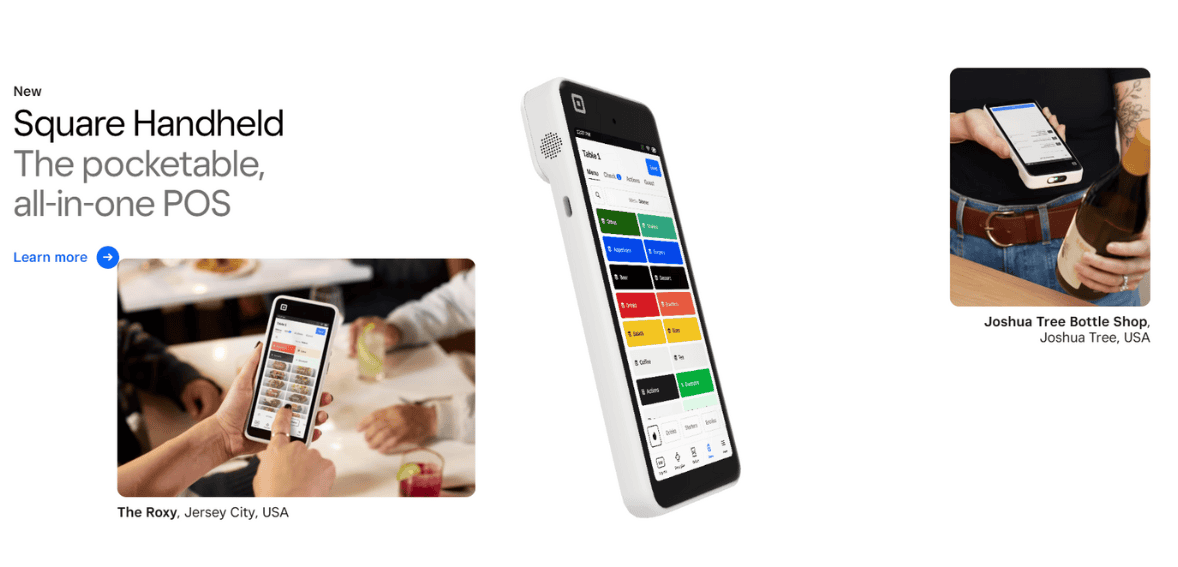
The Square POS is at the heart of our offering, designed to handle transactions and business management. Available as a free app for iOS and Android, it works with Square’s own hardware or compatible third-party devices. You can process payments, manage inventory, track sales and generate reports all within the POS.
It’s versatile enough for any industry – retail, restaurants, service providers. Retailers can use it to scan barcodes, manage product catalogs and track stock levels in real time. Restaurants can use table mapping, order customization and kitchen display system integration. Service providers can schedule appointments, send invoices and accept payments on-site.
Customization is a big plus – you can adjust tax settings, enable or disable tipping and create custom receipts. The POS also syncs with the Square back-end dashboard so your data is available across devices. The core POS software is free but some industry specific features may require paid add-ons or subscriptions like advanced employee management tools or marketing features.
Performance is generally smooth, but the system does rely on a stable internet connection for optimal functionality. Offline mode is available, allowing businesses to accept card payments without immediate connectivity, but transactions are processed once the device reconnects. This makes the POS suitable for both fixed-location and mobile businesses. Overall, Square POS combines ease of use with flexibility, though some advanced features may require additional investment.
Payment Processing Capabilities
Square supports a broad range of payment methods, making it adaptable for modern consumer preferences. Merchants can accept major credit and debit cards, contactless payments like Apple Pay and Google Pay, and chip card transactions. Payments can be processed in person via card readers or terminals, online through Square’s checkout pages, or remotely using payment links and invoices.
The platform’s processing speed is competitive, with funds typically deposited into the merchant’s bank account within one to two business days. Instant transfer options are available for a small additional fee, allowing same-day access to funds. For businesses with consistent cash flow needs, this can be a significant advantage.
It operates on a flat-rate pricing model, charging a set percentage plus a fixed fee per transaction. While this simplifies cost calculations, high-volume businesses may find interchange-plus pricing from other providers more economical. One area of caution is Square’s risk assessment process; transactions deemed suspicious can result in temporary account holds, which may disrupt business operations.
It also provides built-in tools for refunds, partial payments, and tipping, as well as options to split payments across multiple methods. Recurring payments can be set up through the invoicing system, making it suitable for subscription-based businesses. Overall, Square’s payment processing capabilities are robust and flexible, though businesses should weigh the convenience of flat-rate pricing against potential cost implications at higher transaction volumes.
Square Hardware Options
It has hardware for all types of businesses and sizes. The simplest is the Square Reader, a tiny device that plugs into a smartphone or tablet to process chip and contactless payments. Perfect for mobile vendors, market stalls and service providers on the go.
For countertop setups the Square Stand turns an iPad into a full POS system, with a built in card reader and swivel display for customer interaction. The Square Terminal is a self contained device with a touchscreen, receipt printer and built in card reader, for businesses that need a portable but full payment solution. The Square Register is a full POS station with a customer facing display, for higher volume retail or hospitality environments.
All hardware integrates seamlessly with Square’s software, so transaction data syncs automatically. Hardware pricing is transparent, you can buy outright or through installment plans. Durability and design are generally good, but some users note that some devices need to be charged regularly or have limited peripheral compatibility compared to traditional POS systems.
Square’s hardware lineup provides flexibility for businesses to start small and upgrade as needed, making it a scalable choice. However, since the devices are proprietary, switching to another provider later may require investing in new hardware, which is worth considering for long-term planning.
Square for Online Businesses
Square has expanded its offerings to cater to online sellers, providing tools to manage e-commerce operations alongside in-person sales. Merchants can set up a free online store using Square’s website builder, which supports product listings, shopping carts, and secure checkout. The platform also integrates with popular e-commerce systems like WooCommerce, Wix, and BigCommerce, allowing sellers to use Square as their payment processor while retaining their preferred storefront design.
Online checkout options include customizable payment buttons, hosted checkout pages, and payment links that can be shared via email or social media. This flexibility makes it easy for small businesses to accept payments without a fully developed e-commerce site. Digital gift cards and customer loyalty programs can also be managed online, helping businesses build repeat sales.
Square’s online payment processing includes fraud detection measures and PCI compliance, ensuring transactions are secure. Shipping tools allow sellers to manage orders, print labels, and provide tracking information, while inventory management syncs across online and offline channels to prevent overselling.
One limitation is that advanced e-commerce features, such as abandoned cart recovery or advanced SEO tools, may require third-party integrations or a paid plan. Nonetheless, for small to mid-sized online businesses, It provides an accessible entry point into e-commerce with minimal setup complexity. It’s particularly well-suited for merchants who operate both online and offline, offering unified reporting and customer data across sales channels.
Square Invoicing and Recurring Payments
It offers a built-in invoicing feature that allows businesses to create, send, and manage invoices directly from the dashboard or mobile app. This functionality is beneficial for service-based businesses, freelancers, and contractors who often need to bill clients after work is completed. Invoices can be customized with branding, itemized charges, and payment terms, making them look professional while providing clarity to the customer.
Recurring payment support is a bonus. Businesses can set up automatic billing for subscriptions, memberships or ongoing services. This helps stabilize cash flow and reduces manual follow up as customers are charged automatically according to the schedule you set. Payment reminders and overdue alerts are included to minimize late payments.
Invoices can be sent via email or as a payment link and customers can pay with cards, ACH transfers or digital wallets. Once payment is received Square will update the transaction record automatically so your accounting and sales data is accurate. Invoicing is free to use but standard payment processing fees apply.
Limitations include fewer advanced automation options than dedicated invoicing platforms and some users may find the customization options basic. But for most small to medium sized businesses Square’s invoicing and recurring payment tools are a simple and integrated way to bill your clients without needing separate software.
Square’s Business Management Tools
Beyond payment processing, It has developed a suite of business management tools that help merchants streamline day-to-day operations. Inventory management is a core function, allowing businesses to add products, track stock levels, and receive low-stock alerts. Inventory updates sync across online and offline sales channels, helping prevent overselling.
Square also offers employee management tools, including time tracking, permission settings, and performance reporting. These are particularly useful for businesses with multiple staff members handling transactions. The system can track sales by employee, aiding in performance evaluation and commission tracking.
Analytics and reporting features give merchants insights into sales trends, best-selling products, peak business hours, and customer spending habits. Reports are accessible from both desktop and mobile, making it easy to monitor performance in real time. Marketing tools are also integrated, enabling businesses to send email campaigns, offer discounts, and run loyalty programs.
While many of these tools are included in the free POS software, certain advanced features require paid subscriptions. This includes deeper analytics, team management with advanced roles, and expanded marketing capabilities.
Businesses that need more specialized or industry-specific features may still prefer dedicated software, but Square’s integrated approach offers the convenience of having multiple tools in one ecosystem.
Square Banking and Financial Services
It has expanded into financial services with offerings such as Square Banking, Square Loans, and instant transfer options. Square Banking provides business checking and savings accounts with no monthly fees, and accounts are directly linked to the merchant’s Square sales for faster access to funds. Savings accounts offer interest, and balances can be earmarked for specific goals, like tax payments or equipment upgrades.
Square Loans is an alternative financing option for merchants, offering short term business loans that are repaid as a percentage of daily sales. This can be better for seasonal or fluctuating revenue streams but may be more expensive than a traditional bank loan. Loan offers are based on sales history in the Square system so newer merchants may not qualify immediately.
Instant transfer allows merchants to move funds from Square sales into their linked bank account in minutes for a small fee. This is great for businesses that need quick cash flow, like paying suppliers or payroll. While Square’s banking features are convenient and integrated, they are only available in select countries and some features may not be as full featured as a traditional bank. But for small businesses that want simplicity and speed these financial tools can be a nice add on to the payment platform.
Security and Compliance
Security is a critical aspect of any payment processing service, and Square incorporates multiple layers of protection to safeguard transactions and customer data. All payments processed through Square are encrypted from end to end, and the company maintains PCI DSS compliance, meaning merchants don’t have to handle their own PCI certification.
It also employs fraud detection systems that monitor transactions in real time to identify suspicious activity. When potential fraud is detected, transactions may be flagged or accounts temporarily frozen for review. While this is important for security, it can be disruptive for businesses if legitimate transactions are caught in the process.
Customer data is stored securely, and merchants have access to tools that allow them to manage refunds, disputes, and chargebacks within the dashboard. It also educates merchants about best practices, such as keeping devices updated and using secure networks for transactions. Overall, Square’s security approach balances ease of compliance for the merchant with active fraud prevention. However, businesses operating in high-risk industries should be aware that they may face more frequent holds or account reviews, which could affect cash flow.
Pricing and Fees
Square uses a flat-rate pricing model that is easy to understand. For most in-person transactions, the fee is a fixed percentage plus a per-transaction amount. Online transactions and keyed-in payments have slightly higher rates to account for greater fraud risk. There are no monthly fees for the core POS software, and hardware can be purchased outright or in installments.
The advantage of this model is transparency; merchants know exactly what they will pay per sale, without hidden charges or tiered rates. This is especially appealing for small businesses or those with fluctuating sales volumes. However, high-volume merchants may find that flat rates are more expensive compared to interchange-plus pricing from other processors.
Square does not charge setup fees, PCI compliance fees, or account maintenance costs, which further simplifies cost management. Additional services, like advanced team management, loyalty programs, or marketing campaigns, may carry subscription costs. It’s important for businesses to factor in the processing fees when setting prices or budgeting, particularly for low-margin goods. The simplicity of Square’s pricing is a major draw, but it’s not always the cheapest option for every merchant type.
Customer Support and Service Experience
Square provides multiple support channels, including a help center, community forums, email support, and phone support during business hours. The help center is well-organized, with articles, guides, and video tutorials covering setup, troubleshooting, and feature usage. Community forums allow merchants to share experiences and solutions.
Phone support is available but requires a customer code generated from the Square dashboard, which some users find inconvenient. Response times for email queries can vary, and while many customers report satisfactory resolutions, others note challenges when dealing with urgent account issues like payment holds.
It also offers live chat in certain regions, which can be more convenient for quick questions. Social media channels are active, and the company occasionally responds to queries there as well. Overall, Square’s customer support is functional and well-documented, but some merchants may prefer more direct, 24/7 assistance, particularly for businesses operating outside regular hours or with time-sensitive needs.
Pros and Cons of Square
Square’s main strengths include its ease of setup, user-friendly interface, and integrated ecosystem that combines payment processing with business management tools. The flat-rate pricing is simple to understand, and there are no long-term contracts or hidden fees. The range of hardware options makes it adaptable for different business models, and its e-commerce capabilities help merchants operate both online and offline.
On the downside, Square’s flat-rate fees can be costly for high-volume merchants, and account holds may occur if transactions are flagged for review. Availability is limited to specific countries, and some advanced features require paid add-ons. Hardware is proprietary, which can limit flexibility if switching providers later.
For many small to mid-sized businesses, these trade-offs are acceptable given the convenience and functionality Square offers. However, merchants with complex needs or very high transaction volumes may want to compare alternatives before committing.
Who Should Consider Square?
Square is good for small businesses, startups and mobile vendors who want simplicity, flexibility and integration. It’s perfect for independent retailers, restaurants, cafes, market stall operators, service providers and e-commerce sellers who want one platform for payments, inventory and basic business management.
Businesses with seasonal or variable sales will love the no monthly fees, while service based businesses can use invoicing and recurring payments. It is easy to use for entrepreneurs who don’t have dedicated IT staff. But high volume merchants or those who need industry specific features may find better options with providers who offer custom pricing or more advanced tools. International businesses should also check availability before choosing Square.
FAQs
Is Square suitable for high-volume businesses?
Square can handle high transaction volumes, but its flat-rate pricing may be more expensive compared to interchange-plus pricing models. Large merchants should calculate projected fees before deciding.
Does Square require a long-term contract?
No, Square operates without binding contracts, allowing merchants to start or stop services as needed without penalties.
Can Square be used internationally?
Square is available only in select countries. Merchants should verify availability and supported currencies before signing up, especially if they plan to sell internationally.

Skrill Review
By 10topmerchantservices August 12, 2025
Skrill has emerged as a well-known name in the world of digital wallets and online payment services. Originally launched in 2001 under the brand name Moneybookers, the company later rebranded to Skrill and became part of the Paysafe Group. Over the years, it has grown from a niche solution used primarily for online gambling payments to a broad financial service platform catering to individuals, businesses, freelancers, and cryptocurrency users. Lets read more about Skrill Review.
With a presence in over 120 countries and support for more than 40 currencies, It serves a wide audience seeking flexible digital transactions. The platform includes digital wallet services, prepaid cards, crypto functionalities, and e-commerce payment integration. While it offers significant utility, users have expressed mixed experiences, especially around its fees and customer support.
Getting Started with Skrill: Setup and Navigation | Skrill Review
Signing up to Skrill is easy. You start with an email and password and then add personal details such as name, address, date of birth and currency. For full functionality, especially higher limits, ID verification is required. This usually means uploading a government ID and proof of address. In some cases they may ask for a live video or selfie for verification purposes.
The web interface is clean and intuitive and easy to get to the core features like sending money, adding funds or viewing transactions. It also has mobile apps for iOS and Android. The mobile apps are designed to mirror the web experience closely so the layout and access is the same.
However some users have reported slower load times or bugs in the mobile app, especially on certain devices or older operating systems. Navigation is generally easy, but some advanced features like crypto management or prepaid card linking may require a few extra clicks. These are clearly explained but the execution sometimes feels less slick than modern fintech apps.
Despite these hiccups, it manages to offer a user experience that’s functional and accessible. Improvements in load speed and mobile responsiveness would make it even better, especially for users engaging in frequent transactions.

Core Features and Wallet Capabilities
Skrill’s core value lies in its versatile digital wallet. Users can send and receive money globally, fund their account via bank transfer, debit/credit card, or local payment methods, and transact in multiple currencies.
One of Skrill’s standout features is the ability to pay online without exposing sensitive banking details. This is especially popular with users on gaming, betting, and forex platforms that accept Skrill. In addition to standard wallet services, users can opt for a Skrill Prepaid Mastercard, which allows in-store and online spending, as well as ATM withdrawals.
The wallet supports over 40 fiat currencies and offers currency conversion within the app. It also allows users to buy, sell, and hold cryptocurrencies like Bitcoin, Ethereum, and Litecoin. While this feature makes it convenient to experiment with crypto trading, it lacks the option to transfer digital assets to external wallets, which may deter more serious investors.
Another noteworthy component is the Knect loyalty program. Users earn points for various transactions, which can later be redeemed for vouchers or bonuses. However, the rewards are relatively modest and unlikely to make a major financial impact for most users.
Other features include support for recurring payments, instant deposits to partnered platforms, and integrations with various e-commerce systems. That said, not all features are available in every country, and some require higher verification tiers, which can lead to confusion or frustration.
International Money Transfers with Skrill
International money transfers are one of Skrill’s main features. You can send money to bank accounts in over 180 countries within 1 to 3 business days. Transfers between Skrill wallet holders are instant so perfect for quick personal payments or business settlements.
Transfers can be funded with wallet balances, local banking options or cards. It also has a parallel service called Skrill Money Transfer. This one allows you to send money directly to a recipient’s bank account without them needing to have a Skrill account, which is a bonus. It is faster than many traditional banks. But compared to fintechs like Wise or Revolut, Skrill’s international fees and currency conversion markups make it not the most cost effective for big or frequent transfers.
Also note that not all countries are supported. In some regions you might face restrictions or need specific banking networks for transfers to work. So while Skrill is great for small to mid size transactions, it’s not the best solution for high volume international remittances.
Skrill and Cryptocurrency
Skrill includes built-in crypto functionality, allowing users to buy, sell, and hold several popular cryptocurrencies. This service provides exposure to digital assets like Bitcoin, Ethereum, and Litecoin without the need to manage an external wallet or use a separate exchange platform.
For users who are just getting into crypto or want a simplified solution, this feature is a convenient bonus. The interface for crypto transactions is beginner-friendly and integrates seamlessly with the main wallet dashboard.
However, the inability to withdraw crypto to an external wallet is a major limitation. This means users cannot transfer assets to cold storage or other exchanges, which diminishes Skrill’s appeal for anyone taking crypto investment seriously. The service is best suited for casual traders who want basic access to the crypto market without needing deep technical knowledge. For those who need complete control over their assets, other platforms offer more flexibility and lower fees.
Skrill for Freelancers and Online Professionals
Skrill is a viable tool for freelancers and remote workers who require quick access to international payments. With support for multiple currencies and instant transfers between Skrill users, it helps eliminate delays often experienced with bank wires or check payments. Some freelance platforms even support Skrill directly as a payment method. Additionally, users can withdraw funds to local bank accounts or load them onto the Skrill Prepaid Mastercard for easy spending.
The downside here is the fee structure. Currency conversions and withdrawal fees can significantly reduce earnings, particularly for freelancers who work across multiple currencies. Also, while setting up an account is simple, verification delays can interrupt access to funds, which is problematic for professionals on tight schedules. Despite these caveats, Skrill remains a popular choice among digital workers, particularly in countries where access to PayPal or other wallets is limited or unavailable.
Skrill for Online Businesses
Skrill positions itself as a payment gateway for e-commerce merchants and digital service providers. It offers integration with popular platforms such as WooCommerce, Magento, and Shopify. Businesses can accept payments from customers worldwide, convert them into preferred currencies, and manage payouts using a unified dashboard.
The platform also supports recurring payments, making it a decent fit for subscription services. For platforms with multiple vendors, it can process split payments, helping streamline accounting and payouts. This solution is particularly attractive to businesses in higher-risk industries like online gaming, forex, or adult content, where traditional processors often impose restrictions. It offers them a more flexible pathway to accepting global payments.
However, merchants should be mindful of the fees. International transactions and certain card types can incur higher charges. Also, Skrill’s chargeback management system is limited compared to providers like Stripe or PayPal. Businesses with high refund or dispute volumes may find it lacking in resolution support.
Pricing and Fee Structure
Skrill’s fees are one of the most hated. Sending to another Skrill user is free, but most other services have fees. Adding funds via credit card is 2.5%, and withdrawals to a bank account or card have separate fees depending on the country and method.
Currency conversion fees are big. Skrill charges 3.99% above the wholesale rate. If you’re dealing with international clients or vendors, this adds up fast and eats into your profits. One of the most annoying fees is the inactivity fee. If you don’t log in or do a transaction for 12 months, Skrill will start charging you a monthly maintenance fee which can drain small balances over time. While the platform is fast and convenient, these come at a cost. It is best for users who value access and ease of use over cost. Budget users should check the full fee schedule before committing.
Mobile App Performance
Skrill’s mobile app is functional and mirrors the web interface in both appearance and features. Users can send money, check balances, manage crypto, and receive notifications on transactions. Security features like biometric login enhance convenience, and real-time alerts help users track financial activity. The app also allows access to support tools and account settings, including identity verification uploads.
However, app reviews reveal a mixed picture. While many users appreciate the app’s accessibility and layout, others report issues with lag, bugs after updates, and difficulty uploading documents for verification. These inconsistencies may be tied to device compatibility and operating system versions.
Despite its imperfections, the app is a dependable tool for on-the-go users. It provides a reasonable level of control and visibility for most use cases, though frequent travelers or digital nomads may still prefer more agile fintech apps.
Security and Regulatory Compliance
Skrill is regulated. It’s authorized and regulated by the UK’s FCA so it has to comply with legal and financial security requirements. The platform uses industry standard encryption and 2 factor authentication to protect accounts. Email confirmations are required for sensitive actions and data privacy is aligned with EU’s GDPR and anti-money laundering laws.
Skrill’s verification requirements serve a purpose. Some users may find them annoying but they are necessary to reduce fraud and to verify transactions.
But user feedback often points to account freezes or verification delays that can disrupt service. These happen without clear communication and that hurts trust. Skrill could use more transparent support workflows in these cases.
Customer Support Experience
Support is a known weak spot for Skrill. While the platform offers email, live chat (for verified users), and a Help Center, the overall experience is inconsistent. Many users report delays in getting responses or difficulty in resolving urgent issues. Account access problems, verification delays, and flagged transactions are some of the most common complaints. The Help Center provides articles and troubleshooting guides, but finding answers to account-specific concerns is often a frustrating process.
Skrill does offer better support for VIP users, including faster response times and dedicated account managers. However, this service tier is only accessible to high-volume users. In general, customer support could benefit from improved responsiveness and clearer escalation paths. For users relying on Skrill for critical payments or business operations, current support quality may not meet expectations.
Pros and Cons of Using Skrill
Skrill has a lot to offer in terms of versatility and access. Its ability to handle global transactions, support for multiple currencies, and broad platform integration make it appealing to a wide user base. On the plus side, it enables secure, quick online payments without sharing banking details. The mobile app, prepaid Mastercard, and crypto options expand its utility further. It also fills gaps in markets where traditional banks or wallets have limited reach.
On the downside, its fees can be steep, especially for cross-border transactions and currency conversions. The lack of external crypto withdrawals, inconsistent support, and region-specific feature limitations are also concerns. Skrill is ideal for international freelancers, casual crypto users, and merchants in niche industries. However, if low fees, advanced financial tools, or strong support are top priorities, users might prefer alternatives like Wise, Payoneer, or Revolut.
Conclusion
Skrill stands as a versatile digital wallet with a global footprint, offering enough features to meet the needs of individuals and businesses. While it shines in accessibility and function, especially for international payments, its drawbacks in cost transparency and customer service can’t be overlooked. The platform works best for users who value convenience and global reach. But for those who are more cost-conscious or need consistent support and full crypto control, Skrill may not be the final answer.
FAQs
Is Skrill safe for handling large international transactions?
Yes, Skrill is regulated by the UK Financial Conduct Authority and follows strong encryption and security protocols. Identity verification and compliance with data protection laws further enhance its trustworthiness.
Can you withdraw cryptocurrencies from Skrill to external wallets?
No, Skrill currently does not support external crypto wallet withdrawals. You can only buy, sell, and hold digital assets within the Skrill platform.
What are Skrill’s biggest disadvantages?
The primary concerns are high currency conversion and service fees, limited customer support, and lack of advanced features like crypto transfers. Users should review the fee structure carefully before choosing Skrill.

Sage Payment Solutions (Paya) Review
By 10topmerchantservices August 7, 2025
Sage Payment Solutions began as part of The Sage Group, a global business software provider with a strong foothold in accounting and enterprise solutions. Initially tailored to serve the North American market, Sage Payment Solutions offered integrated payment processing tools to small and midsize businesses, particularly those already using Sage accounting software. The service aimed to streamline how businesses accepted and managed payments across various channels. Lets read more about Sage Payment Solutions (Paya) Review.
In 2017, a significant shift occurred when private equity firm GTCR acquired Sage Payment Solutions for $260 million. This move marked the beginning of the platform’s transformation, culminating in a complete rebrand to “Paya” in early 2018. The rebranding wasn’t just cosmetic. It aligned with a broader goal of positioning the company as a standalone payment technology provider with a sharper focus on innovation and flexibility.
Under the Paya brand, the company expanded its product lineup and emphasized modern cloud-based tools. It started targeting a broader range of industries, including education, healthcare, nonprofits, and field services. This strategic repositioning helped Paya stand apart from legacy payment processors by offering more vertical-specific solutions.
In 2023, Paya was acquired by Nuvei, a global payments technology company, further strengthening its infrastructure and product capabilities. While Paya retains operational autonomy, the acquisition is expected to open new international opportunities. Overall, the company’s journey from a software-dependent processor to a standalone, API-driven platform shows a clear evolution driven by changing market needs.
Core Services and Product Offerings | Sage Payment Solutions (Paya) Review
Paya offers payment processing for online and offline businesses. This includes credit and debit card processing, ACH transfers, eChecks and mobile payments. Businesses can process payments through countertop terminals, mobile devices, virtual terminals and integrated systems.
One of Paya’s main features is its proprietary payment gateway, Paya Connect which powers most of its payment processing. It allows merchants to process payments securely and access additional tools such as tokenization, reporting dashboards and customer data management. Paya also offers recurring billing making it a great solution for subscription based businesses and service providers. Merchants can create custom billing cycles, manage automatic payments and send digital invoices to customers.
The virtual terminal is another key feature which allows merchants to process payments through any internet connected device without needing physical hardware. This is great for service based businesses or remote billing situations. Paya’s solutions are designed to be flexible and industry-agnostic, but the company has clearly made a push to cater to niche industries. Healthcare, education, government, and nonprofit sectors benefit from specialized workflows and features that align with their regulatory and reporting needs.
Overall, Paya’s service range aims to balance simplicity for small businesses with customization for more complex organizations. It’s not the most feature-heavy platform in the market, but it offers enough tools to support a diverse range of payment needs without overwhelming the user.
Payment Gateway: Paya Connect
Paya Connect is the backbone of Paya’s payment processing technology. As a cloud-based platform, it acts as both a payment gateway and a merchant control center, giving users the ability to handle transactions, set up integrations, and manage billing within a single interface.
One of the platform’s strengths is its open API framework, which allows developers to build custom payment experiences or embed payment functionality directly into existing applications. This flexibility is particularly useful for software vendors or businesses with in-house IT teams looking to streamline payment workflows.
Security is central to Paya Connect’s design. It uses tokenization and encryption to safeguard sensitive payment information, along with built-in tools to manage fraud and maintain PCI compliance. Role-based access controls can also be configured to limit who sees what within the system, which helps businesses manage internal data access responsibly.
Paya Connect also supports advanced features such as real-time transaction monitoring, custom reporting, and customer data storage. These tools allow merchants to track trends, identify failed transactions, and manage customer profiles, all from a central dashboard. The platform is built to support both one-time and recurring payments, making it ideal for businesses that bill on different cycles. Despite its technical capabilities, Paya Connect is generally well-reviewed for its ease of use, offering a clean interface and intuitive navigation.
While it may not offer every feature found in enterprise-level platforms, Paya Connect provides a solid foundation for businesses that value both control and simplicity in their payment processing infrastructure.
eCommerce and POS Integrations
Paya supports many integrations across online and in-store. For eCommerce merchants we connect to Shopify, Magento, BigCommerce and WooCommerce. These integrations give you seamless checkout, real-time payment confirmation and automatic syncing of customer and order data.
For physical POS systems Paya supports many terminal types and POS software suites. Merchants can choose from countertop models, mobile card readers and full-featured POS systems depending on their business needs. This flexibility lets retailers and service providers design payment workflows that fit their environment.
Paya’s payment gateway is designed for omnichannel commerce so businesses can unify their payment systems across online and offline channels. This can simplify reporting, inventory management and customer tracking. For developers and software providers Paya Connect’s API allows custom integration into 3rd party applications. This is especially helpful for businesses that use industry specific platforms like practice management software in healthcare or donor platforms in non profit sectors.
Although the platform handles most standard eCommerce and POS use cases, it lacks some of the plug-and-play integration depth found in competitors like Stripe or Square. Businesses with advanced or unique integration needs may require development resources to fully utilize Paya’s capabilities. In summary, Paya provides solid integration options for standard retail and service environments, but businesses should assess their customization needs before committing.
Recurring Billing and Invoicing Features
Paya offers practical recurring billing and invoicing tools that are especially useful for businesses with subscription models or long-term service contracts. Through the Paya Connect platform, merchants can schedule automatic payments on daily, weekly, monthly, or custom cycles. This automation reduces administrative burden and minimizes missed payments.
Invoices can be generated directly within the platform and sent via email, often with embedded payment links for ease of collection. These invoices are customizable, allowing businesses to include branding, detailed service descriptions, and payment terms. The system also supports partial payments and tax configurations, which is a plus for businesses managing complex billing structures.
Merchants can monitor invoice status in real time, viewing which payments are pending, completed, or overdue. Automated reminders can be sent to customers before or after due dates, which helps improve collection rates without the need for manual follow-ups.
The recurring billing system supports both card-based and ACH payments, giving customers flexibility in how they pay. For businesses operating in regulated industries, this tool also maintains compliance by storing payment authorization securely and logging audit trails.
While Paya’s invoicing tools are functional and reliable, they are more utility-driven than design-focused. Businesses looking for sleek, customer-facing invoicing experiences may find Paya’s interface a bit plain compared to competitors that prioritize user experience. Still, for functionality and consistency, the recurring billing and invoicing features are a core strength of the platform, especially for service-based businesses.
Security, Compliance, and Risk Management
Security and compliance is non-negotiable when it comes to payment processing and Paya takes it seriously. The platform is PCI-DSS compliant and has a range of built in features to reduce fraud and protect customer data.
One of the biggest protections Paya offers is tokenization, which replaces sensitive card details with encrypted placeholders. This reduces the risk of data breaches and means merchants never have to handle raw card data. Coupled with P2PE Paya provides a secure transaction environment for online and in-person payments.
Paya Connect also has real time transaction monitoring and fraud prevention tools. These tools detect suspicious activity, flag potential chargebacks and apply transaction limits or filters. Merchants can configure risk rules by industry, region or payment type. For merchants in regulated industries like healthcare or nonprofit, Paya has audit logs and role based access controls, so administrators can assign permissions based on job responsibilities. This is especially useful for larger businesses where payment data is accessed by multiple departments.
In terms of compliance documentation, Paya provides tools to help businesses generate reports for tax, audit, or regulatory needs. These tools are especially helpful during financial reviews or external audits. Overall, Paya’s security and compliance infrastructure is robust and aligns well with industry standards. It doesn’t introduce groundbreaking security innovation, but it covers all critical bases effectively.
Usability and Merchant Experience
The user experience within Paya Connect is designed to be practical and straightforward. The dashboard offers a clean layout with clear navigation, allowing users to access key functions like transaction history, invoicing, and customer profiles without needing a steep learning curve.
Setting up a new account is generally simple. The onboarding process includes step-by-step guidance, and the initial configuration of payment methods, invoicing settings, and user roles can be completed quickly. Businesses without IT teams often find this accessibility helpful, especially if they’re transitioning from manual or legacy systems.
Once operational, merchants can track real-time payments, view transaction summaries, and pull reports directly from the dashboard. The ability to search by customer, invoice, or payment method makes day-to-day management convenient. The system also supports mobile-friendly access, although it lacks a dedicated merchant mobile app. This may be a drawback for merchants who require mobile-first interfaces or need to accept payments in the field regularly.
User reviews commonly highlight the platform’s consistency and reliability, though some note that the interface could benefit from design updates or more personalization options. Compared to some modern fintech tools, Paya Connect may feel utilitarian, but it avoids clutter and prioritizes function over flash. For businesses that prefer minimal learning curves and functional stability, Paya delivers a solid user experience without overwhelming features.
Customer Support and Service Options
Customer service plays a critical role in the payment industry, especially when dealing with issues like chargebacks, integration hiccups, or payment delays. Paya offers support through multiple channels, including phone, email, and an online ticketing system. Business hours are standard, with phone support available Monday through Friday. Emergency technical issues may receive attention faster, but merchants with after-hours needs may find the support window somewhat limiting.
Paya also provides a knowledge base with articles, how-to guides, and troubleshooting steps. While these resources are helpful, they are more functional than in-depth. Users looking for detailed API documentation or advanced configuration tips may find the support library somewhat thin. Onboarding assistance is available, and many merchants receive personalized help during setup. For businesses that require more involved integration or data migration, Paya does offer consultation and support packages.
User feedback on support is mixed. Some merchants report quick response times and helpful agents, while others have cited delays or inconsistent communication. Like many mid-size payment platforms, the support experience can vary depending on the complexity of the issue and the size of the merchant account. Overall, Paya’s customer service is reliable for day-to-day needs but could benefit from stronger documentation and broader hours of support.
Pricing Structure and Contract Terms
Pricing transparency can be a challenge in the payment processing world and Paya is no exception. They offer customized pricing based on a merchant’s volume, industry and risk profile. So upfront pricing is not always available without talking to a sales rep. Typical cost components are per transaction fee, monthly account fee, gateway fees and possibly fees for add on features like recurring billing or PCI compliance support. The structure is industry standard but it can be hard for new businesses to estimate their total monthly cost upfront.
Contracts vary, some merchants are offered month to month plans while others are tied to annual agreements. Early termination fees may apply depending on the plan chosen so be sure to read the fine print. Paya doesn’t position themselves as a low cost provider and businesses shouldn’t expect rock bottom rates. They offer value through flexibility and industry specific features. But prospective users should negotiate fees and ask about all potential charges before signing up.
In conclusion, Paya’s pricing model is serviceable but not fully transparent. Businesses that prioritize cost predictability may find better clarity with flat-rate processors, while those needing more customization might find Paya’s flexible approach worth the trade-off.
Ideal Use Cases and Limitations
Paya is best suited for small to midsize businesses that need flexible payment tools without requiring enterprise-level complexity. Industries like healthcare, field services, nonprofits, and education benefit from its features like recurring billing, ACH support, and invoicing.
Its strength lies in customizable workflows, integration capabilities, and security features that align well with regulated or service-based sectors. Businesses that already have accounting software or client management tools and need to integrate payment processing into those systems will appreciate the developer-friendly API environment.
However, there are some limitations. Businesses with high transaction volume or those looking for real-time analytics, mobile-first capabilities, or global payment expansion might find the platform’s depth limited. Additionally, the lack of upfront pricing and potential long-term contracts may be a drawback for startups or budget-conscious businesses.
Another consideration is user interface. While reliable, Paya Connect may feel outdated compared to competitors that offer more modern UI/UX or mobile-native tools. In summary, Paya is a solid choice for businesses seeking functional, secure, and moderately customizable payment solutions. It is not the most innovative platform in the market, but it balances reliability and adaptability well for organizations with niche needs.
Frequently Asked Questions
1. Is Paya (formerly Sage Payment Solutions) suitable for small businesses?
Yes, Paya is suitable for small to midsize businesses, particularly those that need recurring billing, invoicing, and ACH payments. However, pricing should be reviewed carefully.
2. What types of payment methods does Paya support?
Paya supports credit cards, debit cards, ACH transfers, eChecks, and mobile payments. It also works with online platforms and POS systems.
3. Does Paya offer strong security features?
Yes, Paya includes tokenization, encryption, PCI compliance tools, and fraud prevention features. It meets standard industry security requirements.

ProMerchant Review
By 10topmerchantservices August 5, 2025
ProMerchant is a US based payment processor designed for simplicity, speed and transparency. They cater to small to mid-sized businesses, especially those looking for a hassle free alternative to the big legacy payment processors. With fast approvals and responsive service ProMerchant has gained popularity among merchants who value clarity in contracts and flexibility in pricing. Lets read more about ProMerchant Review.
Unlike many processors that rely heavily on automation ProMerchant has a human led application and support process. Business owners work directly with representatives who guide them through the approval and onboarding process which can be a big plus for entrepreneurs who are new to merchant services. This hands on model combined with month to month contracts makes the provider a great fit for new or growing businesses.
Not as techy as some of the bigger names ProMerchant doesn’t try to be everything to everyone. Instead they focus on providing reliable merchant accounts, basic hardware and software solutions and strong customer service. They bank on transparency rather than over promising features.
Account Setup and Approval Process | ProMerchant Review
One of the most appreciated aspects of ProMerchant is its quick and straightforward approval process. The application can be completed online or over the phone, and most merchants receive a decision within 24 to 48 hours. Unlike providers that rely on rigid, algorithm-based approval systems, ProMerchant assigns a real person to evaluate each application individually. This personalized approach helps businesses that may not have a strong processing history or fall outside the “ideal” profile for traditional processors.
There’s no extensive documentation required to get started. ProMerchant typically asks for basic business details, ownership information, and a voided check or bank verification to link accounts. For higher-risk categories, such as travel or nutraceuticals, additional information may be requested, but this is handled on a case-by-case basis.
Importantly, ProMerchant doesn’t lock merchants into long-term contracts. Most accounts are offered on a month-to-month basis, and there are no setup fees or application fees. This flexibility is ideal for startups or seasonal businesses that may want to test a payment processor without committing financially upfront.
That said, since approvals are manually reviewed, there’s a degree of subjectivity. Some businesses may be declined based on risk level or previous chargeback history, though ProMerchant tends to be more accommodating than high-volume processors. While it may not be a perfect fit for every industry, its accessible approval model is a standout feature for merchants seeking a personalized onboarding experience.
Product and Service Overview
ProMerchant offers a range of payment solutions for different business models – brick-and-mortar, mobile and online. At the heart of it all is the traditional merchant account which allows you to accept major credit and debit cards. This can be paired with in-person card readers, virtual terminals and ecommerce integrations depending on your business needs.
For physical retail or service businesses ProMerchant offers countertop terminals and mobile card readers. These devices can process EMV chip cards, magnetic stripe cards and contactless payments like Apple Pay and Google Pay. The mobile solutions are iOS and Android compatible so whether you’re a home repair business or a food truck you have the flexibility to go wherever your business takes you.
Online businesses can use ProMerchant’s virtual terminal or integrate payment gateways into their ecommerce stores. The virtual terminal allows for manual card entry, invoicing and recurring billing – all through a secure browser based interface. It may not have all the bells and whistles of advanced automation or analytics dashboards but it gets the job done for basic payment needs.
If you accept checks ProMerchant also offers ACH transactions so you can do recurring bank debits for things like memberships or subscription services. There’s no fancy proprietary software or app ecosystem but it’s functional for businesses that prioritize simplicity and compliance over tech heavy features. Overall, ProMerchant delivers a well-rounded, reliable suite of tools tailored for essential payment processing without unnecessary add-ons.
Pricing Structure and Contract Terms
ProMerchant stands out for its transparency in pricing. The company offers two options: interchange-plus pricing and flat-rate pricing. You choose based on your volume and complexity. Both options have no hidden fees so you know what you’re paying for.
With interchange-plus you pay the wholesale cost of each transaction (set by Visa, Mastercard, etc.) plus a small fixed markup. Good for businesses with consistent monthly volume and lower risk. Flat-rate is good for newer businesses that want simplified accounting. ProMerchant does not require long term contracts. Most merchants are on month to month agreements with no early termination fee. Most of the industry requires 3 year contracts with early termination fees. This gives you the flexibility to try the service without being locked in for years or paying penalties to get out.
There are no setup fees, no PCI compliance fees, and no monthly minimums. That said, pricing may vary depending on the business type, processing volume, and chosen plan. While the lack of upfront fees is attractive, it’s still wise for merchants to request a full fee disclosure during onboarding.
Compared to larger processors, ProMerchant’s pricing is competitive and refreshingly straightforward. While it may not always be the absolute cheapest, the absence of complex surcharges and surprise costs offers real value.
Payment Processing Features
When it comes to core payment functionality, ProMerchant covers the essentials well. It enables businesses to accept all major credit and debit cards, both in-person and online. Transactions are processed securely with end-to-end encryption and full PCI DSS compliance. The company also supports ACH processing for businesses that prefer direct bank transfers, which is useful for subscription models or high-ticket transactions.
One useful feature is the virtual terminal, which allows merchants to accept payments by phone or through a web browser. This is particularly helpful for service providers and B2B businesses that don’t operate through physical storefronts or ecommerce platforms. Within the terminal, merchants can also set up recurring billing, issue digital invoices, and track payment history.
ProMerchant’s mobile processing tools are designed for flexibility. Merchants can pair card readers with smartphones or tablets, enabling secure swipes, chip reads, or tap-to-pay transactions. These are especially useful for businesses that operate at events, markets, or in the field.
Though ProMerchant doesn’t offer an advanced proprietary analytics dashboard, it does provide basic reporting and reconciliation tools. These include transaction summaries, batch reports, and deposit tracking. Overall, ProMerchant focuses on delivering secure, functional, and reliable payment processing without unnecessary complexity. While it may not include cutting-edge innovations or integrations out of the box, it covers the ground most small businesses need to operate efficiently.
Hardware and Software Options
ProMerchant offers a selection of standard payment hardware suited for both retail and mobile businesses. This includes countertop terminals compatible with EMV, NFC, and magstripe cards. These terminals are sourced from reliable manufacturers like Verifone or Ingenico, which are widely used across the industry.
Mobile card readers are also available and can be paired with a smartphone or tablet. These devices allow merchants to accept payments on the go, with support for chip and contactless payments. This is especially useful for businesses like food trucks, mobile vendors, or in-home services. The mobile setup is simple and can be operated via an app or browser-based interface.
For ecommerce businesses or those operating remotely, ProMerchant’s virtual terminal acts as a software-based alternative to hardware. It doesn’t require any installation and runs directly through a secure online portal. Businesses can key in card details manually, set up recurring payments, and generate digital invoices.
One limitation is the lack of proprietary software or an all-in-one POS system. Unlike some providers that bundle inventory management or employee tracking tools with their hardware, ProMerchant sticks to the basics. This can be seen as either a strength or a drawback, depending on the business’s needs. In short, ProMerchant’s hardware and software offerings are dependable and straightforward. They’re best suited for businesses that want secure, functional tools without unnecessary bells and whistles.
Ecommerce Capabilities
ProMerchant offers a solid foundation for ecommerce businesses, though it may not be the most advanced platform in the market. Merchants looking to accept payments online can integrate with popular shopping carts and platforms using third-party gateways like Authorize.net. While ProMerchant does not offer its own proprietary shopping cart system, it provides the flexibility to connect with existing ecommerce solutions.
The company’s virtual terminal also supports invoicing and remote payments, allowing service businesses or freelancers to send payment links or take card information over the phone. While not as robust as full ecommerce suites, this functionality is sufficient for many online-first businesses or hybrid models.
Security is a strong point; ProMerchant ensures that all online transactions are processed with PCI compliance, tokenization, and SSL encryption. These features protect sensitive data and reduce the risk of fraud. There’s also support for recurring billing and subscriptions, which is valuable for ecommerce companies with membership or subscription models.
That said, ProMerchant may not be ideal for large-scale ecommerce operations that require advanced features like abandoned cart recovery, customer loyalty integration, or in-depth sales analytics. It’s designed for simplicity and works best for small to medium-sized online stores. If your business primarily sells online but doesn’t require complex ecommerce features, ProMerchant’s integration options and virtual terminal provide a secure and functional payment solution.
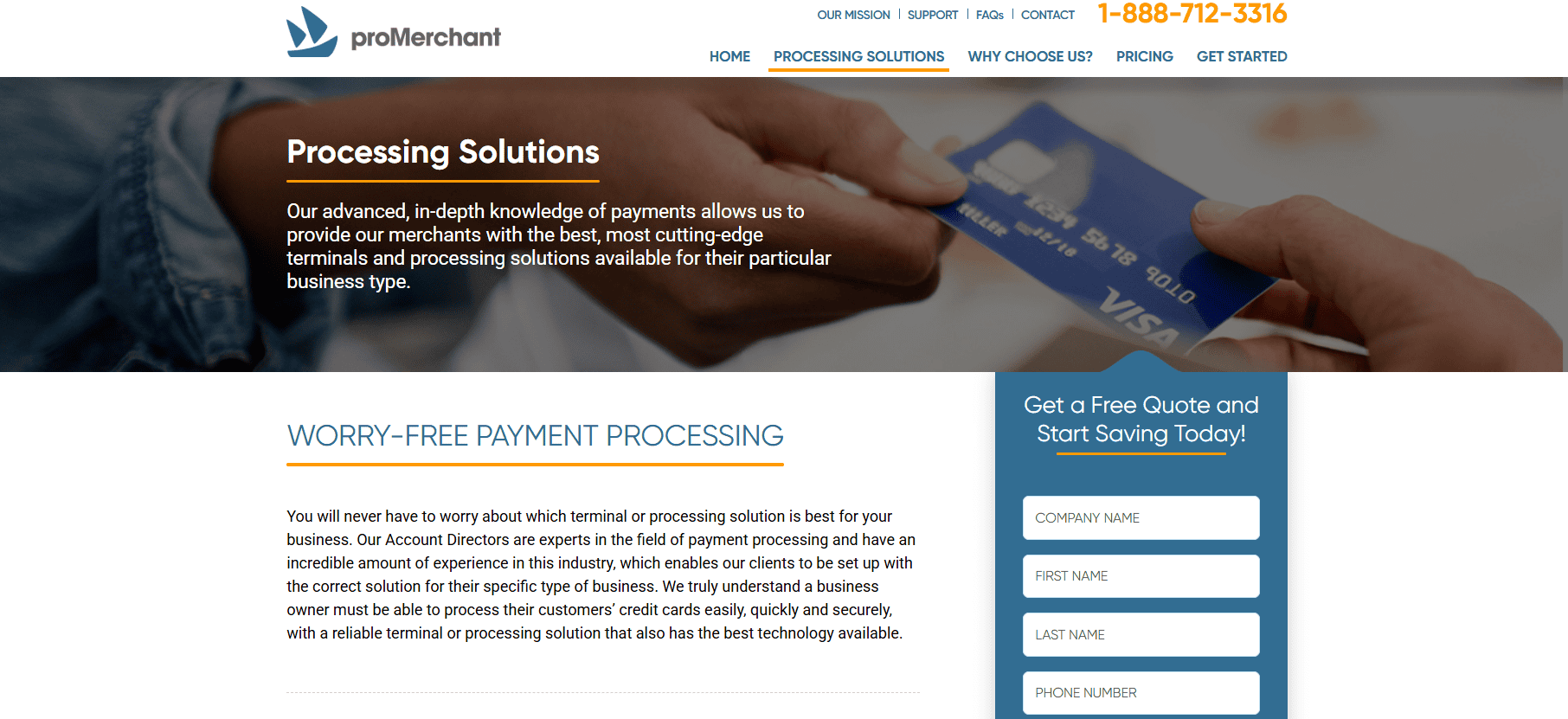
Customer Support and Service Quality
Customer service is one of the best parts of ProMerchant. Unlike many providers who route you through automated systems or big call centers, ProMerchant assigns a dedicated account rep to each merchant. This person becomes your main point of contact for onboarding, troubleshooting and day to day account management.
Support is available by phone and email during business hours and response times are usually quick. Many customers love the personal touch of support especially when dealing with transaction, chargeback or technical setup issues.
During onboarding, ProMerchant reps will walk you through the account setup process, help configure the hardware and explain pricing. This is super helpful for small business owners who may not be familiar with payment processing or industry practices. But ProMerchant doesn’t offer 24/7 live support or a large self-help knowledge base. If you’re a business that operates late hours or needs real-time technical support, this might be a limitation.
Still, the majority of reviews highlight customer service as a strong point. The proactive, one-on-one approach sets ProMerchant apart from larger processors that prioritize volume over relationship-building. For businesses that value responsiveness and continuity in their service experience, ProMerchant delivers a high level of satisfaction.
Pros and Cons
Like any provider, ProMerchant has its strengths and weaknesses. One of the biggest advantages is its transparent, no-contract pricing. Businesses are not locked into long-term agreements, and there are no hidden fees or early termination penalties. This makes ProMerchant a low-risk option for merchants exploring new processing relationships.
Another major pro is the personal customer service. Having a dedicated representative is a rarity in the payment industry, especially for smaller businesses. This ensures more consistent communication and quicker resolutions when issues arise. ProMerchant is also accommodating newer businesses and some high-risk categories. The manual underwriting process allows for flexibility that many automated platforms don’t offer.
On the downside, ProMerchant lacks some of the bells and whistles seen in competitors’ platforms. There is no proprietary POS system, limited analytics tools, and fewer integrations with third-party business software. It also does not support 24/7 customer service, which may be a drawback for businesses operating outside normal hours. Overall, ProMerchant is a solid option for merchants who prioritize clarity, service, and ease of use over technological innovation.
Who Should Use ProMerchant?
ProMerchant is perfect for small to medium sized businesses that want a simple, supportive payment processor. It’s great for startups, service providers and retailers who are fed up with confusing contracts, hidden fees or unresponsive support from bigger processors. Businesses that operate in-person – whether in a retail location or mobile environment – will love the hardware and mobile solutions. Those with lean ecommerce operations will find the virtual terminal and gateway integration sufficient.
It’s also a good fit for business owners who want to work with a real person throughout the payment processing journey. From setup to support, the company offers a level of personal service that many competitors don’t. But businesses that need deep integration with POS systems, inventory tools or CRM platforms will find ProMerchant too basic. Those that need 24/7 support or international payment processing may want to look elsewhere. If your business needs a dependable, low-friction way to accept payments with the comfort of no long-term commitment, ProMerchant is a strong contender worth evaluating.
FAQs
Q1: Does ProMerchant accept high-risk businesses?
A: ProMerchant reviews applications on a case-by-case basis. While it is not a dedicated high-risk provider, it does work with some industries that traditional processors reject.
Q2: Is there a long-term contract or cancellation fee?
A: No, ProMerchant offers month-to-month agreements with no early termination fees, making it a flexible option for small businesses.
Q3: Can I integrate ProMerchant with my existing POS or shopping cart?
A: Yes, ProMerchant supports many third-party integrations through common gateways like Authorize.net. Compatibility should be confirmed during onboarding.

Pineapple Payments Review
By 10topmerchantservices August 1, 2025
Pineapple Payments is a Pittsburgh based payment processor that started in 2016 with a mission to provide flexible and modern payment solutions for businesses of all sizes. Built to bridge traditional processing infrastructure with new technology the company gained early traction through partnerships with TSYS and First Data. This gave them credibility and a reliable processing backbone. Lets read more about Pineapple Payments Review.
They serve a wide range of industries including retail, healthcare, non-profits and professional services. They support in-person, online and mobile payment methods so merchants can centralize their payment workflows without switching between multiple providers. Their tools are great for businesses looking for a seamless omnichannel experience.
In 2021 Pineapple Payments was acquired by Fiserv, a financial services giant. This move positioned the company for further growth by aligning them with a global payment processing leader. The acquisition also expanded Pineapple’s reach and product offerings so they could have more robust integrations and long term platform stability.
Overall, Pineapple Payments presents itself as a tech-forward option for merchants looking to simplify payments without sacrificing reliability. It may not have the household name recognition of Square or Stripe, but its focus on custom solutions and strong infrastructure makes it a legitimate contender for businesses that need both flexibility and dedicated support. For merchants who prioritize service and scalability, Pineapple Payments offers a balance of innovation and dependability.
Key Features and Capabilities | Pineapple Payments Review
Pineapple Payments provides a broad suite of payment tools tailored to meet the diverse needs of modern businesses. Its services extend beyond basic credit card processing to include features that enhance operational efficiency and customer experience. Whether you’re accepting payments online, in-store, or on-the-go, the platform offers solutions that are designed to work in tandem.
One of its standout capabilities is its omnichannel integration. Businesses can process payments through a point-of-sale terminal, a virtual gateway, or a mobile device, all while managing their transactions from a unified dashboard. This centralized approach benefits businesses that operate across multiple touchpoints, like those with both retail and eCommerce operations.
The platform also supports recurring billing, secure invoicing, ACH transfers, and tokenization. These tools are particularly helpful for service-based industries, subscription businesses, and healthcare providers that depend on reliable and secure payment flows. Another highlight is its flexibility with integrations. Pineapple Payments can plug into third-party platforms like Salesforce, Magento, and WooCommerce, allowing businesses to maintain their existing systems without a complete overhaul. It also offers API access for businesses with more customized requirements.
While Pineapple Payments is feature-rich, it stops short of offering deep vertical-specific tools, such as restaurant management software or salon scheduling systems. It is best positioned as a generalist payment provider with a strong focus on transaction management and system compatibility. For businesses seeking core payment functionality with the ability to expand and customize, Pineapple Payments offers a compelling mix of tools and technology.
Payment Processing Technology
Pineapple Payments combines its own software with back-end integrations from big processors to give you a solid and scalable tech stack. By partnering with TSYS and First Data, we give you access to secure and proven infrastructure and modern interfaces and developer-friendly options. We support multiple payment environments: in-store, online, mobile and virtual. This is key for businesses that are hybrid or omnichannel. For example, a retailer with a physical POS can also sync their data with an online store and see real-time analytics across both.
API access is another big part of our tech offering. We give you APIs for businesses that want to build custom payment workflows or integrate payment processing into their existing platforms. This is especially useful for SaaS providers or businesses with complex backend systems. Additionally, Pineapple Payments uses tokenization and encryption to ensure PCI compliance and data protection. These security measures help reduce the scope of compliance responsibilities for merchants while keeping transaction data safe from breaches or misuse.
However, the platform’s reliance on third-party processors means that some technical limitations may stem from its partners rather than Pineapple’s own systems. This may affect feature availability or support response times in certain scenarios. In essence, Pineapple Payments delivers a modern payment infrastructure built on dependable foundations. While it doesn’t build every piece of the puzzle itself, it assembles the components into a tech stack that works effectively for most business environments.
Point-of-Sale and Hardware Options
Pineapple Payments offers a range of point-of-sale hardware and terminal solutions to meet different business needs. Whether you’re operating a storefront, a mobile business, or a service-based company, the hardware options are designed to enable quick and secure transactions across environments.
The company supports well-known terminals such as Clover, Dejavoo, and PAX, providing merchants with flexibility in choosing devices that fit their operational model. Businesses can opt for countertop terminals, mobile card readers, or integrated POS systems based on their sales volume and physical setup. All hardware supports EMV chip cards, magstripe, and NFC payments like Apple Pay and Google Pay.
One of the platform’s strengths lies in its support for omnichannel operations. For example, a business can use a mobile reader in the field and sync those transactions with their in-store records. This cohesion is critical for accurate reporting and inventory tracking. Installation and setup are generally straightforward, with most terminals pre-configured for plug-and-play use. Pineapple also provides support for hardware troubleshooting and replacement, which adds to its appeal for businesses without in-house IT teams.
However, the hardware offerings are primarily focused on general retail and service industries. Businesses in highly specialized niches may require additional third-party software to complete their POS needs, particularly in areas like hospitality or event management. Overall, Pineapple Payments delivers dependable, secure, and flexible POS options that support a variety of business models while ensuring ease of use and compatibility.
eCommerce and Gateway Solutions
Pineapple Payments has eCommerce tools for businesses that sell online. Our payment gateway is easy to integrate with most shopping cart systems so customers have a seamless checkout experience. Whether your site is on Shopify, WooCommerce, Magento or a custom CMS, we have flexibility and compatibility.
Key features include hosted payment pages, recurring billing and customer tokenization for faster repeat transactions. These are great for subscription based businesses, nonprofits accepting donations or any business model that relies on customer retention and ease of repeat payments.
As for security the platform meets PCI DSS standards and has fraud protection tools like CVV validation, AVS checks and address verification. These help reduce chargebacks and build customer trust during online transactions. The virtual terminal allows businesses to take payments over the phone or via email without a physical POS. This is great for B2B services, healthcare providers or businesses with manual invoicing workflows.
API documentation is available for developers who want to customize the checkout experience or integrate the gateway into their existing apps. While not as advanced as Stripe in developer tools, Pineapple’s APIs are functional and provide enough flexibility for most use cases. Overall, Pineapple Payments delivers a well-rounded suite of online tools that make it easier for businesses to accept and manage payments across web and mobile platforms.
Partner Programs and White Labeling
One of the lesser-known but strategically significant areas of Pineapple Payments is its focus on partnerships. The company offers a range of programs tailored to Independent Software Vendors, Value-Added Resellers, and Independent Sales Organizations looking to offer branded payment solutions to their clients.
Through its white-labeling capabilities, partners can integrate Pineapple’s payment infrastructure under their own brand, creating a seamless experience for end-users while managing their own client relationships. This is particularly useful for software providers that want to embed payment functionality without building it from scratch.
Revenue-sharing agreements and flexible onboarding processes are other strong points of the partnership model. Pineapple provides sales support, residual reporting, and co-branded marketing assets to help partners grow their portfolios. The company also offers dedicated account management for partner channels, which adds to the appeal for businesses that value high-touch support.
Integration tools and APIs are made available to help partners develop and customize the payment experience for their customer base. Whether it’s embedding a checkout form or syncing transaction data with a CRM, Pineapple aims to be a collaborative partner rather than just a vendor.
While this program may not be relevant for every business, it’s an important advantage for companies in the payments or software ecosystem. Pineapple’s ability to scale its solutions through partnerships strengthens its position as a flexible and forward-looking provider.
Customer Support and Service Experience
Customer support is a significant consideration when evaluating any payment processor, and Pineapple Payments tends to score well in this area. The company offers multiple support channels, including phone, email, and live chat, and is known for providing dedicated account managers to many of its clients.
Unlike some processors that push users toward self-service portals or outsourced help desks, Pineapple aims to offer more personalized service. Small and mid-sized businesses often appreciate this hands-on approach, especially during setup or when troubleshooting hardware or integration issues. User feedback indicates that the support team is generally responsive and knowledgeable, particularly in helping merchants navigate technical concerns or compliance questions. Pineapple’s customer-first reputation is one of its stronger differentiators compared to larger, more impersonal processors.
That said, some aspects of customer support, especially issues that relate to backend partners like First Data, can be subject to delays or process constraints. Because Pineapple sometimes acts as a middleware layer rather than the direct processor, resolution timelines may vary depending on the complexity of the problem.
Still, for most day-to-day concerns, the platform offers fast and competent assistance. The availability of dedicated onboarding support is also a plus for new users who may be unfamiliar with merchant accounts or payment integrations. For businesses that value human support and want a provider that doesn’t rely entirely on automated systems, Pineapple Payments offers a dependable service experience.
Pricing Structure and Transparency
Pineapple Payments doesn’t list flat rate pricing on their website as they offer custom quotes based on business size, volume and risk profile. So pricing transparency can vary depending on the sales process and the plan negotiated. They typically operate on an interchange plus pricing model which is more cost effective for businesses that process higher volumes. This model separates the card network fees from the processor’s markup so you can see where the costs are.
Other fees may include monthly service fees, PCI compliance fees and early termination penalties depending on the merchant agreement. While many businesses say Pineapple is fair in their pricing, not having a standard rate sheet can make it harder to compare to other providers at the beginning. Onboarding and consultation is free and in some cases hardware may be included at a discount or no upfront cost depending on the contract. Customization and flexibility in pricing is a strong point especially for businesses with specific requirements or those that process high volumes.
In summary, while the pricing model is competitive and negotiable, prospective users should carefully review the merchant agreement. Asking for a detailed breakdown and clarification of all potential charges during the onboarding phase is essential for avoiding surprises later.
Pros and Cons of Using Pineapple Payments
Pineapple Payments has several notable strengths that make it a strong contender for many businesses. One of its most appreciated qualities is its omnichannel capability. Whether you’re operating online, offline, or across both, Pineapple provides tools that help unify your payment operations. Another key advantage is its partnership model, offering APIs and white-labeling options for software providers. This level of customization is not as common in mid-tier processors, giving Pineapple an edge for businesses with technical resources.
Customer support is another plus. The company provides responsive service, onboarding assistance, and dedicated account managers for many merchants. This is especially valuable for businesses without in-house payment expertise. However, Pineapple Payments is not without its limitations. Its pricing is not entirely transparent, and potential users need to go through a consultation process to receive a custom quote. This can make initial comparisons more complex for businesses shopping around.
Additionally, since it relies on backend partners like TSYS or First Data, some features and service timelines may be influenced by those networks. This could be a limitation for businesses wanting a single-source provider.
Finally, while the platform works well for most industries, it may not have deep vertical integrations for specialized use cases like restaurants, salons, or appointment-based businesses. Overall, Pineapple Payments is best suited for businesses seeking flexibility, reliable technology, and personalized service, especially those operating across multiple channels.
Ideal Business Types for Pineapple Payments
Pineapple Payments is designed for many types of businesses but is best suited for those who need a flexible omnichannel solution and service driven support. This includes small to mid-sized businesses that want to consolidate online and in-person payments under one roof.
Retailers with both brick-and-mortar and eCommerce channels will love the centralized transaction dashboard and integrated reporting. Service providers such as healthcare professionals, law firms and B2B vendors will find value in the invoicing, recurring billing and virtual terminal.
Nonprofits and educational institutions will find the platform useful for secure online donation or tuition portals. The tokenization and recurring billing tools make it easy to process repeat payments securely which is key to donor retention and subscription based services.
Pineapple’s custom API access and white label capabilities make it a great choice for software providers and ISVs looking to add payment processing to their platform. However, it may be less ideal for very small businesses or solopreneurs who need a fast, plug-and-play solution with flat-rate pricing. It is also not a great fit for high-risk businesses, as approval is typically based on risk category and processing history. For growing businesses seeking scalability and personalized service, Pineapple Payments offers a strong middle ground between basic processors and full-scale enterprise systems.
Frequently Asked Questions
Q1: Is Pineapple Payments suitable for high-risk businesses?
A: Pineapple Payments generally focuses on low to moderate-risk industries. High-risk merchants may face additional scrutiny during underwriting and are advised to consult directly with the sales team.
Q2: Can Pineapple Payments integrate with custom software or CRM systems?
A: Yes, the platform provides APIs and integration support for custom software, CRMs, and eCommerce platforms. Compatibility should be verified on a case-by-case basis.
Q3: Does Pineapple Payments support international payments?
A: Pineapple Payments is primarily focused on U.S.-based businesses. International capabilities may be limited, especially for cross-border merchant accounts.
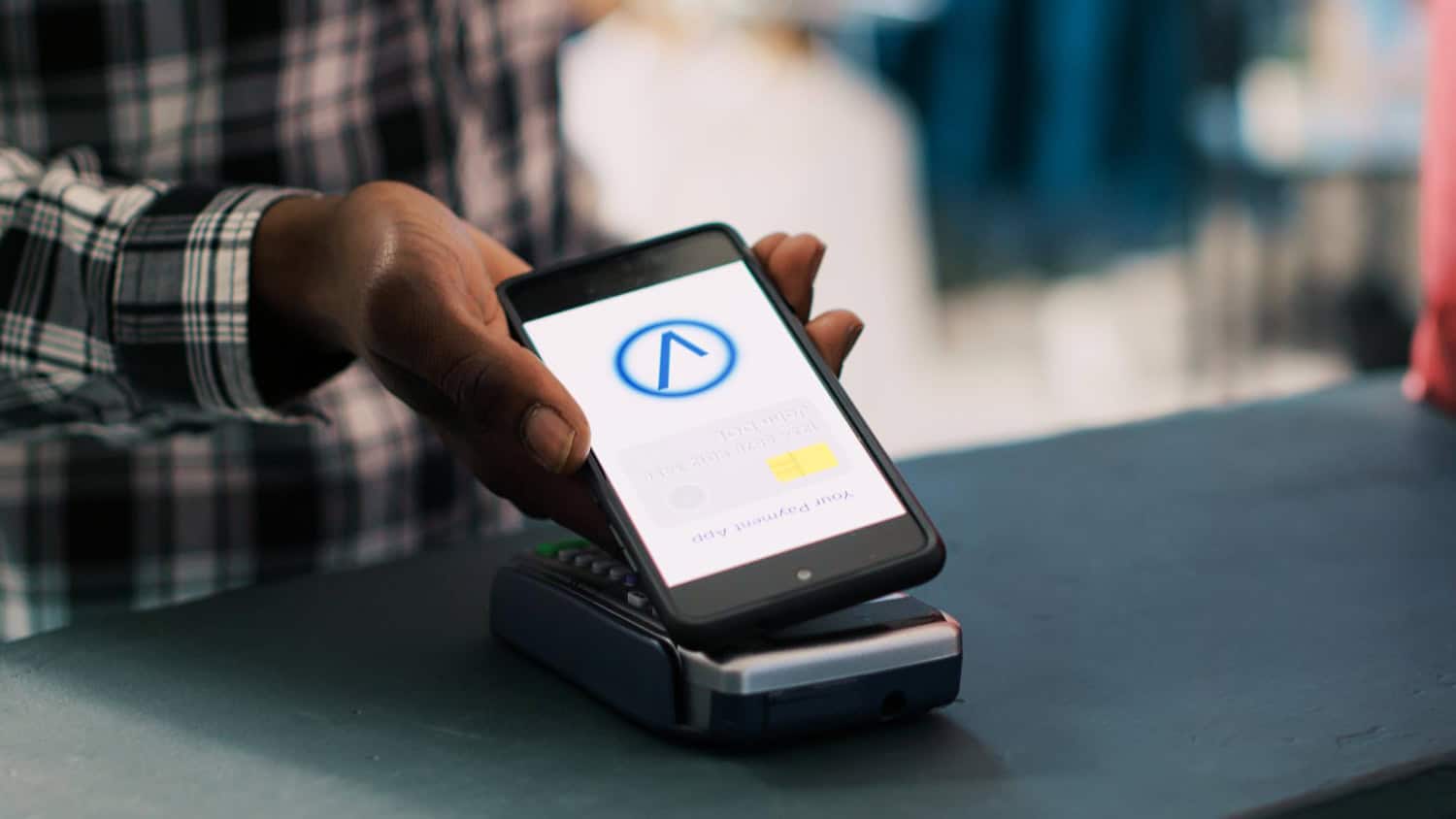
Shopify Payments Review
By 10topmerchantservices July 30, 2025
Shopify Payments is Shopify’s built in gateway designed to make it easy for merchants to accept payments on their store. Instead of using external processors like Stripe or PayPal, you can accept credit and debit cards directly through Shopify. Transactions, payouts and payment data are all handled in the same place where you manage your inventory and orders. The goal of Shopify Payments is to reduce setup, improve merchant experience and eliminate fees from third party gateways. It also simplifies PCI compliance by using industry standard security through Shopify’s infrastructure. Lets read more about Shopify Payments Review.
But Shopify Payments isn’t without limitations. It’s not available in all countries and excludes some business types considered high risk. If you switch from Shopify Payments to another processor, Shopify charges an extra fee on each transaction processed through the new gateway. If you want a one stop shop, Shopify Payments can be a good fit. But you need to check eligibility, supported products and transaction volume. If you qualify, it’s cost and operationally efficient. If not, it might not give you the flexibility or savings you need.
Key Features of Shopify Payments | Shopify Payments Review
Shopify Payments stands out for how deeply it integrates with the Shopify ecosystem. There’s no need to register with third-party services or manually verify accounts. Once a Shopify store is verified, payment processing is automatically activated from the main dashboard. Merchants can accept all major card brands like Visa, MasterCard, American Express, and Discover. It also supports Apple Pay and Google Pay for digital transactions. Shop Pay Installments, available in some areas, lets customers buy now and pay later, potentially increasing average order value.
Basic fraud detection tools are included and help flag suspicious activity. While not as advanced as enterprise tools, they offer essential safeguards without extra integration. Another useful aspect is multi-currency functionality. Sellers can price products in a shopper’s local currency while receiving payouts on their own. This helps with cross-border commerce. The mobile-optimized checkout experience further improves transaction ease across devices. These tools are best suited for smaller businesses or new store owners. For large-scale operations needing in-depth analytics or custom payment flows, Shopify Payments may feel limited. Still, for most Shopify merchants, the offering is more than sufficient.
Setup and Integration Process
Shopify Payments is designed to be super easy to set up. In supported countries, merchants can turn it on in their admin panel by entering basic business and banking info and ID verification. No external dashboards or complex setup like Stripe or Authorize.Net. Setup takes under 10 minutes, full verification might take a couple of days. Once turned on, you can start accepting payments right away. Since it’s built in, no API configurations or plugins needed.
Third party gateways require separate logins, integration work and syncing across systems. For non technical users, this can be a delay and a frustration. One thing to note is Shopify’s transaction fee for using external gateways. If you turn off Shopify Payments, Shopify will charge between 0.5% and 2% on each transaction depending on your plan. This extra cost makes alternatives less appealing. Overall, the simplicity and native setup of Shopify Payments makes it a great choice for merchants who want to get started without technical hurdles or extra dashboards.
Payment Methods and Supported Currencies
Shopify Payments supports a broad range of popular methods. Customers can pay via major cards like Visa, MasterCard, Discover, and American Express. In some countries, region-specific methods like Bancontact, iDEAL, and Sofort are also available. Digital wallet payments such as Apple Pay, Google Pay, and Shop Pay are supported in major markets like the U.S. and Canada. Shop Pay speeds up checkout by allowing customers to store and reuse their information, reducing cart abandonment. This is particularly valuable for mobile shoppers.
A key benefit is multi-currency pricing. Merchants can show local prices to international shoppers while receiving payouts in their own currency. Shopify handles conversion using its own rate, adding a fee that usually ranges from 1.5% to 2%. Still, not every local method is supported globally. Features like UPI or certain mobile wallets may be unavailable in some regions. Currency support also depends on the merchant’s Shopify plan and location.
While Shopify Payments is strong for international sales, businesses operating in countries with limited support may still need additional gateways for a complete solution.
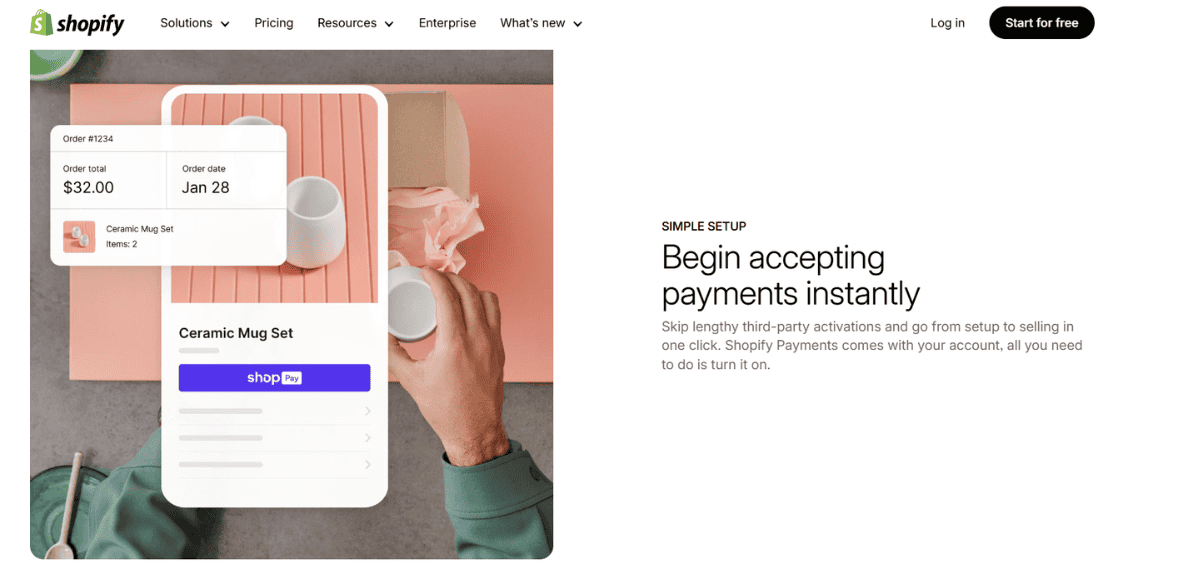
Fees and Pricing Structure
Shopify Payments uses a tiered pricing model tied to your Shopify plan and location. In the U.S., Basic plan users are charged 2.9% + 30¢ per transaction, while those on the Advanced plan pay 2.4% + 30¢. These rates are comparable to those offered by Stripe or Square, but better rates are unlocked with higher-tier Shopify plans.
A major advantage is the removal of Shopify’s added transaction fees when you use its own gateway. If you choose an external processor, Shopify charges a fee on each order, ranging from 0.5% to 2%, on top of what that processor charges. Other charges include currency conversion fees, usually 1.5% above the market rate when customers pay in a foreign currency. International card use may also trigger additional banking fees.
Chargebacks cost $15 per instance. While Shopify offers limited fraud tools, losses from chargebacks are only covered if the order is eligible under Shop Pay protection. For Shopify-centric businesses, the pricing is competitive. But international sellers or high-volume merchants should consider whether the added costs from conversion or card usage might affect margins.
Payouts and Settlement Times
Timely payouts are key and Shopify Payments delivers on that. Payouts are sent daily in most regions and usually hit the bank within 2-4 business days. For new accounts, the first payout may take longer due to verification. Merchants in supported countries can choose their payout frequency – daily, weekly or monthly – which gives you more control over your cash flow. Payout tracking is available in the Shopify dashboard so you can reconcile and plan your income.
This internal tracking eliminates the need for third party dashboards or manual syncing. All payment activity, including fees and chargebacks, is logged in one place. Compared to others, Shopify’s payout timing is standard. Stripe pays within 2 business days and PayPal can delay transfers especially for new sellers or large transactions. Shopify Payments doesn’t offer instant payouts.
You need a checking account in the store’s legal country. International bank transfers aren’t supported so you need to have a local account in a supported region. Overall, Shopify Payments is reliable but adding instant payout options would be great for cash flow merchants.
Security, Compliance, and Fraud Prevention
Shopify Payments takes a security-first approach. It is fully PCI DSS compliant, so merchants don’t have to go through the certification process themselves. All transaction data is encrypted and securely processed on Shopify’s servers. Basic fraud detection is included. These tools identify unusual activity, such as address mismatches or abnormally high order values. While they don’t match the sophistication of advanced fraud platforms, they offer a helpful early-warning system.
Chargebacks are managed with Shopify’s support, but the $15 fee applies whether or not the dispute is won. Protection is only available through Shop Pay on eligible purchases. Card data is tokenized and encrypted, keeping customer information out of merchant systems. Shopify also complies with 3D Secure regulations where required.
Merchants benefit from Shopify’s constant infrastructure monitoring, which helps detect suspicious behavior. However, businesses deemed high-risk may face delayed payouts or account holds during reviews. Shopify Payments offers sufficient protection for most small and medium businesses. Larger operations or those with higher fraud exposure may need additional tools to enhance security.
Performance with Subscriptions and Recurring Billing
With new APIs and improved app integrations, Shopify Payments now supports subscriptions more effectively. Merchants can run recurring billing through apps like Recharge and Bold Subscriptions, which work natively with Shopify’s checkout and backend. This is useful for subscription boxes, memberships, or service billing. Recurring charges are processed just like regular purchases and linked to customer profiles for smooth automation.
The experience is largely seamless. But not all apps work across every Shopify plan, and many charge additional monthly fees. Advanced use cases such as variable pricing or pro-rated charges might require custom solutions. Chargebacks and failed payments follow the same rules as single transactions. Shopify doesn’t offer native dunning tools, so merchants must rely on third-party apps for retry logic and follow-ups.
Shopify Payments is far more subscription-friendly than it was a few years ago. Still, businesses with complex billing cycles or scaling needs should assess whether the current options meet long-term requirements.
Limitations and Restrictions
Despite its strengths, Shopify Payments has limitations worth noting. It’s only available in selected countries like the U.S., Canada, Australia, and a few others. Merchants outside these areas must use a different gateway. Shopify also restricts certain business types. High-risk categories such as gambling, firearms, adult services, and CBD are not allowed. Even legal businesses can face holds or account reviews if Shopify detects risk.
Payouts may be delayed during such investigations. Some merchants have reported unexpected freezes, especially when experiencing sudden spikes in revenue or chargebacks. Shopify Payments is exclusive to Shopify’s platform. If you sell on other sites or marketplaces, you’ll need an additional processor. This lack of portability is a drawback for businesses with multichannel strategies. Reporting tools are basic. While suitable for general tracking, merchants needing deep financial analysis may find the system lacking in detail and flexibility. These limitations won’t impact all users, but they should be considered before fully committing to Shopify Payments as your only processing tool.
Who Should Use Shopify Payments?
Shopify Payments is best for small to medium-sized businesses that prioritize simplicity, integration, and cost control. If your business operates in a supported country and doesn’t sell restricted products, this gateway offers convenience with minimal complexity. Its advantages include fast setup, built-in security, and compatibility with Shopify features like Shop Pay and subscriptions. This makes it appealing for digital goods sellers, new ecommerce entrepreneurs, and global brands selling in multiple currencies.
However, larger enterprises may outgrow its features. Businesses needing advanced fraud tools, deep reporting, or external platform sales should consider other options. High-risk industries are also better served by alternative providers. If you already have a preferred gateway with better fees or tools, accepting Shopify’s added transaction fee might still be more cost-effective overall. In conclusion, Shopify Payments is a well-rounded solution for many but not all. It works best when fully aligned with Shopify’s platform and product offerings.
FAQs
Q1: Can I use Shopify Payments alongside another payment gateway?
Yes, you can enable PayPal or third-party processors alongside Shopify Payments. But if you disable Shopify Payments entirely, a per-order fee will apply.
Q2: Are there any hidden fees with Shopify Payments?
There are no hidden fees, but you should expect charges for currency conversion, international cards, and chargebacks. All fee details are listed in Shopify’s pricing documentation.
Q3: Is Shopify Payments available in all countries?
No. It’s available only in select regions like the U.S., UK, Canada, Australia, and a few others. Merchants in unsupported areas must use external gateways.

Shift4 Payments Review
By 10topmerchantservices July 28, 2025
Shift4 Payments is a US based fintech company that has a commerce platform that supports thousands of merchants across industries such as hospitality, retail, lodging, stadiums, restaurants and eCommerce. Founded in 1999 by Jared Isaacman (who launched the company at 16) Shift4 has grown into a public company with a large portfolio. In 2025 it is led by CEO Taylor Lauber with Isaacman as Executive Chairman. Based in Allentown, PA Shift4 owns its entire technology stack. This includes payment gateways, POS systems, acquiring services and software solutions. Owning the entire infrastructure allows Shift4 to streamline operations and reduce dependency on 3rd party vendors so merchants have a unified experience. Lets read more about Shift4 Payments Review.
Shift4 has grown aggressively through acquisitions. Notable purchases include VenueNext (stadium tech), 3dcart (now Shift4Shop), The Giving Block (for crypto donations) and Finaro (for international payments). These moves have taken Shift4 from a US focused payment provider to a global, vertically integrated technology company. Despite all the offerings Shift4 has received criticism from some merchants for unclear pricing and contract terms. Still it’s a great choice for enterprise merchants who want to have all their commerce operations managed by one vendor.
Core Payment Processing Solutions | Shift4 Payments Review
At the heart of Shift4’s service is secure, end-to-end payment processing across various channels. The platform handles large transaction volumes through its proprietary acquiring and gateway systems, supporting in-store, mobile, and online sales with robust speed and reliability. The platform accepts major payment types including EMV, magnetic stripe, contactless (Apple Pay, Google Pay), ACH, QR code payments, and crypto transactions via The Giving Block. It also supports subscription billing and secure card tokenization for recurring charges.
Because Shift4 owns the technology used to process payments, it can offer faster transaction settlement, real-time reporting, and deeper customizations. This vertical integration reduces reliance on external services, cutting down latency and operational inefficiencies. Shift4’s infrastructure is also optimized for omnichannel use. Merchants can manage physical and digital sales in one backend system, improving reconciliation and ensuring a consistent user experience. Its eCommerce arm, Shift4Shop, includes tools for fraud management, checkout optimization, and API access.
That said, Shift4 does not list standard pricing publicly. Merchants receive custom quotes based on their needs, so detailed review of contract terms is essential. For businesses seeking a powerful and unified payment system, Shift4 is among the most capable platforms available.
POS and Hardware Offerings
Under the SkyTab brand, It provides a comprehensive POS hardware suite designed for hospitality, retail, and large-scale venues. The lineup includes SkyTab Workstation (countertop), SkyTab Mobile (handheld), SkyTab Glass (software-only Android version), and kitchen display units; all equipped with Wi-Fi and 4G LTE connectivity for consistent uptime.
SkyTab is more than POS hardware; it’s a full business management tool. Restaurant-specific functions include tableside ordering, menu updates, tipping, and delivery apps. Retail features include barcode scanning, inventory alerts, and pricing tools with loyalty options. The system uses an Android-based OS with a modern, responsive UI. Regular over-the-air updates keep devices current without the need for manual installations. Hardware supports EMV and mobile payments and connects seamlessly with Shift4’s gift card and loyalty programs.
Shift4’s POS equipment integrates directly with its payment and reporting systems. However, this creates a potential lock-in issue; migrating to another provider could require hardware replacement or incur extra fees. For businesses wanting a single-provider system with full integration, SkyTab offers flexibility and strong enterprise-grade performance with centralized support.
Software Ecosystem and Integrations
It has built a large software portfolio through organic growth and strategic acquisitions. Shift4Shop, formerly 3dcart, is its flagship eCommerce platform that helps merchants launch online stores with built-in payments, marketing tools, SEO, CRM and analytics – making it a competitor to Shopify. Its POS software has advanced features like inventory control, staff management, customer insights and custom reports. Each solution is vertical specific – restaurants get kitchen routing, retailers get barcode tools and multi-location features.
A big differentiator is Shift4’s robust API and integration ecosystem. It connects to popular third-party platforms like Oracle MICROS, NCR Aloha, Agilysys and property management systems making it perfect for complex retail, lodging and entertainment operations. Large venues get mobile ordering and fan engagement through VenueNext, nonprofits and educational institutions get The Giving Block for crypto and fiat donations.
While the suite is flexible, onboarding may be complex for smaller teams without dedicated IT. Initial setup may require assistance. But the feature depth and flexibility makes Shift4’s software infrastructure good for long term digital strategy.
Security and Compliance
Security is a core focus for Shift4, which provides enterprise-grade protection and regulatory compliance tools. The company is PCI DSS Level 1 certified and uses P2PE to secure cardholder data during transactions. Tokenization services replace actual card data with random identifiers, allowing safe storage for recurring billing and loyalty programs without storing real numbers. This dual approach; encryption and tokenization; helps reduce breach risks. End-to-end encryption is standard across all channels; SkyTab, eCommerce, or third-party integrations; ensuring secure handling from swipe to settlement.
Additional tools include AVS and CVV validation, fraud scoring, and chargeback management. These help merchants identify risks and respond quickly to disputes. With Finaro’s acquisition, Shift4 now meets broader international compliance needs, including GDPR. This gives merchants peace of mind when operating globally. While the platform is highly secure, successful implementation depends on merchant participation. Businesses still need to maintain internal controls and educate staff on best practices for payment security.
Pricing Structure and Contract Terms
One of Shift4’s most scrutinized areas is its lack of transparent pricing. It does not publish fees online, instead providing tailored quotes based on merchant size, industry, and volume. It often markets “free” POS hardware bundled with long-term contracts. These arrangements usually require exclusive transaction processing with Shift4 for the contract duration (3–5 years), or merchants must pay buyout or early exit fees.
Costs can include processing rates, per-transaction fees, PCI charges, batch fees, and monthly minimums; though these vary by client. Some users report unexpected costs or difficulty clarifying details during negotiations. Larger merchants may benefit from this model due to their bargaining power. Smaller businesses may struggle to understand the full cost implications, especially if they expand locations or upgrade systems.
Before signing, merchants should request a complete breakdown of all recurring and one-time charges. Those considering “free” equipment should understand the terms tied to that offer, including volume commitments and cancellation clauses.
Customer Support and Onboarding
It offers 24/7 US-based support via phone and email to all customers. Additional help comes through tutorials, onboarding content and knowledge base resources online. New customers start with hardware setup and initial configuration. Restaurants and retailers get hands-on help for menu creation, staff permissions and system connections. Many merchants report great onboarding experiences especially with authorized resellers.
Customer service is mixed. Larger customers get faster response times and dedicated managers. Small business customers sometimes get delays or department hand-offs when resolving complex issues. The SkyTab interface is easy for staff to learn. Managers get mobile tools to oversee operations during onboarding or changes.
Multi-location businesses or those that need special integrations may have longer setup times. Consistent communication with implementation teams is key to minimizing delays. Overall Shift4’s onboarding is structured and scalable but service levels vary by business size and support tier.
Shift4’s Value-Added Features
In addition to core processing it offers several add-on tools for marketing, loyalty and analytics. These features help merchants build customer relationships and make better decisions. The loyalty platform allows businesses to reward customers with discounts, point systems or seasonal perks. Gift card functionality – digital and physical – is integrated into the POS system for seamless use and tracking.
Managers can use Shift4’s business intelligence tools to monitor labor costs, sales performance and inventory metrics. Dashboards are accessible from any device for real-time insights. For restaurants QR code menus and online ordering streamline service and increase efficiency. These tools improve the guest experience and boost order volume.
Shift4Shop also supports campaign marketing, cart recovery, and multichannel eCommerce. Businesses can manage listings across social, marketplaces, and their own websites. Additionally, The Giving Block facilitates crypto donations for nonprofits and education sectors, expanding giving options in an increasingly digital donor landscape.
While many features are standard, others may require activation or plan upgrades. Businesses should verify what’s included to ensure alignment with expectations.
Pros and Cons of Using Shift4
Pros
End-to-end ownership of hardware, gateway, software, and acquiring
Industry-specific tools for hospitality, entertainment, retail, and nonprofits
Unified experience across mobile, online, and in-store
Expanded global capabilities through Finaro
Built-in extras like loyalty, crypto support, and advanced analytics
Cons
No public pricing; custom quotes can hide total costs
Smaller merchants may receive slower support
Hardware is closely tied to ecosystem, limiting switch options
Setup complexity may challenge less tech-savvy teams
Shift4 shines when used as a holistic platform, but commitment and understanding of terms are vital.
Ideal Business Types for Shift4
It works best for medium to large businesses with high transaction volume and complex operational needs. It’s a strong fit for restaurants, hospitality chains, sports venues, and entertainment businesses that need integrated POS, reporting, and mobile features.
Event-based businesses benefit from VenueNext’s capabilities, while mission-based organizations can leverage The Giving Block. Retailers wanting seamless online and in-store tools will appreciate the Shift4Shop-SkyTab combination. Businesses with international plans can explore Finaro’s multi-currency processing. Smaller companies may find Shift4 too layered or contract-heavy. Simpler platforms with flat pricing could be better suited for them.
FAQs
Q1: Is Shift4 good for small businesses?
Shift4 is built for larger operations. Its complex setup and contract terms may be too much for small businesses or startups.
Q2: Can I use Shift4 without its hardware?
Partially. While integrations are available with third-party systems, the platform performs best with Shift4’s own SkyTab hardware.
Q3: Does Shift4 support international payments?
Yes. Since acquiring Finaro in 2023, Shift4 supports global transactions, including multi-currency processing across Europe and other markets.

SecureNet Review
By 10topmerchantservices July 23, 2025
SecureNet is a payment gatewayzplatform that supports businesses in-person and online. Originally an independent processor, SecureNet was acquired by Worldpay in 2014 and gained access to their global infrastructure. Since then it has been a modular and developer friendly payment experience for businesses of all sizes. Lets read more about SecureNet Review.
At its core SecureNet combines payment acceptance, real-time reporting and risk management into one system. The service covers everything from POS systems and mobile readers to e-commerce APIs and gateway tools. This full featured framework is for businesses that want to consolidate vendors and reduce 3rd party integration headaches.
But SecureNet doesn’t have the same brand recognition as Stripe or Square. It’s generally more popular with businesses that have some technical expertise. Its biggest value is in helping merchants build custom systems, especially those that operate in-store and online. In a world of versatile providers SecureNet offers a balance of customization and enterprise grade stability. But its architecture is best suited for users who are comfortable with technical configurations and backend system alignment.
Core Payment Processing Capabilities | SecureNet Review
SecureNet delivers an extensive payment infrastructure that fits traditional stores and online businesses alike. It accepts all leading credit and debit cards, along with ACH payments and e-checks. This helps businesses streamline their payment acceptance without having to patch together different solutions. A standout feature is SecureNet’s omnichannel ability. Whether a payment comes from a card terminal, mobile interface, or digital checkout, merchants can oversee operations from one system. This brings consistency to the customer experience and improves internal coordination.
It supports instant payment authorization and daily batching, with functionality to handle recurring billing and split fund disbursement. These features can benefit businesses managing memberships or complex settlements. SecureNet also links with popular third-party systems and shopping carts, though integration quality may differ by platform.
Processing speeds are consistent, and batch schedule customization is available. Still, merchants should verify how settlement timing works in their particular industry or region, as variations may arise due to Worldpay’s operational settings or merchant category codes. In all, SecureNet’s core processing suite is dependable and wide-ranging. It may not reinvent the wheel, but it offers enough reliability and integration depth for businesses needing a single payment command center.
Integration and Developer Tools
SecureNet stands out for its developer-centric model. It offers a complete set of APIs and SDKs for embedding payment workflows into websites, mobile apps, or custom backend platforms. This enables developers to design checkout processes that align precisely with brand needs and technical standards.
Its API toolkit includes support for tokenization, card storage, recurring charges, and secure field hosting. These capabilities allow merchants to stay PCI-compliant without compromising design or customer experience. Mobile SDKs for Android and iOS are also available for integrating payments directly into applications.
Merchants can use hosted payment pages as a simpler alternative, which shift the burden of security to SecureNet. These pages allow light branding customization and offer a quick setup path. Still, the interface is not particularly beginner-friendly. While documentation is comprehensive, businesses without technical staff may find the learning curve steep and might need outside development help for integration.
Developers can access sandbox tools and test credentials, making SecureNet viable for pre-launch environments. It also supports plugins for platforms such as Magento and WooCommerce, though plugin quality may depend on ongoing maintenance. All considered, SecureNet’s integration ecosystem is appealing for businesses looking to build custom, API-first commerce experiences from the ground up.

Security and Compliance Features
SecureNet implements advanced security measures in line with global standards, including full PCI DSS compliance. It uses encrypted transactions and tokenization to shield cardholder data during transfer and storage phases.
Tokenization and PCI Compliance
Tokenization replaces card details with randomly generated values, reducing data exposure risks. This is especially important for businesses storing cards for subscriptions or repeat purchases while remaining PCI-compliant.
Fraud Prevention Tools
Fraud protection is addressed through tools like AVS and CVV verification. Merchants can also configure transaction limits, flags, and custom rules to monitor unusual payment behavior. However, these settings may require careful configuration, especially for industries with elevated fraud risk.
Compliance Status
The platform holds PCI DSS Level 1 certification, ensuring regular audits, system reviews, and vulnerability scans. This status represents the most rigorous level of security certification available for payment processors. However, SecureNet could enhance its merchant support around emerging threats and regulatory updates. Competing services often offer proactive security updates, which can help merchants stay informed about new vulnerabilities.
In general, SecureNet delivers a reliable layer of security with enough configuration flexibility for mid-market and tech-savvy merchants. It provides strong foundational protections but leaves some aspects to the merchant’s discretion.
POS and Hardware Options
For in-person payments SecureNet integrates with popular POS terminals and hardware providers. It doesn’t have its own branded hardware but supports devices from trusted names like Verifone and Ingenico. This gives businesses the ability to find hardware that fits their setup.
Supported Transaction Types
Devices supported by SecureNet accept EMV, contactless payments (e.g. Apple Pay, Google Pay) and magnetic stripe cards. This means customers can use their preferred payment method across different retail environments.
POS Software Features
A cloud based POS app is also available and connects to business systems for inventory and customer tracking. The system has tip capture, refund processing and digital receipts but doesn’t have the advanced features of niche POS systems.
Hardware and Mobile Options
Hardware can be purchased or leased through SecureNet’s partners but make sure to check if SecureNet or Worldpay handles hardware support. This can affect troubleshooting time and service quality. Mobile sellers can use SecureNet compatible card readers that connect to mobile phones or tablets. These are great for field sales, pop-ups and on-the-go transactions. SecureNet’s POS and hardware suite isn’t the most innovative but it meets the basics for in-person commerce and has enough flexibility for most retail use cases.
E-commerce and Subscription Management
SecureNet gives online businesses a flexible framework to manage checkouts and subscriptions. Its secure payment forms and hosted pages are ideal for merchants wanting a mix of control and simplicity in online payment collection.
Recurring Billing Features
Recurring billing is a core strength. Businesses can configure billing cycles, trial windows, and renewal settings. The system supports stored payment data and automatic retries for declined payments, minimizing the risk of involuntary churn.
Integration with E-commerce Platforms
APIs support more customized e-commerce use cases, from SaaS payments to online donations. SecureNet works with many CMS and shopping cart platforms, but merchants should double-check plugin compatibility and active support for their chosen version.
Invoicing and Limitations
Service-based businesses can also create digital invoices and send email payment links. This is helpful for professionals or freelancers who want to bill clients without operating a full e-commerce site. Some subscription management features may feel basic compared to tools like Chargebee or Recurly. It lacks customer portals or usage-based billing logic. However, for fixed billing models, it gets the job done.
SecureNet delivers a dependable option for online sales, with adequate features for recurring billing and checkout integration. It suits many growing businesses but may fall short for companies needing more complex automation.

Reporting and Analytics
SecureNet offers a unified reporting dashboard that tracks business-wide payment activity. Merchants can access metrics such as daily revenue, average ticket size, refunds, and transaction volume by location.
Real-Time and Settlement Reporting
Reports can be customized by terminal, payment method, or date, helping businesses understand sales trends and operational performance. Real-time reporting is available, allowing users to view transactions as they happen. Settlement reports break down processing fees and net deposits. These are useful for accounting teams that need to reconcile statements and understand fee structures. Export formats such as CSV are supported for use in spreadsheets or third-party systems.
Custom Reports and UI Limitations
Custom reports can also be created for regulatory or operational insights. For businesses with specific KPIs, this feature supports tailored oversight. A notable shortcoming is the interface, which may feel outdated or clunky compared to newer fintech platforms. Some users may need time to adapt or seek help with report configuration. Despite that, SecureNet delivers the reporting depth needed to monitor cash flow, identify risk areas, and plan operational adjustments. It may lack flair but delivers functionality and reliability.
Pricing Transparency and Contract Terms
SecureNet uses a personalized pricing model that depends on business type, risk level, and transaction volume. This approach can yield favorable rates for large businesses but may create confusion for smaller companies looking for clear pricing upfront.
Fee Structure and Transparency
Pricing usually consists of base fees, per-transaction charges, hardware leasing costs, and chargeback fees. Some contracts include early termination penalties, so it is essential to examine the fine print before signing. Unlike flat-rate systems such as Square, SecureNet often follows interchange-plus or tiered pricing. This structure can benefit businesses with higher ticket sizes but requires an understanding of underlying card network fees.
Public details about pricing are limited. Most businesses will need to contact SecureNet’s sales team to receive a proposal. This lack of transparency can be a barrier for comparison shopping.
Contract Ownership and Cautions
Contracts may be managed through either SecureNet or Worldpay, depending on account configuration. This split may complicate billing support or customer service in some cases. In short, SecureNet’s pricing can be competitive but lacks clarity. Merchants should ensure they get a full breakdown of all potential charges in advance and confirm which entity is handling their account.
Customer Support and Onboarding Experience
SecureNet offers phone, email and online portals for customer support. Support quality will depend on whether the account is run directly through SecureNet or Worldpay.
Onboarding Process and Setup
The onboarding process includes a merchant review, KYC verification and technical support. Businesses with developer teams will find the setup manageable especially with sandbox access and guides. Some users mention that onboarding can be inconsistent especially if issues arise during underwriting or risk evaluation. This is not unique to SecureNet but still something to consider for businesses with tight go live timelines.
Support Channels and Documentation
Support availability will vary by service level. Enterprise clients will get 24/7 support while smaller merchants will have to wait during off hours. Make sure to clarify the support tier before onboarding.
Documentation is publicly available covering integration and setup to error messages. However guides may lack the visuals or UX polish of platforms like Stripe. Overall support from SecureNet is decent but inconsistent. Businesses with internal IT or payment expertise will have a smoother experience than those relying solely on helpdesk channels.
Pros, Cons, and Ideal Business Fit
SecureNet is a well-rounded payment provider that offers flexibility and a wide feature set. It excels in areas like API support, omnichannel commerce, and customizable billing setups. Its integration with popular shopping carts and terminals also adds practical value. For mid-sized businesses with some technical know-how, SecureNet can be tailored to specific workflows and customer experiences. It is especially appealing for merchants running both retail and online operations.
However, SecureNet’s weak points include limited brand awareness, complex onboarding, and opaque pricing structures. Its UI and documentation also lag behind some newer providers. It’s not ideal for very small businesses or those seeking a ready-to-use solution. But for merchants that prioritize custom workflows and have technical teams in place, SecureNet is a strong option. In essence, SecureNet trades ease of use for flexibility. It works best for those who want control over their payment stack and are willing to invest time in setup and management.
FAQs
1. Is SecureNet suitable for small businesses?
SecureNet can serve small businesses, but its custom pricing model and API-led setup may be more than solo entrepreneurs need. Plug-and-play alternatives might be easier.
2. How does SecureNet handle recurring payments and subscriptions?
The platform supports billing cycles, card storage, and automated retries. It’s suitable for fixed-schedule models like SaaS, subscription boxes, and memberships.
3. Does SecureNet offer transparent pricing?
Pricing is offered through custom quotes. Businesses should ask for a detailed fee structure and review contract terms carefully before committing.

Revolut Review
By 10topmerchantservices July 21, 2025
Revolut was founded in 2015 as a currency exchange app for travellers and has since grown into a full financial platform used by millions worldwide. Based in the UK, it aimed to disrupt traditional banking by offering fast, app-based services for money management, payments and investing. As of 2025 it serves both personal and business customers across multiple countries. Lets read more about Revolut Review.
What sets Revolut apart is its digital-first model. It doesn’t have physical branches. Everything – from opening an account to trading stocks – is done through the app. Features like budgeting, global payments, currency exchange and crypto trading are all built in. Its appeal is strongest among younger users and those who travel or work across borders frequently.
A big part of Revolut’s appeal is how it simplifies international money management. You can hold, exchange and spend in more than 25 currencies. But as the company grows fast some concerns have emerged around regulatory clarity and customer support. In some markets Revolut has obtained banking licences and offers full banking services. In others it still operates under an e-money licence. This means the level of security and protection for your funds varies depending on where you are.
Account Options and Setup Experience | Revolut Review
Revolut offers four main account types: Standard, Plus, Premium and Metal. The Standard plan is free and includes core features like currency exchange, virtual cards and budgeting tools. The paid plans unlock more perks like travel insurance, airport lounge access and higher limits on currency exchange and ATM withdrawals.
Signing up is usually quick. Users download the app, upload a government ID and complete verification steps. Most people can start using the account within minutes. The app guides users through the setup process clearly so even those new to digital banking can do it.
The app avoids the paperwork and branch visits you’d find with traditional banks. You can open a multi-currency account and start transacting from your phone. However some users have faced delays if their ID documents aren’t accepted or if there’s high traffic. While these cases aren’t the norm they can be frustrating when they happen. Overall the setup process is smooth for most users especially those who are comfortable using mobile apps.
Currency Exchange and International Transfers
Revolut is widely known for its competitive currency exchange features. Users can hold and swap between over 25 currencies, often at interbank rates during weekdays. Transfers to other Revolut users are instant and free, while sending to external bank accounts typically comes with low fees.
This makes Revolut a great option for travelers, freelancers, or remote workers dealing with different currencies. The app provides live exchange rates, allowing users to convert money at the best possible times. Transfers are supported in over 200 countries, often arriving within a couple of days, though this can vary.
You can also set up recurring payments or split bills with friends internationally. These tools are especially helpful for families living in different countries or professionals managing cross-border expenses. However, it’s important to avoid converting currency on weekends, when markups apply. Also, free exchange limits differ by plan; Standard users get a limited amount per month before fees kick in.
Revolut remains one of the strongest platforms for international money movement, provided users manage timing and plan limits carefully.
Card Features and Spending Control
Revolut offers multiple card options: physical debit cards, virtual cards, and single-use cards designed for safer online shopping. All are linked to the Revolut account and can be used globally. A key advantage is the ability to manage cards directly from the app. Users can freeze and unfreeze cards, set budgets, control spending categories, and adjust security settings like swipe or contactless payments.
The app also provides detailed spending insights, helping users track where their money goes. Categories like groceries, travel, and entertainment are clearly displayed. There’s also a feature called “Vaults,” where users can round up purchases and automatically save the change. Instant transaction alerts help detect any unusual activity quickly. For those who travel often, the global usability of Revolut cards and competitive exchange rates make them especially useful.
Still, some users have reported payment failures during travel. These are usually caused by low balances or fraud filters, but they can be inconvenient if you’re relying solely on the card. All in all, the card and spending tools are well thought out, and they suit people who value control and flexibility in managing their money.

Trading: Crypto, Stocks, and Commodities
Revolut brings investment tools into the same app as everyday banking. Users can buy and sell cryptocurrencies, U.S. stocks, and commodities like gold or silver without needing separate accounts or platforms. In crypto, Revolut supports popular assets like Bitcoin and Ethereum. The interface is beginner-friendly, though users don’t get private keys; Revolut holds assets on your behalf, more like a custodian service.
Stock trading is limited to major U.S. companies and supports fractional shares. It’s easy to use but lacks advanced tools like detailed charts or analyst reports, so it’s best for casual investors rather than serious traders. Commodities like gold and silver can also be bought in small amounts and tracked in real time. These too are meant more for light investing rather than active trading.
Fees include spreads and transaction costs, which are relatively low for beginners. However, those trading in high volumes may find better rates elsewhere. For users looking for basic, accessible investment tools, Revolut offers a convenient entry point.
Business Accounts and Tools
Revolut Business is for modern entrepreneurs, freelancers and online businesses. It has features like multi-currency accounts, global transfers, invoicing and easy team expense management. Businesses can send and receive money in different currencies, often cheaper than traditional banks. Revolut allows companies to issue cards to team members and set permissions to track expenses.
The platform integrates with accounting tools like Xero and QuickBooks and Slack. API access is available for businesses that need automation and custom reporting, perfect for e-commerce sellers and tech driven teams. Freelancers can create invoices and get paid directly into their account, no complex setup or delays. For basic business banking Revolut Business works.
But for more advanced services like loans or payroll features it’s limited. And customer support for business users has been slow to respond to more complex cases. In short Revolut Business is good for startups and remote teams but not for big or traditional businesses.
Security and Regulatory Status
Revolut places a strong emphasis on security. It uses encryption, biometric login, fraud detection, and real-time alerts to protect user accounts. You can freeze cards, receive instant notifications, and use two-factor authentication from within the app. Regulatory status, however, varies by country. In some places, Revolut holds a full banking license and can offer deposit insurance and lending services. In others, it remains an e-money institution, which offers fewer protections.
Revolut complies with anti-money laundering and know-your-customer rules, which means some users might experience account freezes or extra verification steps. These can be frustrating, especially when support is slow to help. As the platform expands into more regulated areas like trading and credit, users should check how Revolut is licensed in their region and what protections apply. Security-wise, Revolut takes the right steps, but the lack of uniform regulation can create confusion, especially for international users.
Fees and Plan Pricing
Revolut’s pricing follows a freemium model. The Standard plan is free, while Plus, Premium, and Metal plans have monthly fees with added benefits. Currency exchange is free up to a monthly limit for Standard users, with higher or unlimited limits on paid plans. Weekend currency exchanges carry a markup, and fees apply if you exceed withdrawal or transfer limits.
Trading fees apply to crypto, stocks, and commodities. Users get a few free trades each month, after which small fees kick in. These are spelled out in the app and are generally low for casual use. Other charges include ATM withdrawal fees (after limits), card delivery costs, and international wire fees. These don’t always appear upfront, so it’s important to review the full fee schedule.
Despite the fees, Revolut remains competitive when compared to traditional banks, especially for international use. However, it’s not completely fee-free, and users should understand their plan’s limitations.

Customer Support and User Experience
Revolut’s customer service receives mixed feedback. Support is offered through in-app chat, with faster responses for paid plan users. Free users may have to deal with bots or longer wait times. Basic issues like card orders or app navigation are usually resolved quickly. But when problems involve frozen accounts, delays in verification, or missing transfers, users often report slow or unhelpful responses.
There is no phone support for most users, and the Help Center, while detailed, doesn’t cover every scenario. Online reviews praise the app’s design and usability but frequently mention poor customer service as a drawback. Users with higher-tier accounts report better support, but the experience can still be inconsistent. In general, support works well for simple tasks but is less reliable for urgent or complicated matters.
Final Verdict: Is Revolut a Good Choice in 2025?
Revolut offers a feature-rich, mobile-first banking experience ideal for tech-savvy users, travelers, and small teams. It combines personal finance, global payments, and investments with competitive fees. However, service quality and regulatory support vary by region. It’s a strong option, but users should understand limitations before fully relying on it.
FAQs
Q1. Is Revolut a real bank or just a fintech company?
Revolut operates as a fintech platform but holds banking licenses in some countries. In others, it functions as an e-money institution. Your account protections depend on your region.
Q2. Can I use Revolut for business?
Yes. Revolut offers business accounts with features like multi-currency support, invoicing, API integration, and global transfers. It works well for freelancers, startups, and digital-first teams.
Q3. Is Revolut safe for storing money and making payments?
Revolut uses encryption, two-factor authentication, and fraud detection to secure your money. However, your level of protection depends on whether you’re in a region where Revolut holds a banking license.