

Worldpay Review
By 10topmerchantservices September 16, 2025
Worldpay is one of the most well known payment processors, serving millions of merchants worldwide. Born as a card payments pioneer, the company has evolved into a global leader over decades of innovation. Today Worldpay operates across multiple regions, allowing businesses to accept payments in-store, online and through mobile channels and support multiple currencies and payment methods. From small shops to multi-nationals, businesses rely on its infrastructure for secure and efficient transactions. Lets read more about Worldpay Review.
The company’s scale and reliability makes it attractive to large enterprises. However, like most big processors, Worldpay isn’t without its downsides. Some merchants like its global reach, others don’t like its pricing complexity, long term contracts and inconsistent service.
Company History and Evolution | Worldpay Review
Worldpay’s history goes back to the 1980s when it was founded in the UK to help businesses accept card payments in a market just starting to adopt electronic transactions. Over time it expanded internationally and became one of the biggest brands in payment processing, driven by technology, a strong customer base and growing demand for secure solutions.
A turning point came in 2019 when Fidelity National Information Services acquired Worldpay for over $40 billion, creating one of the largest fintech companies in the world. The acquisition gave Worldpay access to FIS’s resources and scale. In 2023 FIS announced it would spin off Worldpay, reaffirming its position as a standalone payment processor.
These corporate changes show Worldpay’s ability to adapt in a fast changing industry. With the rise of digital wallets, mobile payments and fintech challengers, Worldpay has consistently updated its offerings to stay relevant. However, changes in ownership and structure leave some merchants uncertain about its long term stability and pricing models.
Core Payment Processing Services
At its core Worldpay allows businesses to accept payments in multiple ways, from card-present transactions at the point of sale to online and mobile wallet payments. The company processes billions of transactions every year, that’s how big and robust its infrastructure is.
Brick and mortar merchants benefit from its in-store solutions for chip, swipe and contactless payments. Online sellers get a robust payment gateway, recurring billing tools and international acceptance through multi-currency processing. Mobile capabilities also extend Worldpay’s reach to retail and delivery services.Fraud screening and security is built into its processing, merchants are protected from chargebacks and unauthorized transactions. Smaller businesses may find it more complex than newer competitors but Worldpay has depth, customization and scale.
Merchant Account Features
Worldpay uses the traditional merchant account model, so businesses get a dedicated account for payment processing. This is better for high volume merchants. Detailed reporting is a big plus. Merchants can analyze transaction data, track sales trends and reconcile settlements with precision; useful for complex businesses. Analytics also shows peak sales periods and preferred payment methods.
Settlement times are quick, funds are in a few days, some merchants report occasional delays. Chargeback tools are available but vary by industry and volume. Contract requirements are key. Many Worldpay accounts have long term agreements with early termination fees; not good for merchants who want flexibility. While the account features are robust, businesses need to weigh those against the contract commitments.
Pricing and Fees
Pricing is one of Worldpay’s biggest controversies. Unlike newer providers who advertise flat fees, Worldpay uses interchange-plus or tiered pricing. Interchange-plus is considered transparent but can be overwhelming for merchants who don’t speak processing jargon.
In addition to per-transaction fees, merchants may have monthly, annual or gateway fees. PCI compliance or non-compliance fees may also apply; some businesses are surprised by these. Multi-year contracts with auto-renewal clauses add to the complexity with penalties for early termination. For big volume businesses, negotiated rates and economies of scale can make pricing competitive. Smaller businesses struggle with the lack of transparency and potential hidden fees. Careful contract review and a full fee breakdown is essential before committing.
Hardware and POS Systems
Worldpay has a wide range of payment hardware and POS systems for different industries. For retailers, countertop terminals support chip, swipe and contactless. For mobile merchants, portable and wireless terminals connect via Wi-Fi or cellular. Smartphone compatible readers are low cost and flexible. Their POS software goes beyond payments to include inventory management, customer tracking and reporting; useful for retail and hospitality. Worldpay hardware also integrates with many 3rd party apps; more flexibility for businesses.
The downside is cost. Hardware costs can be high and some merchants are locked into long term leases. But the overall range of POS solutions is competitive and suitable for businesses from small shops to national chains.
Online and E-commerce Capabilities
For online businesses, Worldpay’s e-commerce tools are a strong selling point. Its payment gateway supports multiple currencies and methods, integrates with platforms like Shopify, WooCommerce, and Magento, and accepts digital wallets such as Apple Pay, Google Pay, and PayPal. Recurring billing is another strength, making it an excellent fit for subscription-based models. Fraud prevention measures add an additional layer of protection for both merchants and customers.
Still, smaller businesses may find the system harder to configure without technical expertise, and fees for online payments can be higher compared to flat-rate competitors. Nevertheless, for global reach and recurring billing needs, Worldpay’s online capabilities are robust.
Security and Compliance Standards
Worldpay maintains strong security standards, including PCI DSS compliance, tokenization, and encryption. These measures protect sensitive cardholder data during storage and transmission. Real-time fraud monitoring powered by machine learning helps detect unusual activity, though configuration may require technical support.
Merchants must stay compliant to avoid additional fees, which can be a burden for small businesses lacking IT resources. Still, Worldpay’s security practices are aligned with industry best practices, giving merchants confidence in the safety of their transactions.
Integrations and API Flexibility
Worldpay’s APIs and integration tools allow businesses to connect payment processing with third-party platforms, custom applications, ERP systems, and accounting tools. This flexibility benefits enterprises needing complex or tailored solutions.
Advanced functions such as tokenized payments, subscription billing, and multi-currency processing make global expansion easier. However, the integration process can be more technical than with newer, developer-focused platforms, creating challenges for smaller merchants without in-house expertise.
Customer Support and Service Quality
Merchant feedback on Worldpay’s customer support is mixed. Large businesses often benefit from dedicated account managers, while smaller merchants sometimes report long wait times or difficulty resolving issues.
The company provides multiple support channels, along with tutorials and compliance guides, though these may not always substitute for timely human assistance. Onboarding can be smooth for some merchants but lengthy for others, depending on business size and complexity.
Pros of Using Worldpay
Global reach with multi-currency support.
Comprehensive services covering in-store, online, and mobile payments.
Strong security and fraud prevention.
Advanced features such as recurring billing, analytics, and API integrations.
Cons and Limitations
Complex and sometimes opaque pricing.
Long-term contracts with early termination fees.
Inconsistent customer support experiences.
Significant hardware and leasing costs.
Ideal Business Types for Worldpay
Worldpay is best suited to mid-sized and large businesses that process high transaction volumes or operate internationally. Enterprises benefit from negotiated rates, global reach, and advanced tools such as recurring billing. Small businesses or startups may find the complex pricing, contracts, and equipment costs prohibitive. For them, simpler, flat-rate providers may be a better fit.
Final Verdict
Worldpay stands out as a global payment processor with decades of experience, advanced security, and a comprehensive suite of tools. It is particularly attractive to enterprises and international businesses that prioritize scale, global reach, and sophisticated features. At the same time, its complexity, long-term commitments, and inconsistent support can make it less appealing for small merchants seeking straightforward, flexible solutions. Ultimately, Worldpay remains a reliable partner for businesses that value infrastructure and global capabilities, but it is not the best fit for everyone.
FAQs
Q1. Is Worldpay suitable for small businesses?
Yes, but many small businesses find the pricing complexity and contracts challenging compared to flat-rate providers. Careful cost evaluation is recommended.
Q2. Does Worldpay support international payments?
Absolutely. It supports multiple currencies and operates in numerous countries, making it ideal for global businesses.
Q3. What are Worldpay’s biggest drawbacks?
Complex pricing, long-term contracts, and variable customer support are the most common concerns, particularly for smaller merchants.

WePay Review
By 10topmerchantservices September 14, 2025
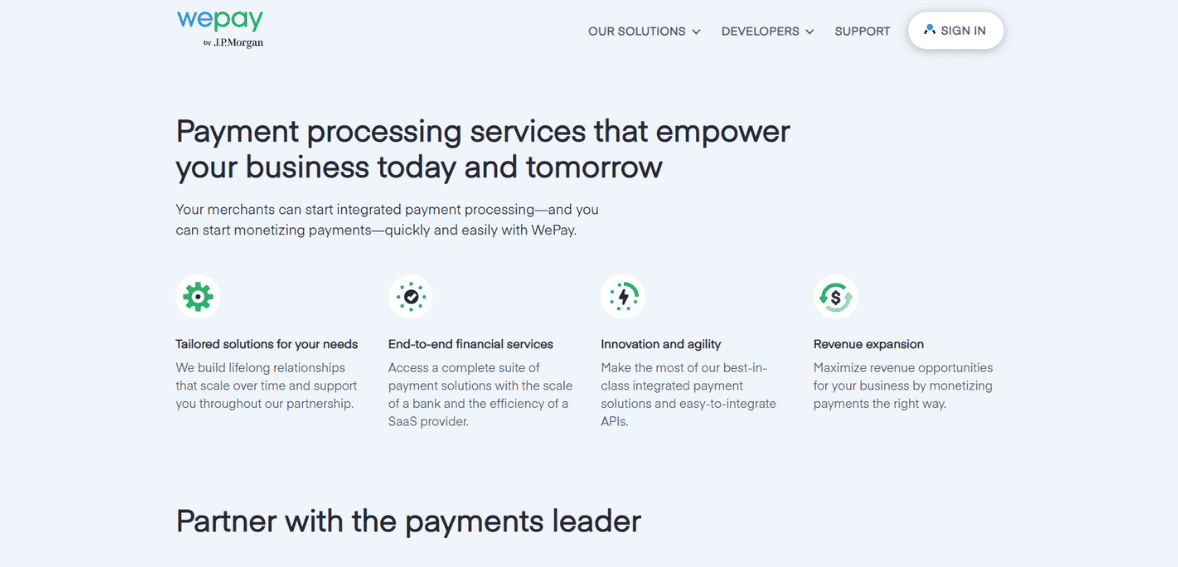
WePay, founded in 2008 by Rich Aberman and Bill Clerico, is a US based payment service provider that offers integrated and customizable payment solutions. Built around its API driven approach WePay primarily serves platform businesses, marketplaces, crowdfunding sites and small business software providers. In 2017 the company was acquired by JPMorgan Chase expanding its reach and solidifying its position in the financial services space. Lets read more about WePay Review.
In today’s digital economy processors like WePay are essential in supporting smooth electronic transactions between businesses and their customers. They handle all types of payments; credit cards, debit cards and digital wallets; ensuring secure and efficient fund transfers. Beyond payments they also play a critical role in customer trust by providing reliable authorization, authentication and settlement processes.
Processors also offer strong security measures like encryption and fraud detection to protect sensitive financial data and help businesses comply with industry standards. They support multiple currencies and payment methods so businesses can go global and serve diverse customer bases.
Company Background: WePay History and Growth
The idea for WePay came from a personal challenge. When Aberman couldn’t collect money from friends for his brother’s bachelor party he realized there needed to be a better way to collect money from multiple people. Partnering with Clerico the two created WePay to make collecting money from multiple people easier.
In its early days WePay focused on group payments and event ticketing. Over time the company shifted to serving platform based businesses with integrated payment solutions. This allowed WePay to work with marketplaces, crowdfunding platforms and SaaS providers and offer tailored services through its APIs.
JPMorgan Chase acquired WePay in October 2017 for over $220 million. The acquisition aimed to give small businesses access to Chase’s resources through software partners while preserving WePay’s innovative Silicon Valley culture. As part of JPMorgan Chase WePay is a payments innovation hub giving partners and merchants access to Chase’s large small business client base.
Today it continues to serve platforms with customizable API based payment solutions. Clients like GoFundMe, Meetup and FreshBooks rely on WePay’s ability to provide seamless branded payment experiences that match their operational needs.
Key Features: Enhancing Payment Solutions with WePay | WePay Review
WePay is designed with platform-based businesses in mind, offering features that streamline transactions while prioritizing security and flexibility.
Integrated Payment Processing: Payments can be embedded directly within a platform’s service, avoiding external redirects and simplifying user experience.
Customizable User Experience: Through APIs, businesses can design branded checkout pages, emails, and communications, ensuring consistency across all interactions.
Fraud Detection and Risk Management: With machine learning and data analysis, it actively monitors for suspicious activity, providing merchants with a secure environment.
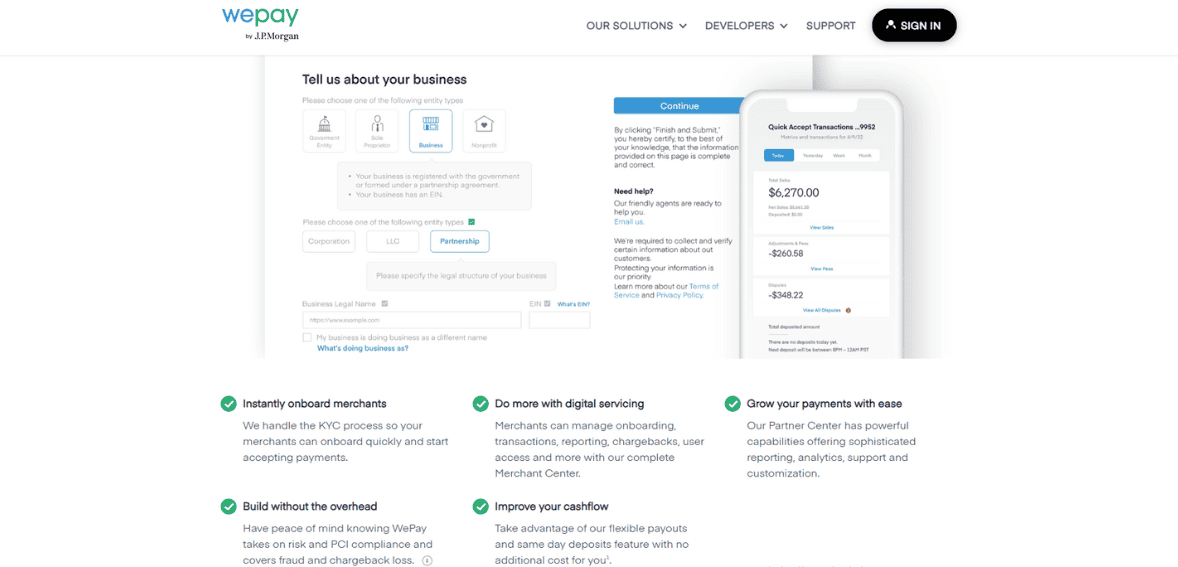
Instant Merchant Onboarding: Automated verifications and compliance checks help businesses begin processing payments quickly.
Flexible Payout Options: Same-day deposits and adaptable schedules support healthy cash flow management.
Mobile and Wallet Support: Compatibility with Apple Pay, Google Pay, and mobile transactions meets the growing demand for digital-first payments.
These tools allow WePay to deliver flexible and secure solutions that meet the diverse needs of modern, platform-driven businesses.
Pricing Structure: Understanding WePay’s Cost Framework
WePay structures its offerings under three tiers; Link, Clear, and Core; each catering to different business requirements.
WePay Link: An entry-level option, Link allows merchants to accept payments through Chase Integrated Payments. It carries standard fees of 2.9% plus $0.25 per transaction and requires minimal integration work.
WePay Clear: A step up from Link, Clear allows for deeper integration into platforms, offering customization and risk management features. Pricing is set on a case-by-case basis.
WePay Core: Targeted at larger facilitators, Core delivers full control over user experience and lifecycle management, with fees negotiated individually.
Platforms also have the option to set their own merchant pricing by applying markups to WePay’s rates, creating an additional revenue stream. However, Clear and Core lack publicly available pricing details, which has led to concerns about transparency.
Integration and Compatibility: Seamless Payment Solutions
It emphasizes easy integration and wide compatibility, making it attractive to developers and platforms alike.
Its developer-focused APIs, with documentation in multiple programming languages, allow customization for different applications. This flexibility ensures smooth payment experiences across mobile and desktop platforms. Additionally, it supports mPOS systems for in-person transactions, broadening its usability.
Digital wallet compatibility with Apple Pay and Google Pay further enhances convenience, aligning with customer expectations for modern payment methods. This adaptability makes it suitable for platforms spanning marketplaces, crowdfunding, and SaaS.
Security and Compliance: Safeguarding Transactions
Security is at the core of WePay’s operations.
Fraud Prevention: The platform uses machine learning to detect irregular patterns, blocking unauthorized activity.
PCI DSS Compliance: As a Level 1 PCI DSS-certified provider, it undergoes regular independent audits to maintain strict security standards.
Encryption: Data in transit is secured with RSA 2048-bit keys and SHA-256 certificates, while stored data uses AES 256-bit encryption with unique keys.
By combining regulatory compliance with advanced fraud detection, It provides a secure and reliable environment for both merchants and customers.
Customer Support and User Experience
It offers support primarily through email and its online Help Center, which provides articles and guides on key topics. The “Customer Delight” team operates Monday through Friday, from 6 am to 6 pm PST. Feedback on support is mixed. Some users appreciate the available documentation, while others find the reliance on email; without phone support; slows down response times. Concerns about resolution speed and communication options are recurring themes.
From an experience standpoint, It is designed for simplicity. Merchants benefit from a smooth onboarding process, while end-users enjoy straightforward checkouts without redirection to external sites. This ease of use supports both customer satisfaction and business efficiency.
Pros and Cons
Pros
Developer-friendly APIs for seamless integration.
Customizable, branded payment experiences.
No setup or monthly fees.
Cons
Limited direct access for small businesses (only available through partner platforms).
Lack of transparent pricing for advanced tiers.
Limited support channels, with reliance on email.
Alternatives to WePay
Businesses comparing WePay should also consider Stripe, PayPal Payments Pro, and Braintree:
Stripe: Known for its robust APIs and wide range of supported payment methods, Stripe offers transparent pricing (2.9% + $0.30 per transaction) with no monthly fees. Its global reach and subscription billing features make it ideal for tech-savvy businesses.
PayPal Payments Pro: Offers customizable checkout options and broad brand recognition, but requires a $30 monthly fee plus transaction fees. Its global presence makes it appealing to businesses targeting international customers.
Braintree: A PayPal-owned service supporting multiple payment methods, including Venmo and Bitcoin, Braintree charges 2.9% + $0.30 per transaction with no monthly fees. Its flexibility makes it attractive to businesses seeking a wide range of payment options.
Compared with these competitors, It stands out for its tight integration with JPMorgan Chase and platform-first strategy, though its limited transparency and support may deter some users.
Conclusion
It is best suited for platform-based businesses seeking integrated, customizable, and secure payment solutions. Its API-driven approach and Chase affiliation give it strong credibility, while its features support smooth transactions and fraud prevention. However, potential clients should weigh concerns about pricing transparency and customer support against its strengths. For marketplaces, crowdfunding platforms, and SaaS providers, it remains a compelling option in the competitive payment processing landscape.
FAQs
Can individual small businesses use WePay directly?
No. Small businesses typically access WePay through partner platforms or ISVs rather than engaging with WePay directly.
What types of platforms work best with WePay?
It integrates most effectively with crowdfunding platforms, marketplaces, and SaaS providers, where embedded payment functionality is crucial.
Does WePay support international payments?
It’s international support is limited to merchants in the U.S. and Canada. While it accepts payments from most global cards, availability depends on the platform partner.

VisaNet Review
By 10topmerchantservices September 11, 2025
VisaNet is the global transaction engine behind almost every Visa payment made worldwide. It’s the central hub that connects issuing banks, acquiring banks, merchants and cardholders, so transactions clear in seconds. Whether a customer swipes a card in-store, pays online or taps contactless, VisaNet routes, validates and completes the request. Its reputation for speed and reliability has made it one of the most trusted payment infrastructures. Lets read more about VisaNet Review.
Beyond moving money, VisaNet does multiple critical things in real time. It verifies cardholder credentials, applies fraud detection rules and enforces security compliance. It also handles complex cross-border functions like currency conversion and regional regulations. These capabilities make VisaNet not just a payment processor but a fundamental enabler of global commerce.
Despite being efficient, VisaNet is not without controversy. Merchants pay transaction fees and some argue that relying on one of the world’s largest private payment systems creates concentration risks. But VisaNet has become synonymous with reliability, balancing innovation with scale to process billions of transactions daily. By being the invisible bridge between merchants and consumers, VisaNet influences how money moves across industries and economies, how billions interact with payments every day.
History and Evolution of VisaNet | VisaNet Review
VisaNet’s history is tied to the rise of modern electronic payments. Its foundations were laid in the late 1970s when Visa started digitizing manual, paper-based processes. As card usage grew, Visa realised the need for a unified system to manage authorisations, settlements and clearing on a global scale. In 1977, VisaNet was launched, one of the first large-scale networks to deliver electronic transaction processing.
The system has evolved continuously. In the 1990s, the growth of cross-border commerce required broader currency and regulatory support. In the early 2000s, e-commerce brought new challenges, so VisaNet built solutions for card-not-present transactions. With mobile and contactless payments emerging in the 2010s, the network expanded to handle higher volumes with minimal latency.
Today, VisaNet is one of the largest and most advanced payment networks, processing tens of thousands of transactions per second. It uses AI, machine learning and advanced analytics to enhance fraud detection and efficiency. But its layered infrastructure needs to be updated constantly to keep up with the fast-paced fintech landscape. Its ability to adapt over decades shows its resilience and long-term relevance.
Global Reach and Transaction Volume
VisaNet’s strength is its sheer scale. Operating in over 200 countries and territories and supporting more than 160 currencies, it lets consumers and businesses transact almost anywhere in the world. It processes billions of transactions every year across retail, e-commerce, travel and services, that’s trillions of dollars in payment volume.
That scale is a reflection of Visa’s dominance and the trust of banks, merchants and consumers. VisaNet’s ability to handle peak surges – holiday seasons or global shopping events – without disruption is critical to global commerce. But with that dominance comes scrutiny. Critics argue that Visa’s market share concentrates too much power in one network, limiting competition and diversity in payments. Even so, VisaNet is essential to commerce, offers unparalleled reach and reliability and is the gatekeeper of the financial system.
Core Infrastructure and Technology Backbone
VisaNet is engineered for speed, scalability and resilience. Multiple globally distributed data centers ensure redundancy and near 100% uptime, so authorizations and settlements happen in real time. Consumers get seamless transactions, merchants and banks get uninterrupted payment flows.
Security is embedded at every level. VisaNet uses encryption, tokenization and secure protocols to protect sensitive data. AI and machine learning are used to analyze transaction flows, detect anomalies and flag fraud in real time. Scalability is a core focus, with Visa investing in cloud and software defined networking to handle the growing global demand.
Running such a complex infrastructure requires massive resources and investment in hardware, cybersecurity and compliance. Some say this complexity makes Visa slower to adapt compared to leaner fintech startups. But its technology backbone is one of the most robust in financial services.
Payment Processing Capabilities
VisaNet’s main job is to process payments reliably and securely across physical and digital channels. Whether a transaction is card-present in a store or card-not-present online, the system authorizes, clears and settles payments. It’s flexible beyond traditional retail, supporting recurring billing cycles, subscription based business models and mobile wallet transactions that mirror today’s consumer behaviour.
Card-present was where VisaNet built its reputation, with rapid authorisation and checkout experiences that reduced friction for merchants and customers. As commerce went online, the platform adapted by adding 3D Secure and real-time fraud screening. These features help strengthen online payment security for merchants and cardholders against cyber threats. VisaNet’s multi-currency functionality also allows businesses to accept payments from international customers with ease, global commerce and seamless experiences for travellers and cross-border shoppers.
But merchants complain about cost. Transaction fees, network charges and interchange rates are big for small businesses with tight margins. For many, these costs are a barrier to using VisaNet even though the infrastructure is reliable, global and has advanced risk management. Balancing cost with innovation is the challenge. While VisaNet evolves to meet market demands, making sure smaller merchants can use it without being burdened by fees is key to wider adoption and long term growth in the digital economy.
Security and Compliance Features
VisaNet’s security is one of its biggest and most trusted assets. At its heart is a multi-layered defence system that protects sensitive payment data at every stage of a transaction. Encryption protects information as it moves across networks, tokenization replaces card details with unique identifiers to reduce data exposure and real-time fraud detection uses machine learning and behavioural analytics to catch suspicious activity before it gets out of hand. For online and mobile transactions, biometric verification and multifactor authentication add extra security and consumer confidence.
Equally important, it meets global regulatory standards including the PCI DSS. By following these frameworks and continuously updating its security protocols, the network stays compliant and ahead of the threats. For banks and merchants, this means a trusted foundation for regulatory confidence and consumer trust.
But with size and fame comes being a bigger target for cybercriminals. As threats get more sophisticated, continuous investment in advanced defences is essential to stay resilient. Fintechs can roll out new security innovations quickly but VisaNet has been processing billions of transactions for years and is proven to be reliable. The combination of established trust, global compliance and ongoing innovation means VisaNet is the cornerstone of secure digital commerce in a complex cyber world.
Integration with Financial Institutions and Merchants
It integrates seamlessly with a vast ecosystem of banks, processors, and merchants. Issuing banks rely on it for authorizations, acquiring banks use it for settlement, and merchants benefit from its universal acceptance. Integration typically occurs via payment gateways and POS systems, minimizing technical barriers for adoption.
Specialized services, such as recurring billing and detailed reporting, add value for merchants seeking predictable cash flow and insights into consumer activity. For global corporations, VisaNet’s reach is indispensable. Yet costs and technical requirements can be obstacles for smaller businesses. Fees and integration expenses often weigh heavily on those operating with limited margins, restricting access despite the network’s advantages.
Real-Time Processing and Speed
VisaNet is renowned for its processing speed, typically authorizing payments within seconds; even during peak shopping periods. Its global data centers and optimized routing protocols allow the system to process thousands of transactions per second with minimal latency. For merchants, this means steady cash flow and reliable settlement. For consumers, it delivers seamless checkout experiences. Although rare, outages reveal the risks of concentrating so much infrastructure in one system. Still, VisaNet’s performance record sets a benchmark few competitors can match.
Support for Emerging Payment Methods
It has consistently adapted to evolving payment trends. Contactless transactions, digital wallets, and QR code-based systems are all supported, making the network compatible with a wide array of consumer preferences. Post-pandemic, contactless and wallet-based transactions have grown significantly, with VisaNet scaling to meet demand.
In developing regions, support for QR payments reflects VisaNet’s inclusive approach. However, competition from local platforms like UPI in India or UnionPay in China highlights the challenges of maintaining global dominance where regional systems thrive. Still, its ability to integrate emerging methods while preserving security is a strategic advantage.
Analytics, Reporting, and Insights
VisaNet extends beyond transaction processing by offering robust analytics and reporting tools. Banks and merchants use these insights to identify consumer trends, monitor performance, and manage fraud risks. For businesses, these tools help tailor marketing strategies, refine operations, and track settlements.
Yet accessibility varies. Larger organizations are best positioned to leverage advanced analytics, while smaller merchants often lack resources to maximize these capabilities. Despite this limitation, VisaNet’s role as both processor and intelligence provider reinforces its centrality to financial ecosystems.
Reliability, Uptime, and Performance
VisaNet is widely respected for its reliability, consistently maintaining uptime above industry averages. Its global redundancy and disaster recovery measures ensure transactions flow smoothly even during regional disruptions. For businesses, reliability translates to trust and stable revenue. While outages occasionally occur, their rarity underscores VisaNet’s resilience. Its long-standing performance record remains one of its most reassuring qualities for stakeholders worldwide.
Comparison with Competitors
VisaNet competes with Mastercard, American Express, and Discover. Mastercard is its closest rival, offering comparable speed and security, though Visa often holds larger market share. American Express integrates issuing and network roles, giving it tighter control but limiting acceptance. Discover, while functional, operates at a smaller scale.
Where competitors may excel in niche innovation, VisaNet’s unmatched scale and global reach keep it ahead. The competition forces VisaNet to continue evolving while maintaining its position as the payments benchmark.
Challenges and Limitations
Despite its dominance, VisaNet faces challenges. High transaction costs remain a barrier for small businesses, who often pass fees to consumers. Its centralized structure, while controlled, increases systemic risk during outages. Growing competition from fintech startups and regional systems also pressures VisaNet to innovate faster.
Regulatory scrutiny is intensifying, with governments demanding transparency around fees and operations. It must balance compliance, affordability, and innovation to sustain its role in the global economy.
Future Outlook
VisaNet’s future will be shaped by technology adoption and consumer behavior. Areas like real-time payments, blockchain integration, and biometric security present opportunities for innovation. Cross-border e-commerce growth further enhances VisaNet’s importance, though competition from regional systems will intensify.
Sustainability initiatives, such as energy-efficient data centers, are likely to feature in its long-term strategy. The challenge will be maintaining global reliability while adapting at the speed of fintech disruptors. Its ability to balance scale with agility will define its relevance in the next decade.
Conclusion
VisaNet is one of the most significant achievements in modern financial infrastructure. From its launch in 1977 to its role as the backbone of global payments today, it has consistently evolved with technology and consumer needs. Its speed, scale, and security have made it indispensable, though high fees and regulatory challenges highlight its limitations. For consumers, it means seamless transactions. For businesses, it offers global reach with associated costs. For regulators, it remains an entity under close watch. Despite imperfections, VisaNet continues to be the foundation for digital commerce worldwide, shaping how money moves across industries and economies.
FAQs
Q1: What makes VisaNet different from other payment networks?
It stands out for its massive scale, global acceptance, and ability to process thousands of transactions per second. While Mastercard and Amex offer similar services, VisaNet’s universal reach gives it an edge.
Q2: Is VisaNet secure for handling sensitive payment data?
Yes. it relies on encryption, tokenization, fraud detection, and compliance with PCI DSS to secure sensitive information, making it one of the most trusted networks.
Q3: Who benefits most from VisaNet?
Multiple stakeholders benefit: consumers enjoy convenience, merchants gain global access, and banks rely on its secure infrastructure. However, smaller merchants often struggle with costs, even as they benefit from its reliability.

Verifone Review
By 10topmerchantservices September 8, 2025
Verifone has long been a prominent name in the payments industry, with decades of experience bridging merchants and consumers. Established in the 1980s, the company began by producing innovative card-processing hardware and gradually expanded into both physical and digital payment solutions. Today, it operates in more than 150 countries, serving businesses of all sizes; from small merchants to multinational corporations. Its focus has consistently been on simplifying transactions and ensuring payments remain secure, fast, and accessible. Much of Verifone’s brand strength comes from its reputation for reliability and its ability to adapt to a constantly changing industry. Lets read more about Verifone Review.
As consumer preferences shift toward digital wallets, contactless cards, and mobile-first experiences, Verifone has expanded its portfolio to include more than just POS terminals. With cloud-based platforms, omni-commerce tools, and integrated payment systems, the company has sought to remain relevant in an environment where fintech startups and tech giants alike are raising the bar.
Verifone’s Role in the Payment Ecosystem | Verifone Review
At its heart Verifone powers secure, compliant and fast payment connections between customers’ chosen methods and merchants’ banks. Whether countertop POS, mobile or e-commerce gateways the company enables transactions across industries.
Retail, quick-service restaurants, hospitality, fuel stations and transportation are the key sectors where Verifone solutions are used. In retail Verifone supports EMV chip cards, magnetic stripe, contactless wallets and QR payments. In restaurants and service industries Verifone helps improve customer experience by integrating payments with ordering platforms, loyalty programs and back-office tools.
Verifone is the bridge between traditional financial institutions and modern digital commerce. By offering both hardware and cloud services the company allows businesses to operate in hybrid environments where physical and online transactions coexist. For example its terminals manage in-store payments and its e-commerce tools manage online checkouts all under one roof.
In emerging markets where mobile-first payments are dominant Verifone provides lightweight and portable devices that don’t require complex infrastructure. This flexibility has made it the go-to partner in regions with diverse acceptance needs and consistent consumer experience and simplified merchant operations.
Hardware Solutions: POS Devices and Terminals
One of Verifone’s biggest strengths is its POS hardware. From small handheld devices to big countertop units, its devices are tough, reliable and user friendly. Businesses choose Verifone terminals for their ruggedness, ease of setup and long life. Countertop options like the VX and Engage series support multiple payment methods – chip and pin, swipe and contactless – and are fast processing and easy to use. Mobile devices like the e285 and Carbon series are for restaurants, delivery services and pop up stores where portability is key.
The company also offers integrated solutions that bundle hardware with software so you can customize apps for loyalty, inventory and employee management. While these devices are very functional they are more expensive than low cost competitors. You may also experience downtime during software updates. But the security and durability of Verifone hardware makes it a long term investment for many businesses.
Software Solutions and Payment Platforms
Beyond the hardware Verifone has invested in software and cloud based services. Their platforms include gateways, APIs and omni-commerce solutions to manage payments across physical and digital channels. A big plus is the ability to unify in-store and online transactions so customers have a consistent experience across touchpoints. Features like tokenization, recurring billing and multi-currency support make global commerce easy. Developers have APIs to build custom apps and merchants have integrations with accounting systems, CRM tools and loyalty programs.
The trade off is complexity. Some users say Verifone’s software is less intuitive than newer fintech competitors. Training and onboarding may be required which can slow adoption for smaller businesses. But for enterprises that need scalability and depth Verifone’s software ecosystem has capabilities beyond what lighter weight providers offer.

Security and Compliance Features
Security is at the heart of Verifone’s offering. Their devices and platforms are PCI DSS compliant and have end-to-end encryption and tokenization to protect cardholder data. End-to-end encryption means information is protected from the terminal to the acquirer, tokenization replaces card details with a unique token to reduce the risk of breach. These are especially important in industries with high compliance requirements like healthcare and retail. Real-time monitoring tools also help detect suspicious activity so you can prevent fraud.
But compliance can be resource intensive especially for smaller merchants. System updates are also required to stay ahead of evolving threats which adds complexity. But Verifone’s long history of security gives merchants peace of mind that their transactions are compliant and secure.
Integration and Customization Capabilities
Verifone’s integrations are a big plus. Their developer tools and APIs let you connect payment terminals to accounting, CRM, inventory and other business systems. Industry specific customizations make it even more attractive. Hospitality providers can integrate with property management systems, fuel stations can connect terminals directly to pump controls. Value added applications like loyalty programs or tipping features can be deployed on compatible devices.
However integrating with legacy or niche systems can require technical expertise so implementation is more resource heavy than plug and play fintech competitors. For big enterprises with complex infrastructures Verifone’s flexibility and scalability is valuable.
User Experience and Interface Design
Verifone’s POS devices are designed for both merchants and consumers. Terminals have backlit keypads, clear navigation and fast processing speeds to reduce checkout times. From the consumer perspective familiarity with Verifone devices builds trust.
Merchants have access to reporting dashboards and analytics to see transaction volumes, settlement and consumer trends. While these tools are powerful they are more complex than fintech dashboards and require training to use fully. Not always the most user friendly option, It balances functionality with reliability. Global recognition among consumers also builds confidence at the point of sale.
Global Reach and Market Presence
Verifone is a leading player in the global payments industry, operating in more than 150 countries and maintaining one of the broadest international footprints in the sector. This extensive presence allows the company to support multi-currency transactions and ensure compliance with diverse regional regulations, making it a trusted partner for businesses with cross-border operations. Verifone’s solutions are particularly well established in the retail and fuel station industries, where its devices are widely recognized and frequently used. For multinational enterprises, this global reach provides a sense of consistency and reliability.
However, service quality is not always uniform, and customers in certain regions may experience differences in support or implementation. Additionally, delays in rolling out new products and technologies across markets can pose challenges for businesses eager to adopt innovations. Even so, Verifone’s strong reputation and longstanding presence in the payments ecosystem offer stability and credibility that many newer providers cannot match.
Pricing Structure and Costs
Pricing is often a critical factor for merchants when considering Verifone’s solutions. Compared to low-cost competitors, Verifone’s hardware generally comes at a higher price point, reflecting its durability and advanced capabilities. However, this premium can be a barrier for smaller businesses with limited budgets. In addition to hardware costs, merchants may face recurring service or licensing fees for accessing Verifone’s software platforms, which further increases the total cost of ownership.
Transaction fees add another layer of complexity, as they are determined by the acquiring bank or processor rather than being standardized. This makes overall expenses less predictable compared to flat-rate providers like Square. Larger enterprises often view these costs as worthwhile, since it offers scalability, reliability, and compliance across multiple markets. Smaller merchants, on the other hand, may find the upfront investment, ongoing fees, and maintenance or support expenses challenging to manage, leading them to seek more affordable alternatives.
Customer Support and Service Quality
Verifone offers a variety of support channels to help merchants manage their payment systems effectively. These include phone-based assistance, comprehensive online resources, and detailed product documentation. The company also provides training guides, compliance materials, and troubleshooting articles, which are particularly useful for merchants navigating complex payment environments. For multinational enterprises, it delivers localized support tailored to different regions, although the quality and responsiveness of that support can vary.
Some merchants have noted delays in response times or inconsistent service experiences, especially when assistance is handled through third-party resellers rather than Verifone directly. Compared to newer fintech competitors that emphasize fast, highly personalized customer support, It can sometimes feel less agile and responsive. Nonetheless, its extensive global presence and long-standing reputation ensure that businesses generally have access to the resources they need, either through Verifone’s own support network or via reliable third-party partners, maintaining a level of operational continuity.
Pros of Using Verifone
Durable, reliable hardware with a long lifespan
Advanced encryption and tokenization for security
Extensive global reach and compliance support
Strong integration and customization capabilities
Omni-commerce solutions supporting both physical and digital payments
Cons and Common Criticisms
Higher hardware and service costs
Software interfaces can be complex for new users
Support quality varies across regions
Slower to innovate compared to agile fintech startups
Ideal Business Types for Verifone
Verifone is best positioned to serve medium to large enterprises that require scalable and customizable payment solutions tailored to their complex needs. Its offerings are particularly valuable in industries such as retail, hospitality, transportation, and fuel, where transaction volumes are high and reliability is critical. Verifone’s ability to support multi-currency payments, comply with diverse regulations, and integrate with enterprise-level systems makes it a strong choice for organizations with multi-location or international operations.
These businesses often prioritize security, compliance, and long-term reliability, areas where Verifone has built a strong reputation. While smaller businesses can certainly adopt Verifone’s solutions, the higher upfront costs, ongoing service fees, and technical complexity may outweigh the benefits compared to lighter, more cost-effective fintech alternatives. For enterprises that demand consistent performance, advanced features, and strict regulatory compliance, however, it delivers significant value and remains a trusted partner in managing complex global payment infrastructures.
Comparison with Competitors
When compared with competitors such as Ingenico, Square, and Clover, Verifone demonstrates a mix of notable strengths and some limitations. Ingenico, often regarded as its closest rival, matches Verifone in terms of durable hardware and expansive global reach, making both strong choices for multinational enterprises. On the other hand, Square and Clover focus heavily on simplicity, ease of setup, and affordability, which makes them particularly appealing to small and medium-sized businesses that value speed and cost-efficiency.
It differentiates itself with enterprise-grade scalability, deep system integration, and strong compliance capabilities, which are critical for organizations operating across multiple regions or in highly regulated industries. These advantages make Verifone a preferred partner for businesses prioritizing reliability and security. However, the trade-off comes in the form of higher costs, complex implementation, and potentially less agile support. As a result, smaller merchants may gravitate toward lighter, more user-friendly fintech alternatives.
Conclusion: Is Verifone Worth It?
It remains a cornerstone of the payments industry, delivering secure, reliable hardware and software solutions with unmatched global reach. It is a strong choice for enterprises prioritizing long-term stability, scalability, and compliance. For small businesses, however, Verifone’s higher costs and complexity may outweigh the benefits, with fintech alternatives often providing simpler and more affordable setups. Ultimately, it’s value depends on the size, industry, and goals of the business. For large-scale operations, it continues to be one of the most trusted providers in the space.
FAQs
Q1. Is Verifone suitable for small businesses?
It can serve small businesses, but its systems are generally more aligned with medium and large enterprises. Smaller merchants may prefer more affordable, plug-and-play alternatives.
Q2. How secure are Verifone systems?
It offers advanced security through PCI DSS compliance, end-to-end encryption, and tokenization, ensuring sensitive data is protected throughout the payment process.
Q3. Does Verifone support contactless and mobile wallets?
Yes. Verifone’s modern devices support NFC-enabled cards and digital wallets such as Apple Pay, Google Pay, and Samsung Pay, aligning with current consumer preferences.

Vantiv Review
By 10topmerchantservices September 4, 2025
Vantiv was founded in 1991 as Midwest Payment Systems and grew into one of the largest payment processors. Originally a U.S. only division of Fifth Third Bank, the company rebranded and acquired other companies. It became Fifth Third Processing Solutions in 2003 and then Vantiv in 2011. Lets read more about Vantiv Review.
A big moment came in 2017 when Vantiv acquired the UK based processor Worldpay in a $10 billion deal. This created a global giant that could process over $1.5 trillion in annual transactions across 146+ countries. Post acquisition the combined company became Worldpay and retained Vantiv’s technology while expanding its international reach. Today under the Worldpay brand the former Vantiv operations are known for secure omnichannel payment solutions, advanced fraud prevention tools and support for businesses from small retailers to multi-nationals.
Company Background and Growth | Vantiv Review
From its start as Midwest Payment Systems, Vantiv’s growth has been a series of deliberate acquisitions and rebranding. Renamed Fifth Third Processing Solutions in 2003, the company expanded its offerings before becoming Vantiv in 2011. Over the years it absorbed National Processing Company, Mercury Payment Systems and Element Payment Services. These moves took it from traditional credit card processing into eCommerce, mobile payments and advanced risk management.
The 2017 Worldpay acquisition was the company’s transformation from a domestic processor to a global leader. With support for over 300 payment methods and 126 currencies, the combined brand means scale, security and cross border capability.
Services Offered
Vantiv’s solutions are designed to support businesses across industries, blending in-store, online, and mobile channels.
Card Processing: Acceptance of all major credit and debit cards, fleet cards, and PIN-based debit transactions across core networks.
E-Commerce Gateways: Options like E-Commerce Plus and Authorize.Net provide secure online payments, shopping cart integration, and tokenization.
Mobile Payments: The Mobile Accept app, available on iOS and Android, allows secure transactions via card readers for merchants on the move.
Check Processing: Services such as Check 21 and electronic conversion reduce bounced-check risks.
Prepaid Programs: Customizable gift cards and incentive solutions with detailed reporting.
Risk Management: Tokenization, encryption, and PCI compliance support safeguard customer data and help prevent fraud.
Key Features
Vantiv’s platform, now part of Worldpay, emphasizes flexibility, scalability, and security.
Multiple Payment Methods: Credit cards, ACH, prepaid options, and mobile wallets like Apple Pay and Google Pay.
Strong Integrations: Partnerships with over 3,000 POS and ERP providers ensure seamless compatibility with business systems.
Global Reach: Support for 146 countries and over 120 currencies makes it attractive for companies expanding internationally.
Security First: Tokenization, end-to-end encryption, and fraud monitoring ensure compliance and protection at scale.

Technology and Integration
Vantiv’s technology stack is built for developers and enterprises that need reliable integration.
Developer Tools: APIs and SDKs (including RESTful JSON) make it easier to build omnichannel payment experiences.
Third-Party Compatibility: Integration with ERP systems like SAP and Oracle, plus eCommerce platforms such as Magento.
Advanced Security: Tokenization and encryption work alongside PCI compliance to maintain high data protection standards.
Customer Support and Added Value
Support has long been a hallmark of Vantiv, continuing under Worldpay. Businesses benefit from:
24/7 Assistance: Multi-channel support via phone, email, and a comprehensive knowledge base.
Analytics Tools: Vantiv iQ for eCommerce provides reporting and insights into payment trends.
Fraud and Compliance Support: Additional tools help merchants reduce chargebacks and maintain regulatory compliance.

Pricing and Contracts
Like many processors, Vantiv’s pricing structure has been a point of contention.
Contracts: Standard three-year terms with automatic annual renewals unless canceled 90 days in advance.
Early Termination Fees: Up to $495, often criticized for lack of transparency.
Pricing Models: Tiered pricing is common, though some businesses qualify for interchange-plus, which can be more cost-effective.
Additional Fees: Merchants may encounter charges such as PCI compliance fees and a $5 monthly “Chargeback Service Fee,” applied regardless of activity.
Advantages
Longstanding experience in payment processing across multiple industries.
Comprehensive fraud prevention and PCI-compliant solutions.
Strong omnichannel support for in-store, online, and mobile payments.
Wide global reach for businesses expanding internationally.
Challenges
Despite its strengths, merchants have raised concerns about:
Complex and often confusing pricing structures.
Costly early termination fees and auto-renewal clauses.
Reports of account cancellation difficulties and extended support delays.
Conclusion
Vantiv’s history and growth into the Worldpay brand shows its journey to become a global payments leader. It excels in omnichannel, security and international support making it a great partner for businesses looking for full service payment processing. But be careful of contract terms and fees, review agreements carefully to avoid surprise charges.
FAQs
Q1: What are Vantiv’s standard contract terms?
3 year contracts with auto-renewals and early termination fees up to $495. Merchants also face PCI and monthly service fees, including a $5 chargeback fee.
Q2: What fraud prevention tools does Vantiv offer?
Tokenization, end-to-end encryption, PCI compliance support and a fraud toolkit with different service levels to fit your business needs.
Q3: How does Vantiv handle eCommerce?
Through gateways like E-Commerce Plus and Authorize.Net Vantiv enables secure online transactions, multiple payment methods and integration with leading platforms for global commerce.

USAePay Review
By 10topmerchantservices September 1, 2025
USAePay has been in the payments industry for over 20 years and offers merchants a gateway solution that balances security, integration flexibility and compliance. Acquired by NMI (Network Merchants, LLC) the platform continues to evolve under new ownership but maintains the brand identity. Designed to support all types of businesses from small eCommerce shops to large enterprises USAePay gives merchants the tools to process payments across multiple channels. Its long history of uptime, customization and data security has kept it competitive in a rapidly changing payments landscape. Lets read more about USAePay Review.
As a bridge between a merchant’s POS system or website and their chosen payment processor USAePay allows credit cards, debit cards and alternative payments. Unlike gateways tied to specific processors, USAePay lets merchants connect to their existing merchant accounts so they can choose their processing partner. Its developer friendly reputation comes from a robust API that supports custom payment workflows. But with NMI’s acquisition some merchants are wondering what’s next with pricing and direction. This review will go over USAePay’s features, pros, cons and overall value to help business owners decide if it’s still a good choice.
Company Background and Industry Position | USAePay Review
Founded in 1998 and based in Glendale, California, USAePay is one of the older players in the payment gateway space. Its longevity shows it can adapt to changes in payment technologies, compliance standards and merchant demands. Unlike newer fintech companies, USAePay has weathered industry changes like EMV chip cards, mobile commerce and stricter PCI DSS compliance requirements.
The acquisition by NMI in 2021 was a strategic move to combine the companies’ resources, integrations and global reach. While NMI is known for a technology first approach, USAePay has continued to serve its existing customer base while gradually integrating into NMI’s ecosystem. This has given merchants access to more features while keeping the same interface and workflow of USAePay.
In today’s crowded payment gateway space, USAePay is a versatile and technically sound option. It’s ideal for merchants who want to control their merchant account relationships but still want a secure, feature rich gateway. Not marketed as aggressively as PayPal or Stripe, USAePay has built a loyal following among businesses that need robust integrations and high volume processing.
Core Features of USAePay
USAePay has many features designed for flexibility and security. The gateway accepts credit cards, debit cards and ACH payments so customers have multiple payment options. One of its biggest strengths is compatibility with hundreds of shopping carts, POS systems and software platforms so businesses can keep their existing infrastructure and add payment processing seamlessly.
The platform also has recurring billing for subscription based services or membership organizations. Merchants can automate billing cycles, design invoice templates and manage stored payment information securely. Plus, its reporting features allow real time transaction monitoring, settlement summaries and long term sales analysis.
Security is a big deal with PCI DSS compliance, tokenization and encryption built in. Merchants get fraud prevention filters that can be customized by IP address, card details or country to reduce chargebacks. And with its developer friendly API, USAePay balances out of the box user friendly tools with highly customizable options for businesses that need deeper integrations.
Payment Gateway Functionality
At its core, USAePay functions as a secure and efficient payment gateway, bridging the gap between merchants and processors with speed and reliability. Transactions are authorized and settled within seconds, supporting all major card brands including Visa, Mastercard, American Express, and Discover, as well as ACH/eCheck payments. This wide compatibility ensures that businesses of all sizes can offer their customers multiple payment options. Flexibility is further enhanced through support for keyed-in transactions, swiped card payments via compatible readers, and online transactions through hosted checkout pages that can be branded to match a merchant’s website.
For eCommerce businesses, USAePay provides seamless integrations with popular shopping cart platforms, helping maintain a smooth checkout experience without redirecting customers away from the store. Developers can also take advantage of its robust API, embedding advanced payment functionality directly into websites, apps, or custom systems. This capability is particularly valuable for businesses with specialized workflows, such as recurring billing, split payments, or multi-currency processing.
Security remains a top priority, with features like tokenization and point-to-point encryption ensuring sensitive cardholder data is never exposed. Built-in fraud detection filters add another layer of protection, helping merchants identify and block suspicious transactions before they cause harm. Collectively, these features make USAePay a reliable, scalable, and versatile solution for payment processing across in-person, online, and mobile environments.
Security and Compliance Standards
Security has long been one of USAePay’s defining attributes. The platform complies with PCI DSS standards and employs tokenization to replace card data with secure identifiers, lowering the risk of breaches. End-to-end encryption ensures sensitive data remains protected from entry point to processor.
Merchants benefit from customizable fraud prevention tools, including the ability to block specific IPs, regions, or card numbers. Enhanced verification measures such as AVS and CVV checks provide additional layers of protection at checkout. These tools are particularly beneficial for businesses in regulated industries where compliance is critical.
By combining advanced encryption, tokenization, and adaptable fraud controls, USAePay delivers merchants the confidence to process payments securely. Its longstanding reputation for prioritizing security has been key to its credibility in the payments space.
Integration Capabilities and API Access
Integration flexibility is one of USAePay’s strongest advantages, making it a highly adaptable payment gateway for businesses of all sizes. With hundreds of prebuilt integrations covering shopping carts, point-of-sale systems, and accounting platforms, merchants can connect the gateway with their existing tools without major disruption or added complexity. Popular eCommerce platforms such as Magento, WooCommerce, and Shopify are fully supported, ensuring a seamless checkout experience for online customers. Beyond retail-focused systems, USAePay also integrates with ERP and CRM solutions, which is particularly valuable for larger organizations that require payment processing to align with broader business operations.
For businesses that need more tailored workflows, USAePay provides a comprehensive API along with SDKs in multiple programming languages. These developer tools allow teams to build advanced payment functions directly into websites, mobile apps, or custom systems. Capabilities include batch transaction processing, split payments between multiple parties, and recurring billing automation for subscription-based services. For merchants who prefer simplicity, hosted payment forms are available, offering a quick way to add secure, branded checkout pages with minimal technical effort.
By offering both plug-and-play integrations and developer-level customization, USAePay delivers the flexibility to support small online stores, midsize businesses, and large enterprises with complex and specialized workflows.
Mobile Payment Solutions
Modern businesses demand mobile functionality, and USAePay delivers with iOS and Android apps. Merchants can process payments on the go; ideal for service providers, event vendors, or field teams. The app supports manual entry, card swipes through mobile readers, and instant receipt delivery by email or SMS. Users can also manage refunds and customer records directly from their mobile devices.
USAePay’s mPOS solutions are EMV-compliant, ensuring chip card security for mobile transactions. The app syncs with the main USAePay account, ensuring data remains consistent across all channels. This unified approach helps businesses maintain accurate reporting regardless of where the payment takes place, meeting customer expectations for convenience and speed.
Recurring Billing and Subscription Management
Recurring billing is one of the most valuable features for subscription-driven businesses, and USAePay provides a comprehensive billing module designed to automate the process. Merchants can set up flexible payment cycles on weekly, monthly, or annual schedules, reducing the need for manual oversight and cutting down on administrative workload. By securely storing customer payment details through tokenization, the system eliminates the need for repeated data entry, ensuring both convenience and enhanced security.
The billing platform also supports customizable customer profiles, giving businesses the ability to tailor billing rules to match different subscription models or service tiers. Automated email reminders can be configured to notify customers of upcoming payments, while built-in dunning management helps recover failed or overdue transactions. This not only protects revenue but also minimizes churn by keeping customers engaged.
Merchants can create and send professional, branded invoices with embedded payment links, making it easy for customers to pay instantly from their preferred device. For industries that rely heavily on recurring revenue; such as SaaS providers, fitness centers, membership organizations, and nonprofits; these features deliver a centralized, efficient billing solution. With automation, security, and flexibility combined, USAePay enables businesses to maintain steady cash flow while improving the overall customer experience.
Reporting and Analytics Tools
Merchants gain real-time visibility into payment activity through USAePay’s reporting tools. The dashboard provides transaction histories, batch logs, and settlement reports that can be filtered by method, status, or customer account. This helps merchants monitor performance, detect anomalies, and reconcile finances.
Reports can be exported to integrate with accounting systems like QuickBooks or Xero, streamlining bookkeeping. Consolidated reporting across multiple channels ensures businesses maintain a complete view of their revenue streams, supporting better financial planning and strategy.
Customer Support and Service Quality
USAePay offers support through multiple channels: phone, email, and help desk ticketing so you can reach out in the way that works best for you. Support is available during business hours and while we don’t have native 24/7 support, response times are generally fast and helpful. For most day-to-day issues you can expect timely resolution from knowledgeable reps who know the technical and operational details of the platform.
Beyond human support, USAePay has a robust library of self-service resources. A comprehensive knowledge base covers common topics, troubleshooting guides and best practices for setup and ongoing use. For developers and technical teams, API documentation is available so you can implement advanced payment features or resolve integration questions without waiting for live support.
Some users have noted that extended support hours would be especially helpful for businesses with international operations or those that process payments outside of US business hours. But the combination of business hour support and online documentation gives you a solid framework to work with. This balance ensures you can keep running smoothly and have resources to fall back on when things go wrong.
Pricing Structure and Fees
USAePay’s pricing model generally includes setup fees, monthly gateway charges, and per-transaction costs. Since accounts are often provisioned through resellers, pricing varies. Some providers bundle USAePay with merchant accounts, while others offer it as a standalone integration.
Additional costs may apply for advanced features like recurring billing or fraud tools. Compared to competitors, these fees are not excessive but can impact smaller businesses with lower transaction volumes. The lack of transparent, standardized pricing; unlike providers such as Stripe; means merchants should request detailed quotes to understand their true costs. For larger businesses, the security and flexibility often justify the investment.
Pros of Using USAePay
✓ Strong security with tokenization and encryption
✓ Wide range of integrations with shopping carts and POS systems
✓ Developer-friendly API and SDKs
✓ Recurring billing and subscription support
✓ Reliable, real-time transaction processing and reporting
Cons and Potential Limitations
✗ Pricing varies depending on resellers
✗ Some advanced features add extra costs
✗ Limited brand recognition compared to major competitors
✗ No built-in 24/7 support
✗ May be complex for very small businesses without technical resources
Ideal Business Types for USAePay
USAePay works best for mid-sized and larger businesses that require technical flexibility and strong integration options. Its recurring billing capabilities benefit subscription-based services, while its mobile and online solutions make it ideal for eCommerce and service industries. Sectors like SaaS, retail, and membership organizations are well-suited for its features.
Smaller businesses can use USAePay, but may find simpler gateways with flat-rate pricing more cost-effective. Ultimately, USAePay fits merchants who prioritize long-term reliability, security, and technical control rather than low-cost simplicity.
FAQs
Q1: Is USAePay suitable for small businesses?
Yes, small businesses can use USAePay, but its advanced integrations and features are often better suited to mid-sized or growing merchants. Simpler providers may be more cost-effective for very small businesses with basic needs.
Q2: Does USAePay support international payments?
Primarily serving U.S.-based merchants, USAePay can process international transactions depending on the merchant account and supported currencies. Businesses should verify details with their reseller for global transactions.
Q3: How does USAePay compare to gateways like Authorize.Net or Stripe?
USAePay offers functionality similar to Authorize.Net, with strong security and recurring billing. Compared to Stripe, it provides more flexibility in choosing merchant accounts but lacks standardized pricing and branding strength. Merchants with technical teams may prefer USAePay’s customization, while those seeking simplicity may lean toward Stripe.

TSYS Merchant Solutions Review
By 10topmerchantservices August 27, 2025
TSYS Merchant Solutions is a full-service payment processor that caters to businesses of all sizes. As part of the larger TSYS (Total System Services) brand, the company has built a strong reputation for reliability and innovation in the payment space. With more than three decades of industry experience, TSYS provides solutions that support both brick-and-mortar operations and digital commerce. Lets read more about TSYS Merchant Solutions Review.
This review takes a closer look at TSYS Merchant Solutions across several key areas, including pricing, usability, security, and customer support. Whether you are a small business searching for straightforward payment processing or a large enterprise in need of advanced features, this breakdown will help you evaluate whether TSYS fits your requirements.
Company Background | TSYS Merchant Solutions Review
Founded in 1983 as a Synovus subsidiary, TSYS quickly became a trusted card payment provider. Over the years we’ve adapted to the rapid changes in digital payments, mobile technology and e-commerce. Today we serve a global client base of financial institutions, retailers, government entities and multinational corporations.
We operate in over 80 countries, focusing on secure, scalable and cost effective payment services. Innovation has been at the heart of our growth, particularly in areas such as mobile payments, contactless technology and digital checkout solutions.
In 2019 we merged with Global Payments, a major payments technology company. This merger strengthened our global presence, expanded our service portfolio and gave us a competitive edge. Despite the integration we still operate as TSYS, with a strong focus on serving small and mid-sized businesses as well as large enterprises.
Core Services and Solutions
TSYS Merchant Solutions offers a lot of services including traditional card processing, mobile payment systems,POS terminals and e-commerce support. They cover credit and debit card transactions, ACH transfers, mobile wallets and contactless payments. What sets TSYS apart is their flexibility. Instead of a one-size-fits-all approach, they let merchants choose from simple countertop terminals, advanced POS systems or fully integrated solutions. TSYS also connects to third party business tools so it’s easy to add payment processing to your existing workflow.
For online merchants TSYS offers an e-commerce gateway with fraud prevention, customizable checkout pages and compatibility with Shopify and Magento. Subscription based businesses also get recurring billing and subscription management.
Technology and Integration
Technology is TSYS’s strong suit, especially when it comes to integrations with other business tools. The company invests in building secure and scalable systems that meet PCI DSS compliance standards, with encryption and tokenization protecting sensitive payment data. TSYS’s integrations include accounting platforms like QuickBooks, CRM software and ERP systems so you can manage payments, track sales and analyze performance in real time. Their mPOS solutions also stand out, allowing you to process payments via smartphones or tablets – perfect for industries like food trucks, delivery services or field sales operations.
Pricing Structure
Pricing is one of the key factors merchants consider when evaluating payment processors. TSYS has a generally transparent model but costs vary based on transaction volume, service type and business needs. For standard card processing TSYS charges a per-transaction fee which is a flat rate plus a percentage of the transaction amount. This works well for small businesses that want predictable costs. Larger businesses qualify for volume discounts which can reduce fees significantly.
It also offers bundled pricing packages that include processing, POS hardware, mobile services and gateway fees. These can be more cost effective for businesses that need a full solution. While the overall structure is competitive, businesses should review contracts carefully to avoid hidden fees.
Ease of Use
One of the main appeals of TSYS Merchant Solutions is its simplicity. The onboarding process is designed to be smooth, with step-by-step guidance available for POS installation, gateway setup, and mobile activation. The interfaces for both POS systems and mobile apps are user-friendly, with intuitive navigation and a short learning curve. Merchants can quickly process transactions, issue refunds, and monitor sales. Reporting tools are also straightforward, providing real-time insights that are easy to interpret.
For companies that rely on third-party tools, TSYS’s integration capabilities further streamline the process. This focus on usability makes TSYS attractive to businesses that value convenience and efficiency.
Security and Compliance
Security is our top priority at TSYS Merchant Solutions. We are PCI DSS compliant and use encryption, tokenization and fraud prevention tools. Our fraud detection systems monitor in real-time and alert you to suspicious activity. Chargeback management tools also help prevent financial loss from fraudulent transactions. We invest in new security technologies so our clients and their customers stay protected in an ever changing cyber world.
Customer Support
TSYS has extensive support via phone, email and live chat with many services available 24/7. Our support team is professional and responsive according to customer reviews. Larger clients have dedicated account managers to help with system integration, troubleshooting or specific payment needs. We also have a robust online knowledge base with FAQs, articles and guides for self-service support.
Payment Methods and Flexibility
Flexibility is a major strength for TSYS Merchant Solutions. Merchants can accept a wide variety of payment types, including credit and debit cards, ACH transfers, contactless payments, and mobile wallets. Retail businesses can choose from countertop POS terminals, while mobile merchants can use mPOS systems compatible with smartphones and tablets. For online sellers, TSYS’s secure gateway integrates seamlessly with e-commerce platforms, providing a smooth checkout experience. This flexibility allows businesses to meet customer preferences and remain competitive in a fast-evolving marketplace.
Mobile and E-commerce Solutions
With mobile commerce on the rise, TSYS has positioned itself well in this space. Its mPOS system supports payments on-the-go, making it a valuable solution for mobile businesses and service-based industries. It also provides strong e-commerce tools, including gateways that integrate with popular shopping platforms and support recurring billing for subscription-based models. These solutions make it easier for online merchants to manage transactions and provide secure, customizable checkout experiences.
Additional Features
Beyond core processing, it offers additional features that enhance business operations. Its reporting tools allow merchants to track transaction history, monitor sales trends, and generate financial reports tailored to their needs. Loyalty program options enable businesses to reward customers with discounts or special offers, improving retention. For international sellers, multi-currency processing allows transactions in multiple currencies, a key benefit for global e-commerce businesses.
Pros and Cons
Pros:
Wide range of services suitable for businesses of all sizes
Transparent pricing with potential discounts for high-volume merchants
Strong integration with third-party tools and software
PCI DSS compliance and advanced security measures
Reliable customer support, including dedicated account managers
Cons:
Higher costs for smaller businesses with low transaction volumes
Some reports of lengthy setup for complex systems
Limited international reach compared to certain competitors
Customer Feedback and Market Reputation
Customer reviews of TSYS Merchant Solutions are generally favorable, particularly for ease of use, strong support, and reliable service. Businesses appreciate the transparent pricing model, detailed reporting features, and mobile solutions. Some smaller businesses, however, note that the fees can be higher compared to competitors that target low-volume merchants. Others mention that setup can take time for advanced systems, though the support team usually helps smooth the process. Overall, TSYS enjoys a strong market reputation as a secure, flexible, and well-supported payment processor.
Conclusion
TSYS Merchant Solutions offers a comprehensive and reliable set of payment solutions for both small and large businesses. From POS terminals to mobile and e-commerce services, the company provides flexibility that adapts to diverse business needs. Its transparent pricing, advanced security, and responsive support make it a trusted option in a competitive market. While smaller businesses may find lower-cost alternatives elsewhere, TSYS is an excellent fit for companies with high transaction volumes, complex needs, or plans to scale. For merchants seeking a dependable payment processor with global reach and robust features, it is a strong contender.
FAQs
What types of businesses benefit most from using TSYS Merchant Solutions?
TSYS is suitable for businesses of all sizes but is especially valuable for those with higher transaction volumes, subscription-based models, or a need for mobile and e-commerce payment solutions.
How does TSYS ensure secure payment processing?
The company follows PCI DSS compliance standards, using tokenization, encryption, and fraud prevention tools. Real-time monitoring further enhances transaction security.
Are there hidden fees with TSYS Merchant Solutions?
TSYS is transparent about pricing, but additional costs may apply for specialized features, hardware, or service packages. Merchants should carefully review contracts to fully understand fee structures.

SumUp Review
By 10topmerchantservices August 24, 2025
SumUp has become a household name in the world of mobile payments, a bridge for small businesses and freelancers to modernise how they take payments. No complex banking relationships or long term contracts, just affordable hardware, transparent fees and a simple app. This is perfect for sole traders, local shops and service providers who want to go beyond cash but don’t have the volume to justify more expensive merchant accounts. Lets read more about SumUp Review.
The platform includes a range of hardware devices – compact card readers and POS terminals – and software tools for invoicing, analytics and online sales. With presence in Europe, the Americas and beyond, SumUp has become a global brand synonymous with flexibility and simplicity.
But SumUp is not a one size fits all solution. While it suits many smaller merchants, its limitations in customisation, integrations and advanced reporting may not be suitable for larger businesses or those in complex retail environments. Its focus on accessibility and affordability is clear but that same focus can mean trade-offs in depth of functionality.
Overall SumUp is a pragmatic choice for businesses that need simple tools to take payments in person and online. It’s not meant to replace enterprise grade systems but to give smaller operators a entry point into the digital payments ecosystem.
Company Background and Market Position | SumUp Review
SumUp was founded in 2012 in London, with the ambition of making card acceptance accessible to the smallest merchants; those often overlooked by traditional banks and payment processors. The company quickly grew across Europe, establishing itself as a disruptor in the financial technology sector. Today, it operates in more than 30 countries, including major markets such as the UK, Germany, Brazil, and the United States.
Its growth trajectory reflects the broader rise of mobile payments. By offering merchants low-cost devices that connect to smartphones, SumUp tapped into a market segment that had previously relied heavily on cash. This focus on inclusivity and affordability allowed it to build a large base of independent retailers, service professionals, and small business owners.
In terms of market positioning, SumUp competes with companies like Square (Block), Zettle by PayPal, and other regional players. Its competitive edge lies in simplicity: no monthly fees, straightforward onboarding, and transparent per-transaction charges. This clarity has helped it build trust among small operators who prefer predictable costs over complicated pricing structures.
Despite its success, SumUp faces challenges in appealing to larger businesses or those needing advanced enterprise solutions. Competitors like Square offer broader ecosystems with payroll, marketing, and e-commerce integrations, while PayPal brings global consumer recognition. Still, SumUp has carved out a valuable niche by prioritizing accessibility, and its ongoing expansion into banking and lending products shows a strategy aimed at deepening relationships with existing customers rather than competing head-to-head with enterprise platforms.
Products and Services Overview
SumUp’s products are designed to give you multiple ways to accept and manage payments. At the hardware level we have card readers that connect via Bluetooth to your smartphone, and standalone POS devices that don’t need any additional equipment. These can handle chip, swipe and contactless transactions, including mobile wallets like Apple Pay and Google Pay.
On the software side we have a mobile app that is the hub for payment processing, transaction history, sales tracking and digital receipts. The app is available for both iOS and Android and is so simple to use even a first time user can get started in minutes.
If you need more than in-person payments SumUp extends its services into online tools. This includes invoicing features, QR code payments and a lightweight online store that allows you to sell products without building a full e-commerce site. Payment links allow you to send secure checkout options via email or messaging apps, so you can accept payments beyond physical interactions.
Additional services such as business accounts, prepaid cards, and lending in certain regions show that SumUp is evolving into more than just a payment processor. It is building a broader financial ecosystem aimed at keeping small businesses within its platform for more of their day-to-day operations. While comprehensive in many ways, SumUp does not yet match the breadth of services offered by enterprise-focused competitors. Still, for small merchants, its mix of hardware and digital tools strikes a balance between affordability and functionality.
Hardware Solutions: Card Readers and POS Devices
One of SumUp’s biggest strengths is its hardware. The company offers several card readers and POS devices to suit businesses of all sizes and needs. The entry level is the SumUp Air, a compact reader that connects via Bluetooth to an app on your smartphone. It’s cheap, portable and perfect for freelancers or micro-merchants who process payments occasionally but want professional tools.
For those who need more autonomy, the SumUp Solo is a standalone device with a touchscreen, Wi-Fi and SIM card support for mobile connectivity. This means you can take payments without needing a separate smartphone. Businesses with high footfall, like cafés and small shops, tend to prefer this option.
SumUp also offers POS kits with cash drawers, receipt printers and stands so they are more suitable for traditional retail environments. These solutions position the company not just as a provider of mobile card readers but as a competitor in the POS market for smaller retailers.
The hardware is generally well-regarded for its sleek design, ease of setup, and reliability. Battery life is strong, and the devices are compatible with most modern cards and wallets. However, compared to competitors, customization options are limited, and advanced features; like inventory management or loyalty programs, require additional software.
Overall, SumUp’s hardware is practical and effective for its target audience. It offers a clean, minimalist design and sufficient functionality for basic to moderate business needs, without overwhelming users with unnecessary complexity.
Software Solutions and Mobile App Experience
The SumUp mobile app is the core of the platform. Simple and easy to use, it allows you to process transactions, issue refunds, view sales reports and manage products. The interface is clean with big buttons and simple menus so even non techy users can use it.
One of the best features of the app is the ability to send digital receipts instantly via SMS or email, no more paper receipts and a modern experience for your customers. Inventory management is included but basic compared to specialized POS software. You can add products with descriptions and prices to make checkout faster and more consistent.
The reporting features give you insights into sales volume, transaction history and customer payment methods. Useful for day to day management but advanced analytics is not included which might be a limitation for data driven businesses. On both iOS and Android, the app receives positive reviews for stability and reliability. It connects seamlessly with SumUp hardware, reducing setup time and technical frustrations. Offline functionality, however, is limited, meaning businesses must maintain a reliable internet connection to avoid disruptions.
In essence, the SumUp app succeeds in delivering a clean, accessible experience that meets the needs of small businesses. While it lacks the depth and customization of more complex POS software, it strikes a balance between usability and functionality, aligning well with SumUp’s focus on simplicity.
Online Payment Features
Beyond in-person payments, SumUp has expanded into online transactions, recognizing the growing importance of digital commerce. Businesses can generate payment links that allow customers to pay securely through a webpage, making it convenient to collect money remotely. These links can be sent via email, text message, or social media, providing flexibility for both merchants and customers.
QR code payments are another feature that bridges the gap between physical and digital commerce. A merchant can generate a QR code for a transaction, and customers can complete the payment using their smartphone, reducing friction at checkout.
For businesses looking to establish a digital storefront, SumUp offers a lightweight online store builder. This tool allows merchants to create product listings and accept payments without building a complex website or integrating with external e-commerce platforms. While simple, it can be effective for businesses just starting out with online sales.
Invoicing tools also support small businesses that need to bill clients for services. Invoices can be sent electronically, and payments are tracked within the SumUp ecosystem. This reduces the need for third-party invoicing software.
The main drawback of SumUp’s online payment features is their simplicity. They are excellent for basic use cases but may fall short for merchants needing extensive e-commerce integrations, advanced inventory management, or complex shipping options. Competitors like Shopify or Square often provide deeper capabilities. Nonetheless, SumUp’s online tools are valuable additions that extend its usefulness beyond face-to-face payments, making it a versatile option for small business owners adapting to digital commerce.
Pricing and Transaction Fees
Pricing is one of SumUp’s biggest strengths, especially for small businesses that cannot afford high monthly fees. The company operates primarily on a pay-as-you-go model, with no fixed subscription costs for most services. Instead, it charges a flat fee per transaction, typically around 1.69%–2.75% depending on the country and card type. This transparent structure allows businesses to predict costs easily.
Hardware costs are also relatively low. Entry-level devices are priced affordably, with occasional promotions making them even more accessible. The one-time cost model ensures businesses are not locked into expensive equipment leases.
For businesses with fluctuating sales volumes, this fee structure can be ideal. They pay only when they process payments, avoiding the burden of monthly minimums. However, high-volume businesses may find SumUp less cost-effective compared to providers that offer lower transaction rates in exchange for monthly fees or custom contracts.
Other costs include fees for certain advanced services, such as chargebacks or optional add-ons. While still competitive, these extras can add up for businesses with specific needs. Additionally, bank deposit times can vary, with instant payouts sometimes incurring additional charges. Overall, SumUp’s pricing strategy aligns with its mission to support small merchants. It favors transparency and predictability over complex tiered systems, which is appealing for businesses that value simplicity. While not always the cheapest option for high-volume merchants, it remains one of the most accessible solutions for those just starting with card acceptance.
Security and Compliance
Security is a critical factor in payment processing, and SumUp takes steps to ensure both merchants and customers are protected. The company complies with PCI DSS, which governs the secure handling of cardholder information. Its devices are certified for EMV transactions, ensuring chip cards are processed securely, and they support end-to-end encryption.
Fraud protection measures are integrated into the system, with monitoring in place to detect suspicious activity. SumUp also provides chargeback management tools, though merchants still bear responsibility for disputed transactions, as is common in the industry.
In addition to technical safeguards, SumUp adheres to regulatory requirements in the markets where it operates. For example, it is authorized by the Financial Conduct Authority in the UK and equivalent bodies in other regions. This oversight provides reassurance to merchants that they are working with a legitimate, regulated entity.
From a customer perspective, SumUp transactions are as secure as those processed by larger payment networks. Contactless payments and mobile wallets add additional layers of security, including biometric authentication. While SumUp covers the essentials, its security features are not significantly more advanced than competitors. For businesses requiring highly customizable fraud detection or integration with enterprise security systems, the offering may feel limited.
Nonetheless, for small to medium-sized businesses, SumUp’s security and compliance measures are robust, reliable, and aligned with industry standards, offering peace of mind without complicating the user experience.
Customer Support and Service Quality
Customer support is often a decisive factor for small businesses, and SumUp’s performance in this area is mixed. The company provides multiple support channels, including email, phone, and an online help center with FAQs and guides. For many common issues, the self-service resources are sufficient, covering setup, troubleshooting, and account management.
Phone support is available in several markets, though hours of operation may be limited compared to competitors with 24/7 coverage. Response times are generally acceptable, but user reviews suggest variability; some report quick resolutions, while others express frustration with delays. The company has also invested in online resources, including community forums and tutorials, which can reduce reliance on direct support. However, the quality of assistance depends heavily on the complexity of the issue. More advanced technical or account-specific concerns sometimes require persistence to resolve.
Compared to larger competitors, SumUp’s customer support lacks the depth of dedicated account managers or premium service tiers. This is understandable, given its focus on affordability, but it may leave some businesses wanting more personalized guidance.
Overall, SumUp’s support is functional and accessible for standard inquiries, but may not always meet the expectations of businesses with complex needs. For its target audience; smaller merchants looking for straightforward tools; the support offering is generally adequate, though there remains room for improvement in consistency and responsiveness.
Ease of Use and Setup
Ease of use is one of SumUp’s strongest qualities. The onboarding process is designed to be as frictionless as possible. Merchants can sign up online, receive their device quickly, and begin accepting payments within minutes of setup. The devices pair easily with smartphones or work independently, depending on the model chosen.
The installation steps are straightforward, often involving little more than downloading the mobile app, connecting the card reader, and completing a test transaction. For business owners who may not be technologically inclined, this simplicity is a significant advantage. The interface of both the devices and the app reinforces this approach. Clean menus, large icons, and guided prompts reduce confusion, ensuring that transactions are processed smoothly. Unlike more complex POS systems that require training, SumUp can be learned by most users almost instantly.
Another aspect that contributes to ease of use is portability. The hardware is lightweight and wireless, making it suitable for mobile businesses such as food trucks, market stalls, or delivery services. The only notable limitation is in customization. Businesses that want to tailor workflows, integrate with complex systems, or build custom reports may find the simplicity restrictive. However, for the core goal; accepting payments quickly and efficiently; SumUp’s ease of use is difficult to rival.
Integrations and Compatibility
SumUp offers limited but useful integrations with third-party platforms. It can connect to popular e-commerce platforms, accounting tools, and some business management systems, enabling smoother workflows. For example, merchants can sync transactions with accounting software to simplify bookkeeping.
However, compared to competitors like Square or Shopify, SumUp’s integration ecosystem is narrower. Advanced features such as automated marketing, loyalty programs, or deep CRM connectivity are not as fully developed. This reflects the company’s target audience; smaller merchants who prioritize core payment functionality over complex integrations.
Hardware compatibility is strong. The devices support all major credit and debit cards, as well as digital wallets like Apple Pay and Google Pay. The app works reliably on both iOS and Android devices, ensuring flexibility regardless of a merchant’s preferred mobile platform. SumUp has also taken steps to expand compatibility with online payment systems, including links, QR codes, and lightweight online stores. These provide versatility for businesses that operate across physical and digital channels.
That said, businesses looking for seamless integration with enterprise systems may need to look elsewhere. SumUp’s focus is not on advanced customization but rather on providing reliable, essential tools that work well out of the box. For its intended audience, this approach is usually sufficient, but it limits scalability for larger operations.
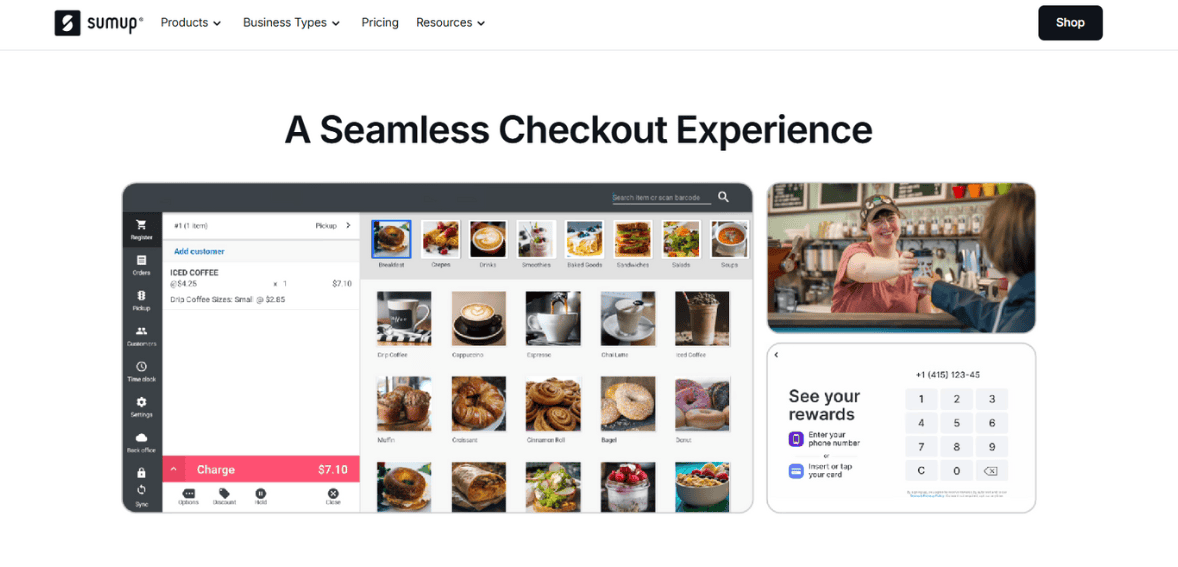
Pros of Using SumUp
The main advantages of SumUp lie in its accessibility, simplicity, and affordability. For small businesses and freelancers, the absence of monthly fees makes it a low-risk way to start accepting card payments. Merchants only pay when they process transactions, aligning costs with revenue. The hardware is another strong point. Compact, stylish devices with reliable performance give businesses professional tools without requiring large investments. Combined with the user-friendly app, the system is easy to set up and operate.
Flexibility is also a key benefit. SumUp supports in-person, online, and mobile payments, offering multiple ways to serve customers. Features like payment links, QR codes, and a lightweight online store extend its utility beyond physical card acceptance. Security and compliance standards are met, providing peace of mind for both merchants and customers. Meanwhile, transparent pricing builds trust, reducing the risk of hidden costs or confusing contracts.
In short, SumUp is ideal for those who value straightforward solutions. Its pros align well with the needs of small operators, making it a reliable partner for businesses that want to modernize payment acceptance without complexity or significant financial commitment.
Cons and Limitations
While SumUp has many strengths, it also has clear limitations. One of the most notable is its lack of advanced features. Businesses seeking comprehensive reporting, deep integrations, or complex inventory management may find the platform restrictive. Customer support, while generally functional, is not always consistent. Limited service hours and variability in response times can frustrate merchants who rely heavily on timely assistance.
Another drawback is cost scalability. For high-volume merchants, transaction fees may become less competitive compared to providers offering volume discounts or custom pricing. The absence of advanced subscription tiers means SumUp may not be cost-effective for larger businesses over the long term.
Offline functionality is also limited, which can be a concern for businesses operating in areas with unreliable internet connectivity. Additionally, while the online store and invoicing tools are helpful, they lack the depth and customization of dedicated e-commerce or accounting platforms. In essence, SumUp’s limitations stem from its design philosophy. By focusing on simplicity and affordability, it inevitably sacrifices advanced capabilities. This is not necessarily a flaw, but businesses must be aware of whether their current and future needs align with what SumUp can deliver.
Ideal Business Types for SumUp
SumUp’s target audience is clear: small businesses, freelancers, and entrepreneurs who need simple and affordable payment solutions. Street vendors, cafés, beauty salons, personal trainers, and delivery services are all examples of businesses that can benefit from SumUp’s model. For these operators, the advantages of portability, no monthly fees, and straightforward setup outweigh the lack of advanced features. SumUp gives them the ability to accept cards and digital wallets professionally, which can improve customer satisfaction and broaden their sales potential.
Freelancers and micro-merchants who process payments sporadically also find SumUp appealing, as they avoid ongoing costs during slower periods. Meanwhile, small retailers can use SumUp’s POS kits to set up a modest checkout system without investing heavily in larger infrastructures. However, medium to large businesses, or those with complex operations, may find SumUp insufficient. They may require deeper integrations with inventory, accounting, or CRM systems, as well as more advanced reporting capabilities. In these cases, competitors like Square, Shopify, or
Final Verdict
SumUp is a reliable payment solution tailored for small businesses, freelancers, and independent merchants. Its main strengths are affordability, simplicity, and versatility, offering sleek card readers, an intuitive mobile app, and flexible online tools that make it easy to adopt digital payments without heavy costs. For small operators, it provides a practical and trustworthy entry point into cashless transactions. However, the same simplicity limits its appeal to larger businesses with complex needs.
Advanced features like in-depth reporting, extensive integrations, and customization options are lacking. Transaction fees, while transparent, may be less competitive for high-volume merchants, and customer support could be more responsive, especially outside regular hours. Offline functionality and e-commerce tools also trail behind some competitors. Despite these limitations, SumUp delivers on its core promise: accessible, cost-effective payment acceptance for small merchants. It may not be ideal for everyone, but for its target audience, it’s a strong and dependable choice.
FAQs
Q1. Is SumUp a good choice for small businesses?
Yes, SumUp is generally well-suited for small businesses, freelancers, and startups. Its transparent, pay-as-you-go pricing ensures that businesses only incur costs when processing sales, which is helpful for those with unpredictable volumes. However, businesses with larger operations or more advanced needs may prefer platforms with deeper features.
Q2. Does SumUp require a monthly fee?
No, SumUp does not require a monthly subscription for most of its services. Merchants only pay a per-transaction fee and the one-time cost of purchasing hardware. This makes it accessible for micro-merchants and businesses that want flexibility without ongoing commitments.
Q3. Can SumUp handle both online and in-person payments?
Yes, SumUp supports a wide range of payment methods. Merchants can accept chip, swipe, and contactless cards in person, as well as digital wallets like Apple Pay and Google Pay. Additionally, they can use payment links, QR codes, invoicing, and an online store feature for remote or online transactions.

Stripe Review
By 10topmerchantservices August 21, 2025
Stripe is one of the biggest names in payment processing. Founded in 2010, it became the go to for online businesses due to its simple developer tools and global capabilities. Unlike many other processors, Stripe built its reputation on being adaptable and integratable, making it attractive to startups and enterprises. Today Stripe powers millions of businesses around the world, including e-commerce stores, subscription platforms and digital service providers. Lets read more about Stripe Review.
What sets Stripe apart is its focus on a polished front-end checkout experience and a robust back-end infrastructure. It’s designed for scalability, so a small business can start using Stripe with just a few transactions and scale to enterprise levels without needing a new provider. Its global reach, multiple currency support and developer first solutions have made Stripe the dominant force in fintech. This review takes a look at Stripe’s features, pricing, usability and pros and cons to help you decide if it’s the right choice for your business in 2025.
Company Background and Market Position | Stripe Review
Stripe was founded by brothers Patrick and John Collison to simplify online payments for developers. Over the years Stripe evolved from a startup friendly solution into a global financial technology company with one of the highest valuations in the industry. Its growth reflects the rapid shift of commerce to online platforms.
In the competitive payments space Stripe has a unique position. While PayPal focuses on consumer wallets and Square on point of sale, Stripe carved out a niche by targeting developers and online first businesses. Its API driven model differentiates it from legacy processors that are stuck in the past. Stripe’s platform now goes beyond payments, offering financial tools, banking as a service and solutions for marketplaces.
Stripe’s position is strengthened by being in more than 40 countries and supporting over 135 currencies. This global footprint makes it the go to choice for international businesses. While competitors like Adyen and Worldpay challenge Stripe in the enterprise space, Stripe’s simplicity and depth has allowed it to win both small businesses and large corporations. Its brand recognition and adoption by big companies adds to its credibility, making it one of the most important players in fintech today.
Core Features of Stripe
Stripe offers a comprehensive suite of features that cater to different aspects of online payments. At its core, Stripe enables businesses to accept payments via credit cards, debit cards, digital wallets, and localized payment methods. Its integration with online stores is smooth, whether through direct APIs or prebuilt plugins for platforms like Shopify, WooCommerce, and Magento.
One of the standout features is Stripe Checkout, a customizable payment page designed for conversion optimization. It supports saved payment methods, one-click purchases, and localized options, all aimed at reducing cart abandonment. Stripe also provides invoicing solutions, making it suitable for freelancers and service-based businesses that rely on recurring billing.
Beyond traditional payments, it offers subscription management through its Billing module. This is valuable for SaaS companies and businesses with recurring revenue models. Stripe Radar, its machine learning–powered fraud prevention system, is another notable feature that provides real-time risk assessment and protection against fraudulent transactions.
For businesses that require more advanced solutions, it enables ACH payments, buy-now-pay-later options, and even cryptocurrency acceptance through integrations. Combined, these features make Stripe more than just a processor; it is a full payment ecosystem. However, the sheer breadth of offerings can be overwhelming for smaller businesses with limited technical expertise, which is something worth considering.
Stripe Dashboard and User Interface
The Stripe Dashboard is the control center for payments, customers and account settings. It’s designed to be clean and simple so you can quickly see key financial data like transaction volume, revenue breakdowns and payout schedules. For many businesses the dashboard is more than just a reporting tool – it’s the operational hub for the finances.
You can filter transactions by status, customer or payment method which makes reconciliation and accounting a breeze. Refunds and disputes can be handled directly from the dashboard so you don’t need external tools. Stripe also offers real time analytics so you can see customer behavior, revenue trends and subscription churn rates.
The dashboard integrates with Stripe’s APIs so developers can build custom workflows while business managers can use a user friendly interface. It also supports multiple team members with custom roles and permissions which is essential for growing businesses.
But some users note that the dashboard can feel overwhelming when you first start out as there are so many features and metrics that a small business may not need. For those comfortable with data driven decision making however the dashboard is unparalleled in its clarity and control. Overall it strikes a balance between being accessible to non technical users and flexible for developers.
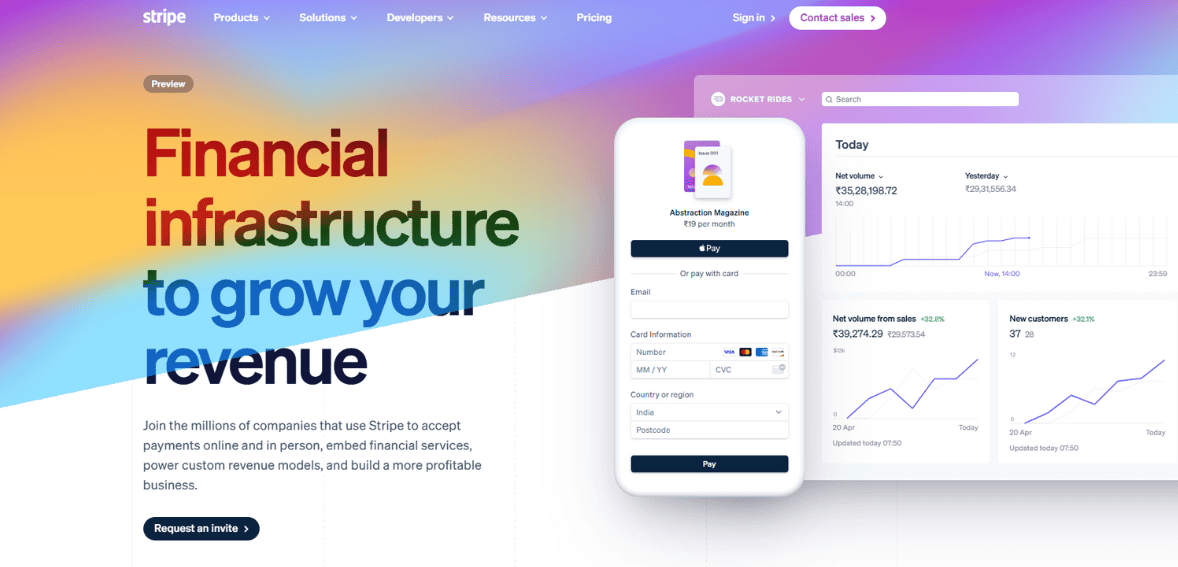
Payment Methods Supported
Stripe supports a ton of payment methods which is one of its greatest strengths. It accepts all major credit and debit cards including Visa, Mastercard, American Express and Discover. It also supports digital wallets like Apple Pay, Google Pay and Microsoft Pay for customers who prefer mobile first transactions.
For international businesses Stripe offers localized payment methods like SEPA Direct Debit in Europe, iDEAL in the Netherlands and Alipay in China. This means merchants can serve diverse customer bases without having to use multiple processors. Stripe also supports ACH transfers for US businesses and bank debits in several countries.
Another big plus is support for buy now pay later providers which are becoming more and more popular in e-commerce. By offering these options Stripe helps businesses capture sales that would otherwise be lost due to high upfront costs.
While the number of payment methods is impressive some businesses may find certain options restricted depending on their country of operation. It may not be the best fit for high risk industries as its acceptance policies are stricter than specialized processors. But the breadth of payment support makes Stripe one of the most inclusive solutions out there.
Developer-Focused Tools and APIs
Stripe’s reputation as a developer-first platform is well-deserved. Its APIs are some of the most powerful and flexible in the industry, so you can create custom payment flows that fit your business needs. The documentation is extensive and well-organized, so integration is relatively easy if you’re an experienced developer.
Stripe’s API-first approach means you’re not limited to pre-built templates. You can design everything from checkout experiences to subscription models exactly how you want. Stripe Elements for example lets you create custom forms with built-in security while still keeping your brand design. In addition to APIs, Stripe has SDKs for multiple languages and platforms so you can be compatible across different environments. Stripe CLI and sandbox environments are also available for testing.
But the same flexibility that’s great for developers can be overwhelming for non-technical users. Small businesses without in-house technical teams may need to use plugins or hire developers which can add costs. But Stripe’s commitment to providing the latest developer tools makes it a top choice for tech-driven businesses that need custom payment infrastructure.
Stripe Connect for Marketplaces and Platforms
Stripe Connect is one of the company’s standout products, built specifically for marketplaces, gig platforms, and platforms that manage payments on behalf of multiple vendors. With Connect, businesses can handle complex payment flows such as splitting payments between sellers, managing payouts, and complying with international regulations.
For platforms like ride-sharing apps, freelance marketplaces, or multi-vendor e-commerce stores, Connect simplifies what would otherwise be a complicated process. It provides onboarding tools for sellers, supports KYC verification, and ensures payouts comply with regulatory requirements. Businesses can also choose between Standard, Express, and Custom account types depending on how much control they want over the user experience.
Another advantage of Stripe Connect is its global reach. It allows platforms to onboard vendors in multiple countries and pay them in their local currencies, reducing friction in cross-border commerce. This capability is particularly valuable for companies looking to scale internationally. The downside is that Connect’s setup is not simple. It often requires technical expertise to implement properly, especially for platforms with unique payout structures. Still, for businesses operating in multi-party ecosystems, Stripe Connect is one of the most advanced and reliable solutions available.
Pricing and Transaction Fees
It has a transparent pricing model which is one of the good things about it for businesses. In most regions the standard rate is 2.9% + $0.30 per successful card transaction. No setup fees, no monthly fees, no hidden fees for basic use so it’s good for startups and small businesses.
For international transactions Stripe adds fees for currency conversion and cross border payments. Businesses also need to be aware of fees for certain features like Stripe Billing or Stripe Connect. For example Billing charges a percentage for recurring revenue tools and Radar has costs for advanced fraud protection.
Compared to competitors Stripe’s pricing is competitive but not the cheapest. High volume businesses may find interchange-plus pricing from other providers more cost effective. Also dispute fees apply when customers file chargebacks which can add up depending on the business type. Overall Stripe’s pricing is straightforward for businesses with average transaction volumes. But businesses with thin margins or high international sales should calculate the costs before committing. The no long term contracts is a big plus for businesses still testing their growth strategies.
Security, Compliance, and Fraud Protection
Security is a critical factor in payment processing, and Stripe places significant emphasis on maintaining industry-leading standards. The platform is PCI DSS Level 1 certified, the highest level of compliance, which means businesses using Stripe do not have to manage PCI certification on their own. Sensitive card details are never stored on a merchant’s servers, reducing risk exposure.
Stripe Radar, its built-in fraud prevention tool, uses machine learning to detect and block suspicious transactions. Radar leverages data across the Stripe network, allowing it to identify fraud patterns more effectively than businesses operating in isolation. Merchants can also customize rules to reflect their specific risk profiles, balancing protection with customer experience.
Compliance extends beyond PCI. It ensures adherence to regulations such as PSD2 in Europe, including support for Strong Customer Authentication. It also manages KYC requirements for connected accounts under Stripe Connect.
While security is strong, no system is immune to fraud. Some businesses report occasional false positives in Radar, where legitimate transactions are flagged. Despite these instances, Stripe’s overall record in protecting merchants and customers is highly regarded, making it one of the safer choices for handling payments.
Stripe’s Additional Products (Billing, Atlas, Issuing, Treasury)
It has expanded well beyond payments into a broader financial ecosystem. Stripe Billing is a subscription management tool designed for SaaS companies and businesses with recurring revenue models. It automates invoicing, subscription tracking, and dunning processes, helping reduce churn. Stripe Atlas is another unique product, aimed at startups looking to incorporate in the U.S. quickly. It simplifies business incorporation, bank account setup, and compliance tasks for international entrepreneurs.
For companies interested in offering their own branded financial products, Stripe Issuing enables businesses to create and manage virtual and physical cards. This is valuable for expense management platforms and fintech startups. Stripe Treasury extends Stripe’s reach into banking services, allowing businesses to hold funds, manage accounts, and integrate financial flows within their platforms.
These additional products demonstrate Stripe’s ambition to become more than a payment processor. Instead, it positions itself as a financial infrastructure provider for the internet economy. However, not all businesses will need these services, and some may find them more complex than necessary. The value depends heavily on the business model and growth trajectory.
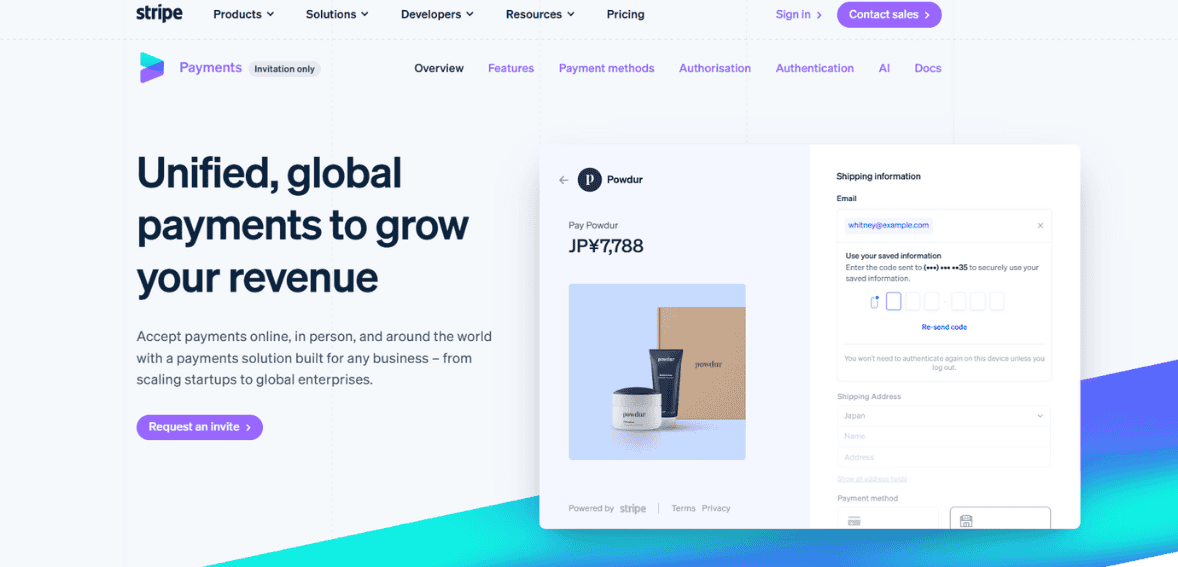
Customer Support and Resources
Customer support is an area where Stripe receives mixed reviews. On one hand, it provides extensive documentation, guides, and community forums that make self-service easy for developers. The knowledge base is detailed enough for most integration and troubleshooting questions. It also offers 24/7 support via chat and email. For businesses with higher usage tiers, premium phone support may be available, though it often comes at an additional cost. The responsiveness of chat support is generally positive, but some users report delays in resolving complex issues.
A notable strength is the quality of Stripe’s developer documentation, which often reduces the need for direct support. Businesses with in-house developers may find they rarely need to reach out to Stripe. However, smaller merchants or those unfamiliar with technical integration sometimes express frustration with the limited hand-holding compared to providers with dedicated account managers.
In short, Stripe’s support structure aligns well with its tech-first audience. For businesses seeking proactive account management and personalized assistance, it may not be as strong as traditional processors. Still, the combination of resources and 24/7 availability makes it suitable for most use cases.
Pros of Using Stripe
Stripe’s advantages are numerous, and they explain why it has become one of the most trusted processors in the market. Its developer-friendly infrastructure is unmatched, making it ideal for businesses that want flexibility in designing custom payment flows. The platform’s global reach and support for a wide range of payment methods allow businesses to scale internationally with minimal friction.
Another major advantage is Stripe’s transparency in pricing. With no hidden fees or long-term contracts, businesses can start and scale without being locked into inflexible agreements. Its fraud prevention tools, security compliance, and additional products like Billing and Connect further strengthen its value proposition.
For subscription-based companies, SaaS providers, and marketplaces, it provides specialized tools that are difficult to match. Its ecosystem continues to evolve, meaning businesses gain access to new financial tools without switching providers. That said, its greatest strength; technical depth; also serves as a differentiator. For businesses with the right resources, it delivers a level of customization and scalability that few competitors can rival.
Cons and Limitations of Stripe
Despite its strengths, Stripe is not without limitations. One of the primary drawbacks is its complexity for non-technical users. While plugins exist, the full potential of Stripe often requires developer involvement, which can increase costs for smaller businesses. Another limitation is Stripe’s strict industry restrictions. High-risk sectors such as firearms, adult content, and certain subscription services may not be eligible, forcing businesses in those areas to seek alternative processors.
Pricing, while transparent, can also be a drawback for businesses with high transaction volumes or international sales. The standard flat-rate model may not be as competitive as interchange-plus pricing offered by some providers. Chargeback fees and dispute resolution processes can also feel rigid to merchants dealing with frequent disputes.
Finally, some users report that customer support lacks the personal touch found with traditional merchant service providers. For businesses expecting dedicated account management, this may be a shortcoming. Overall, these limitations highlight the importance of evaluating Stripe based on specific business needs.
Ideal Business Types for Stripe
It is particularly well-suited for online-first businesses, such as e-commerce retailers, SaaS platforms, and digital marketplaces. Its support for subscription billing makes it a natural choice for software companies and membership-based services. Startups benefit from its scalability and the ability to integrate advanced features without switching providers as they grow.
Global businesses also find Stripe valuable due to its multi-currency support and localized payment methods. Companies operating across borders can manage diverse payment flows without the complexity of multiple processors. Marketplaces and gig-economy platforms, in particular, gain significant advantages from Stripe Connect.
On the other hand, businesses in high-risk industries or those primarily reliant on in-person transactions may find Stripe less suitable. Traditional processors or POS-focused solutions may offer better pricing or tailored support. Similarly, very small businesses with no technical expertise may prefer plug-and-play processors that require minimal setup. In summary, it is best for businesses that value flexibility, scalability, and global reach. For companies with more basic payment needs, it may feel like overkill.
Final Verdict
It remains a leading payment processor due to its developer-friendly tools, transparent pricing, and wide feature set, supporting everything from basic payments to subscriptions, marketplaces, and banking services. It is particularly strong for startups, SaaS businesses, and global companies looking to scale. However, it is not ideal for all merchants; its technical complexity, higher costs for some models, limited support, and restrictions on high-risk industries can be drawbacks. Ultimately, Stripe’s value lies in its scalability and versatility, making it a top choice for ambitious, growth-oriented businesses, while simpler or more affordable alternatives may better suit others.
FAQs
Q1. What makes Stripe different from other payment processors?
It stands out for its developer-first approach, global reach, and wide range of financial products beyond payments. Unlike providers that focus mainly on point-of-sale or consumer wallets, it offers unmatched flexibility for creating custom payment solutions.
Q2. Is Stripe suitable for small businesses or only for large enterprises?
It caters to both, but small businesses without technical resources may find it complex. It is ideal for startups planning to scale and enterprises that need global payment infrastructure.
Q3. What are the main drawbacks of using Stripe?
The biggest drawbacks are higher costs for some use cases, limited support for high-risk industries, and the need for technical expertise to unlock its full potential.
Chase Payment Solutions Review
By 10topmerchantservices August 21, 2025
Chase is one of the largest banks in the United States, with millions of card holders and a massive small-business footprint. When a business signs up for Chase payment solutions, they are tapped on that scale – especially analytics obtained from Chase cards and banking networks. This provider pursues the most different customer insight, a free analytics suit that converts raw transactions data into customer intelligence. The platform also brings a range of modern virtual terminal (Orbital), a series of POS hardware options (including restaurants and retail systems), and unique offering for strong mobile capabilities and healthcare with tap to pay on iPhone, also through HIPAA-Compliant payment.
This review discuss about Chase payment solutions. Let us understand in detail.
Ease Of Use

Because it sits inside the widespread business ecosystem of Chase, the dashboard can feel more complicated than payment apps. Tools may live in separate Chase portals – cases, banking, analytics – sometimes requiring additional clicks. Flip side is a modern, well organized interface: clear menu, predictable navigation, and consistent styling once users learn the layout. Most teams should quickly go on the ship, especially if they already use Chase Business Banking.
In short, not the simplest UI in the category, but logical and learning. The width of the features explains the additional navigation.
Standout Feature: Chase Customer Insights
This is the main reason many reviewers rate Chase Payment Solutions highly. Standard payment processors provide payout summaries and basic sales reports. Customer Insights goes much further:
- Sale performance: Daily sales tool, trend and average ticket size.
- Cohorts: New vs. returning customers, frequency, and reports.
- Demographic: Customer age, income, gender and location collected scenes (eg, zip code).
- Behavior pattern: Where customers come from (geographically), when they shop (day/time), and how they buy (in-store versus online).
- Benchmarking: Comparison against similar businesses in the field to identify strength and gaps.
These insight can run solid tasks: staffing adjustments based on time-boxed promo, traffic curves, neighborhood advertisements, and inventory decisions reported by basket composition during peak hours. Some processors match this depth of business intelligence without any additional cost, which is why many label Chase payment solutions solution as the strongest option for data-operated traders.
Virtual Terminal: Orbital
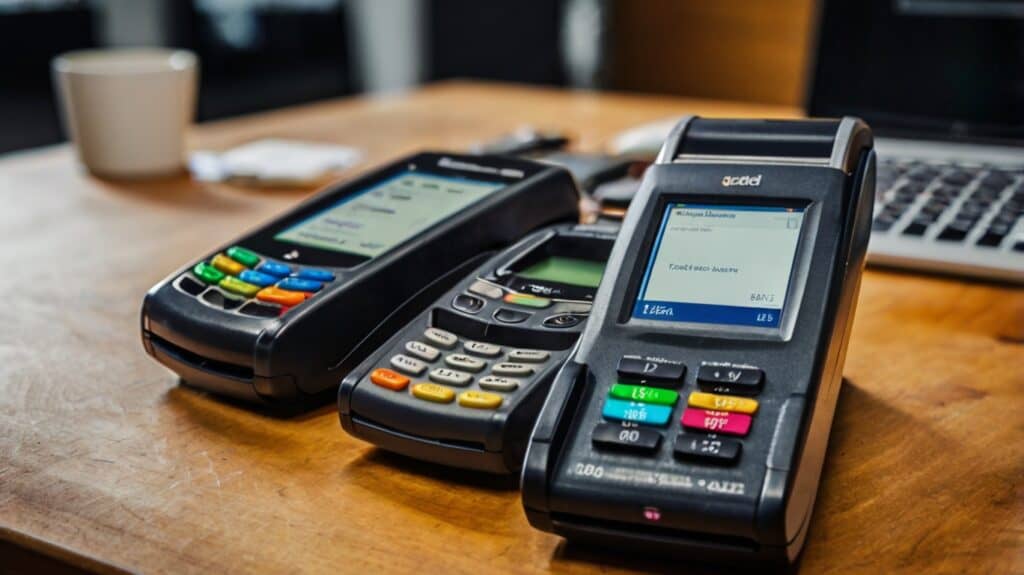
Chase’s Orbital virtual terminal allows manual key-entry of card-not-present transactions (phone order, mail order) and recurring billing as well as secured card-on-file storage. Built-in fraud controls—AVS/CVV checks and other risk screening—mitigate unauthorized use. Orbital also accepts a range of payment methods, ranging from credit and debit to ACH, allowing teams consolidate credit card and bank transfer payment without additional hardware. For businesses with a sizeable remote billing workflow (wholesale orders, professional services, repair shops), this is a robust option.
POS Hardware and Industry Systems
Chase payment solutions offers a range of in-person solutions:
- Portable terminal ($499): For countertop or curbside workflows.
- QuickAccept readers: Base $49, reader $99, or bundle for $129. These pair with the Chase Mobile app for chip, swipe, and Tap to Pay on iPhone.
- Restaurant POS: TouchBistro systems sold through Chase for front-of-house, menu management, and kitchen flows.
- Retail POS: Silver Essentials by NCR Voyix, suitable for single- and multi-store retailers with inventory and reporting needs.
The hardware integrates with the Chase Business Complete Banking for a systematic disposal. Traders who like various POS brands can still process through Chase gateway or connect through supported integration.
Mobile Payments Offered By Chase Payment Solutions
Mobile payments are a requirement for pop-ups, service firms, and line-busting. The Chase Mobile application addresses all aspects of the use case:
- Tap to Pay on iPhone: No additional hardware required.
- Manual key-entry and payment links: For remote or on-the-spot invoices.
- In-app invoicing: Create and send professional invoices directly.
- Real-time tracking: See transactions and payouts as they occur.
When paired with a Chase business checking account, merchants can access no-fee same-day deposits—a meaningful cash-flow advantage over many third-party providers.
HIPAA-Compliant Healthcare Payments (InstaMed)
Chase payment solutions is reportedly unique among the large processors, since it has partnered with InstaMed to provide HIPAA compliant payments. The system allows for collections in office as well as online bill pay and e-statements. Practices can save cards on file for these recurring charges, along with the ability to accept credit, debit, and ACH. For clinics, dental offices and specialty practices, this can streamline collections, enhance the patient payment experience and help meet regulations.
Merchant Account & Gateway Options
Chase provides genuine merchant accounts with its own secure gateway—no extra configuration for most card-present and eCommerce flows. Chase resells Authorize.net for teams already standardized on other gateways, providing continuity with existing integrations and settling and reporting within the Chase ecosystem. It mitigates switching frictions for larger firms.
Pricing
Chase’s published flat-rate pricing:
- In-person (with card reader): 6% + $0.10
- Online (eCommerce): 9% + $0.25
- Manually keyed: 5% + $0.10
There are no monthly processing fees, and analytics (Customer Insights) plus same-day deposits with a Chase business checking account come at no extra charge. Larger businesses can request interchange-plus pricing, which may be more economical at scale.
Potential additional fees:
- Early termination: If free equipment is provided, the contract may include an ETF for early cancellation.
- Third-party/agent markups: Chase sells directly and via independent agents. Some agents add fees; merchants should review agent contracts carefully and consider applying directly through Chase if extras appear.
- Chargebacks: Chase may charge $25–$100 per incident.
Customer Support
Chase offers phone support 24 hours a day, seven days a week, and an extensive Merchant Support Center on the Web, with articles on how to do most anything, free skills courses, and “The Unshakeables” podcast. Having a wide selection of content is a plus but some reviewers report being put on hold for long periods of time during high-traffic times. As with any large institution, though, experiences differ depending on the queue and issue type. Onboarding teams generally find that implementation guidance is thorough, and banking integration questions are easier to resolve when both payments and checking are under one roof.
Pros and Cons of Chase Payment Solutions

Pros
- Exceptional Customer Insights analytics at no extra cost.
- Same-day deposits to Chase business checking, with no fees.
- Broad product lineup: virtual terminal, mobile, countertop, restaurant and retail POS.
- HIPAA-compliant solution via InstaMed (rare among major processors).
- Flexible gateway options, including Authorize.net resale.
Cons
- Flat-rate pricing can be higher than subscription or interchange-plus competitors.
- Dashboard can feel complex across the broader Chase ecosystem.
- Some benefits tied to Chase checking.
- Potential ETF with free equipment; chargeback fees apply.
- Reports of long hold times in some support queues.
Final Thoughts
As a leader in payments, Chase Payment Solutions is no slouch: solid acquiring, powerful in-person and digital solutions, as well as analytics that truly matter, unlike most other competitors. It is not the least expensive processor cost–especially at flat rates–but business intelligence, same-day funding, and bundling banking and payments can balance the cost. Larger firms could obtain more favorable terms, while smaller firms should balance the additional cost with the information and cash-flow quickening benefits.
For those merchants who are actually going to use the data, targeted campaigns, staffing by traffic pattern, product mix optimization, Chase payment solutions can actually pay for itself. If the primary goal is even lower processing costs, a subscription processor or negotiated interchange-plus plan may be preferable. Regardless, Chase is a top contender with its feature depth, healthcare compliance option, and analytics leadership—particularly for merchants already in the Chase ecosystem.
Frequently Asked Questions
- Why do firearm merchants experience higher transaction decline rates compared to other industries?
Firearm merchants operate in a high-risk category with stricter regulations, complex shipping rules, and increased scrutiny from banks and card issuers. These factors trigger additional fraud checks, compliance holds, and issuer-level declines.
- What’s the difference between a soft decline and a hard decline?
A soft decline is temporary—such as insufficient funds or a temporary bank hold—and can often be resolved by retrying or offering an alternative payment method. A hard decline is permanent for that transaction, often due to stolen cards, expired cards, or issuer policy blocks.
- Can using multiple payment processors reduce decline rates?
Yes. Multi-acquirer or multi-gateway setups allow routing declined transactions to another processor for a retry, improving approval rates while maintaining compliance.
- How can checkout design impact transaction approval rates?
A clear, mobile-friendly, single-page checkout with minimal required fields reduces user errors and abandoned carts. Making CVV and AVS entry easy and error-free can help prevent mismatches that lead to declines.
- Are there alternative payment methods that work well for firearm sales?
Yes. Where legally permitted, ACH/eCheck, debit cards, and select trusted wallets can bypass some card network restrictions and improve transaction success rates.
Ref: https://www.business.com/reviews/chase-merchant-services/