

ProMerchant Review
By 10topmerchantservices August 5, 2025
ProMerchant is a US based payment processor designed for simplicity, speed and transparency. They cater to small to mid-sized businesses, especially those looking for a hassle free alternative to the big legacy payment processors. With fast approvals and responsive service ProMerchant has gained popularity among merchants who value clarity in contracts and flexibility in pricing. Lets read more about ProMerchant Review.
Unlike many processors that rely heavily on automation ProMerchant has a human led application and support process. Business owners work directly with representatives who guide them through the approval and onboarding process which can be a big plus for entrepreneurs who are new to merchant services. This hands on model combined with month to month contracts makes the provider a great fit for new or growing businesses.
Not as techy as some of the bigger names ProMerchant doesn’t try to be everything to everyone. Instead they focus on providing reliable merchant accounts, basic hardware and software solutions and strong customer service. They bank on transparency rather than over promising features.
Account Setup and Approval Process | ProMerchant Review
One of the most appreciated aspects of ProMerchant is its quick and straightforward approval process. The application can be completed online or over the phone, and most merchants receive a decision within 24 to 48 hours. Unlike providers that rely on rigid, algorithm-based approval systems, ProMerchant assigns a real person to evaluate each application individually. This personalized approach helps businesses that may not have a strong processing history or fall outside the “ideal” profile for traditional processors.
There’s no extensive documentation required to get started. ProMerchant typically asks for basic business details, ownership information, and a voided check or bank verification to link accounts. For higher-risk categories, such as travel or nutraceuticals, additional information may be requested, but this is handled on a case-by-case basis.
Importantly, ProMerchant doesn’t lock merchants into long-term contracts. Most accounts are offered on a month-to-month basis, and there are no setup fees or application fees. This flexibility is ideal for startups or seasonal businesses that may want to test a payment processor without committing financially upfront.
That said, since approvals are manually reviewed, there’s a degree of subjectivity. Some businesses may be declined based on risk level or previous chargeback history, though ProMerchant tends to be more accommodating than high-volume processors. While it may not be a perfect fit for every industry, its accessible approval model is a standout feature for merchants seeking a personalized onboarding experience.
Product and Service Overview
ProMerchant offers a range of payment solutions for different business models – brick-and-mortar, mobile and online. At the heart of it all is the traditional merchant account which allows you to accept major credit and debit cards. This can be paired with in-person card readers, virtual terminals and ecommerce integrations depending on your business needs.
For physical retail or service businesses ProMerchant offers countertop terminals and mobile card readers. These devices can process EMV chip cards, magnetic stripe cards and contactless payments like Apple Pay and Google Pay. The mobile solutions are iOS and Android compatible so whether you’re a home repair business or a food truck you have the flexibility to go wherever your business takes you.
Online businesses can use ProMerchant’s virtual terminal or integrate payment gateways into their ecommerce stores. The virtual terminal allows for manual card entry, invoicing and recurring billing – all through a secure browser based interface. It may not have all the bells and whistles of advanced automation or analytics dashboards but it gets the job done for basic payment needs.
If you accept checks ProMerchant also offers ACH transactions so you can do recurring bank debits for things like memberships or subscription services. There’s no fancy proprietary software or app ecosystem but it’s functional for businesses that prioritize simplicity and compliance over tech heavy features. Overall, ProMerchant delivers a well-rounded, reliable suite of tools tailored for essential payment processing without unnecessary add-ons.
Pricing Structure and Contract Terms
ProMerchant stands out for its transparency in pricing. The company offers two options: interchange-plus pricing and flat-rate pricing. You choose based on your volume and complexity. Both options have no hidden fees so you know what you’re paying for.
With interchange-plus you pay the wholesale cost of each transaction (set by Visa, Mastercard, etc.) plus a small fixed markup. Good for businesses with consistent monthly volume and lower risk. Flat-rate is good for newer businesses that want simplified accounting. ProMerchant does not require long term contracts. Most merchants are on month to month agreements with no early termination fee. Most of the industry requires 3 year contracts with early termination fees. This gives you the flexibility to try the service without being locked in for years or paying penalties to get out.
There are no setup fees, no PCI compliance fees, and no monthly minimums. That said, pricing may vary depending on the business type, processing volume, and chosen plan. While the lack of upfront fees is attractive, it’s still wise for merchants to request a full fee disclosure during onboarding.
Compared to larger processors, ProMerchant’s pricing is competitive and refreshingly straightforward. While it may not always be the absolute cheapest, the absence of complex surcharges and surprise costs offers real value.
Payment Processing Features
When it comes to core payment functionality, ProMerchant covers the essentials well. It enables businesses to accept all major credit and debit cards, both in-person and online. Transactions are processed securely with end-to-end encryption and full PCI DSS compliance. The company also supports ACH processing for businesses that prefer direct bank transfers, which is useful for subscription models or high-ticket transactions.
One useful feature is the virtual terminal, which allows merchants to accept payments by phone or through a web browser. This is particularly helpful for service providers and B2B businesses that don’t operate through physical storefronts or ecommerce platforms. Within the terminal, merchants can also set up recurring billing, issue digital invoices, and track payment history.
ProMerchant’s mobile processing tools are designed for flexibility. Merchants can pair card readers with smartphones or tablets, enabling secure swipes, chip reads, or tap-to-pay transactions. These are especially useful for businesses that operate at events, markets, or in the field.
Though ProMerchant doesn’t offer an advanced proprietary analytics dashboard, it does provide basic reporting and reconciliation tools. These include transaction summaries, batch reports, and deposit tracking. Overall, ProMerchant focuses on delivering secure, functional, and reliable payment processing without unnecessary complexity. While it may not include cutting-edge innovations or integrations out of the box, it covers the ground most small businesses need to operate efficiently.
Hardware and Software Options
ProMerchant offers a selection of standard payment hardware suited for both retail and mobile businesses. This includes countertop terminals compatible with EMV, NFC, and magstripe cards. These terminals are sourced from reliable manufacturers like Verifone or Ingenico, which are widely used across the industry.
Mobile card readers are also available and can be paired with a smartphone or tablet. These devices allow merchants to accept payments on the go, with support for chip and contactless payments. This is especially useful for businesses like food trucks, mobile vendors, or in-home services. The mobile setup is simple and can be operated via an app or browser-based interface.
For ecommerce businesses or those operating remotely, ProMerchant’s virtual terminal acts as a software-based alternative to hardware. It doesn’t require any installation and runs directly through a secure online portal. Businesses can key in card details manually, set up recurring payments, and generate digital invoices.
One limitation is the lack of proprietary software or an all-in-one POS system. Unlike some providers that bundle inventory management or employee tracking tools with their hardware, ProMerchant sticks to the basics. This can be seen as either a strength or a drawback, depending on the business’s needs. In short, ProMerchant’s hardware and software offerings are dependable and straightforward. They’re best suited for businesses that want secure, functional tools without unnecessary bells and whistles.
Ecommerce Capabilities
ProMerchant offers a solid foundation for ecommerce businesses, though it may not be the most advanced platform in the market. Merchants looking to accept payments online can integrate with popular shopping carts and platforms using third-party gateways like Authorize.net. While ProMerchant does not offer its own proprietary shopping cart system, it provides the flexibility to connect with existing ecommerce solutions.
The company’s virtual terminal also supports invoicing and remote payments, allowing service businesses or freelancers to send payment links or take card information over the phone. While not as robust as full ecommerce suites, this functionality is sufficient for many online-first businesses or hybrid models.
Security is a strong point; ProMerchant ensures that all online transactions are processed with PCI compliance, tokenization, and SSL encryption. These features protect sensitive data and reduce the risk of fraud. There’s also support for recurring billing and subscriptions, which is valuable for ecommerce companies with membership or subscription models.
That said, ProMerchant may not be ideal for large-scale ecommerce operations that require advanced features like abandoned cart recovery, customer loyalty integration, or in-depth sales analytics. It’s designed for simplicity and works best for small to medium-sized online stores. If your business primarily sells online but doesn’t require complex ecommerce features, ProMerchant’s integration options and virtual terminal provide a secure and functional payment solution.
Customer Support and Service Quality
Customer service is one of the best parts of ProMerchant. Unlike many providers who route you through automated systems or big call centers, ProMerchant assigns a dedicated account rep to each merchant. This person becomes your main point of contact for onboarding, troubleshooting and day to day account management.
Support is available by phone and email during business hours and response times are usually quick. Many customers love the personal touch of support especially when dealing with transaction, chargeback or technical setup issues.
During onboarding, ProMerchant reps will walk you through the account setup process, help configure the hardware and explain pricing. This is super helpful for small business owners who may not be familiar with payment processing or industry practices. But ProMerchant doesn’t offer 24/7 live support or a large self-help knowledge base. If you’re a business that operates late hours or needs real-time technical support, this might be a limitation.
Still, the majority of reviews highlight customer service as a strong point. The proactive, one-on-one approach sets ProMerchant apart from larger processors that prioritize volume over relationship-building. For businesses that value responsiveness and continuity in their service experience, ProMerchant delivers a high level of satisfaction.
Pros and Cons
Like any provider, ProMerchant has its strengths and weaknesses. One of the biggest advantages is its transparent, no-contract pricing. Businesses are not locked into long-term agreements, and there are no hidden fees or early termination penalties. This makes ProMerchant a low-risk option for merchants exploring new processing relationships.
Another major pro is the personal customer service. Having a dedicated representative is a rarity in the payment industry, especially for smaller businesses. This ensures more consistent communication and quicker resolutions when issues arise. ProMerchant is also accommodating newer businesses and some high-risk categories. The manual underwriting process allows for flexibility that many automated platforms don’t offer.
On the downside, ProMerchant lacks some of the bells and whistles seen in competitors’ platforms. There is no proprietary POS system, limited analytics tools, and fewer integrations with third-party business software. It also does not support 24/7 customer service, which may be a drawback for businesses operating outside normal hours. Overall, ProMerchant is a solid option for merchants who prioritize clarity, service, and ease of use over technological innovation.
Who Should Use ProMerchant?
ProMerchant is perfect for small to medium sized businesses that want a simple, supportive payment processor. It’s great for startups, service providers and retailers who are fed up with confusing contracts, hidden fees or unresponsive support from bigger processors. Businesses that operate in-person – whether in a retail location or mobile environment – will love the hardware and mobile solutions. Those with lean ecommerce operations will find the virtual terminal and gateway integration sufficient.
It’s also a good fit for business owners who want to work with a real person throughout the payment processing journey. From setup to support, the company offers a level of personal service that many competitors don’t. But businesses that need deep integration with POS systems, inventory tools or CRM platforms will find ProMerchant too basic. Those that need 24/7 support or international payment processing may want to look elsewhere. If your business needs a dependable, low-friction way to accept payments with the comfort of no long-term commitment, ProMerchant is a strong contender worth evaluating.
FAQs
Q1: Does ProMerchant accept high-risk businesses?
A: ProMerchant reviews applications on a case-by-case basis. While it is not a dedicated high-risk provider, it does work with some industries that traditional processors reject.
Q2: Is there a long-term contract or cancellation fee?
A: No, ProMerchant offers month-to-month agreements with no early termination fees, making it a flexible option for small businesses.
Q3: Can I integrate ProMerchant with my existing POS or shopping cart?
A: Yes, ProMerchant supports many third-party integrations through common gateways like Authorize.net. Compatibility should be confirmed during onboarding.

Pineapple Payments Review
By 10topmerchantservices August 1, 2025
Pineapple Payments is a Pittsburgh based payment processor that started in 2016 with a mission to provide flexible and modern payment solutions for businesses of all sizes. Built to bridge traditional processing infrastructure with new technology the company gained early traction through partnerships with TSYS and First Data. This gave them credibility and a reliable processing backbone. Lets read more about Pineapple Payments Review.
They serve a wide range of industries including retail, healthcare, non-profits and professional services. They support in-person, online and mobile payment methods so merchants can centralize their payment workflows without switching between multiple providers. Their tools are great for businesses looking for a seamless omnichannel experience.
In 2021 Pineapple Payments was acquired by Fiserv, a financial services giant. This move positioned the company for further growth by aligning them with a global payment processing leader. The acquisition also expanded Pineapple’s reach and product offerings so they could have more robust integrations and long term platform stability.
Overall, Pineapple Payments presents itself as a tech-forward option for merchants looking to simplify payments without sacrificing reliability. It may not have the household name recognition of Square or Stripe, but its focus on custom solutions and strong infrastructure makes it a legitimate contender for businesses that need both flexibility and dedicated support. For merchants who prioritize service and scalability, Pineapple Payments offers a balance of innovation and dependability.
Key Features and Capabilities | Pineapple Payments Review
Pineapple Payments provides a broad suite of payment tools tailored to meet the diverse needs of modern businesses. Its services extend beyond basic credit card processing to include features that enhance operational efficiency and customer experience. Whether you’re accepting payments online, in-store, or on-the-go, the platform offers solutions that are designed to work in tandem.
One of its standout capabilities is its omnichannel integration. Businesses can process payments through a point-of-sale terminal, a virtual gateway, or a mobile device, all while managing their transactions from a unified dashboard. This centralized approach benefits businesses that operate across multiple touchpoints, like those with both retail and eCommerce operations.
The platform also supports recurring billing, secure invoicing, ACH transfers, and tokenization. These tools are particularly helpful for service-based industries, subscription businesses, and healthcare providers that depend on reliable and secure payment flows. Another highlight is its flexibility with integrations. Pineapple Payments can plug into third-party platforms like Salesforce, Magento, and WooCommerce, allowing businesses to maintain their existing systems without a complete overhaul. It also offers API access for businesses with more customized requirements.
While Pineapple Payments is feature-rich, it stops short of offering deep vertical-specific tools, such as restaurant management software or salon scheduling systems. It is best positioned as a generalist payment provider with a strong focus on transaction management and system compatibility. For businesses seeking core payment functionality with the ability to expand and customize, Pineapple Payments offers a compelling mix of tools and technology.
Payment Processing Technology
Pineapple Payments combines its own software with back-end integrations from big processors to give you a solid and scalable tech stack. By partnering with TSYS and First Data, we give you access to secure and proven infrastructure and modern interfaces and developer-friendly options. We support multiple payment environments: in-store, online, mobile and virtual. This is key for businesses that are hybrid or omnichannel. For example, a retailer with a physical POS can also sync their data with an online store and see real-time analytics across both.
API access is another big part of our tech offering. We give you APIs for businesses that want to build custom payment workflows or integrate payment processing into their existing platforms. This is especially useful for SaaS providers or businesses with complex backend systems. Additionally, Pineapple Payments uses tokenization and encryption to ensure PCI compliance and data protection. These security measures help reduce the scope of compliance responsibilities for merchants while keeping transaction data safe from breaches or misuse.
However, the platform’s reliance on third-party processors means that some technical limitations may stem from its partners rather than Pineapple’s own systems. This may affect feature availability or support response times in certain scenarios. In essence, Pineapple Payments delivers a modern payment infrastructure built on dependable foundations. While it doesn’t build every piece of the puzzle itself, it assembles the components into a tech stack that works effectively for most business environments.
Point-of-Sale and Hardware Options
Pineapple Payments offers a range of point-of-sale hardware and terminal solutions to meet different business needs. Whether you’re operating a storefront, a mobile business, or a service-based company, the hardware options are designed to enable quick and secure transactions across environments.
The company supports well-known terminals such as Clover, Dejavoo, and PAX, providing merchants with flexibility in choosing devices that fit their operational model. Businesses can opt for countertop terminals, mobile card readers, or integrated POS systems based on their sales volume and physical setup. All hardware supports EMV chip cards, magstripe, and NFC payments like Apple Pay and Google Pay.
One of the platform’s strengths lies in its support for omnichannel operations. For example, a business can use a mobile reader in the field and sync those transactions with their in-store records. This cohesion is critical for accurate reporting and inventory tracking. Installation and setup are generally straightforward, with most terminals pre-configured for plug-and-play use. Pineapple also provides support for hardware troubleshooting and replacement, which adds to its appeal for businesses without in-house IT teams.
However, the hardware offerings are primarily focused on general retail and service industries. Businesses in highly specialized niches may require additional third-party software to complete their POS needs, particularly in areas like hospitality or event management. Overall, Pineapple Payments delivers dependable, secure, and flexible POS options that support a variety of business models while ensuring ease of use and compatibility.
eCommerce and Gateway Solutions
Pineapple Payments has eCommerce tools for businesses that sell online. Our payment gateway is easy to integrate with most shopping cart systems so customers have a seamless checkout experience. Whether your site is on Shopify, WooCommerce, Magento or a custom CMS, we have flexibility and compatibility.
Key features include hosted payment pages, recurring billing and customer tokenization for faster repeat transactions. These are great for subscription based businesses, nonprofits accepting donations or any business model that relies on customer retention and ease of repeat payments.
As for security the platform meets PCI DSS standards and has fraud protection tools like CVV validation, AVS checks and address verification. These help reduce chargebacks and build customer trust during online transactions. The virtual terminal allows businesses to take payments over the phone or via email without a physical POS. This is great for B2B services, healthcare providers or businesses with manual invoicing workflows.
API documentation is available for developers who want to customize the checkout experience or integrate the gateway into their existing apps. While not as advanced as Stripe in developer tools, Pineapple’s APIs are functional and provide enough flexibility for most use cases. Overall, Pineapple Payments delivers a well-rounded suite of online tools that make it easier for businesses to accept and manage payments across web and mobile platforms.
Partner Programs and White Labeling
One of the lesser-known but strategically significant areas of Pineapple Payments is its focus on partnerships. The company offers a range of programs tailored to Independent Software Vendors, Value-Added Resellers, and Independent Sales Organizations looking to offer branded payment solutions to their clients.
Through its white-labeling capabilities, partners can integrate Pineapple’s payment infrastructure under their own brand, creating a seamless experience for end-users while managing their own client relationships. This is particularly useful for software providers that want to embed payment functionality without building it from scratch.
Revenue-sharing agreements and flexible onboarding processes are other strong points of the partnership model. Pineapple provides sales support, residual reporting, and co-branded marketing assets to help partners grow their portfolios. The company also offers dedicated account management for partner channels, which adds to the appeal for businesses that value high-touch support.
Integration tools and APIs are made available to help partners develop and customize the payment experience for their customer base. Whether it’s embedding a checkout form or syncing transaction data with a CRM, Pineapple aims to be a collaborative partner rather than just a vendor.
While this program may not be relevant for every business, it’s an important advantage for companies in the payments or software ecosystem. Pineapple’s ability to scale its solutions through partnerships strengthens its position as a flexible and forward-looking provider.
Customer Support and Service Experience
Customer support is a significant consideration when evaluating any payment processor, and Pineapple Payments tends to score well in this area. The company offers multiple support channels, including phone, email, and live chat, and is known for providing dedicated account managers to many of its clients.
Unlike some processors that push users toward self-service portals or outsourced help desks, Pineapple aims to offer more personalized service. Small and mid-sized businesses often appreciate this hands-on approach, especially during setup or when troubleshooting hardware or integration issues. User feedback indicates that the support team is generally responsive and knowledgeable, particularly in helping merchants navigate technical concerns or compliance questions. Pineapple’s customer-first reputation is one of its stronger differentiators compared to larger, more impersonal processors.
That said, some aspects of customer support, especially issues that relate to backend partners like First Data, can be subject to delays or process constraints. Because Pineapple sometimes acts as a middleware layer rather than the direct processor, resolution timelines may vary depending on the complexity of the problem.
Still, for most day-to-day concerns, the platform offers fast and competent assistance. The availability of dedicated onboarding support is also a plus for new users who may be unfamiliar with merchant accounts or payment integrations. For businesses that value human support and want a provider that doesn’t rely entirely on automated systems, Pineapple Payments offers a dependable service experience.
Pricing Structure and Transparency
Pineapple Payments doesn’t list flat rate pricing on their website as they offer custom quotes based on business size, volume and risk profile. So pricing transparency can vary depending on the sales process and the plan negotiated. They typically operate on an interchange plus pricing model which is more cost effective for businesses that process higher volumes. This model separates the card network fees from the processor’s markup so you can see where the costs are.
Other fees may include monthly service fees, PCI compliance fees and early termination penalties depending on the merchant agreement. While many businesses say Pineapple is fair in their pricing, not having a standard rate sheet can make it harder to compare to other providers at the beginning. Onboarding and consultation is free and in some cases hardware may be included at a discount or no upfront cost depending on the contract. Customization and flexibility in pricing is a strong point especially for businesses with specific requirements or those that process high volumes.
In summary, while the pricing model is competitive and negotiable, prospective users should carefully review the merchant agreement. Asking for a detailed breakdown and clarification of all potential charges during the onboarding phase is essential for avoiding surprises later.
Pros and Cons of Using Pineapple Payments
Pineapple Payments has several notable strengths that make it a strong contender for many businesses. One of its most appreciated qualities is its omnichannel capability. Whether you’re operating online, offline, or across both, Pineapple provides tools that help unify your payment operations. Another key advantage is its partnership model, offering APIs and white-labeling options for software providers. This level of customization is not as common in mid-tier processors, giving Pineapple an edge for businesses with technical resources.
Customer support is another plus. The company provides responsive service, onboarding assistance, and dedicated account managers for many merchants. This is especially valuable for businesses without in-house payment expertise. However, Pineapple Payments is not without its limitations. Its pricing is not entirely transparent, and potential users need to go through a consultation process to receive a custom quote. This can make initial comparisons more complex for businesses shopping around.
Additionally, since it relies on backend partners like TSYS or First Data, some features and service timelines may be influenced by those networks. This could be a limitation for businesses wanting a single-source provider.
Finally, while the platform works well for most industries, it may not have deep vertical integrations for specialized use cases like restaurants, salons, or appointment-based businesses. Overall, Pineapple Payments is best suited for businesses seeking flexibility, reliable technology, and personalized service, especially those operating across multiple channels.
Ideal Business Types for Pineapple Payments
Pineapple Payments is designed for many types of businesses but is best suited for those who need a flexible omnichannel solution and service driven support. This includes small to mid-sized businesses that want to consolidate online and in-person payments under one roof.
Retailers with both brick-and-mortar and eCommerce channels will love the centralized transaction dashboard and integrated reporting. Service providers such as healthcare professionals, law firms and B2B vendors will find value in the invoicing, recurring billing and virtual terminal.
Nonprofits and educational institutions will find the platform useful for secure online donation or tuition portals. The tokenization and recurring billing tools make it easy to process repeat payments securely which is key to donor retention and subscription based services.
Pineapple’s custom API access and white label capabilities make it a great choice for software providers and ISVs looking to add payment processing to their platform. However, it may be less ideal for very small businesses or solopreneurs who need a fast, plug-and-play solution with flat-rate pricing. It is also not a great fit for high-risk businesses, as approval is typically based on risk category and processing history. For growing businesses seeking scalability and personalized service, Pineapple Payments offers a strong middle ground between basic processors and full-scale enterprise systems.
Frequently Asked Questions
Q1: Is Pineapple Payments suitable for high-risk businesses?
A: Pineapple Payments generally focuses on low to moderate-risk industries. High-risk merchants may face additional scrutiny during underwriting and are advised to consult directly with the sales team.
Q2: Can Pineapple Payments integrate with custom software or CRM systems?
A: Yes, the platform provides APIs and integration support for custom software, CRMs, and eCommerce platforms. Compatibility should be verified on a case-by-case basis.
Q3: Does Pineapple Payments support international payments?
A: Pineapple Payments is primarily focused on U.S.-based businesses. International capabilities may be limited, especially for cross-border merchant accounts.
Shopify Payments Review
By 10topmerchantservices July 30, 2025
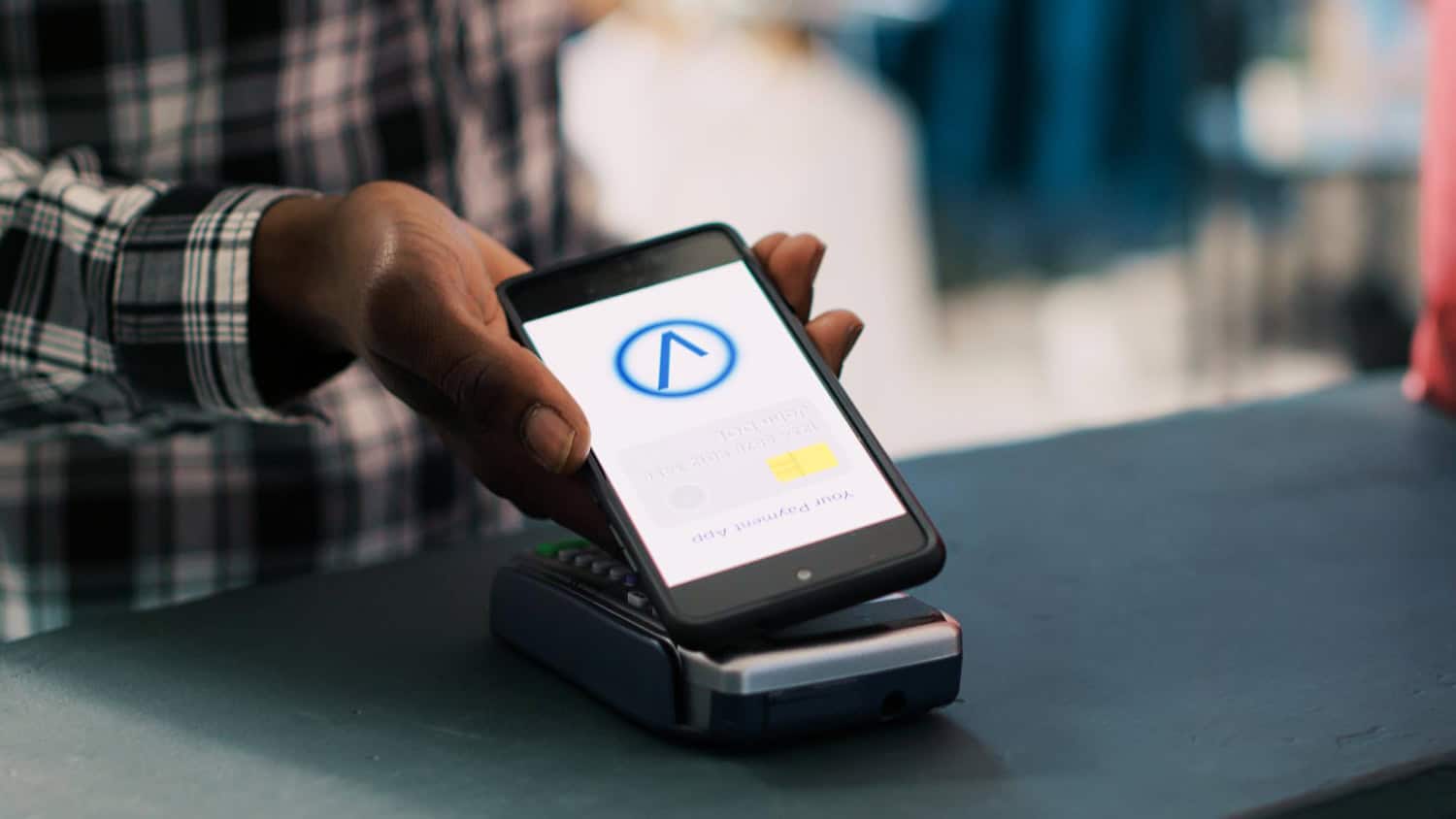
Shopify Payments is Shopify’s built in gateway designed to make it easy for merchants to accept payments on their store. Instead of using external processors like Stripe or PayPal, you can accept credit and debit cards directly through Shopify. Transactions, payouts and payment data are all handled in the same place where you manage your inventory and orders. The goal of Shopify Payments is to reduce setup, improve merchant experience and eliminate fees from third party gateways. It also simplifies PCI compliance by using industry standard security through Shopify’s infrastructure. Lets read more about Shopify Payments Review.
But Shopify Payments isn’t without limitations. It’s not available in all countries and excludes some business types considered high risk. If you switch from Shopify Payments to another processor, Shopify charges an extra fee on each transaction processed through the new gateway. If you want a one stop shop, Shopify Payments can be a good fit. But you need to check eligibility, supported products and transaction volume. If you qualify, it’s cost and operationally efficient. If not, it might not give you the flexibility or savings you need.
Key Features of Shopify Payments | Shopify Payments Review
Shopify Payments stands out for how deeply it integrates with the Shopify ecosystem. There’s no need to register with third-party services or manually verify accounts. Once a Shopify store is verified, payment processing is automatically activated from the main dashboard. Merchants can accept all major card brands like Visa, MasterCard, American Express, and Discover. It also supports Apple Pay and Google Pay for digital transactions. Shop Pay Installments, available in some areas, lets customers buy now and pay later, potentially increasing average order value.
Basic fraud detection tools are included and help flag suspicious activity. While not as advanced as enterprise tools, they offer essential safeguards without extra integration. Another useful aspect is multi-currency functionality. Sellers can price products in a shopper’s local currency while receiving payouts on their own. This helps with cross-border commerce. The mobile-optimized checkout experience further improves transaction ease across devices. These tools are best suited for smaller businesses or new store owners. For large-scale operations needing in-depth analytics or custom payment flows, Shopify Payments may feel limited. Still, for most Shopify merchants, the offering is more than sufficient.
Setup and Integration Process
Shopify Payments is designed to be super easy to set up. In supported countries, merchants can turn it on in their admin panel by entering basic business and banking info and ID verification. No external dashboards or complex setup like Stripe or Authorize.Net. Setup takes under 10 minutes, full verification might take a couple of days. Once turned on, you can start accepting payments right away. Since it’s built in, no API configurations or plugins needed.
Third party gateways require separate logins, integration work and syncing across systems. For non technical users, this can be a delay and a frustration. One thing to note is Shopify’s transaction fee for using external gateways. If you turn off Shopify Payments, Shopify will charge between 0.5% and 2% on each transaction depending on your plan. This extra cost makes alternatives less appealing. Overall, the simplicity and native setup of Shopify Payments makes it a great choice for merchants who want to get started without technical hurdles or extra dashboards.
Payment Methods and Supported Currencies
Shopify Payments supports a broad range of popular methods. Customers can pay via major cards like Visa, MasterCard, Discover, and American Express. In some countries, region-specific methods like Bancontact, iDEAL, and Sofort are also available. Digital wallet payments such as Apple Pay, Google Pay, and Shop Pay are supported in major markets like the U.S. and Canada. Shop Pay speeds up checkout by allowing customers to store and reuse their information, reducing cart abandonment. This is particularly valuable for mobile shoppers.
A key benefit is multi-currency pricing. Merchants can show local prices to international shoppers while receiving payouts in their own currency. Shopify handles conversion using its own rate, adding a fee that usually ranges from 1.5% to 2%. Still, not every local method is supported globally. Features like UPI or certain mobile wallets may be unavailable in some regions. Currency support also depends on the merchant’s Shopify plan and location.
While Shopify Payments is strong for international sales, businesses operating in countries with limited support may still need additional gateways for a complete solution.
Fees and Pricing Structure
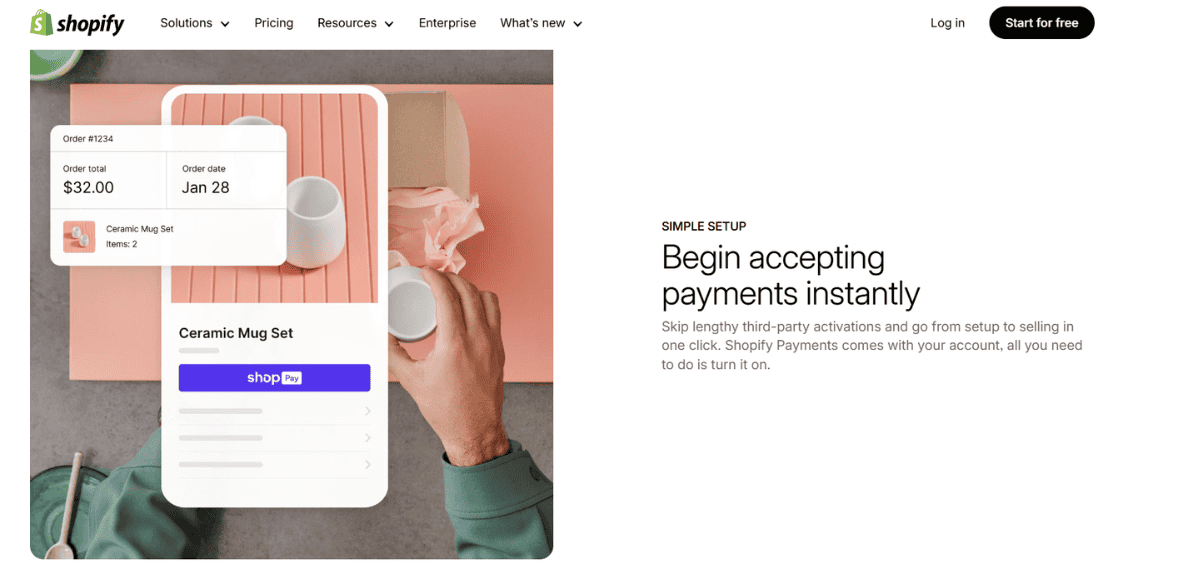
Shopify Payments uses a tiered pricing model tied to your Shopify plan and location. In the U.S., Basic plan users are charged 2.9% + 30¢ per transaction, while those on the Advanced plan pay 2.4% + 30¢. These rates are comparable to those offered by Stripe or Square, but better rates are unlocked with higher-tier Shopify plans.
A major advantage is the removal of Shopify’s added transaction fees when you use its own gateway. If you choose an external processor, Shopify charges a fee on each order, ranging from 0.5% to 2%, on top of what that processor charges. Other charges include currency conversion fees, usually 1.5% above the market rate when customers pay in a foreign currency. International card use may also trigger additional banking fees.
Chargebacks cost $15 per instance. While Shopify offers limited fraud tools, losses from chargebacks are only covered if the order is eligible under Shop Pay protection. For Shopify-centric businesses, the pricing is competitive. But international sellers or high-volume merchants should consider whether the added costs from conversion or card usage might affect margins.
Payouts and Settlement Times
Timely payouts are key and Shopify Payments delivers on that. Payouts are sent daily in most regions and usually hit the bank within 2-4 business days. For new accounts, the first payout may take longer due to verification. Merchants in supported countries can choose their payout frequency – daily, weekly or monthly – which gives you more control over your cash flow. Payout tracking is available in the Shopify dashboard so you can reconcile and plan your income.
This internal tracking eliminates the need for third party dashboards or manual syncing. All payment activity, including fees and chargebacks, is logged in one place. Compared to others, Shopify’s payout timing is standard. Stripe pays within 2 business days and PayPal can delay transfers especially for new sellers or large transactions. Shopify Payments doesn’t offer instant payouts.
You need a checking account in the store’s legal country. International bank transfers aren’t supported so you need to have a local account in a supported region. Overall, Shopify Payments is reliable but adding instant payout options would be great for cash flow merchants.
Security, Compliance, and Fraud Prevention
Shopify Payments takes a security-first approach. It is fully PCI DSS compliant, so merchants don’t have to go through the certification process themselves. All transaction data is encrypted and securely processed on Shopify’s servers. Basic fraud detection is included. These tools identify unusual activity, such as address mismatches or abnormally high order values. While they don’t match the sophistication of advanced fraud platforms, they offer a helpful early-warning system.
Chargebacks are managed with Shopify’s support, but the $15 fee applies whether or not the dispute is won. Protection is only available through Shop Pay on eligible purchases. Card data is tokenized and encrypted, keeping customer information out of merchant systems. Shopify also complies with 3D Secure regulations where required.
Merchants benefit from Shopify’s constant infrastructure monitoring, which helps detect suspicious behavior. However, businesses deemed high-risk may face delayed payouts or account holds during reviews. Shopify Payments offers sufficient protection for most small and medium businesses. Larger operations or those with higher fraud exposure may need additional tools to enhance security.
Performance with Subscriptions and Recurring Billing
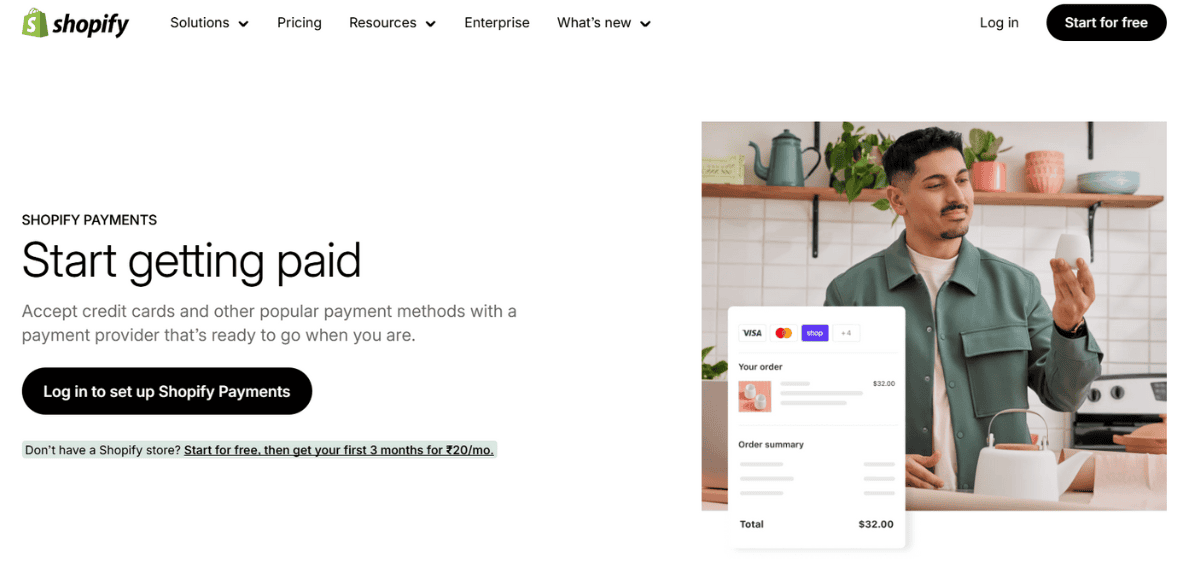
With new APIs and improved app integrations, Shopify Payments now supports subscriptions more effectively. Merchants can run recurring billing through apps like Recharge and Bold Subscriptions, which work natively with Shopify’s checkout and backend. This is useful for subscription boxes, memberships, or service billing. Recurring charges are processed just like regular purchases and linked to customer profiles for smooth automation.
The experience is largely seamless. But not all apps work across every Shopify plan, and many charge additional monthly fees. Advanced use cases such as variable pricing or pro-rated charges might require custom solutions. Chargebacks and failed payments follow the same rules as single transactions. Shopify doesn’t offer native dunning tools, so merchants must rely on third-party apps for retry logic and follow-ups.
Shopify Payments is far more subscription-friendly than it was a few years ago. Still, businesses with complex billing cycles or scaling needs should assess whether the current options meet long-term requirements.
Limitations and Restrictions
Despite its strengths, Shopify Payments has limitations worth noting. It’s only available in selected countries like the U.S., Canada, Australia, and a few others. Merchants outside these areas must use a different gateway. Shopify also restricts certain business types. High-risk categories such as gambling, firearms, adult services, and CBD are not allowed. Even legal businesses can face holds or account reviews if Shopify detects risk.
Payouts may be delayed during such investigations. Some merchants have reported unexpected freezes, especially when experiencing sudden spikes in revenue or chargebacks. Shopify Payments is exclusive to Shopify’s platform. If you sell on other sites or marketplaces, you’ll need an additional processor. This lack of portability is a drawback for businesses with multichannel strategies. Reporting tools are basic. While suitable for general tracking, merchants needing deep financial analysis may find the system lacking in detail and flexibility. These limitations won’t impact all users, but they should be considered before fully committing to Shopify Payments as your only processing tool.
Who Should Use Shopify Payments?
Shopify Payments is best for small to medium-sized businesses that prioritize simplicity, integration, and cost control. If your business operates in a supported country and doesn’t sell restricted products, this gateway offers convenience with minimal complexity. Its advantages include fast setup, built-in security, and compatibility with Shopify features like Shop Pay and subscriptions. This makes it appealing for digital goods sellers, new ecommerce entrepreneurs, and global brands selling in multiple currencies.
However, larger enterprises may outgrow its features. Businesses needing advanced fraud tools, deep reporting, or external platform sales should consider other options. High-risk industries are also better served by alternative providers. If you already have a preferred gateway with better fees or tools, accepting Shopify’s added transaction fee might still be more cost-effective overall. In conclusion, Shopify Payments is a well-rounded solution for many but not all. It works best when fully aligned with Shopify’s platform and product offerings.
FAQs
Q1: Can I use Shopify Payments alongside another payment gateway?
Yes, you can enable PayPal or third-party processors alongside Shopify Payments. But if you disable Shopify Payments entirely, a per-order fee will apply.
Q2: Are there any hidden fees with Shopify Payments?
There are no hidden fees, but you should expect charges for currency conversion, international cards, and chargebacks. All fee details are listed in Shopify’s pricing documentation.
Q3: Is Shopify Payments available in all countries?
No. It’s available only in select regions like the U.S., UK, Canada, Australia, and a few others. Merchants in unsupported areas must use external gateways.

Shift4 Payments Review
By 10topmerchantservices July 28, 2025
Shift4 Payments is a US based fintech company that has a commerce platform that supports thousands of merchants across industries such as hospitality, retail, lodging, stadiums, restaurants and eCommerce. Founded in 1999 by Jared Isaacman (who launched the company at 16) Shift4 has grown into a public company with a large portfolio. In 2025 it is led by CEO Taylor Lauber with Isaacman as Executive Chairman. Based in Allentown, PA Shift4 owns its entire technology stack. This includes payment gateways, POS systems, acquiring services and software solutions. Owning the entire infrastructure allows Shift4 to streamline operations and reduce dependency on 3rd party vendors so merchants have a unified experience. Lets read more about Shift4 Payments Review.
Shift4 has grown aggressively through acquisitions. Notable purchases include VenueNext (stadium tech), 3dcart (now Shift4Shop), The Giving Block (for crypto donations) and Finaro (for international payments). These moves have taken Shift4 from a US focused payment provider to a global, vertically integrated technology company. Despite all the offerings Shift4 has received criticism from some merchants for unclear pricing and contract terms. Still it’s a great choice for enterprise merchants who want to have all their commerce operations managed by one vendor.
Core Payment Processing Solutions | Shift4 Payments Review
At the heart of Shift4’s service is secure, end-to-end payment processing across various channels. The platform handles large transaction volumes through its proprietary acquiring and gateway systems, supporting in-store, mobile, and online sales with robust speed and reliability. The platform accepts major payment types including EMV, magnetic stripe, contactless (Apple Pay, Google Pay), ACH, QR code payments, and crypto transactions via The Giving Block. It also supports subscription billing and secure card tokenization for recurring charges.
Because Shift4 owns the technology used to process payments, it can offer faster transaction settlement, real-time reporting, and deeper customizations. This vertical integration reduces reliance on external services, cutting down latency and operational inefficiencies. Shift4’s infrastructure is also optimized for omnichannel use. Merchants can manage physical and digital sales in one backend system, improving reconciliation and ensuring a consistent user experience. Its eCommerce arm, Shift4Shop, includes tools for fraud management, checkout optimization, and API access.
That said, Shift4 does not list standard pricing publicly. Merchants receive custom quotes based on their needs, so detailed review of contract terms is essential. For businesses seeking a powerful and unified payment system, Shift4 is among the most capable platforms available.
POS and Hardware Offerings
Under the SkyTab brand, It provides a comprehensive POS hardware suite designed for hospitality, retail, and large-scale venues. The lineup includes SkyTab Workstation (countertop), SkyTab Mobile (handheld), SkyTab Glass (software-only Android version), and kitchen display units; all equipped with Wi-Fi and 4G LTE connectivity for consistent uptime.
SkyTab is more than POS hardware; it’s a full business management tool. Restaurant-specific functions include tableside ordering, menu updates, tipping, and delivery apps. Retail features include barcode scanning, inventory alerts, and pricing tools with loyalty options. The system uses an Android-based OS with a modern, responsive UI. Regular over-the-air updates keep devices current without the need for manual installations. Hardware supports EMV and mobile payments and connects seamlessly with Shift4’s gift card and loyalty programs.
Shift4’s POS equipment integrates directly with its payment and reporting systems. However, this creates a potential lock-in issue; migrating to another provider could require hardware replacement or incur extra fees. For businesses wanting a single-provider system with full integration, SkyTab offers flexibility and strong enterprise-grade performance with centralized support.
Software Ecosystem and Integrations
It has built a large software portfolio through organic growth and strategic acquisitions. Shift4Shop, formerly 3dcart, is its flagship eCommerce platform that helps merchants launch online stores with built-in payments, marketing tools, SEO, CRM and analytics – making it a competitor to Shopify. Its POS software has advanced features like inventory control, staff management, customer insights and custom reports. Each solution is vertical specific – restaurants get kitchen routing, retailers get barcode tools and multi-location features.
A big differentiator is Shift4’s robust API and integration ecosystem. It connects to popular third-party platforms like Oracle MICROS, NCR Aloha, Agilysys and property management systems making it perfect for complex retail, lodging and entertainment operations. Large venues get mobile ordering and fan engagement through VenueNext, nonprofits and educational institutions get The Giving Block for crypto and fiat donations.
While the suite is flexible, onboarding may be complex for smaller teams without dedicated IT. Initial setup may require assistance. But the feature depth and flexibility makes Shift4’s software infrastructure good for long term digital strategy.
Security and Compliance
Security is a core focus for Shift4, which provides enterprise-grade protection and regulatory compliance tools. The company is PCI DSS Level 1 certified and uses P2PE to secure cardholder data during transactions. Tokenization services replace actual card data with random identifiers, allowing safe storage for recurring billing and loyalty programs without storing real numbers. This dual approach; encryption and tokenization; helps reduce breach risks. End-to-end encryption is standard across all channels; SkyTab, eCommerce, or third-party integrations; ensuring secure handling from swipe to settlement.
Additional tools include AVS and CVV validation, fraud scoring, and chargeback management. These help merchants identify risks and respond quickly to disputes. With Finaro’s acquisition, Shift4 now meets broader international compliance needs, including GDPR. This gives merchants peace of mind when operating globally. While the platform is highly secure, successful implementation depends on merchant participation. Businesses still need to maintain internal controls and educate staff on best practices for payment security.
Pricing Structure and Contract Terms
One of Shift4’s most scrutinized areas is its lack of transparent pricing. It does not publish fees online, instead providing tailored quotes based on merchant size, industry, and volume. It often markets “free” POS hardware bundled with long-term contracts. These arrangements usually require exclusive transaction processing with Shift4 for the contract duration (3–5 years), or merchants must pay buyout or early exit fees.
Costs can include processing rates, per-transaction fees, PCI charges, batch fees, and monthly minimums; though these vary by client. Some users report unexpected costs or difficulty clarifying details during negotiations. Larger merchants may benefit from this model due to their bargaining power. Smaller businesses may struggle to understand the full cost implications, especially if they expand locations or upgrade systems.
Before signing, merchants should request a complete breakdown of all recurring and one-time charges. Those considering “free” equipment should understand the terms tied to that offer, including volume commitments and cancellation clauses.
Customer Support and Onboarding
It offers 24/7 US-based support via phone and email to all customers. Additional help comes through tutorials, onboarding content and knowledge base resources online. New customers start with hardware setup and initial configuration. Restaurants and retailers get hands-on help for menu creation, staff permissions and system connections. Many merchants report great onboarding experiences especially with authorized resellers.
Customer service is mixed. Larger customers get faster response times and dedicated managers. Small business customers sometimes get delays or department hand-offs when resolving complex issues. The SkyTab interface is easy for staff to learn. Managers get mobile tools to oversee operations during onboarding or changes.
Multi-location businesses or those that need special integrations may have longer setup times. Consistent communication with implementation teams is key to minimizing delays. Overall Shift4’s onboarding is structured and scalable but service levels vary by business size and support tier.
Shift4’s Value-Added Features
In addition to core processing it offers several add-on tools for marketing, loyalty and analytics. These features help merchants build customer relationships and make better decisions. The loyalty platform allows businesses to reward customers with discounts, point systems or seasonal perks. Gift card functionality – digital and physical – is integrated into the POS system for seamless use and tracking.
Managers can use Shift4’s business intelligence tools to monitor labor costs, sales performance and inventory metrics. Dashboards are accessible from any device for real-time insights. For restaurants QR code menus and online ordering streamline service and increase efficiency. These tools improve the guest experience and boost order volume.
Shift4Shop also supports campaign marketing, cart recovery, and multichannel eCommerce. Businesses can manage listings across social, marketplaces, and their own websites. Additionally, The Giving Block facilitates crypto donations for nonprofits and education sectors, expanding giving options in an increasingly digital donor landscape.
While many features are standard, others may require activation or plan upgrades. Businesses should verify what’s included to ensure alignment with expectations.
Pros and Cons of Using Shift4
Pros
End-to-end ownership of hardware, gateway, software, and acquiring
Industry-specific tools for hospitality, entertainment, retail, and nonprofits
Unified experience across mobile, online, and in-store
Expanded global capabilities through Finaro
Built-in extras like loyalty, crypto support, and advanced analytics
Cons
No public pricing; custom quotes can hide total costs
Smaller merchants may receive slower support
Hardware is closely tied to ecosystem, limiting switch options
Setup complexity may challenge less tech-savvy teams
Shift4 shines when used as a holistic platform, but commitment and understanding of terms are vital.
Ideal Business Types for Shift4
It works best for medium to large businesses with high transaction volume and complex operational needs. It’s a strong fit for restaurants, hospitality chains, sports venues, and entertainment businesses that need integrated POS, reporting, and mobile features.
Event-based businesses benefit from VenueNext’s capabilities, while mission-based organizations can leverage The Giving Block. Retailers wanting seamless online and in-store tools will appreciate the Shift4Shop-SkyTab combination. Businesses with international plans can explore Finaro’s multi-currency processing. Smaller companies may find Shift4 too layered or contract-heavy. Simpler platforms with flat pricing could be better suited for them.
FAQs
Q1: Is Shift4 good for small businesses?
Shift4 is built for larger operations. Its complex setup and contract terms may be too much for small businesses or startups.
Q2: Can I use Shift4 without its hardware?
Partially. While integrations are available with third-party systems, the platform performs best with Shift4’s own SkyTab hardware.
Q3: Does Shift4 support international payments?
Yes. Since acquiring Finaro in 2023, Shift4 supports global transactions, including multi-currency processing across Europe and other markets.

SecureNet Review
By 10topmerchantservices July 23, 2025
SecureNet is a payment gatewayzplatform that supports businesses in-person and online. Originally an independent processor, SecureNet was acquired by Worldpay in 2014 and gained access to their global infrastructure. Since then it has been a modular and developer friendly payment experience for businesses of all sizes. Lets read more about SecureNet Review.
At its core SecureNet combines payment acceptance, real-time reporting and risk management into one system. The service covers everything from POS systems and mobile readers to e-commerce APIs and gateway tools. This full featured framework is for businesses that want to consolidate vendors and reduce 3rd party integration headaches.
But SecureNet doesn’t have the same brand recognition as Stripe or Square. It’s generally more popular with businesses that have some technical expertise. Its biggest value is in helping merchants build custom systems, especially those that operate in-store and online. In a world of versatile providers SecureNet offers a balance of customization and enterprise grade stability. But its architecture is best suited for users who are comfortable with technical configurations and backend system alignment.
Core Payment Processing Capabilities | SecureNet Review
SecureNet delivers an extensive payment infrastructure that fits traditional stores and online businesses alike. It accepts all leading credit and debit cards, along with ACH payments and e-checks. This helps businesses streamline their payment acceptance without having to patch together different solutions. A standout feature is SecureNet’s omnichannel ability. Whether a payment comes from a card terminal, mobile interface, or digital checkout, merchants can oversee operations from one system. This brings consistency to the customer experience and improves internal coordination.
It supports instant payment authorization and daily batching, with functionality to handle recurring billing and split fund disbursement. These features can benefit businesses managing memberships or complex settlements. SecureNet also links with popular third-party systems and shopping carts, though integration quality may differ by platform.
Processing speeds are consistent, and batch schedule customization is available. Still, merchants should verify how settlement timing works in their particular industry or region, as variations may arise due to Worldpay’s operational settings or merchant category codes. In all, SecureNet’s core processing suite is dependable and wide-ranging. It may not reinvent the wheel, but it offers enough reliability and integration depth for businesses needing a single payment command center.
Integration and Developer Tools
SecureNet stands out for its developer-centric model. It offers a complete set of APIs and SDKs for embedding payment workflows into websites, mobile apps, or custom backend platforms. This enables developers to design checkout processes that align precisely with brand needs and technical standards.
Its API toolkit includes support for tokenization, card storage, recurring charges, and secure field hosting. These capabilities allow merchants to stay PCI-compliant without compromising design or customer experience. Mobile SDKs for Android and iOS are also available for integrating payments directly into applications.
Merchants can use hosted payment pages as a simpler alternative, which shift the burden of security to SecureNet. These pages allow light branding customization and offer a quick setup path. Still, the interface is not particularly beginner-friendly. While documentation is comprehensive, businesses without technical staff may find the learning curve steep and might need outside development help for integration.
Developers can access sandbox tools and test credentials, making SecureNet viable for pre-launch environments. It also supports plugins for platforms such as Magento and WooCommerce, though plugin quality may depend on ongoing maintenance. All considered, SecureNet’s integration ecosystem is appealing for businesses looking to build custom, API-first commerce experiences from the ground up.

Security and Compliance Features
SecureNet implements advanced security measures in line with global standards, including full PCI DSS compliance. It uses encrypted transactions and tokenization to shield cardholder data during transfer and storage phases.
Tokenization and PCI Compliance
Tokenization replaces card details with randomly generated values, reducing data exposure risks. This is especially important for businesses storing cards for subscriptions or repeat purchases while remaining PCI-compliant.
Fraud Prevention Tools
Fraud protection is addressed through tools like AVS and CVV verification. Merchants can also configure transaction limits, flags, and custom rules to monitor unusual payment behavior. However, these settings may require careful configuration, especially for industries with elevated fraud risk.
Compliance Status
The platform holds PCI DSS Level 1 certification, ensuring regular audits, system reviews, and vulnerability scans. This status represents the most rigorous level of security certification available for payment processors. However, SecureNet could enhance its merchant support around emerging threats and regulatory updates. Competing services often offer proactive security updates, which can help merchants stay informed about new vulnerabilities.
In general, SecureNet delivers a reliable layer of security with enough configuration flexibility for mid-market and tech-savvy merchants. It provides strong foundational protections but leaves some aspects to the merchant’s discretion.
POS and Hardware Options
For in-person payments SecureNet integrates with popular POS terminals and hardware providers. It doesn’t have its own branded hardware but supports devices from trusted names like Verifone and Ingenico. This gives businesses the ability to find hardware that fits their setup.
Supported Transaction Types
Devices supported by SecureNet accept EMV, contactless payments (e.g. Apple Pay, Google Pay) and magnetic stripe cards. This means customers can use their preferred payment method across different retail environments.
POS Software Features
A cloud based POS app is also available and connects to business systems for inventory and customer tracking. The system has tip capture, refund processing and digital receipts but doesn’t have the advanced features of niche POS systems.
Hardware and Mobile Options
Hardware can be purchased or leased through SecureNet’s partners but make sure to check if SecureNet or Worldpay handles hardware support. This can affect troubleshooting time and service quality. Mobile sellers can use SecureNet compatible card readers that connect to mobile phones or tablets. These are great for field sales, pop-ups and on-the-go transactions. SecureNet’s POS and hardware suite isn’t the most innovative but it meets the basics for in-person commerce and has enough flexibility for most retail use cases.
E-commerce and Subscription Management
SecureNet gives online businesses a flexible framework to manage checkouts and subscriptions. Its secure payment forms and hosted pages are ideal for merchants wanting a mix of control and simplicity in online payment collection.
Recurring Billing Features
Recurring billing is a core strength. Businesses can configure billing cycles, trial windows, and renewal settings. The system supports stored payment data and automatic retries for declined payments, minimizing the risk of involuntary churn.
Integration with E-commerce Platforms
APIs support more customized e-commerce use cases, from SaaS payments to online donations. SecureNet works with many CMS and shopping cart platforms, but merchants should double-check plugin compatibility and active support for their chosen version.
Invoicing and Limitations
Service-based businesses can also create digital invoices and send email payment links. This is helpful for professionals or freelancers who want to bill clients without operating a full e-commerce site. Some subscription management features may feel basic compared to tools like Chargebee or Recurly. It lacks customer portals or usage-based billing logic. However, for fixed billing models, it gets the job done.
SecureNet delivers a dependable option for online sales, with adequate features for recurring billing and checkout integration. It suits many growing businesses but may fall short for companies needing more complex automation.

Reporting and Analytics
SecureNet offers a unified reporting dashboard that tracks business-wide payment activity. Merchants can access metrics such as daily revenue, average ticket size, refunds, and transaction volume by location.
Real-Time and Settlement Reporting
Reports can be customized by terminal, payment method, or date, helping businesses understand sales trends and operational performance. Real-time reporting is available, allowing users to view transactions as they happen. Settlement reports break down processing fees and net deposits. These are useful for accounting teams that need to reconcile statements and understand fee structures. Export formats such as CSV are supported for use in spreadsheets or third-party systems.
Custom Reports and UI Limitations
Custom reports can also be created for regulatory or operational insights. For businesses with specific KPIs, this feature supports tailored oversight. A notable shortcoming is the interface, which may feel outdated or clunky compared to newer fintech platforms. Some users may need time to adapt or seek help with report configuration. Despite that, SecureNet delivers the reporting depth needed to monitor cash flow, identify risk areas, and plan operational adjustments. It may lack flair but delivers functionality and reliability.
Pricing Transparency and Contract Terms
SecureNet uses a personalized pricing model that depends on business type, risk level, and transaction volume. This approach can yield favorable rates for large businesses but may create confusion for smaller companies looking for clear pricing upfront.
Fee Structure and Transparency
Pricing usually consists of base fees, per-transaction charges, hardware leasing costs, and chargeback fees. Some contracts include early termination penalties, so it is essential to examine the fine print before signing. Unlike flat-rate systems such as Square, SecureNet often follows interchange-plus or tiered pricing. This structure can benefit businesses with higher ticket sizes but requires an understanding of underlying card network fees.
Public details about pricing are limited. Most businesses will need to contact SecureNet’s sales team to receive a proposal. This lack of transparency can be a barrier for comparison shopping.
Contract Ownership and Cautions
Contracts may be managed through either SecureNet or Worldpay, depending on account configuration. This split may complicate billing support or customer service in some cases. In short, SecureNet’s pricing can be competitive but lacks clarity. Merchants should ensure they get a full breakdown of all potential charges in advance and confirm which entity is handling their account.
Customer Support and Onboarding Experience
SecureNet offers phone, email and online portals for customer support. Support quality will depend on whether the account is run directly through SecureNet or Worldpay.
Onboarding Process and Setup
The onboarding process includes a merchant review, KYC verification and technical support. Businesses with developer teams will find the setup manageable especially with sandbox access and guides. Some users mention that onboarding can be inconsistent especially if issues arise during underwriting or risk evaluation. This is not unique to SecureNet but still something to consider for businesses with tight go live timelines.
Support Channels and Documentation
Support availability will vary by service level. Enterprise clients will get 24/7 support while smaller merchants will have to wait during off hours. Make sure to clarify the support tier before onboarding.
Documentation is publicly available covering integration and setup to error messages. However guides may lack the visuals or UX polish of platforms like Stripe. Overall support from SecureNet is decent but inconsistent. Businesses with internal IT or payment expertise will have a smoother experience than those relying solely on helpdesk channels.
Pros, Cons, and Ideal Business Fit
SecureNet is a well-rounded payment provider that offers flexibility and a wide feature set. It excels in areas like API support, omnichannel commerce, and customizable billing setups. Its integration with popular shopping carts and terminals also adds practical value. For mid-sized businesses with some technical know-how, SecureNet can be tailored to specific workflows and customer experiences. It is especially appealing for merchants running both retail and online operations.
However, SecureNet’s weak points include limited brand awareness, complex onboarding, and opaque pricing structures. Its UI and documentation also lag behind some newer providers. It’s not ideal for very small businesses or those seeking a ready-to-use solution. But for merchants that prioritize custom workflows and have technical teams in place, SecureNet is a strong option. In essence, SecureNet trades ease of use for flexibility. It works best for those who want control over their payment stack and are willing to invest time in setup and management.
FAQs
1. Is SecureNet suitable for small businesses?
SecureNet can serve small businesses, but its custom pricing model and API-led setup may be more than solo entrepreneurs need. Plug-and-play alternatives might be easier.
2. How does SecureNet handle recurring payments and subscriptions?
The platform supports billing cycles, card storage, and automated retries. It’s suitable for fixed-schedule models like SaaS, subscription boxes, and memberships.
3. Does SecureNet offer transparent pricing?
Pricing is offered through custom quotes. Businesses should ask for a detailed fee structure and review contract terms carefully before committing.

Revolut Review
By 10topmerchantservices July 21, 2025
Revolut was founded in 2015 as a currency exchange app for travellers and has since grown into a full financial platform used by millions worldwide. Based in the UK, it aimed to disrupt traditional banking by offering fast, app-based services for money management, payments and investing. As of 2025 it serves both personal and business customers across multiple countries. Lets read more about Revolut Review.
What sets Revolut apart is its digital-first model. It doesn’t have physical branches. Everything – from opening an account to trading stocks – is done through the app. Features like budgeting, global payments, currency exchange and crypto trading are all built in. Its appeal is strongest among younger users and those who travel or work across borders frequently.
A big part of Revolut’s appeal is how it simplifies international money management. You can hold, exchange and spend in more than 25 currencies. But as the company grows fast some concerns have emerged around regulatory clarity and customer support. In some markets Revolut has obtained banking licences and offers full banking services. In others it still operates under an e-money licence. This means the level of security and protection for your funds varies depending on where you are.
Account Options and Setup Experience | Revolut Review
Revolut offers four main account types: Standard, Plus, Premium and Metal. The Standard plan is free and includes core features like currency exchange, virtual cards and budgeting tools. The paid plans unlock more perks like travel insurance, airport lounge access and higher limits on currency exchange and ATM withdrawals.
Signing up is usually quick. Users download the app, upload a government ID and complete verification steps. Most people can start using the account within minutes. The app guides users through the setup process clearly so even those new to digital banking can do it.
The app avoids the paperwork and branch visits you’d find with traditional banks. You can open a multi-currency account and start transacting from your phone. However some users have faced delays if their ID documents aren’t accepted or if there’s high traffic. While these cases aren’t the norm they can be frustrating when they happen. Overall the setup process is smooth for most users especially those who are comfortable using mobile apps.
Currency Exchange and International Transfers
Revolut is widely known for its competitive currency exchange features. Users can hold and swap between over 25 currencies, often at interbank rates during weekdays. Transfers to other Revolut users are instant and free, while sending to external bank accounts typically comes with low fees.
This makes Revolut a great option for travelers, freelancers, or remote workers dealing with different currencies. The app provides live exchange rates, allowing users to convert money at the best possible times. Transfers are supported in over 200 countries, often arriving within a couple of days, though this can vary.
You can also set up recurring payments or split bills with friends internationally. These tools are especially helpful for families living in different countries or professionals managing cross-border expenses. However, it’s important to avoid converting currency on weekends, when markups apply. Also, free exchange limits differ by plan; Standard users get a limited amount per month before fees kick in.
Revolut remains one of the strongest platforms for international money movement, provided users manage timing and plan limits carefully.
Card Features and Spending Control
Revolut offers multiple card options: physical debit cards, virtual cards, and single-use cards designed for safer online shopping. All are linked to the Revolut account and can be used globally. A key advantage is the ability to manage cards directly from the app. Users can freeze and unfreeze cards, set budgets, control spending categories, and adjust security settings like swipe or contactless payments.
The app also provides detailed spending insights, helping users track where their money goes. Categories like groceries, travel, and entertainment are clearly displayed. There’s also a feature called “Vaults,” where users can round up purchases and automatically save the change. Instant transaction alerts help detect any unusual activity quickly. For those who travel often, the global usability of Revolut cards and competitive exchange rates make them especially useful.
Still, some users have reported payment failures during travel. These are usually caused by low balances or fraud filters, but they can be inconvenient if you’re relying solely on the card. All in all, the card and spending tools are well thought out, and they suit people who value control and flexibility in managing their money.

Trading: Crypto, Stocks, and Commodities
Revolut brings investment tools into the same app as everyday banking. Users can buy and sell cryptocurrencies, U.S. stocks, and commodities like gold or silver without needing separate accounts or platforms. In crypto, Revolut supports popular assets like Bitcoin and Ethereum. The interface is beginner-friendly, though users don’t get private keys; Revolut holds assets on your behalf, more like a custodian service.
Stock trading is limited to major U.S. companies and supports fractional shares. It’s easy to use but lacks advanced tools like detailed charts or analyst reports, so it’s best for casual investors rather than serious traders. Commodities like gold and silver can also be bought in small amounts and tracked in real time. These too are meant more for light investing rather than active trading.
Fees include spreads and transaction costs, which are relatively low for beginners. However, those trading in high volumes may find better rates elsewhere. For users looking for basic, accessible investment tools, Revolut offers a convenient entry point.
Business Accounts and Tools
Revolut Business is for modern entrepreneurs, freelancers and online businesses. It has features like multi-currency accounts, global transfers, invoicing and easy team expense management. Businesses can send and receive money in different currencies, often cheaper than traditional banks. Revolut allows companies to issue cards to team members and set permissions to track expenses.
The platform integrates with accounting tools like Xero and QuickBooks and Slack. API access is available for businesses that need automation and custom reporting, perfect for e-commerce sellers and tech driven teams. Freelancers can create invoices and get paid directly into their account, no complex setup or delays. For basic business banking Revolut Business works.
But for more advanced services like loans or payroll features it’s limited. And customer support for business users has been slow to respond to more complex cases. In short Revolut Business is good for startups and remote teams but not for big or traditional businesses.
Security and Regulatory Status
Revolut places a strong emphasis on security. It uses encryption, biometric login, fraud detection, and real-time alerts to protect user accounts. You can freeze cards, receive instant notifications, and use two-factor authentication from within the app. Regulatory status, however, varies by country. In some places, Revolut holds a full banking license and can offer deposit insurance and lending services. In others, it remains an e-money institution, which offers fewer protections.
Revolut complies with anti-money laundering and know-your-customer rules, which means some users might experience account freezes or extra verification steps. These can be frustrating, especially when support is slow to help. As the platform expands into more regulated areas like trading and credit, users should check how Revolut is licensed in their region and what protections apply. Security-wise, Revolut takes the right steps, but the lack of uniform regulation can create confusion, especially for international users.
Fees and Plan Pricing
Revolut’s pricing follows a freemium model. The Standard plan is free, while Plus, Premium, and Metal plans have monthly fees with added benefits. Currency exchange is free up to a monthly limit for Standard users, with higher or unlimited limits on paid plans. Weekend currency exchanges carry a markup, and fees apply if you exceed withdrawal or transfer limits.
Trading fees apply to crypto, stocks, and commodities. Users get a few free trades each month, after which small fees kick in. These are spelled out in the app and are generally low for casual use. Other charges include ATM withdrawal fees (after limits), card delivery costs, and international wire fees. These don’t always appear upfront, so it’s important to review the full fee schedule.
Despite the fees, Revolut remains competitive when compared to traditional banks, especially for international use. However, it’s not completely fee-free, and users should understand their plan’s limitations.

Customer Support and User Experience
Revolut’s customer service receives mixed feedback. Support is offered through in-app chat, with faster responses for paid plan users. Free users may have to deal with bots or longer wait times. Basic issues like card orders or app navigation are usually resolved quickly. But when problems involve frozen accounts, delays in verification, or missing transfers, users often report slow or unhelpful responses.
There is no phone support for most users, and the Help Center, while detailed, doesn’t cover every scenario. Online reviews praise the app’s design and usability but frequently mention poor customer service as a drawback. Users with higher-tier accounts report better support, but the experience can still be inconsistent. In general, support works well for simple tasks but is less reliable for urgent or complicated matters.
Final Verdict: Is Revolut a Good Choice in 2025?
Revolut offers a feature-rich, mobile-first banking experience ideal for tech-savvy users, travelers, and small teams. It combines personal finance, global payments, and investments with competitive fees. However, service quality and regulatory support vary by region. It’s a strong option, but users should understand limitations before fully relying on it.
FAQs
Q1. Is Revolut a real bank or just a fintech company?
Revolut operates as a fintech platform but holds banking licenses in some countries. In others, it functions as an e-money institution. Your account protections depend on your region.
Q2. Can I use Revolut for business?
Yes. Revolut offers business accounts with features like multi-currency support, invoicing, API integration, and global transfers. It works well for freelancers, startups, and digital-first teams.
Q3. Is Revolut safe for storing money and making payments?
Revolut uses encryption, two-factor authentication, and fraud detection to secure your money. However, your level of protection depends on whether you’re in a region where Revolut holds a banking license.

PayU Review
By 10topmerchantservices July 17, 2025
PayU is a global payment service provider that offers customised financial technology solutions to businesses of all sizes. Originally part of the Naspers Group, it now operates in more than 15 growth markets across Asia, Latin America, Africa and Central and Eastern Europe. In India, it is one of the most used gateways serving startups, online marketplaces and large corporations. Lets read more about PayU Review.
Over the years, PayU has evolved from being just a payment processor to a full-fledged fintech platform. Today, it offers services that go beyond transaction processing – from merchant lending to fraud analytics and recurring billing. This has helped PayU stay ahead in a market where businesses need integrated solutions that go beyond just payments.
What sets PayU apart is its global scale and local relevance. In markets like India, it offers customised features and support to match market requirements. As the digital economy grows, PayU is a consistent player helping businesses run smooth, secure and scalable payment operations.
Features and Capabilities | PayU Review
PayU comes with a wide range of tools to support digital commerce. Its core service is the payment gateway which accepts payments via credit cards, debit cards, net banking, UPI, digital wallets, EMI options and international cards. This means merchants can accommodate a wide range of customer preferences.
One of the key features is the Smart Routing engine which helps improve success rates by dynamically choosing the best available payment processor. This is especially useful in countries like India where transaction failures can be frequent. Merchants also get real-time transaction reports and analytics to spot trends and optimise operations.
PayU’s support for subscription billing and tokenized card storage is useful for businesses with recurring revenue models. With flexible checkout options, businesses can customise the customer journey while maintaining branding consistency. It has also forayed into lending through working capital loans and Buy Now Pay Later services making it a broader financial partner. While the features are many, some users feel that certain advanced tools are not as intuitive and may require technical support to use fully.
Onboarding and Integration Experience
PayU provides a range of integration options catering to both technical and non-technical users. For developers, there’s an extensive API library with documentation that supports custom implementation. For small businesses, plug-and-play modules are available for Shopify, WooCommerce, Magento, and other ecommerce platforms.
Getting started is fairly simple. Businesses can register online and upload KYC documents digitally. For most users, onboarding is completed within a few working days. A sandbox environment is also available, allowing merchants to test the setup before accepting real transactions.
Mobile integration is supported through SDKs for Android and iOS. While basic setups are quick and manageable, complex implementations might require hands-on help from PayU’s support team. Some merchants have noted occasional delays in documentation verification or customer service during the onboarding phase.
Despite these small hurdles, the overall onboarding process is user-friendly and adaptable. Businesses with limited technical resources can still go live relatively quickly, while developers have access to more advanced custom tools.
User Interface and Dashboard Usability
The PayU merchant dashboard is designed for practicality and insights. It displays important metrics like transaction volume, success rate, refunds, and settlement details on the main screen. For everyday users, this allows quick access to what matters most. Merchants can use tools such as invoice creation, search filters, and report downloads to streamline daily operations. You can search transactions by date, payment method, or status, which makes tracking and reconciliation easier.
Graphical representations of data help identify transaction patterns, peak hours, or sudden drop-offs. These insights can guide marketing campaigns or user experience changes. However, some users have mentioned that navigating to advanced features like webhook management or security configurations can be confusing. Though the interface is generally responsive, improvements could be made in terms of personalization and onboarding support. Adding a virtual assistant or step-by-step tutorials could help users explore lesser-used features more efficiently.
Payment Success Rates and Reliability
Reliability is one of PayU’s strongest selling points. The Smart Routing algorithm helps maintain high transaction success rates by automatically selecting the best-performing bank or processor for each transaction. This is particularly helpful during times of heavy server load or outages. Automatic retries for failed payments help prevent customer drop-offs. The infrastructure is built to support everything from flash sales to regular ecommerce operations, with a claimed uptime of 99.9%.
PayU also places strong emphasis on fraud control. Real-time monitoring and customizable risk filters help identify unusual activity and reduce chargeback rates. However, in rare cases, these systems may mistakenly block legitimate payments, which can lead to delays. Issues like UPI downtime or failed transactions due to external bank servers still occur occasionally but are not unique to PayU. Overall, it remains one of the more stable and trustworthy payment platforms in high-traffic environments.
Settlement Timelines and Payout Flexibility
For most merchants PayU follows a T+2 settlement model, meaning funds are transferred 2 business days after the transaction. Larger volume or long term merchants may qualify for faster settlements. The merchant dashboard gives visibility to every settlement, breaking it down by payment mode; credit card, net banking, UPI and others. This transparency helps in financial planning and account reconciliation.
Refunds can be initiated from the dashboard. Depending on the payment mode it may take a few days for the refunded amount to reflect in the customer’s account. While the process is smooth most of the time, there can be delays during bank holidays or weekends. PayU also supports automated report generation, making it easier for finance teams to keep track of settlements and disbursements. Though not perfect, it’s good enough for most businesses to manage their cash flow.
Pricing and Fees
PayU has a transparent but slightly premium pricing model. Merchant Discount Rate varies by payment type; credit card transactions have rates between 2% to 2.5% and UPI and net banking are lower. There are no setup fees for standard merchants and custom pricing for high volume merchants.
There are no hidden fees. Fees for refunds, chargebacks and other optional services are clearly mentioned in advance. Businesses looking to use features like tokenization, recurring billing or customized checkout designs may need to opt for paid upgrades.
Compared to new gateways targeting startups, PayU’s pricing may seem higher. But it’s for businesses that want stability, compliance and enterprise grade features over ultra low rates. International payments have additional costs for currency conversion and cross border fees which can be significant for global merchants. Please review the rate card carefully before committing.
Support and Customer Service
PayU provides support through various channels including email, chat, and ticketing systems. Enterprise clients may receive dedicated account managers. For basic issues, the online Help Center includes a searchable knowledge base and troubleshooting articles. Support quality varies. While routine queries are resolved reasonably well, response times for email and chat support can sometimes be slow. Some merchants have reported needing to follow up more than once to get a resolution.
Businesses with higher transaction volumes tend to receive more personalized support and faster turnaround. For them, PayU’s customer service is more proactive and aligned with expectations. One area for improvement is communication during service interruptions or updates. Real-time notifications about outages or technical changes would help merchants plan accordingly and reduce frustration.
Security and Compliance Standards
Security is central to PayU’s operations. The platform is PCI DSS compliant, ensuring that card data is handled securely. It uses tokenization to store sensitive information in a safe manner, reducing the risk of breaches. Two-factor authentication is available on merchant accounts, and checkout pages are encrypted end to end. In India, PayU complies with RBI mandates around data localization and security.
Risk monitoring systems operate in real-time, helping to block potentially fraudulent transactions. Merchants can set custom thresholds and configure filters to align with their specific risk appetite. PayU also works to align with evolving global standards, including GDPR and India’s new digital data protection regulations. However, the effectiveness of these tools depends on correct implementation by merchants. While PayU provides the tools, businesses are responsible for using them properly.
Who Should Use PayU?
PayU is best suited for mid to large businesses looking for a full-service payment gateway with reliable performance, flexible features, and compliance-ready infrastructure. Ecommerce platforms, educational institutions, healthcare providers, and subscription businesses can benefit from its robust tools. Startups and small businesses can use PayU too, especially with its simple plugins and easy onboarding. However, they may find the interface and support less beginner-friendly compared to newer, startup-focused gateways.
For international sellers or enterprises with high transaction volumes, PayU offers the reliability and scalability that many competing gateways struggle to match. Businesses solely focused on minimizing transaction fees may want to explore alternative platforms, but for those that prioritize trust, security, and feature depth, PayU stands out.
FAQs
Q1: Does PayU support international payments?
Yes, PayU enables international transactions, but additional fees and regulatory compliance may apply depending on the country and transaction type.
Q2: Is PayU ideal for small or new businesses?
Yes, PayU is suitable for small businesses, especially those using standard ecommerce platforms. However, advanced features may require some technical know-how.
Q3: What payment methods are available with PayU?
PayU supports credit cards, debit cards, UPI, net banking, digital wallets, EMI payments, and international cards, covering most common customer preferences.

PayTrace Review
By 10topmerchantservices July 16, 2025
PayTrace is a payment gateway for B2B merchants, especially those with high value transactions. Unlike broader platforms that serve many industries, PayTrace focuses on industries like healthcare, legal services, wholesale distribution and manufacturing. Its value is in tools that reduce processing costs, increase payment security and simplify back end payment workflows. Lets read more about PayTrace Review.
Since 2004 PayTrace has been known as the go to company for businesses that use Level II and Level III credit card processing. These enhanced data tools allow companies to qualify for lower interchange rates when accepting corporate and purchasing cards. For high volume B2B sellers this alone can be a big savings.
PayTrace is a web based platform so users can manage transactions from any internet enabled location. This makes it a good fit for distributed teams and companies without a central office. But it’s not for every business. Retailers, restaurants and other businesses that need modern POS systems may find its features too narrow.
Rather than trying to be an all in one platform, PayTrace does one job extremely well. For businesses that need secure, invoice driven and remote payments it’s a powerful specialized solution.
Platform Usability and Interface Experience | PayTrace Review
PayTrace has a clean and simple interface. The dashboard has clearly labeled tools for payments, customer data, invoices and reports. It’s not flashy or modern but it’s functional and easy to use. For those without in-house IT support this is a plus. Key tasks like processing payments, issuing refunds or setting up recurring billing can be done with minimal effort. The learning curve is low so small businesses and service providers can get up and running quickly.
But users who prefer modern, mobile optimized designs may find the interface a bit old school. Customization options are limited and there is no mobile app. You can access through a mobile browser but performance may not be as good as dedicated mobile first tools. This setup is best for desktop use in an office environment.
Overall PayTrace’s usability is geared towards its target market; businesses that value accuracy and efficiency over design.
Core Payment Features and Capabilities
PayTrace includes features designed specifically for B2B and service-based companies. Its virtual terminal allows merchants to manually enter card details for remote transactions, such as phone or email orders. ACH payment support gives additional flexibility by enabling direct bank transfers. One of the standout features is its ability to support Level II and Level III data. By passing detailed transaction data like invoice numbers and tax breakdowns to card networks, businesses can reduce interchange fees. This is particularly useful for those processing large corporate transactions.
Recurring billing is also supported, allowing for automated payments tied to subscriptions or payment plans. Email invoicing with secure payment links enables businesses to collect payments without requiring in-person contact. Tokenization ensures that sensitive cardholder data is stored securely using unique identifiers. This allows for future payments without compromising security. However, PayTrace does not provide POS hardware, so it is not suitable for in-store retail environments.
These features make PayTrace well-suited for professional service providers, remote businesses, and those handling invoice-based workflows.
Security and Compliance Standards
Security is a key component of PayTrace’s platform. It is fully PCI DSS compliant, which ensures that cardholder data is handled in accordance with strict industry standards. Transactions are encrypted and stored using secure data protocols. The platform also uses tokenization, replacing card details with unique tokens. This reduces the risk of data breaches and ensures that merchants do not need to store sensitive information on their own systems.
Merchants can configure filters to detect and prevent fraud. Tools like AVS and CVV checks are standard, helping reduce chargeback risks. The system also maintains detailed audit logs of user activity, providing internal oversight for companies with multiple staff members. Although it may not offer artificial intelligence-based fraud detection, the existing security framework is strong and practical. PayTrace focuses on providing stable and proven protection measures for service-oriented businesses.
B2B and High-Ticket Processing Advantages
PayTrace’s biggest advantage is for high value transactions. B2B merchants processing large orders through corporate or government cards can benefit from Level II and III data, which reduces interchange rates. By submitting additional transaction information such as item descriptions or customer codes merchants can get better rates on commercial card payments. This can save wholesalers, industrial suppliers, law firms or professional service providers a lot of money.
The platform is also designed for remote payment workflows. Whether transactions are through email, over the phone or via invoice, PayTrace’s virtual terminal and billing tools are built for these types of processes. Stored payment profiles and recurring billing make account management a breeze. With built in reporting tools merchants have better visibility into customer payments and outstanding balances.
PayTrace is for businesses that want an easy, secure and cost effective way to handle large B2B transactions.
Virtual Terminal and Invoicing Tools
The virtual terminal is a key feature of PayTrace, allowing users to enter card details directly through a web interface. This is especially useful for service-based businesses and B2B companies that accept payments by phone or email. Merchants can input transaction data, include optional customer details, and attach Level II or III data when needed. This simple but effective process supports secure remote billing.
The invoicing feature allows businesses to send secure email links for payment. Each invoice can be customized with notes, due dates, and other relevant details. These links offer a professional and user-friendly way to collect payments. Recurring billing can also be set up easily within the dashboard. Billing intervals can be customized, and customers are notified automatically as payments are processed.
Although the platform does not offer downloadable invoice PDFs by default, its tools are well-suited for businesses that prioritize simplicity and security in their billing workflows.
Shopping Cart and E-Commerce Integrations
PayTrace is not designed as a full e-commerce solution but can be integrated with online stores using APIs and third-party plugins. Platforms like Magento, WooCommerce, and Shopify can connect to PayTrace, typically with some developer support. Real-time payment processing is available, and Level II/III data can be passed during transactions where applicable. This is a rare capability in many e-commerce platforms and makes PayTrace useful for B2B sellers using private portals or custom order systems.
For custom builds, PayTrace offers a REST API with detailed documentation. While the platform is developer-friendly, businesses may need technical help to implement complex integrations. There is no built-in storefront or native shopping cart tool, so merchants must rely on external software for these functions. This is not a disadvantage for PayTrace’s target market but may limit its appeal for online-only retailers.
CRM and ERP Integration Support
PayTrace integrates with CRM and ERP systems so you can tie payment processing to customer management and accounting. It connects to QuickBooks directly or through Connex and Zapier. These integrations automate payment reconciliation and reduce manual errors.
NetSuite and Microsoft Dynamics ERP systems can also be integrated, some may require middleware or custom API work. This is great for larger businesses that have centralized systems. CRM support is not as deep as platforms that focus on customer engagement. But basic functionality like recurring billing and stored card profiles is good for managing client accounts.
PayTrace is best for businesses that already use other software and want to add payment functionality to their system.
Reporting and Analytics Functionality
The reporting tools offered by PayTrace are designed to help businesses monitor payments, track trends, and stay on top of reconciliations. While not visually sophisticated, the reports are detailed and practical. Merchants can generate reports by date, payment method, customer, or staff member. These include transaction summaries, refund logs, chargeback activity, and batch settlements.
Custom reports can be exported in formats like Excel or CSV. This makes it easier for businesses to import data into accounting or ERP platforms. Recurring billing and ACH transaction reports are also available. Audit trails track every action taken on the platform, which is especially useful for multi-user environments. This improves transparency and supports better internal oversight.
The reports may lack dashboard-style visualizations but are more than sufficient for operational accuracy and financial management.
Customer Support and Training Resources
PayTrace provides customer support through phone, email, and live chat. The support team is based in the U.S. and is generally known for being helpful and knowledgeable. Hours of operation align with standard business times. Training is offered through an online knowledge base with guides, FAQs, and video tutorials. These materials are written clearly, making them accessible for users with minimal technical expertise.
Additional resources include webinars and training programs for sales partners and agents. This shows a commitment to educating all stakeholders in the PayTrace ecosystem. There is no 24/7 support currently. Businesses that operate around the clock may need to consider this when evaluating the platform. For complex setups, outside technical help may be required. Still, the available support is effective for most users, especially those operating within regular business hours.
Pricing Structure and Cost Transparency
PayTrace has a simple pricing model. Full pricing details are usually handled by resellers or ISOs but the structure is the same. Merchants pay a monthly gateway fee, usually between $20-$50. A per-transaction fee of $0.10-$0.25 applies. Standard interchange fees and processor markups are added on top of that.
The real savings come from Level II and Level III data processing. Businesses that qualify for lower interchange rates through detailed transaction reporting can save a lot. There may be setup or integration fees depending on how you use the platform. Businesses connecting to CRMs or building API integrations should ask about these fees upfront.
Most resellers don’t require long term contracts but this can vary. Be sure to review the contract with any provider before signing up.
Ideal Business Types for PayTrace
PayTrace is built for specific use cases. It excels in B2B environments where large invoices, recurring clients, and commercial card payments are common. Ideal users include wholesalers, healthcare providers, accountants, law firms, and service-based businesses. These industries benefit from Level III processing and appreciate the platform’s cost-saving and efficiency tools.
Retailers, restaurants, and businesses relying on card readers or mobile payments may find PayTrace too limited. It does not offer hardware for in-person checkout or mobile POS functionality. Businesses without technical staff may also find advanced integrations challenging. While daily operations are simple, building connections to other systems may need outside help. For companies focused on secure, high-value transactions and back-office automation, PayTrace provides clear advantages.
Final Verdict: Is PayTrace Worth It?
PayTrace is a focused solution that serves a clearly defined business need. If your business handles high-ticket, invoice-based payments and accepts commercial cards, the platform can offer real value through savings and efficiency. Its Level II and Level III data support is a major advantage, as are its virtual terminal, ACH options, and integration flexibility. While it lacks mobile apps or flashy design, it delivers dependable tools for back-office operations. For B2B service providers and remote-first businesses, PayTrace is a practical, secure, and cost-effective choice.
FAQs
Q1. Is PayTrace suitable for small retail businesses or startups?
PayTrace is best suited for B2B and service-oriented companies. Retail businesses or startups requiring POS systems may find it too specialized.
Q2. Can PayTrace help reduce processing fees with Level III data?
Yes. By using Level II and Level III data, businesses can access lower interchange rates on commercial card transactions, which helps reduce overall fees.
Q3. Does PayTrace integrate with QuickBooks or other accounting software?
Yes. PayTrace supports integrations with QuickBooks and other platforms through direct connections or third-party tools, making reconciliation easier.

PaySimple Review
By 10topmerchantservices July 11, 2025
PaySimple is a cloud based payment and customer management platform for small to mid-sized service based businesses. It has tools for billing, accepting payments, managing clients and scheduling appointments all in one dashboard. What makes PaySimple stand out is it’s all in one solution for businesses that have recurring customers, appointment driven services and simple invoicing needs. Lets read more about PaySimple Review.
It’s not for every business. High volume retail, inventory based eCommerce or companies that need complex storefront features may find the system lacking. But for service providers that want to digitize their business with minimal technical effort, PaySimple is a great solution. The platform is fully cloud based, accessible from any internet connected device and easy to set up with no onboarding. Below we’ll go over its core features, usability and value for growing service providers.
Core Features Overview | PaySimple Review
PaySimple combines multiple business tools in one platform, streamlining how small businesses handle payments and client interactions. At its core is a payment acceptance engine that supports credit cards, ACH transfers, and recurring billing schedules. These functions are tightly integrated with features like invoicing, scheduling, and basic customer tracking.
Centralized Tools for Daily Operations
Businesses can create customized invoices, automate billing reminders, and let clients pay online through branded payment forms. Appointment scheduling is also integrated, so clients can book and pay at the same time. The platform’s CRM-like features allow businesses to store client details and maintain communication records.
Though not as deep as specialized platforms for accounting or CRM, PaySimple delivers enough utility in each area to meet the operational needs of service businesses without overcomplicating the user experience.
Online Payment Acceptance Tools
PaySimple makes it easy for service businesses to accept secure online payments. It supports credit card transactions and ACH bank transfers, offering flexibility to customers who may prefer either method. These options are particularly valuable in industries like healthcare, consulting, and education.
Hosted Payment Forms and Virtual Terminal
Businesses can create hosted payment forms that are customizable and brand-aligned. These forms can be embedded into websites or shared via email or link. A virtual terminal is also included, allowing businesses to process payments on behalf of clients over the phone.
Recurring billing is built into the system, so businesses can automate client charges on a daily, weekly, or monthly basis. PCI-compliant data storage and encryption help ensure secure transactions. While the platform lacks one-click checkout or POS integration, it still covers the key needs of service providers who prioritize payment flexibility and recurring revenue.
Invoicing and Billing Capabilities
PaySimple has great invoicing tools for service businesses that bill for work completed. Invoices can be created with branded elements like logos and item descriptions and you can track invoice status in real time.
Recurring Payments Automation
Recurring invoices can be automated which is great for subscription based services or retainers. You can define invoice frequencies and pair them with automated payment reminders and reduce the need for manual follow up. It doesn’t have some of the advanced accounting features like multi-currency support or balance sheet generation but for local and regional service providers who want quick and professional billing features it’s more than enough.
Customer Management System
PaySimple has a built-in customer management system to keep track of client interactions, payment history and communication notes. These customer profiles provide CRM functionality without the complexity of a full blown CRM.
Lightweight CRM
Each customer profile has a name, contact info, transaction history and payment preferences. You can tag and segment customers for future reference or communication. It’s so simple anyone can use it without training. Perfect for solo service providers or small teams in industries like personal training, wellness or consulting. While it doesn’t have sales pipelines or integration with marketing tools it’s great for businesses that rely on ongoing client relationships.
Scheduling and Appointment Booking Integration
PaySimple includes a scheduling feature that allows clients to book services and pay at the time of scheduling. This integration helps streamline operations and reduce friction during the customer experience.
Service Menus and Online Booking
Users can create service menus, set hours, and define rules such as cancellation policies. Clients can select a service, choose a time slot, and pay in advance; reducing no-shows and late payments. The appointment tool is easy to set up and embed on websites or share via email. Though not as comprehensive as standalone booking platforms, it offers more than enough functionality for service businesses that want integrated booking without managing separate software.
Mobile and Remote Payment Features
PaySimple is built for flexibility, allowing users to process payments remotely without a physical location. Its mobile-optimized interface makes it accessible from phones, tablets, and laptops.
Responsive Dashboard and Virtual Terminal
While the platform does not offer a native mobile app, the web-based dashboard is responsive and user-friendly. Service providers working in the field like electricians, mobile therapists, or tutors; can issue invoices, accept payments, and manage bookings from their device. A virtual terminal allows for phone or mail order payments, and card information can be keyed in manually. Although it lacks hardware integrations like mobile card readers, the remote payment features serve the needs of field-based professionals handling moderate transaction volumes.
Recurring Payment Automation
One of PaySimple’s biggest strengths is its recurring payment capability. Businesses can set up automatic billing cycles for subscriptions, memberships, or ongoing service agreements.
Payment Plan Flexibility
Plans can be customized by frequency, start date, and duration. This automation is ideal for fitness coaches, consultants, or wellness centers offering services on a scheduled basis. Once a plan is in place, the platform handles reminders, processing, and confirmations automatically. The recurring billing system eliminates repetitive administrative work and improves cash flow predictability for service-based operations. It also helps maintain long-term client relationships by creating a consistent payment routine.
Custom Payment Forms and Branding
PaySimple lets you customize payment pages with your logo, messaging and colors. This builds trust and consistency during the customer checkout experience.
Embeddable and Shareable Forms
Custom payment forms can be embedded on your website or shared via email and social media. These forms support one-time and recurring payments and can include service names, descriptions or invoice references. This is great for businesses without an eCommerce website. It’s a fast and branded way to collect payments without any design or development work.
Reporting and Analytics
The platform has basic reporting tools to help you track transactions, revenue and customer activity. These reports are available in the dashboard and help you see how your business is doing.
Simple Data Overview
Reports can be filtered by date range, customer or payment method. While the data isn’t as detailed as what’s in accounting software, it’s enough to help small businesses make informed decisions. For example, you can see who’s late paying, which services are most profitable, and how much revenue comes from recurring billing. These snapshots can help you plan and engage with your customers.
Ease of Use and Onboarding
One of PaySimple’s key advantages is its user-friendly interface. It’s designed for business owners who may not have prior experience with payment gateways or CRM systems.
Minimal Learning Curve
The layout is clean, the dashboard is intuitive, and most features are accessible in just a few clicks. Onboarding is relatively quick, and users can start sending invoices or collecting payments shortly after setup. There are also help articles, walkthroughs, and email support available to guide users through any initial questions. This simplicity makes it a good option for entrepreneurs, solopreneurs, and small teams.
Integrations and Platform Limitations
While PaySimple provides an all-in-one toolset, it offers limited third-party integrations. Businesses that rely on deep connections with accounting software, marketing tools, or custom applications may find this limiting.
Fewer Integration Options
The platform does not currently offer built-in integrations with platforms like QuickBooks Online, Zapier, or Salesforce. This could hinder workflows for businesses that already use other software ecosystems.
However, for companies looking to keep operations contained within a single platform and reduce tech stack complexity, this may be a benefit. Still, it’s important to assess these limitations based on your existing infrastructure and future needs.
Ideal Use Cases
PaySimple is best suited for businesses that offer services through appointments, retainers, or repeat client work. Its features are aligned with those who need easy invoicing, payment automation, and light CRM functions in one system.
Best Fit Industries
Health and wellness providers, consultants, home service businesses, and educational coaches are examples of ideal users. These businesses benefit from the platform’s focus on recurring revenue, appointment scheduling, and simplified billing. It’s less suited for retail businesses or high-volume eCommerce stores due to its lack of POS tools and inventory support. Understanding where PaySimple fits ensures that expectations align with its capabilities.
FAQs
What types of payments does PaySimple support?
PaySimple supports credit cards, debit cards, and ACH bank transfers. It also enables businesses to accept one-time or recurring payments through online forms, invoices, or over the phone using a virtual terminal.
Is PaySimple suitable for eCommerce or retail businesses?
Not really. PaySimple is designed for service-based businesses. It lacks inventory tracking and shopping cart tools needed for high-volume online stores or brick-and-mortar retail environments.
Can PaySimple replace a CRM or accounting system?
It offers basic CRM and invoicing features but cannot fully replace specialized software. It’s ideal for those who need light customer tracking and simple billing rather than deep analytics or sales pipeline management.

Payment Depot Review
By 10topmerchantservices July 10, 2025
Payment Depot is a US based payment processor known for their straightforward approach to merchant services. Since 2013 they have been different by offering a flat rate, membership based pricing model. This is a big plus for small to mid sized businesses tired of hidden fees and unpredictable charges that come with traditional payment processing. Lets read more about Payment Depot Review.
Instead of charging a percentage on every transaction, Payment Depot gives you access to wholesale interchange rates for a fixed monthly fee. This makes payment processing simple and can save you a lot of money if you have high transaction volume. Industries that use Payment Depot include retail, hospitality, healthcare and ecommerce.
They work with Fiserv (formerly First Data) for backend processing so transactions are stable and secure. They support credit card terminals, ecommerce gateways, virtual terminals and mobile payment options. They don’t provide their own hardware or POS systems but do support many 3rd party devices.
For businesses seeking honest billing and efficient payment solutions, Payment Depot offers a refreshing alternative. However, for those with lower or inconsistent monthly volumes, the benefits of this model may not fully offset the cost of the subscription.
Understanding the Subscription Pricing Model | Payment Depot Review
The standout feature of Payment Depot is its unique pricing structure. Unlike traditional processors that take a cut from every transaction, Payment Depot charges a flat monthly membership fee. In return, businesses gain access to the true cost of card processing; wholesale interchange rates set by networks like Visa and Mastercard.
These interchange rates vary by card type, transaction method, and business category. Most processors add their own markup on top of these fees. Payment Depot removes that layer, ensuring that merchants only pay the network-defined interchange fees, plus the fixed monthly charge.
Membership plans are available in multiple tiers. These are designed to fit different processing volumes and feature needs. A business handling under $50,000 monthly can start with a lower-tier plan, while those processing larger volumes can opt for premium plans that include more robust features and higher support levels.
This model can save high-volume merchants a considerable amount annually. On the other hand, businesses with low monthly sales may not save enough to justify the subscription cost, making it important to evaluate transaction volume before signing up.

Key Features and Services Offered
Payment Depot delivers a full range of services to support in-person and online transactions. These include credit and debit card processing, mobile payments, ecommerce gateway access, and virtual terminals. These tools are powered by Fiserv, which ensures a secure and scalable environment for handling payments.
One of the most useful tools for service-based businesses is the virtual terminal, which allows payment collection through a browser. This is ideal for phone orders or B2B transactions. Ecommerce businesses can integrate with popular shopping cart platforms, ensuring smooth online transactions and security compliance.
All plans include PCI compliance support to help businesses meet security requirements set by card networks. Additional tools are also available for fraud prevention, chargeback monitoring, and general transaction security. Setting up an account with Payment Depot is generally straightforward. The application process is quick, and there are no long-term contracts or cancellation fees. The company also offers account specialists who help with onboarding and technical support.
Though Payment Depot doesn’t offer its own POS software, it works well with a variety of third-party hardware providers, giving merchants the flexibility to use familiar systems.
Hardware and Integration Options
Payment Depot supports a variety of hardware and software tools but does not produce its own equipment. This way merchants can choose the tools that fit their business needs without being locked into a specific system. For terminals, we support Clover, Dejavoo and SwipeSimple. These are widely used devices that support EMV chips, magnetic swipe cards and contactless payments like Apple Pay or Google Pay. Merchants can choose between countertop or wireless for mobile operations.
For online transactions, Payment Depot integrates with ecommerce platforms like Shopify, WooCommerce and Magento. These integrations allow merchants to accept payments on their website, manage recurring billing and generate invoices. Software compatibility also extends to accounting systems, inventory management tools and customer databases. While these integrations are usually done through 3rd party apps or middleware, the Fiserv backend is robust enough to support complex configurations.
The flexibility to use trusted hardware and software makes it easier for businesses to switch to Payment Depot without major disruptions to their operations.
Processing Power and Capabilities
Payment Depot is equipped to handle a variety of payment methods, from in-person transactions to digital and recurring payments. Supported methods include credit and debit cards, EMV chip transactions, contactless payments, and digital wallets. For in-store merchants, countertop and mobile terminals provide reliable performance with compliance to current security standards. These terminals make it easy to process transactions quickly and securely, whether on the counter or in the field.
Online businesses can take advantage of ecommerce gateway integrations that support one-time purchases, subscriptions, and advanced fraud detection tools. The virtual terminal also enables merchants to take keyed-in payments, which is useful for remote or phone transactions. One major advantage of using Payment Depot is the absence of processing markups. By charging only the interchange rate plus the membership fee, businesses can achieve better cost efficiency, especially those with steady monthly volumes.
That said, businesses with inconsistent transaction patterns may not realize the same savings due to the fixed nature of the subscription fee.

Customer Support and Service Experience
Customer service is a critical factor in evaluating any payment processor, and Payment Depot generally receives good marks in this area. Support is available via phone, email, and an online contact form during business hours, and most representatives are U.S.-based.
Merchants often report that they receive more personalized service from Payment Depot than from larger processors. Agents are usually helpful with onboarding, billing questions, and technical troubleshooting. While support is not available 24/7, resources like setup guides and FAQs are provided to assist with common issues.
Quick response times are a highlight, especially when resolving terminal malfunctions, chargeback disputes, or payment issues. Businesses on higher-tier plans tend to receive more direct and consistent support, although service quality can vary depending on the issue’s complexity. In some cases, issues that involve third-party tools or backend integrations may require coordination with Fiserv, which could lengthen resolution times. Still, most users find the support experience more than satisfactory.
Billing Clarity and Transparency
One of the reasons Payment Depot stands out in a crowded field is its focus on clear and transparent billing. The company’s fixed monthly pricing plus interchange rate structure is easy to understand and removes the guesswork that comes with traditional payment processors. Each membership plan outlines what’s included; number of users, types of hardware supported, support availability. Monthly fees range from $59 to $199 depending on the plan. And no hidden fees, early termination penalties or surprise charges.
Monthly statements are also easy to read. Merchants can see exactly what they paid in interchange fees with no processor markup. This transparency helps business owners track their expenses and forecast future costs. But if you process less than $10,000 per month you may not save enough to offset the membership fee. For you a traditional percentage based model may be more cost effective.
Still, for businesses that prioritize straightforward billing, Payment Depot offers a compelling model that’s rare in the payment industry.
Strengths and Weaknesses of Payment Depot
Payment Depot’s primary advantage is its cost-effective model for high-volume merchants. The flat-fee structure, access to wholesale interchange rates, and lack of markup make it an attractive choice for businesses that process a significant number of transactions each month. Other benefits include flexible hardware support, no long-term contracts, and strong PCI compliance tools. Many users also appreciate the relatively responsive and U.S.-based customer support.
On the downside, businesses with low or seasonal transaction volumes might find the monthly fee to be more than their savings. Additionally, the lack of proprietary POS software means merchants must manage their own third-party integrations, which could be a challenge for those without technical resources.
The reliance on Fiserv can occasionally delay support or customization requests, as not all issues can be resolved in-house. Still, the trade-off is a reliable backend with industry-standard capabilities. Overall, Payment Depot is best suited for consistent, high-volume merchants who value transparency and want to streamline processing costs.
Is Payment Depot Right for Your Business?

Payment Depot is ideal for businesses that process large monthly volumes and want to simplify their billing. Industries that benefit the most include retail, hospitality, healthcare, and ecommerce. If your business processes $20,000 or more in card payments per month, the potential savings could be substantial.
It also appeals to merchants who already have a preferred POS system and want to retain it while lowering their processing costs. Since Payment Depot supports various hardware options and integrations, switching is relatively hassle-free.
However, for small businesses, startups, or companies with fluctuating sales, the fixed membership fee may outweigh the benefits. In such cases, a pay-per-use model like Square or Stripe may offer more flexibility.
Before signing up, businesses should evaluate their average monthly volume, current processing costs, and need for hardware integration. If transparency, predictability, and long-term savings are priorities, Payment Depot is well worth considering.
Final Verdict
Payment Depot offers transparent, subscription-based pricing ideal for high-volume businesses seeking to save on transaction fees. With flexible hardware and eCommerce integrations, it suits growing merchants. However, it’s less beneficial for low-volume businesses and lacks custom POS software. Best for established businesses prioritizing cost control and pricing transparency.
FAQs
1. Is Payment Depot suitable for new or small businesses?
Generally, Payment Depot works best for businesses processing over $10,000 monthly. Smaller operations may not benefit enough from the subscription model to make it cost-effective.
2. Does Payment Depot require a long-term contract?
No. All plans are month-to-month with no early termination fees, offering flexibility for businesses that want to avoid being locked into long-term agreements.
3. Can existing POS terminals be used with Payment Depot?
Yes, in many cases. Payment Depot supports a wide range of third-party terminals. However, it’s recommended to confirm compatibility with customer service before making the switch