

BluePay Canada Review
By 10topmerchantservices April 17, 2025
BluePay Canada is a branch of the U.S.-based BluePay, which has built a strong reputation in the payment processing industry. Since being acquired by Fiserv, a major global financial services provider, BluePay has extended its services into the Canadian market with a focus on delivering reliable, secure, and adaptable payment solutions. In Canada, BluePay is known for merging conventional merchant processing with modern digital capabilities, catering to both physical and online businesses. Its platform supports all major forms of payments; in-person, online, and mobile; while ensuring a seamless user experience. Fiserv promises enterprise-grade security and quick transaction settlement, supported by its well-established infrastructure. BluePay Canada’s strength is its functionality, despite the fact that it is not the most actively promoted brand. It remains competitive among mid-sized and expanding businesses due to its capacity to manage omnichannel transactions, integrate with other business systems, and uphold strong security protocols. Nevertheless, BluePay must constantly innovate and offer value in order to preserve its position in the cutthroat payment processing market, which is crowded with vibrant fintech companies. Lets read more about BluePay Canada Review.
Core Services and Offerings | BluePay Canada Review
BluePay Canada provides a broad array of payment solutions suited to physical stores and online operations. At its core, the platform enables credit card, debit card, ACH, and eCheck processing, supported by tools like virtual terminals, hosted forms, and recurring billing systems. One of BluePay’s main advantages is that it provides end-to-end payment solutions on a single platform, eliminating the need for third-party plugins or disjointed tools. This simplifies accounting, reconciliation, and daily operations. BluePay also supports level 2 and level 3 processing for B2B merchants, helping reduce interchange fees. This is beneficial for businesses that frequently deal with invoices, corporate cards, or complex transactions. The platform’s recurring billing features are useful for nonprofits, medical providers, and subscription-based businesses. However, one downside is pricing clarity; costs can vary depending on the industry, business volume, and transaction types. Businesses are encouraged to request itemized pricing details, as unexpected fees may apply. Despite some gaps in transparency, BluePay Canada covers the full range of essential services most small to mid-sized businesses require.

BluePay’s Technology and Integrations
Technology is a strong pillar in BluePay Canada’s offering. Its platform comes with customizable APIs, making it a solid choice for businesses with development capabilities. These APIs enable smooth integration with major CMS, ERP, and shopping cart platforms, creating a seamless bridge between payments and business operations. Even businesses without dedicated tech teams can benefit from BluePay’s pre-built plugins for platforms like Shopify, WooCommerce, Magento, and BigCommerce. This dual approach; developer-friendly customization and plug-and-play ease; broadens its appeal. BluePay also includes data tokenization, allowing customers to make repeat purchases without businesses storing card information, which enhances security. Reporting tools are another highlight, offering real-time insights into transaction activity, trends, and financial summaries. However, the platform isn’t perfect. Some users find the dashboard less intuitive compared to newer fintech systems. Onboarding can also be somewhat complicated for businesses without technical backgrounds. Still, BluePay’s technology is strong on the backend, offering reliable performance for those prioritizing security and stability in their payment infrastructure.
POS and Hardware Solutions
BluePay Canada provides robust POS hardware and software offerings that cater to diverse industries, from retail and dining to service-oriented businesses. It supports widely trusted hardware brands like Ingenico, Verifone, and PAX, offering countertop terminals, wireless models, and mobile readers. All devices are compatible with EMV chip, magstripe, and contactless payments; including Apple Pay and Google Pay. This gives merchants flexibility based on their transaction environments. By integrating with CRM software and inventory management systems, the hardware assists companies in keeping centralized control over their customer and sales data. BluePay is appropriate for franchises since it facilitates multi-location operations.
It is important to note, though, that BluePay depends on third-party compatibility and does not produce its own point-of-sale systems. Certain advanced features, like real-time analytics or loyalty tracking, might call for extra software or integrations, which could raise the price and complexity. Before making a commitment, businesses should verify hardware compatibility and additional feature requirements. All things considered, BluePay’s POS solutions are reliable, particularly for those looking for reliable integration into larger systems.
eCommerce and Online Payment Features
For online businesses, BluePay Canada offers a well-rounded toolkit that supports seamless, secure, and brand-consistent payment experiences. Its PCI-compliant hosted payment pages are customizable, allowing businesses to maintain their brand identity while offloading data security responsibilities. BluePay’s plugins for platforms like Shopify, Magento, and WooCommerce enable easy integration without extensive coding. Beyond basic payment processing, the platform supports recurring payments, which is essential for SaaS products, donation-based models, and subscription boxes. BluePay’s online fraud prevention tools; like AVS and CVV matching; help mitigate chargebacks and detect suspicious transactions. It also provides real-time dashboards for monitoring transaction success rates, refunds, and customer behavior. However, compared to modern eCommerce platforms like Stripe or Square, BluePay’s feature set may seem slightly limited. Its UI could benefit from an update to improve ease of use. Still, it checks all the essential boxes for small to mid-sized businesses looking for secure and straightforward online payment capabilities.
Virtual Terminal and Manual Entry Options
BluePay Canada’s virtual terminal is a convenient solution for businesses handling payments via phone, email, or mail order. It’s especially useful for professional service providers; like legal firms, consultants, or healthcare providers; who may not need physical card readers. The virtual terminal allows staff to enter card details securely through any web browser, eliminating the need for specialized equipment. It supports customer profile management, digital receipts, and recurring billing, offering a flexible, cloud-based system.
Importantly, BluePay integrates its virtual terminal with its broader reporting infrastructure, enabling centralized oversight of all payment channels. Tokenization and end-to-end encryption are built into the system, ensuring PCI compliance and minimizing data exposure risks. However, manual data entry is inherently more time-consuming and can lead to errors, making it less suitable for high-volume businesses. As such, the virtual terminal should be viewed as a supplementary tool rather than a core payment method. Still, for businesses needing remote, low-touch payment capabilities, it’s a practical and secure option.

Mobile Payment Capabilities
Mobile commerce is increasingly critical, and BluePay Canada addresses this with Bluetooth-enabled card readers and mobile app support. Designed for businesses on the move; like event vendors, food trucks, or service technicians; BluePay’s mobile tools support EMV and contactless payments, including Apple Pay and Google Pay. Both iOS and Android devices can use the app, which offers digital receipt creation, refund processing, and transaction history access. Additionally, it integrates with the main BluePay dashboard, guaranteeing uniform reporting across all sales channels. Although the app works, it is devoid of some advanced features that rivals like Square provide, like inventory tracking and offline mode. Although functional, the user interface could be easier to use. Nonetheless, BluePay meets the needs for simple mobile payments. The mobile system will be adequate for companies that don’t need intricate workflows or deep inventory integrations. All things considered, it facilitates operational flexibility, particularly for companies that combine online, mobile, and in-store channels.
Security and Fraud Protection
Security is a non-negotiable aspect of payment processing, and BluePay Canada meets industry standards through PCI DSS compliance and strong encryption protocols. It employs tokenization to replace sensitive card information with randomized tokens, significantly reducing the risk of data theft. BluePay also integrates tools like AVS and CVV verification, which are essential for catching fraudulent activity before it affects the merchant. For recurring payments, BluePay allows secure storage of customer profiles without risking exposure of card data. Additionally, merchants can set customizable fraud filters; such as transaction thresholds and IP restrictions; to further enhance protection. These features create a layered security environment that benefits both the merchant and customer. However, security is only as strong as the implementation. Businesses must regularly update systems, enforce best practices, and stay vigilant. While BluePay provides the tools, effective usage requires an informed merchant. All things considered, BluePay offers a solid security framework that supports safe and compliant transaction processing.
Pricing Structure and Fees
BluePay Canada operates on a customized pricing model, which varies depending on business type, transaction volume, and risk profile. While this approach can offer flexibility, it also reduces transparency. Businesses typically need to engage with a sales rep to get a tailored quote, making it hard to compare with flat-rate providers upfront. BluePay usually offers interchange-plus pricing, which is preferred by merchants who want to understand fee breakdowns. However, other pricing structures; such as tiered or flat-rate; may apply depending on the merchant’s profile. Additional costs may include monthly service fees, setup charges, PCI compliance fees, chargeback penalties, and hardware costs. Businesses should also watch out for early termination fees if they decide to cancel their contract early. Given these potential charges, it’s critical for merchants to read the full agreement and clarify all costs. While BluePay’s pricing can be competitive for mid-sized businesses, small merchants might find it less accessible or harder to evaluate at face value.
Contract Terms and Transparency
BluePay Canada typically requires merchants to sign multi-year contracts, often lasting one to three years. These contracts may include early termination fees, which can discourage businesses looking for short-term or flexible commitments. The contract outlines pricing, hardware use, PCI responsibilities, and cancellation policies, but some of these terms; such as automatic renewals or batch processing fees; may not be clearly emphasized. This lack of clarity can lead to frustration if businesses overlook critical clauses during onboarding. While BluePay reps usually walk clients through the agreement, merchants are advised to thoroughly review the documentation and request clarifications on any confusing terms. Businesses should also verify whether they can negotiate more favorable terms, especially regarding cancellation windows, billing cycles, or hardware return policies. In a landscape where startups and small businesses prefer month-to-month or flexible arrangements, BluePay’s rigid structure may feel outdated. However, for established businesses willing to commit long-term, the platform can deliver dependable service and security; provided expectations are clearly aligned from the beginning.
Customer Support and Service
BluePay Canada provides customer support via phone, email, and online ticketing, with 24/7 availability in many instances. This level of accessibility is particularly helpful for businesses that operate beyond standard hours or across multiple time zones. In addition to live assistance, BluePay offers a searchable knowledge base with tutorials, FAQs, and documentation to support self-service users. During onboarding, merchants are typically assigned account managers who guide them through the initial setup process. User opinions regarding BluePay’s customer service, however, are divided. While some clients highlight the team’s professionalism and helpfulness, others point to problems with technical issues or erratic response times. Delays may occur when complex setups, like multi-terminal configurations or third-party integrations, call for escalated support. Despite this variation, the majority of merchants discover that their problems are successfully resolved after speaking with an informed agent. However, there is still opportunity for improvement in terms of consistency and speed of service, particularly when contrasted with more recent platforms that provide more efficient support channels.
Ideal Business Types and Industries Served
BluePay Canada’s flexible features cater to a wide variety of business types, but the platform particularly excels in mid-sized enterprises, B2B organizations, and companies with advanced payment needs. Retailers with physical stores, eCommerce operations, or hybrid models can benefit from BluePay’s unified system. Healthcare providers and nonprofits also gain value from its recurring billing and data security tools. Similarly, the education sector and professional services such as law or accounting firms benefit from BluePay’s virtual terminal and customer profile management features. Subscription-based businesses; whether SaaS or physical product boxes; will find the recurring billing functionality particularly useful. B2B merchants appreciate BluePay’s support for level 2 and level 3 processing, which helps reduce interchange fees and provides detailed invoice-level data. Businesses that require consolidated reporting across locations or departments will also benefit from the platform’s centralized dashboard. On the other hand, very small businesses, sole proprietors, or startups that need fast, contract-free solutions may find BluePay’s model overly complex or inflexible. The system is best suited for businesses that want scalable, secure, and customizable payment infrastructure.
Advantages of Using BluePay Canada
BluePay Canada offers multiple strengths that make it a valuable choice for businesses prioritizing security, scalability, and functionality. One major benefit is its multi-channel support, allowing businesses to accept payments online, in-person, or via mobile; all while syncing to a unified dashboard. The platform’s strong security protocols, including tokenization, end-to-end encryption, and fraud filters, help ensure safe transactions. BluePay also provides developer-friendly APIs and integration tools, enabling seamless connections to CRM systems, accounting platforms, and shopping carts. For businesses needing B2B capabilities or recurring billing, BluePay’s level 2 and level 3 processing support stands out. Additionally, its reporting dashboard simplifies reconciliation by consolidating transaction data from multiple sources. The backing of Fiserv provides another layer of trust and operational stability, especially for businesses planning long-term growth. These features make BluePay particularly appealing to established businesses or those operating across multiple channels. However, to maximize these benefits, businesses should have the internal resources to navigate onboarding and customization effectively.
Potential Drawbacks to Consider
Despite its strengths, BluePay Canada isn’t without limitations. The most commonly cited issue is the lack of pricing transparency. Merchants often must speak to a sales representative just to get a basic idea of costs, making it difficult to compare BluePay with flat-rate competitors. Another potential drawback is the platform’s contract rigidity, which includes long-term commitments and early termination fees. Businesses that value flexibility may find this approach inconvenient. Additionally, while BluePay’s interface is functional, it lacks the modern UX/UI design of some newer fintech players, which may impact ease of use for staff. Some features, such as loyalty programs or deep analytics, may require third-party add-ons, increasing both cost and complexity. Customer support, though generally responsive, can vary in quality and speed depending on the nature of the inquiry. For businesses that need rapid resolution of technical issues, this inconsistency may be frustrating. In short, while BluePay provides a stable, secure platform, businesses must weigh these potential drawbacks before signing on.

Final Verdict
BluePay Canada stands out as a solid payment processor, especially for mid-sized businesses that value security, customization, and omnichannel functionality. Backed by the technological infrastructure of Fiserv, the platform combines reliability with a wide range of features; spanning virtual terminals, subscription billing, POS integration, and secure eCommerce tools. Its ability to support B2B payments and centralized reporting makes it ideal for professional services, retail, nonprofits, and subscription-based companies.
BluePay isn’t the best option for every company, though. Compared to more contemporary competitors, startups and very small merchants might find its contracts restrictive, interface a little outdated, and pricing less clear. Alternatives like Square or Stripe might be more appropriate if your company is looking for a plug-and-play solution with immediate setup and flat-rate pricing. Nevertheless, BluePay can be a dependable long-term partner for companies with intricate payment requirements and the means to oversee setup and integration. Before choosing, carefully go over the terms of the contract, make sure all fees are understood, and match your operational priorities.
FAQs
Q1: Is BluePay Canada suitable for small businesses?
BluePay can support small businesses with specific payment needs, but its long-term contracts and customized pricing may not appeal to very small or early-stage companies. Flat-rate providers may offer simpler solutions.
Q2: Does BluePay Canada support recurring billing and subscriptions?
Yes, BluePay has built-in recurring billing tools ideal for nonprofits, SaaS businesses, and service providers offering monthly or annual payment cycles.
Q3: Can I integrate BluePay Canada with my existing eCommerce platform?
Absolutely. BluePay provides plugins and APIs compatible with popular platforms like Shopify, WooCommerce, and Magento, making integration seamless for most online stores.

Beanstream Service Review
By 10topmerchantservices April 16, 2025
Beanstream, which was first founded in Canada, has become a reputable supplier of payment services for online retailers and small to medium-sized enterprises. Due to its early presence and reputation in the market, the original name “Beanstream” still has resonance with many people, particularly in North America, even though it was later rebranded as Bambora following acquisition and is now a part of Worldline, one of the top payment companies in the world. The platform is designed to serve a wide range of users, such as developers seeking access to APIs, nonprofit organizations, subscription services, and e-commerce sites. It enables businesses to safely take payments through virtual terminals, mobile devices, and the web.
Beanstream offers both tech-savvy teams and businesses looking for simplicity, a combination of developer-friendly features and user-ready plugins. Lets read more about Beanstream Service Review.
What gives Beanstream its distinctive edge is its early alignment with Canadian compliance standards and support for Interac Online, a uniquely Canadian payment method. Additionally, its ability to process both Canadian and U.S. dollars makes it appealing to cross-border merchants operating in North America.
Company Background and History | Beanstream Service Review
Launched in 2000 in British Columbia, Beanstream was among the first online payment gateway providers in Canada. As ecommerce began to grow, the company stood out by offering flexible and secure payment solutions. In 2015, it was acquired by Bambora, a Swedish fintech firm. Subsequently, Bambora was bought by Ingenico, which was later absorbed into the global payment conglomerate Worldline.
Despite these transitions, Beanstream’s core technology and its loyal customer base have remained intact. The service has consistently evolved its platform to meet changing demands, updating its user experience and tools while staying focused on serving small and mid-sized enterprises. The brand legacy persists; users may encounter the names Beanstream, Bambora, or Worldline across documentation and dashboards, sometimes causing branding confusion. Still, its long-standing foundation and corporate ownership provide both innovation and dependability, making it a steady presence in the payment industry.

Core Features and Services
A payment gateway, virtual terminals, merchant account solutions, and recurring billing tools are all part of Beanstream’s comprehensive payment services. This combination enables companies to take payments via compatible devices in-person, over the phone, or online. One of its best features is recurring billing, which is ideal for SaaS firms, subscription businesses, and nonprofit organizations that need monthly contributions. By automating collections and configuring flexible billing intervals, merchants can minimize manual labor. While mobile tools expand functionality to field or event-based sales, the virtual terminal allows manual credit card entries, which is helpful for phone or mail orders.
Developers benefit from access to APIs and SDKs that enable embedded payment functionality within custom platforms. Though Beanstream doesn’t compete with newer fintechs in terms of volume or flash, it offers reliable and straightforward tools for businesses that need core payment capabilities without unnecessary add-ons or complications.
Payment Methods and Channels Supported
One of Beanstream’s biggest strengths is its wide range of supported payment methods and channels. It processes major credit and debit cards; Visa, Mastercard, American Express, and Discover; as well as Canada-centric options like Interac Online. Beanstream was among the early adopters of electronic funds transfer, making it ideal for recurring debit payments, particularly for utilities or charitable donations. It also offers ACH processing for U.S. merchants, providing flexibility across borders.
For ecommerce merchants, Beanstream offers easy integration with platforms through APIs or plugins, enabling payments through online carts, mobile apps, and hosted checkout pages. Email invoicing with secure links is also available. While in-person transactions are supported, merchants usually need third-party hardware, as Beanstream does not offer proprietary terminals. However, support for modern digital wallets like Apple Pay or Google Pay is not built-in and would require custom integrations, potentially limiting its appeal to tech-forward audiences.
Integration and API Capabilities
Beanstream prioritizes developer integration by providing well-documented RESTful APIs that facilitate customized workflows and a range of deployment options. Developers creating customized billing or e-commerce systems will find this especially useful. Developers can manage everything from payments to refunds, creating billing profiles, and comprehensive transaction reporting thanks to its support for both client-side and server-side integrations. Popular e-commerce platforms like Shopify, WooCommerce, Magento, and BigCommerce have plugins that offer comparatively quick deployment options.
The sandbox environment is another highlight, allowing developers to test transactions and flows before going live, minimizing errors during launch. However, the documentation and interface may feel dated, especially when compared to newer services like Stripe. While Beanstream’s tech stack may not impress modern developers accustomed to sleek UIs, it remains a flexible and functional option for teams that are comfortable with a slightly more hands-on integration process.

Merchant Account and Setup Process
Beanstream simplifies onboarding by offering an all-in-one solution; merchants get both gateway and account services. This reduces coordination and gets businesses up and running faster, though the vetting process is a bit more involved than some modern rivals. Signing up involves submitting standard business details, a government-issued ID, a void cheque, and website verification for online sellers. Approval typically takes one to three business days, depending on risk factors.
Once approved, merchants gain access to the Beanstream dashboard. Out-of-the-box plugins are easy to set up, while API implementations may require more time and technical assistance. The company’s thorough vetting process enhances security and reduces fraud but might feel sluggish to newer businesses expecting instant activation. While not the quickest setup around, Beanstream’s methodical onboarding ensures a compliant and robust foundation for future payment activity. Support is available to help guide merchants through each step.
Pricing and Fee Structure
Beanstream operates with customized pricing rather than flat rates. This means that pricing is based on the merchant’s business type, transaction volume, and assessed risk. While this can be advantageous for large or low-risk merchants, it introduces uncertainty for smaller businesses.
Standard fees include:
Transaction fees from around 2.65% + $0.25 per credit card transaction
- Monthly gateway fee of $25–$35
- One-time setup fees depending on the plan
- Chargeback fees typically in the $25–$35 range
For EFT or ACH transactions, businesses benefit from lower fees (around 1% + a fixed rate), which makes it more economical for recurring or large-ticket payments. There are no clearly advertised cancellation fees, but some contracts may include early termination penalties. As such, reading the service agreement thoroughly is essential. Beanstream’s pricing can be cost-effective for higher-volume merchants but may feel opaque to smaller businesses unfamiliar with interchange-plus models.
User Interface and Dashboard Experience
Beanstream’s user interface is clean and functional, though not visually striking. The merchant portal provides quick access to essential tools: transaction summaries, customer profiles, payment history, and manual entry options. It’s fully web-based and responsive, enabling access from desktops and mobile browsers; though no native mobile app is offered.
With menus that are clearly labeled, navigation is simple. Strong reporting features are available, including daily, weekly, and personalized reports. Accounting tasks are made more efficient by export options (CSV or Excel). The user interface, however, hasn’t seen any significant changes in a while. Beanstream’s layout seems outdated in contrast to Square or Stripe. Even though it covers the basics, users seeking a cutting-edge dashboard experience might not be impressed. However, functionality is more important to many small businesses than flash, and Beanstream delivers on that front.
Security and Compliance
Security is one of Beanstream’s core strengths. The platform is PCI DSS Level 1 compliant; the highest level of security certification in the payment industry. It uses tokenization to secure card data, replacing sensitive information with encrypted tokens for recurring transactions. It also supports 3D Secure protocols, like Verified by Visa and Mastercard SecureCode, helping reduce chargebacks. Fraud prevention tools include configurable filters for IP blocking, velocity checks, and transaction thresholds. For ACH and EFT payments, identity checks help reduce fraud and minimize rejected transactions.
Although it doesn’t boast cutting-edge fraud detection AI, Beanstream’s tools are dependable and sufficient for most small to mid-sized businesses. Merchants are encouraged to follow best practices, such as strong password hygiene and role-based account access. The platform offers clear documentation on maintaining compliance and securing customer data, contributing to its reputation as a reliable, secure choice.
Customer Support and Service Quality
Customer service from Beanstream receives mixed reviews. On the positive side, support is available via email, phone, and ticketing during standard business hours (Monday to Friday, 9 AM–5 PM PST). There’s also a helpful self-service knowledge base. Merchants often report that support during onboarding and technical setup is responsive and knowledgeable. Canadian businesses in particular benefit from local, English-speaking representatives.
However, there are also complaints about slow issue resolution, especially for more complex billing or settlement inquiries. Documentation updates sometimes lag behind platform changes, and there is no live chat or 24/7 support, which could be problematic during off-hours or emergencies. For businesses with simple setups, support is generally sufficient. More technical or high-volume merchants might experience slower response times, so expectations should be managed accordingly.
Reliability and Performance
Beanstream does well in terms of processing stability and uptime. Credit card settlements usually take place within one to two business days, and the system effectively manages real-time authorizations. Bank clearance times may cause processing times for ACH and EFT to increase. Support for automatic settlements and batch processing simplifies operations for retailers with large transaction volumes. This improves accuracy and decreases the need for manual reconciliation.
That said, performance data under peak loads isn’t as transparent compared to large-scale providers like Stripe or Adyen. For typical small to mid-sized businesses, this is unlikely to pose a problem; but enterprise users with seasonal surges may want to conduct additional load testing. Overall, Beanstream is a dependable platform with consistent performance and minimal downtime.
Pros of Using Beanstream
Beanstream offers clear advantages for small to mid-sized businesses, especially those in Canada:
Canadian-centric features: Support for Interac Online and EFT make it a strong local option.
Robust functionality: Recurring billing, virtual terminals, and ecommerce integrations cover essential needs.
- Developer flexibility: API access and sandbox environments are ideal for custom workflows.
- Security-first approach: PCI compliance, tokenization, and fraud tools provide peace of mind.
- Backed by Worldline: Large corporate backing offers long-term stability.
These features make Beanstream a solid choice for merchants seeking a dependable, no-frills solution that prioritizes compliance and functionality over trendiness.
Cons of Using Beanstream
Despite its strengths, Beanstream has a few drawbacks worth considering:
Outdated UI/UX: Its dashboard and tools feel less refined than competitors.
Opaque pricing: Lack of published rates requires negotiation.
- Limited innovation: No AI-driven analytics or cutting-edge tools.
- No live chat or 24/7 support: Inconvenient for businesses operating after hours.
- No native wallet support: Apple Pay and Google Pay require custom setup.
These factors may not be deal-breakers but highlight the platform’s focus on tradition and reliability over rapid innovation.

Who Should Consider Beanstream?
For Canadian companies looking for a trustworthy payment partner with robust support for local payment methods, recurring billing, and secure infrastructure, Beanstream is the best option. Nonprofits, subscription services, and businesses that want a single-provider solution for merchant services and payment gateways will find it to be a good fit. Its integration options and APIs are useful for developers with a moderate level of experience. However, other providers like Stripe or Square might be more appropriate for companies seeking built-in mobile wallet support, global scalability, or instant payouts. Beanstream is a wise choice for people who value security, dependability, and Canadian compatibility because it performs best in environments that are stable and predictable.
FAQs
Q1: Is Beanstream the same as Bambora?
Yes. Beanstream was rebranded to Bambora after an acquisition. Bambora is now part of Worldline. The legacy name “Beanstream” is still commonly used in Canada.
Q2: Does Beanstream require a long-term contract?
Not typically. Most plans do not enforce long-term commitments, but contract terms vary. Be sure to check for early termination fees before signing.
Q3: Can Beanstream handle recurring donations for nonprofits?
Yes. Beanstream supports recurring billing, making it suitable for nonprofits. Integration with donor management software may require additional development.

BBVA Compass Review
By 10topmerchantservices April 13, 2025
Once a major U.S. bank, BBVA Compass has undergone significant transformation, most prominent among them being its partnership with Fiserv, a world leader in fintech. This collaboration blends the dependability of traditional banking with state-of-the-art financial technology as financial services move toward digitalization. Particularly from the perspective of merchant services, this review provides a comprehensive, objective summary of BBVA Compass (Fiserv). Although BBVA Compass has long catered to both businesses and consumers, its collaboration with Fiserv expanded its product line to include cutting-edge POS systems, mobile payments, and eCommerce tools. Lets read more about BBVA Compass Review.
Company Background
Previously a major player in the Sunbelt region, BBVA Compass was headquartered in Birmingham, Alabama, and served millions before its acquisition by PNC Bank in 2021. Even prior to this acquisition, BBVA Compass had begun enhancing its digital reach through a partnership with Fiserv, focusing on merchant services and POS technology.
Fiserv, a Fortune 500 financial technology provider, supports financial infrastructure for institutions globally. The collaboration introduced BBVA Compass customers to Fiserv’s suite, including Clover POS systems and secure multi-channel processing tools. Though the BBVA name is no longer independently used, many businesses enrolled in BBVA’s merchant services still operate through Fiserv’s backend. This hybrid model blends BBVA’s personalized support with Fiserv’s robust technology stack.
In essence, users benefit from a blend of dependable banking service and cutting-edge payment tech; appealing to businesses seeking the best of both worlds.
Products and Services Offered | BBVA Compass Review
BBVA Compass (via Fiserv) provides a wide array of payment solutions tailored for businesses, including merchant accounts, mobile payment capabilities, eCommerce integration, and Clover POS hardware.
Merchants can accept card payments, NFC transactions, and bank transfers, and they have access to industry-specific solutions for restaurants, retail, and more. From contactless payments to customizable checkout flows, the offerings are broad.
Payment gateways that work with popular platforms like Shopify and WooCommerce are advantageous to online businesses. Digital invoicing, recurring billing, and subscription management tools are all included in the service. Standard security features include chargeback support, PCI compliance support, and fraud monitoring. Even though there is a wide range of features, smaller businesses that only require essential services might find it overwhelming.
In summary, BBVA Compass (Fiserv) offers a powerful toolkit, suitable for both online and in-store transactions, with the flexibility to scale as business demands evolve.
Merchant Services Overview
Merchant services from BBVA Compass (under Fiserv) focus on enabling businesses to process payments via card readers, online portals, and mobile platforms. Credit cards, wallets, and EMV chips are all supported. Fiserv’s infrastructure allows for diverse POS options, from basic terminals to comprehensive Clover Stations. Add-ons like gift card integration, loyalty programs, and invoicing help broaden its appeal to different sectors.
Tools for managing inventory, sales analytics, and employee performance are available through POS and online portals. Businesses can tailor their experience based on size and vertical. However, onboarding can be complex. Pricing details are often vague, and several users have noted hidden fees or unclear contract terms after setup. Still, its scalability makes it suitable for startups and growing enterprises. Whether brick-and-mortar or eCommerce-focused, BBVA Compass (Fiserv) aims to adapt alongside business expansion.
Integration with Clover POS Systems
A standout feature of this service is the seamless integration with Clover POS systems, owned by Fiserv. Devices such as Clover Go, Flex, Mini, and Station provide flexible, modern payment terminals. These devices come with preloaded software for handling payments, tracking inventory, scheduling staff, and collecting customer feedback. Clover is especially favored by restaurants, salons, and small retailers for its ease of use.
The partnership between BBVA and Fiserv guarantees the seamless implementation of Clover devices, despite the potential high initial hardware costs. Certain features require the purchase of add-ons, which can be expensive, from the Clover App Market. By enabling merchants to expand functionality with CRM tools, accounting integrations, and other features, the App Market is a valuable resource. Clover POS integration, in summary, is a significant differentiator that provides strong features for companies looking for adaptable and user-friendly payment hardware.
Pricing and Fees
Pricing transparency is a challenge with BBVA Compass (Fiserv). Instead of simple flat-rate models, it typically uses complex pricing like tiered or interchange-plus structures.
Typical charges include:
Monthly service or account maintenance fees
Per-transaction fees (which vary)
Hardware rental or purchase costs
Setup or installation charges
PCI compliance or non-compliance penalties
Fees can add up, especially for smaller businesses. Multi-year contracts may include price hikes or add-on costs not clearly communicated upfront. Some merchants have encountered surprise billing or unexpected increases. To avoid this, it’s crucial to get itemized quotes and fully understand fee schedules.
That said, large merchants with high volumes may be able to negotiate competitive rates. But for those starting out, lack of clarity can be a major drawback. Always ask for a detailed pricing sheet and read your merchant agreement thoroughly before committing.
Contract Terms and Commitments
Merchant contracts through BBVA Compass (Fiserv) are often long-term, typically two to three years. While this can lock in favorable rates, it may limit business agility. A key concern is the early termination fee, which can be significant, ranging from a few hundred dollars to the full remaining term’s fees. Auto-renewal clauses are common, and some users find them hard to opt out of.
Merchants have reported difficulty navigating cancellations and vague support during termination attempts. However, those with strong sales histories or higher volumes may be able to negotiate better terms, like month-to-month agreements or reduced cancellation fees.
To protect yourself, make sure to:
Get the contract in writing
Review renewal and cancellation policies
Ask for flexibility on trial periods or terminations
While contracts can lead to better rates or equipment deals, be aware of the long-term implications before you sign.
Payment Processing Features
With support for ACH bank transfers, mobile wallets, and cards, BBVA Compass (Fiserv) provides a wide range of payment processing tools. Payment uptime is reliable with Fiserv’s infrastructure, and deposits usually clear within 1-2 business days. Businesses that meet the requirements may be eligible for next-day funding. Tokenization, encryption, and PCI support are some of the tools that help protect transactions because security is a top priority. Subscription-based business models and restaurants are served by recurring billing and split-payment support.
Omnichannel readiness allows merchants to sell in-store, online, or via mobile seamlessly. However, some features require higher-tier plans or additional integrations. Overall, the system supports fast, secure, and versatile payment acceptance with advanced tools that appeal to growing or multi-channel businesses.
Customer Experience and Support
Customer service is an area where BBVA Compass (Fiserv) gets mixed reviews. While the platform is robust, users often cite delayed responses and inconsistent support. Phone support can be slow, and email responses may take time, especially when dealing with technical or billing questions. Differentiating between BBVA banking issues and Fiserv merchant issues can add confusion. Some users praise knowledgeable reps, but others have found support staff unhelpful during contract disputes or technical setup.
Online documentation exists, especially for Clover users, but BBVA-specific support resources are limited; often redirecting users to Fiserv. Larger businesses may benefit from dedicated account managers, which improves responsiveness and resolution quality.
Online Banking and Mobile App Experience
Before being acquired, BBVA Compass had a user-friendly online banking platform. While some of this usability carries over, the merchant experience is now split between multiple portals. The Fiserv merchant dashboard is functional and allows transaction tracking, reporting, refunds, and inventory integration. Mobile access is available, though not as full-featured as the web version.
Clover users access a separate mobile dashboard for POS features, adding another layer of complexity. The BBVA or PNC banking app supports basic account functions but doesn’t offer full merchant tools. The result is a somewhat fragmented experience, with users toggling between banking, merchant, and POS apps to manage operations.
Reporting and Analytics
Reporting and analytics capabilities are solid but vary depending on the POS system and pricing tier. Clover offers in-depth reporting on sales, employee performance, customer behavior, and product trends, ideal for identifying patterns and optimizing operations. Multi-location reporting is supported.
Chargeback tracking, settlement reports, and transaction summaries are all available on Fiserv’s merchant portal and are crucial for financial planning and reconciliation. Some users believe that the basic reporting is insufficient and that they must either pay more or use third-party tools to obtain unique insights. Non-technical users might find custom report generation confusing. The reports can be exported in PDF, CSV, and Excel formats and are accurate. Emails with daily alerts help in operations monitoring and early problem detection.

Pros of BBVA Compass (Fiserv)
Comprehensive solution: Strong backend infrastructure covers in-person, mobile, and online payments.
Clover POS integration: Offers powerful and customizable hardware/software for diverse industries.
Top-tier security: Built-in fraud tools, encryption, and compliance support.
Scalable systems: Suitable for solo entrepreneurs or multi-site businesses.
Wide industry fit: Supports retail, food, health, professional services, and online stores.
Customization options: APIs and app integrations enhance business functionality.
Reliable performance: Fiserv’s global reputation ensures consistent uptime and service.
These strengths make BBVA Compass (Fiserv) ideal for businesses looking for robust, scalable payment solutions.
Cons of BBVA Compass (Fiserv)
Opaque pricing: Lack of upfront cost details and hidden fees frustrate some users.
Long-term commitments: Contracts often include ETFs and auto-renewals.
Customer service inconsistency: Mixed experiences with setup and support.
Overbuilt for small businesses: Smaller companies may find tools too complex.
Disjointed platforms: Navigating BBVA, Fiserv, and Clover portals is cumbersome.
Steep learning curve: Advanced features may require onboarding support or training.
These downsides make it less appealing to smaller or more agile businesses seeking flexibility and transparency.
Who Is It Best Suited For?
Mid-sized to larger businesses looking for integrated banking and payment processing should consider BBVA Compass (Fiserv). Businesses with multiple locations, restaurants, retail stores, and service providers gain the most from its sophisticated POS features and safe payment technology. Businesses seeking scalable infrastructure, customizable features, and in-depth analytics will find it to be an excellent option.
Conversely, very small businesses or startups looking for simple pricing and month-to-month flexibility may prefer processors like Square or Stripe. If you’re planning for growth and ready to navigate a structured system, BBVA Compass (Fiserv) could be a strategic long-term fit.

Final Verdict
BBVA Compass provides a feature-rich and safe merchant services platform via Fiserv. Businesses can manage customer payments and data with a robust toolkit that includes access to Clover hardware and Fiserv’s global payment infrastructure. Its hardware options, security, and flexibility are its strongest points. However, problems with support and unclear pricing can be obstacles.
For businesses focused on long-term growth with a need for enterprise-grade tools, BBVA Compass (Fiserv) offers great potential. But those seeking simplicity, flexibility, or a quick setup may find it less suitable.
FAQs
Is BBVA Compass (Fiserv) suitable for small businesses?
It can work for some, but small businesses should review pricing and contract terms closely to avoid unexpected costs.
What are the cancellation terms for BBVA Compass merchant accounts?
Most agreements include early termination fees and auto-renewals. Always ask for cancellation terms in writing.
Can I use BBVA Compass merchant services without Clover POS?
Yes, but Clover is the default hardware. Other setups are possible but may require extra steps or support.

BankCard Services Review
By 10topmerchantservices April 10, 2025
BankCard Services has been a steady presence in the merchant services landscape since its establishment in 1987. Over the years, it has expanded its operations to serve more than 20,000 merchants nationwide, with a particular emphasis on small and medium-sized businesses. With decades of operational experience, it has carved out a reputation for offering adaptable payment options and a people-first approach to service, particularly within the retail, restaurant, and online commerce spaces. Lets read more about BankCard Services Review.
The company’s customized approach to payment solutions, which is based on the unique requirements and size of each business, is one of its main differentiators. It provides a full range of services, from traditional credit card processing to more recent options like contactless and mobile payments. It can provide both in-house and third-party solutions that can be tailored to each client’s operational needs thanks to its alliances with banks and equipment manufacturers.
While BankCard Services may not have the brand recognition of major players like Square or Stripe, it fills a valuable niche by offering more personalized service and configurable options. Its offerings are particularly suited for business owners who prioritize reliability and customization over generic, one-size-fits-all solutions.
Still, this customized approach can come with challenges in pricing clarity and feature transparency. Getting a precise idea of costs or available features often requires a direct consultation. That said, businesses looking for custom solutions paired with real human support may find BankCard Services to be a practical fit.
Merchant Account and Payment Processing Solutions | BankCard Services Review
BankCard Services offers traditional merchant accounts, a valuable asset for businesses that prefer direct control over their payment ecosystem. These accounts are particularly beneficial for operations requiring unique billing arrangements, integrated customer service, or industry-specific configurations. The platform supports all major card types; Visa, Mastercard, Discover, and American Express.
Its system is made to take payments via a number of channels, such as mobile, online, and in-person. As customers demand seamless, consistent checkout experiences regardless of how or where they shop, multichannel support is becoming more and more crucial. BankCard Services provides scalable tools that can grow with your company, whether you manage a small boutique or a rapidly expanding chain of restaurants.
Notably, the company is responsive to the needs of different industries. Whether it’s enabling tip features for dining establishments, recurring billing for membership-based businesses, or mobile acceptance for service professionals, its systems can be customized for various verticals.
However, because the merchant accounts are personalized, pricing lacks the clarity of flat-rate competitors. Typically, you’ll need to speak with a sales rep to get an individualized quote, which can be either a perk or a pain depending on your preference for pricing models.
All in all, BankCard Services provides robust merchant account solutions for companies that want multi-channel support and service flexibility; but be prepared to ask the right questions to get the most suitable plan.

POS Systems and Hardware
BankCard Services delivers a variety of POS systems geared toward different types of businesses. Options range from basic countertop terminals and mobile card readers to advanced, all-in-one smart POS devices. Thanks to partnerships with a variety of third-party vendors, the company can offer solutions tailored to each business’s layout and needs.
Their POS systems work with NFC-based contactless payments, such as Apple Pay and Google Pay, magstripe cards, and EMV chip technology. The systems provide specific features in restaurant settings, such as table assignments, split checks, and tip customization. Barcode scanning, integrated receipt printers, and inventory management tools are advantageous to retailers.
Businesses can opt to lease or purchase hardware. While leasing may appeal to those looking to avoid upfront costs, it often involves longer commitments and potentially higher long-term expenses. Some users have noted that BankCard’s leasing prices can be slightly above market average.
Installation is typically smooth, and setup support is available to help ease the transition. Still, the hardware mix may feel somewhat fragmented when compared to all-in-one systems offered by vertically integrated competitors. If tight integration is a top priority, that’s something to consider.
To sum up, BankCard Services offers flexible, capable POS solutions. Just be sure to carefully review the costs and contract terms; especially if you’re a small business watching your margins.
Virtual Terminals and Payment Gateways
For companies that take payments remotely, BankCard Services provides a virtual terminal that works through any web browser. This setup is ideal for phone orders, service businesses, or any environment where the card isn’t physically present. It’s secure, straightforward, and doesn’t require advanced tech skills to get started.
Manual card input, recurring charges, refunds, and PCI-compliant customer profile storage are all supported by the virtual terminal. Additionally, companies can email electronic invoices to their clients, providing a quick and easy method of payment while also enhancing cash flow.
BankCard Services also offers eCommerce gateway integrations for online stores. These include features like secure checkouts, real-time payment tracking, and support for common shopping carts. For developers and tech-savvy users, APIs are available to facilitate more custom setups.
One drawback is the limited upfront technical documentation, which may frustrate developers who prefer to work independently. Additionally, the company doesn’t publicize its gateway fees, meaning costs can vary widely.
All considered, the virtual terminal and payment gateway offerings are solid, offering reliable functionality for remote and online payment processing. While they may lack some of the technical depth or polish of larger tech-focused platforms, they meet industry standards and provide useful options for most small and midsize businesses.
Fees and Pricing Structure
Unlike many competitors, BankCard Services does not list standard pricing on its website. Instead, it provides customized quotes that depend on the business’s size, transaction volume, risk level, and industry type. This personalized approach can lead to better rates; but also results in less transparency.
Monthly fees, per-transaction fees, potential equipment leasing costs, and extra fees for PCI compliance or gateway services are typically included in the pricing. The majority of retailers are subject to a tiered pricing structure, but some might qualify for interchange-plus pricing, which is often a more transparent and economical model.
Early termination fees are a common concern. Numerous merchants have reported being locked into long-term contracts with cancellation penalties, especially if equipment leasing is involved. Always review these details before signing an agreement.
It’s also important to watch for smaller fees that can add up; such as batch processing fees, PCI non-compliance penalties, and statement charges. While high-volume merchants may receive incentives or reduced rates, these should be weighed carefully against any hidden or surprise costs.
In short, BankCard Services can offer good value if you negotiate well. But if you prefer clear, upfront pricing, be proactive: ask about interchange-plus plans and demand a full fee breakdown.
Customer Service and Support
Customer support plays a key role in the payment processing experience, and BankCard Services positions itself as a provider that values direct, personal assistance. It offers support via phone, email, and live chat. Phone support is available during typical business hours, with limited after-hours help depending on your service contract.
A major plus is that many clients receive a dedicated account manager who assists not just during onboarding but also serves as a go-to contact for ongoing issues. This personal approach sets the company apart from more automated or self-serve platforms.
However, online reviews reveal a mixed bag. Some merchants praise the attentive and knowledgeable staff, while others report slow response times and challenges resolving technical or billing issues.
Onboarding usually goes smoothly, with detailed help for integration and setup. However, third-party vendors are occasionally involved for more complicated configurations or custom software setups, which can cause delays.
All in all, BankCard Services offers better-than-average customer support, particularly for merchants who value consistent communication. Still, service levels may vary by account rep, so clarify expectations early.
Security and Compliance
Security is a core component of BankCard Services’ offerings, with full support for PCI DSS compliance. The company provides secure hardware, encrypted transaction processing, and resources to help businesses stay compliant with industry standards.
All transactions; whether in-person or remote; are processed securely, with options for tokenization. This technology replaces sensitive card information with randomized data, significantly reducing the chances of a data breach.
Essential fraud prevention tools are provided, including chargeback notifications, velocity filters, and transaction oversight. Nonetheless, features such as AI-driven fraud detection are not included in the basic offering, placing BankCard Services at a disadvantage compared to more technologically advanced competitors in this area.
Chargeback management assistance is available, but merchants remain responsible for timely responses and proper documentation. The company offers tools and guidance but doesn’t handle disputes on your behalf.
In summary, while not cutting-edge, the company’s security features are robust enough for most small and medium businesses. If your company faces higher fraud risks or operates in a sensitive industry, you may want to supplement with third-party tools.

Software Integrations and Add-On Features
BankCard Services supports various software integrations that help streamline business operations. These include compatibility with accounting software like QuickBooks, as well as CRMs and inventory systems. These integrations can help automate workflows and reduce manual entry errors.
Merchants can view performance data, spot trends, and flag problems like chargebacks with the help of analytics and reporting tools that range from basic to advanced. The interface lacks the depth and design flair of contemporary SaaS platforms, despite being generally user-friendly.
The mobile app allows merchants to process sales, view reports, and manage accounts on the go, making it ideal for service-based businesses or mobile vendors. The company also supports loyalty and gift card programs to help drive repeat business.
Keep in mind that these extras may incur additional fees. While not bundled like all-in-one platforms, they allow businesses the flexibility to create a tech stack that suits their operations.
Overall, the integration capabilities are sufficient for most use cases; especially for those who prefer customizable setups over rigid, proprietary ecosystems.
Pros and Cons of BankCard Services
Pros
Extensive industry experience and reliability
Customizable payment solutions tailored to business type
Multi-channel payment support (mobile, in-store, online)
Integrates with third-party tools and systems
Potential for negotiated, competitive pricing
Dedicated account reps for personalized support
Cons
Lack of upfront, transparent pricing
Early termination fees and long-term contracts are common
Leasing hardware can become expensive
Inconsistent customer service reports
Limited advanced fraud prevention features
In conclusion, BankCard Services is a strong contender for SMBs seeking a balance between flexibility and personalized service. Just be sure to clarify the financial details early to avoid potential friction.
Who Should Consider BankCard Services?
BankCard Services is ideal for small to mid-sized businesses that value tailored solutions and hands-on support. Retail stores, restaurants, service companies, and online sellers can all benefit from its mix of hardware, software, and payment flexibility.
Nevertheless, the lack of pricing transparency and the negotiation process may be a bit of a barrier for smaller or newer companies seeking simple, flat-rate plans. Platforms with richer APIs and self-service options may also be preferred by more tech-oriented businesses.
Still, for businesses looking to grow with a processor that offers long-term reliability and responsive support, BankCard Services provides a solid foundation. Just make sure to review the terms thoroughly and advocate for clear pricing from the start.
FAQs
Q1: Does BankCard Services work with high-risk merchants?
A: Typically, the company serves low- to mid-risk industries. High-risk businesses should inquire directly to explore eligibility.
Q2: Can I use my existing POS hardware with BankCard Services?
A: In some cases, yes. Compatibility depends on the specific device and software. It’s best to confirm with a representative.
Q3: Is there a long-term contract with early termination fees?
A: Some plans do include long-term contracts and cancellation fees, especially with leased hardware. Clarify all terms before committing.
Authorize.Net Review
By 10topmerchantservices April 7, 2025
Authorize.Net has maintained a steady presence in the online payment industry since 1996. Currently owned by Visa, it has established a solid reputation for reliability and safe transaction processing. With compatible POS systems, Authorize.Net enables credit card and eCheck payments through websites, phone orders, and in-person sales for companies of all sizes. Lets read more about Authorize.Net Review.
Because of its robust security and flexible processing capabilities, Authorize.Net is often chosen by service-oriented and eCommerce businesses. The platform, which has more than 430,000 active users, is well-known for its extensive integration capabilities with shopping carts, merchant accounts, and other third-party tools.
One of the gateway’s standout qualities is its flexibility. Unlike newer services that bundle the gateway and merchant account, Authorize.Net allows businesses to bring their own merchant account or opt into its bundled offering; ideal for newer ventures.
Though it lacks flashy branding or modern aesthetics, Authorize.Net’s focus on security, reliability, and broad compatibility keeps it relevant amid a flood of trendy fintech upstarts. It remains a robust and trusted solution for those who value control and performance over visual flair.
Key Features at a Glance
Authorize.Net offers much more than basic transaction processing. It supports a wide range of payment types, including debit and credit cards, eChecks, and digital wallets, usable online, over the phone, or face-to-face.
Notable features include PCI-compliant hosted payment forms, recurring billing, customer data management, and the Advanced Fraud Detection Suite. Service providers and independent contractors can benefit from the email billing and invoicing features.
Custom workflows are made possible by its developer-friendly API, and merchants take advantage of integrated tools for subscription management and comprehensive report generation.
A major strength lies in its third-party integration support. Authorize.Net works with over 140 platforms, including eCommerce carts, CRM systems, and accounting software. While it doesn’t boast the sleekest look, its depth and stability serve complex businesses well.
Ease of Use and User Interface | Authorize.Net Review
In terms of usability, Authorize.Net offers a reliable experience but comes with a learning curve. Those unfamiliar with payment setups may find initial navigation challenging. Compared to newer competitors, its interface appears somewhat dated.
That said, the dashboard is logically organized, giving access to customer data, reports, and transactions. With some familiarity, users typically adjust quickly, though more technical functions may still require support.
With onboarding wizards, comprehensive documentation, and a committed support staff, the setup process has been enhanced. However, it might be less user-friendly for companies looking for plug-and-play solutions like Square or Stripe.
Although SDKs and a mobile app provide mobile support, they are not as polished as their mobile-first rivals. Authorize.Net is primarily focused on functionality, which many companies are willing to give top priority to.
Integration and Compatibility
Authorize.Net shines when it comes to integrations. It supports a range of platforms; both custom-built and popular ones like Shopify, Magento, BigCommerce, and WooCommerce; offering easy plugin options and robust API support.
Connecting more than 140 eCommerce carts and business tools, such as shipping and tax calculators and CRMs, is possible. The majority of companies with current systems find that implementing the platform is not too difficult.
The multilingual SDKs (Java, PHP,.NET, Ruby) are commonly used by developers, and REST and SOAP APIs offer extensive customization possibilities. Workflows, backend data handling, and checkout procedures can all be customized to meet particular requirements.
For retail, Authorize.Net supports various POS systems. While hardware integrations may require third-party support, the open ecosystem ensures flexibility and prevents vendor lock-in.
Payment Processing Options
The platform handles a wide variety of payment types, including credit/debit cards, eChecks, and wallets like Apple Pay, Google Pay, and PayPal, offering a flexible framework for collecting payments.
A standout is the virtual terminal for manually entering payments; ideal for service businesses taking phone or mail orders.
Recurring customers’ data can be safely stored to support subscription services in sectors like fitness and software as a service. There are also tools for automatically charging and managing loyal customers.
If the company is based in the United States, Canada, the United Kingdom, or Australia, international card payments are accepted. Currency compatibility is determined by merchant account settings.
Authorize.Net easily and dependably satisfies the standard processing requirements of numerous businesses, despite not being specifically designed for every international market or niche.
Security and Fraud Prevention Tools
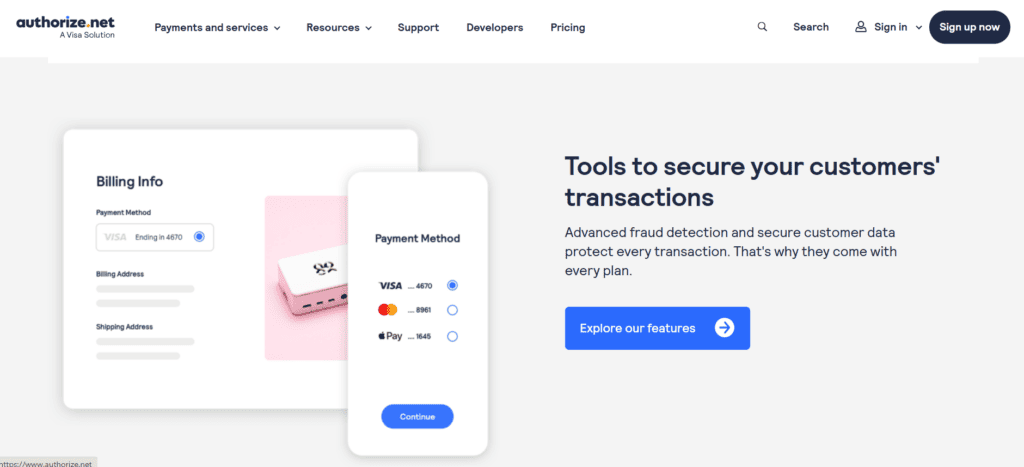
One of Authorize.Net’s primary advantages is security. To guarantee that every transaction is safe and never revealed in plain format, it employs encryption that complies with PCI DSS.
Customizable filters are available in its Advanced Fraud Detection Suite to flag or block suspicious transactions. Location, quantity, velocity, and other triggers can all be used to modify filters.
Tokenization and CVV validation offer additional layers of safety, with tokenized data replacing card details during transactions. This significantly lowers the risk of breaches.
Other tools include IP blocking, velocity monitoring, and alerts for abnormal activity; key features for high-risk industries. While setup can be technical, the security offered is among the best in the industry.
Pricing and Fee Structure
Authorize.Net has two pricing models. The Payment Gateway Only option is $25/month, with $0.10 per transaction and a $0.10 daily batch fee, designed for those with an existing merchant account.
For an all-in-one solution, pricing is 2.9% + $0.30 per transaction with no monthly or setup fees; ideal for small businesses seeking simplicity.
Extra fees may apply for additional services, such as processing eChecks; these fees are usually $0.75 each. Costs may also apply to add-ons like fraud protection, depending on usage.
Considering its capabilities and dependability, this gateway is reasonably priced, despite not being the most affordable one on the market. The advantages of flexibility should be weighed against the slightly more complicated pricing by businesses.
Customer Support and Service Quality
Authorize.Net offers solid support, with 24/7 phone availability, email service, and a thorough knowledge base. The support portal contains guides, how-to articles, and troubleshooting FAQs.
The majority of user feedback is positive, particularly regarding common problems. Slow response times during peak hours have been reported by some, and more technical inquiries might not receive prompt resolution unless they are escalated.
Dedicated account managers may be provided to high-volume merchants, improving their customer service experience. Smaller retailers often turn to documentation or community forums for assistance.
Though not cutting-edge, the support resources cover a wide range of issues, making it a strong but traditional support offering compared to more modern platforms.
Recurring Billing and Subscription Management
Recurring billing is a strong suit for Authorize.Net. The Automated Recurring Billing tool simplifies payments for subscription-based services like gyms, SaaS platforms, and subscription boxes.
Merchants can configure trial periods, amounts, frequency, and start dates. The system handles billing automatically and securely stores customer data through its Customer Information Manager.
Businesses can monitor canceled or unsuccessful payments as well as active subscriptions through reporting. The ability to modify or pause current plans increases flexibility.
The subscription management interface isn’t as slick as more recent solutions like Stripe Billing, but it does the job securely and dependably.
Mobile and In-Person Payment Capabilities
Beyond online sales, Authorize.Net supports in-person payments through its Virtual Point of Sale and mobile solutions. Developers can use SDKs to build mobile integrations, while retailers can use card readers and POS systems.
These tools are ideal for field professionals like contractors or consultants who need to take payments on-site. Brick-and-mortar businesses also benefit from unified backend management.
However, hardware often needs to be sourced from outside sources, and the POS and mobile app features feel less advanced than those of Square or Shopify. However, for companies handling both online and offline transactions, the unified dashboard is a huge benefit.
Reporting and Analytics Tools
Authorize.Net offers a suite of analytics tools to help merchants monitor payments and uncover trends. From daily summaries to detailed transaction breakdowns, reporting is thorough and reliable.
You can generate custom reports on chargebacks, subscriptions, payment failures, and sales. Filters make it easy to isolate specific data sets based on time, method, or customer criteria.
Users can schedule automated email reports and export reports as CSV files. Although useful, the dashboard’s aesthetic isn’t as modern as more recent models.
The API gives data-savvy companies more insight and customization options for advanced analytics by enabling integration with external BI platforms.
Reliability and Uptime
Authorize.Net is known for exceptional reliability, offering nearly 100% uptime and a solid infrastructure that ensures uninterrupted payment processing.
Multiple data centers and redundancies support its system, ensuring performance even during periods of high traffic. Outages are uncommon, and planned maintenance is announced in advance.
Merchants consistently report excellent stability, even during peak shopping seasons or high-volume days. In an industry where downtime means lost revenue, Authorize.Net delivers dependable uptime that businesses can trust.
Who Should Use Authorize.Net?
Authorize.Net is ideal for established small and mid-sized businesses, growing online stores, service providers, and subscription companies. It suits users who prioritize security, flexibility, and robust features over ease-of-use or trendy interfaces.
Businesses with existing merchant accounts, specialized workflows, and custom websites will value the platform’s modularity. It is also appropriate for people who require advanced fraud tools or subscription billing.
However, entrepreneurs or small teams wanting a fast setup and minimal configuration might find Square or PayPal more approachable out of the box.
Pros and Cons Summary
Pros:
Strong security and long-standing reputation
Wide variety of payment methods supported
Excellent fraud prevention tools
Works with external merchant accounts
Extensive customization through API
Cons:
Outdated interface design
Requires technical knowledge for full use
Monthly fees may not suit low-volume sellers
Limited multi-currency options without add-ons
Authorize.Net may not be flashy, but for those seeking performance and security, it’s a trusted, stable partner.
FAQs
Q1: Is Authorize.Net suitable for small businesses or startups?
Yes, if the business expects a steady or high volume of transactions and needs tools like fraud prevention or subscription billing. Otherwise, the monthly fee may outweigh the benefits for very small startups.
Q2: Does Authorize.Net support international transactions?
Yes, it accepts international card payments, but the business must be based in the U.S., Canada, U.K., or Australia. Multi-currency support depends on the merchant account used.
Q3: Can Authorize.Net be used with a third-party merchant account?
Absolutely. One of its major strengths is its ability to integrate with existing merchant accounts. Alternatively, users can choose the bundled gateway + merchant account plan.

Amazon Pay Review
By 10topmerchantservices April 2, 2025
Amazon Pay is a digital payment system that was first introduced in 2007 with the goal of making online purchases easier for both businesses and customers. It enables customers to make purchases using the payment methods that are already connected to their Amazon accounts and is based on Amazon’s incredibly reliable e-commerce infrastructure. The technology offers a smooth checkout process for customers and lowers cart abandonment for retailers by doing away with the need to manually enter billing information or create new user accounts. Lets read more about Amazon Pay Review
Over time, Amazon Pay has transformed into more than a simple checkout option. It now includes features like voice-based payments via Alexa and easy integrations with popular ecommerce platforms, offering both security and speed. Backed by Amazon’s technical capabilities and reputation, it ensures frictionless transactions, making it appealing for online retailers aiming to optimize user experience.
That said, Amazon Pay competes with well-known names like PayPal, Google Pay, and Apple Pay. What gives it an edge is its integration with Amazon’s ecosystem, millions of shoppers already trust the brand and have stored payment information, which can significantly improve merchant conversion rates.
How Amazon Pay Works | Amazon Pay Review
Amazon Pay acts as a payment gateway that enables customers to use their Amazon credentials to make purchases on third-party websites. The checkout process is simplified, users log in with their Amazon accounts and confirm payments without re-entering details.
A user is taken to a secure page hosted by Amazon to select payment options and confirm their order when they choose Amazon Pay at checkout. They are returned to the merchant site after confirmation. Because of Amazon’s reliable infrastructure, this stands out while mirroring the ease of digital wallets.
For businesses, Amazon Pay integrates via APIs or plugins with platforms such as WooCommerce, Shopify, and Magento. It supports both one-time and recurring payments, making it ideal for retail, subscription, and digital service businesses.
Voice commerce is also part of the offering. Through Alexa-enabled devices, customers can manage subscriptions and place orders, a valuable edge in the fast-evolving commerce landscape.
Transactions are managed securely through Amazon’s backend. A comprehensive merchant dashboard provides access to order tracking, refunds, and performance metrics. The setup is relatively simple, even for businesses without in-house developers.
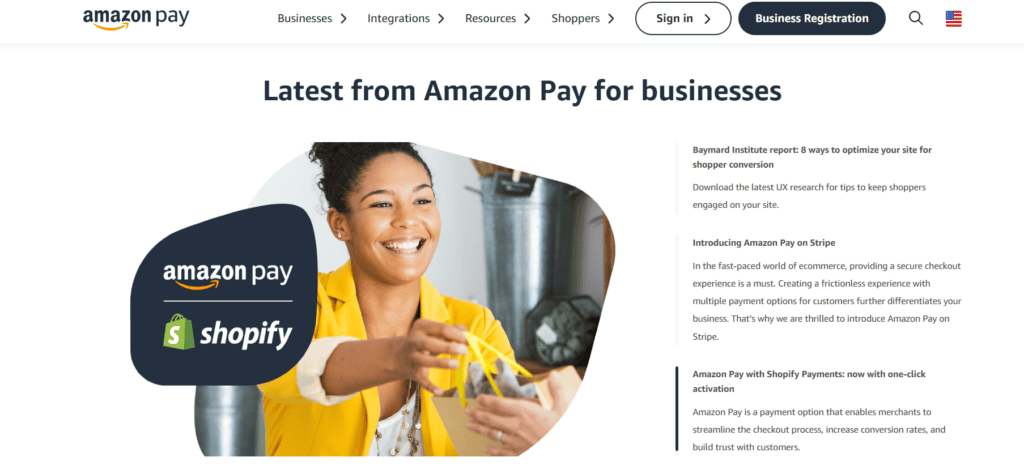
Key Features and Services
Amazon Pay brings a rich set of features to both consumers and businesses:
One-click checkout: By using stored Amazon data, customers bypass manual entry of billing/shipping info.
Alexa payments: Customers can transact via voice using Alexa-enabled devices.
Recurring billing: Businesses offering subscriptions or memberships benefit from built-in recurring payments.
Mobile optimization: The interface is responsive and functions smoothly across mobile browsers and apps.
Brand trust: The Amazon name boosts buyer confidence, especially on lesser-known websites.
Additional features include:
Multi-currency support
Buyer protection programs
Developer-friendly APIs and SDKs
Support for refunds and partial captures
But there are disadvantages. There are no built-in invoicing features in Amazon Pay, and developers may need to be involved in order to customize the checkout process. However, its wide range of products makes it appropriate for companies trying to increase customer convenience and foster trust.
Merchant Experience and Onboarding
Signing up with Amazon Pay is a relatively simple process. Merchants need to provide business credentials, complete identity verification, and integrate the service into their website.
The platform supports both custom integrations and pre-built plugins for Shopify, BigCommerce, WooCommerce, and others, accommodating both tech-savvy teams and those without coding knowledge.
The merchant dashboard, while basic, covers core needs like viewing transaction history, issuing refunds, and downloading reports. It may not offer as many customizable insights as other platforms, but it’s intuitive and functional.
During onboarding, documentation and ticket-based support are accessible. But according to some users, support response times are slower than those of competitors who provide live chat or dedicated account managers.
Additionally, Amazon Pay isn’t available for all business categories. High-risk industries or those with ambiguous product offerings may experience approval delays or outright rejections.
For most standard ecommerce businesses, the onboarding is smooth, and Amazon Pay’s brand appeal can improve buyer trust right from the start.
Customer Experience
Amazon Pay excels at making the checkout experience fast, safe, and intuitive for end users. Shoppers can quickly complete purchases using saved Amazon credentials, minimizing data entry and reducing checkout time.
This one-click experience is especially helpful on mobile devices, where cumbersome forms often lead to cart abandonment. Real-time notifications and confirmation emails further enhance transparency and user confidence.
Brand familiarity is important. Even when they are shopping on unknown merchant websites, customers are more likely to trust a payment method that carries the Amazon name. Businesses frequently see an increase in conversions as a result of this trust.
Alexa-powered payments are another user-focused feature. While adoption is still limited, the integration allows for voice-activated purchasing, particularly useful for repeat orders and subscriptions.
A downside: users who don’t have an Amazon account must sign up to use the service, potentially introducing friction. Additionally, Amazon Pay doesn’t support every local payment option, which can limit its appeal in certain international markets.
Fees and Pricing Structure
Amazon Pay’s pricing is competitive and easy to understand. For U.S. transactions, merchants are charged 2.9% + $0.30 per domestic transaction. International payments incur a slightly higher fee of 3.9% + $0.30, similar to rates from Stripe and PayPal.
There are no setup fees, monthly subscriptions, or cancellation charges, making it suitable for startups and small businesses looking to avoid fixed costs.
As is usual in the industry, refunds are permitted, but the fixed $0.30 portion of the transaction fee is not. Chargebacks cost about $20, which is again in line with industry standards.
Amazon also offers seller protection in the case of fraudulent or unauthorized transactions, although merchants are advised to read the terms carefully.
The pricing is transparent and straightforward, which helps with financial planning. However, high-volume merchants may find more competitive rates with providers offering custom pricing structures.
Supported Countries and Currencies
Amazon Pay supports a limited but growing list of countries, including the U.S., UK, Germany, France, Italy, Spain, Japan, and India. While this covers many major ecommerce markets, it falls short of the global coverage offered by PayPal or Stripe.
Customers can pay in their local currency thanks to multi-currency support, which lowers cart abandonment. However, Amazon’s exchange rates might not always be ideal, and there is no real-time currency conversion available.
Cross-border payments are possible, but both buyer and seller must be based in supported regions. Additionally, certain products and industries may be subject to restrictions depending on the country.
Merchants should verify whether Amazon Pay is available for their business type and region before onboarding.
Security and Fraud Protection
Security is one of Amazon Pay’s strongest assets. Built on Amazon’s infrastructure, it is PCI DSS compliant and employs SSL encryption and layered security measures. Customer credentials are protected via two-factor authentication and are never shared with merchants.
Fraud prevention is built-in, with algorithms monitoring for suspicious behavior. Amazon’s A-to-Z Guarantee adds a layer of protection for buyers and helps resolve disputes.
Nonetheless, merchants have limited access to fraud management tools. The majority of fraud detection is handled internally by Amazon Pay, with little transparency or seller customization, in contrast with Stripe Radar or PayPal’s comprehensive fraud dashboards.
Still, the system is effective for most use cases, and merchants benefit from Amazon’s secure environment without needing to manage sensitive data themselves.
Integration Options
Amazon Pay provides flexible integration paths suitable for both developers and non-tech-savvy users. For advanced teams, the API allows custom checkout workflows, recurring billing setups, and mobile app payments.
Pre-built plugins are available for platforms including:
Shopify
WooCommerce
Magento
BigCommerce
PrestaShop
These allow for plug-and-play integration, making the setup simple for most ecommerce businesses. Developers also get access to a sandbox environment and thorough documentation.
The user interface’s lack of extensive customization is one obvious drawback. The Amazon Pay interface may be restrictive for merchants seeking a fully branded checkout experience. Developer involvement might be necessary for complex flows or multi-step, custom forms.
That said, the platform supports both simple and advanced use cases and can be scaled according to business needs.
Performance and Reliability
Amazon Pay operates on Amazon’s global cloud network, ensuring near-instant transaction processing, high uptime, and robust reliability. Even during high-traffic events like Black Friday, the platform delivers consistent performance.
Merchants benefit from low latency and minimal checkout interruptions, leading to fewer abandoned carts and improved user satisfaction.
Real-time updates are provided by the merchant dashboard, which also makes reporting tools easily accessible. However, unlike competitors, Amazon does not provide real-time incident reports or public system status dashboards.
Customer support during technical outages is also limited, with no live assistance. Businesses requiring immediate support may find the ticket-based system insufficient.
Despite this, the overall performance is stellar, with minimal disruptions reported even during major shopping periods.
Mobile and Voice Commerce Capabilities
Amazon Pay shines in mobile and voice commerce. The service is fully responsive and performs well on mobile browsers and apps, providing a smooth user experience across devices.
Developers can enable in-app payments through the API, ensuring checkout is seamless within mobile apps. The platform’s lightweight design means quicker load times and better conversion rates.
What really sets Amazon Pay apart is its voice commerce integration. Alexa-compatible devices allow customers to place orders, reorder items, and manage subscriptions using simple voice commands.
For repeat purchases, this is particularly useful, a customer can say, “Alexa, reorder my vitamins,” and the transaction completes with stored payment and delivery preferences.
Nevertheless, the majority of these voice characteristics are exclusive to the Amazon ecosystem. This feature might not be important to users or companies that are not Alexa investors, and some users still have privacy and data tracking concerns.
Still, for future-facing ecommerce brands, Amazon Pay’s voice and mobile capabilities offer significant potential.
Use Cases: Ideal Business Types
Amazon Pay is an excellent fit for consumer-facing ecommerce businesses that prioritize user trust and ease of checkout. It works especially well for:
Online retailers
Subscription-based services
Digital goods providers
Donation platforms
Small and medium businesses benefit from the low barrier to entry, lack of monthly fees, and ease of setup. The platform’s design also appeals to companies with limited technical resources.
However, companies with complicated invoicing requirements (like B2B services) or those in high-risk industries might find Amazon Pay restrictive. Additionally, it is not the best option for retailers who deal in goods that are listed as prohibited categories by Amazon or who operate in nations that are not supported.
Customer Support and Resources
Amazon Pay’s customer support is its most polarizing aspect. While integration resources and developer documentation are robust, merchant support is mostly ticket-based, with no live chat or phone options for standard users.
Response times vary, and some merchants report delays, particularly during holidays or peak periods. For businesses handling urgent technical or transaction-related issues, this can be a drawback.
Amazon does offer:
A knowledge base
Integration documentation
Developer forums
Although these self-service options are extensive, they may not be enough for everyone. Enterprise clients with negotiated agreements may be eligible for dedicated support.
In general, Amazon Pay is best suited for merchants who can operate with minimal hand-holding or who already have experience with self-managed platforms.
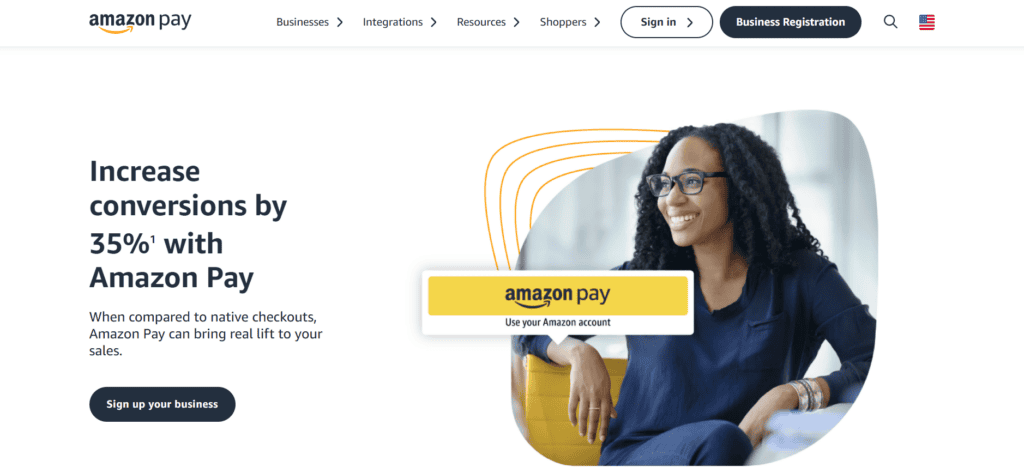
Pros and Cons
Pros:
Widely trusted brand recognition
Seamless checkout with stored Amazon credentials
Quick integration with major ecommerce platforms
Voice and mobile commerce ready
Strong security and fraud protection
No setup or monthly fees
Cons:
Limited global availability
No real-time support (chat or phone)
Limited fraud tools for merchant-side control
Amazon account required for customers
Not suited for high-risk or B2B invoicing needs
Amazon Pay does a great job of balancing performance, trust, and ease of use. It can simplify checkout and increase conversion rates for the suitable business model. Others, however, might find it difficult due to restrictions in customer service and worldwide support.
FAQs
Is Amazon Pay only for Amazon sellers?
No, Amazon Pay is open to all online merchants. You don’t need to sell on Amazon’s marketplace, it can be integrated directly into your own website.
Does Amazon Pay store or share customer data with merchants?
Amazon Pay uses stored information from the customer’s Amazon account but doesn’t share full data with merchants. This keeps user data secure while enabling easy transactions.
How long do Amazon Pay payouts take?
Payouts generally take 3–5 business days to reach a merchant’s bank account. New merchants may experience slightly longer delays during verification.

Alipay Review
By 10topmerchantservices March 31, 2025
Alipay, introduced in 2004 by the Alibaba Group, has grown from a basic payment facilitator into one of the world’s leading mobile and online financial ecosystems. Originally created to facilitate transactions on Taobao, Alibaba’s e-commerce platform, it used escrow services to ensure trust between buyers and sellers. Since then, it has become a central offering under Ant Group (formerly Ant Financial), Alibaba’s fintech division. Lets read more about Alipay Review.
In China, Alipay is deeply woven into the fabric of everyday life; far more than digital wallets like PayPal, Apple Pay, or even WeChat Pay. With over a billion users globally, it supports everything from online shopping and in-store purchases to utility bills, healthcare, and commuting.
Alipay’s tremendous success is primarily attributed to China’s swift digital transformation and the government’s effort to decrease dependence on cash. What started as a payments application has transformed into a “super app” providing credit, wealth management, insurance, and a lifestyle platform for countless users.
While its origins are distinctly Chinese, Alipay has been broadening its presence worldwide. It has aimed at Chinese tourists internationally and developed merchant collaborations globally. With its Alipay+ approach, it currently facilitates cross-border compatibility with local wallets.
In spite of regulatory resistance, increasing global rivalry, and data privacy issues, It continues to be a leading player due to its convenience, integrated ecosystem strategy, and large user community.
How Alipay Works | Alipay Review
Alipay operates as a mobile-first wallet, allowing users to link their bank accounts, cards, or store value within the app to make fast and secure transactions. It works seamlessly across physical retail environments and online marketplaces, supporting payments via QR codes or digital transfers.
Getting started is simple: users download the app, register with their phone number, verify their identity, and link a bank account. Once set up, they can scan a merchant’s QR code or let the merchant scan theirs to complete payments; an approach that’s intuitive and widely adopted in China.
Transactions are processed in real-time, instantly debiting the user’s balance or bank account and crediting the merchant. Escrow services are available for online purchases, giving users the confidence to confirm delivery before payment is finalized.
Additional features include peer-to-peer transfers, bill splitting, and recurring payments. It also supports currency conversion automatically for international users, allowing them to pay in local currencies without relying on foreign cards.
The platform is secure and user-friendly. With facial recognition, biometric logins, and real-time alerts, users are kept safe and informed. While some services are tailored to Chinese regulations, most core features are now being extended to international audiences.

Alipay for Consumers
For consumers, it goes far beyond being a simple wallet. It’s an all-in-one platform that supports daily life functions such as paying bills, booking medical visits, or hailing rides. Its super app functionality makes it an indispensable tool for millions in China.
The key advantage is convenience. Users can shop online, pay rent, top up mobile data, buy insurance, and even invest; all from within the app. In urban China, Alipay usage is often more prevalent than cash or cards.
Users can customize the dashboard with commonly utilized services, enhancing personalization. The application additionally provides cashbacks, loyalty points, and discount vouchers according to user engagement; rewarding regular usage.
Notifications for transactions in real-time and monthly summaries offer clear financial monitoring. Budgeting applications and expenditure regulations assist in handling finances, allowing parents to establish restrictions for their children through the app.
Travelers gain advantages as well. In approved locations, it enables Chinese travelers to pay in yuan, while merchants receive their local currency. This cross-currency feature has turned it into a favored travel partner.
Nonetheless, beyond China, the experience could seem restricted because of a smaller number of supported merchants, language barriers, or regional limitations. The worldwide Alipay+ initiative is gradually tackling these issues.
Alipay for Merchants
Merchants, especially those catering to Chinese customers, stand to gain significantly from accepting Alipay. The platform’s infrastructure-light model allows even small shops to start accepting payments by displaying a QR code.
In China, it integrates smoothly with POS systems, providing features like customer data analysis, loyalty programs, and sales tracking. Internationally, it collaborates with local partners to ensure compliance with local regulations and smooth onboarding.
A standout benefit is Alipay’s in-app marketing. Businesses can create digital loyalty cards, promotional offers, and personalized ads, all within the Alipay ecosystem. These tools help maintain engagement with Chinese users.
Currency conversion and local settlements make it easier for cross-border merchants to receive payments quickly. This makes it ideal for businesses in tourist zones, especially those aiming to serve Chinese travelers.
Some challenges exist: integration can be complex for small merchants outside China, and regional support varies. Advanced tools may require technical help or API integration.
Still, Alipay’s blend of affordability, digital marketing, and real-time settlement makes it an attractive option for modern businesses.
Key Features of Alipay
Alipay’s value lies in its range of features that transform it from a simple payment tool into a daily utility hub. As a super app, it brings financial services, shopping tools, and life management together.
Its primary feature is mobile payments, supporting merchant payments, fund transfers, and recurring billing. Users can also pay transit fares and manage utilities within the app.
Financial services are deeply integrated. Through Ant Group, It offers mutual fund investments, BNPL services like Huabei, and access to micro-insurance. These are designed to enhance financial inclusion.
Security is a core strength. The app uses encryption, biometric authentication, and real-time fraud monitoring. Users can apply transaction limits and get alerts for any unusual activity.
Alipay introduces gamified experiences like “Ant Forest,” where eco-friendly behavior earns credits that fund tree-planting projects. This adds a social and environmental angle to user engagement.
While many of these services are China-centric, the Alipay+ initiative is gradually making them available in other regions. However, credit scoring and wealth tools may remain restricted in some countries due to regulations.
Ultimately, Alipay functions as a digital command center for its users, combining convenience with powerful functionality.
Global Reach and Expansion
Alipay’s global growth strategy began with serving Chinese tourists abroad, enabling seamless payments in local stores. Retailers in destinations like Japan, Korea, and Europe began accepting Alipay to attract these visitors without needing a major payment infrastructure overhaul.
Recently, Alipay+ has broadened its reach. This initiative enables global merchants to receive payments from various Asian wallets such as GCash, Kakao Pay, and Touch ‘n Go, via a single integrated platform. It’s a step towards expanded digital payment compatibility in Asia and elsewhere.
Thousands of merchants worldwide have integrated Alipay, ranging from airports and shopping centers to online marketplaces. The firm has additionally teamed up with banks and payment processors to guarantee adherence and easier integration.
Nonetheless, regulatory hurdles persist particularly in Western nations such as the U.S. where worries about data privacy and external access to financial systems have hampered advancements.
Nonetheless, Alipay’s flexibility and robust regional partnerships provide it with a hopeful avenue for ongoing global expansion as digital payments gain wider acceptance.

Cross-Border Payments and Currency Support
Cross-border functionality is a major strength for Alipay. For Chinese users traveling abroad, it automatically converts RMB into the merchant’s local currency using real-time exchange rates, simplifying payments and avoiding the need for cash or foreign cards.
Merchants benefit from quick settlements in their own currency, sparing them the burden of manual conversions or additional fees. This ease is especially useful for retailers in tourist hubs and e-commerce platforms selling to Chinese consumers.
It partners with global payment platforms and logistics services, facilitating online cross-border trade. Transparent pricing, buyer protections, and efficient refunds boost consumer trust.
Alipay+ extends these benefits to other e-wallets, making it easier for merchants to accept diverse regional payment apps via a single integration.
That said, currency conversion fees can vary by financial partner. Some regions may also face delays or limitations due to strict money transfer laws or anti-money laundering regulations.
Even so, Alipay’s real-time cross-border payment capabilities offer convenience and security, setting a high bar in the mobile wallet space.
Integration with E-Commerce and Retail
Alipay was originally developed to support Alibaba platforms like Taobao and Tmall. Its e-commerce roots are evident in its smooth transaction handling, buyer protection, and refund systems; all of which increase trust and improve user experience.
Buyers enjoy the added protection of escrow services, where payment is held until the product is received and approved. This feature has been widely emulated across other platforms.
Alipay’s API and SDK offerings make it simple for retailers to integrate the payment system into their websites. Platforms like Shopify and WooCommerce already support Alipay through plugins.
Brick-and-mortar retailers benefit as well. Whether using POS terminals or QR codes, they can issue e-receipts, loyalty rewards, and personalized discounts; all powered by user data and AI-driven targeting.
Challenges include language barriers, integration expenses, and a learning curve when targeting Chinese consumers. Accessing some features may require working with third-party vendors or local consultants.
Nevertheless, Alipay’s tight integration with retail and e-commerce ecosystems gives businesses a powerful tool for engaging a mobile-first audience.
Fees and Pricing Structure
Alipay is competitive in pricing, especially in its domestic Chinese market. Local users enjoy free or low-cost services, while merchants typically pay a small fee ranging from 0.5% to 1% per transaction.
Cross-border merchants may face slightly higher costs due to currency conversion and intermediary charges. Still, it tends to offer more favorable rates than global credit card processors.
The model is highly scalable, minor vendors utilizing QR codes encounter low fees, whereas major corporations employing POS integrations can arrange tailored terms. Numerous international services are managed via local partners, with pricing potentially differing.
Typically, consumers appreciate complimentary services, although premium offerings such as wealth management might include clear service fees.
Although typically economical, companies are advised to examine contracts thoroughly, as concealed charges could emerge based on the local processing partners. Models for pricing based on volume might also be relevant.
Overall, Alipay’s fee system is transparent and adaptable, making it a cost-effective option for companies looking to provide mobile payment solutions.
Security and Compliance
Security is a cornerstone of Alipay’s service. The app incorporates advanced encryption, AI-based fraud detection, and biometric verification including facial recognition and fingerprint scanning.
Real-time alerts and transaction logs let users stay on top of account activity. Users can also freeze their accounts, block cards, or impose spending limits directly from the app.
Alipay complies with strict regulations in China through the People’s Bank of China and follows global standards like PCI-DSS and ISO in international markets. Anti-money laundering (AML) and Know Your Customer (KYC) protocols are enforced through its global partnerships.
Western scrutiny especially regarding data handling and state access has limited its expansion in some regions. However, it continues to evolve its compliance framework to meet international expectations.
Despite geopolitical challenges, Alipay is widely regarded as a secure and compliant platform for both users and merchants.
Limitations and Challenges
Alipay’s primary drawback is its heavy regional skew. Most advanced features such as wealth management, insurance, and credit are confined to users in China. International versions often feel stripped down.
Language remains a barrier. While some sections of the app support English, many merchant interfaces are still optimized for Chinese users. This complicates onboarding and usage for non-Chinese speakers.
Geopolitical concerns and foreign ownership limitations have stifled Alipay’s growth in countries like the U.S. and India. Its ability to compete with domestic wallets in these markets remains constrained.
Integration can also be challenging, especially for small merchants needing third-party help to access Alipay’s full toolkit.
Finally, users without Chinese bank accounts may face limitations in top-ups or certain services, reducing the platform’s appeal outside its home market.
Comparison with Other Mobile Wallets
Alipay competes in a saturated market, standing out through its super-app ecosystem. Compared to WeChat Pay, it offers more financial tools and retail support, while WeChat excels in social features.
Against PayPal, Alipay is more integrated into users’ daily lives, although PayPal enjoys wider global usage and regulatory compatibility.
Apple Pay and Google Pay are strong in contactless and card-based payments, particularly in Western markets, but they lack Alipay’s broader lifestyle services and financial product integrations.
One of Alipay’s unique features is QR-based payments, which don’t require internet access, beneficial for low-connectivity areas and smaller merchants.
Still, Alipay may feel overwhelming or unfamiliar to users outside China, especially where local wallets are more intuitive or accessible.
Customer Support and Dispute Resolution
Alipay provides in-app help centers, AI-driven chatbots, and live agent options for resolving transaction or account issues.
Chinese users typically experience quick and effective support. However, international users may encounter delays, especially when language barriers or complex disputes arise.
Its escrow system ensures secure e-commerce transactions by holding funds until delivery is confirmed. Disputes can be raised with supporting documentation and are typically resolved quickly.
For merchants, technical assistance is available through documentation, developer portals, and onboarding partners.
Still, English resources and personalized international support need improvement. Better localization will be essential as Alipay scales globally.

Who Should Use Alipay?
Alipay is perfect for Chinese users and visitors, providing extensive integration with daily services, travel assistance, and financial resources. It is particularly beneficial in urban settings in China and in popular tourist destinations overseas.
Merchants aiming at Chinese consumers, whether online or in-person, ought to think about accepting Alipay to facilitate transactions and utilize its built-in marketing features.
Regional companies throughout Asia can utilize Alipay+ to accept multiple local wallets with one integration.
Outside of Asia, however, Alipay’s attractiveness might be restricted. Companies might discover options such as PayPal or Apple Pay to be better aligned with their local audience.
FAQs
Can Non-Chinese users and businesses use Alipay?
Yes, Alipay+ allows non-Chinese users and merchants to participate in cross-border transactions, though feature availability may vary.
What currencies does Alipay support for cross-border transactions?
It automatically converts user payments into the local currency of the merchant, supporting a wide range of currencies globally.
Is Alipay safe for storing money and making payments?
Yes. It uses top-tier security, including encryption, biometric authentication, and fraud detection, to ensure secure transactions.

Allied Wallet Review
By 10topmerchantservices March 29, 2025
Allied Wallet is a globally recognized payment processor offering a wide suite of financial tools, including credit card processing, digital wallets, and merchant account services. Geared toward businesses of all sizes, it positions itself as a comprehensive e-commerce solution. What differentiates Allied Wallet from competitors is its strong emphasis on transaction security, worldwide coverage, and support for a diverse set of payment methods. Lets read more about Allied Wallet Review.
Founded by Dr. Andy Khawaja, the company was built with the intention of delivering scalable, secure, and flexible transaction solutions—especially for the fast-growing online business sector. With a presence in more than 196 countries and over 100 million users, Allied Wallet promotes itself as a robust platform for secure and dependable payments on a global scale.
Small-to-medium-sized retailers looking for safe international payment options as well as enterprise-level companies growing abroad often use the platform. Allied Wallet provides a flexible infrastructure that can be tailored to different business models, whether you’re selling digital services, software subscriptions, or tangible goods.
Feedback is mixed despite its extensive offerings. While many users praise the support for cross-border transactions and the ease of integration, others voice concerns about inconsistent support and hidden fees. It’s not always the best choice, like many payment processors, but in the correct business environment, it could be a strong contender.
Company Background and Global Reach | Allied Wallet Review
Founded in 2002 by Dr. Andy Khawaja, Allied Wallet was created to simplify global commerce for merchants and consumers alike. Headquartered in Los Angeles, the company has expanded rapidly and now caters to clients in over 196 countries. Its growth over the years has solidified its reputation as a major player in international payment processing, particularly within the e-commerce sector.
The company’s global presence is one of its best selling points. Allied Wallet makes it simpler for companies to cater to a wide range of international clients by supporting transactions in over 100 currencies and providing localized payment options. For online businesses looking to expand outside of their domestic markets, this global focus is especially beneficial.
In order to provide services like credit card processing, fraud prevention, and recurring billing, the company has also formed strategic alliances with banks and payment networks worldwide. Everything from small startups searching for scalable solutions to high-volume enterprise operations is supported by its infrastructure.
That said, Allied Wallet has encountered regulatory challenges in certain regions, which have affected its public image. Still, the company maintains active operations and claims compliance with major global financial regulations, continuing to serve a wide variety of business verticals.
Core Services and Solutions Offered
Allied Wallet delivers a broad portfolio of services tailored for both digital and physical businesses. Central to its offering is payment processing—enabling merchants to accept major credit cards, debit cards, and an extensive range of alternative payment options. Its primary product, the merchant account, is bundled with tools like real-time analytics, fraud protection, and custom checkout pages.
For online retailers, Allied Wallet provides APIs and plug-ins for popular platforms such as Shopify, WooCommerce, and Magento. These features allow businesses to get started with minimal technical effort. Subscription billing and digital wallet capabilities are included, which is a big plus for SaaS providers and recurring payment models.
The PCI-compliant NextGen Payment Gateway, which offers features like tokenization, multi-currency support, and 3D Secure, is a noteworthy offering. These tools are useful for companies operating in high-risk markets because they are crucial for reducing chargebacks and preventing fraud.
Businesses can also explore Allied Wallet’s white-label services, which enable payment gateways and e-wallets with unique branding. For digital platforms or fintech startups wishing to provide smooth, branded payment experiences, this is perfect.
Some of the more advanced tools though, might be more expensive. Before making a commitment, businesses should thoroughly consider service tiers and any potential hidden fees.
User Interface and Dashboard Experience
Allied Wallet’s interface is practical but lacks modern design appeal. Once logged in, users are presented with a centralized dashboard showing transaction summaries, account balances, chargebacks, and performance analytics. While the platform provides all essential tools, the look and feel may seem dated compared to newer fintech services.
The layout is simple and functional, offering quick access to key areas such as reports, customer data, and transaction logs. For users who prioritize utility over aesthetics, the platform meets basic needs effectively. However, managing complex configurations or multiple business lines might require more navigation than ideal.
Real-time transaction tracking, which enables merchants to identify patterns or suspicious activity and generate personalized reports with multiple filters, is one of the benefits. These analytics tools provide useful information for day-to-day operations management.
That said, personalization options are minimal. The dashboard lacks customizable widgets and has limited responsiveness on mobile devices. For businesses that value sleek interfaces and user-friendly customization, this might be a drawback.
Overall, the dashboard is serviceable and functional—best suited for users who prioritize functionality over design flair.
Ease of Integration for Developers
Developers will find Allied Wallet reasonably accommodating when it comes to integration. It provides a range of SDKs and APIs compatible with popular programming languages like PHP, Java, and .NET, allowing for custom payment solutions on both web and mobile platforms.
For less technical users, the platform also supports prebuilt plug-ins for e-commerce systems like PrestaShop, Magento, and WooCommerce. These tools are helpful for a quick launch, although the most flexibility is offered through direct API integration, which allows for tailored experiences and advanced features.
The platform’s developer documentation is detailed but could benefit from a more intuitive structure. Experienced developers should be able to navigate it without issue, though beginners may require assistance. Allied Wallet does offer technical support for integration, but response times vary depending on account tier and location.
One useful feature for testing before going live is the presence of a sandbox environment. Final-stage testing may become more difficult, though, as some developers point out that the sandbox environment doesn’t always mirror real-time behaviors in the live system.
In short, developers with moderate to advanced skills will find enough tools to complete integrations efficiently. While not the most developer-friendly platform on the market, Allied Wallet provides sufficient infrastructure for most payment-related builds.
Payment Methods Supported
Allied Wallet excels in payment method diversity, which makes it attractive for businesses serving a global clientele. It supports all major credit and debit cards, including Visa, MasterCard, American Express, and Discover, as well as more than 100 alternative payment options.
These include e-wallets like Alipay and WeChat Pay, SEPA bank transfers, and regional mobile payment solutions. This versatility helps businesses convert international customers who prefer local payment options—often leading to better cart conversion rates.
The platform also supports recurring billing and subscription payments, which are key for membership-based services and SaaS companies. Allied Wallet’s multi-currency features and dynamic currency conversion allow users to pay in their native currency—improving overall customer satisfaction.
Although the variety of available payment methods is impressive, retailers should verify which features are enabled by default. Some might need manual setup or premium packages. Additionally, while support for cryptocurrencies is mentioned from time to time, it is not a core offering and seems to be limited.
For merchants targeting diverse global markets, Allied Wallet offers a flexible suite of payment choices—but always clarify what’s included in your service plan.
Security Features and Compliance
Security is a priority for Allied Wallet, and the company meets industry standards by being PCI DSS Level 1 compliant—the highest level of certification for payment processors. This ensures all transaction data is securely encrypted and stored using advanced protocols.
Allied Wallet’s use of tokenization and end-to-end encryption is one of its main advantages. These technologies lower the risk of breaches by substituting secure tokens for sensitive data. In order to decrease chargebacks, the platform also uses 3D Secure for extra security during cardholder authentication. Its fraud detection engine provides an additional line of defense. It employs machine learning to evaluate transactions in real time, identifying possible fraud and notifying merchants for review, though it is not as comprehensive as those provided by leading fintechs.
The company also adheres to major compliance protocols, including Anti-Money Laundering and KYC regulations. These help ensure businesses stay within legal boundaries, especially in tightly regulated regions.
However, Allied Wallet’s past legal issues around compliance enforcement warrant caution. Merchants should request the latest compliance certifications and maintain regular communication with the compliance team during onboarding.
Customer Support and Responsiveness
Customer service at Allied Wallet is a hit-or-miss experience. While the company advertises 24/7 availability via phone, email, and chat, actual user experiences range from excellent to frustrating. During onboarding, some merchants report helpful and responsive account managers. However, once the account is active, others mention slow replies and unhelpful resolutions—particularly for technical or fund-related queries.
Basic questions are usually addressed within a day, and the live chat can help resolve minor issues. For more complicated concerns like integration or chargebacks, merchants often rely on email chains or scheduled calls, which can be slow.
Although there is a searchable knowledge base, it is rather outdated and in need of frequent updates. The documentation may not be thorough enough for self-service users to troubleshoot complex issues. Growing unresolved problems are a common source of frustration. It often takes several follow-ups to reach higher-level support, which can be particularly annoying when there are delays or account freezes.
In short, Allied Wallet’s customer support is functional but inconsistent. Businesses with high support needs may want to clarify expectations in advance or opt for premium support if available.
Pricing Structure and Fees
Allied Wallet’s pricing structure is not publicly disclosed, which makes cost comparisons difficult for merchants. Instead of a standard rate card, the company provides custom quotes based on business type, industry, and risk level. General processing fees range between 2.7% and 3.9% per transaction, plus a flat fee. High-risk businesses may face steeper rates. Additional costs may include account setup, monthly fees, chargeback handling, and international transaction charges—all of which can add up.
The rolling reserve, which holds some of your money for a while to cover possible chargebacks, is one controversial issue. Despite being common in the sector, Allied Wallet has come under fire for its opaque policies. Smaller companies or those with tighter budgets may be concerned about the lack of transparent, up-front pricing. To prevent unforeseen costs, it is essential to review all contract terms and ask thorough questions during the sales process.
While potentially cost-effective for high-volume, global merchants, smaller companies may find more transparency and value with alternatives like PayPal, Stripe, or Square.
Mobile Experience and App Usability
Allied Wallet provides a mobile app and a responsive website, but these tools are not its strongest asset. The app—available on Android and iOS—lets users track transactions, view account balances, and receive alerts. The design is clean but basic. It covers essentials like daily revenue and customer data but lacks advanced features like report customization or settings control. Any deeper configuration still needs to be done through the desktop version.
Users appreciate the convenience of real-time updates, though some mention occasional app performance issues and slow notification delivery. The app interface also appears somewhat outdated compared to modern fintech solutions.
The app is more of a companion tool than a fully functional platform due to its limited functionality and infrequent updates. Nevertheless, it satisfies the demands of entrepreneurs who wish to quickly check their status while on the go. Power users won’t be impressed by the mobile experience, but it’s adequate for light monitoring and speedy transaction tracking.
Merchant Onboarding Process
Allied Wallet’s onboarding process is more thorough than many competitors, emphasizing due diligence and regulatory compliance. While this is beneficial from a risk-management standpoint, it can be time-consuming for new merchants.
The application needs detailed business data, such as ownership records, website addresses, financial statements, and identification documents. Client contracts or product samples may also be requested, depending on your industry. Timelines for approval vary. In high-risk categories, merchants report waiting one to two weeks, while others are approved in a matter of days. The compliance team might ask for more information, which would cause the delay to increase.
On the positive side, Allied Wallet provides onboarding support via account managers who guide applicants through documentation and setup. Still, communication gaps can occur, particularly when paperwork is missing or ambiguous.
Once approved, integration is typically smooth, with guides and plug-ins for popular e-commerce platforms. Developers also have access to technical support during the setup phase.
Settlement Times and Fund Accessibility
Allied Wallet’s fund settlement timeline depends on account type, business risk, and transaction volume. On average, payouts are processed weekly, with merchants receiving funds 3 to 7 business days after the transaction date. Lower-risk accounts may enjoy faster settlements, while high-risk businesses are more likely to face rolling reserves or extended hold times. Reserve policies, while industry standard, can be a source of frustration if not clearly communicated upfront.
Allied Wallet supports more than 100 currencies, but fees and exchange rates may affect final payouts. Feedback varies: some merchants report consistent, timely payouts, while others note delays and difficulty accessing held funds. Moreover, cross-border merchants may experience delays because of intermediary banking, currency conversion, or compliance checks. Reserve policy clarity is particularly important for avoiding cash flow issues.
Merchants should confirm all payout terms during onboarding and ensure those terms are documented in writing.
Pros and Cons of Allied Wallet
Pros:
Operates in 190+ countries and supports 100+ currencies.
Accepts a wide array of payment methods including alternative options.
Strong security via tokenization, PCI DSS, and fraud tools.
Developer support through APIs, sandbox, and plug-ins.
White-label solutions available for scalable infrastructure.
Cons:
No clear pricing on the website; may involve hidden charges.
Customer service experiences vary by case.
Onboarding can be lengthy and documentation-heavy.
Reserve and fund hold policies are not always transparent.
Platform and app design feels dated.
Who Should Consider Using Allied Wallet?
Allied Wallet is best suited for global merchants, especially those offering digital goods, educational platforms, and subscription-based services. Its broad payment method support and global infrastructure make it an excellent fit for businesses aiming to expand into international markets.
Additionally, platforms looking for white-label or custom-branded payment solutions, fintech startups, and enterprise clients find it appealing. However, Allied Wallet’s support variability, ambiguous pricing, and onboarding requirements might be burdensome for small or startup businesses. For people who value cost transparency and ease of use, platforms like Square, Stripe, or PayPal might be more appropriate.
High-risk merchants are accepted but should proceed cautiously. Understanding and documenting reserve requirements and support timelines is essential before committing.

FAQs
Is Allied Wallet suitable for small businesses and startups?
It depends. Startups with global customers or tech teams may find value in Allied Wallet’s international tools. However, small businesses looking for predictable pricing and simple onboarding may prefer platforms like Stripe or Square. If transparency and support are a priority, consider comparing options first.
How long does it take to receive payments via Allied Wallet?
Typically, funds are settled 3 to 7 business days post-transaction. Higher-risk accounts may experience longer delays or rolling reserves. International payments may take more time due to conversions or intermediary banks. Get clarity on your specific payout terms during onboarding.
Does Allied Wallet support cryptocurrency payments?
Not as a core service. While mentioned occasionally in its marketing, crypto support is limited and may require special arrangements. If cryptocurrency is a major part of your business, consider dedicated crypto processors like BitPay or CoinPayments instead.
AffiniPay Review
By 10topmerchantservices March 25, 2025
AffiniPay is a payment processing platform built specifically for professionals, with a strong emphasis on the legal sector. Unlike general-purpose solutions like Stripe or Square, It is uniquely structured to ensure compliance with trust accounting standards, making it a standout choice for law firms managing client funds. Its primary product, LawPay, is well-regarded for simplifying legal payment workflows while adhering to IOLTA (Interest on Lawyers’ Trust Accounts) compliance. Lets read more about AffiniPay Review.
The features, cost, usability, integrations, security, customer support, and general appropriateness for professional services of AffiniPay will all be covered in this thorough review. For legal and other professional firms, we want to know if AffiniPay is really the best option or if there is a more affordable option.
Even though AffiniPay offers many great features, such as secure processing, robust legal software integrations, and personalized payment links, it might not be the best option for all businesses. It may not be as adaptable for wider use due to its emphasis on legal professionals, and not everyone will find its fee structure appealing.
By the end, you’ll understand whether AffiniPay aligns with your needs or whether exploring other options could be more advantageous. This analysis will remain factual, neutral, and free from promotional influence.
Company Overview | AffiniPay Review
AffiniPay is a niche payment processor that tailors its services to law firms and other professional service providers. Unlike traditional processors aimed at mass markets, It prioritizes legal compliance and secure financial transactions for regulated industries.
History and Background
Since its founding in 2005, AffiniPay has expanded to provide services to thousands of professional practices and law firms. Its flagship product, LawPay, is designed to assist lawyers in managing client money while adhering strictly to IOLTA compliance and trust accounting regulations. It has grown over time to serve other regulated professions, including accountants and architects.
Mission and Key Offerings
AffiniPay’s mission is to deliver secure, easy-to-use, and compliant payment solutions tailored for professionals. Its offerings include:
Processing for major credit and debit cards
ACH and eCheck payment capabilities
Custom payment link generation and online invoicing
Integrations with platforms like Clio, QuickBooks, and MyCase
Industries Served
While AffiniPay supports various professionals, including architects and accountants, it’s most effective in legal environments. Businesses outside regulated industries may not benefit as much from its specialized features and could find more generic platforms more appropriate.

How AffiniPay Works
While adhering to stringent industry regulations, professionals can accept payments with AffiniPay. Its system is made for ease of use, legal compliance, and safe financial management, all of which are crucial for lawyers who oversee client retainers.
Payment Processing Workflow
The workflow is streamlined. Clients receive invoices with secure links, payments are processed through AffiniPay, and funds are routed to either trust or operating accounts based on the transaction. This separation is essential for law firms to meet ethical and legal obligations.
Integration with Professional Software
AffiniPay integrates easily with legal and accounting tools including Clio, PracticePanther, MyCase, QuickBooks, and Xero. These integrations automate tasks like invoice creation, payment tracking, and reconciliation, reducing manual effort and improving accuracy.
How Funds Are Handled (IOLTA Compliance for Law Firms)
Maintaining the separation of trust accounts is a must for law firms. By ensuring that customer funds are kept separate from business accounts, AffiniPay promotes IOLTA compliance and lowers the possibility of ethical violations.
Key Features of AffiniPay
It distinguishes itself through features specifically crafted for legal and professional service needs. These features ensure compliance, improve payment efficiency, and strengthen security.
Payment Processing Capabilities
AffiniPay supports Visa, Mastercard, American Express, Discover, and ACH payments. It offers a secure gateway that ensures fast and compliant processing of transactions.
Trust Accounting Compliance (IOLTA & ABA Rules)
By ensuring that client funds are automatically deposited into the right accounts and strictly adhering to IOLTA and ABA standards, the platform lowers the possibility of accounting errors.
Integration with Legal and Professional Software
Seamless integrations with software like Clio, MyCase, and QuickBooks streamline payment collection, automate reconciliations, and simplify invoice generation—all within the tools professionals already use.
Security & PCI Compliance
As a PCI Level 1 compliant provider, It uses advanced encryption, tokenized payments, and fraud detection to protect sensitive financial data and reduce chargebacks.
Custom Payment Links & Online Invoicing
Professionals can generate unique payment links, shareable via email or text, that enable clients to pay directly—no login needed. This makes the payment experience smoother for both parties.
Recurring Payments & Installment Plans
With AffiniPay’s automated recurring billing and installment options, businesses can effectively manage subscription-based services and ongoing retainers.
Because of these characteristics, It is a great choice for professionals under regulation who require safe, efficient, and legally compliant payment methods.
Pricing & Fees
AffiniPay’s pricing reflects its specialized nature. While generally comparable to other premium processors, some businesses may find it less cost-effective if they don’t need compliance features.
Breakdown of Processing Fees
There are no setup or monthly fees. The primary charges include:
Credit/Debit Card Transactions: 2.95% + $0.20 per transaction
ACH/eCheck Payments: Flat $2 per transaction
Chargebacks: A dispute fee may apply depending on the case
Monthly or Hidden Fees
Without monthly maintenance, PCI compliance, or contract cancellation fees, It offers a transparent fee structure. However, there may be additional fees for advanced integrations or unique features.
How AffiniPay Compares on Pricing
Stripe: 2.9% + $0.30 per transaction; lacks legal compliance tools
Square: 2.6% + $0.10; focuses on retail, not legal services
PayPal: 3.49% + $0.49; higher cost, limited legal integrations
Is AffiniPay Worth the Cost?
It provides excellent value for those in the legal industry and those who require trust compliance. However, when weighed against more flexible options, its higher fees might not be worth it for typical businesses.
Ease of Use & User Experience
AffiniPay is thoughtfully built for non-tech-savvy professionals. Despite offering advanced compliance tools, the platform remains intuitive and easy to navigate.
Platform Interface and Dashboard
The dashboard presents real-time data, payment statuses, and client information in a clean layout. Professionals can easily create links, manage accounts, and track payments without getting overwhelmed.
Accessibility (Desktop & Mobile)
Being cloud-based, AffiniPay works well on desktop and mobile browsers. While mobile functionality is decent, it lacks a dedicated mobile app like Square or Stripe, which may be a limitation for some users.
Onboarding & Setup Process
Signing up involves submitting business details, linking bank accounts, and verification. AffiniPay also assists with onboarding, especially for law firms configuring trust accounts.
Learning Curve
The majority of users find the platform easy to use. Additional assistance may be needed by those who are not familiar with IOLTA regulations, but AffiniPay’s onboarding materials facilitate the process.
Overall User Experience
Although it could improve mobile support to match competitors’ convenience, AffiniPay strikes a balance between professional-grade tools and ease of use.
Security & Compliance
Security and legal compliance are central to AffiniPay’s value, making it an ideal platform for firms managing confidential financial data.
PCI Compliance & Data Encryption
AffiniPay is PCI Level 1 certified. It ensures every transaction is encrypted and tokenized, preventing data exposure and minimizing the risk of fraud.
Fraud Prevention & Risk Management
Key features include tokenized payments, AI-driven fraud detection, and mechanisms for resolving disputes, giving professionals peace of mind in financial matters.
Trust Accounting Compliance
The automatic fund segregation feature of AffiniPay complies with IOLTA and ABA regulations. This feature guards against legal violations and guarantees ethical management of customer funds.
Professional circles greatly trust AffiniPay as a payment processor because of its security and compliance measures.
Customer Support & Service
AffiniPay offers tailored customer support via phone, email, and an online help center. The team specializes in legal and trust accounting queries, adding substantial value for law firms.
Support is offered during regular business hours in the United States. Users often report knowledgeable and responsive assistance during operating hours, though the lack of 24/7 help can be a drawback. The help center provides self-service training webinars, comprehensive articles, and how-to manuals.
Overall, the support quality is well-regarded, though response times can be slower for less urgent issues, particularly over email.
Pros and Cons of AffiniPay
Pros
Tailored for professional services, especially legal firms
Strong trust accounting and IOLTA compliance
Integrates with legal and accounting platforms
High security with PCI Level 1 compliance and fraud tools
No long-term contracts or hidden fees
Easy-to-use interface and dashboard
Cons
Limited to U.S. professionals; no international support
Slightly higher processing fees than mainstream providers
No mobile app for on-the-go management
Not suitable for e-commerce or retail businesses
Lacks round-the-clock customer support
While powerful for compliance-heavy industries, AffiniPay’s niche focus may not suit businesses needing broader functionality.
How AffiniPay Compares to Competitors
AffiniPay stands apart for its legal focus but competes with popular processors offering different strengths.
AffiniPay vs. Stripe
Stripe offers flexible APIs, global payments, and reporting tools for digital businesses. It lacks trust accounting, making AffiniPay the better choice for law firms, while Stripe is ideal for global e-commerce and SaaS platforms.
AffiniPay vs. Square
Square is excellent for retail and point-of-sale, but it lacks compliance tools and legal software integrations. It is more advantageous for physical businesses, but AffiniPay is still the best option for legal professionals.
AffiniPay vs. PayPal
PayPal supports international transactions and peer payments but charges higher fees and lacks legal compliance. It is more secure and specialized for domestic professional use.
Who Should Use AffiniPay?
AffiniPay is best for firms needing compliant, secure payment solutions.
Best-Suited Industries
Law Firms – Ensure IOLTA compliance and secure client fund handling
Accounting & Finance – Ideal for consultants needing secure invoicing and ACH payments
Consultants – Benefit from automated billing and secure transaction flows
Healthcare Providers – Use HIPAA-compliant payment tools and recurring billing
Who May Not Benefit?
E-commerce & Retail – Platforms like Square and Stripe offer more retail-oriented features
High-Risk Businesses – AffiniPay doesn’t support industries with high chargeback rates
Global Businesses – Limited to U.S. operations with no international support
Final Verdict: Is AffiniPay Worth It?
For legal and professional service providers, It is a robust, compliance-focused payment processor. For professionals who require trust fund management and legal compliance, its specialized features make it well worth the cost, even though it is more expensive than some alternatives. Broader, less costly options might be advantageous for other businesses.
FAQs
Does AffiniPay support international transactions?
No, AffiniPay is limited to U.S.-based professionals and doesn’t offer international payment support. For global businesses, Stripe or PayPal may be more suitable.
Is there a contract or early termination fee?
AffiniPay has no long-term contract requirements and doesn’t charge early termination fees, allowing businesses flexibility with no binding commitments.
Can I use AffiniPay for a non-legal business?
Yes, It can be used by professionals like accountants and consultants, but it’s most beneficial for those requiring strict compliance. Retail or high-risk businesses should explore alternatives like Square or PayPal.

Adyen Review
By 10topmerchantservices March 22, 2025
Adyen is a premier global payment processor renowned for its advanced infrastructure, sophisticated fraud prevention mechanisms, and seamless omnichannel payment solutions. Established in 2006 in the Netherlands, It has evolved into a top-tier choice for businesses seeking a unified platform that supports various payment methods, including credit and debit cards, digital wallets, and local payment systems. Lets read more about Adyen Review.
Adyen addresses these requirements by providing a comprehensive platform that manages payment processing, risk management, and data analytics, removing the necessity for third-party intermediaries. In contrast to traditional processors, It links directly with card networks and local payment providers, reducing transaction expenses and improving reliability. This capability to avoid intermediaries also guarantees quicker settlements and a smoother payment experience for both merchants and customers.
Company Background and Global Reach | Adyen Review
As businesses continue to expand their digital presence and embrace cross-border commerce, having a payment processor that seamlessly handles multiple payment methods is crucial. Adyen’s commitment to providing a streamlined, scalable infrastructure allows businesses to process transactions in different currencies without friction. This makes it particularly beneficial for e-commerce companies, hospitality brands, and multinational enterprises looking for a robust and flexible payment solution.
Origins and Evolution
Founded in Amsterdam by payment industry veterans Pieter van der Does and Arnout Schuijff, Adyen was built to modernize the outdated financial infrastructure. The name “Adyen,” meaning “Start Over” in Surinamese, reflects its mission to revolutionize payment processing by eliminating inefficiencies and dependencies on legacy banking systems.
Adyen allows businesses to expand their operations by offering a unified, simplified payments platform, eliminating concerns about complicated integrations or reliance on third-party services. This strategy has enabled Adyen to attract global corporations and high-volume retailers in search of a dependable, future-ready payment processor.
Expansion and Global Footprint
Over the years, Adyen has expanded across Europe, North America, Asia-Pacific, and Latin America, serving major enterprises such as Uber, Netflix, Spotify, and eBay. Its extensive reach makes it a preferred solution for businesses looking to scale internationally while ensuring a seamless payment experience.
Holding acquiring licenses for Visa, Mastercard, and American Express, It processes payments directly, bypassing third-party banks, reducing costs, and improving transaction speeds. This strategic advantage positions Adyen ahead of many traditional processors. Moreover, its partnerships with major financial institutions and local banks allow it to process transactions efficiently in various countries, minimizing friction and optimizing payment acceptance rates.
Industry Presence
Adyen mainly targets large corporations and rapidly growing businesses, but its scalable offerings also accommodate medium-sized companies. It functions in multiple sectors, such as retail, hospitality, travel, digital services, and e-commerce, making it a flexible and powerful payment solution. Furthermore, It has been broadening its reach in developing markets, offering companies enhanced access to localized payment solutions that meet the requirements of various consumer demographics.
Adyen’s Payment Processing Solutions
It provides a comprehensive suite of payment processing solutions tailored to businesses of all sizes, particularly those operating in multiple markets. Unlike conventional processors that require different systems for online, in-store, and mobile payments, It unifies all transactions under a single platform, enhancing reporting, lowering costs, and improving customer experience across channels.
Payment Channels
Online Payments: Secure e-commerce transactions via APIs, hosted payment pages, and direct integrations with platforms such as Shopify, Magento, and WooCommerce.
In-Store Payments: POS terminals with contactless, chip, and PIN functionality, ideal for retailers and hospitality businesses.
Omnichannel Payments: Unifies online and offline transactions, enabling seamless shopping experiences (e.g., buy online, return in-store).
Supported Payment Methods
It supports a wide range of payment methods, including:
Cards: Visa, Mastercard, American Express, Discover
Digital Wallets: Apple Pay, Google Pay, PayPal, Alipay
Local Payment Systems: iDEAL, Sofort, WeChat Pay, UPI
It also continuously innovates by incorporating emerging payment trends such as cryptocurrency payments and biometric authentication, ensuring that businesses stay ahead of evolving consumer preferences.
Developer-Friendly Integration
Adyen provides a wide array of APIs, SDKs, and plugins for companies seeking to incorporate payments into their websites, mobile apps, and point-of-sale systems. Its developer-centric strategy offers adaptability and personalization options. Through comprehensive integration guides, companies can customize Adyen’s capabilities to fit their specific operational needs, guaranteeing a seamless and individualized payment experience for clients.
Competitive Edge: How Adyen Stands Out
Adyen competes with major payment processors like Stripe, PayPal, Square, and Worldpay, differentiating itself through its proprietary infrastructure, extensive global reach, and enterprise-level solutions.
Key Differentiators
End-to-End Payment Processing: Unlike Stripe and PayPal, which rely on external banks, Adyen handles everything in-house, resulting in faster settlements and fewer failures.
Interchange++ Pricing: A transparent pricing model that is often more cost-effective for high-volume merchants compared to flat-rate models used by competitors.
Advanced Fraud Prevention: Adyen’s AI-driven RevenueProtect system minimizes chargebacks while allowing legitimate transactions.
Comparison with Major Competitors
Stripe: While Stripe is known for its developer-friendly solutions, it offers direct acquiring capabilities and broader international support.
PayPal: PayPal is easier to set up but lacks the analytical depth, customization, and competitive pricing Adyen provides.
Square: Square is better suited for small businesses, whereas Adyen caters to large-scale enterprises with higher transaction volumes.
Pricing and Fee Structure
Adyen uses an Interchange++ pricing model rather than a flat-rate structure. Businesses are charged interchange fees set by card networks, a small Adyen processing fee, and additional assessment fees.
Unlike PayPal or Stripe, which charge a fixed percentage per transaction, Adyen’s pricing varies based on card type, region, and transaction volume. International payments may incur higher costs due to currency conversion and cross-border fees.
Adyen does not charge setup fees, monthly subscriptions, or account maintenance fees, appealing to businesses wanting to steer clear of recurring expenses. Nonetheless, retailers need to be mindful of extra costs like chargeback management and payouts in foreign currencies. Moreover, it provides discounts based on transaction volume, allowing businesses that frequently handle large transactions to save on costs.
Security and Compliance
Customer Experience and User Interface
Adyen offers a seamless user experience with an intuitive interface designed for both business owners and developers. The dashboard provides real-time insights into transaction data, revenue trends, and fraud analytics. Businesses can customize their reporting tools and access detailed analytics to track payment performance. Additionally, merchants can easily manage refunds, chargebacks, and reconciliation from a single interface, reducing administrative burdens and improving operational efficiency.
Merchant Onboarding Process
Adyen’s onboarding process is designed to be straightforward for businesses of all sizes. The platform requires businesses to submit essential documentation, including business verification details and compliance information. Once approved, merchants can quickly integrate Adyen’s payment system through APIs or pre-built plugins. Unlike some competitors that require lengthy verification times, It streamlines the onboarding process, allowing businesses to start processing payments quickly.
Multi-Currency and Cross-Border Payments
A notable strength of Adyen is its capability to handle multi-currency transactions. Companies that operate in various countries can receive payments in more than 150 currencies while enjoying favorable foreign exchange rates. This functionality reduces conversion losses and improves the payment experience for overseas customers. Moreover, Adyen’s ability to handle cross-border transactions guarantees seamless processing without any unexpected delays or concealed charges.
Pros and Cons of Using Adyen
It offers a range of benefits, but like any payment processor, it also comes with certain drawbacks that businesses should consider before adoption.
Pros:
Global Reach: Adyen supports over 150 currencies and provides seamless cross-border transactions, making it ideal for international businesses.
Transparent Pricing Model: The Interchange++ model offers cost-efficient pricing for high-volume merchants.
Omnichannel Payments: Businesses can unify online, in-store, and mobile payments into a single platform.
Advanced Security: With PCI DSS Level 1 compliance, AI-driven fraud detection, and 3D Secure 2.0, It ensures secure transactions.
Customizable Integrations: Developers can leverage robust APIs, SDKs, and plugins for a tailored payment experience.
Cons:
Complex Pricing: The Interchange++ model, while beneficial for large businesses, can be difficult to understand for smaller merchants.
Not Ideal for Small Businesses: Lack of flat-rate pricing and a steeper learning curve make it less accessible for smaller enterprises.
Limited Live Support: It primarily focuses on enterprise-level clients, meaning smaller businesses may experience slower response times.
No Instant Payouts: Unlike PayPal or Square, It does not offer instant withdrawals, which can impact cash flow for some businesses.
Online Reviews and Merchant Feedback
Adyen is generally well-regarded in the payment processing industry, particularly among enterprises and high-volume merchants. Many businesses praise its seamless integration capabilities, transparent pricing, and global transaction support. Users frequently highlight Adyen’s robust fraud prevention tools and comprehensive analytics, which help merchants optimize their payment strategies.
Nonetheless, certain small and medium enterprises have observed that the platform’s intricacy can be a disadvantage, particularly for individuals not acquainted with the Interchange++ pricing structure. Furthermore, customer support has received varied feedback, as large clients benefit from dedicated account managers while smaller companies experience slower response times.
Despite these concerns, It maintains strong ratings on review platforms such as Trustpilot, G2, and Capterra, reflecting its reputation as a powerful and reliable payment solution. Businesses that prioritize scalability, security, and international payment support generally find Adyen to be an excellent investment.
Subscription and Recurring Billing
Adyen provides powerful tools for businesses operating subscription-based models. Its recurring billing features enable merchants to automate payments, send reminders, and manage customer subscriptions efficiently. The platform also supports flexible billing cycles, allowing businesses to customize payment schedules according to customer preferences. This makes it an ideal solution for SaaS companies, membership services, and digital content providers.
Fraud Prevention and Compliance
RevenueProtect: AI-powered fraud detection that reduces chargebacks while minimizing false declines.
3D Secure 2.0 (3DS2): Compliance with PSD2 regulations for added transaction security.
Data Protection: Ensures compliance with GDPR and CCPA for secure handling of customer data.
It also invests in continuous security updates and regulatory compliance, helping businesses stay protected against emerging threats.
Conclusion
Adyen stands out as a powerful, scalable payment processor offering direct acquiring, multi-currency support, and advanced fraud prevention. While ideal for large enterprises, its complexity may not suit small businesses requiring simpler solutions.
Companies looking for a reliable, high-efficiency payment processing solution will find Adyen an attractive option, especially for international activities. Through its creative strategies and dedication to safety, It remains a frontrunner in the payment processing sector.
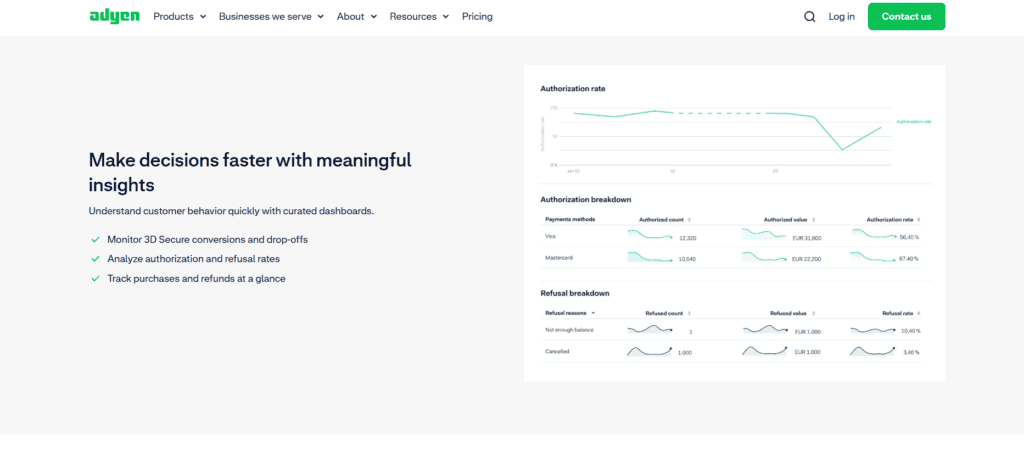
FAQs
1. What industries benefit the most from using Adyen?
Adyen is best suited for e-commerce, retail, travel, hospitality, and digital services. Large enterprises with high transaction volumes benefit from its global payment infrastructure, fraud prevention tools, and cost-effective pricing model. Businesses requiring omnichannel capabilities also find Adyen’s unified payment processing advantageous.
2. How does Adyen ensure transaction security?
Adyen employs multiple security measures, including PCI DSS Level 1 compliance, tokenization, and advanced encryption. Additionally, its RevenueProtect system utilizes AI-driven fraud detection to prevent unauthorized transactions while minimizing false declines. Merchants also have access to 3D Secure 2.0 authentication for enhanced customer protection.
3. What are the settlement times for merchants using Adyen?
Adyen typically processes settlements within two business days, although this may vary depending on the region, payment method, and bank policies. Businesses can customize their payout schedules for daily, weekly, or monthly settlements, optimizing cash flow management.
4. Is Adyen suitable for small businesses?
While Adyen primarily caters to mid-sized and large enterprises, small businesses can also use the platform. However, its pricing structure may be more complex than flat-rate models like Square or PayPal. Businesses with lower transaction volumes might find simpler solutions more cost-effective.
It upholds stringent security standards and is PCI DSS Level 1 compliant. Unlike competitors relying on external security solutions, It employs end-to-end encryption and tokenization to safeguard transactions.