

Fattmerchant Review: Transparent Payments with a Modern Edge
By 10topmerchantservices May 20, 2025
Fattmerchant, now rebranded as Stax, entered the payments industry in 2014 with a mission to challenge the norm. Its approach was simple yet disruptive: replace confusing percentage-based markups with flat-rate subscription pricing. This pricing shift helped bring clarity to how businesses manage transaction costs and brought renewed attention to interchange-plus models. Lets read more about Fattmerchant Review.
Reducing transaction fee unpredictability was central to the company’s vision. Fattmerchant made it possible for expanding companies to better predict costs by providing direct access to wholesale interchange rates and imposing a fixed monthly fee. Higher processing volume businesses were especially drawn to this model.
Many users still refer to it as Fattmerchant because of its early industry impact, even though it is now officially Stax. ACH transfers, analytics, invoicing, mobile payments, and real-time reporting are just a few of the comprehensive payment features that the platform has added over time. To assist you in deciding whether Fattmerchant’s offering is appropriate for your company, this review delves deeply into each of its features.
Core Features and Capabilities | Fattmerchant Review
Fattmerchant provides a complete range of tools to handle various payment types. At its foundation, it supports credit and debit card processing, mobile transactions, ACH transfers, and e-commerce payments; all within a unified software interface. This all-in-one setup streamlines operations for businesses managing payments across several touchpoints.
Its virtual terminal stands out as a practical feature, allowing users to accept payments through any browser. This is especially useful for businesses that operate remotely or provide services off-site. Invoicing tools are also included, with options for recurring billing and automatic reminders that are ideal for subscription-based models.
The dashboard provides real-time insight into transactions, customer activity, and cash flow trends. Users can generate reports and monitor business performance without relying on external analytics software. It also integrates with accounting tools like QuickBooks to automate data syncing and simplify reconciliation.
For mobile needs, the app and Bluetooth-enabled card readers help businesses accept payments on-the-go. Altogether, the platform supports omnichannel sales while keeping everything accessible through a single dashboard.

Subscription-Based Pricing Structure
Fattmerchant’s flat-fee subscription pricing is what makes it unique. It passes interchange costs straight from card networks and charges a fixed monthly rate rather than adding extra fees to each transaction. The unexpected costs associated with traditional processors are eliminated with this configuration. For example, a business pays a flat monthly subscription and only the direct interchange fees, rather than a per-transaction rate such as 2.9 percent plus 30 cents. Because monthly fees remain the same regardless of processing activity, the cost savings can be substantial for companies with high transaction volumes.
There are several price tiers according to business type and volume. Enterprise solutions serve high-volume operations, while entry-level plans are available to smaller businesses. It’s important to remember that this model benefits those who process regularly and at scale. For lower-volume businesses, the monthly cost might outweigh the savings from reduced transaction fees.
Other potential costs may include hardware rentals, premium features, or gateway access, which should be factored in when evaluating total value.
Omnichannel Payment Functionality
Fattmerchant supports multiple payment environments, making it a good option for businesses selling across channels. Whether accepting payments in-store, online, or via mobile, the platform ensures consistent user experiences and unified reporting. For physical retail, Fattmerchant works with terminals that are EMV and contactless payment enabled. These devices provide a secure way to accept chip cards and mobile wallets. Businesses can also deploy full POS systems for added functionality like inventory and staff management.
Online, users can create hosted payment pages, send payment links via email or SMS, and integrate with popular e-commerce platforms. An API is available for businesses building custom payment solutions. These capabilities support digital-first operations, service-based businesses, and remote sales alike. Mobile acceptance is equally strong. The Bluetooth reader and app combination enables payments from anywhere, helping tradespeople, delivery services, or pop-up stores stay flexible.
All transaction data from each channel feeds into one dashboard, making reconciliation easier and performance tracking more accurate.
Backend Software and Integrations
Fattmerchant provides cloud-based software that combines reporting, analytics, invoicing, and payments under the Stax brand. Users can access their data from any internet-connected device, and no installation is required. Users can quickly access transaction summaries, customer behaviour patterns, and sales trends thanks to the dashboard’s ease of use. Businesses can use this data to make well-informed decisions without having to buy additional analytics software.
One major advantage is integration with QuickBooks. By automatically syncing payment data with the accounting system, it minimises the need for manual entry and the possibility of reconciliation errors. This is especially useful for businesses that handle a lot of transactions. Additionally, Fattmerchant integrates payment tools with CRMs, inventory management systems, and custom applications through APIs and third-party platforms. While the integrations cover essential business needs, advanced users may need technical support for custom workflows or less common platforms.

Hardware and Point-of-Sale Equipment
Fattmerchant provides hardware options to meet a range of operational needs. This includes traditional countertop terminals, wireless devices, and mobile card readers that support contactless and chip card transactions. Retail locations can opt for familiar brands like Verifone or Clover, which pair with Fattmerchant’s backend to create a seamless checkout experience. These terminals typically include touchscreen functionality, receipt printers, and PIN pads.
For businesses on the move, the mobile card reader and app combo make accepting payments from a smartphone or tablet straightforward. It supports major mobile wallets and meets current security standards. More advanced POS systems are also available for businesses that require inventory tracking, employee management, or detailed customer records. These setups work well in retail, hospitality, or healthcare settings.
Hardware can be purchased or leased, offering flexibility based on budget. Businesses should check for additional fees, as hardware costs are not included in the base subscription.
Customer Service and Onboarding
An important factor in Fattmerchant’s appeal is customer service. During business hours, the company provides assistance by phone, chat, and email. The support staff is often praised by users for being responsive and helpful, especially during onboarding. Usually, a representative is assigned to new customers to help them with setup. The onboarding procedure is made to minimise hiccups and guarantee a seamless transition, from setting up terminals to connecting accounting software.
Additionally, the dashboard interface is easy to use. It organises features into sections with clear labels, which makes managing transactions, producing reports, and creating invoices simple. The learning curve is lowered by this simplicity, particularly for small teams or entrepreneurs without technical know-how. Some users have noted longer response times during peak hours and limited support over weekends, depending on the service plan. Even so, overall feedback on user experience remains positive.
Compliance and Data Security
Fattmerchant complies with PCI standards to protect customer payment data. Its systems use encryption and tokenization to ensure transactions are processed securely, whether online, in-store, or through mobile devices. Security protocols protect data in transit and at rest, helping reduce the risk of data breaches. Fattmerchant also offers compliance assistance, including self-assessment guides and resources to help merchants stay up to date with regulations.
Fraud prevention tools like AVS support and transaction velocity checks are built into the platform. While these basic tools are effective for most businesses, those operating in high-risk categories may require more advanced fraud detection systems, potentially through third-party solutions. Merchants should routinely monitor their security practices and update their compliance documentation to stay protected.
Who Benefits Most from Fattmerchant?
For small to medium-sized businesses that handle a lot of transactions or a regular volume, Fattmerchant is perfect. For businesses that want to lower transaction fees without compromising tool access, the flat monthly fee makes the most sense. The platform’s integrated features will be beneficial to companies in the retail, healthcare, legal, home services, and digital product sectors. Those who use omnichannel sales tactics or recurring billing will find it especially useful.
However, the fixed subscription model might not be as advantageous for seasonal or low-volume businesses. The potential savings from lower transaction fees might be outweighed by the upfront monthly cost. A pay-as-you-go processor might be more suitable in these situations. Tech-oriented businesses may unlock more value through Fattmerchant’s APIs, while non-technical users can still enjoy its straightforward design and usability.
Key Pros and Cons
Fattmerchant delivers a strong mix of transparent pricing and integrated features. It’s designed for businesses that want control, clarity, and a unified platform.
Advantages:
Flat monthly pricing with direct access to interchange rates
Support for in-person, online, and mobile payments in one system
QuickBooks integration and real-time reporting tools
Responsive customer service and personalized onboarding
Easy-to-use software with minimal learning curve
Considerations:
Not cost-effective for businesses with low monthly sales
Some advanced features or integrations may require extra setup or fees
Limited weekend support for some plans
For businesses that meet the right criteria, Fattmerchant offers meaningful savings and operational efficiency.

FAQs
Is Fattmerchant now Stax?
Yes. Fattmerchant rebranded as Stax, but many users still use the original name. The platform, pricing model, and features remain consistent.
Are there long-term contracts with Fattmerchant?
No. Most plans are month-to-month, allowing businesses to cancel at any time without early termination fees.
Can businesses save money using Fattmerchant?
Yes. Companies with high processing volumes often see significant savings compared to traditional per-transaction pricing models.

Epicor Software Review
By 10topmerchantservices May 17, 2025
Epicor Software is a well-established name in the Enterprise Resource Planning space, with its roots going back to 1972. Based in Austin, Texas, the company has built a reputation for delivering ERP solutions that cater specifically to the needs of industries like manufacturing, distribution, retail, and professional services. Over the years, Epicor has evolved from offering legacy systems to launching cloud-ready, modern platforms, with Epicor Kinetic currently at the forefront. Lets read more about Epicor Software Review.
What distinguishes Epicor is its emphasis on depth rather than breadth. Instead of providing a generic platform, Epicor incorporates customized features into its ERP solutions for specific industries. This focused method assists companies in intricate industries like discrete manufacturing and supply chain management in overseeing compliance, resources, and workflows more efficiently.
Epicor has a worldwide presence, catering to over 20,000 clients across more than 150 nations. Its ERP solutions come in both cloud and on-premise formats, offering flexibility according to infrastructure requirements and regulatory conditions. The cloud deployment of Epicor Kinetic is becoming increasingly popular because of reduced initial IT expenses, simpler upgrades, and improved scalability.
Despite its strengths, Epicor’s industry focus sometimes requires expert consulting for setup and configuration, which may increase implementation time. Legacy users might also face challenges transitioning to Kinetic’s modern interface. Still, Epicor remains a reliable choice for organizations seeking ERP software that aligns closely with their operational complexity.
User Interface and Experience | Epicor Software Review
Epicor has made noticeable progress in improving its user interface, particularly with the launch of Epicor Kinetic. This web-based platform offers a more intuitive and responsive experience than previous versions. Its interface is clean and user-friendly, with customizable dashboards and widgets that users can adapt based on their roles and daily tasks.
Navigation is largely seamless, though users familiar with older versions may need some time to adjust to the updated layout. The simplified menu system reduces clutter, and most core functions can be accessed with just a few clicks. Role-based dashboards allow departments to focus on relevant workflows, improving productivity and reducing distractions.
Epicor supports mobile access for teams that need real-time updates outside the office, such as field service staff or warehouse managers. However, the mobile experience still trails behind CRM or sales platforms that prioritize mobile-first design.
Customization is another strong point. Users can adjust KPIs, tweak workflows, and even create apps using low-code tools built into the platform. This gives tech-savvy teams the flexibility to tailor the system to their specific needs.
That said, some older modules within the system still retain a dated look and feel, leading to inconsistencies in the overall user experience. While the interface is moving in the right direction, full modernization is still in progress.
Core ERP Capabilities
Epicor’s ERP suite includes all the standard modules businesses expect; finance, procurement, inventory, production planning, and customer relationship management. Its standout features lie in manufacturing and supply chain management, where Epicor offers tools designed to handle complex operations with precision.
The finance module covers general ledger, accounts payable and receivable, budgeting, and multi-currency capabilities. These tools are tightly integrated with other business processes to ensure seamless financial reporting. Inventory management includes real-time tracking, barcoding, lot control, and location-based inventory views.
In production management, Epicor stands out with its assistance in job scheduling, capacity planning, and material requirements planning. This makes it perfect for producers overseeing intricate product assemblies and floor operations.
Customer and supplier modules provide complete insight into pricing, performance metrics, and communication records. The field service management module assists companies that offer maintenance or support, featuring tools intended to handle service requests and equipment documentation.
Another major strength is the consistency of data across modules. Changes implemented in one section are immediately visible in other areas, reducing mistakes and redundancies. Nevertheless, fully utilizing the potential of these tools often demands considerable training and setup. Organizations lacking internal ERP expertise may find it challenging to harness the platform’s complete capabilities.
Industry-Specific Solutions
Epicor’s deep commitment to industry-specific ERP is a major differentiator. Instead of forcing businesses to adapt to generic systems, Epicor delivers pre-configured solutions tailored to the operational needs of industries like manufacturing, distribution, retail, automotive, and building supply.
In manufacturing, Epicor supports both discrete and process production, along with hybrid operations. Features such as advanced scheduling, quality control, and compliance tracking are built into the system. For distributors, the ERP focuses on warehouse coordination, logistics, and inventory forecasting.
Retailers benefit from centralized pricing, POS integration, and real-time inventory synchronization across locations. Automotive businesses get features like part tracking, warranty management, and supplier portal integration. These configurations use industry-specific language and processes, reducing the need for heavy customization.
Industry-specific compliance tools also add value. For instance, manufacturers in regulated industries can manage traceability and documentation requirements more efficiently. These built-in capabilities help businesses avoid relying on third-party systems or workarounds.
However, this vertical focus can also lead to feature silos. Capabilities developed for one industry might not work well in another, which could limit flexibility for businesses with operations in multiple sectors. Still, for companies operating within Epicor’s targeted verticals, the benefits of a purpose-built ERP are significant.
Deployment Options and Cloud Strategy
Epicor offers a range of deployment models, including on-premise, cloud, and hybrid environments. This flexibility accommodates a wide variety of business needs, from companies with legacy infrastructure to those prioritizing digital transformation.
Epicor Kinetic is at the heart of its cloud strategy. Developed on Microsoft Azure, Kinetic offers browser-based accessibility, automated updates, and lowered IT costs. Companies gain advantages from scalability, robust infrastructure, and the capability to access the system remotely.
Epicor still provides the option for organizations that choose or need on-premise systems. Such implementations are typical in industries that have stringent data governance regulations or prior IT expenditures. Hybrid models are also offered, allowing a gradual transition to the cloud.
A key benefit of the platform is its modular nature. Businesses can begin with a handful of features and grow as required, facilitating gradual rollout and reducing upfront costs. The cloud model further encompasses uptime assurances and performance enhancement via service level agreements.
While cloud deployment simplifies maintenance, migrating from legacy systems requires careful planning. Businesses must consider data transfer, employee training, and process adjustments. Despite these challenges, Epicor’s flexible deployment strategy makes it adaptable for a broad range of operational environments.
Integration and Compatibility
Integration is a critical component of ERP success, and Epicor provides strong tools in this area. The platform supports RESTful APIs that enable real-time data sharing with third-party applications, including CRM, HR, e-commerce, and business intelligence tools.
Epicor Kinetic has been designed with open architecture in mind. Its Integration Cloud platform supports both out-of-the-box and custom connectors, allowing businesses to link with tools such as Salesforce, Microsoft Power BI, and Shopify.
Legacy system compatibility is another area of focus. Epicor includes middleware and transformation tools to support data migration and dual-system operations, which is helpful for businesses gradually phasing in new modules.
Internally, all core modules are fully integrated. This ensures consistent data across departments, enhancing reporting accuracy and operational coordination. For example, updates in finance automatically reflect in inventory or procurement modules.
However, integrating Epicor with highly customized software may require technical assistance. The APIs are capable but not always easy for non-technical users to manage. Small businesses without IT resources may need to rely on external consultants for more complex integrations.
Overall, Epicor’s integration capabilities are robust, especially within the Kinetic ecosystem. Its architecture supports both flexibility and structure, enabling businesses to create cohesive software environments.
Reporting, Analytics, and BI Tools
Epicor prioritizes analytics and reporting, acknowledging that immediate data is crucial for making strategic decisions. The system features a diverse array of pre-designed reports covering areas such as finance, inventory, and production.
Epicor Kinetic enhances reporting through interactive dashboards that showcase essential metrics in real time. These dashboards are tailored to specific roles and are user-friendly, allowing individuals to examine data without needing extensive technical expertise. Reports can be tailored and set up for routine distribution.
The platform additionally allows integration with Microsoft Power BI, providing enhanced visualization and data modeling features. Companies can utilize these tools for predicting outcomes, analyzing performance, and planning finances.
For businesses with specific inventory or supply chain needs, Epicor’s Smart Inventory Planning and Optimization suite provides enhanced forecasting tools. Users can create ad hoc reports with drag-and-drop tools, though some training is recommended to maximize this feature.
Initial setup can be time-consuming, especially for organizations unfamiliar with Epicor’s data structure. However, once configured, the analytics tools are powerful and adaptable, supporting a wide range of business intelligence objectives.
Security, Compliance, and Data Management
Epicor incorporates a comprehensive set of features designed to meet modern security and compliance standards. Whether deployed in the cloud or on-premise, Epicor uses role-based access controls to limit system access based on user roles and responsibilities.
The Kinetic platform benefits from Microsoft Azure’s security infrastructure, which includes encryption, firewalls, and continuous monitoring. All data is encrypted in transit and at rest, ensuring strong protection against cyber threats.
Audit trails are built into the platform, making it easier for businesses to track system changes and maintain accountability. Epicor also includes support for global compliance standards, such as GDPR, HIPAA, and SOX. Built-in tools help manage document control, data retention, and user authentication.
Cloud deployments include daily backups and failover protocols, with options for region-specific data hosting. On-premise users can configure backup policies according to their internal protocols.
While Epicor provides the foundation for secure operations, each business must implement additional controls based on its unique risk profile. The tools are available, but proactive governance is essential to maintaining security and compliance.
Customer Support and Training
Epicor provides a multi-layered support system that includes a self-service portal, technical assistance, and structured training programs. Customers can access help through a centralized portal that offers ticket submission, knowledge base resources, and resolution tracking.
Phone and email support are also available, with service quality depending on the level of support purchased. Epicor offers onboarding help, including training sessions, webinars, and access to the Epicor Learning Center, where users can take tutorials and earn certifications.
Community forums and user groups provide an additional level of assistance. Users are able to exchange insights, resolve problems, and explore best practices. These peer networks are often useful for addressing specific challenges or enhancing configurations.
Nonetheless, response durations and problem-solving may differ. Although important issues tend to be addressed first, minor or intricate problems might require more time to resolve. In certain situations, premium support levels are necessary for quicker assistance or expert guidance. In general, Epicor’s support system is robust, particularly for businesses that prioritize education and utilize all accessible resources. The quality of support might still differ based on the type of issue and the availability of consultants.
Pricing and Licensing Structure
Epicor’s pricing is based on several factors, including deployment type, modules selected, user count, and customization requirements. Although the company does not list fixed pricing publicly, it typically uses a modular structure, allowing customers to pay for only the features they need.
For cloud deployments, pricing operates on a subscription model and generally covers updates, support, and hosting. On-premise users adhere to a perpetual licensing model, which includes initial software payments and yearly maintenance expenses.
Companies ought to take into account the total cost of ownership, which encompasses implementation, training, integration, and continuous support. Extensive configuration can greatly raise expenses. Even though Epicor is less expensive than certain Tier 1 ERP systems such as SAP, it might still be inaccessible for smaller companies.
In specific areas or sectors, Epicor partners provide pre-set bundles that can simplify implementation and lower expenses. Nonetheless, a comprehensive ROI analysis is advisable before moving forward, especially for companies with intricate requirements or constrained IT capabilities.
Frequently Asked Questions
Q1: Is Epicor suitable for small and mid-sized businesses, or just enterprises?
Epicor is mainly geared toward mid-sized businesses but is scalable enough to serve both smaller firms and large enterprises. Its modular and cloud-based options offer flexibility for growing organizations.
Q2: How long does it take to implement Epicor ERP?
Implementation timelines vary widely, from a few months to over a year. Factors include deployment type, customization scope, and internal readiness. Cloud implementations tend to be faster.
Q3: What makes Epicor different from other ERP systems like SAP or NetSuite?
Epicor’s industry-specific focus, deep manufacturing functionality, and flexible deployment options set it apart. It prioritizes operational alignment over general applicability, which benefits companies with complex processes.

Elavon Payment Processing: A Comprehensive Review
By 10topmerchantservices May 15, 2025
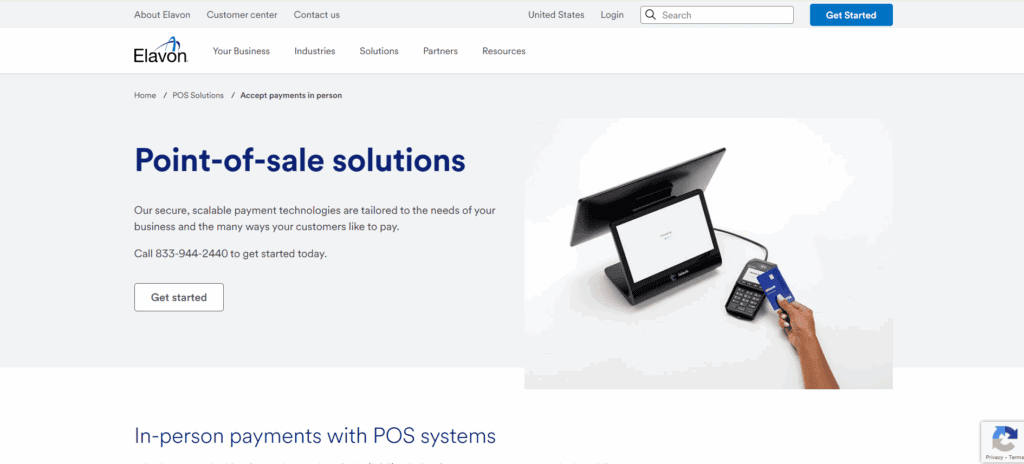
Elavon is a longstanding global payment processor with over 30 years of experience serving businesses of all sizes. As a wholly owned subsidiary of U.S. Bank, it provides merchant services with the backing of a major financial institution. Elavon supports more than one million customers globally and offers solutions that span in-store, online, and mobile transactions. Lets read more about Elavon Payment Processing.
Elavon serves merchants in over ten countries from its headquarters in Atlanta, Georgia. It collaborates with a wide range of sectors, such as healthcare, education, retail, and hospitality. Since Elavon serves as both an acquirer and a payment processor, vertical integration is one of its key advantages. By handling everything through a single provider, this enables businesses to optimize their operations.
The quality of the service and the onboarding process, however, can differ, particularly for merchants who sign up through third-party resellers. Despite Elavon’s reputation for dependability and scalability, some small businesses have voiced concerns about the company’s complicated contract terms and unclear pricing. Although the platform is perfect for businesses looking for reliable infrastructure, careful consideration is necessary before committing to it in the long run.
Supported Payment Methods and Hardware | Elavon Payment Processing
Elavon supports a wide range of payment types, making it a flexible option for businesses that serve customers through multiple channels. Merchants can accept all major credit and debit cards, including Visa, Mastercard, American Express, and Discover. In addition, Elavon processes ACH payments and digital wallet transactions such as Apple Pay and Google Pay. EMV chip and contactless transactions are also supported.
The company provides a variety of hardware options tailored to different industries. These include traditional countertop terminals, mobile card readers, and POS devices for tableside service. Elavon partners with well-known hardware providers like Ingenico and Poynt to offer dependable and secure devices.
For more advanced needs, it offers integrated POS systems that handle inventory tracking, customer engagement, and tipping. The company’s proprietary talech POS system is designed specifically for small and mid-sized businesses and supports cloud-based management. While the selection is broad, the range of choices may overwhelm some merchants, particularly those without technical support. Working with an Elavon representative can help identify the right setup.
Online and eCommerce Capabilities
Elavon offers a complete suite of online payment tools suitable for both small web stores and enterprise-level eCommerce operations. The company’s Converge gateway enables merchants to accept credit cards, digital wallets, and recurring billing through a secure platform. It integrates with popular platforms like Shopify, Magento, WooCommerce, and BigCommerce.
It provides hosted payment pages and virtual terminals for companies without full websites. For remote service providers, these tools are perfect because they let merchants send payment requests by text or email. Recurring billing features are also supported for subscription models. One of the main priorities of Elavon’s online products is security. Tokenization and encryption protect sensitive data, and the platform is fully PCI compliant. Verification checks and transaction monitoring are two fraud prevention tools that help lower chargebacks and suspicious activity.
Elavon’s eCommerce tools might not be as easy to use as those from more recent, technologically advanced providers, despite their robust features. To set up integrations, businesses with little internal technical expertise might need outside assistance. For those willing to invest time in customization, the platform delivers strong performance and control.
Mobile and Contactless Payments
Elavon provides reliable mobile payment solutions that meet the demands of modern, on-the-go businesses. Its mobile POS systems include compact card readers that connect to smartphones or tablets via Bluetooth. These readers accept contactless, EMV chip, and magnetic stripe payments, offering flexibility in field operations.
Paired with Elavon’s mobile app, merchants can process transactions, issue digital receipts, and monitor sales in real-time. This is especially useful for vendors at events, food trucks, or service providers visiting clients. All Elavon devices support tap-to-pay transactions, accommodating customer preferences for contactless options like Apple Pay and Google Pay. This enhances checkout speed and hygiene, both of which have become more important post-pandemic.
Enterprise clients can also integrate mobile solutions into their broader systems with centralized reporting tools. While Elavon’s mobile tools are secure and functional, they may not match the sleek user experience or interface design of fintech-first platforms. Businesses new to mobile POS might experience a slight learning curve.
Integration with Business Tools
Elavon excels in integrating payment services with other essential business tools. The platform offers compatibility with accounting software, inventory management systems, and CRM tools.
The integration with QuickBooks, which enables smooth transaction reconciliation and lowers manual errors, is one of its best features. Additionally, Elavon’s Converge platform offers API access, allowing companies to develop unique integrations for their in-house software or third-party platforms such as NetSuite and Salesforce.
Inventory management, staff management, and sales tracking are all integrated into the Talech POS system. For small retailers or hospitality companies wishing to centralize operations, this one-stop solution is especially beneficial. Despite their strength, the integration options might not be as intuitive as plug-and-play systems from more recent suppliers. Smaller businesses might require assistance during setup, but companies with IT support will gain the most from Elavon’s integration capabilities.
Security Features and PCI Compliance
Elavon places a strong emphasis on payment security. Its systems use P2PE and tokenization to protect sensitive information during and after transactions. These technologies reduce the risk of data breaches and help merchants meet compliance requirements. The company offers robust support for PCI DSS compliance, including online tools, compliance checklists, and assistance with Self-Assessment Questionnaires. Merchants using Elavon’s certified equipment often find the compliance process more straightforward.
To address fraud risks, Elavon provides tools such as AVS, CVV code matching, and real-time risk monitoring. These are especially useful for businesses with online or mail-order transactions. It also offers a Breach Protection Program for qualifying merchants, which covers some costs associated with a data breach, such as fines and forensic audits. However, understanding the fine print of Elavon’s security programs may require extra effort. Merchants should take time to fully understand what protections are in place and what responsibilities they hold.
Reporting and Analytics Dashboard
A reporting dashboard on Elavon’s Converge platform offers up-to-date information on payment activity. In addition to tracking transaction volumes and payment trends, merchants can view daily sales. Reports can be exported for use in accounting systems after being customized by date, payment method, and location.
Analytics that monitor customer behavior, inventory turnover, and employee performance are also included in the Talech POS. Businesses can use these insights to spot sales trends and make wise choices. Reviewing performance data from any location is made simple by the reporting tools’ compatibility with desktop and mobile devices. To inform merchants of unusual activity or settlement problems, alerts can be configured.
While the reporting features are effective, they may not offer the same depth or visual polish as dedicated business intelligence platforms. Larger enterprises may still prefer to export data into tools like Power BI or Tableau for more advanced analysis.
Pricing Structure and Contracts
Elavon uses multiple pricing models, including interchange-plus, tiered, and flat-rate plans. However, pricing specifics are not always publicly disclosed and often depend on a sales consultation or third-party reseller agreement.
Merchants may encounter monthly account fees, gateway fees, PCI compliance charges, and early termination penalties. These can add up quickly if not clarified during onboarding. Pricing transparency can vary depending on whether the merchant signs up directly or through an ISO. Elavon typically requires a three-year contract with automatic renewal clauses. Businesses that exit early may face cancellation fees, which can be a deterrent for smaller operations seeking flexibility.
To avoid surprises, businesses should ask for a complete breakdown of fees and terms in writing. Higher-volume merchants may be able to negotiate better rates. Smaller companies, however, should carefully compare Elavon’s pricing with alternatives before committing.
Customer Support and Service Quality
Elavon offers customer service by phone, email, and an online help center around-the-clock. Businesses that operate outside of regular business hours will benefit from this 24/7 availability. For qualified merchants, the business also provides account management and onboarding support.
Users of Talech POS have access to an additional support channel, which could speed up the resolution of issues. Comprehensive documentation on terminal setup, compliance, and integration can be found on Elavon’s website. Nevertheless, client experiences can differ, especially when independent agents are used to set up accounts. Inconsistent support quality and delays during urgent issues are reported by certain merchants.
Companies that need high-touch assistance should find out if a dedicated account manager will be on hand. Additionally, Elavon is multilingual, which is advantageous for companies catering to a wide range of clientele.
Pros and Cons Summary
Elavon offers a robust range of payment processing solutions supported by U.S. Bank’s sound financial standing. It is ideal for companies that require enterprise-grade security, advanced integration, and in-store, online, and mobile capabilities.
Its dependence on third-party resellers, pricing opacity, and long-term contracts, however, may be disadvantages. Compared to more recent providers with simpler models, smaller businesses might find the setup procedure or cost structure less alluring. Businesses that can fully utilize Elavon’s features and are at ease handling more complicated pricing and integration requirements are the ideal candidates.
FAQs
Q1: Is Elavon good for small businesses?
A: Elavon can support small businesses, but they should review contract terms and ensure the pricing model fits their needs and resources.
Q2: Can Elavon be used with existing POS hardware?
A: Yes, Elavon supports many third-party POS devices, though compatibility should be confirmed before signing up.
Q3: Does Elavon support recurring billing?
A: Yes, recurring billing is available through Elavon’s Converge platform, making it suitable for subscription services and memberships.

EBizCharge Review
By 10topmerchantservices May 10, 2025
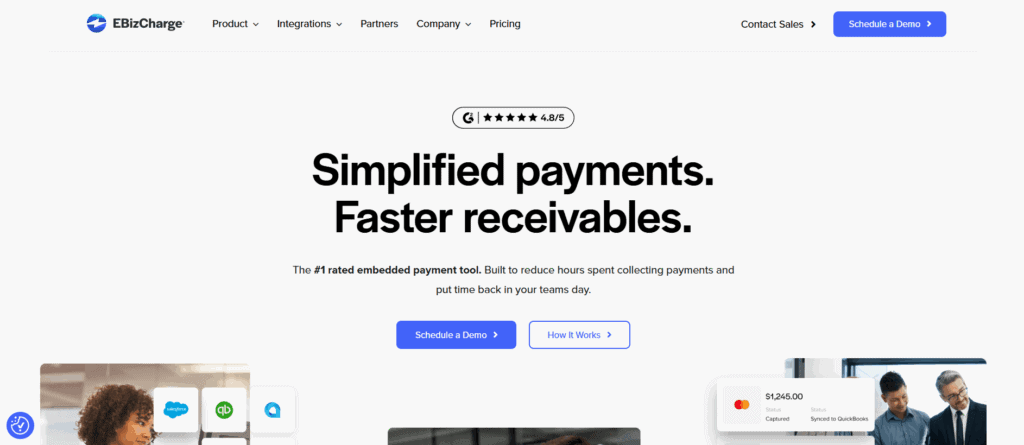
Century Business Solutions created the U.S.-based payment processing platform EBizCharge with the goal of simplifying the way companies receive and handle payments. Its emphasis on accounting, ERP, and CRM system integration sets it apart from many other standard gateways, making it the perfect choice for companies that rely on programs like Microsoft Dynamics, NetSuite, Sage, or QuickBooks. Lets read more about EBizCharge Review.
The platform accepts a variety of payment methods, such as debit cards, eChecks, ACH, and credit cards, through online, in-person, and phone channels. What really makes EBizCharge unique is its capacity to ease the burden of billing and payment collection, particularly for companies handling large-scale B2B payments or recurring invoices. While EBizCharge isn’t built for every use case; such as standalone eCommerce or retail-first environments; it’s a powerful choice for companies seeking smoother AR processes and deeper software integrations.
Key Features and Functionality | EBizCharge Review
EBizCharge comes equipped with tools that go far beyond basic payment acceptance. Its core gateway supports all major cards, ACH payments, and eChecks, but it also offers automation features, integrated invoicing, and analytics. A standout feature is the secure customer payment portal, which allows clients to view and pay invoices online. This not only accelerates collections but also improves the customer experience. Businesses can send email payment links, configure recurring billing, and even apply surcharges where permitted. The dashboard offers real-time visibility into transactions and can export data for accounting, forecasting, or compliance. Mobile payment support also enables teams in the field to collect payments conveniently.
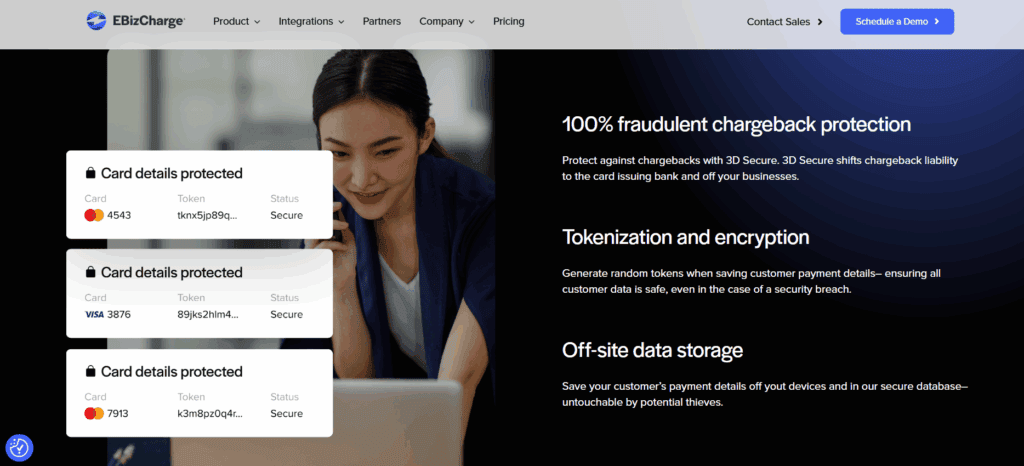
Perhaps most valuable is the reduction in manual entry. When paired with ERP software, payments are automatically posted to corresponding invoices, eliminating errors and saving time. EBizCharge also stores payment credentials securely through tokenization, simplifying repeat transactions without compromising data security. While it may lack retail-centric features like hardware POS integrations, for B2B firms and service providers, the platform delivers most of the core capabilities they need.
Seamless ERP and Accounting Software Integrations
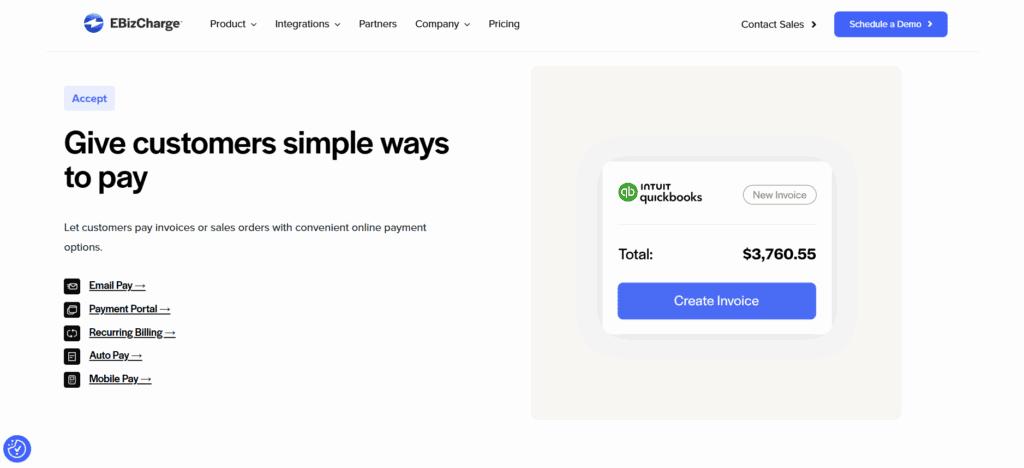
One of the main reasons for EBizCharge’s popularity is its extensive integration capabilities. For popular accounting and ERP systems like QuickBooks, Sage, NetSuite, Microsoft Dynamics, SAP Business One, and Acumatica, the platform provides pre-built plugins. Users can process payments straight from within their accounting software thanks to these integrations. For instance, QuickBooks users can include “Pay Now” links in their invoices, and payments will sync instantly. This close integration guarantees ledger accuracy, lowers administrative burden, and minimizes reconciliation problems.
In addition to payments, EBizCharge streamlines even the most complicated workflows in larger ERP environments by syncing customer information, invoice references, and payment statuses. The U.S.-based team at EBizCharge handles the majority of integration support, tailoring setups to meet specific business requirements. However, companies running niche or custom ERP platforms may require additional development for full compatibility. That said, for businesses using mainstream solutions, EBizCharge provides an impressively seamless setup with minimal disruption.
Security and Compliance Standards
Security is a top priority for EBizCharge, which complies with PCI-DSS standards to ensure that all transaction data is encrypted, stored securely, and regularly audited. The platform uses EMV-compliant and tokenized payment processing, which replaces sensitive card data with secure tokens, greatly reducing breach risk. For businesses managing recurring billing or storing client payment information, tokenization offers a safe and compliant way to maintain customer convenience without exposing financial data.
EBizCharge also includes fraud prevention tools like AVS, CVV checks, and real-time transaction monitoring. Users can set thresholds for transaction values and receive alerts for suspicious behavior.
Its secure vault feature helps companies safely store customer payment data for repeat transactions while staying within PCI compliance boundaries. Additionally, the platform helps businesses dispute chargebacks by simplifying access to necessary documentation. Overall, EBizCharge exceeds standard security expectations, making it a dependable option for companies prioritizing data protection and fraud control.
Ease of Use and User Experience
EBizCharge is designed with the user experience in mind, even with its extensive functionality. Even for people without technical experience, the interface is simple to use, well-structured, and intuitive. Small and mid-sized businesses that might not have internal IT teams will find this especially helpful. Following integration, the system offers users guided walkthroughs to help them understand features like report generation, payment tracking, and invoicing. The learning curve is further lowered by thorough training resources, such as articles, videos, and supporting documentation. Daily tasks like sending payment links, issuing refunds, and reviewing transaction history are made simpler and involve fewer steps. Because of the platform’s configurable permissions, companies can regulate user access according to roles.
While mobile functionality exists, it is more limited than the web interface. Still, it remains a useful tool for sales or service staff on the go. One limitation is that reporting features, though sufficient for daily needs, may not meet the depth preferred by advanced users needing more granular analytics.
Payment Processing Capabilities
EBizCharge offers broad support for payment types suited to B2B and service businesses. It accepts credit cards, debit cards, ACH payments, eChecks, and recurring billing; providing businesses with flexibility in managing their receivables. A key advantage is the ability to attach secure payment links to digital invoices, allowing customers to pay instantly through a self-service portal. For recurring transactions, businesses can store client credentials securely and automate billing cycles.
ACH support is particularly valuable for B2B transactions, offering a low-cost, efficient alternative to card payments. The platform also supports installment plans and partial payments, which can be configured directly in the connected ERP system. That said, the system isn’t built for heavy retail use or high-volume POS operations. Those requiring barcode scanners, cash drawers, or full-featured retail checkout flows may need third-party hardware or software integrations. For businesses focused on back-office payment collection and AR optimization, though, EBizCharge delivers strong functionality.
Pricing Structure and Transparency
Regardless of the type of card or issuing bank, EBizCharge’s flat-rate pricing model offers predictable costs per transaction. For many companies, particularly SMBs, this makes budgeting and billing easier. The platform is flexible and low-risk because there are no setup fees, cancellation fees, or monthly minimums.
The precise cost isn’t made public, though; businesses must contact a sales representative to obtain a quote that is tailored to their volume and integration requirements. For high-volume merchants, flat rates might not always be the most economical choice, even though they offer clarity.
Depending on the transaction mix in these situations, an interchange-plus model may result in greater savings. It’s critical to carefully review contract details because additional features, such as surcharge modules or specific ERP integrations, may incur additional charges. On balance, EBizCharge offers a fair and understandable pricing model. Though not always the cheapest, it avoids the confusion of fluctuating interchange rates and hidden fees.
Customer Support and Service Quality
EBizCharge delivers strong customer support, with U.S.-based representatives available via phone, email, and chat. The support team is known for its technical expertise; particularly in accounting software integrations; and provides tailored onboarding assistance to new clients. Each customer typically receives a dedicated account manager during setup, helping ensure smooth implementation.
The company also maintains a knowledge base, FAQs, training webinars, and video tutorials for self-guided help. While the service quality is generally rated highly, some users have noted slower response times during busy periods, especially on live chat. Support hours are not 24/7, which may be a limitation for businesses operating across multiple time zones. Nonetheless, EBizCharge earns high marks for support overall, thanks to its informed staff and proactive guidance during the integration and training stages.
Strengths and Potential Limitations
EBizCharge’s strengths are its secure payment infrastructure, ease of use for workflows related to augmented reality, and deep integration with accounting and ERP systems. Businesses that need a dependable method to handle invoicing, automate collections, and minimize manual entry are especially well-suited for it. Growing businesses benefit from the platform’s multiple user support, custom permission enforcement, and recurring billing features. However, businesses that specialize in retail inventory management, point-of-sale transactions, or eCommerce might find the platform less flexible. The lack of upfront pricing may also make it difficult for companies to compare prices from different providers. The areas where EBizCharge excels are backend automation, secure payments, and accounting system compatibility, even though it isn’t made for every use case.
Final Verdict: Is EBizCharge Worth It?
EBizCharge fulfills its promise to make payment acceptance easier for companies that rely on accounting and ERP. It offers significant value to businesses aiming to modernize and simplify accounts receivable with features like tokenized billing, ACH acceptance, secure invoicing, and real-time reconciliation. Its usability, excellent support, and flexible integrations make it a good option for both large and mid-sized businesses. Businesses that are price-sensitive or have a retail focus might search elsewhere, but EBizCharge is a good investment for those that require ERP sync and payment automation.
FAQs
Q1: Is EBizCharge compatible with platforms like Shopify or WooCommerce?
EBizCharge can integrate with some eCommerce systems, but it’s primarily designed for ERP and accounting software. Businesses focused on online retail may prefer gateways tailored to their platform.
Q2: What fraud prevention tools are available?
The platform offers AVS, CVV checks, tokenization, and real-time transaction monitoring. It also simplifies chargeback disputes with access to transaction records and evidence.
Q3: Is EBizCharge suitable for small businesses?
Yes, particularly for small businesses using QuickBooks or similar software. While the platform is more robust than entry-level tools, the benefits of automation and integrated payments can be valuable for smaller teams.

CyberSource Review
By 10topmerchantservices May 7, 2025
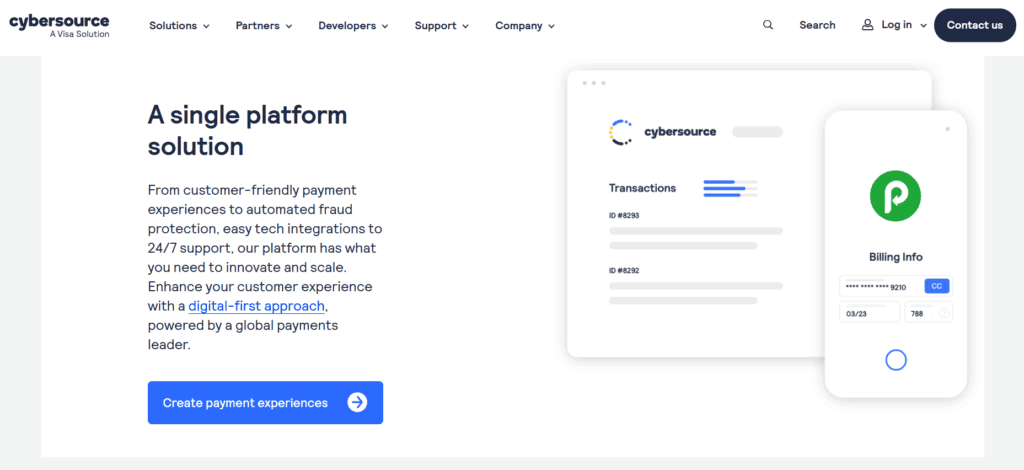
CyberSource is a globally recognized payment management platform offering a wide range of services tailored to businesses of all sizes. Founded in 1994 and acquired by Visa Inc. in 2010, it now operates as a Visa solution, benefitting from the brand’s robust financial infrastructure and global trust. The platform enables secure payment acceptance across online, mobile, and in-store channels, making it a go-to solution for businesses navigating today’s omnichannel commerce environment. With a presence in over 190 countries and territories, CyberSource has expanded significantly over the years.
It supports business growth while managing complex areas like compliance, fraud prevention, and payment security. Unlike many competitors that focus primarily on startups and small businesses, CyberSource caters mainly to mid-sized and enterprise-level organizations. Its customer base spans diverse sectors such as retail, travel, hospitality, education, and financial services. Lets read more about CyberSource Review.
Its adaptable and modular architecture is a major differentiator, enabling companies to choose particular services like tokenization, risk management, and payment gateway. Scalable, customized integrations are supported by this design. CyberSource also helps businesses with international eCommerce by managing tax laws, multi-currency needs, and cross-border payments. Even though CyberSource is a part of Visa’s ecosystem, it still has enough operational autonomy to react swiftly to changing trends in digital commerce. It is a good choice for companies looking to expand internationally because of its scale, security, and adaptability.
Core Services and Capabilities | CyberSource Review
CyberSource provides a full range of payment services covering authorization, capture, settlement, and reconciliation, covering every stage of the transaction lifecycle. It accepts payments using digital wallets, credit and debit cards, and other services like Klarna and PayPal. Its ability to prevent fraud, which uses machine learning and predictive analytics to identify and stop suspicious transactions, is one of its main advantages.
This is particularly helpful for businesses that are big or risky. By substituting secure tokens for sensitive card data, tokenization services further improve security by lowering the risk of data breaches and streamlining compliance. Additionally, CyberSource facilitates multichannel payments and provides centralized reporting and processing for online, mobile, and in-store channels. This guarantees uniformity in customer experience and data management across all touchpoints.
Additionally, payment orchestration allows businesses to route transactions through preferred or most cost-effective acquiring banks. These advanced features are particularly beneficial for large organizations but can also be modularly adopted by growing businesses. Overall, CyberSource positions itself as a robust payment infrastructure provider, rather than a basic processor.
Global Reach and Multi-Currency Support
CyberSource is built for global commerce. The platform supports payments in over 190 countries and more than 50 currencies, enabling businesses to operate internationally with ease. It also supports popular localized payment methods such as iDEAL (Netherlands), SEPA (Europe), and Alipay (China), which can significantly improve conversion rates by accommodating regional preferences. Its infrastructure supports both local and global acquiring, allowing businesses to work with regional banks to enhance approval rates, reduce costs, and maintain compliance. The intelligent transaction routing feature automatically directs payments through optimal acquiring channels based on region or cost structure.
CyberSource also enables dynamic currency conversion, allowing international customers to pay in their local currencies while merchants receive settlements in their own. This enhances transparency at checkout and builds trust with global buyers. The platform further streamlines international operations by integrating fraud prevention tools and ensuring compliance with global standards like PSD2. While it simplifies many aspects of cross-border commerce, businesses must still stay informed about local regulatory nuances to ensure full compliance.
Payment Gateway and API Integration
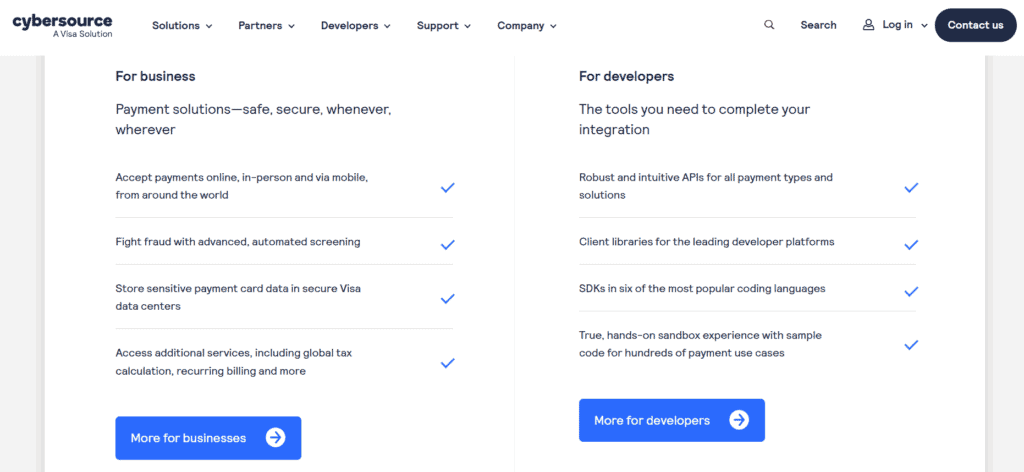
With extensive API support, CyberSource offers a reliable, developer-friendly payment gateway that integrates easily into enterprise systems, mobile apps, and websites. Its RESTful APIs include comprehensive documentation, multilingual SDKs (Java, PHP, and Python), and testing sandbox environments. This allows companies to create unique payment experiences without sacrificing security.
For merchants looking for a faster deployment, the platform also offers pre-built integrations with eCommerce platforms such as Magento, Shopify, WooCommerce, and BigCommerce. Digital wallets like Apple Pay and Google Pay, split payments, and subscription billing are just a few of the payment methods it supports.
Integration options range from hosted checkout pages for easier PCI compliance to full API implementations for complete UI control. While its flexibility is a significant advantage, businesses with limited technical capabilities may find the platform’s complexity a barrier, especially compared to simpler options like Stripe or Square. However, for organizations with advanced requirements or international operations, CyberSource offers an integration framework that is both robust and scalable.
Security and Compliance Standards
CyberSource’s security framework is a standout feature, underpinned by Visa’s global systems. It is fully PCI-DSS compliant, ensuring secure handling of cardholder data. Its tokenization technology replaces sensitive card details with secure tokens, reducing risks associated with data breaches; especially useful for businesses handling recurring payments. The platform also supports 3-D Secure (including 3DS2), which strengthens online transaction security and helps businesses comply with European SCA requirements. Additional fraud prevention tools include address verification, device fingerprinting, and transaction risk analysis, all of which can be tailored to the business’s specific needs and risk thresholds.
From a compliance perspective, CyberSource helps businesses navigate evolving data regulations such as GDPR, CCPA, and other anti-fraud laws. However, merchants remain ultimately responsible for their internal compliance processes. For businesses focused on security and regulatory alignment, CyberSource offers a trustworthy and scalable solution.
Fraud Management with Decision Manager
One of the most advanced fraud prevention solutions available is CyberSource’s Decision Manager. It evaluates and reduces fraud in real time by utilizing AI, machine learning, and insights from more than 68 billion transactions yearly. To determine a risk score, the system considers more than 300 data points per transaction, such as device information, IP address, and purchasing patterns. To better handle borderline transactions, merchants can modify fraud rules, model possible effects, and even control manual review queues. Reviewing chargebacks and disputes is made easier by the case management feature. Decision Manager maintains transaction integrity while lowering false positives by utilizing Visa’s fraud intelligence network.
Though powerful, the system may be more than what a small business needs. However, for medium and large enterprises, especially those dealing with high fraud risk, it offers a robust layer of protection that goes beyond standard gateway filters.
Reporting, Analytics, and Dashboard Usability
CyberSource offers a feature-rich dashboard tailored for enterprise users. It includes performance metrics, transaction histories, and real-time alerts. Merchants can generate detailed reports, monitor fraud trends, and export data in formats like CSV and XML. Reports cover everything from settlement batches and chargebacks to region-wise performance and payment method preferences. While the interface prioritizes functionality over visual appeal, it provides high visibility into operations across all channels and regions. Alerts for failed transactions, chargebacks, or high-risk behavior help businesses stay responsive and informed.
That said, new users; especially from smaller teams; may face a learning curve due to the platform’s complexity. For data-driven organizations, however, CyberSource offers a powerful analytics suite that supports smarter decision-making and strategic optimization.
Pricing Structure and Fee Transparency
CyberSource does not publish a standard pricing plan, as fees are customized based on transaction volume, risk, and geographic scope. Common costs include setup charges, monthly gateway fees, and per-transaction charges, with additional fees for services like fraud management or tokenization. This lack of transparency can make it difficult for smaller businesses to estimate total costs. While enterprise users benefit from tailored pricing models that offer long-term value, startups may find flat-rate alternatives more appealing.
Before onboarding, businesses should request a detailed quote that includes all applicable charges; such as cross-border fees, chargeback costs, and monthly minimums. Overall, while not the cheapest option, CyberSource can be cost-effective for high-volume merchants who require advanced capabilities.
Customer Support and Onboarding Experience
CyberSource provides assistance via phone, email, live chat (in some areas), and a comprehensive Developer Center. Technical liaisons and dedicated account managers are often provided to enterprise clients. Depending on complexity, full API integrations can take anywhere from one to three weeks, whereas plugin-based setups are quick. While the Help Center handles more general user support, the Developer Center offers extensive resources such as SDKs, code samples, and integration guides. Some documentation, though, might be too much for non-technical users to handle. Depending on the time zone and location, some users also complain about slower response times.
That said, for businesses with internal tech teams, CyberSource provides a reliable onboarding and support structure. Smaller merchants may require external development support to fully implement the system.
Pros and Cons of Using CyberSource
Pros:
Backed by Visa’s enterprise-grade infrastructure
Excellent international support and multi-currency features
Advanced fraud prevention through Decision Manager
Flexible API and plugin integration options
Modular services for complex, scalable setups
Cons:
No transparent pricing for new users
Complexity may deter small businesses
Requires technical expertise for full integration
Dashboard can be overwhelming for beginners
CyberSource is not a platform that works for everyone. Despite its immense power, it works best for companies with complex requirements or plans for international growth. CyberSource continues to be a leading option for individuals in need of a flexible, safe, and expandable payment system.
FAQs
Q1. Is CyberSource suitable for small businesses or startups?
Not ideally. The platform’s complexity and cost structure are better suited for mid-sized and enterprise businesses.
Q2. How long does integration take?
Plugin integrations can be completed in a day or two. Full API integration may take 1–3 weeks, depending on system complexity.
Q3. How does CyberSource compare with Stripe or Authorize.Net?
CyberSource offers superior global support and advanced fraud tools. While Stripe is better for ease of use, CyberSource suits businesses with higher risk exposure or international operations.

Clearly Payments Review
By 10topmerchantservices May 5, 2025
The Canadian payment processor Clearly Payments is renowned for its merchant-friendly pricing and dedication to openness. Clearly Payments takes a transparent, instructive, and adaptable stance in contrast to conventional merchant service providers, who often rely on long-term agreements and unstated costs. It provides a range of payment options made for small and medium-sized enterprises that operate in physical, mobile, and online spaces.
Retail establishments, service providers, and e-commerce platforms are among its clientele. Clearly Payments assists companies in avoiding the confusion that often envelops payment processing by streamlining the payment environment. It employs the interchange-plus model, which is regarded as one of the most fair pricing schemes in the sector, and supports this with easily available customer service and clear documentation. Lets read more about Clearly Payments Review.
Company Mission and Philosophy | Clearly Payments Review
Clearly Payments was created to reintroduce transparency and fairness into the payments industry. With a strong focus on ethical business practices, the company positions itself as mission-oriented rather than profit-maximizing. Though primarily serving Canadian businesses, Clearly Payments also supports international card transactions. One of the standout features is its commitment to offering interchange-plus pricing to all merchants, regardless of their transaction volume. This is a notable departure from the industry norm, where such pricing is often reserved for high-volume businesses.
The team behind Clearly Payments includes professionals with experience in banking, technology, and fintech, bringing insight into the operational and strategic needs of modern businesses. Education is another core focus. From transparent pricing guides to comprehensive onboarding resources, the company ensures merchants feel informed from day one. Rather than emphasize bells and whistles, Clearly Payments opts for a dependable and straightforward service philosophy, making it especially appealing to Canadian merchants seeking clarity and control.
Core Features and Capabilities
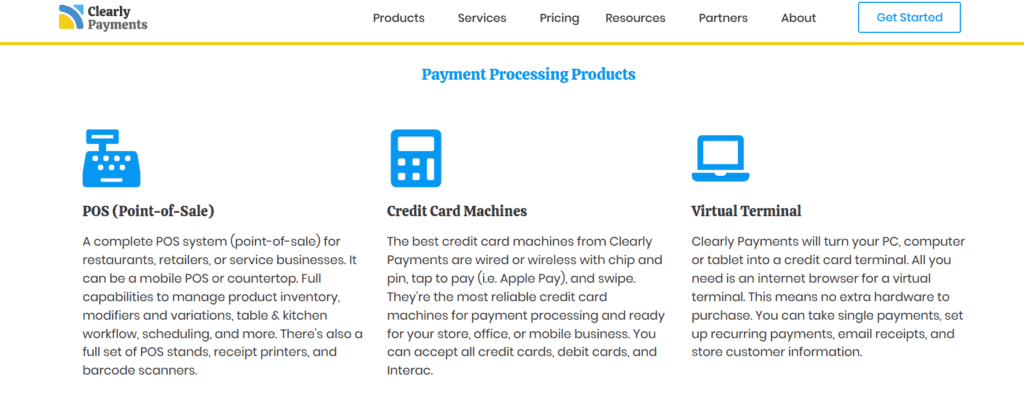
To support various business models, Clearly Payments offers a large variety of transaction methods. The company provides EMV-compliant terminals that accept chip, tap, and swipe payments for physical retailers. For companies that require mobility, like service providers or event vendors, portable card readers are also available.
Integrations with well-known platforms like Shopify and WooCommerce are advantageous to online sellers, and virtual terminal functionality allows for safe manual processing of phone or remote transactions. Another important feature for companies with membership plans or subscription models is the system’s support for recurring billing. Clearly Payments’ emphasis on basic payment tools guarantees simplicity, security, and dependability even though it lacks advanced marketing or loyalty features. Overall, the platform’s feature set is designed for usability and scalability, appealing to merchants who want functional solutions without the overhead of a complicated software stack.
Transparent Pricing Model
One of Clearly Payments’ strongest differentiators is its straightforward pricing. The company uses an interchange-plus pricing model, where card network fees are separated from the processor’s markup. This gives merchants clear insight into exactly what they’re paying and why; a contrast to tiered or flat-rate models that often obscure real costs.
The pricing structure avoids common pitfalls: there are no hidden fees, monthly minimums, or cancellation penalties. Services like PCI compliance and statements are included at no extra cost, which helps prevent unexpected charges. This level of transparency enables businesses to better predict expenses and avoid being locked into contracts with unfavorable terms. Although micro-merchants might find flat-rate options more predictable, Clearly Payments’ pricing becomes more advantageous as transaction volume grows. The absence of long-term commitments further enhances its appeal, giving businesses the flexibility to adjust as needed without penalties.
Onboarding and Setup Process
Clearly Payments has streamlined the onboarding experience. The application process is fully digital, and most businesses receive approval within one to two business days. Once approved, merchants are paired with a dedicated account representative who provides personalized guidance based on the business’s specific needs. This support includes help with setting up terminals, connecting to online platforms, and configuring payment gateways. A well-maintained knowledge base offers self-serve documentation for those who prefer to explore setup independently. Importantly, the onboarding phase is free from aggressive upselling or pressure to sign long-term contracts. This makes Clearly Payments an ideal fit for businesses seeking a smooth, low-risk start with a payment processor that respects their pace and preferences.
Hardware and Integration Options
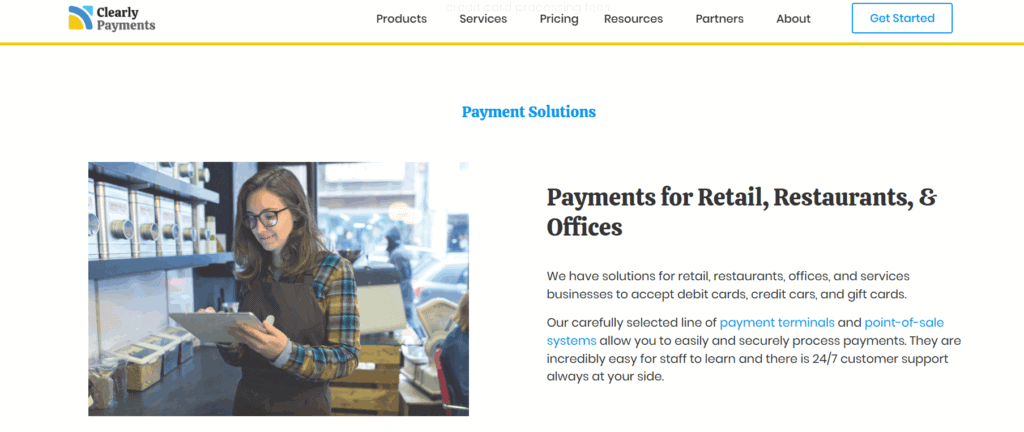
A wide range of business types can benefit from the hardware and software configurations that Clearly Payments offers. Chip, swipe, and contactless payment compatibility are made possible by its support for reliable point-of-sale hardware from companies like Clover and Verifone. Compact card readers that connect to a smartphone or tablet offer mobile sellers a convenient way to take payments while they’re on the go. Integrations with platforms such as Shopify, Magento, and WooCommerce are advantageous to online retailers.
A virtual terminal and invoicing features are also included in the system, providing flexibility for transactions that take place remotely. An open API is available for tech-savvy companies to create unique integrations with internal systems, such as appointment scheduling software or CRMs. Rather than mandate the use of proprietary devices or software, Clearly Payments allows businesses to choose the tools that best fit their workflow. This modular approach supports cost efficiency and operational flexibility.
Security and Compliance Standards
Clearly Payments maintains high security standards through full PCI DSS compliance. It uses tokenization to substitute sensitive payment data with unique identifiers, helping to reduce the risk of data breaches. End-to-end encryption ensures that information is secure during transmission, and the platform includes fraud prevention tools such as CVV matching, AVS, and transaction filters. Crucially, the company doesn’t just require merchants to be PCI-compliant; it helps them get there. It provides resources and support to ease the process, unlike many providers that impose non-compliance fees without guidance. With data security becoming a pressing concern in all industries, this proactive approach adds peace of mind for merchants handling sensitive customer information.
Support and User Experience
One of Clearly Payments’ main advantages is its customer service. Every merchant has a dedicated account manager, and support is offered by phone, email, and chat during business hours. This offers support continuity, which is a rare service, particularly from low-cost providers. The user dashboard is simple and useful, with minimal complexity covering hardware configuration, invoicing, and reporting. The majority of users report a seamless experience free from automated, scripted responses and excessive delays. It is evident that Payments places more emphasis on establishing enduring relationships than on completing transactions. Because of its emphasis on service, it is a desirable option for companies that appreciate reliability and promptness from their supplier.
Pros and Cons
Pros
Interchange-plus pricing for all merchants
No hidden fees, monthly minimums, or cancellation charges
Dedicated account support and fast onboarding
Broad hardware and software compatibility
Strong PCI compliance and fraud protection tools
Cons
Available only to Canadian merchants
Fewer built-in extras compared to competitors like Square or Stripe
Limited brand recognition outside of Canada
For Canadian businesses seeking straightforward pricing and reliable service, Clearly Payments offers compelling value. It’s especially well-suited to small and mid-sized merchants who prioritize transparency and support.
Market Comparison
Clearly Payments outperforms Moneris in terms of pricing flexibility and transparency. Despite its longevity, Moneris is often criticized for its strict contract terms and hidden fees. Helcim, on the other hand, has a number of advantages over Clearly Payments, including clear pricing and no long-term obligations. Though Clearly Payments provides more customization choices, Helcim might have an advantage in integrated point-of-sale functionality. In contrast to Square, Clearly Payments provides more scalable pricing but does not have integrated business management tools. Additionally, Clearly Payments offers a more individualized and accessible experience than Stripe, which primarily serves developers and online businesses.
FAQs
Q1: Is Clearly Payments suitable for small businesses?
Yes, it is tailored for small and mid-sized businesses with low-cost options and fair pricing models.
Q2: Does Clearly Payments require a long-term contract?
No, there are no long-term contracts or early termination fees. Merchants can leave at any time.
Q3: Can Clearly Payments support omnichannel payments?
Yes, the platform supports in-store terminals, mobile readers, virtual terminals, and online payment gateways for comprehensive coverage.

CardConnect Review
By 10topmerchantservices April 30, 2025
Established in 2006, CardConnect has carved a significant niche in the payment processing industry, catering especially to businesses that prioritize integrated and secure transaction solutions. Based in Pennsylvania, the company became part of First Data in 2017, which later merged into Fiserv. Despite the acquisition, CardConnect continues to maintain its brand identity, focusing on offering flexible and secure payment services to businesses of all sizes. Lets read more about CardConnect Review.
CardConnect goes beyond basic payment processing, offering solutions designed to streamline operations through ERP integrations and eCommerce platforms. Its proprietary tools, such as CardPointe, provide businesses with a centralized, secure system to manage transactions and customer data.
However, CardConnect is not without its challenges. While many users praise its technology and security features, concerns around pricing transparency and customer support do surface. This review will provide a comprehensive look at CardConnect’s services, pricing structure, integrations, customer support, and suitability for various business types.
Key Features and Services | CardConnect Review
CardConnect provides a comprehensive suite of services aimed at simplifying payment acceptance and strengthening transaction security. At the core of its offerings is the CardPointe platform, a cloud-based solution that enables businesses to monitor real-time transactions, manage disputes, and create detailed reports from an intuitive dashboard accessible via both desktop and mobile devices.
CardConnect also integrates seamlessly with Clover POS systems, offering tailored solutions for industries such as retail, hospitality, and professional services. These POS systems come with customizable software to suit different operational needs.
Security is another major strength. CardConnect implements point-to-point encryption (P2PE) and tokenization to protect sensitive cardholder information, a particularly valuable feature for highly regulated sectors like healthcare.
In addition, CardConnect supports ERP integrations, most notably with SAP, enhancing payment workflows for larger enterprises. For businesses seeking custom payment applications, robust APIs are available to support specialized development needs.
While CardConnect’s features suit a broad range of businesses, smaller merchants may find the system’s complexity more than they require depending on their technical capacity.
Pricing and Fees
CardConnect’s pricing model is not openly published, which can make upfront comparisons challenging. Generally, it follows an interchange-plus pricing structure—often preferred for its transparency compared to flat-rate models. However, actual fees are typically customized during contract negotiations and can vary by business size, industry, and transaction volume.
Common additional charges may include monthly account fees, gateway fees for CardPointe access, PCI compliance fees, and early termination penalties. Businesses opting for Clover POS systems might also face equipment leasing and maintenance costs.
While CardConnect’s pricing can be highly competitive for high-volume businesses, smaller merchants should scrutinize potential add-on fees carefully. The best pricing tends to go to businesses processing substantial transaction volumes, where customized quotes reflect card mix and industry type.
In short, CardConnect can offer excellent value—especially for businesses willing to negotiate and carefully review contract terms upfront.
CardPointe Platform Overview
CardPointe is one of CardConnect’s signature products, providing a cloud-based system where businesses can manage all payment-related activities. From real-time transaction monitoring to detailed reporting and account reconciliation, CardPointe centralizes payment management in one accessible dashboard.
Key features include a virtual terminal for accepting card-not-present payments, ideal for remote billing and telephone orders. The CardPointe mobile app further enhances flexibility, allowing businesses to manage payments on the move.
Security is deeply embedded in the platform, offering built-in tokenization and P2PE to minimize exposure to cardholder data and maintain PCI compliance. The user interface is straightforward and accessible, even for businesses without dedicated IT support.
For most small to medium-sized businesses, CardPointe covers daily operational needs effectively. Larger businesses with complex reporting requirements may need additional customizations, but the platform provides an excellent starting point for streamlined payment management.
Security and Compliance
Security is a cornerstone of CardConnect’s services. The company leverages point-to-point encryption and tokenization to protect sensitive data from the moment it is captured until it reaches secure servers.
Rather than storing raw card information, It replaces it with unique tokens, significantly reducing the risk of breaches. This approach not only safeguards customer data but also simplifies PCI DSS compliance for merchants.
CardConnect also actively supports businesses in completing their PCI compliance requirements, offering tools, resources, and expert guidance to help navigate the process. This is especially critical for industries like healthcare and education, where data protection regulations are stringent.
While some small businesses may initially find PCI compliance procedures daunting, CardConnect’s support systems are designed to ease this transition and mitigate long-term risk.
Integration and Compatibility
Integration flexibility is one of CardConnect’s standout features. The platform connects seamlessly with major ERP systems such as SAP, Oracle, and Microsoft Dynamics, enabling enterprises to incorporate payment processing directly into their core business operations.
It also supports eCommerce integration with platforms like Shopify, Magento, and WooCommerce through ready-to-use plugins, simplifying secure online transactions.
For businesses with unique needs, CardConnect’s robust APIs allow developers to create tailored payment applications. Additionally, the compatibility with Clover POS systems gives merchants access to a variety of hardware solutions, from portable card readers to fully integrated terminals.
While the integration capabilities are extensive, setting up more complex connections—particularly with ERP systems—may require technical expertise and onboarding assistance.

Customer Support and Service
CardConnect offers 24/7 customer support via phone, email, and live chat, supplemented by a self-service knowledge base featuring FAQs and troubleshooting guides.
However, customer feedback on support experiences is mixed. Some businesses report smooth onboarding and helpful account management, while others cite challenges such as delayed responses to billing inquiries or difficulty resolving disputes.
Larger businesses or those assigned dedicated account managers tend to experience better service quality. Setting clear communication expectations and maintaining direct contact with a representative from the beginning can improve overall satisfaction.
Smaller merchants should be mindful that support experiences can vary and may need proactive management to ensure consistent assistance.
Pros and Cons of CardConnect
Pros
Strong security features, including tokenization and point-to-point encryption
Powerful integrations with ERP and eCommerce platforms
User-friendly CardPointe platform
Mobile-friendly payment management
Customizable APIs for developers
Cons
Lack of publicly available pricing information
Potential for hidden or ancillary fees
Inconsistent customer service experiences
Equipment costs for POS hardware can add up
Ideal Businesses for CardConnect
CardConnect’s wide range of services makes it a solid fit for mid-sized and large businesses, particularly those in sectors like healthcare, education, retail, and B2B services where security and regulatory compliance are priorities.
It is especially effective for businesses requiring:
ERP integrations with systems like SAP or Oracle
Omnichannel payment support across online, mobile, and in-person sales
Advanced reporting and real-time transaction management
On the other hand, very small businesses or startups with low transaction volumes may find the service costs comparatively higher than those of more basic, flat-rate payment processors like Square or PayPal.
Final Verdict: Is CardConnect Worth Considering?
For businesses seeking a highly secure, flexible, and integration-ready payment processor, CardConnect is a compelling option. Its powerful CardPointe platform, robust security protocols, and deep ERP compatibility make it an ideal choice for organizations aiming to scale efficiently.
However, potential customers should carefully evaluate contract terms and fee structures to avoid hidden costs. Businesses willing to invest the time in setting up a strong relationship with CardConnect and understanding the full cost structure will likely find it a valuable long-term partner.
In conclusion, CardConnect is best suited for growing businesses and enterprises looking for secure, scalable, and customizable payment processing solutions.
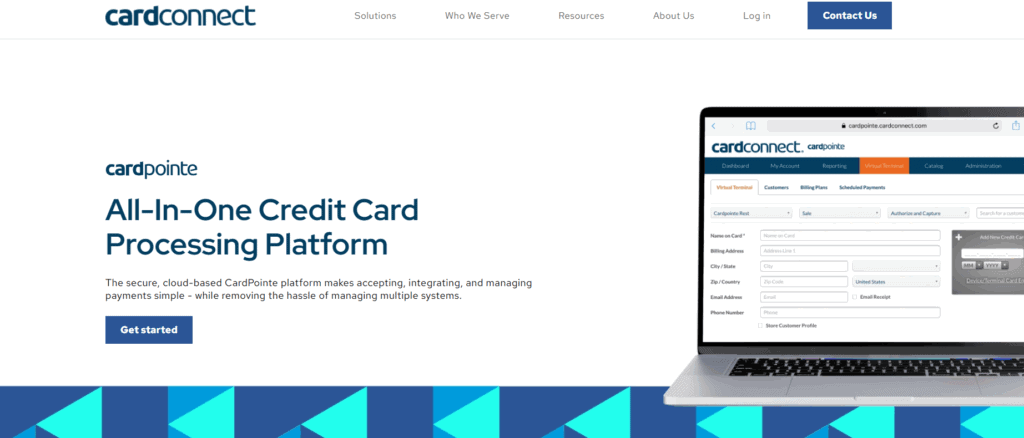
FAQs
Is CardConnect a good option for small businesses?
CardConnect offers advanced features that might be more suitable for mid-sized and larger businesses. Small businesses seeking simple, transparent pricing may prefer processors like Square unless they specifically require strong security and ERP integrations.
How does CardConnect protect payment data?
CardConnect employs tokenization, point-to-point encryption (P2PE), and helps businesses achieve PCI DSS compliance, offering multiple layers of protection for sensitive cardholder data.
What benefits does the CardPointe mobile app offer?
The CardPointe mobile app enables businesses to monitor transactions, process payments, and manage account activities remotely, offering flexibility for merchants operating outside traditional storefronts.

Braintree Review
By 10topmerchantservices April 29, 2025
Braintree is a comprehensive payment platform designed to help businesses accept, process, and manage payments across both mobile apps and websites. Since its acquisition by PayPal in 2013, it has operated as an independent brand under the PayPal umbrella, offering the stability of a major fintech player while retaining flexibility and developer-centric tools. Lets read more about Braintree Review.
The platform stands out for its ability to combine both gateway and processor services under one roof. Unlike simpler plug-and-play options like Stripe or Square, Braintree offers greater customization, making it particularly appealing to developers and businesses with specific integration needs. It supports a wide variety of payment methods, including credit and debit cards, digital wallets, PayPal, and Venmo.
However, with flexibility comes complexity. The platform may require some technical knowledge, making it less ideal for very small businesses or merchants without development resources. Still, for mid-sized to large companies or those with unique payment needs, Braintree delivers robust functionality and scalability.
Core Features and Services | Braintree Review
Braintree provides an end-to-end solution that eliminates the need to coordinate between separate gateway and processor providers. It offers tools for handling payments, subscriptions, fraud management, and customer data security—all within one platform.
One of its strongest features is subscription management, ideal for SaaS companies or services with recurring billing. Merchants can easily manage plan changes, automate billing cycles, and handle customer subscriptions with minimal manual intervention.
Other advanced features include split payments for marketplaces, hosted fields for secure checkout customization, and tokenization for storing customer data securely. Businesses also benefit from risk tools, customizable fraud filters, and support for B2B data (Level 2 and 3).
Braintree’s mobile SDKs for Android and iOS allow seamless mobile payment integration. This enables businesses to deliver fast and user-friendly checkouts, reducing friction and abandonment on mobile platforms.
While these tools are powerful, they may require developer support for proper implementation, especially for more advanced configurations.

Supported Payment Methods
Braintree supports a wide range of payment methods, enabling merchants to serve diverse customer bases. These include major credit and debit cards, PayPal, Venmo (U.S. only), Apple Pay, Google Pay, and various local payment options.
Its integration with PayPal is a major plus, providing merchants with instant access to millions of users. For U.S. merchants, the inclusion of Venmo is particularly useful for attracting younger, mobile-first shoppers.
The platform also supports ACH Direct Debit for U.S. transactions—ideal for reducing costs on high-ticket items or recurring payments. In addition, it offers multi-currency support, allowing merchants to accept payments in over 130 currencies and display prices in local currencies for international customers.
However, Braintree does not offer native support for some payment types such as UnionPay or cryptocurrency. Businesses in regions where these are popular may need third-party integrations to fill the gap.
Overall, Braintree’s wide-ranging payment compatibility makes it a strong choice for businesses operating in omnichannel or global markets.
Developer Experience and API Tools
Braintree is well-regarded by developers for its clean, well-structured API and comprehensive SDKs. It supports popular programming languages like JavaScript, PHP, Python, Ruby, Java, .NET, and mobile platforms including iOS and Android.
A major highlight is the sandbox environment, which allows for testing transaction scenarios before going live. This is particularly valuable for businesses with complex needs or regulatory compliance concerns.
The hosted fields feature is another strength. These PCI-compliant input fields let developers retain control over the checkout design while ensuring sensitive data is handled securely.
However, Braintree’s flexibility can also be a hurdle for non-technical users. Compared to out-of-the-box solutions, setting up and maintaining Braintree may take more time and development effort.
Despite this, the platform is an excellent choice for teams that prioritize customization, security, and long-term scalability.

Pricing and Fee Structure
Braintree’s pricing model is transparent and aligns with industry standards. For domestic credit and debit card transactions, the fee is 2.59% + $0.49 per transaction. PayPal and Venmo transactions typically carry similar fees.
International transactions incur a 1% fee, with an additional 1% for currency conversion. ACH Direct Debit is priced more affordably at 0.75% per transaction, capped at $5.
There are no setup or monthly maintenance fees, which is ideal for growing businesses. However, there are chargeback fees (about $15 per incident) and optional services like advanced fraud protection that come at additional costs.
While fair, Braintree’s pricing may not be the most cost-effective for micro-merchants. The absence of flat-rate subscription models can also be a drawback for smaller businesses that need predictable costs.
In summary, the platform’s pricing structure suits mid-sized and enterprise-level companies looking for value through advanced tools and integrations.
Security and Compliance
Security is a central focus at Braintree. It is PCI DSS Level 1 certified, providing the highest level of data protection for cardholder information. Tokenization replaces sensitive card data with encrypted tokens, reducing exposure to fraud.
Braintree supports key security protocols such as 3D Secure 2.0, AVS, and CVV checks. For added fraud protection, merchants can opt into tools powered by Kount.
All data transmission is encrypted using TLS, and payment information is stored securely in Braintree’s vault. This reduces the burden on merchants to handle sensitive data directly.
The platform also complies with GDPR, PSD2, and other global regulations, making it a reliable option for businesses with international operations. That said, businesses still need to ensure their own systems remain compliant when integrating with Braintree.
Merchant Onboarding and User Experience
The onboarding process with Braintree is relatively smooth, though it varies by business type and location. Merchants can apply online, and approval typically takes a few business days following documentation review.
Once approved, the merchant dashboard offers a clear interface to track transactions, issue refunds, and monitor performance. While functional, the UI may appear less polished compared to newer platforms like Stripe.
Underwriting involves submitting business documents and bank details, which is standard for full-stack processors. Braintree’s customer support is available via email and phone, but response times can vary. Priority support is reserved for higher-tier clients.
Overall, the onboarding and user experience is well-suited for businesses that don’t mind a little extra setup in exchange for more advanced control.
Integration with E-commerce Platforms and CRMs
Braintree integrates with most major e-commerce platforms, including Shopify, Magento, WooCommerce, BigCommerce, and Salesforce Commerce Cloud. These plug-ins simplify setup and allow businesses to begin accepting payments quickly.
Custom integrations are also possible via SDKs and hosted fields, making the platform adaptable to both standard and bespoke websites. It’s also compatible with CRM and ERP systems like Salesforce, HubSpot, and NetSuite, enabling seamless workflows between payments, sales, and inventory.
However, some integrations may require technical setup or third-party support. Businesses seeking full automation or highly specific workflows should be prepared for light development work. Still, the flexibility offered makes Braintree a practical solution for digital-first companies and global enterprises.
Global Reach and Scalability
Braintree’s global reach is a major advantage. It supports merchants in over 45 countries and accepts payments in more than 130 currencies. The platform also supports localized payment methods, enhancing the buying experience for international customers.
Settlement in multiple currencies and regional payout options give merchants financial flexibility. Braintree’s infrastructure is built to scale, with support for high transaction volumes and complex business models like marketplaces and SaaS.
That said, availability of some features may vary by region, and onboarding requirements can be stricter outside the U.S. Businesses expanding into new markets should verify local regulations and integration options.
Still, Braintree’s scalability and international readiness make it a powerful asset for companies with global ambitions.
Pros and Cons of Using Braintree
Pros
Combines gateway and processor into one platform
Strong developer tools and API customization
Wide payment method support, including PayPal, Venmo, and wallets
Built-in tools for recurring billing and marketplaces
Scalable infrastructure with global reach
Cons
Steep learning curve for non-technical users
Limited support for some niche or regional payment methods
Customer support may be slower for small merchants
No simplified flat-rate pricing options
Some features require additional setup or cost

FAQs
Q1: Can I use Braintree without a PayPal account?
Yes. Braintree functions independently and does not require a PayPal account to process credit card or digital wallet payments.
Q2: How long does it take to receive payouts with Braintree?
Payouts usually take 2–3 business days to reach your account, though timing may vary based on your location and banking provider.
Q3: Is Braintree suitable for small businesses?
While it’s possible, smaller businesses might find simpler platforms easier to use. Braintree excels when there is a need for customization, advanced tools, or international support.

Boku Review
By 10topmerchantservices April 25, 2025
In today’s mobile-first economy, the way people make payments has shifted significantly from traditional methods. Boku is a key player in this evolution, offering a solution that allows consumers to pay for goods and services by charging purchases directly to their mobile phone bill or using their prepaid balance. Launched in 2009 and headquartered in San Francisco, Boku has established itself as a global presence by partnering with mobile network operators (MNOs) to broaden access to digital payments, especially in areas where banking infrastructure is limited. Lets read more about Boku Review.
Boku’s approach addresses the financial gap for individuals without access to credit cards or bank accounts. It has gained significant traction in sectors like gaming, app stores, and subscription services, where ease and immediacy are critical. With its “pay by mobile” method, Boku simplifies transactions, requiring only a mobile number and user approval through a prompt, effectively removing the need for card-based payments.
The company has expanded through strategic acquisitions, including its 2020 purchase of Fortumo, another mobile payments firm. This move boosted its footprint and added new capabilities. Boku also supports mobile wallets, making it part of a broader mobile payments ecosystem.
Still, Boku isn’t a one-size-fits-all solution. It thrives in microtransaction-heavy environments but comes with considerations like transaction fees, technical integrations, and regional support—factors that businesses should examine in more detail.
How Boku Works | Boku Review
Boku’s technology is designed to streamline the checkout experience by enabling users to complete purchases through their mobile phone number. Instead of entering card or bank information, users approve a transaction via an SMS, app prompt, or similar telecom-supported method. The cost is then applied to their mobile bill or deducted from their prepaid balance.
When a customer selects “Pay by Mobile” at checkout, Boku determines the user’s mobile carrier and facilitates the transaction through its backend systems. The authentication may involve a one-click approval, PIN, or OTP depending on the user’s location and carrier settings. Once verified, the transaction is processed instantly, which makes it particularly effective for mobile-centric and digital transactions.
Behind the scenes, it functions as a mediator between merchants and telecom carriers. It aggregates partnerships with multiple mobile networks, removing the burden on merchants to manage individual contracts. This infrastructure allows for easier scaling across markets.
For merchants, this reduces friction and can lead to better conversion rates in regions with low card usage. For users, it’s a fast and easy way to pay without banking credentials.
However, there are limits to what Boku can handle. Transaction sizes are often capped based on carrier rules, making it less suitable for high-value purchases. Refunds and chargebacks can also be more complex due to telecom-based routing, rather than standard financial systems.
Global Coverage and Market Reach
A significant strength of Boku lies in its global presence. The platform is available in more than 90 countries and has partnered with over 200 mobile network operators. This global footprint positions Boku as an appealing option for digital businesses aiming to reach underserved but mobile-savvy populations.
Boku’s model is especially impactful in regions like Asia, Africa, Latin America, and parts of Eastern Europe—areas where large numbers of people are unbanked but heavily rely on mobile technology. The ability to transact digitally via mobile billing opens the door to global commerce for these consumers.
The company has broadened its services beyond direct carrier billing to include integration with mobile wallets. In markets where wallets like GCash (Philippines), GoPay (Indonesia), or M-Pesa (Africa) are widely adopted, Boku’s compatibility enables merchants to reach even more users through familiar local payment tools.
For global businesses, this network simplifies market entry. Instead of building custom payment solutions for each country, merchants can use Boku to tap into a consolidated framework.
Nonetheless, the service’s effectiveness can vary by region. Not all mobile carriers support the same capabilities, and features may not be fully operational in every market. Merchants should conduct region-specific evaluations before committing to Boku for their international payment needs.
Key Features and Technology
While Boku started with a focus on direct carrier billing, its technology and features have expanded to serve a wider range of applications. The platform now supports diverse industries with tools designed to improve user experience, security, and business performance.
Direct Carrier Billing (DCB) remains Boku’s core offering. It enables consumers to pay by charging purchases to their mobile phone account, making it especially useful for digital content such as games, media, and mobile applications.
Boku has also embraced mobile wallet support. By connecting with popular wallets in different regions, it lets users pay with stored value instead of relying on telecom billing. This flexibility increases the platform’s relevance in countries where wallets are more widely adopted than traditional banking.
Another notable feature is identity verification. Using telecom data, Boku helps merchants confirm user identities to meet regulatory standards and mitigate fraud. This function is particularly valuable for sectors like online gambling, finance, and adult content.
Recurring payments are also supported. It enables subscription billing through carrier networks and wallets, allowing businesses to maintain continuous service access for users without needing card credentials.
From a technology standpoint, Boku offers low-latency APIs, solid documentation, and integration with common commerce platforms. Still, because telecom providers play a key role in the process, some functionality may be inconsistent across carriers or regions.
Integration and Developer Support
Ease of integration is a crucial factor when choosing a payment platform. Boku has invested in developer tools and support systems to help businesses onboard and maintain the service with minimal friction.
The platform provides detailed API documentation and SDKs tailored to various integration needs. These tools cover everything from user authentication to transaction management, making it suitable for both startups and large enterprises.
Boku also supports integration across a range of environments—including mobile apps, desktop sites, and even connected devices. Ready-made modules and partnerships with e-commerce platforms reduce the burden of implementation for merchants.
To manage operations, it offers a merchant dashboard that includes transaction histories, analytics, reconciliation tools, and customer data insights. This allows businesses to monitor and optimize their payment flows in real time.
Still, technical complexity can vary based on the mobile operators involved. Some may require additional configuration or have higher latency, which can affect performance. Boku provides support services, but troubleshooting may be delayed when telecom cooperation is necessary.
Overall, Boku’s integration process is well-supported, but businesses should allow ample time for testing—especially if they are targeting multiple countries with different telecom infrastructures.
Security and Compliance Standards
Security is paramount in payment processing, and Boku takes a multi-layered approach to protect both users and merchants. The platform complies with major global standards such as the GDPR in Europe and PSD2 for payment service providers.
Boku uses mobile number-based authentication methods, including PINs, SMS codes, and telecom identity checks. These layers help verify the user’s identity and reduce unauthorized transactions, particularly in regions where fraud risk is high.
The platform also incorporates real-time fraud detection and risk scoring tools. These systems run in the background and aim to identify suspicious activity without interrupting the user experience.
Another key security benefit is that Boku does not share user billing credentials with merchants. This reduces the chances of data breaches on the merchant side, as sensitive data remains within the telecom’s infrastructure.
Nonetheless, mobile billing systems are not invulnerable. Some users have experienced unintended charges due to unclear subscription terms or deceptive third-party offers. To address this, Boku has adopted stricter opt-in flows and abides by mobile carrier standards to ensure transparency.
While no system is foolproof, it maintains a high bar for security and compliance, making it a viable option for businesses that prioritize data protection and regulatory adherence.
Boku Pricing and Transaction Fees
Pricing is often one of the more nuanced elements of Boku’s offering. The company does not list fixed rates publicly, as fees vary depending on market conditions, carrier agreements, and transaction volumes.
Typically, merchants pay a percentage of each transaction. This cut can range from around 5% to over 15%, which is noticeably higher than standard credit card processors. These higher fees reflect the cost-sharing model with telecom providers, who take a significant share for facilitating billing.
Additional costs may include setup fees, monthly platform usage charges, and premium services like mobile wallet integration or fraud prevention tools. These are often customized for enterprise clients based on their usage needs and geographical footprint.
While the fees may seem high, they reflect the value of access—particularly in underserved or hard-to-reach markets where other payment options are limited. For businesses focused on digital goods or recurring billing, the higher cost may be justified by broader reach and conversion potential.
However, for businesses with tight margins or high refund rates, Boku’s fee structure could pose challenges. It’s important to run financial simulations and assess average transaction values before committing to the platform long-term.
User and Merchant Experience
Boku offers a simple and efficient payment experience, especially for users who prefer not to use cards or apps. The process typically requires only a mobile number and confirmation prompt, eliminating the need for sign-ups, app downloads, or manual input.
This ease of use can lead to higher conversions, especially on mobile devices where user attention spans are short. Digital merchants, particularly in gaming and streaming, often see increased transaction success due to the reduced checkout friction.
On the merchant side, the experience is largely positive. Boku’s dashboard provides useful insights, reconciliation tools, and integration options that simplify payment management. Once the system is live, most operational aspects are automated.
However, some pain points remain. Refund processing and dispute resolution can be slower than with credit card payments due to telecom involvement. Additionally, customer support for technical issues may require follow-ups if carrier cooperation is needed.
Some users have reported confusion over charges, often due to auto-subscription features. Boku has tightened opt-in processes to mitigate this, but merchants must remain vigilant in communicating pricing and terms clearly.
In short, it offers a strong user experience and merchant interface, with a few areas that require close monitoring.
Boku vs. Other Mobile Payment Platforms
Boku competes with various mobile payment providers, including legacy carrier billing platforms and newer digital wallet services. What sets Boku apart is its scale and dual support for both carrier billing and mobile wallets.
Before acquiring Fortumo, Boku and Fortumo were direct competitors. Post-acquisition, it gained a larger network of carrier connections and more experience in wallet integrations, further reinforcing its position.
Other competitors like Centili offer similar services but don’t yet match Boku’s reach or diversity in supported regions. Meanwhile, platforms like PayPal, Apple Pay, and Google Pay serve banked users and typically don’t provide access to the unbanked.
Compared to these platforms, it offers simpler onboarding for end-users in mobile-first environments. However, it lacks the advanced analytics, instant refunds, and multi-feature dashboards offered by card-based or wallet-first systems.
The choice between Boku and alternatives depends heavily on your business model. If your goal is to capture transactions from mobile users in emerging markets, it provides an edge. If you’re looking for extensive features and analytics, a different platform might be more suitable.
Final Verdict: Is Boku the Right Choice for You?
Boku is a focused and effective mobile payments provider that excels in reaching underserved audiences. Its strength lies in simplicity, broad carrier support, and growing mobile wallet compatibility, making it a solid choice for businesses targeting mobile-first consumers.
It’s especially well-suited for companies in digital media, gaming, app subscriptions, and other fast-moving verticals where seamless transactions matter more than detailed analytics or margin efficiency.
That said, Boku is not ideal for all types of businesses. High transaction fees, telecom dependencies, and limited feature richness in some areas can be drawbacks—particularly for businesses with thin margins or complex refund needs.
If your business thrives on accessibility, rapid scaling, and appealing to users outside the traditional banking ecosystem, it may be the right fit. Just be prepared for some operational adjustments and plan for region-specific performance differences.
In summary, Boku delivers well on its core promise: enabling fast, frictionless payments through mobile networks. For the right use case, its benefits can far outweigh its limitations.
FAQs
Q1. Is Boku safe for online payments?
Yes, Boku adheres to major security regulations like GDPR and PSD2. It uses carrier-level authentication and does not share sensitive billing data with merchants, making it a secure digital payment method.
Q2. Can Boku handle recurring billing?
Yes, Boku supports recurring payments for both direct carrier billing and mobile wallets. This makes it suitable for subscription-based businesses like digital content, streaming services, and memberships.
Q3. How can a business start accepting payments through Boku?
Businesses can initiate contact via the official Boku website to request onboarding. It provides technical documentation, API access, and guidance, though telecom approval may be required based on the region.

BlueSnap Review
By 10topmerchantservices April 22, 2025
Businesses in today’s digitally driven economy want comprehensive payment platforms that manage everything from subscriptions to international trade, not just the ability to process credit cards. BlueSnap enters this market as a scalable integrated payment solution. On a single platform, it facilitates international transactions, SaaS billing, eCommerce, and mobile payments. BlueSnap markets itself as a one-stop shop that reduces friction in the purchasing process with the aim of streamlining complex payment operations. Its global-first strategy, which supports a variety of currencies, payment options, and languages, is what sets it apart. Because of this, SaaS providers and eCommerce companies with a global presence find it particularly appealing. Lets read more about BlueSnap Review.
Rather than managing separate tools for billing, fraud checks, and checkout experiences, BlueSnap merges them all into a single system. This not only streamlines the buyer experience but also reduces backend complexity for merchants. Still, there’s a tradeoff. While BlueSnap offers powerful features, it may take more time and expertise to navigate than simpler plug-and-play options. For businesses needing international reach and tailored payment systems, however, BlueSnap is a strong candidate that delivers depth and flexibility.
Company Overview and Background | BlueSnap Review
Founded in 2001 and based in Waltham, Massachusetts, BlueSnap has grown into a global platform aimed at simplifying payments for modern businesses. Whether it’s online, mobile, or invoice-based payments, BlueSnap provides a streamlined way to accept them; all through a single point of integration. Unlike more conventional processors, BlueSnap bundles tools like merchant services, analytics, recurring billing, and fraud protection into one system. It’s this consolidated experience that makes it particularly appealing to businesses operating in or expanding to international markets.
It caters to a wide range of sectors including SaaS, eCommerce, professional services, travel, and education. Supporting both B2B and B2C transactions, its flexibility is one of its strongest selling points. Its Intelligent Payment Routing system routes payments through the most efficient path, optimizing for approval rates and reducing costs. Though not as widely recognized as PayPal or Stripe, BlueSnap has carved out a niche for itself among companies seeking more customized payment operations. Its tools are geared toward enterprises that want more than basic transaction handling; they want full control and transparency across global operations.
Key Features and Capabilities
BlueSnap combines merchant accounts, gateway services, billing, and other crucial payment functions into a single, cohesive ecosystem. This lessens the burden of coordinating various systems or managing several vendors. The Intelligent Payment Routing engine is one of its superior tools. Using its global network of more than 30 banks, BlueSnap dynamically chooses the optimal path to increase transaction success and reduce failures. For multinational companies, this feature greatly lowers checkout friction. Additionally, it has strong recurring billing capabilities. Fixed, usage-based, and tiered billing are among the pricing models that businesses can set up. With dunning management features, you can retain customers and recover unsuccessful payments without having to manually follow up.
B2B users benefit from tools like invoicing, PO-based payments, and ACH support. On top of that, BlueSnap includes features for tax compliance, fraud protection, and insightful analytics.That said, the platform’s expansive toolset may appear overwhelming to newcomers or very small businesses. While BlueSnap delivers high functionality, setup and integration can require more technical skill than platforms designed for plug-and-play simplicity.
Supported Payment Methods
BlueSnap gives businesses the tools to accept a wide variety of payment types, supporting diverse buyer preferences across the globe. Traditional credit and debit cards; including Visa, Mastercard, Discover, and American Express; are just the beginning. Digital wallets like PayPal, Apple Pay, and Google Pay are also accepted, appealing to users who prefer mobile-first transactions. Additionally, local payment methods such as iDEAL in the Netherlands, SEPA in Europe, and Sofort in Germany make the platform globally versatile. For B2B needs, ACH debits, wire transfers, and bank transfers are supported, especially useful for businesses handling large or recurring invoices. These options lower processing costs while providing trusted alternatives to cards.
BlueSnap also accommodates over 100 global currencies, with settlement options in multiple ones. This allows a shopper in Japan to pay in JPY while the business settles in USD; ensuring both convenience and consistency. Overall, the platform’s extensive payment coverage makes it a valuable tool for international businesses. Just be aware that some payment methods may require activation or configuration based on region or business type.
Geographic Reach and Currency Support
Designed to support global commerce, BlueSnap allows merchants to accept payments from more than 200 countries in over 100 currencies. This international reach enables companies to grow without needing multiple service providers or new integrations for every market. Automatic currency conversion helps customers pay in their local currency, which improves the checkout experience and reduces cart abandonment. Meanwhile, businesses can settle in the currency of their choice, aiding in smoother cash flow management.
Additionally, BlueSnap facilitates adherence to global data and tax laws. The platform has built-in tools to help businesses stay compliant as they grow, whether it’s with PSD2 requirements or VAT collection in Europe. Another benefit is intelligent payment routing, which lowers geographic mismatches that often result in declines and raises acceptance rates by directing payments through regional acquiring banks. However, despite its broad reach, some businesses may encounter restrictions or approval barriers, particularly those in regulated or high-risk industries. Furthermore, some regional support might not be as comprehensive or robust as that provided by more localized providers.
Payment Gateway and API Integration
BlueSnap offers a powerful, developer-friendly payment gateway backed by RESTful APIs and SDKs for languages like Java, PHP, Python, and .NET. These tools allow companies to embed payment capabilities directly into their websites or apps. Its API gives businesses full control; allowing them to build custom checkout flows, handle subscriptions, retrieve reports, and manage customer data. This kind of flexibility is invaluable for companies with unique processes or branding needs.
Prebuilt integrations are available for platforms like Shopify, WooCommerce, Magento, and BigCommerce. These reduce development time for smaller businesses while still offering basic flexibility. Hosted Payment Pages are available for companies that don’t want to handle card data directly. These pages help meet PCI requirements and offer a faster path to deployment. That said, the richness of features may result in a steeper learning curve. Businesses without technical teams may need extra support during implementation or may have to rely on BlueSnap’s onboarding services for full functionality.
Checkout Experience and Customization
BlueSnap offers merchants multiple options for customizing the checkout process. From hosted pages to API-driven designs, businesses can choose the level of integration and control that fits their capabilities. Hosted checkout pages are quick to deploy and PCI compliant, ideal for businesses that want to start accepting payments without custom coding. These pages can be customized to reflect brand colors, logos, language, and currency.
Embedded checkout forms are another option for companies looking to provide more seamless customer experiences. Developers can design customized checkout processes that blend in with the overall look and feel of the website by utilizing BlueSnap’s APIs. Customers can shop in their native language and pay with their local currency thanks to integrated language localization and currency selection. This decreases drop-offs during the checkout process and promotes trust. Despite its customization capabilities, BlueSnap may not offer as many design options for companies seeking unique, high-quality visual templates. Developer input is frequently needed for deep personalization, which may not be suitable for small or non-technical teams.
Pricing, Fees, and Contracts
BlueSnap doesn’t use a flat pricing model; it typically works with interchange-plus pricing. That means businesses pay the actual interchange fee from the card networks, plus a markup from BlueSnap. This structure is generally more transparent but also more variable. Because rates depend on the merchant’s transaction volume, industry, and geography, businesses must contact BlueSnap for a custom quote. This makes it harder to compare against other platforms without going through the sales cycle.
Additional fees may apply for things like chargebacks, currency conversions, or add-on features like recurring billing. While some users find BlueSnap competitively priced, others express concerns about the lack of clarity before signing up. On the plus side, BlueSnap usually avoids long-term contracts or stiff cancellation fees, which offers more flexibility. However, terms can vary, so it’s important to read the agreement closely before committing. In short, BlueSnap is priced for businesses that need a feature-rich, international platform; possibly more than basic providers, but also offering more comprehensive value.
Security and PCI Compliance
Security is at the core of BlueSnap’s offering. It maintains Level 1 PCI-DSS compliance, the highest certification in the industry, and uses encryption and tokenization to secure customer payment data. Its fraud prevention suite includes tools like behavioral analytics, velocity rules, and device fingerprinting, all designed to stop fraudulent activity before it impacts the business. These tools are automated but customizable, letting merchants tweak their fraud rules as needed. BlueSnap also supports tokenization, replacing sensitive card details with unique tokens that are stored securely. This helps reduce the risk of data breaches and simplifies compliance for merchants managing recurring payments.
Intelligent Payment Routing again plays a dual role here; by routing payments through local acquirers, it reduces not just failed transactions but also exposure to fraud-prone regions. While BlueSnap provides extensive resources for PCI compliance, merchants are still responsible for configuring their own systems securely. Businesses must follow implementation best practices to fully leverage BlueSnap’s security benefits.
Recurring Billing and Subscription Management
BlueSnap provides an integrated recurring billing solution that is perfect for membership services, subscription boxes, and SaaS platforms. Custom plans with adjustable billing intervals; monthly, yearly, usage-based, or tiered; are simple for merchants to set up. Free trials, discounts, renewals, and mid-cycle upgrades or downgrades are all supported by the system. Every change is automatically reflected in subsequent invoices, which improves accuracy and minimizes manual administrative labor.
Dunning tools are included to reduce churn; BlueSnap automatically emails users when a payment fails and retries the transaction based on preset rules. These recovery strategies can have a meaningful impact on recurring revenue. The recurring billing engine is powerful, but deeper CRM or ERP integrations may require development resources. Some users may also find the UI less intuitive compared to platforms built specifically for subscriptions. Still, for businesses wanting one system to manage payments and billing, BlueSnap offers a well-integrated and customizable solution that reduces the need for multiple software tools.
Reporting, Analytics, and Dashboard
BlueSnap’s dashboard offers a comprehensive overview of payment activity, including real-time and historical transaction data. It’s designed to give businesses insight into sales performance, chargebacks, revenue trends, and approval rates. Prebuilt reports include daily summaries, refund history, and subscription health. Businesses can filter these by date, region, payment type, and more to drill down into specifics. One of its most useful features is real-time monitoring. Businesses can identify changes in approval rates or payment failures immediately and take action before it affects revenue.
Segmenting users by geography, device, or behavior allows for targeted marketing and checkout optimization. These insights can boost sales and reduce drop-off rates. That said, BlueSnap’s data visualization tools are less advanced than some newer platforms. While the data itself is robust, the visuals may feel dated to users expecting dashboard aesthetics similar to Stripe or Square. Still, the analytics depth is impressive, and for businesses that need operational transparency, BlueSnap delivers solid reporting capabilities.
Customer Support and Developer Resources
BlueSnap provides a number of customer service channels, such as email, phone support, and live chat. Dedicated account managers are often made available to high-volume clients, guaranteeing a more individualized support experience. Users’ opinions vary; some praise the promptness, while others point out that technical problems take a while to resolve. BlueSnap provides a wealth of resources for developers through its Developer Hub. This includes comprehensive SDKs, integration manuals, well-organized API documentation, and testing access to a sandbox. For popular platforms like Magento, WooCommerce, and Salesforce, sample code is available, which makes it easier for technical teams to integrate.
The sandbox environment allows developers to test payment flows, simulate different transaction types, and troubleshoot before going live. This is particularly useful for businesses with complex requirements or custom workflows that need assurance before launching. There’s also a searchable knowledge base for less technical users. It includes FAQs, how-to articles, and setup instructions that can help during onboarding or when troubleshooting common issues. However, support quality and response times tend to scale with business size. Small companies might find themselves waiting longer or needing to escalate tickets more often. If fast and high-touch support is a must, businesses should clarify the level of service included before signing up.
BlueSnap for B2B vs. eCommerce vs. SaaS
BlueSnap is designed to be adaptable across industries, but its strongest use cases are found in SaaS and B2B models. For SaaS companies, the platform’s flexible billing engine, subscription management, and dunning features are highly relevant. It allows vendors to offer monthly, tiered, or usage-based plans without needing third-party billing software. In B2B, BlueSnap’s ability to process ACH transfers, wire payments, and PO-based invoicing makes it more suited to corporate payment structures. This is especially helpful for businesses dealing with long sales cycles or custom billing agreements. Its tax and compliance features also assist in navigating the complexities of B2B sales across borders.
BlueSnap offers strong eCommerce tools, including fraud prevention, mobile optimization, and multi-currency checkout. It might not have as many marketing features as platforms that are more focused on Shopify (such as loyalty integrations or upsell prompts), but it has a stronger backend. Industry-specific tools may be preferred by companies with highly specialized needs or limited development resources. However, BlueSnap’s offering is ideal for businesses in growth mode, particularly those with multiple sales models, if flexibility, scalability, and unified global payments are the goals.
Pros and Cons Summary
BlueSnap brings a wide array of advanced features under one roof, making it a compelling solution for businesses that want to manage everything from checkout to compliance in a single system. Its global reach, support for multiple currencies and payment methods, and recurring billing tools are particularly strong.
Pros include:
Intelligent Payment Routing
Broad global coverage
Flexible subscription billing
Advanced fraud tools
Developer-friendly APIs
Real-time analytics
Cons include:
Lack of transparent pricing
Learning curve for setup
Inconsistent customer support for small businesses
Customization may require technical skill
Ultimately, BlueSnap is ideal for businesses that want a robust, all-in-one payment solution capable of scaling across countries and handling complex billing needs. It’s less ideal for merchants looking for simplicity or entry-level tools, but shines for companies with long-term global ambitions.
Final Verdict : Who Is BlueSnap Best For?
For larger and mid-sized businesses that require an end-to-end payment infrastructure, BlueSnap is a good option. SaaS platforms, international eCommerce brands, and enterprise vendors find it especially appealing due to its capacity to manage B2B transactions, recurring billing, and international payments. The integration of numerous features, including analytics, fraud protection, merchant accounts, and gateways, into a single platform is what distinguishes BlueSnap. This lessens dependency on several vendors and streamlines operations. The possibility of customization is also advantageous for companies that have access to development resources or technical teams.
However, businesses just starting out or those without dedicated tech support may find the setup process too intensive. Platforms like Stripe or PayPal offer easier onboarding, albeit with fewer options for scaling globally or handling nuanced billing needs. If your company is ready to scale internationally and needs advanced features baked into a customizable payment solution, BlueSnap is well worth considering. It may require more investment upfront, but the long-term operational efficiency and control can pay off.
FAQs
Q1: Is BlueSnap suitable for small businesses or startups?
BlueSnap is best suited for businesses that are mid-sized or scaling. Its feature set is powerful, but smaller startups may find the setup too complex without tech resources.
Q2: How does BlueSnap compare with Stripe or PayPal?
BlueSnap offers stronger global tools and B2B billing features. Stripe and PayPal, however, are easier to set up and may better suit small businesses or solo entrepreneurs.
Q3: Can BlueSnap handle complex global tax and compliance issues?
Yes. BlueSnap includes VAT handling, PSD2 compliance, and tax automation tools. It’s built to support international sales without requiring external tax services.