

Heartland Payment Systems Review
By 10topmerchantservices June 17, 2025
Heartland Payment Systems is a U.S.-based provider of merchant services that focuses on supporting small and medium-sized businesses. Founded in 1997 and acquired by Global Payments in 2016, Heartland continues to operate under its own brand name. Over the years, it has built a strong presence among traditional business types such as restaurants, retailers, and local service providers. Its longevity in the payments space gives it a reputation for reliability and domain expertise. Lets read more about Heartland Payment Systems Review.
Heartland provides a wide range of services, such as marketing tools, payroll management, POS systems, and credit card processing. Business owners who want to use a single provider to streamline their financial operations will find this bundled offering appealing. Although the company has traditionally prioritised physical operations, its digital services for mobile payments and e-commerce have been growing steadily.
One of Heartland’s key brand values is transparency in pricing and business practices. However, customer feedback reveals a range of experiences regarding fees and contracts. While many businesses value the convenience and breadth of services, some have raised concerns over unclear costs and contract terms. Despite these mixed reviews, Heartland continues to be a preferred provider for businesses seeking a well-rounded platform. Its investments in industry-specific tools and its effort to deliver personalized service help maintain its relevance in a highly competitive market.
Core Payment Processing Services | Heartland Payment Systems Review
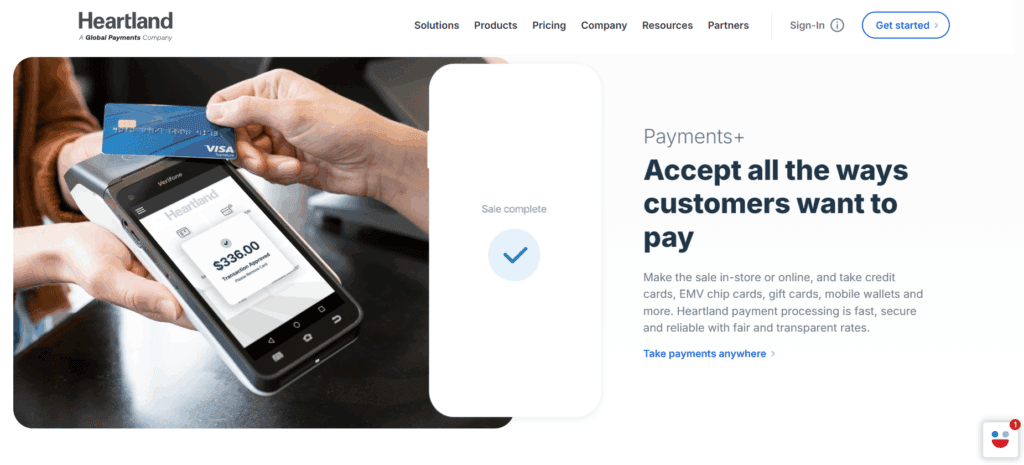
Heartland’s main strength lies in its payment processing platform, which supports a wide range of payment types. This includes all major credit and debit cards, contactless payments, and digital wallets like Apple Pay and Google Pay. This versatility helps merchants accommodate diverse customer preferences at checkout.
The company places strong emphasis on transaction security. Its systems are EMV-compliant and support end-to-end encryption and tokenization, providing an added layer of protection for cardholder data. For merchants, this also means easier compliance with PCI DSS standards, as Heartland provides tools and support for certification.
Heartland also offers real-time transaction reporting. Business owners can access payment data through an online portal or mobile dashboard, allowing them to monitor sales performance in real time. Features like recurring billing and stored card details are also available, making the service suitable for subscription-based models.
Mobile businesses can use Heartland’s portable card readers, which connect to smartphones or tablets. This supports flexibility beyond a fixed retail setting. However, pricing for payment processing varies depending on business type, volume, and contract terms. Some users have reported unclear fee structures or unexpected charges, making it essential to review agreements carefully.
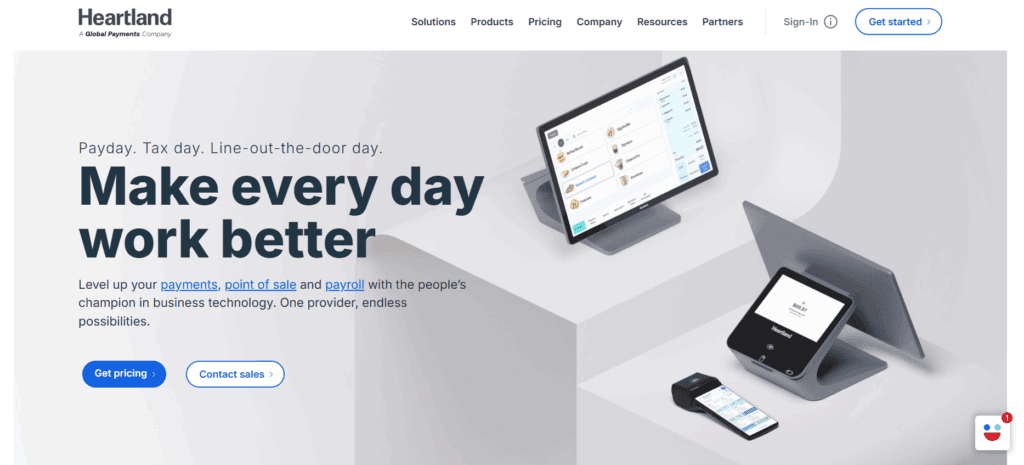
POS Solutions
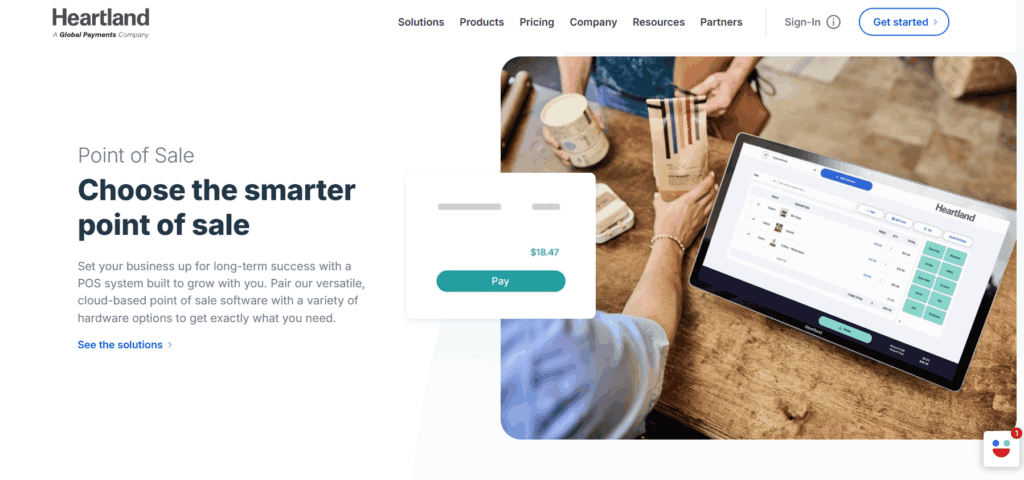
Heartland’s POS systems are built to serve specific industries, with distinct configurations for restaurants, retail shops, and service providers. This tailored approach ensures that users have access to tools that match their operational workflows.
Restaurant POS setups may include features like table mapping, kitchen order routing, tipping support, and integrations for online food orders. Retail solutions typically include inventory tracking, barcode scanning, employee controls, and multi-store management. These capabilities help businesses optimize daily transactions and reduce manual errors.
Cash drawers, EMV-ready card readers, touchscreen terminals, and receipt printers are among the hardware products that Heartland sells. Since these devices are cloud-connected, remote management access and real-time syncing across locations are made possible.
With its simple interfaces and low training requirements, the POS software is made to be easy to use. Business owners can monitor performance metrics like sales volume, employee productivity, and stock levels with the aid of built-in analytics. However, users have pointed out that response times for hardware problems can differ and that installation might require technical support.
Upfront costs for hardware and recurring software fees should also be clearly understood, as some users report discovering additional charges post-signup.
E-Commerce and Online Payment Capabilities
Heartland has gradually strengthened its offerings for online transactions, though it remains more tailored to businesses that started with in-person sales. The platform now includes features like virtual terminals, hosted checkout pages, and recurring billing capabilities. A virtual terminal enables merchants to manually input card details, which is helpful for phone orders or invoice payments. Hosted payment pages allow non-technical users to create branded checkout experiences quickly and securely.
Heartland’s API infrastructure supports integration with popular e-commerce platforms like WooCommerce, Shopify, and BigCommerce. This flexibility lets businesses retain their existing website design while using Heartland’s payment gateway for secure processing.
Recurring billing and tokenized card storage support subscription-based revenue models. These tools are especially useful for service providers and membership businesses.
However, Heartland does not offer the full suite of e-commerce features found in platforms built specifically for digital retail. There are no built-in cart systems or advanced marketing automations. As a result, the platform is better suited to hybrid businesses expanding online rather than digital-first retailers.
Payroll and HR Services
Heartland’s payroll and human resources services aim to simplify internal operations for growing businesses. These tools cover direct deposit, automated tax filings, year-end documentation, and more. Employers can run payroll from anywhere using cloud-based software and offer employee self-service portals for pay and benefits access.
Time tracking, onboarding new hires, and regulatory compliance tools are among the HR management features offered by the platform. Integrated modules allow businesses to create handbooks, manage benefits, and keep policy records. One of the main advantages is the integration of time tracking, payroll, and POS systems. For instance, payroll can receive data straight from the POS platform, which minimises administrative effort and manual data entry.
However, these services may come at an additional cost and are not automatically bundled with core payment tools. Some users also feel that the interface is dated compared to modern HR tech platforms, although the functionality is largely robust for small to mid-sized businesses.
Customer Engagement and Loyalty Programs
To support customer retention, Heartland offers several tools aimed at improving engagement. These include digital gift card programs, loyalty schemes, and integrated email marketing. Gift cards can be sold both in-store and online and include balance tracking and reload features. They serve as a reliable source of upfront revenue while helping customers share brand value with others.
Loyalty programs can be customized using points, visits, or spend thresholds. These rewards can be easily integrated into the POS system, enabling automated redemption at checkout. Basic email marketing features are also available, allowing businesses to send targeted campaigns based on purchase history. Performance metrics like open rates and redemptions are tracked through the platform.
While these tools are valuable, they may lack the depth and sophistication of standalone CRM platforms. Businesses with advanced marketing strategies may still require external integrations for deeper customer segmentation or campaign automation.
Industry-Specific Solutions
Heartland has developed a suite of tools customized for sectors like restaurants, healthcare, education, salons, and fitness centers. These industry-focused features are built to resolve common pain points faced by operators in each field. For example, restaurants benefit from options like tableside ordering and kitchen display systems. Educational institutions get school payment portals and campus card management. Healthcare practices receive HIPAA-compliant payment solutions and recurring billing tools for treatment plans.
Appointment-driven models are supported in the personal services industry by tools for scheduling, customer profiling, and membership billing. For companies with particular operational requirements, these specialised tools help in establishing a more efficient workflow. Businesses might, however, become dependent on Heartland’s ecosystem, which would make it more difficult to connect third-party tools or switch providers. For people who value simplicity over modular flexibility, this trade-off might be acceptable.
Pricing and Contract Clarity
Heartland markets itself as a provider of “fair and honest” pricing, typically offering interchange-plus pricing models. This format is usually more transparent than flat-rate systems, but additional costs such as monthly service fees, PCI compliance charges, and statement fees can add up. Some merchants appreciate the detailed quotes and predictability of their fees, while others report discrepancies between quoted rates and actual charges. Concerns also surface around contract renewals, cancellation policies, and early termination fees.
To avoid surprises, it’s recommended that businesses request an itemized cost breakdown upfront. Understanding what is included and what may incur extra charges over time is crucial for long-term budgeting. Heartland’s pricing tends to benefit businesses with consistent processing volumes, while those with seasonal or low-volume operations may find more flexibility with alternative providers.
Security, Compliance, and Data Protection
The Heartland has prioritised security. Tokenisation, advanced encryption, and EMV-compliant technologies are all used by the platform to secure transactions at every stage. This is included in Heartland Secure, a proprietary security suite that offers coverage for breach warranties. Tools for PCI DSS compliance, such as risk analyses and continuous security scans, are also available to merchants. For companies that are not familiar with the technical requirements of card data protection, these services are extremely helpful.
For healthcare providers, Heartland offers HIPAA-compliant solutions that help maintain patient data privacy and meet federal regulations. These layers of compliance and protection are essential in today’s cyber-threat landscape. While the tools are comprehensive, users still need to ensure good internal security practices, as human error remains a key risk factor in data breaches.
Customer Support and User Experience
Heartland provides 24/7 phone support through U.S.-based representatives. Additional resources, such as setup guides, training materials, and online account management tools, are available through its website. Customer feedback on support is mixed. Some report responsive and effective service, while others describe delays and difficulty getting issues resolved, especially when using multiple products simultaneously.
Though they might not be as well-designed as those from more recent fintech companies, user interfaces across platforms are usually functional. There are mobile applications available, but some users feel that they are not as responsive as desktop tools. Modern, self-service platforms may be preferred by companies that value hands-on support, while Heartland’s support model may be useful for those that want plug-and-play simplicity.
FAQs
Q1: Is Heartland Payment Systems suitable for small businesses?
Yes, Heartland offers solutions designed for small and mid-sized businesses. However, smaller merchants should evaluate pricing and contract terms closely to ensure alignment with their operational needs.
Q2: Does Heartland support integration with e-commerce platforms?
Yes, Heartland supports integration with Shopify, WooCommerce, BigCommerce, and other platforms using APIs, allowing businesses to process payments online without major changes to their website.
Q3: What kind of support does Heartland provide?
Heartland offers 24/7 U.S.-based phone support and online training resources. Service experiences vary by user, so prospective customers may want to ask about service SLAs and onboarding assistance.

Harbortouch Review
By 10topmerchantservices June 14, 2025
Harbortouch, established in 1999, is a well-known brand in the POS ecosystem, serving diverse businesses like retail, dining, and salons. It has grown significantly by offering an “alluring business plan” centered on a “free” POS system. This model particularly appeals to small and mid-sized businesses seeking high-quality POS software and hardware without substantial upfront investment. The brand’s reputation comes from its integrated solutions and end-to-end payment processing, backed by its parent company, Shift4 Payments, positioning itself as an all-in-one solution for affordability, flexibility, and convenience. Lets read more about Harbortouch Review.
But it’s important to know what “free” means. Companies frequently sign long-term agreements that require them to use Harbortouch’s payment processing, which has terms and fees. In the end, Harbortouch works well for companies that require a complete POS system and are at ease with a contract-based arrangement. It might not be the best option for people who value complete pricing transparency or who want to use their own payment processor. Before committing, it’s important to consider the whole picture, including the product’s features, costs, contract terms, and support.
Point of Sale System Overview | Harbortouch Review
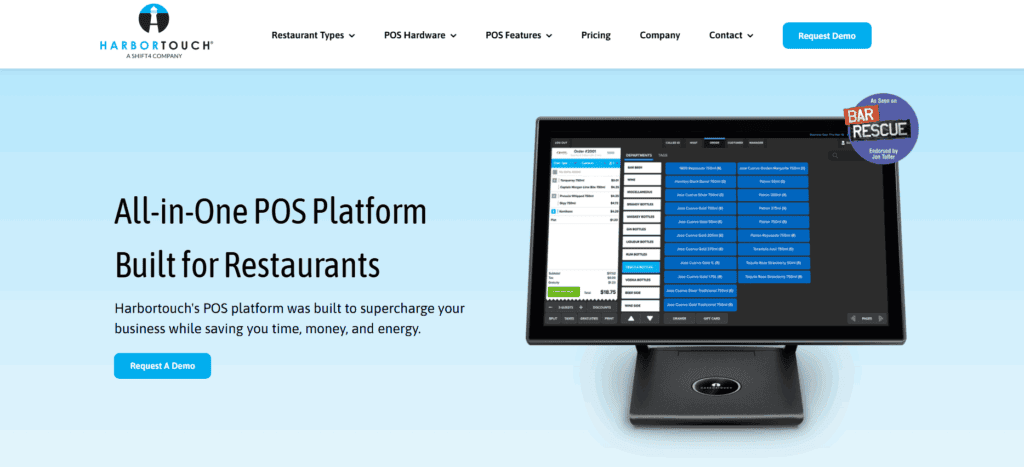
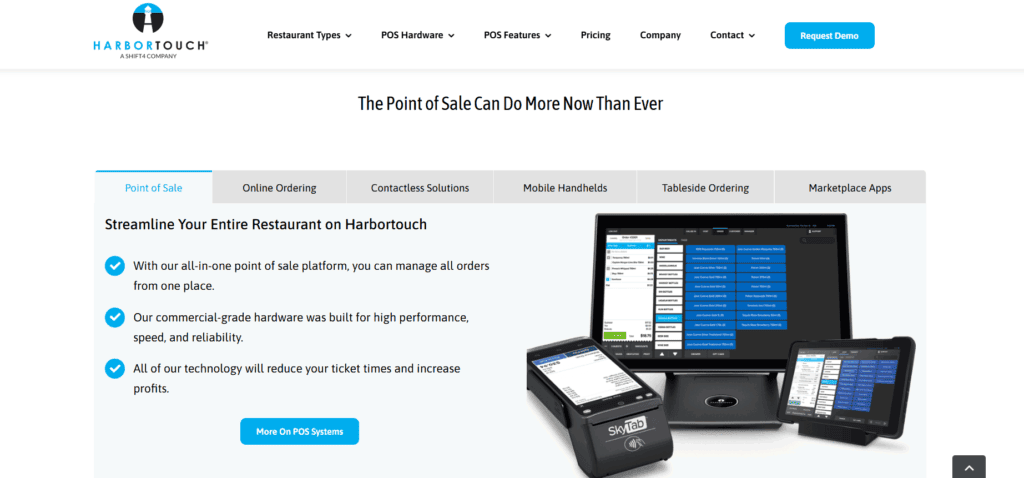
Harbortouch offers two main POS systems: Harbortouch Elite for high-volume environments (restaurants, large retailers) and Harbortouch Echo, a more compact, tablet-style system for smaller or quick-service locations. Both feature touchscreen interfaces, preloaded software, and integrate seamlessly with Harbortouch’s payment processing. The software is customized for each business type, offering restaurant table management, retail inventory, or salon appointment scheduling.
A notable feature is their plug-and-play capability; hardware and software arrive pre-configured, streamlining setup. Systems update remotely for security patches or new features. Harbortouch systems support both cloud-based and local data storage, ensuring operations continue even if internet connectivity is lost. While POS equipment is “free,” businesses commit to a fixed-term contract for Harbortouch’s services, including bundled software licensing, customer support, and processing fees.
Key Features and Tools
Harbortouch’s POS systems include various built-in features to streamline daily operations, varying slightly by industry and POS model, but with a strong baseline across all systems.
Inventory management is essential, allowing automatic reorder thresholds, low-stock alerts, and real-time stock monitoring. Restaurants benefit from highly detailed menu customization with modifiers, combos, and kitchen printer routing. Employee management tools enable supervisors to monitor staff hours, assign permissions, create roles, and generate labor reports for scheduling and payroll.
For customer-facing features, Harbortouch supports loyalty programs and gift cards. Businesses can capture customer data at checkout for marketing or rewards. CRM tools are basic but offer a starting point. Reporting tools cover sales, labor, inventory, and other metrics, viewable on the terminal or remotely via the online dashboard. While not as advanced as some enterprise systems, the reporting suite is adequate for most small and medium operations.
Payments and Processing Capabilities
Harbortouch systems are tightly integrated with Shift4 Payments, their in-house processor, enabling fast, secure transactions across various payment methods (EMV chip cards, magnetic stripe, contactless, mobile wallets). This bundling offers a single-vendor experience, meaning one point of contact for support, fewer compatibility issues, and easier reconciliation.
This also implies that you are unable to use a different processor. Price comparison is difficult because merchants must request a quote and the website does not display rates transparently. With data tokenisation for extra security, Harbortouch conforms with industry standards for PCI-DSS and end-to-end encryption. Recurring billing, split payments, tip adjustments, and refunds are among the supported features. The system works with signature capture screens and PIN pads that face customers. Payment processing is reliable overall, but companies should carefully read the terms to be aware of all the costs.
Software Usability and Interface
One of Harbortouch’s strengths is its intuitive and minimalistic user interface, making it easy for staff to learn. For restaurants, the layout features drag-and-drop table maps, customizable menus, and visual modifiers. In retail, the product catalog and search functions are quick and responsive, enabling fast transactions.
The interface is responsive on all hardware and supports touch gestures. Settings and administrative features are accessed via a password-protected portal, ensuring only authorized personnel can make changes. User permissions can be adjusted for different roles (managers, servers, cashiers), keeping the interface clear for frontline users and secure for business owners.
While beginner-friendly, some users report needing support for advanced features like custom reporting or loyalty configurations. There can also be a slight delay in data syncing across devices, especially with poor network conditions. Still, the interface balances ease of use with functionality depth for most businesses.
Mobile and Remote Access
Harbortouch addresses mobility and remote control with its Harbortouch Online platform, allowing owners and managers to monitor operations remotely. From any internet-connected device, users can view real-time sales reports, track employee hours, check inventory, and run basic reports. This is especially useful for multi-location businesses or owners on the move.
With support for major payment methods and the ability to connect to the backend for synchronised reporting, mobile POS options are available for quick-service or line-busting settings. Although Harbortouch does not have a fully functional mobile app like some of its cloud-native competitors, its web dashboard offers adequate remote oversight. Important incidents like system failures or low inventory can set off alerts and notifications.
Limitations exist in remotely editing settings or configuring the POS; most changes still require direct terminal access or support assistance. Nevertheless, these remote access features are a meaningful inclusion, reflecting Harbortouch’s effort to remain competitive in a mobile-first business environment.
Hardware Packages and Build Quality
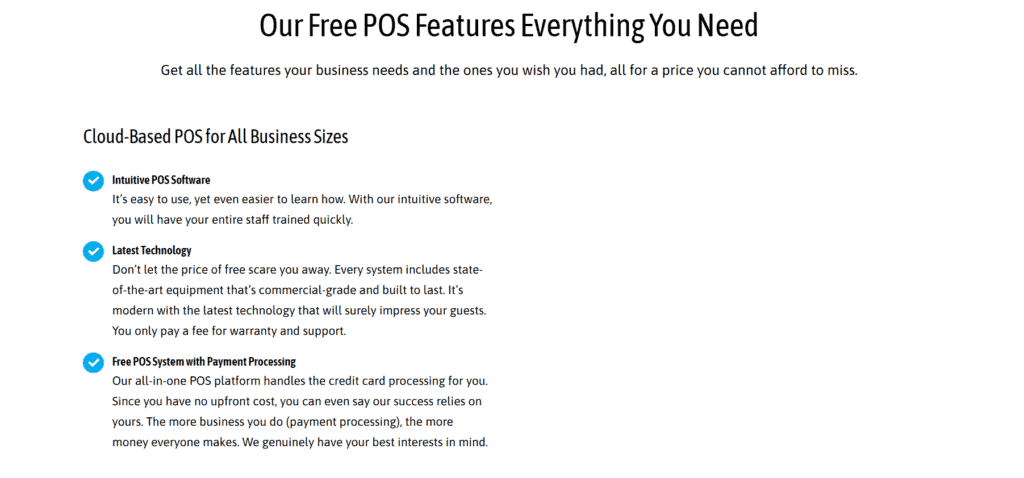
Harbortouch provides hardware as part of its bundled offering, including touchscreen terminals, cash drawers, receipt printers, barcode scanners, and card readers. Restaurant packages also include kitchen display systems and kitchen printers. The hardware build quality is generally solid. The Elite terminal has a sleek, professional design with a high-resolution touchscreen and durable casing, designed for heavy daily use.
The Echo model is more compact and cost-effective, resembling a tablet, ideal for limited counter space. While less powerful than Elite, it delivers reliable performance for low to moderate transaction volumes. Harbortouch also offers customer-facing displays for enhanced checkout transparency and tip prompting. Integrated peripherals ensure seamless component functionality with the software.
If hardware malfunctions, support is available, though fees may apply based on warranty and contract terms. Businesses should also note that while hardware is “free,” returning or canceling service might incur charges for equipment recovery or refurbishment. Overall, the provided hardware is professional-grade, matching leading POS vendors.
Pricing Structure and Contracts
Harbortouch’s pricing model is widely discussed due to its “free POS system” marketing. While hardware and software are provided without upfront charges, businesses typically enter a multi-year service contract, including mandatory payment processing through Shift4 Payments.
Monthly service fees depend on the POS system and features used. These range from basic access fees to additional costs for premium features like remote access, advanced reporting, or industry-specific modules. Though basic hardware might be free, maintenance, licensing, and required processing charges increase the overall cost over time. A crucial consideration is the early termination fee; businesses canceling before the contract ends may face substantial penalties. This is a key area where potential customers should read the fine print and ask detailed questions about return policies, hardware deactivation fees, and total cost of ownership.
Furthermore, Harbortouch complicates comparisons by not providing clear payment processing rates on its website; instead, potential clients must request a custom quote. Companies should consider how competitive the effective processing rate is in their sector. The long-term pricing model may not be the best option for startups that value flexibility and contract freedom, but Harbortouch may be appealing to those who want to avoid upfront costs.
Integration with Third-Party Software
Harbortouch systems come with several built-in capabilities, but their support for third-party integrations is relatively limited compared to more open POS platforms. The software is designed as an all-in-one solution, working best within its own ecosystem. For accounting, QuickBooks integrations are available, though syncing may require configuration support. Similarly, some marketing tools and CRM platforms can be linked, but integration is not always plug-and-play and often involves Harbortouch’s technical support.
Harbortouch lacks a strong API for developers, limiting businesses wishing to modify their POS system or connect to proprietary systems. This closed approach can be a barrier for growing companies desiring greater control or flexibility over their tech stack. Positively, the built-in features cover a wide range of necessary needs, including basic customer data collection, sales tracking, employee management, inventory, and loyalty programs. For businesses with straightforward workflows and no extensive integration needs, the system may suffice as is.
However, larger businesses or those with specific operational requirements might find Harbortouch’s limited third-party compatibility a drawback. It’s important to clarify integration possibilities and viable workarounds before committing.
Customer Support and Service
Customer service is crucial for any POS solution, and Harbortouch offers 24/7 technical support for installation, troubleshooting, and general inquiries via phone and email, with live chat through its online portal. Many customers report positive onboarding experiences, with professional technicians handling remote setup. Harbortouch also offers on-site installation for qualified plans, a significant help for non-tech-savvy businesses or those with complex needs.
However, some online reviews point to inconsistencies in support quality, especially during high-traffic hours or billing disputes. Support response times and resolution efficiency may vary. Harbortouch also provides documentation and training resources, including online tutorials and guides, helping new users understand basics. Training for advanced functions often requires support.
Overall, Harbortouch’s support infrastructure is reasonably strong, but like many large providers, experiences can differ. It’s advisable to test support responsiveness during trial or onboarding to gauge real-world problem handling.
Industry-Specific Solutions
Harbortouch tailors its POS software to meet the unique needs of several industries, with notable customizations for restaurants, retail businesses, salons, and service providers. Each variant includes industry-specific tools to improve operational efficiency.
Harbortouch provides split billing, tip adjustments, table management, kitchen display system support, and modifier customisation for restaurants. Fast checkout processes and combo menu logic are advantageous for quick-service restaurants. Although functionality varies, the system also integrates with online ordering platforms and supports delivery services. Features like product classification, inventory alerts, barcode scanning, and vendor tracking are standard in the retail industry. Customer tracking, gift card assistance, and loyalty programs all improve engagement.
For salons and spas, Harbortouch provides tools for commission calculation, stylist/technician tracking, and appointment scheduling. These industry-specific improvements centralize operations and reduce the need for third-party software. While helpful, it’s crucial to confirm exact coverage in your plan, as some sophisticated tools might have additional monthly fees. Customization levels also vary by industry and POS model.
Businesses in niche industries may find Harbortouch’s custom tools adequate, but should still assess if their workflow requires additional integrations or flexibility.
Pros and Cons of Harbortouch
Harbortouch has carved a strong position in the POS market with a compelling offer, but it comes with both advantages and limitations. Understanding both sides aids informed decision-making.
Pros:
No upfront cost for hardware and software
Intuitive user interface with minimal training required
Industry-specific POS features for restaurants, retail, and salons
Integrated payment processing with full encryption
24/7 technical support and remote diagnostics
Cloud-based reporting with local fallback for reliability
Cons:
Multi-year contracts with strict early termination clauses
Lack of transparency in pricing and processing fees
Limited third-party integrations or developer APIs
Difficult to switch processors due to system lock-in
Advanced features may require support to configure
For businesses seeking a bundled, all-in-one POS with predictable hardware setup, Harbortouch presents a viable solution. However, those prioritizing full cost clarity or a customizable ecosystem might find the model too restrictive.
User Feedback and General Reputation
User feedback for Harbortouch is mixed across review platforms. Many positive reviews highlight ease of use, especially for new business owners. Customers appreciate the professional-grade hardware, intuitive software, and ability to manage sales and reports easily. Critical reviews often focus on contract concerns, particularly early termination fees and unclear billing practices. Some users report surprise charges. These complaints emphasize the importance of carefully reading contracts and asking detailed questions.
Experiences with support differ. Long wait times and inconsistent technical problem solutions are mentioned by some customers, while others report timely and helpful service. These discrepancies might be the result of varying experiences with particular agents or local teams. Although online forums caution about contractual obligations, they also recommend Harbortouch as a good entry-level system. Experiences are frequently more seamless for businesses that enter with a thorough understanding.
Overall, Harbortouch’s reputation is stable but not flawless. It delivers on its promises for many, but transparency and flexibility are areas needing improvement.
Final Verdict: Is Harbortouch Worth It?
Harbortouch offers a “free” POS system aimed at small to mid-sized businesses seeking affordability and essential features. It includes hardware, software, and payment processing in one package. While the upfront cost is low, long-term contracts and unclear pricing can be drawbacks. The system suits businesses in hospitality, retail, or salons that prefer simplicity over customization. However, it may not meet the needs of larger businesses requiring integration flexibility or transparent costs. Overall, it’s a solid choice for budget-conscious users, if they carefully review the terms.
FAQs
Q1: Does Harbortouch really offer a “free” POS system?
The hardware and software are provided without upfront costs, but the service is bundled into a contract with monthly fees and mandatory use of Harbortouch’s payment processor. “Free” doesn’t mean no cost; it just shifts the cost structure.
Q2: Can Harbortouch be used without a long-term contract?
Typically, Harbortouch requires a multi-year agreement. Early termination fees may apply if you cancel before the term ends. It’s not usually offered on a month-to-month basis.
Q3: Is Harbortouch suitable for small businesses or startups?
Yes, especially for those seeking a budget-friendly POS setup with minimal initial investment. However, the long-term costs and contract terms should be evaluated carefully to ensure they fit the business’s growth plan.

Green Dot Review
By 10topmerchantservices June 11, 2025
In the US, Green Dot Corporation has gradually become one of the most well-known brands for prepaid debit cards and basic banking services. It has focused on customers who are generally underserved by traditional banks since its establishment in 1999. With services like mobile banking and FDIC-insured bank accounts through Green Dot Bank, the company that started out as a retail-focused prepaid card provider has expanded into a full-service digital banking solution. Lets read more about Green Dot Review.
The company aims to make banking more accessible and affordable, particularly for low-income and underbanked communities. Its products are widely available in stores like Walmart, CVS, and Walgreens, helping reach both urban and rural customers. However, while Green Dot enjoys wide distribution and ease of use, its reputation among users is mixed. Some appreciate the convenience, but others have raised concerns about hidden fees, customer service difficulties, and technical issues.
Account types and accessibility | Green Dot Review
Green Dot’s main offerings include prepaid debit cards and mobile banking accounts with checking-like features. These accounts allow users to pay bills, transfer funds, deposit checks, and even earn interest in certain cases. The core appeal is that users can open accounts without credit checks, making it ideal for those with poor credit or no banking history.
It’s simple to get started. More than 90,000 retail locations and online retailers sell cards. For those who don’t live close to a traditional bank, Green Dot is a good choice because of its wide availability. Additionally, the business offers services like early direct deposit and tax refund assistance that are specifically designed for gig economy workers and those on government benefits.
However, the simplicity of opening an account does not guarantee the same level of service or feature depth found in other financial institutions. For users looking for a basic way to handle money without many barriers, Green Dot is accessible and functional, though it may not be the most advanced option.
Mobile app experience and digital tools
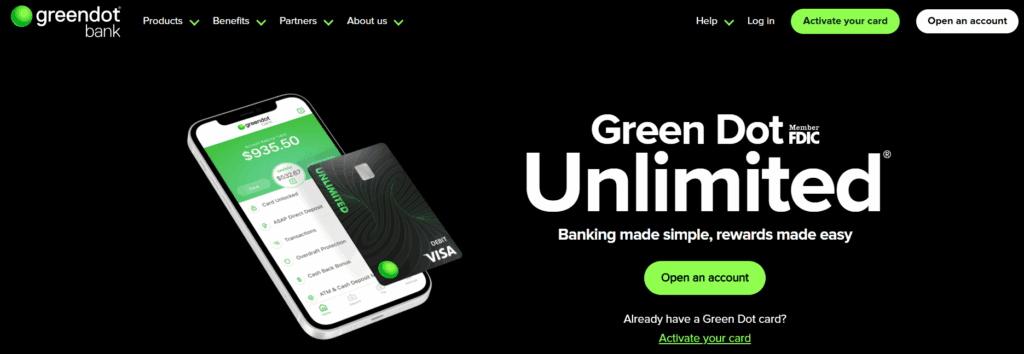
Green Dot’s mobile app gives users full access to their account from their smartphone. Available on both iOS and Android, the app lets users check balances, deposit checks, send money, pay bills, and manage direct deposits. The design is user-friendly and generally easy to navigate, even for people new to mobile banking.
One particularly helpful feature is mobile check deposit. Users can simply take a photo of a check to deposit funds into their account. Transfers between Green Dot users are also instant, adding to the app’s convenience. Scheduled bill payments can also be managed through the app, which supports basic financial planning.
That said, not all users report a flawless experience. Some complain of app crashes, slow updates, or trouble accessing timely support through the app. While many find it reliable for daily use, others have had delays in transaction posting or difficulties getting help when issues arise. The desktop site offers similar functionality but the mobile app remains the most common access point for most customers.
Fees, charges, and cost transparency
Green Dot’s fees can be a dealbreaker for some users. Most accounts come with monthly charges unless certain activity requirements are met, such as receiving qualifying direct deposits or maintaining a minimum balance. There are also fees for ATM withdrawals, balance checks, and reloading funds with cash at retail stores.
Both online and in account materials, the business offers a thorough fee schedule. Many users, however, claim that the terms are confusing and aren’t always explained in detail when registering. Certain account activity may result in fee waivers, but if users don’t know how to prevent charges, unforeseen expenses can mount up rapidly.
Some services like overdraft protection are available on select accounts, but even these may carry additional costs after usage thresholds. Reloading via third-party retailers like Walgreens or Walmart often includes extra fees, which vary by store. While users who actively manage their account may avoid many of these charges, those less familiar with fine-print banking terms might find themselves surprised by deductions.
Direct deposit and early pay access
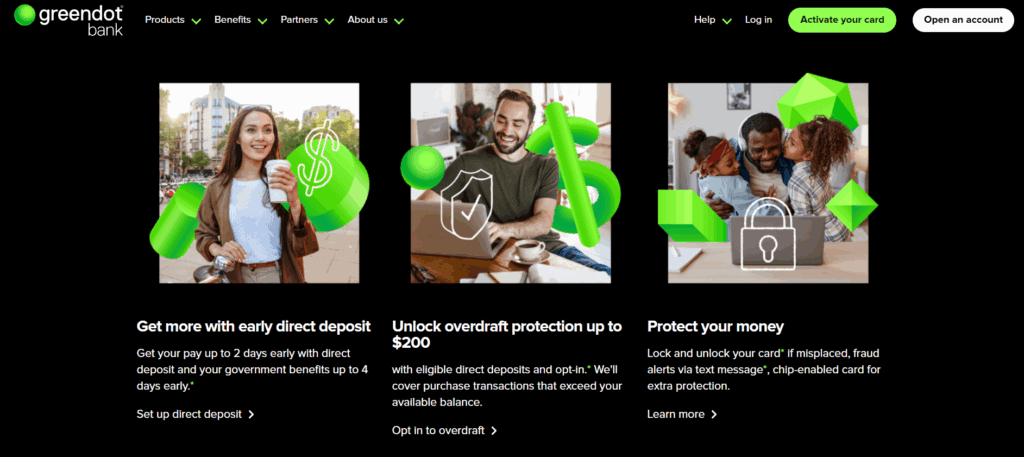
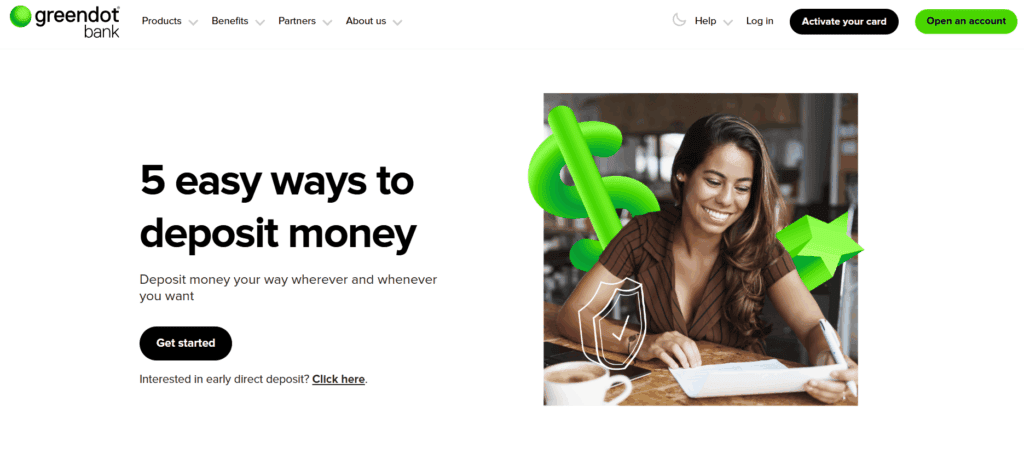
One of Green Dot’s strongest selling points is its early direct deposit feature. This service lets users receive their paychecks or government benefits up to two days early. It’s a major advantage for those who live paycheck to paycheck or need flexibility in their monthly budgeting.
Setting up direct deposit is simple. Users are provided with a routing and account number to share with their employer or benefits provider. Once active, incoming funds may be available faster than they would be through a traditional bank.
Although timing isn’t always guaranteed, this can be a great tool for financial planning. The processing schedule of the government agency or employer determines when payments are released. Uncertainty may result from delays, which can and do occur. Nevertheless, compared to other banking options in its class, this feature provides many users with faster access to funds.
Funding options and cash reloading
Green Dot allows users to load money into their accounts in multiple ways. The most popular method is cash reloading through retail stores. At locations like CVS, Walmart, and Rite Aid, users can hand cash to a cashier and add it directly to their Green Dot card. Other options include direct deposit, mobile check deposit, and linking an external bank account for transfers. These choices make the account versatile for users with various income sources. Freelancers, gig workers, and benefit recipients may all find the flexibility helpful.
The expense of reloading cash is a disadvantage, though. Service fees for retail reloads are frequently different depending on the retailer and location. Users who depend significantly on cash deposits may find these fees to be costly. Furthermore, some cash reloads might not appear right away, which would be confusing for people who require instant access. Despite these difficulties, Green Dot is still among the few choices available to consumers who depend on cash and require an easy-to-use method of managing their money outside of a conventional bank.
Security features and customer service
Green Dot accounts are backed by FDIC insurance through Green Dot Bank, offering protection for eligible deposits up to the standard federal limits. The platform also uses encryption, login security features, and transaction alerts to keep accounts safe. Users can lock and unlock their card through the app and receive alerts for unusual activity. These features are standard but important for those managing their finances entirely online or through mobile devices.
Customer service, however, remains a weak spot. Users report long wait times, difficulty getting in touch with a live agent, and delays in resolving issues such as unauthorized transactions or locked accounts. While a help center and automated tools are available, human assistance is often hard to reach and inconsistent in quality. The platform’s security is solid, but support problems can make resolving issues stressful. This is especially true for users who rely on their Green Dot account as their primary financial tool.
Common complaints and limitations
Green Dot has been criticised in a number of important areas. Unexpected account freezes or access problems are among the most common complaints. Sometimes, when users are trying to make an urgent payment or receive a pay cheque, they find themselves locked out. Another annoyance is unclear or confusing fees. Customers’ balances may decrease more quickly than anticipated if they are not aware of inactivity fees, reload fees, or monthly service charges. Inconsistent timing with direct deposits and delayed mobile check deposits are other complaints.
While not all users face these problems, they are common enough to warrant caution. Green Dot works best when users take time to understand the fine print and actively monitor their account to avoid unexpected issues.
Comparisons with competing services
Green Dot competes in a crowded field that includes Netspend, Chime, and Bluebird by American Express. Each offers similar prepaid and mobile banking tools but takes a different approach. Netspend allows more account personalization and offers budgeting tools. Chime is often praised for its clean mobile app, fewer fees, and better customer support. Bluebird, which is popular among Walmart shoppers, features lower costs in some areas and more robust family budgeting options.
When it comes to basic usability and retail availability, Green Dot is competitive. In terms of fee transparency, user interaction, and app performance, it falls short of some competitors. It might be helpful to those who require low-barrier entry and in-store reload options. Others might favour a different supplier if they’re looking for cutting-edge equipment or dependable support.
Final verdict: Is Green Dot worth considering?
For consumers looking for a straightforward financial tool free of the hassles of traditional banking, Green Dot is perfect, especially for those who depend on cash or require instant access to funds. Because of issues with customer service and fees, it’s best suited as a backup or temporary solution. It might be convenient for users who are aware of its limitations, but other users might favour platforms with more transparent pricing and robust support for long-term requirements.
FAQs
Is Green Dot a real bank or just a prepaid card?
Green Dot is both. It offers prepaid cards and operates Green Dot Bank, an FDIC-insured institution that provides mobile banking services.
How can I avoid monthly fees with Green Dot?
Monthly fees can often be waived if you set up qualifying direct deposits or maintain a required minimum balance. Always review the specific terms for your account.
Can I use Green Dot as my main bank account?
Yes, but with caution. While Green Dot offers many core banking features, it lacks the advanced tools, consistent support, and fee transparency of more robust banks or fintech platforms.

Top 10 Best Credit Card Machines and Terminals in 2025
By 10topmerchantservices June 11, 2025


Gravity Payments Review
By 10topmerchantservices June 10, 2025
Gravity Payments is a Seattle-based payment processor known not only for its services but also for its ethical business practices. Founded in 2004, the company focuses on serving small and mid-sized businesses with transparent and dependable payment solutions. While Gravity gained media attention in 2015 when CEO Dan Price instituted a $70,000 minimum salary for employees, its true value lies in its practical, fair approach to payment processing. Lets read more about Gravity Payments Review.
Gravity’s primary goal is to make business transactions easier. The company prioritises ethical behaviour, transparent pricing, and excellent customer service for everything from in-store and mobile payments to eCommerce support. Gravity has positioned itself as a more straightforward and approachable alternative to many processors that impose hidden fees or lock users into complicated contracts.
Though not as large as its industry counterparts, Gravity maintains a loyal customer base. Its appeal lies in offering the essentials; fast processing, robust support, and transparent billing; without the red tape or pressure tactics often found elsewhere. For many small business owners, this balance of values and functionality makes Gravity a credible and reliable partner.
Payment Processing Capabilities | Gravity Payments Review
Gravity Payments supports a wide range of payment types, making it suitable for both in-person and online businesses. Whether you’re accepting credit cards at a retail counter or handling recurring payments for a subscription service, Gravity offers the necessary tools. Supported payment methods include Visa, Mastercard, American Express, Discover, and mobile wallets like Apple Pay and Google Pay.
Ease of use is one of Gravity’s main claims. Business owners gain from reliable uptime and consistent batch settlements, and transactions are quick and simple. In order to give customers flexibility in how they organise their payment flows, the company also integrates with popular payment gateways like Authorize.net and NMI and provides options for recurring billing.
Importantly, Gravity avoids locking businesses into proprietary systems. This allows merchants to use existing setups or integrate with scalable solutions as they grow. Even with its smaller size, the company delivers high reliability and maintains industry standards for speed and accuracy. In short, Gravity Payments offers a practical suite of processing capabilities that suits the daily needs of most small and mid-sized businesses.

POS Systems and Hardware Solutions
Gravity Payments provides a versatile range of POS systems and payment terminals. These options are designed to serve various business types, including retail, hospitality, mobile services, and restaurants. Merchants can choose from basic countertop terminals to feature-rich systems that include inventory tracking, sales analytics, and employee management.
EMV-compliant terminals that accept chip, swipe, and contactless payments are part of the hardware lineup. Gravity provides solutions that manage tips, split checks, and mobile payments for eateries and service-oriented businesses. Wireless readers that connect via Bluetooth or mobile data are useful for businesses that are constantly on the go.
Gravity’s hardware approach is notably flexible. Merchants are not forced into leasing contracts or limited to a single brand. In many cases, existing hardware can be reprogrammed for use with Gravity’s systems, reducing initial costs and transition time. Overall, the company’s hardware and POS offerings provide a balanced mix of functionality and freedom. Most small to mid-sized businesses will find these tools sufficient for running efficient and modern operations.
Integration with Business Software
Gravity Payments offers solid integration support for business tools, helping users streamline operations beyond just payment acceptance. The platform integrates with accounting software like QuickBooks, allowing automatic syncing of payment data into bookkeeping workflows. This can significantly reduce the time spent on manual reconciliation.
Gravity facilitates the integration of shopping carts like Shopify, WooCommerce, and Magento with gateways like Authorize.net and NMI for eCommerce companies. For companies wishing to grow online without spending money on custom development, these integrations are essential.
To create unique payment flows or link Gravity to internal software systems, developers can use APIs. The tools available are adequate for the majority of common use cases, even though the developer ecosystem isn’t as extensive as that of bigger players like Stripe. Support for implementation assistance is offered, along with documentation.
Gravity also supports users with limited technical experience by offering guided onboarding and assistance in setting up key integrations. This user-friendly approach makes Gravity attractive to businesses that want to connect their payments infrastructure with other tools, without needing a tech team to do so.
Security and Compliance
Security is a non-negotiable aspect of payment processing, and Gravity Payments meets industry standards in this area. The company is fully PCI-DSS compliant, ensuring secure handling of cardholder data across all transactions. End-to-end encryption protects card data during transmission, and EMV support adds another layer of protection for in-person transactions.
For online and mobile payments, Gravity uses tokenization and secure gateways to help reduce the risk of data exposure. The company also provides tools and guidance to help merchants maintain their own PCI compliance, including resources for completing required self-assessments.
AVS matching, transaction monitoring, and CVV verification are all common yet crucial fraud prevention techniques. Gravity takes a strong stance on protecting the privacy of its customers’ data: no data is ever sold or misused, and its systems are built to comply with regulations like the CCPA and GDPR. Gravity’s security setup is more than sufficient for the small to mid-sized businesses it targets, even though it might not provide the advanced AI-driven fraud analytics found in enterprise platforms.
Developer and Customization Options
Gravity Payments provides a range of customization features, though not as extensive as some larger or tech-first platforms. Businesses with moderate technical needs can use Gravity’s APIs to tailor the payment experience. Whether it’s creating custom checkout forms or building recurring billing workflows, the tools support a range of scenarios.
The system supports reprogramming of compatible hardware, which can be useful for businesses looking to avoid buying new equipment. While the API documentation is not vast, it covers key use cases and is supported by a responsive tech team.
Gravity provides implementation support for companies without native developers. This covers assistance with hardware configuration, software integration setup, and employee onboarding. It is a component of their larger dedication to service accessibility. Price and package design flexibility is another aspect of customisation. Custom quotes might be available to merchants with special needs or high volume. The majority of businesses, however, will be categorised into standard pricing tiers that are intended to maintain clarity and transparency.

Pricing and Transparency
Gravity Payments has earned recognition for its pricing transparency. The company offers two main structures: interchange-plus pricing and flat-rate pricing. Interchange-plus is often preferred by larger businesses, as it separates network fees from the processor’s markup, making cost analysis straightforward. Smaller merchants may opt for flat-rate pricing for its simplicity.
A major selling point is Gravity’s clear billing. There are no hidden fees, early termination charges, or binding leases. Statements are designed to be easy to understand, and support is available to walk clients through any confusing charges. Monthly fees and additional service costs are clearly communicated at the start. Gravity avoids one-size-fits-all pricing and instead tailors its quotes to a business’s size, volume, and transaction types.
Although Gravity might not always have the most affordable prices on the market, it does offer predictability, which is a useful feature for companies with narrow profit margins. Its larger operating philosophy of ethics and transparency is consistent with its honest pricing strategy.
Customer Support and Reliability
Customer service is one of Gravity’s standout features. The company provides U.S.-based support via phone and email, and emergency assistance is available after business hours. Unlike many processors that route support through automated systems, Gravity maintains live assistance with short wait times and knowledgeable representatives.
Some customers also receive a dedicated account manager, particularly those with higher transaction volumes. The company offers onboarding help, billing guidance, and technical support without pushing upsells or locking users into contracts.
Hardware use, compliance, and payment setup documentation can be found in an online help centre. Although it’s not a big database, it’s easy to use and meets most needs. Another strong point is reliability. Gravity processes transactions quickly and with great uptime. Service interruptions are rare, and the business alerts customers in advance of problems. For merchants who appreciate steady, uninterrupted operations, this dependability has contributed to the development of trust.
Pros and Cons
Pros
Transparent pricing with no hidden fees
Strong U.S.-based customer support
Ethical business practices and employee-first culture
Flexible hardware options
Easy setup and onboarding
Cons
Limited support for international merchants
Fewer high-end features compared to tech-first platforms
Smaller ecosystem of third-party integrations
These trade-offs are worth considering based on your business needs. Gravity offers an honest and stable environment for small to mid-sized businesses, though it may fall short for enterprises needing global scalability or advanced development tools.
Who Should Use Gravity Payments?
Gravity Payments is well-suited for small to mid-sized U.S. businesses seeking transparent pricing and reliable service. It appeals to retailers, service providers, restaurants, and professionals who prefer simplicity over complex contracts. While not ideal for global processing needs, it offers a strong, ethical solution for everyday business operations.

FAQs
Q1. Can Gravity Payments integrate with platforms like Shopify and WooCommerce?
Yes. Gravity Payments supports integration through gateways like Authorize.net and NMI, which are compatible with platforms such as Shopify, WooCommerce, and Magento.
Q2. What kind of businesses benefit most from using Gravity Payments?
Gravity is best for small to mid-sized businesses including local retailers, restaurants, healthcare providers, and professional service firms that value transparent pricing and reliable support.
Q3. Are there contracts or cancellation fees with Gravity Payments?
Typically, no. Gravity Payments avoids long-term contracts and does not charge early termination fees, though exact terms should always be confirmed during onboarding.

GoCardless Review
By 10topmerchantservices June 6, 2025
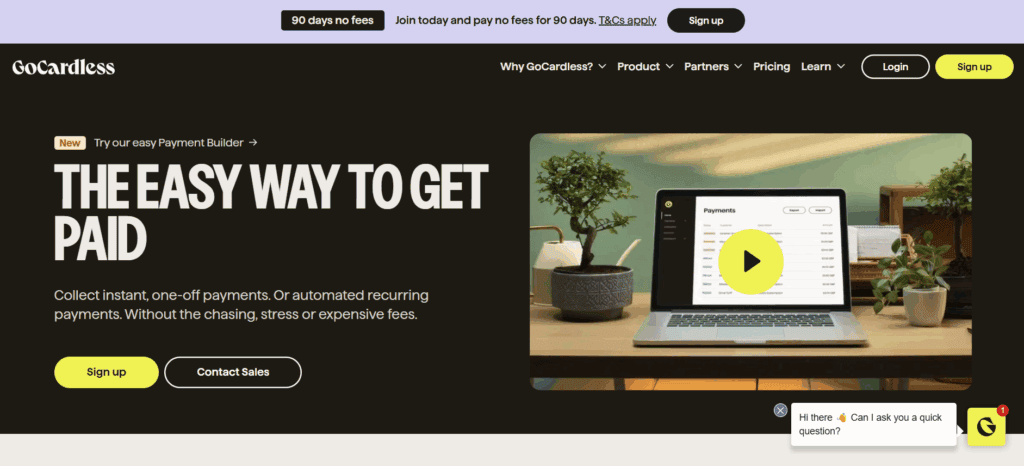
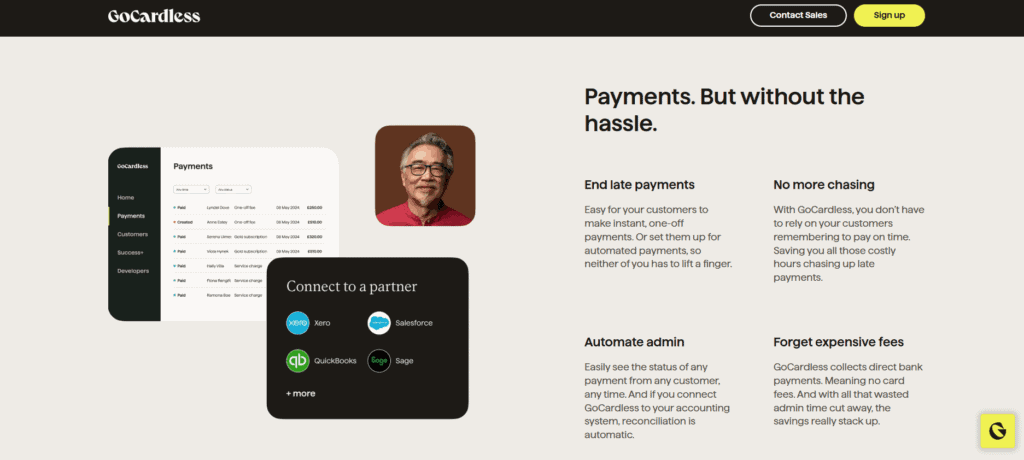
GoCardless is a UK-based financial technology firm founded in 2011, focused on facilitating bank-to-bank payments via Direct Debit. Rather than using traditional card rails like Visa or Mastercard, the platform enables merchants to collect payments directly from customers’ bank accounts. This method proves especially effective for businesses with recurring payment models, such as subscriptions, memberships, or invoice-based services. Lets read more about GoCardless Review.
Operating in more than 30 nations and supporting a variety of currencies, GoCardless has established a solid reputation as a simplified, less expensive substitute for traditional payment processors. SaaS providers, accounting platforms, fitness facilities, and nonprofit organisations seeking to streamline and automate their payment collection procedures have all embraced it.
GoCardless’ focus on minimising manual reconciliation and lowering payment failures is one of its most notable benefits. The platform improves conversion rates and increases payment predictability with integrated automation and bank-level verification. It may not appeal to all demographics, though, and is more appropriate for client segments that are accustomed to Direct Debit systems.
Payment Capabilities and Core Features | GoCardless Review
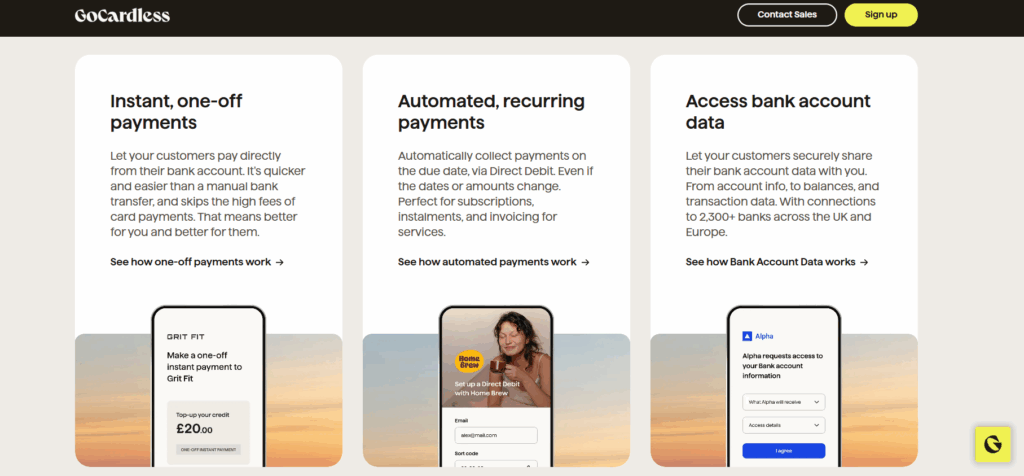
GoCardless’s core functionality revolves around Direct Debit, a mechanism that allows businesses to withdraw funds from customer accounts with pre-approved consent. This is ideal for use cases involving repeated billing, such as monthly services or installment plans. Although GoCardless is primarily geared toward recurring payments, it also offers one-off transaction capabilities. A key innovation is Instant Bank Pay, which utilizes open banking to enable immediate, one-time payments; addressing the common delay associated with traditional Direct Debit.
The platform includes features like automatic retries for failed payments, customizable checkout pages, and real-time notifications. Users can configure billing cycles, view payment statuses, and manage customer data from a unified interface. The system also supports mandate creation and monitoring without manual intervention.
Multi-currency support is robust, with compatibility across GBP, USD, EUR, AUD, and NZD. While the platform is ideal for recurring billing businesses, it may not suit industries that require instant payment authorizations or point-of-sale capabilities.
Integration and Developer Tools
GoCardless offers a powerful and well-documented API, making it attractive to tech-savvy businesses that want to embed payment capabilities directly into their software. Its RESTful API and webhook support allow for real-time synchronization and full automation of payment workflows. Developers benefit from comprehensive documentation, sandbox testing environments, and SDKs in multiple programming languages. This flexibility makes it possible to build highly customized payment infrastructures with minimal friction.
GoCardless easily integrates with well-known platforms like Xero, QuickBooks, Chargebee, Recurly, Salesforce, Zuora, and Magento for users who prefer ready-to-use solutions. The process of integrating Direct Debit functionality into current systems is made easier by these integrations. Furthermore, GoCardless is compatible with automation platforms such as Zapier, allowing non-technical users to link it to hundreds of third-party applications. The long-term benefits in terms of automation and flexibility outweigh the initial technical effort, particularly for growing businesses.
Dashboard and User Experience
The GoCardless web dashboard is intuitive and designed for ease of use across departments. Finance teams, administrators, and support staff can access vital information quickly thanks to a clean, uncluttered interface.
Users can track all payment activity in real time, including pending, completed, and failed transactions. Customer profiles are comprehensive, consolidating payment history, mandate statuses, and communication logs. Setting up new payers is also straightforward, typically requiring only basic information to initiate a mandate.
The dashboard supports reporting tools for analyzing payment performance and generating summaries for accounting purposes. Reports can be downloaded or integrated with external systems via the API. While mobile accessibility is limited compared to desktop functionality, the interface is still suitable for monitoring tasks and approvals on the go.
Overall, the platform strikes a balance between usability and depth, appealing to both novice users and experienced finance professionals.
Pricing Structure and Fee Clarity
The fee structure used by GoCardless is clear and flat. Typically, it charges 1% of the transaction amount for domestic transactions, with a cap of £2 in the UK. The platform is cost-effective for companies managing steady, recurring revenue streams because it has no setup fees, monthly fees, or hidden costs.
Additional fees apply for currency conversions and international transactions. A different pricing structure might apply to features like Instant Bank Pay, especially for one-time transactions.
The standard settlement window is one factor to take into account. Usually, it takes 3 to 5 business days for payments to clear, which is slower than card-based processors but normal for Direct Debit systems. This could be a disadvantage for businesses that rely on having fast access to capital.
Custom pricing plans are available for high-volume users or businesses requiring additional support. These plans may include volume discounts, premium onboarding, and dedicated account management. Overall, GoCardless offers competitive pricing that scales with usage, especially for businesses seeking to reduce card processing costs.
Security and Regulatory Compliance
Security and compliance are core pillars of GoCardless’s operations. The company is regulated by the UK’s Financial Conduct Authority and adheres to applicable financial laws in each of its operational regions. It also holds ISO 27001 certification, signaling its commitment to rigorous information security practices.
The platform employs end-to-end encryption and stores data in secure, GDPR-compliant environments. Payment data is handled responsibly and is not shared without consent. GoCardless also ensures high system uptime and fault tolerance through a redundant infrastructure. As a payment method, Direct Debit is generally less prone to chargebacks, and the platform includes protections for both businesses and customers in case of disputes. Validation protocols reduce the chance of errors or fraudulent attempts.
Still, businesses must account for potential drawbacks such as delayed settlements or fund reversals if a customer disputes a charge. GoCardless provides tools and alerts to help merchants stay ahead of such risks.
International Reach and Currency Options
With coverage across more than 30 countries, GoCardless supports businesses serving global customers. Countries include major markets like the UK, US, Canada, Australia, New Zealand, and much of Europe.
The platform’s FX features enable cross-border payments. Companies can receive money in their home currency and receive payments in a local currency; currency conversion is done automatically. This feature makes things more convenient for both payers and merchants, even though there are foreign exchange fees involved.
Users can centrally handle international transactions with a single dashboard and API. Since GoCardless manages the regional complexities in-house, there is no need to open local bank accounts in every nation. However, depending on the regional Direct Debit scheme (such as SEPA in Europe or ACH in the US), the functionality may vary slightly between regions. Refund policies, mandate procedures, and processing times can change.
Despite these nuances, GoCardless offers a compelling international solution for businesses with recurring revenue models.
Onboarding and Customer Support
Getting started with GoCardless is a streamlined process. Businesses can sign up online and access a range of resources including setup tutorials, video guides, and documentation. Most users can begin collecting payments within a few days. Customer support is available via chat, email, and help center articles. Phone support is generally limited to users on enterprise or premium plans. The help center is detailed and covers a wide array of topics, including API troubleshooting and integration with third-party platforms.
While support quality is generally praised, some users on lower-tier plans report slower response times during peak periods. Also, support is not 24/7, which may present challenges for companies operating across global time zones. For enterprise clients, GoCardless offers dedicated account managers and personalized onboarding assistance, particularly beneficial during complex integrations or large-scale transitions.
Business Fit and Ideal Use Cases
GoCardless is designed for businesses that prioritize recurring payments or invoice-based billing. It is especially effective in sectors like SaaS, fitness, insurance, accounting, and education; where collections are routine and predictable. It’s an optimal choice for companies looking to lower processing fees and streamline back-office operations. B2B businesses with clients who prefer bank transfers over card payments also stand to benefit.
GoCardless is less suitable, though, for situations requiring real-time authorisations, like retail or e-commerce. Additionally, it does not directly accept card payments, which might be a drawback for companies that require a variety of payment methods. Businesses in high-risk industries or those that deal with a lot of chargebacks might also want to look into other processors. Additionally, card or wire options might be more suitable for companies that handle one-time, high-value payments.
Pros and Cons
Advantages : GoCardless delivers a clean, low-cost solution for recurring payments. Key strengths include:
Low fees for domestic payments
Strong automation and retry logic
Developer-friendly API
Wide integration ecosystem
Multi-currency and international support
Drawbacks: However, it does come with a few trade-offs:
Slower settlement times
No native card support
Limited utility for one-time or real-time transactions
No 24/7 support for basic users
The platform succeeds best when deployed in the right context, providing simplicity and efficiency for recurring billing needs.
FAQs
Can GoCardless handle one-time payments?
Yes, GoCardless supports one-time payments via Instant Bank Pay. However, the platform is primarily optimized for recurring billing.
Is GoCardless better than Stripe or PayPal for small businesses?
For recurring bank payments, GoCardless can be more cost-effective than Stripe or PayPal. However, it lacks card processing and may not suit businesses requiring a broader payment method mix.
Does GoCardless offer fast payouts?
No, standard settlement takes 3–5 working days, depending on the country and payment scheme. This is a common characteristic of Direct Debit systems.

Global Payments Review
By 10topmerchantservices June 4, 2025
Global Payments Inc. is a major force in the fintech and merchant services space. Based in Atlanta, Georgia, the company operates in over 100 countries and processes billions of transactions each year. With a history marked by strategic acquisitions and continuous innovation, it has grown into a key provider of both traditional and modern payment solutions. Businesses of all sizes; from local retailers to global enterprises; rely on its systems to accept payments and manage financial workflows. Lets read more about Global Payments Review.
Even with its strong technology and extensive reach, Global Payments has its share of difficulties. Smaller retailers occasionally have trouble with its pricing transparency and contract terms, but big businesses often value its dependability and scalability. Nevertheless, Global Payments maintains a strong position in the rapidly changing field of commerce technology for companies looking for a flexible and forward-thinking payment partner.
Core Payment Processing Features | Global Payments Review
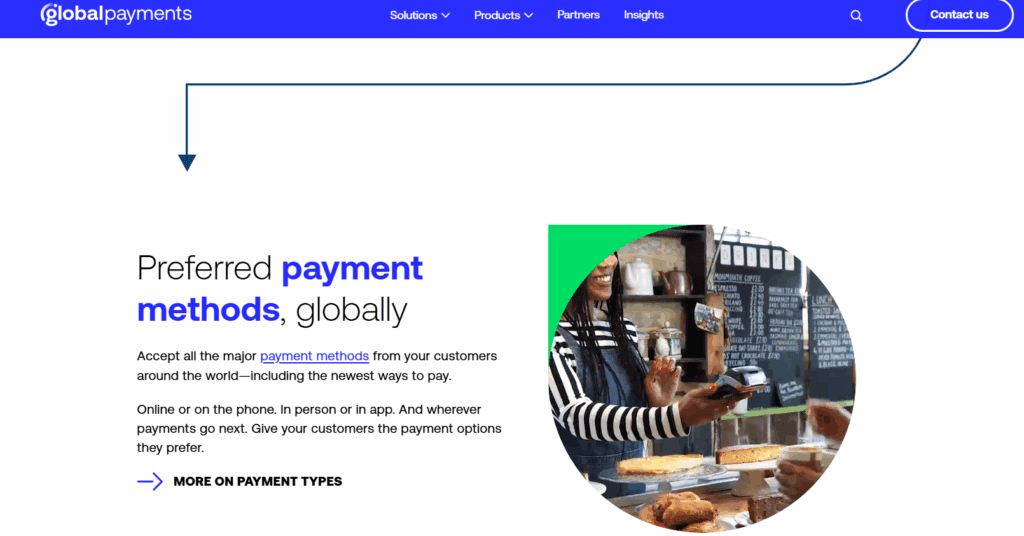
At the heart of Global Payments is its robust payment processing engine. It supports credit and debit card transactions, ACH transfers, contactless payments, and mobile wallets such as Apple Pay and Google Pay. These services are accessible across in-store, online, and mobile channels, allowing businesses to offer a unified customer experience.
The system is designed for high-volume settings and has quick transaction speeds. Its reliability and steady uptime are often advantageous to companies in the retail, hospitality, and service sectors. Support for a variety of payment methods, such as digital wallets and EMV chip cards, is another important advantage. This helps retailers in keeping up with changing customer demands.
However, pricing can be a sticking point. Variable interchange rates, processing fees, and equipment costs can make it difficult for small businesses to estimate total expenses. There are also occasional complaints about hidden charges or inconsistent billing practices. For merchants who prioritize clarity and predictability, this may be a concern.
Merchant Tools and Business Management Solutions
Global Payments extends beyond basic transaction processing by offering a comprehensive suite of business tools. These include customer data platforms, invoicing systems, real-time reporting, and even marketing support. These tools aim to equip merchants with actionable insights, not just payment capabilities.
One of the more useful features is real-time reporting. Businesses can monitor sales activity, refund trends, and transaction volume through an intuitive dashboard. This allows for better planning and resource allocation. Another advantage is the virtual terminal, which enables payments without the need for physical hardware. This is particularly useful for remote or service-based businesses.
Several third-party systems, such as CRMs and accounting programs like Salesforce and QuickBooks, are also integrated with the platform. These links minimize manual labour and streamline financial operations. However, your service tier or region may affect which features are available. Even though the extra tools are useful, they might cost more. Because standard packages do not include all features, merchants must be aware of optional fees. For expanding companies that require more than just a payment processor, the entire suite is still appealing.
POS Systems and Hardware Options
Global Payments offers a wide selection of POS systems designed to fit different business types. Whether you need a single terminal for a boutique or a full system for a multi-location store, the company provides flexible hardware options.
The in-house POS systems include modern interfaces, inventory tracking, and customer engagement features. These are generally easy to use, even for staff with limited technical knowledge. For businesses already using third-party POS providers, the system supports various integrations, making it adaptable to existing setups.
Another standout feature is mobile point-of-sale systems. Mobile readers and app-based solutions provide security and portability for vendors who work on-the-go, such as market stalls, pop-up stores, or delivery services. Usually, installation is simple, particularly when using Global Payments directly. Onboarding through resellers, however, may result in inconsistent setup support. This can be annoying, and in order to guarantee a seamless deployment, the merchant might need to put in more work.
In summary, the POS offerings are strong, with both flexibility and reliability built in. Just be cautious of potential add-on costs for premium hardware and advanced features.
E-commerce and Online Payment Capabilities
For online businesses, Global Payments delivers a feature-rich suite of e-commerce tools. These include payment gateways, hosted checkout pages, and APIs that allow custom integrations across websites, mobile apps, and digital storefronts. The system supports multiple online payment types such as credit cards, e-wallets, and direct bank transfers. Its APIs are well-documented and developer-friendly, making integration feasible for businesses with technical resources. For companies that rely on recurring payments, such as subscription services or SaaS platforms, Global Payments offers automated billing options and secure customer data storage.
The fact that it can facilitate international e-commerce is another advantage. For merchants looking to enter new markets, its multi-currency support and international acquisition features make it a good choice. Cross-border transactions, however, might come with additional fees, which should be considered when making plans. The platform’s versatility is alluring, but companies without specialised IT personnel might encounter a more challenging setup process. A strong basis for digital expansion is provided by the e-commerce environment’s stability and adaptability once set up.
Security and Compliance Features
Security is a critical component of any payment processor, and Global Payments does not fall short. The company is PCI DSS compliant and uses multiple technologies to protect sensitive data. P2PE and tokenization are standard tools in its security suite. These methods ensure that card data is protected from the moment of entry through storage and transmission. This reduces the risk of data breaches and ensures regulatory compliance.
Additional security features include velocity limits, geolocation checks, and real-time monitoring for fraud detection. These tools reduce the likelihood of chargebacks and assist in flagging suspicious transactions. In order to help merchants stay current with industry standards, the platform also provides tools for PCI compliance assistance. Not all merchants may be able to access the full range of features without paying more because advanced fraud protection tools are often associated with higher-tier pricing plans. However, for the majority of retail and service-based businesses, the basic security tools are sufficient.
International Payments and Currency Support
Global Payments is well-equipped for international commerce, offering support for over 140 currencies. Businesses can accept payments in a customer’s local currency and receive settlements on their own. This simplifies cross-border transactions and can improve conversion rates for global customers. Dynamic currency conversion is available as well, allowing shoppers to view prices and complete purchases in their native currency. While convenient, DCC can sometimes result in a higher total cost for the customer due to exchange rates.
The global acquiring network, which eliminates the need for distinct merchant accounts in several nations, is an additional advantage. This lowers administrative overhead and simplifies financial operations for global corporations. Merchants have pointed out that international service fees can be more than they had expected. If not properly budgeted for, currency conversion fees and other processing expenses could reduce margins. Nevertheless, Global Payments’ tools offer a strong and expandable infrastructure for companies looking to grow globally.
Third-Party Integrations
Global Payments integrates well with a wide range of platforms and software solutions. From accounting tools like QuickBooks to e-commerce platforms like Shopify and Magento, the system is built to plug into many commonly used tools.
The platform also offers APIs for businesses that need custom connections. These APIs are developer-friendly and supported by thorough documentation. Integrations with point-of-sale systems like MICROS and Aloha are particularly useful for restaurants, while healthcare providers benefit from compatibility with practice management software.
The quality of integrations can vary depending on whether you work directly with Global Payments or through a third-party vendor. Some configurations may require technical assistance, which can increase implementation time and cost. But for businesses already using multiple systems, the integration capability offers significant value by improving efficiency and reducing redundancy.
Pricing and Contract Considerations
One of the trickier parts of using Global Payments is pricing. Every merchant has a different rate. The type of business, the volume of transactions, the sales channel, and whether the merchant deals directly with the business or through a reseller all affect costs. Monthly service fees, transaction fees, hardware costs, and fees associated with compliance are a few examples of fees. Flat or tiered rate structures may be offered to certain merchants, while interchange-plus pricing may be available to others.
One frequent complaint is the lack of contract transparency. Merchants have reported surprise charges and confusing cancellation policies. Some agreements include early termination fees or automatic renewals, which can catch users off guard. Larger businesses, especially those processing high volumes, often receive more favorable terms, including custom pricing and dedicated support. Smaller merchants should make sure to request a detailed breakdown of costs before signing any agreement.
Customer Service and User Experience
Customer service is a mixed experience depending on how the account is set up. Businesses that sign up directly with Global Payments generally receive more reliable support. Those who come through resellers may encounter delays or less consistent assistance. Support is available via phone, email, and live chat. The company also offers a resource library and self-service portal. These tools provide access to transaction history, downloadable reports, and user guides. The interface is well-organized and mobile-friendly, helping users manage operations on the go.
Even though the system is reliable and effective, new users might find the learning curve a little challenging, particularly in the absence of onboarding assistance. Though they might not be as comprehensive as those offered by more recent, tech-first providers, the training materials are still beneficial. All things considered, Global Payments offers a strong user experience and a high system uptime. It works well for companies that require dependability and continuous support, as long as the onboarding procedure is conducted via a reliable channel.
FAQs
Q1. Is Global Payments suitable for small businesses or only large enterprises?
Global Payments serves both segments. However, small businesses should carefully review contracts and fee structures to avoid hidden costs.
Q2. Can Global Payments handle international transactions efficiently?
Yes. It supports over 140 currencies and offers cross-border payment solutions, although some transactions may incur additional fees.
Q3. Does Global Payments offer flexible contracts or require long-term commitments?
Contract terms can vary widely. Some merchants report long-term agreements with early termination clauses, so always verify the fine print before signing.

Fulton Merchant Card Services Review
By 10topmerchantservices May 31, 2025
Fulton Merchant Card Services is a payment processing offering from Fulton Bank, a longstanding regional bank known for its financial services across business and consumer segments. As businesses increasingly rely on digital transactions, Fulton Bank has extended its core banking capabilities to include merchant services that help companies process payments across various sales channels. Lets read more about Fulton Merchant Card Services Review.
Fulton has a distinct position in the payment processing market because it is a part of a traditional bank. Consolidating banking and payment operations under one roof may be convenient for businesses that currently bank with Fulton. This setup makes financial reconciliation simpler and account management more efficient.
However, companies looking for advanced, highly customisable, or AI-enhanced payment tools are not the target market for Fulton’s services. Small and mid-sized businesses that value consistency and dependable service over quick innovation will find its more grounded and dependable approach appealing. To assist prospective customers in making an informed choice, this review assesses Fulton’s main products in terms of features, security, cost, hardware, and industry suitability.
Core Services and Payment Capabilities | Fulton Merchant Card Services Review
Fulton offers a well-rounded suite of payment processing tools that cater to physical retail, service-based businesses, and online operations. Businesses can accept all major credit and debit cards using countertop terminals, mobile devices, or fully integrated point-of-sale systems. These solutions are well-suited to brick-and-mortar retailers, restaurants, and contractors alike.
Online merchants can integrate Fulton’s services using a secure payment gateway or a virtual terminal. These tools support card-not-present transactions and allow for both one-time and recurring billing. Virtual terminals are especially helpful for businesses handling remote payments or taking orders by phone.
A notable aspect of Fulton’s service is its ability to tailor payment tools to various industries. Whether in retail or hospitality, businesses can access hardware and software options that reflect their operational needs. Although Fulton does not offer deep custom coding or platform-level flexibility, its solutions are broad enough to meet standard business use cases.
Mobile payment support is another advantage. Merchants working in the field can use secure card readers connected to mobile devices to accept payments on the go. From countertop setups to mobile environments, Fulton covers the foundational needs of businesses seeking to process payments securely and efficiently.

Terminal Hardware and Setup Options
Fulton provides a solid range of hardware options to support different business setups. Its offering includes traditional countertop terminals, wireless models for mobile operations, and fully integrated point-of-sale systems. These devices support chip, magnetic stripe, and contactless payments such as Apple Pay and Google Pay.
Retailers often favor countertop terminals at fixed sites because of their ease of use and dependability. Wireless models are more suitable for mobile applications, like delivery services or payments made at tables in restaurants. Though the hardware options are limited in comparison to specialized suppliers, they sufficiently meet the requirements of most small to medium-sized enterprises.
Fulton collaborates with recognized hardware producers to guarantee that the devices are compatible and easy to use. Setup assistance is provided, allowing businesses to have their systems running with little effort. Businesses can opt for either leasing or purchasing, giving them the choice of reduced initial expenses or advantages of long-term ownership.
Although Fulton’s hardware lineup may not include the latest innovations or advanced touchscreen terminals, it performs reliably and fits well within the bank’s service-oriented approach. Businesses looking for tried-and-tested payment tools will find the hardware practical and sufficient for daily operations.
Online Payments and Virtual Terminals
Fulton’s online payment tools revolve around its secure payment gateway and virtual terminal, designed to accommodate businesses that need to process digital or remote payments. These services are essential for online retailers, subscription-based companies, or those accepting orders by phone.
The virtual terminal allows merchants to manually enter card information through a secure web interface. This is particularly helpful for invoicing or phone-based sales, offering flexibility without needing physical hardware. For eCommerce, Fulton’s gateway integrates with common shopping cart systems, allowing real-time transaction processing on a merchant’s website.
Security measures such as SSL encryption and tokenization are built into these tools, helping protect sensitive cardholder data. The system also supports recurring billing setups, which is useful for service providers and subscription-based businesses.
While the virtual terminal and gateway are easy to use, they do not offer some of the more advanced features found in newer fintech platforms. There are limited customization options, and analytics dashboards are basic. Still, for businesses needing a simple, secure online payment solution, Fulton’s tools are adequate and accessible without requiring technical expertise.
Pricing Structure and Transparency
Fulton’s pricing structure includes several components, such as monthly account fees, transaction fees, and charges for additional services like gateways or hardware. However, exact pricing details are not readily available on the website, and businesses typically need to speak with a representative to receive a customized quote. This lack of upfront transparency may be a drawback for businesses that prefer to compare rates online. While personalized quotes can lead to tailored solutions, it introduces a level of unpredictability that some businesses may find inconvenient.
The terms of the contract are also important to note. Fulton may charge early termination fees and demand multi-year commitments. Businesses that expect their service requirements to change or who wish to have the freedom to switch providers may find this to be a sticking point. On the other hand, a lot of the more recent processors provide month-to-month plans that don’t charge cancellation fees.
For companies who already work with Fulton Bank or who value direct assistance, the value might still be high in spite of these factors. Nevertheless, before committing, prospective customers should be sure to inquire in-depth about fees, contract duration, and any additional expenses.
Security and Fraud Protection Measures
Security is a central focus in Fulton’s merchant services. The company complies with PCI-DSS standards, which are designed to protect sensitive cardholder data and ensure secure transaction processing across all channels. Encryption protocols protect data in transit, and tokenization is used to reduce the risks associated with storing card information. These features help shield businesses from data breaches and fraudulent activity, whether payments are made in-store, online, or via mobile devices.
Fulton also equips merchants with fraud prevention tools, including AVS, CVV checks, and the ability to set custom transaction limits. These features help detect unusual activity and add a layer of security to payment processing.
In addition to built-in safeguards, Fulton supports merchants in maintaining compliance. This includes guidance on completing PCI self-assessment questionnaires and understanding ongoing data protection requirements. Although Fulton’s fraud tools are more traditional and lack advanced real-time AI-based detection, they are reliable and user-friendly, especially for businesses with limited technical backgrounds.

Customer Service and Account Support
One of Fulton’s strongest features is its customer service approach. Businesses can access support through phone, email, or by visiting one of Fulton Bank’s branches. This hybrid model is ideal for clients who value direct, human interaction over automated self-service options.
The majority of companies that work with Fulton are given a personal account manager. Onboarding, troubleshooting, and ongoing account management are all supported by these agents. For smaller businesses that might not have specialised in-house IT or finance teams, the individualised service helps ensure continuity and fosters trust.
Support availability, however, might be restricted to regular business hours. Assistance might not be immediately available to businesses that operate on the weekends or after hours. Additionally, because Fulton’s reach is mainly regional, responsiveness and service quality may differ based on the location. The majority of customer feedback is favourable in spite of these restrictions. Local banking assistance and committed agents provide a degree of attention that is often missing from bigger, tech-driven providers.
Reporting Capabilities and Business Insights
Fulton offers basic reporting tools to help merchants keep track of payment activity. The merchant portal provides access to daily summaries, batch settlement data, and monthly statements. These can be downloaded in formats like PDF or CSV for additional processing or recordkeeping. The focus of the reporting suite is primarily on transaction volumes, chargebacks, and payment summaries. While these tools are functional for basic oversight, they do not offer the advanced features seen in more modern platforms, such as visual dashboards, automated insights, or business intelligence tools.
Integration with external accounting software may be possible, but it generally requires manual exporting rather than real-time syncing. This could be a minor inconvenience for businesses that rely heavily on tools like QuickBooks or Xero. Overall, the analytics and reporting capabilities are best suited to businesses that want simple visibility into their financial transactions. For data-driven enterprises seeking deep insights or predictive analysis, Fulton’s tools may feel limited.
Best Fit Industries and Business Use Cases
For companies in the retail, healthcare, hospitality, educational, and professional services sectors, Fulton Merchant Card Services is a solid choice. Its solutions provide sufficient flexibility for a range of business models and can be tailored to both storefront and service-based operations. A small or medium-sized company that values banking relationships, reliable support, and secure payment handling is Fulton’s ideal client. For instance, having banking and payment services under one provider could be convenient for a dental clinic or independent retailer.
However, companies that require advanced payment infrastructure or high-risk industries are not specifically served by Fulton. Additionally, it does not support multicurrency processing or international payments, which could be crucial for international eCommerce operations.
If your business is focused on local markets and does not require advanced customization, Fulton offers a solid and trustworthy solution. Businesses that anticipate rapid growth or global expansion may need to explore alternatives with broader feature sets.
Evaluating the Value: Pros and Cons
Fulton Merchant Card Services delivers value through reliability, relationship-driven service, and seamless banking integration. It’s particularly beneficial for current Fulton Bank customers or businesses that operate within the bank’s regional footprint. The availability of in-person support and dedicated account managers adds to its appeal for companies that prefer personalized service. On the other hand, the platform lacks transparency in pricing, does not support real-time innovations like AI-based analytics, and offers limited scalability for global operations. The absence of advanced customization tools and integration options may be limiting for tech-driven businesses.
Still, for those looking for a grounded and well-supported solution with essential payment features, Fulton is a dependable partner. It’s best suited for businesses that want consistency and care over high-speed innovation or deep technical flexibility.

Frequently Asked Questions
Is Fulton Merchant Card Services suitable for high-risk businesses?
No, Fulton primarily serves low to moderate-risk industries. High-risk sectors like CBD, gambling, or adult services should consider processors specializing in those areas.
Can existing POS hardware be used with Fulton’s system?
It depends on the hardware’s compatibility. Some terminals may be supported, but it’s best to confirm with Fulton before integrating existing equipment.
How fast are payouts processed?
Standard payouts typically take one to two business days. Same-day funding may be available but could involve additional fees or account setup requirements.

Forte Payment Systems Review
By 10topmerchantservices May 27, 2025
Forte Payment Systems is a United States-based payment processor that serves sectors like government, utilities, healthcare, and professional services. It was founded in 1998 and became part of CSG in 2018. Over time, Forte has positioned itself as a secure, cloud-based platform focused on compliance and recurring billing. Its services are not tailored for traditional retail or fast-moving e-commerce. Instead, they support more structured billing environments that demand accuracy, security, and reliability. Lets read more about Forte Payment Systems Review.
Web portals, mobile applications, call centres, and in-person setups are among the various payment environments that the platform supports. Because of its scalable infrastructure, medium-sized to large businesses can use it. Forte provides digital invoicing, tokenisation, integration-ready APIs, and payment processing for both ACH and card-based transactions. Businesses can incorporate payment features into their own systems with the help of these tools. Forte’s model is still a strong option for companies with complex compliance and integration requirements, even though it might not be appropriate for smaller businesses seeking quick setups.
Core Features and Payment Capabilities | Forte Payment Systems Review
Forte provides a unified platform capable of processing ACH, credit card, debit card, eCheck, and contactless payments. A key benefit is the ability to manage both one-time and recurring payments across multiple channels, including web, mobile, and in-person systems. This flexibility supports various business models and operational workflows.
ACH transactions are a foundational feature, making Forte ideal for sectors like healthcare, education, and utilities. These transfers are often less expensive than card payments and work well for businesses managing high volumes of scheduled transactions. Forte’s platform also supports real-time card processing with tools for refunds, chargebacks, and reconciliation.
The system includes digital wallet compatibility with Apple Pay and Google Pay. Tokenization ensures customer payment information is stored securely, reducing the risk associated with repeat transactions. Automatic invoice generation and payment reminders add to the convenience, helping businesses streamline receivables. Fraud prevention and account verification tools can be added to further secure the payment cycle, making Forte a well-rounded solution for complex payment environments.
Virtual Terminal and Mobile Functionality
Forte offers a browser-based virtual terminal that eliminates the need for traditional point-of-sale hardware. This tool is well-suited for service-based businesses, remote teams, and call centers. Payment details can be entered manually, refunds issued, and recurring payments scheduled within a centralized interface. Customer information can also be stored securely for future use.
The terminal integrates with Forte’s vault and billing features and accepts both card and ACH payments. Although the interface works, new users might need some initial assistance to properly utilise its features. Once configured, the terminal offers a simple method of handling transactions without the need for additional equipment.
Regarding mobile devices, Forte facilitates payment processing via specialised apps for tablets and smartphones. These applications, which are compatible with card readers, offer functions like customer lookup, transaction history access, and receipt issuance. The mobile tools are suitable for field service providers and professionals who are constantly on the go, even though they are not made for retail-style point-of-sale setups. Forte’s ability to provide a single payment environment is strengthened by the uniformity across web, terminal, and mobile channels.
Developer Tools and API Integration
Forte stands out for its developer-friendly approach, offering well-documented RESTful APIs for businesses that want deep integration. These APIs allow payments to be embedded into websites, mobile apps, or custom software platforms. This capability is especially useful for software vendors and businesses aiming to provide a branded, end-to-end payment experience.
The documentation is detailed and includes examples for common tasks such as initiating transactions, handling refunds, setting up recurring billing, and managing webhook notifications. Developers also gain access to a sandbox environment for testing and refinement before going live. This reduces deployment risks and shortens the go-to-market timeline.
Security is built in through client-side encryption and tokenization, allowing safe data transmission. Forte also offers SDKs in multiple programming languages, including JavaScript, .NET, and PHP. The modular API structure lets businesses use only the services they need. For companies with limited technical expertise, the virtual terminal or hosted checkout pages may serve as more accessible options. But for businesses that prioritize custom workflows, Forte’s API toolkit is a major asset.
Security and Compliance Capabilities
Security and regulatory compliance are key elements of Forte’s design. The platform is PCI-DSS Level 1 certified, ensuring that payment processing meets the highest security benchmarks in the industry. Sensitive cardholder data is replaced with secure tokens, allowing repeat transactions without exposing raw data. This protects customers while enabling seamless billing.
Advanced fraud detection tools from Forte can notify companies of suspicious activity. Businesses in industries with a lot of regulatory oversight, like public administration and healthcare, need these tools. Along with tools like OFAC screening to satisfy legal requirements, the system also supports NACHA compliance for ACH payments.
AVS, CVV checks, and velocity controls are examples of optional security features. The platform helps businesses keep compliance records and transparency by recording every transaction activity for audit and reporting purposes. Although casual merchants may not need this level of security, it is essential for businesses where data protection and legal compliance are top priorities.
Pricing Approach and Cost Considerations
Forte does not publish a standard pricing list. Its costs are generally customized depending on industry, transaction volume, feature selection, and risk profile. While this allows tailored pricing for large enterprises, it creates uncertainty for smaller businesses that prefer flat-rate, transparent costs.
Fees may include per-transaction charges for ACH and card payments, along with monthly gateway or statement fees. Services like account validation, fraud detection, or expedited funding may carry additional charges. ACH pricing tends to be cost-efficient and predictable, especially for businesses with steady recurring billing needs.
Sales representatives typically prepare quotes after reviewing a prospective client’s operations. This consultative approach helps match features with budget, but it may delay the onboarding process for companies looking to make fast decisions. Some users have noted unexpected fees tied to support or configuration changes, though many of these can be negotiated at the outset. For businesses that prioritize customized payment setups, the flexible pricing may be worth the initial effort.
Industry Applications and Fit
Serving sectors that demand strict adherence to regulations and enduring billing partnerships is where Forte excels. Governmental organisations that manage taxes and permits, healthcare organisations that handle patient payments, and utilities that handle recurring bills are examples of common use cases. Forte’s tools for tuition, donations, and membership dues are also advantageous to nonprofit organisations and educational institutions.
Forte is an excellent choice for any industry where automation and security are crucial due to its ACH capabilities and billing tools. The platform facilitates the smooth transfer of data between payment processing and essential business applications by allowing integration with third-party systems. Errors and administrative burden are decreased as a result.
Businesses that rely on real-time consumer transactions, such as retail or restaurants, may find Forte less suitable. The platform does not emphasize visual interfaces or modern point-of-sale hardware. However, service-based companies, software vendors, and B2B providers may appreciate Forte’s flexible backend and developer options. The platform’s true value lies in environments where compliance, repeat billing, and security take precedence over simplicity.
Reporting and Analytics Capabilities
Forte offers robust reporting and analytics tools designed to support financial transparency and operational decision-making. The platform’s dashboard provides real-time visibility into transaction activity, allowing users to filter results by payment type, status, or customer profile. These tools are especially useful for organizations managing complex accounts or regulatory reporting.
Reports can be customized and scheduled for automatic delivery. They are exportable in multiple formats, including CSV and PDF, making them easy to integrate with accounting systems or enterprise software. Batch summaries, settlement reports, and historical logs help teams reconcile accounts efficiently and catch discrepancies early.
Forte’s analytics focus more on transaction clarity than consumer insights. While it lacks marketing data features, it excels at providing dependable financial records. This is a plus for finance teams, auditors, and business leaders who need detailed visibility into revenue and reconciliation. Though the interface may not have the polish of newer platforms, its depth and reliability make it a practical choice for financial oversight.
Customer Support and User Onboarding
Forte offers multi-channel support via phone, email, and an online portal. Support responsiveness is generally favorable, particularly for clients with custom setups or advanced integration needs. Onboarding usually includes assistance with configuration, API keys, and optional user training. New users also get access to a comprehensive documentation hub.
A dedicated account manager may be assigned to larger clients to assist with strategy, execution, and expansion. When companies have continuous operational updates or technical enquiries, this point of contact becomes crucial. For specialised issues, however, businesses without designated representatives might have to wait longer for responses.
Forte could do better in the area of after-hours support, for example. For businesses that are open 24/7, the standard service window may be restrictive. Nonetheless, Forte offers a reliable experience for businesses that value methodical onboarding and technical assistance based on procedures and documentation. Its support system fits in nicely with the type of customers it draws in; those who appreciate accuracy and dependability.
Final Verdict: Strengths and Suitability
For businesses with recurring billing requirements and a focus on compliance, Forte Payment Systems is a robust payment processor. It offers flexible API-based integrations, secure architecture, and robust ACH processing. Forte’s capabilities are probably most useful to government organisations, utilities, nonprofits, and healthcare providers.
The platform is perfect for medium-sized to large businesses with internal IT resources because of its modular design, robust security posture, and advanced reporting. For small businesses or those seeking public pricing and quick setup, it might be too complicated. For businesses that prioritise visual interfaces, its emphasis on functionality over aesthetics could also be a disadvantage.
In summary, Forte excels in environments where control, customization, and compliance are essential. It is not built for plug-and-play simplicity but rather for businesses seeking a long-term, scalable payment solution with room to adapt and grow.
FAQs
Q1: Is Forte Payment Systems suitable for small businesses?
Forte can support small businesses, but its complexity and feature depth are better suited to mid-sized and large organizations with specific compliance or recurring billing needs.
Q2: Does Forte offer recurring billing and invoicing tools?
Yes, Forte has strong capabilities for recurring payments, digital invoicing, and subscription billing. These features are commonly used by service-based and membership-driven organizations.
Q3: How secure is Forte for handling payments?
Forte is PCI-DSS Level 1 compliant and includes tokenization, encryption, and fraud monitoring. It is a secure solution for businesses managing sensitive or regulated financial data.

First Hawaiian Bank Review
By 10topmerchantservices May 23, 2025
Having been established in 1858, First Hawaiian Bank (FHB) is the oldest and most reputable financial institution in Hawaii. With branches in Guam and the Northern Mariana Islands, FHB, which has its headquarters in Honolulu, has gradually expanded its presence throughout the Pacific. Its enduring presence is a testament to its dependability and strong ties to the communities it serves. Lets read more about First Hawaiian Bank Review.
FHB has developed into a full-service banking provider over the years. Services for individuals, families, small businesses, and corporate clients are all included in its portfolio. Despite being a regional bank, FHB has continued to invest in digital infrastructure to meet the demands of modern banking.
Customer relationships are a core strength. The bank regularly receives high satisfaction ratings in its operating regions, which speaks to its ability to blend traditional service values with contemporary banking. While its market reach is smaller compared to national institutions, FHB’s reputation for personal attention and stability remains a cornerstone of its appeal.
Personal Banking Products and Services | First Hawaiian Bank Review
FHB provides a well-rounded range of personal banking products suitable for varying customer needs and life stages. These include checking and savings accounts, money market options, and certificates of deposit. Checking accounts are tiered to serve different customer segments. Students, seniors, and basic users can access low-fee or no-fee options, while interest-bearing accounts are available for those maintaining higher balances. Most checking options include mobile and online banking, debit cards, and ATM access. However, some accounts carry monthly maintenance fees unless balance or activity criteria are met.
Savings products follow a standard tiered interest model. CDs are available with fixed returns over set periods but offer more modest rates compared to online-only competitors. Money market accounts provide better yields for higher balances but come with limited withdrawal flexibility. While the bank’s local ATM and branch access is strong within Hawaii and nearby territories, customers outside these regions may find accessibility limited. For Hawaii-based individuals who value community engagement and local service, FHB remains a practical and trustworthy banking choice.
Business Banking Solutions
FHB offers a diverse suite of business banking services tailored to Hawaii’s unique economic environment. Its offerings serve small businesses, mid-sized enterprises, and larger commercial operations.
Business checking and savings accounts are available in multiple formats to suit varying transaction volumes and cash management needs. These accounts come with digital banking tools like mobile check deposits, account alerts, and online bill payments. Fee structures are competitive, with waivers offered based on maintaining specific balance thresholds.
The bank offers term loans, equipment loans, business credit lines, and financing for commercial real estate. One clear benefit is that these products are run by teams that understand the island economy, which helps businesses deal with issues unique to the area.
Retail and service-based businesses can access merchant services like card processing and point-of-sale systems. FHB offers dependable payroll and treasury services, despite the fact that some digital tools might not be as advanced as fintech rivals. The bank’s relationship banking model is where it really shines. Working with experts who have firsthand knowledge of the local economy is often advantageous to local business owners. In an area where national providers might be lacking in context or adaptability, this individualised approach offers value.
Mortgage and Loan Offerings
FHB provides a comprehensive set of lending options, including home loans, personal loans, auto loans, and personal lines of credit. These products are structured to reflect Hawaii’s unique real estate dynamics and consumer needs. Mortgage offerings include fixed and adjustable-rate options, along with government-backed FHA and VA loans. Refinance and home equity lines of credit are also available. Rates are competitive locally, though they may not always align with those from online lenders operating at scale.
The mortgage application process is supported by both online tools and in-person guidance, which benefits first-time homebuyers or customers seeking clarity. Prequalification can be done digitally, but the bank continues to prioritize face-to-face service. Auto loans are available for both new and used vehicles, with flexible repayment terms and reasonable interest rates. While competitive in the local market, customers may want to compare national offers for the best possible deal.
Personal loans and lines of credit are designed for flexible use cases like debt consolidation or emergency expenses. These generally come with fixed or variable rates and do not always require collateral. Overall, FHB’s lending suite is practical, community-focused, and suited to those who prioritize service and support over chasing the absolute lowest rate.
Digital Banking and Mobile App Experience
Significant progress has been made by First Hawaiian Bank in developing its digital capabilities. Although it doesn’t have as many features as major national banks and fintech startups, its mobile app and online banking platform do a good job of covering the essentials. Users of the FHB mobile app can pay bills, view balances, deposit checks, send peer-to-peer payments through Zelle, and transfer money. Additionally, customers can review statements and set up account alerts. Despite the interface’s ease of use, some users have complained about sluggish performance or trouble logging in during updates.
In addition to adding basic tools for managing accounts and tracking expenses, the online banking platform reflects the majority of app functionalities. The system lacks advanced budgeting tools and AI-driven financial insights, despite using encryption and contemporary security protocols. The app supports biometric login and two-factor authentication, contributing to overall account safety. Reviews on app stores are generally positive but indicate occasional reliability concerns.
For everyday banking needs, FHB’s digital tools are sufficient. However, users looking for robust financial management capabilities or tech innovation may find the experience a bit underwhelming.
Investment and Wealth Management Services
Through its subsidiary First Hawaiian Advisors, the bank offers investment and wealth management services tailored to individuals with varying financial goals. This includes options like mutual funds, IRAs, stocks, bonds, and annuities. Advisors at FHB provide personalized financial strategies, including retirement planning, estate services, and trust management. High-net-worth clients can access more comprehensive planning services, including multi- generational wealth transfer.
One of the firm’s key differentiators is its relationship-oriented model. Advisors tend to maintain long-term connections with clients and offer localized expertise in tax strategies and investment planning. This approach suits clients who value personalized attention over digital automation. However, the range of investment options is narrower compared to large national brokerage firms. Fees may also be higher for smaller accounts, and the platform lacks the cost-efficiency of self-managed online tools.
Still, for customers who prefer face-to-face interactions and customized advice rooted in local economic understanding, First Hawaiian Advisors offers a dependable and professional service experience.
Customer Service and Support
First Hawaiian Bank excels at providing excellent customer service, particularly in Hawaii. The bank’s branch-level service and community involvement reflect its strong emphasis on interpersonal relationships. Staff members who take the time to explain banking products, help with complicated problems, and establish a rapport with loyal customers are generally praised for their in-branch service. Customers who are older or less accustomed to using digital tools will particularly benefit from this.
For basic questions, live chat is available, and phone support is available during extended business hours. Even though representatives are usually polite and helpful, more complicated problems might need to be escalated or followed up on. The bank also provides secure messaging through its online platform and a helpful FAQ section. While functional, these digital support tools lack the immediacy of 24/7 assistance offered by some national players.
One standout feature is FHB’s multilingual support and accessible services for customers with disabilities, including large-print materials and accessible branches. Overall, FHB delivers solid customer support rooted in local understanding and cultural sensitivity, even if it doesn’t offer the speed or scale of larger competitors.
Fees, Charges, and Transparency
Like many regional banks, First Hawaiian Bank charges fees on certain account types and services, though there are ways to minimize them through balance thresholds or account activity. Personal checking and savings accounts may incur monthly maintenance fees ranging from $3 to $15. These fees can typically be waived by maintaining a minimum balance or setting up direct deposits. While this is standard among traditional banks, it may feel outdated compared to the no-fee structures of many digital banks.
Other common charges include out-of-network ATM fees, overdraft fees, and wire transfer charges. The bank provides overdraft protection, but it requires customer enrollment and understanding of the terms. FHB publishes its fee schedules online, and the disclosures are clear, though not always easy to find. Transparency could be improved by making pricing information more accessible upfront.
Business accounts also come with activity-based fees that can vary depending on transaction volume. In some cases, customers have noted the need to actively request fee waivers. In summary, FHB’s fees are on par with regional bank standards. Customers should review terms carefully to avoid unexpected charges, especially when comparing options with online or national banks.
Security, Fraud Protection, and Compliance
In its banking operations, FHB places a strong emphasis on compliance and safety. Depositors are protected up to $250,000 per eligible account category by this FDIC-insured institution. For digital security, the bank uses a variety of industry-standard techniques. These consist of session timeouts, fraud monitoring systems, encrypted sessions, and two-factor authentication. Mobile devices can support biometric logins, and users can use the app to immediately freeze their cards.
FHB has a spotless compliance history and hasn’t had any significant regulatory problems recently. Its cautious approach helps to build a reputation for reliability and caution. Its website also offers educational materials on cybersecurity, identity theft, and phishing. Clients who are unfamiliar with online banking or who require reassurance regarding digital threats may find this advice especially helpful.
While not known for leading-edge security innovations, FHB offers a robust, traditional model that prioritizes safety and compliance, particularly suited to customers seeking stability over experimentation.
Pros, Cons, and Final Verdict
First Hawaiian Bank delivers a strong regional banking experience, characterized by deep community engagement, solid financial products, and reliable customer service. Its key strengths include:
A wide range of personal and business services
Strong in-person support
Deep understanding of the local economy
Personalized wealth management and advisory
However, the bank also faces a few challenges:
Limited geographic footprint
Modest digital capabilities
Standard fees that may be higher than online-only banks
FHB is an excellent choice for residents of Hawaii, Guam, or CNMI who prioritize trust, community connection, and personalized service. It may be less ideal for digital-first users or those seeking the lowest-cost options nationwide. For what it is; a regionally focused institution with a long-standing presence; FHB stands out as a dependable and community-oriented bank.
FAQs
Q1: Does First Hawaiian Bank offer nationwide banking services?
No, FHB operates branches in Hawaii, Guam, and the Northern Mariana Islands. However, digital banking access is available nationwide.
Q2: Is First Hawaiian Bank FDIC insured?
Yes, FHB is FDIC insured. Eligible deposits are protected up to $250,000 per depositor, per account type.
Q3: How does FHB compare to larger national banks?
FHB provides stronger regional service and customer relationships but may not match national banks in technology or geographic coverage.